2023 FORD SUPER DUTY lock
[x] Cancel search: lockPage 321 of 738

WHAT IS THE LANE KEEPING
SYSTEM
The lane keeping system alerts you byproviding temporary steering assistanceor steering wheel vibration when it detectsan unintended lane departure.
HOW DOES THE LANE
KEEPING SYSTEM WORK
The lane keeping system uses a forwardlooking camera mounted on the windshieldto monitor vehicle movement within thetravel lane.
When the camera detects a drift out of thetravel lane, the lane keeping system alertsthe driver by vibrating the steering wheel,or aids the driver by providing a smallsteering input to move the vehicle backinto the travel lane.
The driver can select one of three modes:
•Alert (If Equipped)
•Aid
•Alert + Aid
LANE KEEPING SYSTEM
PRECAUTIONS
WARNING: You are responsible forcontrolling your vehicle at all times. Thesystem is designed to be an aid and doesnot relieve you of your responsibility todrive with due care and attention. Failureto follow this instruction could result inthe loss of control of your vehicle,personal injury or death.
WARNING: The system will notoperate if the sensor cannot track theroad lane markings.
WARNING: The sensor mayincorrectly track lane markings as otherstructures or objects. This can result ina false or missed warning.
WARNING: In cold and severeweather conditions the system may notfunction. Rain, snow and spray can alllimit sensor performance.
WARNING: The system may notoperate properly if the sensor is blocked.Keep the windshield free fromobstruction.
WARNING: If damage occurs in theimmediate area surrounding the sensor,have your vehicle checked as soon aspossible.
WARNING: The system may notcorrectly operate if your vehicle is fittedwith a suspension kit not approved byus.
WARNING: Large contrasts inoutside lighting can limit sensorperformance.
LANE KEEPING SYSTEM
LIMITATIONS
The lane keeping system only operateswhen the vehicle speed is greater than40 mph (64 km/h).
The system works when the camera candetect at least one lane marking.
Note:When you select Aid or Alert and Aidmode and the system detects no steeringactivity for a short period of time, the systemalerts you to put your hands on the steeringwheel. The system may detect a light gripor touch on the steering wheel as hands-offdriving.
317
2023 Super Duty (TFH) Canada/United States of America, enUSA, Edition date: 202211, DOMLane Keeping System (If Equipped)
Page 322 of 738
The lane keeping system may not correctlyoperate in any of the following conditions:
•The lane keeping system does notdetect at least one lane marking.
•You switch the turn signal on.
•You apply direct steering, acceleratefast or brake hard.
•The vehicle speed is less than 40 mph(64 km/h).
•The anti-lock brake, stability control ortraction control system activates.
•The lane is too narrow.
•Something is obscuring the camera orit is unable to detect the lane markingsdue to environment, traffic or vehicleconditions.
•Entering or exiting a tight curve whendriving at high speeds.
The lane keeping system may not correctlane positioning in any of the followingconditions:
•High winds.
•Uneven road surfaces.
•Heavy or uneven loads.
•Incorrect tire pressure.
SWITCHING THE LANE
KEEPING SYSTEM ON AND
OFF
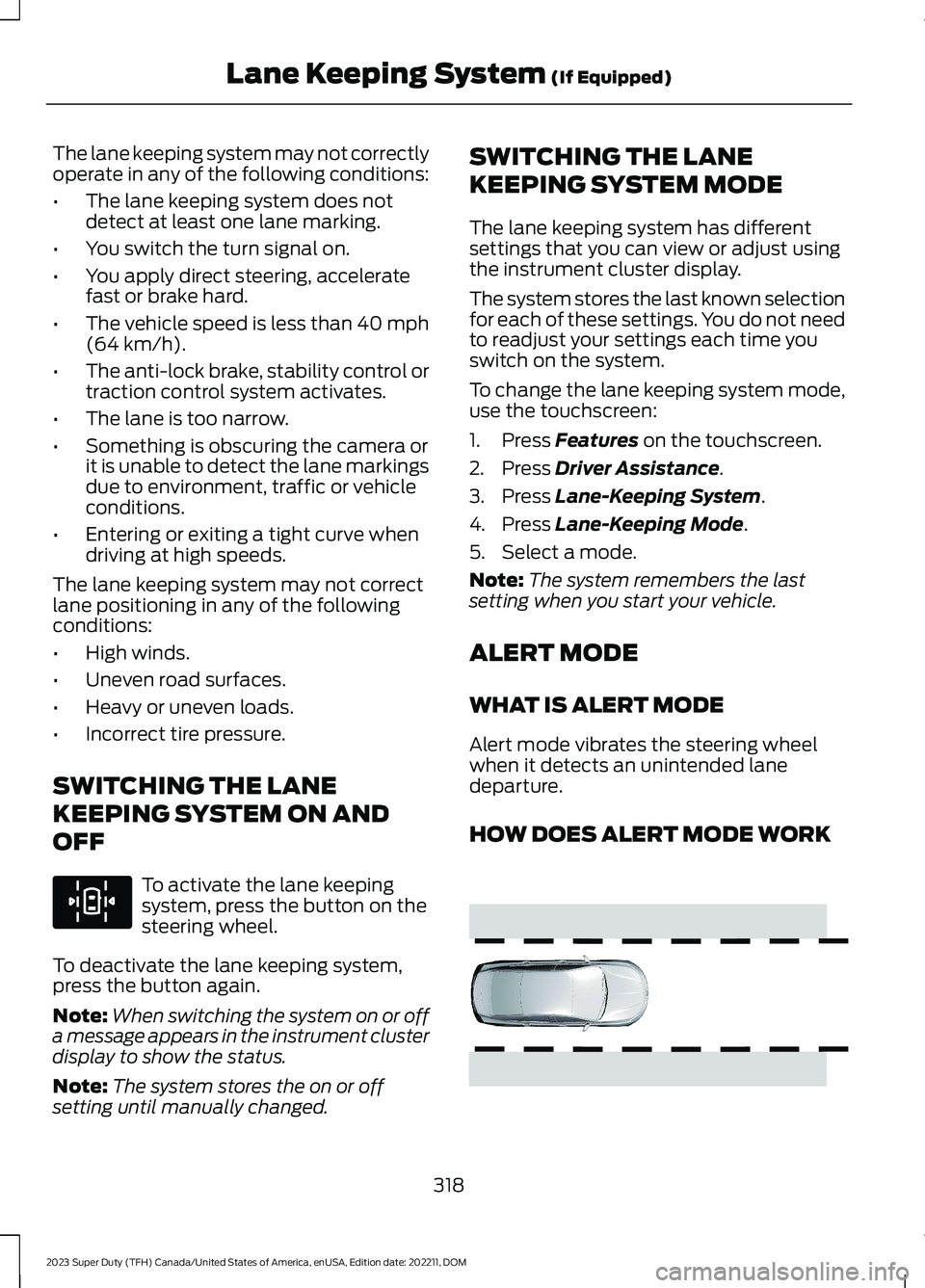
To activate the lane keepingsystem, press the button on thesteering wheel.
To deactivate the lane keeping system,press the button again.
Note:When switching the system on or offa message appears in the instrument clusterdisplay to show the status.
Note:The system stores the on or offsetting until manually changed.
SWITCHING THE LANE
KEEPING SYSTEM MODE
The lane keeping system has differentsettings that you can view or adjust usingthe instrument cluster display.
The system stores the last known selectionfor each of these settings. You do not needto readjust your settings each time youswitch on the system.
To change the lane keeping system mode,use the touchscreen:
1.Press Features on the touchscreen.
2.Press Driver Assistance.
3.Press Lane-Keeping System.
4.Press Lane-Keeping Mode.
5.Select a mode.
Note:The system remembers the lastsetting when you start your vehicle.
ALERT MODE
WHAT IS ALERT MODE
Alert mode vibrates the steering wheelwhen it detects an unintended lanedeparture.
HOW DOES ALERT MODE WORK
318
2023 Super Duty (TFH) Canada/United States of America, enUSA, Edition date: 202211, DOMLane Keeping System (If Equipped)E308131 E165515
Page 325 of 738

During lane changes, the design of theblind spot assist feature detects vehiclesin, or approaching, your blind spot andprovides a warning, plus steeringassistance to direct your vehicle back intoyour lane.
When active, this system functions with orwithout the use of direction indicators andhazard flashers.
You must keep your hands on the steeringwheel at all times.
BLIND SPOT ASSIST LIMITATIONS
All system limitations present in the basiclane keeping system also apply to blindspot assist.
Blind spot assist does not function underthe following conditions:
•No lane markings are detected.
•One or both rear radar sensors becomeblocked or faulty.
•Attaching bike or cargo racks couldcause false alerts due to obstructionof the sensor.
Blind spot assist may have difficultydetecting hazards under the followingconditions:
•If a vehicle is approaching in anadjacent lane at a speed higher thanyour vehicle.
•Bad weather obstructing the sensors.
BLIND SPOT ASSIST INDICATORS
The lane keeping aid warning lamp or redlane marking in your instrument clusterdisplay indicate blind spot assist activation.In addition, the blind spot informationsystem alert indicator flashes on theexterior mirror on the same side as thedetection. See Blind Spot InformationSystem (page 327).
321
2023 Super Duty (TFH) Canada/United States of America, enUSA, Edition date: 202211, DOMLane Keeping System (If Equipped)E310089
Page 326 of 738

Blind Spot Assist Information Messages
ActionMessage
Displays if you attach a trailer to your vehicle with the blindspot information system switched off or you have notconfigured the trailer.
Blind Spot Assist NotAvailable TrailerAttached
Displays if your blind spot information system sensors areblocked.Blind Spot Assist NotAvailable Side SensorBlocked
The system has detected a fault that requires service. Haveyour vehicle checked as soon as possible.Blind Spot Assist Systemfault
Front camera fault. Blind spot assist is disabled until thefailure is fixed.Front Camera FaultService Required
BLIND SPOT ASSIST WITH
TRAILER COVERAGE (IF EQUIPPED)
WHAT IS BLIND SPOT ASSISTWITH TRAILER COVERAGE
Blind spot assist with trailer coverage is anextension of the lane keeping system.
It may help you identify adjacent vehiclesduring a lane change.
Blind spot assist provides a blind spotwarning and steering assistance to helpduring lane changes.
When attaching a trailer, ensure you haveproperly set up the trailer coveragesettings. See Blind Spot InformationSystem With Trailer Coverage (page328).
HOW DOES BLIND SPOT ASSISTWITH TRAILER COVERAGE WORK
Activate and deactivate thesystem using the lane keepingsystem button on the steeringwheel.
During lane changes, the design of theblind spot assist feature detects vehiclesin, or approaching, your blind spot andprovides a warning, plus steeringassistance to direct your vehicle back intoyour lane.
If a supported trailer is connected, thefunction is reduced to only detectingvehicles on both sides of your vehicle andtrailer, extending rearward from theexterior mirrors to the end of your trailer.See Blind Spot Information SystemWith Trailer Coverage (page 328).
When active, this system functions with orwithout the use of direction indicators andhazard flashers.
You must keep your hands on the steeringwheel at all times.
BLIND SPOT ASSIST WITHTRAILER COVERAGELIMITATIONS
All system limitations present in the basiclane keeping system also apply to blindspot assist.
Blind spot assist does not function underthe following conditions:
322
2023 Super Duty (TFH) Canada/United States of America, enUSA, Edition date: 202211, DOMLane Keeping System (If Equipped)E308131
Page 327 of 738

•The system does not detect lanemarkings.
•One or both rear radar sensors becomeblocked or faulty.
•You have not configured the attachedtrailer correctly in the trailer tow menusor you attached an unsupported trailer.The system only supports certain trailershapes and dimensions.
Note:Blind spot assist with trailer coveragecould have reduced performance if any ofthe above limitations are present.
Blind spot assist may have difficultydetecting hazards under the followingconditions:
•If a vehicle is approaching in anadjacent lane at a relative speed muchhigher than your vehicle.
•Bad weather conditions are presentthat obstruct the sensors.
•Attaching bike or cargo racks couldcause false alerts due to obstructionof the sensor.
BLIND SPOT ASSIST WITHTRAILER COVERAGE INDICATORS
The lane keeping aid warning lamp or redlane marking in your instrument clusterdisplay indicate blind spot assist activation.In addition, the blind spot informationsystem alert indicator flashes on theexterior mirror on the same side as thedetection. See Blind Spot InformationSystem (page 327).
Blind Spot Assist Information Messages
ActionMessage
Displays if you attach a trailer to your vehicle with the blindspot information system switched off or you have notconfigured the trailer.
Blind Spot Assist NotAvailable TrailerAttached
Displays if your blind spot information system sensors areblocked.Blind Spot Assist NotAvailable Side SensorBlocked
The system has detected a fault that requires service. Haveyour vehicle checked as soon as possible.Blind Spot Assist Systemfault
323
2023 Super Duty (TFH) Canada/United States of America, enUSA, Edition date: 202211, DOMLane Keeping System (If Equipped)E310089
Page 329 of 738
LANE KEEPING SYSTEM – FREQUENTLY ASKED QUESTIONS
Why is the feature not available (lane markings are gray) when I can see the lane markingson the road?
Your vehicle speed is less than 40 mph (65 km/h).
The sun is shining directly into the camera lens.
A quick intentional lane change has occurred.
Your vehicle stays too close to the lane markings for an extended interval of time.
Driving at high speeds in curves.
The last alert warning or aid intervention occurred a short time ago.
Ambiguous lane markings, for example, in construction zones.
Rapid transition from light to dark, or from dark to light.
Sudden offset in lane markings.
ABS or AdvanceTrac™ is active.
There is a camera blockage due to dirt, grime, fog, frost or water on the windshield.
You are driving too close to the vehicle in front of you.
Transitioning between no lane markings to lane markings, or vice versa.
There is standing water on the road.
Faint lane markings, for example, partial yellow lane markings on concrete roads.
Lane width is too narrow or too wide.
You have not calibrated the camera after a windshield replacement.
Driving on tight or on uneven roads.
325
2023 Super Duty (TFH) Canada/United States of America, enUSA, Edition date: 202211, DOMLane Keeping System (If Equipped)
Page 332 of 738
LOCATING THE BLIND SPOT
INFORMATION SYSTEM
SENSORS
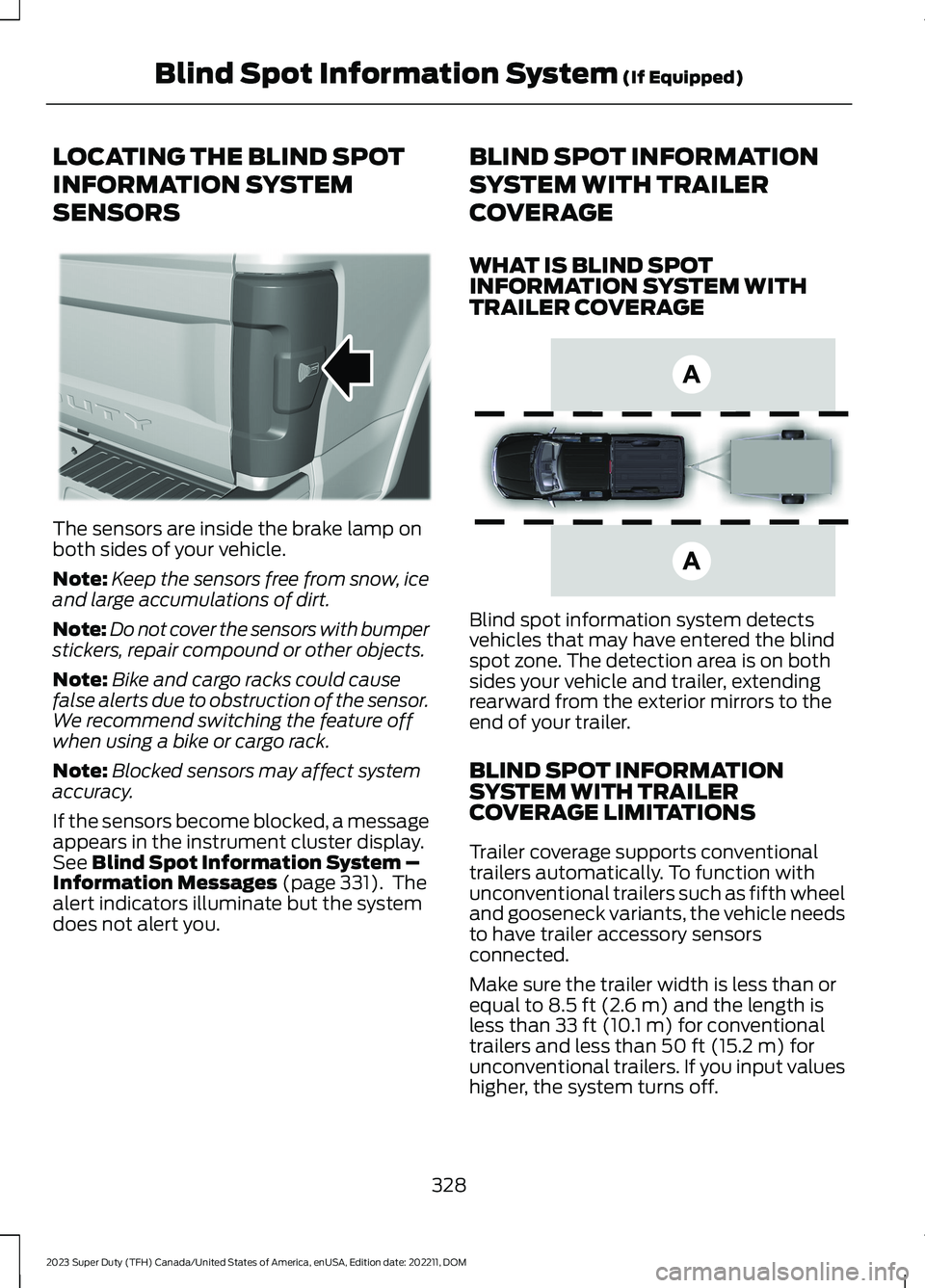
The sensors are inside the brake lamp onboth sides of your vehicle.
Note:Keep the sensors free from snow, iceand large accumulations of dirt.
Note:Do not cover the sensors with bumperstickers, repair compound or other objects.
Note:Bike and cargo racks could causefalse alerts due to obstruction of the sensor.We recommend switching the feature offwhen using a bike or cargo rack.
Note:Blocked sensors may affect systemaccuracy.
If the sensors become blocked, a messageappears in the instrument cluster display.See Blind Spot Information System –Information Messages (page 331). Thealert indicators illuminate but the systemdoes not alert you.
BLIND SPOT INFORMATION
SYSTEM WITH TRAILER
COVERAGE
WHAT IS BLIND SPOTINFORMATION SYSTEM WITHTRAILER COVERAGE
Blind spot information system detectsvehicles that may have entered the blindspot zone. The detection area is on bothsides your vehicle and trailer, extendingrearward from the exterior mirrors to theend of your trailer.
BLIND SPOT INFORMATIONSYSTEM WITH TRAILERCOVERAGE LIMITATIONS
Trailer coverage supports conventionaltrailers automatically. To function withunconventional trailers such as fifth wheeland gooseneck variants, the vehicle needsto have trailer accessory sensorsconnected.
Make sure the trailer width is less than orequal to 8.5 ft (2.6 m) and the length isless than 33 ft (10.1 m) for conventionaltrailers and less than 50 ft (15.2 m) forunconventional trailers. If you input valueshigher, the system turns off.
328
2023 Super Duty (TFH) Canada/United States of America, enUSA, Edition date: 202211, DOMBlind Spot Information System (If Equipped)E231384 E225007
Page 335 of 738
BLIND SPOT INFORMATION SYSTEM – TROUBLESHOOTING
BLIND SPOT INFORMATION SYSTEM – INFORMATION MESSAGES
ActionMessage
A fault with the system has occurred. Haveyour vehicle checked as soon as possible.Blind Spot System Fault
Something is blocking the sensors. Cleanthe sensors.Blind Spot Not Available Sensor BlockedSee Manual
The system automatically turns off anddisplays this message when you connect atrailer to the vehicle that does not have atrailer blind spot system or when you switchthe trailer blind spot system off through thetouchscreen.
Blind Spot Alert Deactivated TrailerAttached
Note:When connecting a trailer, the systemmay detect the trailer and turn the systemOFF. If the system does not turn OFFautomatically, switch the blind spotinformation system OFF manually. Ifequipped with blind spot with trailer tow,you will be prompted to set up a trailer thatallows the feature to function with thattrailer.
BLIND SPOT INFORMATION
SYSTEM VIDEOS
BLIS® with Cross-traffic Alert Video Link
BLIS with Trailer Coverage and Cross TrafficAlert Video Link
331
2023 Super Duty (TFH) Canada/United States of America, enUSA, Edition date: 202211, DOMBlind Spot Information System (If Equipped)