2023 FORD EXPLORER light
[x] Cancel search: lightPage 93 of 573
Note:The lights on the front fog lamps turnoff when you switch the high beams on.
Front Fog Lamp Indicator
It illuminates when you switchthe front fog lamps on.
ADAPTIVE HEADLAMPS (IF
EQUIPPED)
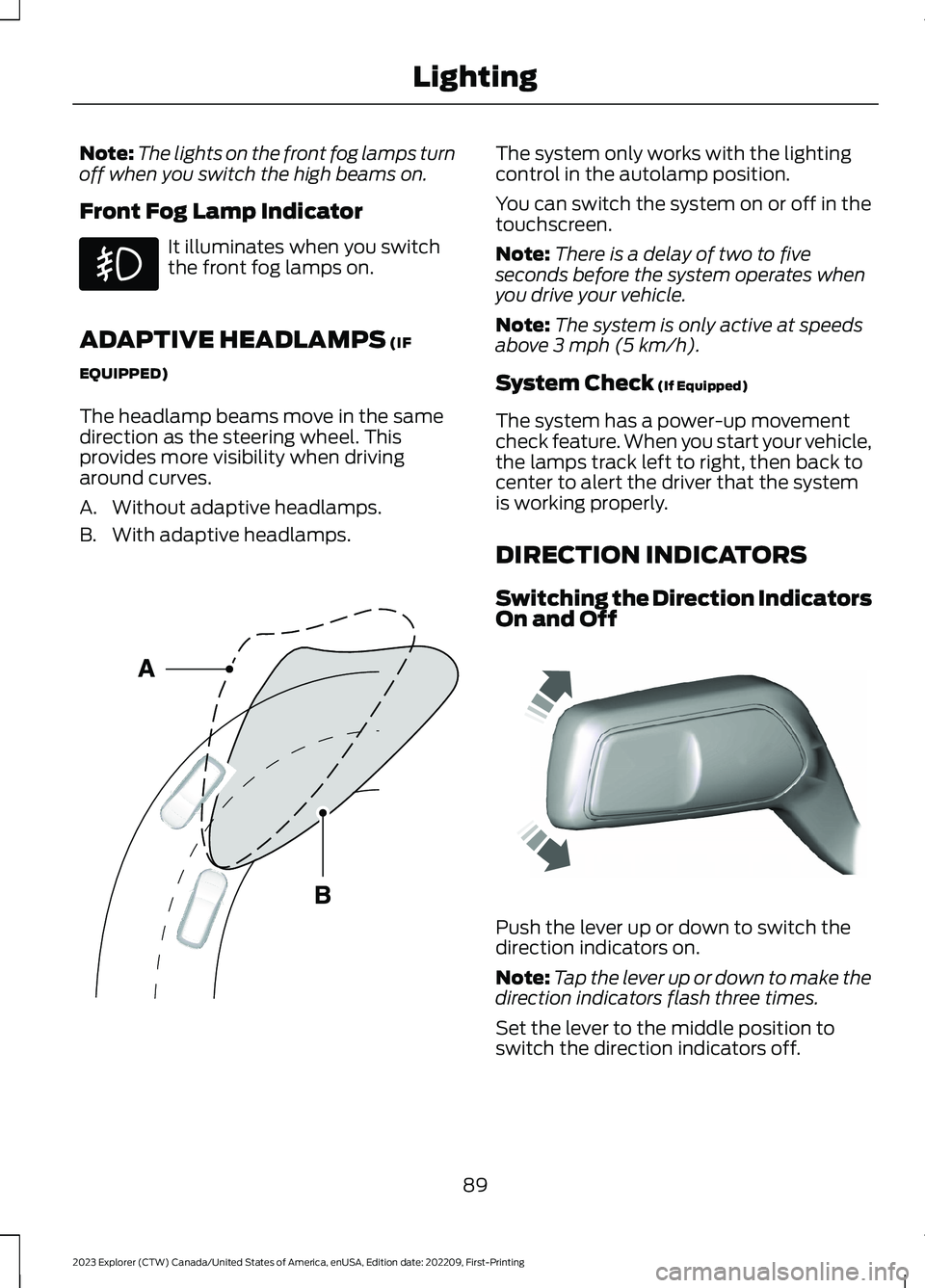
The headlamp beams move in the samedirection as the steering wheel. Thisprovides more visibility when drivingaround curves.
A.Without adaptive headlamps.
B.With adaptive headlamps.
The system only works with the lightingcontrol in the autolamp position.
You can switch the system on or off in thetouchscreen.
Note:There is a delay of two to fiveseconds before the system operates whenyou drive your vehicle.
Note:The system is only active at speedsabove 3 mph (5 km/h).
System Check (If Equipped)
The system has a power-up movementcheck feature. When you start your vehicle,the lamps track left to right, then back tocenter to alert the driver that the systemis working properly.
DIRECTION INDICATORS
Switching the Direction IndicatorsOn and Off
Push the lever up or down to switch thedirection indicators on.
Note:Tap the lever up or down to make thedirection indicators flash three times.
Set the lever to the middle position toswitch the direction indicators off.
89
2023 Explorer (CTW) Canada/United States of America, enUSA, Edition date: 202209, First-PrintingLighting E161714 E242676
Page 94 of 573
Direction Indicator
Flashes when you switch thedirection indicators on.
Note:An increase in the rate of flashingwarns of a failed indicator bulb.
INTERIOR LAMPS
The lamps turn on under the followingconditions:
•You open any door.
•You press a button on the remotecontrol.
•You press the all lamps on button onthe overhead console.
Front Interior Lamp
The front interior lamp switches are on theoverhead console.
Note:The position of each button on theoverhead console depends on your vehicle.
All Lamps On or Off
Press to switch all interior lampson or off.
Individual Map Lamps
Press to switch the left-handindividual dome lamp on and off.
Press to switch the right-handindividual dome lamp on and off.
Interior Lamp Function
Press to switch the interior lampfunction on and off.
When the interior lamp function is off andyou open a door, the courtesy and doorlamps stay off.
When the interior lamp function is on andyou open a door, the courtesy and doorlamps turn on.
Note:The indicator lamp lights amberwhen the door function is off.
Rear Interior Lamps
The rear interior lamps may be above therear seat or above the rear windows.
Press to switch the lamps on oroff.
Note:If you switch the rear lamps onthrough the overhead console, you cannotswitch them off with the rear lamp switch.
AMBIENT LIGHTING -
VEHICLES WITH: 8 INCH
CENTER DISPLAY SCREEN
Use the touchscreen to select thefollowing:
90
2023 Explorer (CTW) Canada/United States of America, enUSA, Edition date: 202209, First-PrintingLightingE67018 E281230 E259649 E262193 E281231 E259649
Page 95 of 573
Select the settings option on thefeature bar.
Select ambient lighting.
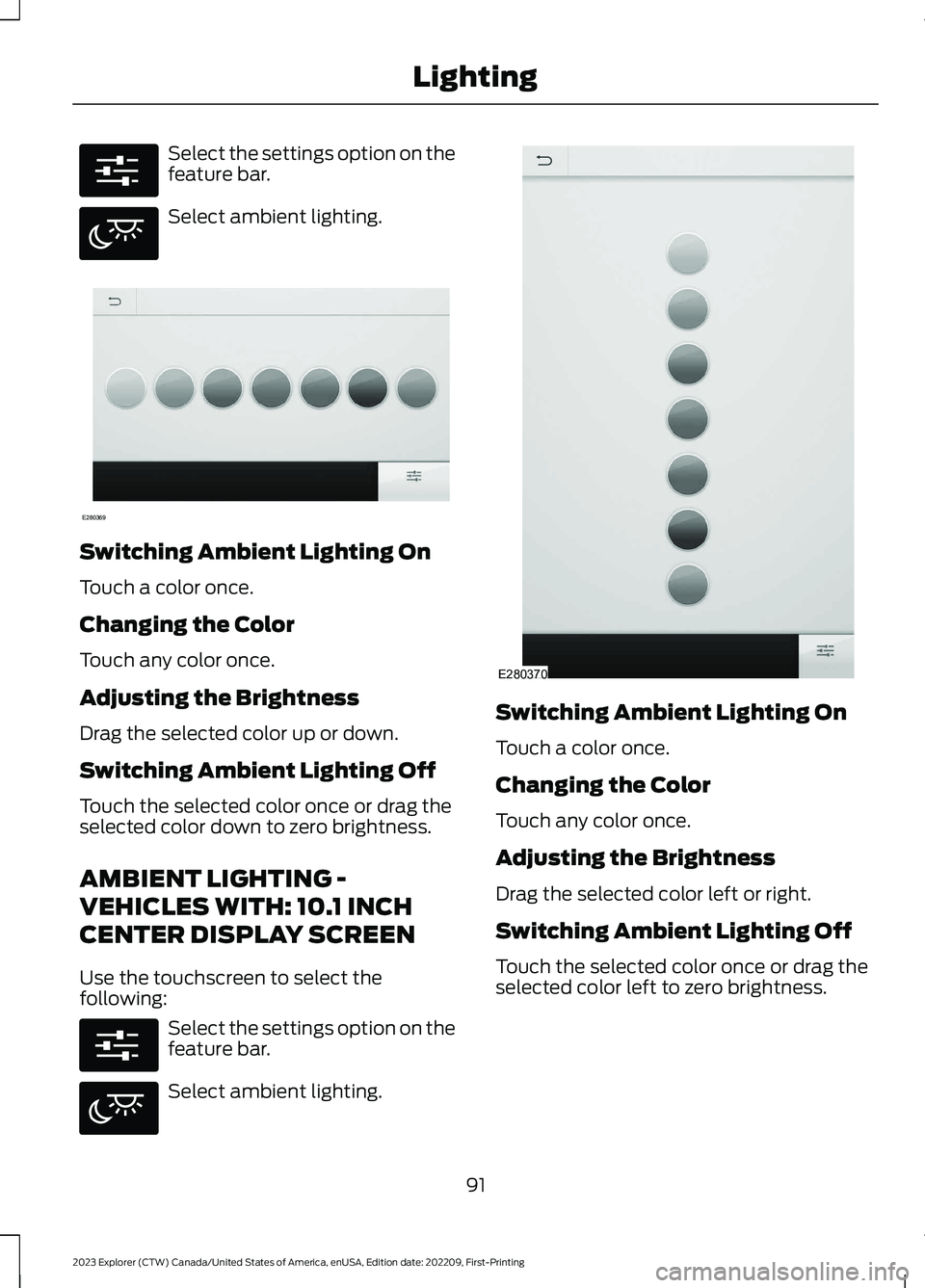
Switching Ambient Lighting On
Touch a color once.
Changing the Color
Touch any color once.
Adjusting the Brightness
Drag the selected color up or down.
Switching Ambient Lighting Off
Touch the selected color once or drag theselected color down to zero brightness.
AMBIENT LIGHTING -
VEHICLES WITH: 10.1 INCH
CENTER DISPLAY SCREEN
Use the touchscreen to select thefollowing:
Select the settings option on thefeature bar.
Select ambient lighting.
Switching Ambient Lighting On
Touch a color once.
Changing the Color
Touch any color once.
Adjusting the Brightness
Drag the selected color left or right.
Switching Ambient Lighting Off
Touch the selected color once or drag theselected color left to zero brightness.
91
2023 Explorer (CTW) Canada/United States of America, enUSA, Edition date: 202209, First-PrintingLightingE280315 E280617 E280369 E280315 E280617 E280370
Page 96 of 573

WHAT IS AUTOMATIC HIGH
BEAM CONTROL
The system turns on high beams if it is darkenough and no other traffic is present. If itdetects an approaching vehicle’sheadlamps or tail lamps, or street lightingahead, the system turns the high beamsoff. Low beams remain on.
A camera sensor, centrally mountedbehind the windshield of your vehicle,continuously monitors conditions to turnthe high beams on and off.
SWITCHING AUTOMATIC HIGH
BEAM CONTROL ON AND OFF
WARNING: Do not use the systemin poor visibility, for example fog, heavyrain, spray or snow.
Use the touchscreen to select thefollowing:
1.Select Settings.
2.Select Vehicle.
3.Select Lighting.
Activating the Automatic HighBeam Control
Switch the lighting control to theautolamps position. SeeAutolamps (page 87).
Note:The lighting control defaults toautolamps each time you switch yourvehicle on.
When active, the high beams turn on if allthe following conditions occur:
•The ambient light level is low enough.
•There is no traffic in front of yourvehicle.
•The vehicle speed is greater thanapproximately 25 mph (40 km/h).
When active, the high beams turn off if atleast one of the following conditions occur:
•The ambient light level is high enoughthat you do not require high beams.
•The system detects an approachingvehicle's headlamps or tail lamps.
•The system detects severe rain, snowor fog.
•A blocked vehicle camera.
•The vehicle speed falls belowapproximately 19 mph (30 km/h).
Note:The deactivation speed is lower oncurves.
Note:Certain curvy road situations maydelay high beam reactivation.
Note:If you have a blocked sensor, thesystem may not operate properly. Keep thewindshield free from obstruction or damage.
Note:The system may not operate properlyin cold or inclement conditions. You canswitch on the high beams by overriding thesystem.
Note:If the system detects a blockage, forexample bird droppings, bug splatter, snowor ice, the system goes into low beam modeuntil you clear the blockage. If you have ablocked camera, a message may appear inthe information display.
Note:Using much larger tires or equippingvehicle accessories such as snowplows canmodify your vehicle's ride height anddegrade automatic high beam controlperformance.
92
2023 Explorer (CTW) Canada/United States of America, enUSA, Edition date: 202209, First-PrintingAutomatic High Beam ControlE281240
Page 98 of 573

POWER WINDOWS
WARNING: Do not leave childrenunattended in your vehicle and do notlet them play with the power windows.Failure to follow this instruction couldresult in personal injury.
WARNING: When closing thepower windows, verify they are free ofobstruction and make sure that childrenand pets are not in the proximity of thewindow openings.
Press the control to open thewindow. Lift the control to closethe window.
Note:If you hear a pulsing noise when justone of the windows is open. Lower theopposite window slightly to reduce thisnoise.
One-Touch Down
Note:One-touch down applies to the frontwindows only.
Fully press the switch and release it. Pressagain or lift it to stop the window.
One-Touch Up
Note:One-touch up applies to the frontwindows only.
Fully lift the switch and release it. Press orlift it again to stop the window.
Resetting One-Touch Up
Start the engine.
1.Lift and hold the window switch untilyou fully close the door window.Continue to hold the switch for a fewseconds after you close the window.
2.Release the window switch.
3.Press and hold the window switch untilyou fully open the door window.
4.Release the window switch.
5.Lift and hold the window switch untilyou fully close the window.
6.Test for correct window operation bycarrying out the one-touch down andone-touch up features.
Bounce-Back
The window stops when closing. It reversessome distance if there is an obstacle in theway.
Overriding the Bounce-Back Feature
WARNING: If you overridebounce-back, the window does notreverse if it detects an obstacle. Takecare when closing the windows to avoidpersonal injury or damage to yourvehicle.
The window stops if you release the switchbefore the window fully closes. Pull up thewindow switch and hold within a fewseconds of the window reaching thebounce-back position. The window travelsup with no bounce-back protection.
Window Lock
94
2023 Explorer (CTW) Canada/United States of America, enUSA, Edition date: 202209, First-PrintingWindows and Mirrors E295318
Page 99 of 573

Press the control to lock or unlock the rearwindow controls. It illuminates when youlock the rear window controls.
Accessory Delay
You can use the window switches forseveral minutes after you switch theignition off or until you open either frontdoor.
GLOBAL OPENING
You can use the remote control to openthe windows with the ignition off.
Note:You can enable or disable this featurein the information display, or see anauthorized dealer. See GeneralInformation (page 115).
Note:To operate this feature, accessorydelay must not be active.
Remote Control Front Windows
After you unlock your vehicle with theremote control, you can open the windowsfor a short period of time. Press and holdthe remote control unlock button to openthe windows. Release the button oncemovement starts. Press the lock or unlockbutton to stop movement.
EXTERIOR MIRRORS -
EXCLUDING: ST
Power Exterior Mirrors
WARNING: Do not adjust themirrors when your vehicle is moving. Thiscould result in the loss of control of yourvehicle, serious personal injury or death.
Power-folding mirror control.A
Window lockout.B
Adjustment control.C
Right-hand mirror.D
Left-hand mirror.E
To adjust your mirrors, switch your vehicleon with the ignition in accessory mode orthe engine running and then:
1.Select the mirror you want to adjust.The control light turns on.
2.Use the adjustment control to adjustthe position of the mirror.
3.Press the mirror control again. Thecontrol light turns off.
Fold-Away Exterior Mirrors
Push the mirror toward the door windowglass. Make sure that you fully engage themirror in its support when returning it to itsoriginal position.
Auto-Folding Mirrors (If Equipped)
The exterior mirrors fold in toward theglass after you place the transmission intopark (P), turn off the vehicle and lock thevehicle. The exterior mirrors unfold andreturn to their driving position after youunlock the vehicle.
95
2023 Explorer (CTW) Canada/United States of America, enUSA, Edition date: 202209, First-PrintingWindows and MirrorsE295322
Page 100 of 573
You can switch this feature on and offthrough the information display. SeeGeneral Information (page 115).
You can fold the mirrors on demand bypressing the power-folding mirror controlon the door. The control lights and themirrors fold in toward the glass. Press thecontrol again to unfold the mirrors. Thecontrol light turns off.
Note:If you use the power-folding controlto fold the mirrors on demand with the autofold feature on, you must use the controlagain to unfold them.
Loose Mirror
If you manually fold your power-foldingmirrors, they may not work properly evenafter you re-position them. You need toreset them if:
•The mirrors vibrate when you drive.
•The mirrors feel loose.
•The mirrors do not stay in the folded orunfolded position.
•One of the mirrors is not in its normaldriving position.
To reset the power-fold feature, use thepower-folding mirror control to fold andunfold the mirrors. You may hear a loudnoise as you reset the power-foldingmirrors. This sound is normal. Repeat thisprocess as needed each time you manuallyfold the mirrors.
Heated Exterior Mirrors (If Equipped)
See Heated Exterior Mirrors (page 142).
Memory Mirrors (If Equipped)
You can save and recall the mirrorpositions through the memory function.See Memory Function (page 150).
Auto-dimming Feature (If Equipped)
The driver exterior mirror dims when theinterior auto-dimming mirror turns on.
Direction Indicator Mirrors (If Equipped)
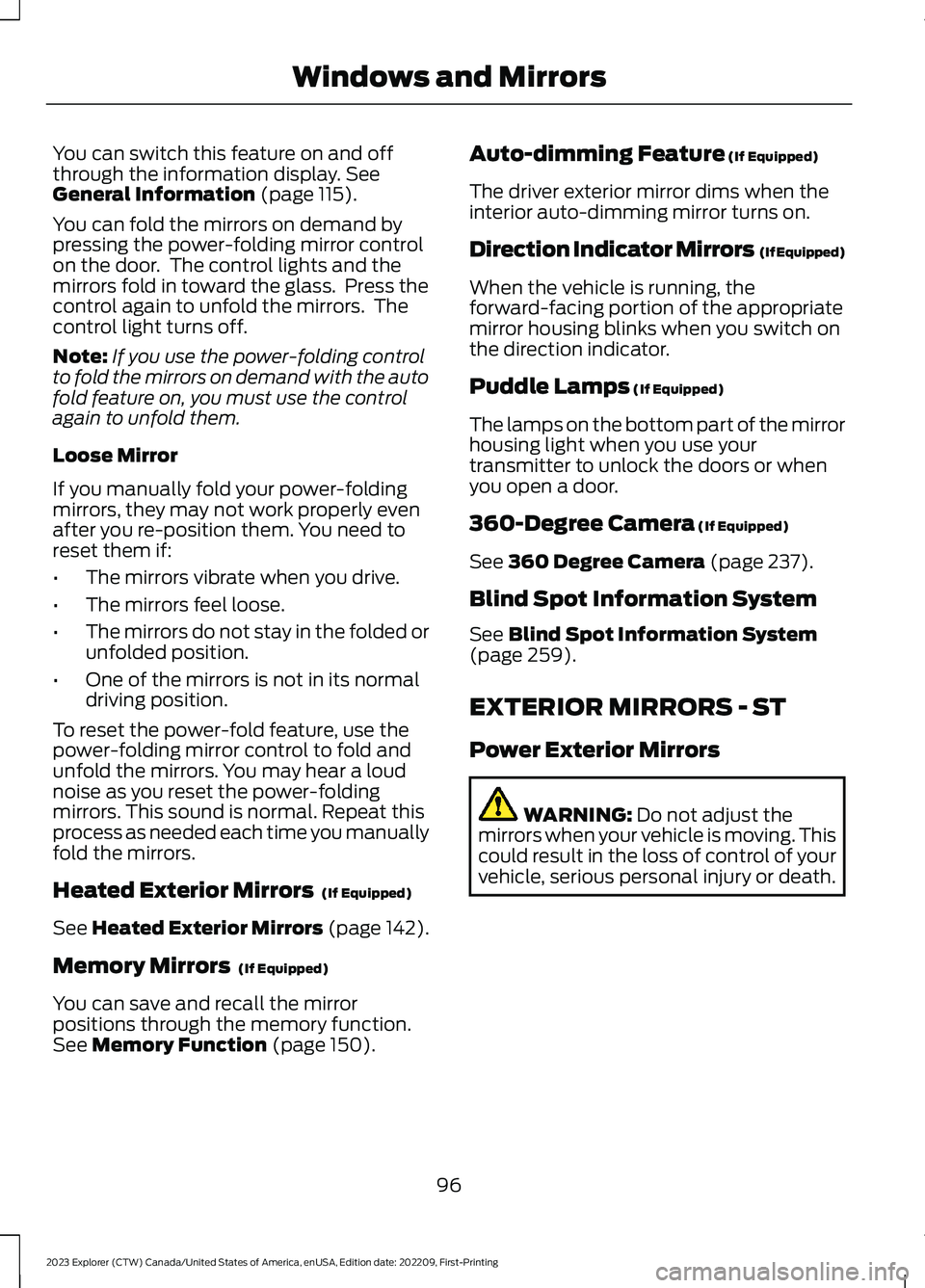
When the vehicle is running, theforward-facing portion of the appropriatemirror housing blinks when you switch onthe direction indicator.
Puddle Lamps (If Equipped)
The lamps on the bottom part of the mirrorhousing light when you use yourtransmitter to unlock the doors or whenyou open a door.
360-Degree Camera (If Equipped)
See 360 Degree Camera (page 237).
Blind Spot Information System
See Blind Spot Information System(page 259).
EXTERIOR MIRRORS - ST
Power Exterior Mirrors
WARNING: Do not adjust themirrors when your vehicle is moving. Thiscould result in the loss of control of yourvehicle, serious personal injury or death.
96
2023 Explorer (CTW) Canada/United States of America, enUSA, Edition date: 202209, First-PrintingWindows and Mirrors
Page 101 of 573
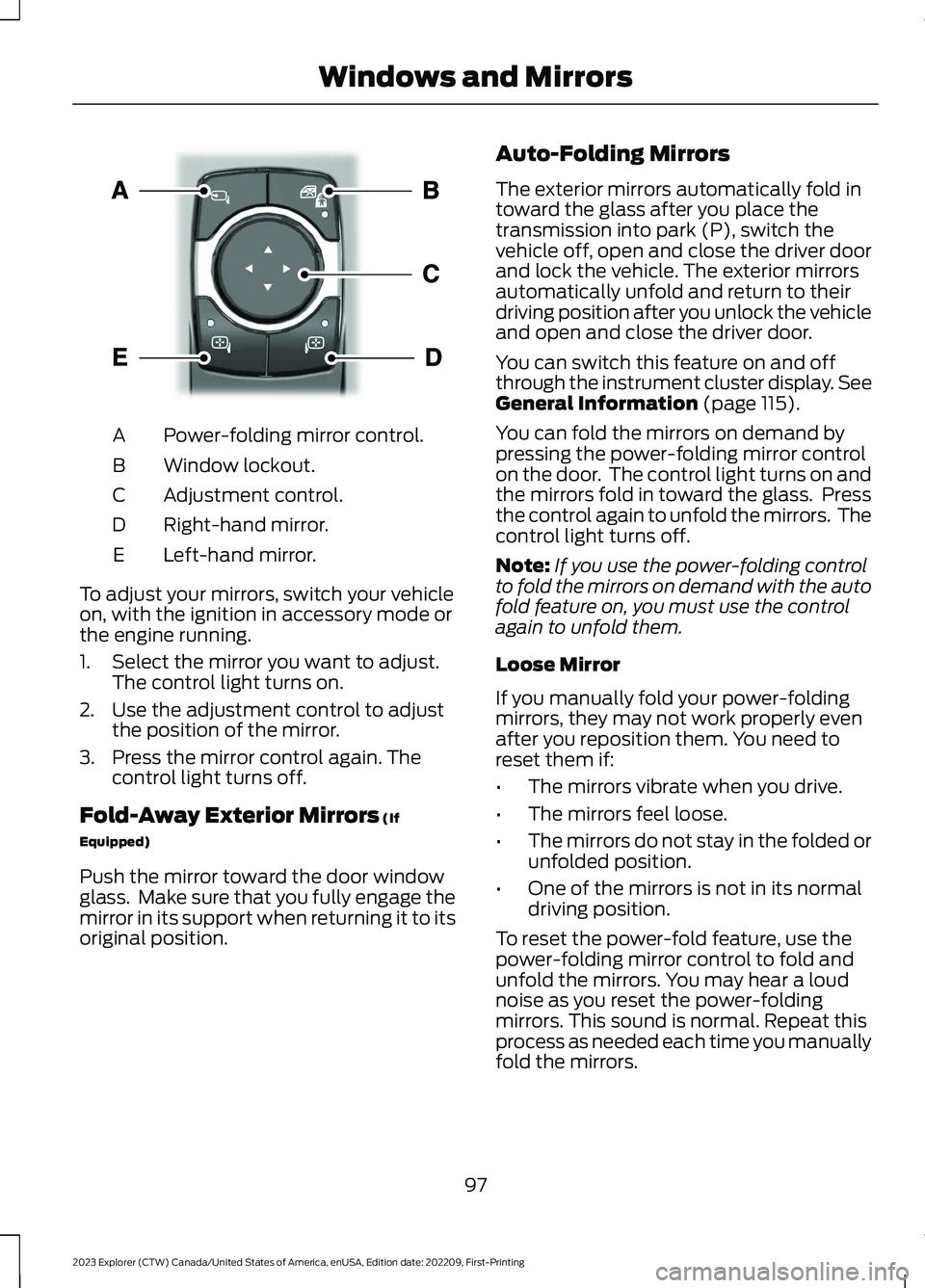
Power-folding mirror control.A
Window lockout.B
Adjustment control.C
Right-hand mirror.D
Left-hand mirror.E
To adjust your mirrors, switch your vehicleon, with the ignition in accessory mode orthe engine running.
1.Select the mirror you want to adjust.The control light turns on.
2.Use the adjustment control to adjustthe position of the mirror.
3.Press the mirror control again. Thecontrol light turns off.
Fold-Away Exterior Mirrors (If
Equipped)
Push the mirror toward the door windowglass. Make sure that you fully engage themirror in its support when returning it to itsoriginal position.
Auto-Folding Mirrors
The exterior mirrors automatically fold intoward the glass after you place thetransmission into park (P), switch thevehicle off, open and close the driver doorand lock the vehicle. The exterior mirrorsautomatically unfold and return to theirdriving position after you unlock the vehicleand open and close the driver door.
You can switch this feature on and offthrough the instrument cluster display. SeeGeneral Information (page 115).
You can fold the mirrors on demand bypressing the power-folding mirror controlon the door. The control light turns on andthe mirrors fold in toward the glass. Pressthe control again to unfold the mirrors. Thecontrol light turns off.
Note:If you use the power-folding controlto fold the mirrors on demand with the autofold feature on, you must use the controlagain to unfold them.
Loose Mirror
If you manually fold your power-foldingmirrors, they may not work properly evenafter you reposition them. You need toreset them if:
•The mirrors vibrate when you drive.
•The mirrors feel loose.
•The mirrors do not stay in the folded orunfolded position.
•One of the mirrors is not in its normaldriving position.
To reset the power-fold feature, use thepower-folding mirror control to fold andunfold the mirrors. You may hear a loudnoise as you reset the power-foldingmirrors. This sound is normal. Repeat thisprocess as needed each time you manuallyfold the mirrors.
97
2023 Explorer (CTW) Canada/United States of America, enUSA, Edition date: 202209, First-PrintingWindows and MirrorsE295322