2023 FORD EXPLORER light
[x] Cancel search: lightPage 129 of 573
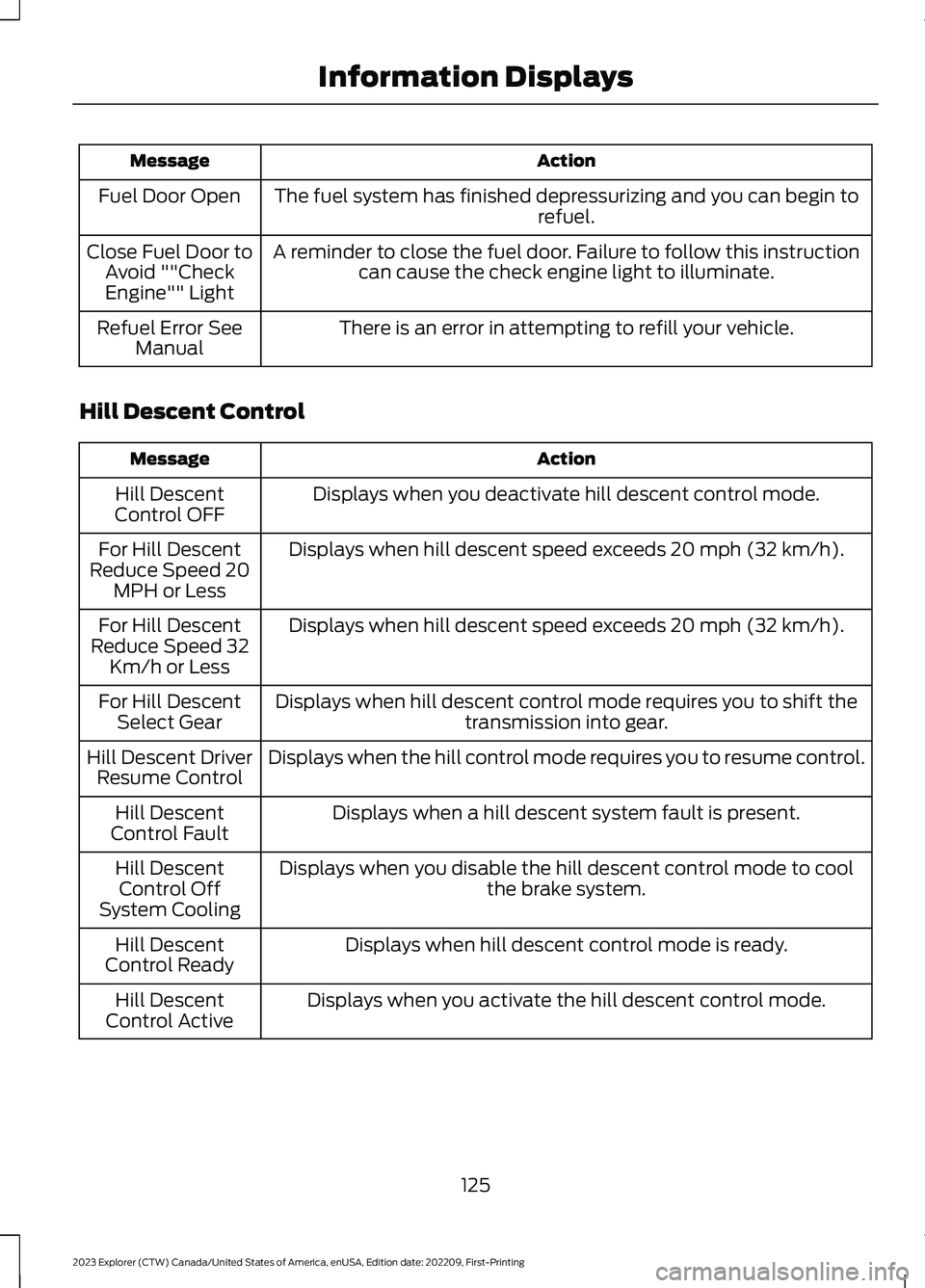
ActionMessage
The fuel system has finished depressurizing and you can begin torefuel.Fuel Door Open
A reminder to close the fuel door. Failure to follow this instructioncan cause the check engine light to illuminate.Close Fuel Door toAvoid ""CheckEngine"" Light
There is an error in attempting to refill your vehicle.Refuel Error SeeManual
Hill Descent Control
ActionMessage
Displays when you deactivate hill descent control mode.Hill DescentControl OFF
Displays when hill descent speed exceeds 20 mph (32 km/h).For Hill DescentReduce Speed 20MPH or Less
Displays when hill descent speed exceeds 20 mph (32 km/h).For Hill DescentReduce Speed 32Km/h or Less
Displays when hill descent control mode requires you to shift thetransmission into gear.For Hill DescentSelect Gear
Displays when the hill control mode requires you to resume control.Hill Descent DriverResume Control
Displays when a hill descent system fault is present.Hill DescentControl Fault
Displays when you disable the hill descent control mode to coolthe brake system.Hill DescentControl OffSystem Cooling
Displays when hill descent control mode is ready.Hill DescentControl Ready
Displays when you activate the hill descent control mode.Hill DescentControl Active
125
2023 Explorer (CTW) Canada/United States of America, enUSA, Edition date: 202209, First-PrintingInformation Displays
Page 137 of 573

Tire Pressure Monitoring System
ActionMessage
One or more tires on your vehicle have low tire pressure. See TirePressure Monitoring System (page 364).Tire Pressure Low
The tire pressure monitoring system is malfunctioning. If the warningstays on or continues to come on, have the system checked as soonas possible. See Tire Pressure Monitoring System (page 364).
Tire PressureMonitor Fault
A tire pressure sensor is malfunctioning, or your spare tire is in use.For more information on how the system operates under theseconditions, See Tire Pressure Monitoring System (page 364). Ifthe warning stays on or continues to come on, have the systemchecked as soon as possible.
Tire PressureSensor Fault
Trailer
ActionMessage
A correct trailer connection is sensed duringa given ignition cycle.Trailer Connected
A trailer connection becomes disconnected,either intentionally or unintentionally, andhas been sensed during a given ignitioncycle.
Trailer Disconnected
The trailer sway control has detected trailersway.Trailer Sway Reduce Speed
There are certain faults in your vehiclewiring and trailer wiring/brake system. SeeTowing a Trailer (page 283).
Trailer Wiring Fault
There is a fault with your trailer turn lamp.Check your lamp.Trailer Left Turn Lamps Fault Check Lamps
There is a fault with your trailer turn lamp.Check your lamp.Trailer Right Turn Lamps Fault CheckLamps
There is a fault with your trailer battery.See Towing a Trailer (page 283).Trailer Battery Not Charging See Manual
There is a fault with your vehicle trailerlighting module. See Towing a Trailer(page 283).
Trailer Lighting Module Fault See Manual
133
2023 Explorer (CTW) Canada/United States of America, enUSA, Edition date: 202209, First-PrintingInformation Displays
Page 143 of 573
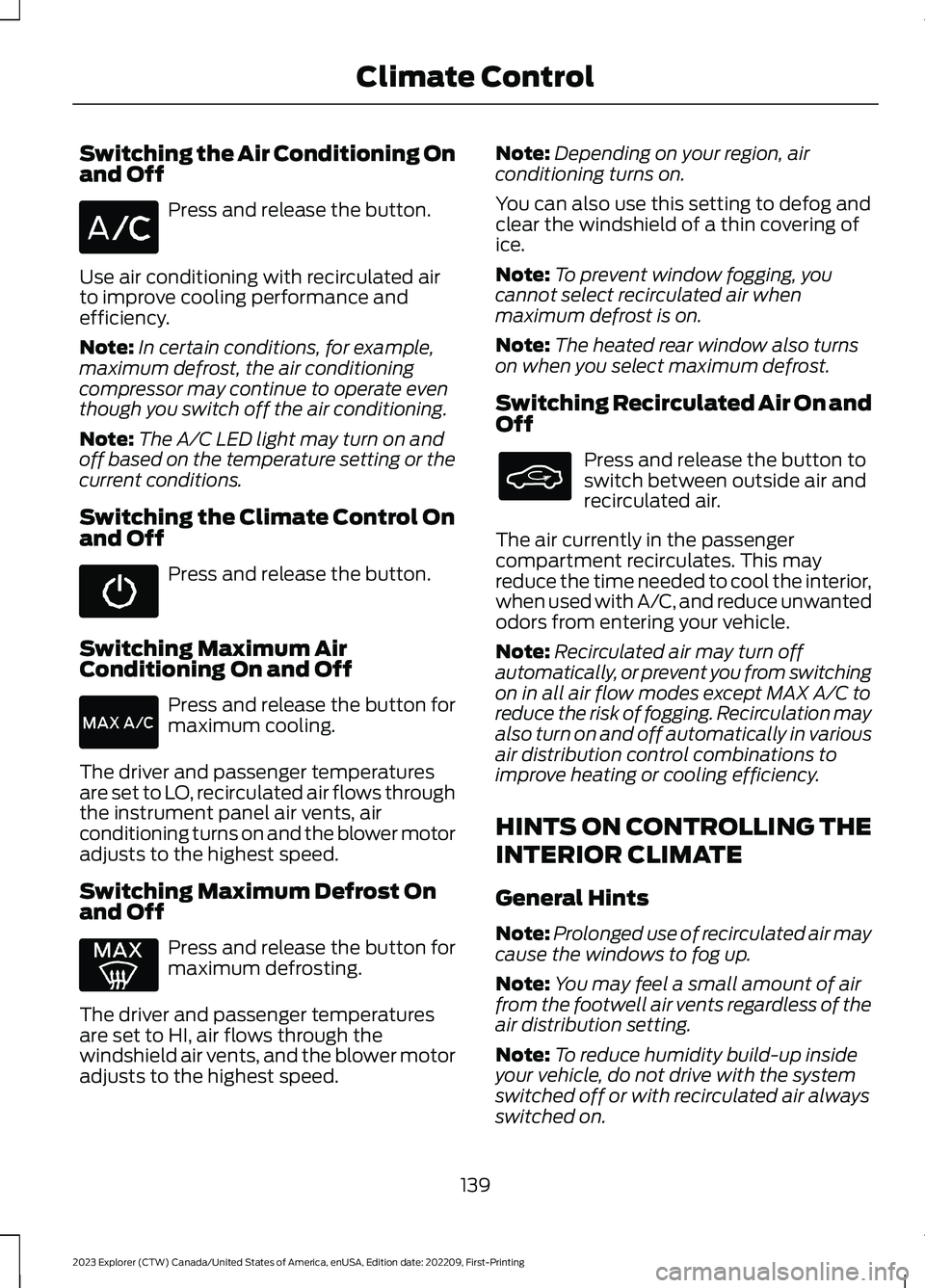
Switching the Air Conditioning Onand Off
Press and release the button.
Use air conditioning with recirculated airto improve cooling performance andefficiency.
Note:In certain conditions, for example,maximum defrost, the air conditioningcompressor may continue to operate eventhough you switch off the air conditioning.
Note:The A/C LED light may turn on andoff based on the temperature setting or thecurrent conditions.
Switching the Climate Control Onand Off
Press and release the button.
Switching Maximum AirConditioning On and Off
Press and release the button formaximum cooling.
The driver and passenger temperaturesare set to LO, recirculated air flows throughthe instrument panel air vents, airconditioning turns on and the blower motoradjusts to the highest speed.
Switching Maximum Defrost Onand Off
Press and release the button formaximum defrosting.
The driver and passenger temperaturesare set to HI, air flows through thewindshield air vents, and the blower motoradjusts to the highest speed.
Note:Depending on your region, airconditioning turns on.
You can also use this setting to defog andclear the windshield of a thin covering ofice.
Note:To prevent window fogging, youcannot select recirculated air whenmaximum defrost is on.
Note:The heated rear window also turnson when you select maximum defrost.
Switching Recirculated Air On andOff
Press and release the button toswitch between outside air andrecirculated air.
The air currently in the passengercompartment recirculates. This mayreduce the time needed to cool the interior,when used with A/C, and reduce unwantedodors from entering your vehicle.
Note:Recirculated air may turn offautomatically, or prevent you from switchingon in all air flow modes except MAX A/C toreduce the risk of fogging. Recirculation mayalso turn on and off automatically in variousair distribution control combinations toimprove heating or cooling efficiency.
HINTS ON CONTROLLING THE
INTERIOR CLIMATE
General Hints
Note:Prolonged use of recirculated air maycause the windows to fog up.
Note:You may feel a small amount of airfrom the footwell air vents regardless of theair distribution setting.
Note:To reduce humidity build-up insideyour vehicle, do not drive with the systemswitched off or with recirculated air alwaysswitched on.
139
2023 Explorer (CTW) Canada/United States of America, enUSA, Edition date: 202209, First-PrintingClimate Control
Page 148 of 573

SITTING IN THE CORRECT
POSITION
WARNING: Sitting improperly, outof position or with the seatback reclinedtoo far can take weight off the seatcushion and affect the decision of thepassenger sensing system, resulting inserious injury or death in the event of acrash. Always sit upright against yourseat back, with your feet on the floor.
WARNING: Do not recline the seatbackrest too far as this can cause theoccupant to slide under the seatbelt,resulting in personal injury in the eventof a crash.
WARNING: Do not place objectshigher than the top of the seat backrest.Failure to follow this instruction couldresult in personal injury or death in theevent of a sudden stop or crash.
When you use them properly, the seat,head restraint, seatbelt and airbags willprovide optimum protection in the eventof a crash.
We recommend that you follow theseguidelines:
•Sit in an upright position with the baseof your spine as far back as possible.
•Do not recline the seat backrest so thatyour torso is more than 30 degreesfrom the upright position.
•Adjust the head restraint so that thetop of it is level with the top of yourhead and as far forward as possible.Make sure that you remaincomfortable.
•Keep sufficient distance betweenyourself and the steering wheel. Werecommend a minimum of 10 in(25 cm) between your breastbone andthe airbag cover.
•Hold the steering wheel with your armsslightly bent.
•Bend your legs slightly so that you canpress the pedals fully.
•Position the shoulder strap of theseatbelt over the center of yourshoulder and position the lap straptightly across your hips.
Make sure that your driving position iscomfortable and that you can maintain fullcontrol of your vehicle.
HEAD RESTRAINTS
WARNING: Fully adjust the headrestraint before you sit in or operate yourvehicle. This will help minimize the riskof neck injury in the event of a crash. Donot adjust the head restraint when yourvehicle is moving.
144
2023 Explorer (CTW) Canada/United States of America, enUSA, Edition date: 202209, First-PrintingSeatsE68595
Page 161 of 573
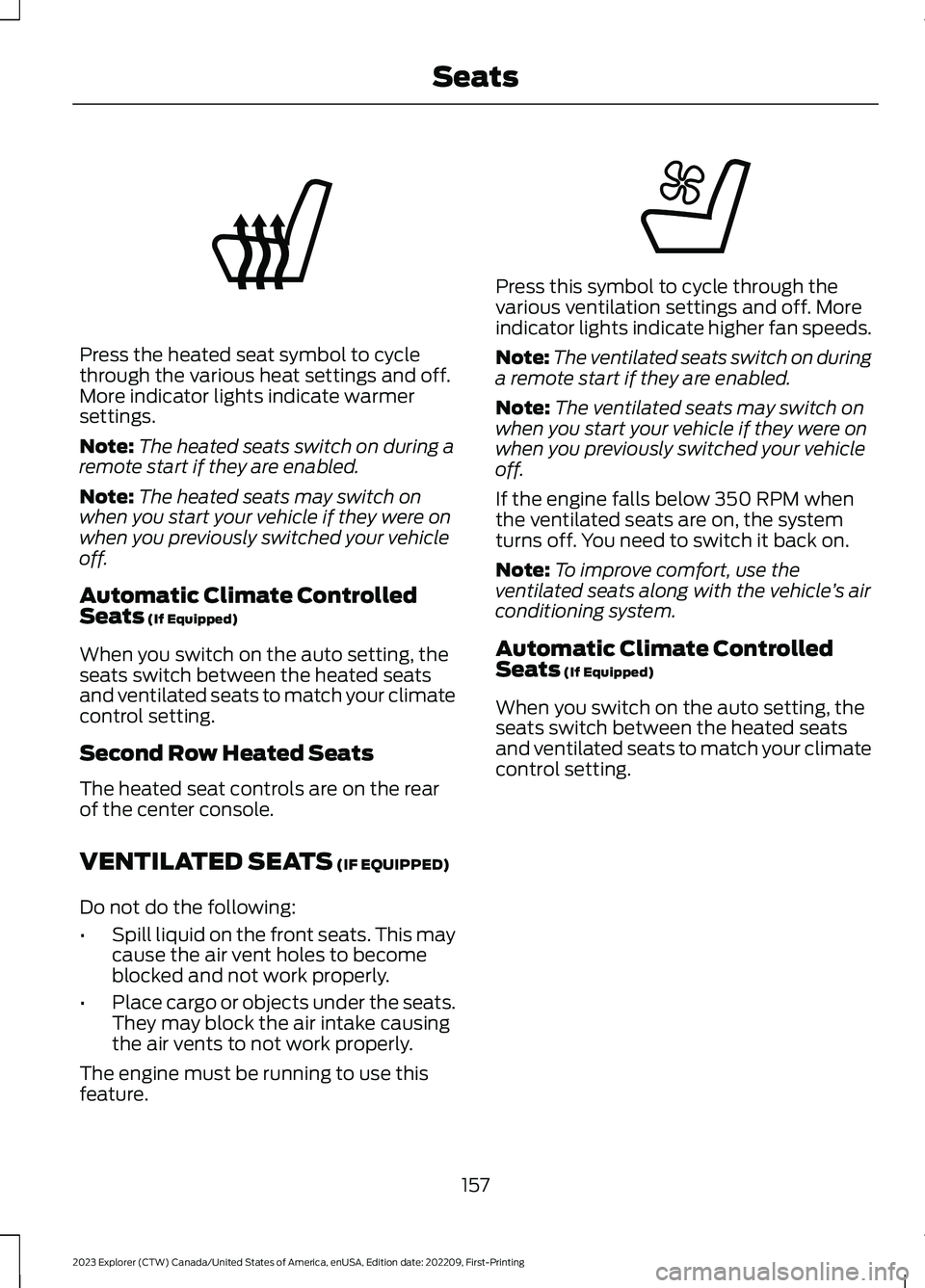
Press the heated seat symbol to cyclethrough the various heat settings and off.More indicator lights indicate warmersettings.
Note:The heated seats switch on during aremote start if they are enabled.
Note:The heated seats may switch onwhen you start your vehicle if they were onwhen you previously switched your vehicleoff.
Automatic Climate ControlledSeats (If Equipped)
When you switch on the auto setting, theseats switch between the heated seatsand ventilated seats to match your climatecontrol setting.
Second Row Heated Seats
The heated seat controls are on the rearof the center console.
VENTILATED SEATS (IF EQUIPPED)
Do not do the following:
•Spill liquid on the front seats. This maycause the air vent holes to becomeblocked and not work properly.
•Place cargo or objects under the seats.They may block the air intake causingthe air vents to not work properly.
The engine must be running to use thisfeature.
Press this symbol to cycle through thevarious ventilation settings and off. Moreindicator lights indicate higher fan speeds.
Note:The ventilated seats switch on duringa remote start if they are enabled.
Note:The ventilated seats may switch onwhen you start your vehicle if they were onwhen you previously switched your vehicleoff.
If the engine falls below 350 RPM whenthe ventilated seats are on, the systemturns off. You need to switch it back on.
Note:To improve comfort, use theventilated seats along with the vehicle’s airconditioning system.
Automatic Climate ControlledSeats (If Equipped)
When you switch on the auto setting, theseats switch between the heated seatsand ventilated seats to match your climatecontrol setting.
157
2023 Explorer (CTW) Canada/United States of America, enUSA, Edition date: 202209, First-PrintingSeatsE146322 E224689
Page 164 of 573

WHAT IS THE GARAGE DOOR
OPENER
HomeLink Wireless ControlSystem
The universal garage door opener replacesthe common hand-held garage dooropener with a three-button transmitterintegrated into the driver’s sun visor.
HOW DOES THE GARAGE
DOOR OPENER WORK
The system includes two primary features,a garage door opener and a platform forremote activation of devices within thehome. You can program garage doors aswell as entry gate operators, securitysystems, entry door locks and home oroffice lighting.
Additional system information can befound online at www.homelink.com or bycalling the toll-free help line at1-800-355-3515.
Note:You can program a maximum ofthree devices. To change or replace any ofthe three devices after it has been initiallyprogrammed, you must first erase thecurrent settings. See Clearing the GarageDoor Opener (page 162).
GARAGE DOOR OPENER
PRECAUTIONS
WARNING: Do not use the systemwith any garage door opener that doesnot have the safety stop and reversefeature as required by U.S. FederalSafety Standards (this includes anygarage door opener manufacturedbefore April 1, 1982). A garage dooropener which cannot detect an object,signaling the door to stop and reverse,does not meet current federal safetystandards. Using a garage door openerwithout these features increases the riskof serious injury or death.
Note:Make sure that the garage door andsecurity device are free from obstructionwhen you are programming. Do not programthe system with your vehicle in the garage.
Note:Make sure you keep the originalremote control transmitter for use in othervehicles as well as for future systemprogramming.
Note:We recommend that upon the saleor lease termination of your vehicle, youerase the programmed function buttons forsecurity reasons. See Clearing the GarageDoor Opener (page 162).
GARAGE DOOR OPENER
LIMITATIONS
Canadian radio-frequency laws requiretransmitter signals to time-out (or quit)after several seconds – which may not belong enough for HomeLink to pick up thesignal.
U.S. gate operators time-out in the samemanner.
160
2023 Explorer (CTW) Canada/United States of America, enUSA, Edition date: 202209, First-PrintingGarage Door Opener (If Equipped)E188211
Page 165 of 573

Note:If programming a garage door openeror gate operator, it is advised to unplug thedevice during the “cycling” process toprevent possible overheating.
PROGRAMMING THE GARAGE
DOOR OPENER TO YOUR
HAND-HELD TRANSMITTER
This process is to program your in-vehicleHomeLink function button with yourhand-held transmitter.
Note:The programming steps belowassume you will be programming HomeLinkthat was not previously programmed. If yourHomeLink was previously programmed, youmay need to erase your HomeLink buttons.See Clearing the Garage Door Opener(page 162).
1.With your vehicle parked outside of thegarage, switch your ignition to the onposition, but do not start your vehicle.
2.Press and release one of the threeHomeLink function buttons that youwould like to program.
3.Hold your hand-held garage doortransmitter 1–3 in (2–8 cm) away fromthe HomeLink button you want toprogram.
4.Press and hold the hand-heldtransmitter button you want toprogram while watching the indicatorlight on HomeLink. Continue to holdthe hand-held button until theHomeLink indicator light flashes rapidlyor is continuously on.
Note:You may need to use a differentmethod if you live in Canada or havedifficulties programming your gate operatoror garage door opener. See Programmingthe Garage Door Opener to Your GateOpener Motor (page 162).
5.Press and hold the HomeLink buttonyou programmed for two seconds, thenrelease. You may need to do this twiceto activate the door.
Note:If the indicator light stays on, theprogramming is complete.
Note:If the HomeLink indicator flashesrapidly, repeat step 5.
Note:If your device still does not operate,you must program your garage door. SeeProgramming the Garage Door Opener toYour Garage Door Opener Motor (page161).
6.To program additional buttons, repeatSteps 1 – 4.
PROGRAMMING THE GARAGE
DOOR OPENER TO YOUR
GARAGE DOOR OPENER
MOTOR
161
2023 Explorer (CTW) Canada/United States of America, enUSA, Edition date: 202209, First-PrintingGarage Door Opener (If Equipped)E188212 E142659
Page 166 of 573
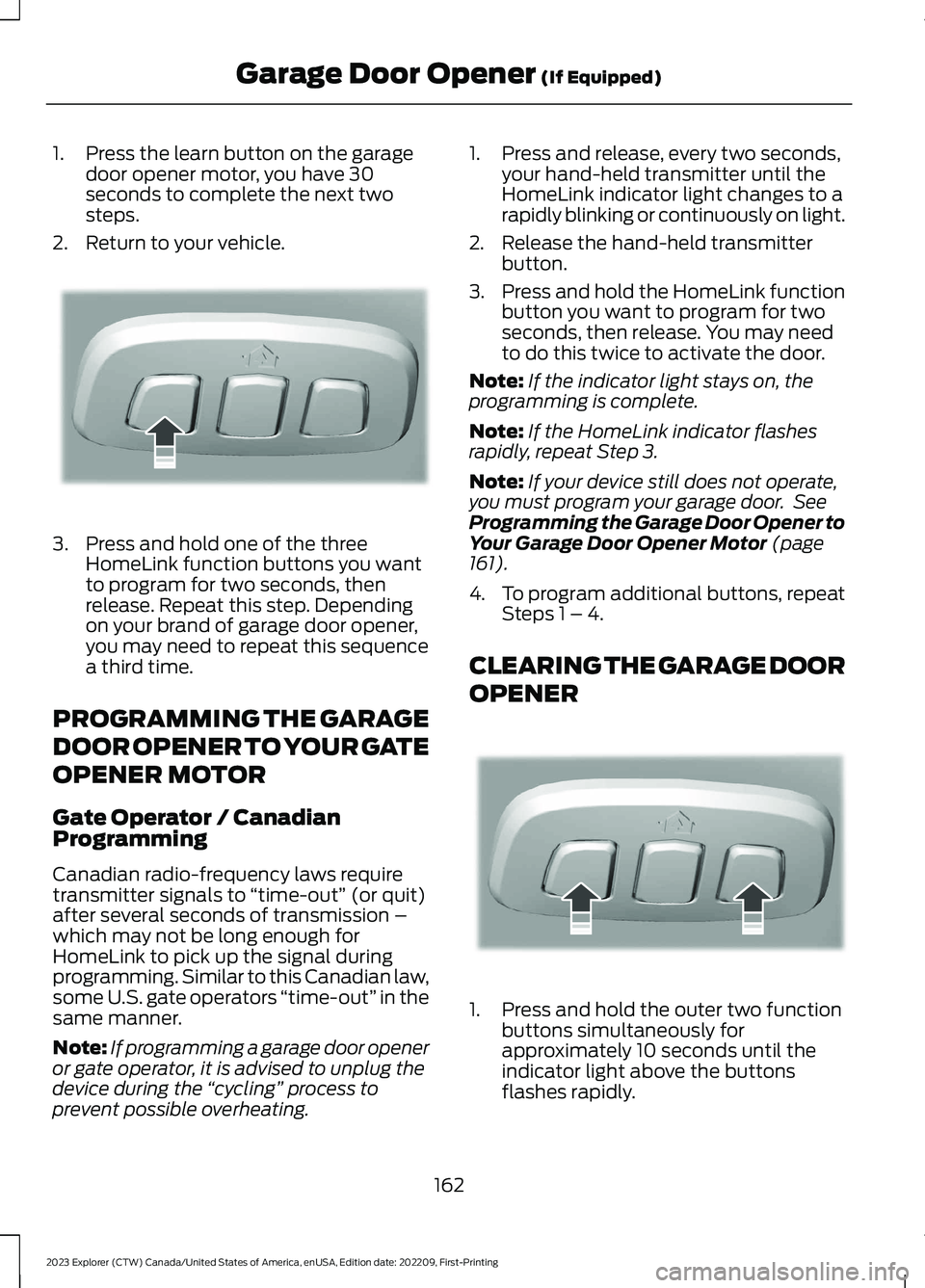
1.Press the learn button on the garagedoor opener motor, you have 30seconds to complete the next twosteps.
2.Return to your vehicle.
3.Press and hold one of the threeHomeLink function buttons you wantto program for two seconds, thenrelease. Repeat this step. Dependingon your brand of garage door opener,you may need to repeat this sequencea third time.
PROGRAMMING THE GARAGE
DOOR OPENER TO YOUR GATE
OPENER MOTOR
Gate Operator / CanadianProgramming
Canadian radio-frequency laws requiretransmitter signals to “time-out” (or quit)after several seconds of transmission –which may not be long enough forHomeLink to pick up the signal duringprogramming. Similar to this Canadian law,some U.S. gate operators “time-out” in thesame manner.
Note:If programming a garage door openeror gate operator, it is advised to unplug thedevice during the “cycling” process toprevent possible overheating.
1.Press and release, every two seconds,your hand-held transmitter until theHomeLink indicator light changes to arapidly blinking or continuously on light.
2.Release the hand-held transmitterbutton.
3.Press and hold the HomeLink functionbutton you want to program for twoseconds, then release. You may needto do this twice to activate the door.
Note:If the indicator light stays on, theprogramming is complete.
Note:If the HomeLink indicator flashesrapidly, repeat Step 3.
Note:If your device still does not operate,you must program your garage door. SeeProgramming the Garage Door Opener toYour Garage Door Opener Motor (page161).
4.To program additional buttons, repeatSteps 1 – 4.
CLEARING THE GARAGE DOOR
OPENER
1.Press and hold the outer two functionbuttons simultaneously forapproximately 10 seconds until theindicator light above the buttonsflashes rapidly.
162
2023 Explorer (CTW) Canada/United States of America, enUSA, Edition date: 202209, First-PrintingGarage Door Opener (If Equipped)E188212 E188213