Page 2 of 417
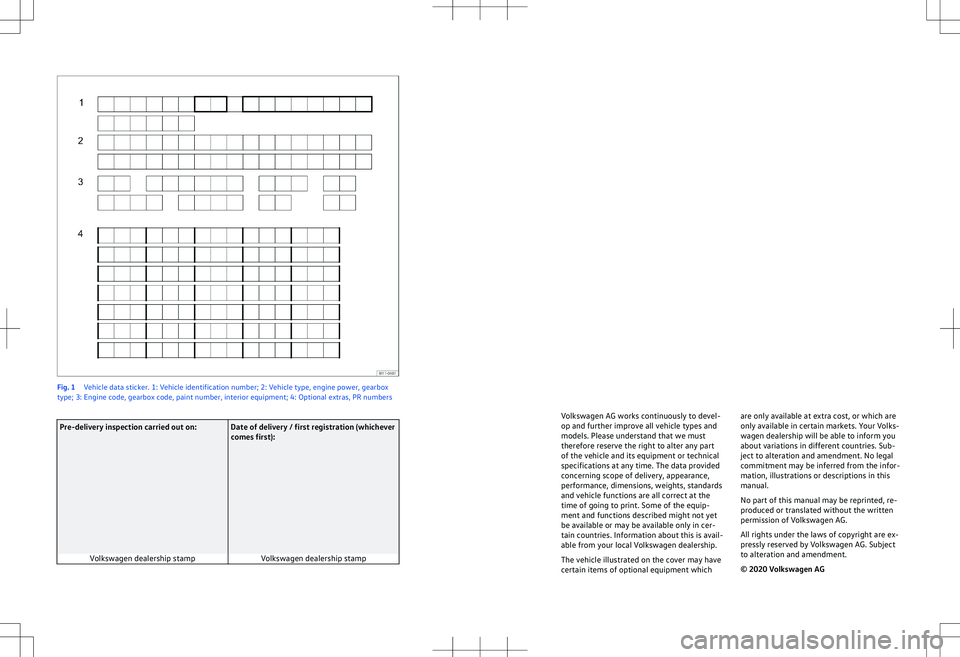
Fig. 1
Vehicle data sticker. 1: Vehicle identification number; 2: Vehicle type, engine power, gearbox
type; 3: Engine code, gearbox code, paint number, interior equipment; 4: Optional extras, PR numbersPre-delivery inspection carried out on: Date of delivery / first registration (whichever
comes first):
Volkswagen dealership stamp Volkswagen dealership stamp Volkswagen AG works continuously to devel-
op and further impro
ve all vehicle types and
models. Please understand that we must
therefore reserve the right to alter any part
of the vehicle and its equipment or technical
specifications at any time. The data provided
concerning scope of delivery, appearance,
performance, dimensions, weights, standards
and vehicle functions are all correct at the
time of going to print. Some of the equip-
ment and functions described might not yet
be available or may be available only in cer-
tain countries. Information about this is avail-
able from your local Volkswagen dealership.
The vehicle illustrated on the cover may have
certain items of optional equipment which are only available at extra cost, or which are
only a
vailable in certain markets. Your Volks-
wagen dealership will be able to inform you
about variations in different countries. Sub-
ject to alteration and amendment. No legal
commitment may be inferred from the infor-
mation, illustrations or descriptions in this
manual.
No part of this manual may be reprinted, re-
produced or translated without the written
permission of Volkswagen AG.
All rights under the laws of copyright are ex-
pressly reserved by Volkswagen AG. Subject
to alteration and amendment.
Page 28 of 417
tional sign in the head-up display and in the
instrument cluster.
Displays
In addition to speed limits and o
vertaking re-
strictions, Dynamic Road Sign Display also
detects the road sign which indicates that all
restrictions have been lifted on motorways
and main roads in Germany. In all other coun-
tries in which the system is operated, the
current speed limit is displayed instead.
The road signs detected by the Dynamic Road
Sign Display system are displayed on the in-
strument cluster. Road signs may also be dis-
played in the Infotainment system, depend-
ing on the system installed in the vehicle.
With some equipment levels, a display is also
shown on the Head-up Display.
The system is in the initial-
isation phase. OR: the camera has not
detected any regulatory or warning
signs.
System fault. Go to
a qualified workshop.
Fault in the Dy-
namic Road Sign Display system
speed warning. Go to a qualified
workshop.
The
windscreen is dirty in the area of the
camera or the camera view is im-
paired due to the weather conditions.
Clean the windscreen.
No data
transmission from the Infotainment
system. Check whether valid map da-
ta is loaded in the Infotainment sys-
tem. OR: the vehicle is located in an
area that is not covered by the map
stored in the Infotainment system.
Dynamic Road Sign Display is
not supported in the country in which
you are currently travelling.
No road signs available.
Error: Dynamic Road Sign Display
Speed warning currently not available.
Dynamic Road Sign Display: Clean the windscreen!
Dynamic Road Sign Display is currently restricted.
No data available.
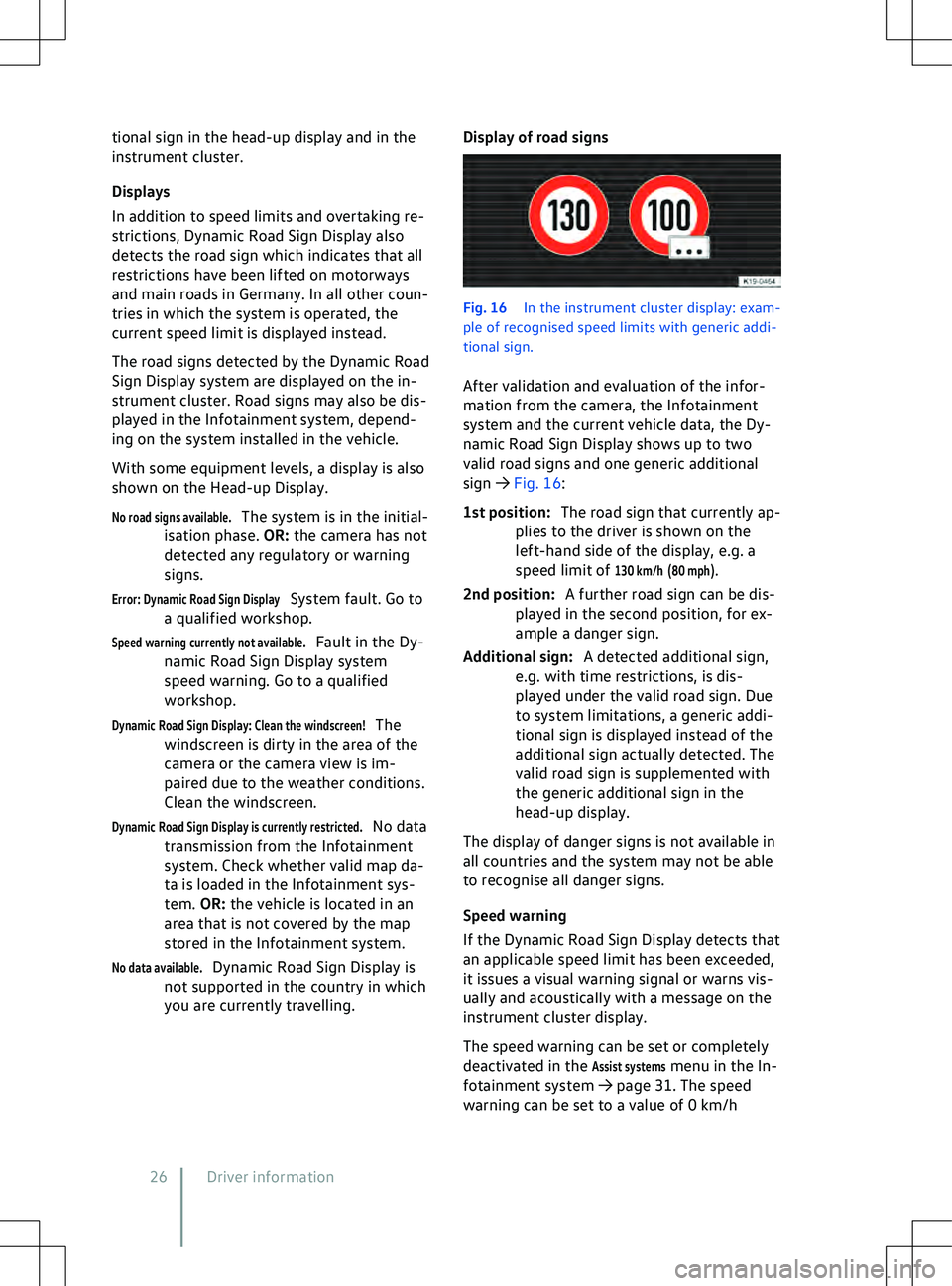
Display of road signs Fig. 16
In the instrument cluster display: e
xam-
ple of recognised speed limits with generic addi-
tional sign.
After validation and evaluation of the infor-
mation from the camera, the Infotainment
system and the current vehicle data, the Dy-
namic Road Sign Display shows up to two
valid road signs and one generic additional
sign
Page 72 of 417
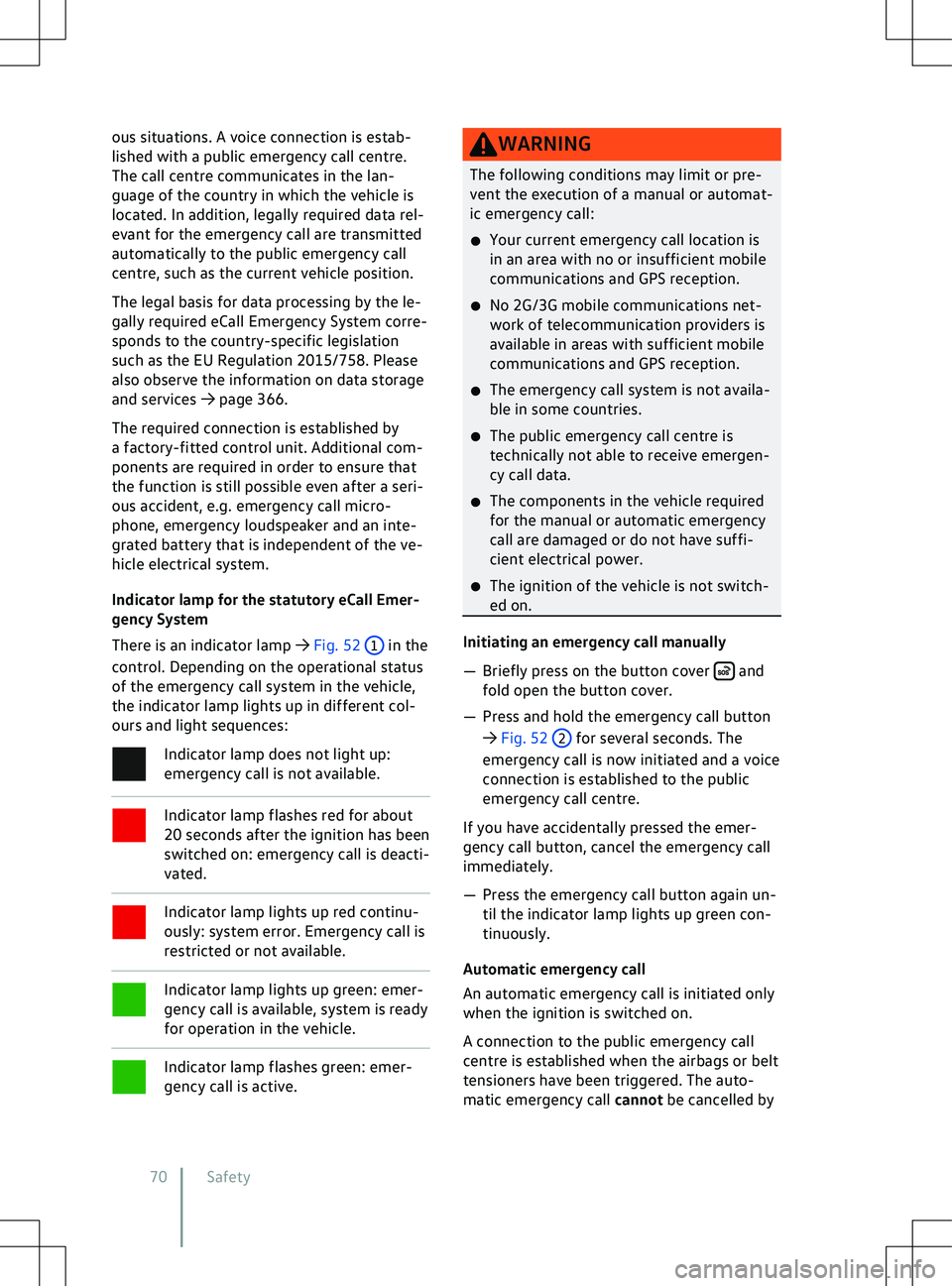
ous situations. A voice connection is estab-
lished with a public emergency call centre.
The call centre communicates in the lan-
guage of the country in which the v
ehicle is
located. In addition, legally required data rel-
evant for the emergency call are transmitted
automatically to the public emergency call
centre, such as the current vehicle position.
The legal basis for data processing by the le-
gally required eCall Emergency System corre-
sponds to the country-specific legislation
such as the EU Regulation 2015/758. Please
also observe the information on data storage
and services
Page 138 of 417
Position engaged and ECO assistance deac-
tiv
ated: no brake energy recuperation.
Position engaged and ECO assistance acti-
v
ated: automatic brake energy recuperation.
The energy recovery level is selected auto-
matically depending on the navigation data
and traffic situation.
Position engaged: high brake energy recu-
peration
The v
ehicle also performs recuperation when
the brake pedal is pressed.
Eco assistance
The ECO assistance function helps the driver
to use the engine braking effect of the vehi-
cle efficiently. It selects the energy recovery
level depending on the navigation data and
traffic situation.
The ECO assistance function can be switched
on and off in the vehicle settings in the Info-
tainment system.
Driving down hills
When driving down hills, you should drive in
position B if possible.
Never allow the vehicle to roll down moun-
tains or hills in the neutral position N. Troubleshooting
Deactivation of the drive is imminent
The charge level of the high-voltage battery
is too low.
The indicator lamp lights up during v
ehicle
operation.
The indicator lamp lights up red.
A text message is shown on the ID. Cockpit
Page 197 of 417
Data transfer
CybersecurityWhat is cybersecurity?
Cybersecurity comprises measures to reduce
the risk of unauthorised access by malware or
an Internet attack on v
ehicle functions, data
and control units.
What are connectivity components?
Control units for data transmission, interfa-
ces, and media and diagnostic connections
are connectivity components, via which in-
formation and data can be exchanged be-
tween the vehicle and external devices or the
Internet. The connectivity components that
are not included in all vehicles are, in particu-
lar:
Page 202 of 417
The traffic hazard alert function uses the
switched-on V2X system and warns
about nearby traffic hazards based on
the current situation. This can pre
vent
accidents and improve traffic flow.
Traffic hazards transmit data
When V2X data is received by other partici-
pants, warnings can be provided about the
following traffic hazards:
Page 205 of 417
Volkswagen AG and processing of vehicle-re-
lated and personal data.
Deactivating We Connect
Start services
The f
ollowing functions are available for de-
activating and activating the We Connect
Start services:
Page 206 of 417
E-mail: [email protected]
We will gladly answer your questions about
digital services.
Europe-wide. 24 hours a day. 7 days a week.
If your telephone pro
vider does not support
the number 00800-43347328, please call
+49 5361 3790510. The costs depend on the
applicable tariff of your provider. Roaming
charges may apply for calls made from out-
side Germany. Privacy settings
Introduction to the topic
The “Priv
acy settings” function enables you
to permit or prevent data transmission be-
tween the vehicle and the Internet.
The required mode can be set in the vehicle
settings in the Infotainment system.
The “Privacy settings” function cannot pre-
vent data transmission from external devices
and their communication with the vehicle.
Legally required services and their data trans-
missions cannot be switched off and cannot
be deactivated, e.g. “eCall Emergency Sys-
tem”.
Please note that every vehicle user can
adjust individual privacy function set-
tings. These settings may be different from
those preferred by the vehicle owner. Privacy settings
In order to permit or pre
vent data transmis-
sion, activate or deactivate offline mode in
the Infotainment system.