Page 376 of 417

If the vehicle exceeds the gross vehicle
weight rating or the rear axle load, the v
ehi-
cle speed must not exceed 80 km/h when
towing a trailer. This also applies to countries
where higher speeds are permitted. Observe
local speed limits. These may be lower for ve-
hicles with trailers than for vehicles without
trailers.
Any permitted excess loads for the vehicle
are entered in the vehicle documents. If no
excess load has been entered, it is possible to
drive up to 100 km/h, although local regula-
tions must be observed.
Technical data
Technical data can be found in the vehicle
documents. Declaration of conformity
f
or radio systems in Eu-
rope Simplified declaration of con-
f
ormity
Your vehicle is equipped with various radio
systems. The manufacturers of these radio
systems declare that this equipment com-
plies with Directive 2014/53/EU where re-
quired by law.
The complete text of the EU declaration of
conformity is available at the following inter-
net address:
www.volkswagen.com/generalinfo Manufacturers
Page 389 of 417
Technical data
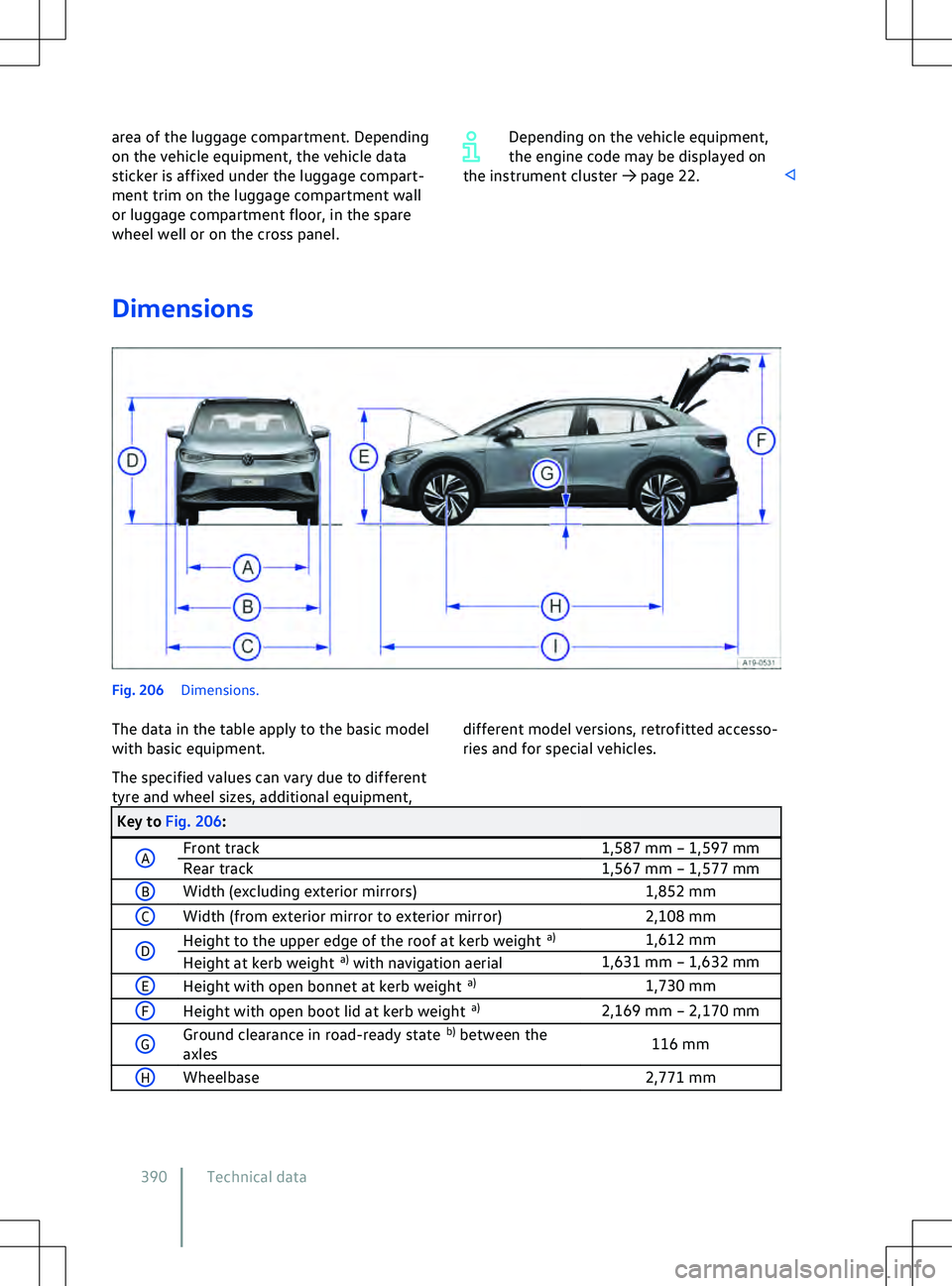
Notes on technical data General information on the
data
Ex
cept where indicated or specifically stated,
the technical data applies to the basic model.
The values may differ if additional equipment
is fitted, for different model versions and for
special vehicles and in the case of country-
specific vehicle specifications. All data in the
official vehicle documents always take prece-
dence.
The vehicle data sticker and the official vehi-
cle documents show which drive and which
power output are installed in your vehicle.
Please observe the notes and information for
vehicles with N1 approval
Page 390 of 417
Group
2 3 4 5 6 7
Posi- tion: 1 2 3 4 5 6 7 8 9 10 11 12 13 14 15 16 17
Example W V W Z Z Z C B Z L E 4 0 0 9 5 3 Fig. 201
In the windscreen: v ehicle identifica-
tion number.
The vehicle identification number can be read
from outside the vehicle through a viewer in
the windscreen. The viewer is located in the
lower corner of the windscreen.
For some models, depending on the Infotain-
ment system version, the vehicle identifica-
tion number can be displayed in the
Servicemenu or in the vehicle settings. The vehicle
identification number can also be found on
the type plate. Technical data
Page 391 of 417
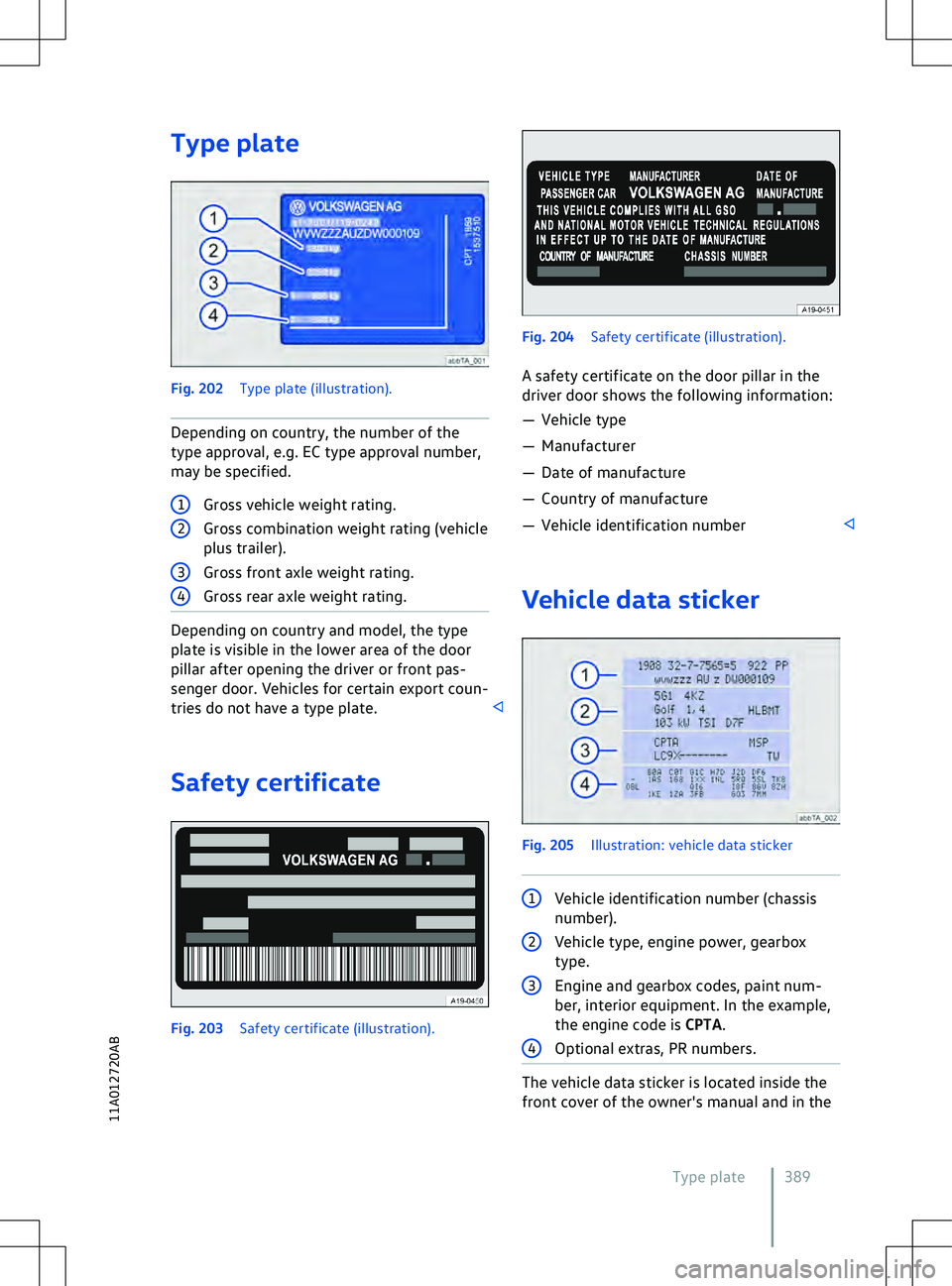
Type plate
Depending on country and model, the type
plate is visible in the lower area of the door
pillar after opening the driv
er or front pas-
senger door. Vehicles for certain export coun-
tries do not have a type plate. Safety certificate Vehicle data sticker
1
Vehicle identification number (chassis
number). The vehicle data sticker is located inside the
front co
ver of the owner
Page 392 of 417
area of the luggage compartment. Depending
on the v
ehicle equipment, the vehicle data
sticker is affixed under the luggage compart-
ment trim on the luggage compartment wall
or luggage compartment floor, in the spare
wheel well or on the cross panel. Depending on the vehicle equipment,
the engine code may be displayed on
the instrument cluster
Page 396 of 417
Abbreviation Definition
MP4 Format for compressing audio files.
MPEG Moving Picture Experts Group.
NFC Near Field Communication: standard for data transmission in the near range using radio technology.
OBD On-Board Diagnostic System.
OCU On-Board Connectivity Unit: control unit with emergency call module, com- munication unit and embedded eSIM.
PBAP Phone Book Access Profile: manufacturer-independent technology for trans- mission of mobile telephone phone book data.
PIN Personal Identification Number.
POI Point of Interest.
QR Code Quick Response Code: binary representation of coded data. RDS Radio Data System: Radio data system for additional services.SIM Subscriber Identity Module
SPP Serial Port Profile: serial data transmission via Bluetooth
Page 401 of 417

Securing with a seat belt
65
Securing with i-Size 62
Securing with ISOFIX 62
Securing with the top tether 64
Standards 58
Switching off the front passenger front airbag 53
Weight classes 58
Childproof lock Electrical 81
Cleaning see Vehicle care 355
Climatronic see Air conditioning system 120
Clock 29
Closing Doors 77
Sun blind in the glass roof 119
Windows 89
Cockpit 10
Comfort drive (Travel Assist) see Travel Assist 168
Comfort tyre pressure 333
Coming home and Leaving home function see entry and exit lighting 109
Commercial vehicle registration 373
Component protection 372
Connection Bluetooth 216
Cable 215
USB 215
Wireless 215, 216
Connectivity components 195
Consumables 313
Continuous parking light 108
Control elements 222
Control units Reprogramming 368
System update 196
Controls Cleaning and care 359
Electrically adjustable front seat 95
Mechanically adjustable front seat 94
Convenience closing Windows 90
Convenience functions Reprogramming 368
Convenience opening Windows 90
Convenience turn signal 102Conversions
362, 370
Coolant 315
Checking the coolant level 316
Filler opening 316
Refilling 316
Specification 315
Copyright law 227
Cornering light 105
Dynamic 105
Things to note 111
Counter steering assistance 142
Cruise control system 145
Displays 145
Operating 146
Cruise control system (CCS) Troubleshooting 147
Curtain airbags see Airbag system 55
Customer Care - Call Centre 203
Customer information 366
Customer Interaction Centre 203
Customer Support 203
Cybersecurity 195
Cyclist Monitoring 163
D
Dash panel 10
Airbag system 47
Data connection see Internet 208
Data Link Connector (DLC) 367
Data memory Data services 366
Infotainment functions 368
Data storage Control units 366
Disclosure of data 367
Event data recorder 369
Event memory 367
Integration of mobile devices 368
On-board diagnostic system ( OBD) 367
Online services 369
Operating data in the vehicle 367
Personal reference 367
Rights 367
Data transfer 195
Blocking 204
Unblocking 204
Daytime running lights 103
DC charging
Index 399
11A012720AB
Page 406 of 417

Carrying out functions
224
Inspection 30, 354
Inspection now! 30
Instrument cluster 18
Service interval display 30
Symbols 15
Warning and indicator lamps 15
Interior mirror 116
Interior monitoring system 83
Risk of false alarm 84
Internet Quick connection 209
Setting up a data connection 208
Wi-Fi Client 210
Wi-Fi hotspot 208
Internet Radio 234
ISOFIX 62
see Child seat 57
J
Jack 343
Jump starting Earth connection 302
Jump leads 302
Jump-start connection point (earth con- nection) 302
Procedure 302
K Kerb weight 391, 392
Key Vehicle key 73
Key-operated switch Switching off front passenger front air-bag 53
Keyless Access 75
Emergency switch-off 140
Steering column lock 142
Keyless locking and starting system Keyless
Access
see Keyless Access 75
L
Lane Assist see Lane keeping system (Lane As-sist) 165
Lane change system (Side Assist) 172
Side Assist Plus 174
Switching on and off 173
System limits 172Troubleshooting
174
Lane keeping system (Lane Assist) 165
Displays 167
Switching on and off 166
System limits 165
Troubleshooting 167
Leatherette Cleaning and care 359
Leaving the vehicle 138
LED lights 295
Legal requirements 202
Licences 227
Lifting the vehicle Checklist 346
Jack 345
With the jack 345
Light Entry and exit lighting 109
Light Assist see Main-beam control 105
Lights 102
Advanced main-beam control (Dynamic Light Assist) 107
AUTO 105
Automatic switch-off of side lights and parking lights 108
Background lighting 112
Continuous parking light on both sides of the v ehicle 108
Cornering light 105
Daytime running lights 103
Dynamic headlight range con- trol 110
Functions 104
Headlight range control 109
Instrument and switch lighting 111
Interior and reading lights 111
Main-beam control 105
Poor weather light 104
Rear fog light 104
Side lights 104
Switching on and off 103
Turn signals 102
Vehicle lighting 103
Limiter see Speed limiter 147
Load carrier 262
Load compartment net 260
Load-through hatch 261
Loading Driving with an open boot lid 133
404 Index