2022 TOYOTA SUPRA stop start
[x] Cancel search: stop startPage 156 of 498
1543-1. CONTROLS
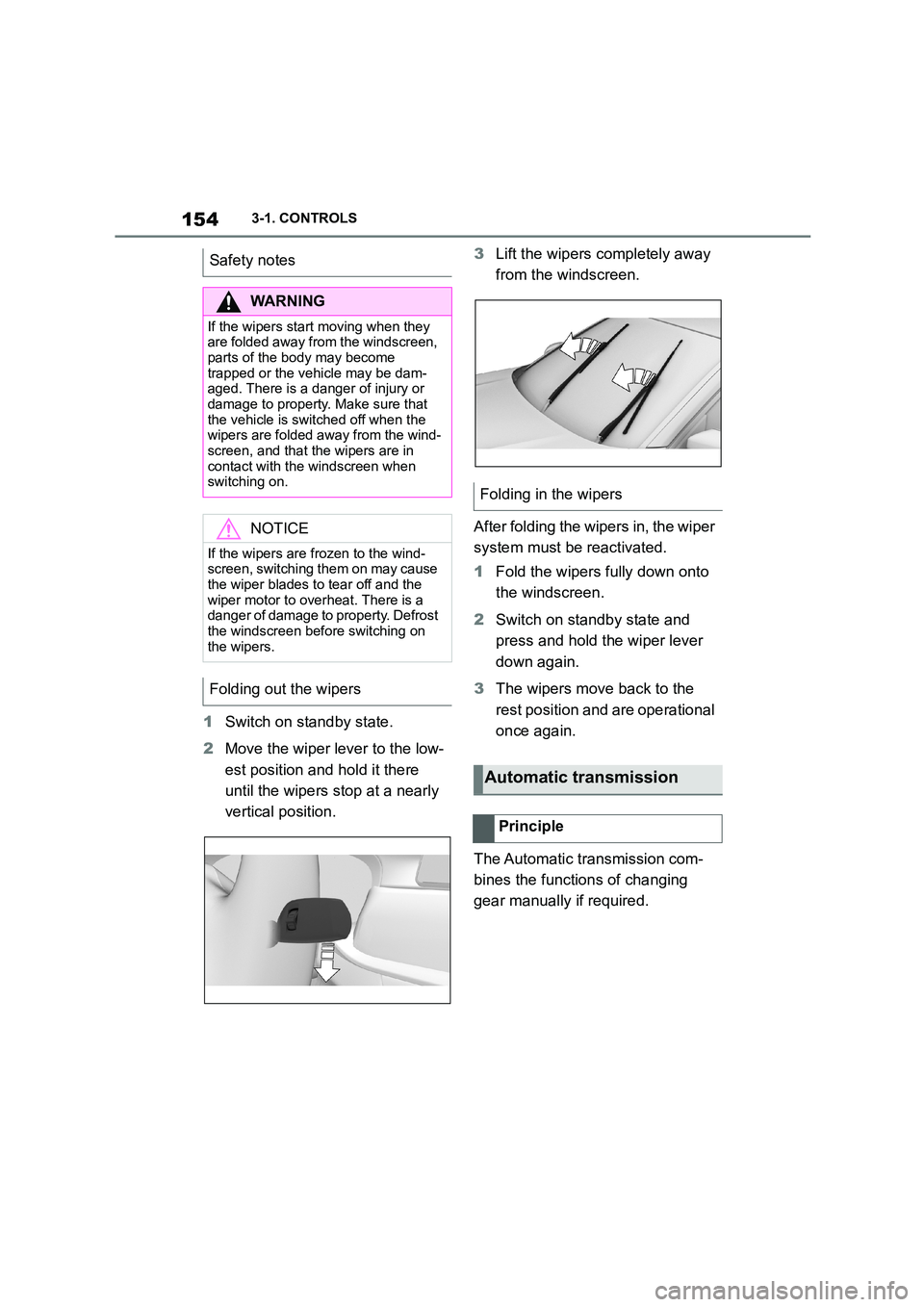
1Switch on standby state.
2 Move the wiper lever to the low-
est position and hold it there
until the wipers stop at a nearly
vertical position.
3 Lift the wipers completely away
from the windscreen.
After folding the wipers in, the wiper
system must be reactivated.
1 Fold the wipers fully down onto
the windscreen.
2 Switch on standby state and
press and hold the wiper lever
down again.
3 The wipers move back to the
rest position and are operational
once again.
The Automatic transmission com-
bines the functions of changing
gear manually if required.
Safety notes
WA R N I N G
If the wipers start moving when they
are folded away from the windscreen, parts of the body may become
trapped or the vehicle may be dam-
aged. There is a danger of injury or damage to property. Make sure that
the vehicle is switched off when the
wipers are folded away from the wind-
screen, and that the wipers are in contact with the windscreen when
switching on.
NOTICE
If the wipers are frozen to the wind-
screen, switching them on may cause
the wiper blades to tear off and the wiper motor to overheat. There is a
danger of damage to property. Defrost
the windscreen before switching on the wipers.
Folding out the wipers
Folding in the wipers
Automatic transmission
Principle
Page 161 of 498
159
3
3-1. CONTROLS
CONTROLS
can turn the engine.
Before the transmission lockout is
released, apply the parking brake
to prevent the ve hicle from rolling
away.
1 Apply the brakes and keep them
applied.
2 Press the start/stop button. The
starter must be heard to start
turning. Press and hold the
start/stop button.
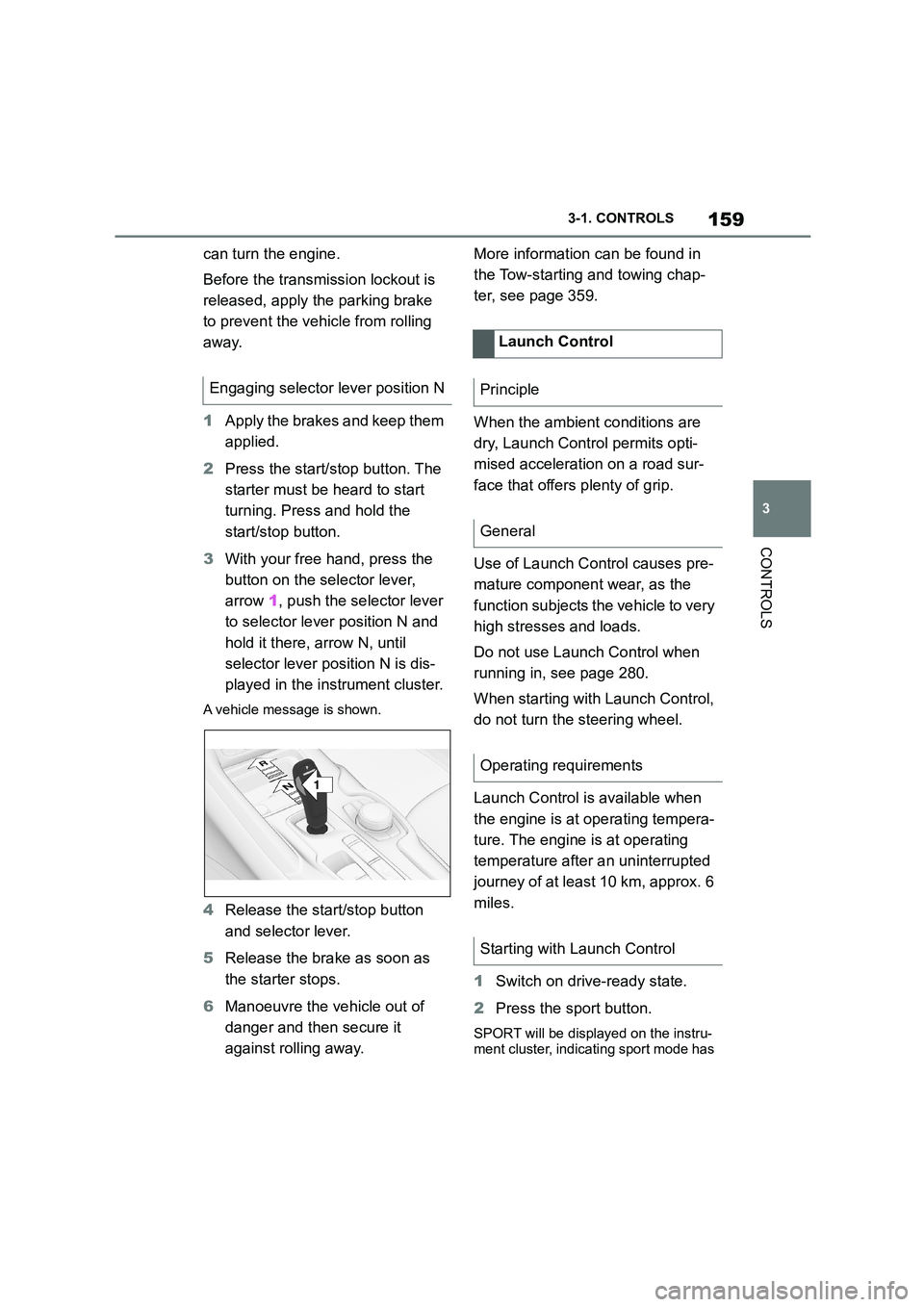
3 With your free hand, press the
button on the selector lever,
arrow 1, push the selector lever
to selector lever position N and
hold it there, arrow N, until
selector lever position N is dis-
played in the instrument cluster.
A vehicle message is shown.
4 Release the start/stop button
and selector lever.
5 Release the brake as soon as
the starter stops.
6 Manoeuvre the vehicle out of
danger and then secure it
against rolling away.
More information can be found in
the Tow-starting and towing chap-
ter, see page 359.
When the ambient conditions are
dry, Launch Control permits opti-
mised acceleration on a road sur-
face that offers plenty of grip.
Use of Launch Control causes pre-
mature component wear, as the
function subjects t he vehicle to very
high stresses and loads.
Do not use Launch Control when
running in, see page 280.
When starting with Launch Control,
do not turn the steering wheel.
Launch Control is available when
the engine is at operating tempera-
ture. The engine is at operating
temperature after an uninterrupted
journey of at least 10 km, approx. 6
miles.
1 Switch on drive-ready state.
2 Press the sport button.
SPORT will be displayed on the instru-
ment cluster, indicating sport mode has
Engaging selector lever position N
1
R
N
Launch Control
Principle
General
Operating requirements
Starting with Launch Control
Page 171 of 498

169
3
3-1. CONTROLS
CONTROLS
• Orange segments lighting up
successively indicate when an
upshift is due.
• Segments illuminate red. Latest
point to upshift.
When the maximum permissible
engine speed is reached, the entire
display flashes red and the fuel
supply is limited to protect the
engine.
For more informat ion, see Idle
state, standby state and
drive-ready state, see page 53.
If the display drops to +3 °C/+37 °F
or lower, a signal sounds.
A vehicle message is shown.
Display
Standby state and
drive-ready state
OFF in the instrument
cluster indicates that the
drive-ready state is
switched off and the
standby state is switched
on.
The letters READY in the
instrument cluster indi-
cate that the Auto
Start/Stop function is
ready for automatic
engine starting.
Engine coolant temperature
Display
When the engine tem-
perature is low: Only the
segments in the low
temperature range will
be illuminated. Drive
with moderate engine
speed and vehicle
speed.
When the engine tem-
perature is normal: All
segments to the middle
temperature range will
be illuminated.
When the engine tem-
perature is high: All seg-
ments to the high
temperature range will
be illuminated. A warn-
ing message will also be
displayed.
To check the coolant level,
see page 327.
Indicator lamp in the instru-
ment cluster
A red indicator lamp is dis-
played.
Outside temperature
General
Page 213 of 498

211
3
3-1. CONTROLS
CONTROLS
At speeds over approx. 250 km/h,
155 mph, the system is temporarily
disabled. As soon as the speed
drops back below this value, the
system responds once again
according to its settings.
The detection ability of the system
is limited.
Only objects detected by the sys-
tem are taken into account.
For this reason, the system may fail
to respond or only respond after a
delay.
It is possible that the following are
not detected, for example:
Slow-moving vehicle when
approaching it at high speed.
Vehicles suddenly cutting in or
braking heavily.
Vehicles with an unusual rear
appearance.
Two-wheeled vehicles ahead.
The system may have limited func-
tionality in the following situations,
for example:
On sharp bends.
When Vehicle Stability Control
Systems are limited or deacti-
vated, for example VSC OFF.
Up to 10 seconds after starting
the engine using the start/stop
button.
Attaching any objects, for example
stickers or decals, in the area of the
radar beam will also impair radar
sensor operation and may even
cause them to fail.
The higher the sensitivity of the
warning settings, fo r example warn-
ing time, the more warnings are dis-
played. As a result, there may be
an increased number of premature
or unjustified warnings and
responses.
System limits
Safety note
WA R N I N G
The system may not re spond at all, or may respond too late, incorrectly or
without justification due to limits of the
system. There is a danger of acci-
dents or damage to property.
Observe the information on the sys-
tem limits and intervene actively if
necessary.
Upper speed limit
Detection range
Functional limitations
Sensitivity of the warnings
Page 217 of 498

215
3
3-1. CONTROLS
CONTROLS
The system reacts to pedestrians
and cyclists if your own speed is
below approx. 85 km/h, 53 mph.
The detection ability of the system
is limited.
As a result, the system may fail to
give warnings or may give warnings
late.
It is possible that the following are
not detected, for example:
Partially concealed pedestrians.
Pedestrians who are not
detected as such, because of the
viewing angle or outline.
Pedestrians outside the detec-
tion range.
Pedestrians less than approxi-
mately 80 cm, 32 in tall.
The system may have limited func-
tionality in some situations, for
example:
In thick fog, wet conditions or
snow.
On sharp bends.
If vehicle stability control sys-
tems are deactivated, for exam-
ple VSC OFF.
If the field of view of the camera
or the windscreen in front of the
rear-view mirror is soiled or cov-
ered.
If the camera has overheated
due to excessively high tempera-
tures and has been temporarily
deactivated.
Depending on the equipment
version: if the radar sensors are
soiled or covered.
Depending on the vehicle's
equipment: after work performed
incorrectly on the vehicle paint-
work.
Up to 10 seconds after starting
the engine using the start/stop
button.
During the camera calibration
process immediately after vehi-
cle delivery.
If there is sustained glare due to
oncoming light, for example if the
sun is low in the sky.
In the dark.
Attaching any objects – stickers or
System limits
Safety note
WA R N I N G
The system may not re spond at all, or may respond too late, incorrectly or
without justification due to limits of the
system. There is a danger of acci-
dents or damage to property.
Observe the information on the sys-
tem limits and intervene actively if
necessary.
Upper speed limit
Detection range
Functional limitations
Page 222 of 498

2203-1. CONTROLS
tionality in the following situations,
for example:
When there are missing, worn,
poorly visible, merging/separat-
ing or ambiguous lane markings;
for example, in areas where
there are roadworks.
If lane markings are covered by
snow, ice, dirt or water.
On sharp bends or narrow roads.
If lane markings are not white.
If lane markings are obscured by
objects.
If the vehicle is too close to the
vehicle ahead.
Up to 10 seconds after starting
the engine using the start/stop
button.
A vehicle message may be dis-
played in the event of limited func-
tionality.
*: if equipped
The Blind spot monitor detects
vehicles in the blind spot, or if vehi-
cles are approaching from behind
in the adjacent lane . Different levels
of warning are given in these situa-
tions.
From a minimum speed, two radar
sensors in the rear bumper monitor
the area behind and next to the
vehicle.
The minimum speed is coun-
try-specific and is displayed in the
menu for the Toyota Supra Safety
Systems.
The system indicates when vehi-
cles are in the blind spot, arrow 1,
or are approaching from the rear in
an adjacent lane, arrow 2.
The light in the ex terior mirror illu-
minates at a dimmed level.
Before changing lanes with the turn
indicator switched on, the system
issues a warning in the above situa-
tions.
The light in the exterior mirror
flashes and the steering wheel
vibrates.
Blind spot monitor*
Principle
General
Page 223 of 498

221
3
3-1. CONTROLS
CONTROLS
The system is controlled using the
following sensors:
• Side radar sensors, rear.
For further information:
Sensors of the vehicle, see page
50.
The Blind spot monitor is reacti-
vated automatically at the start of a
journey if the function was switched
on the last time the engine was
stopped.
The menu for the Toyota Supra
Safety Systems is shown.
If all Toyota Supra Safety Systems
were switched off, all systems are
now switched on.
"Customise Settings": depending
on the equipment, the Toyota Supra
Safety Systems can be configured
individually. The custom settings
are activated and saved. As soon
as a setting is changed in the
menu, all settings in the menu are
activated.
Safety notes
WA R N I N G
The system does not relieve you of
your personal responsibility to assess the visibility conditions and traffic situ-
ation correctly. There is a danger of
accidents. Adapt your driving style to the traffic conditions. Observe the
traffic situation and intervene actively
if the situation warrants it.
WA R N I N G
Displays and warnings do not relieve
you of your personal responsibility.
System limitations can mean that warnings or system responses are
not issued or are issued too late,
incorrectly or wit hout justification. There is a danger of accidents. Adapt
your driving style to the traffic condi-
tions. Observe the traffic situation and intervene actively if the situation war-
rants it.
Overview
Button in the vehicle
Toyota Supra Safety
Sensors
Switching on/off
Switching on automatically
Switching on/off manually
Press the button.
Page 286 of 498
2844-1. DRIVING HINTS
This situation, known as aquaplan-
ing, means that the tyre can actu-
ally lose contact completely with
the road surface and the vehicle
can neither be steered, nor the
brakes properly applied.
Please comply with the following
when driving through water:
Deactivate the Automatic
Start/Stop function.
Only drive through still water.
Only drive through water up to a
max. depth of 25 cm, 9.8 in.
Drive through water at a walking
speed of no more than 5 km/h, 3
mph.
The vehicle is equipped with the
Anti-lock Brake System ABS as
standard.
Perform full brakin g in situations
that require it.
The vehicle remains steerable. Any
obstacles can be avoided by steer-
ing as smoothly as possible.
A pulsing of the brake pedal and
hydraulic regulating sounds indi-
cate that the anti-lock brake system
ABS is functioning.
In certain braking situations, the
perforated brake discs can cause
functional noise. However, func-
tional noises have no effect on the
efficiency and operational safety of
the brakes.
In wet weather, on gritted roads and
in heavy rain, apply the brakes
lightly every few kilometres/miles.
Driving through water
General
Safety note
NOTICE
Driving through excessively deep water too fast can result in water
entering the engine compartment,
electrical system or transmission. There is a danger of damage to prop-
erty. When driving through water, do
not exceed the maximum water depth and speed specified above.
Safe braking
General
Objects in the range of movement
of the pedals
WA R N I N G
Objects in the driver's footwell can
restrict the pedal travel or block a
pedal that has been pressed. There is a risk of accident. Ensure that items in
the vehicle are stowed securely and
cannot get into the driver's footwell. Only use floor mats that are suitable
for the vehicle and can be securely
fastened to the floor. Do not use loose floor mats, and do not place several
floor mats on top of one another.
Make sure that there is sufficient space for the pedals. Ensure that floor
mats are securely reattached after
removal, for example for cleaning.
Wet roads