2022 TOYOTA SUPRA door lock
[x] Cancel search: door lockPage 102 of 498
1003-1. CONTROLS
To prevent the remote control from
being locked in, do not place the
remote control in the boot.
• Press and hold the button
on the remote control for approx-
imately 1 second.
If applicable, the doors are also
unlocked. Opening with remote control,
see page 91.
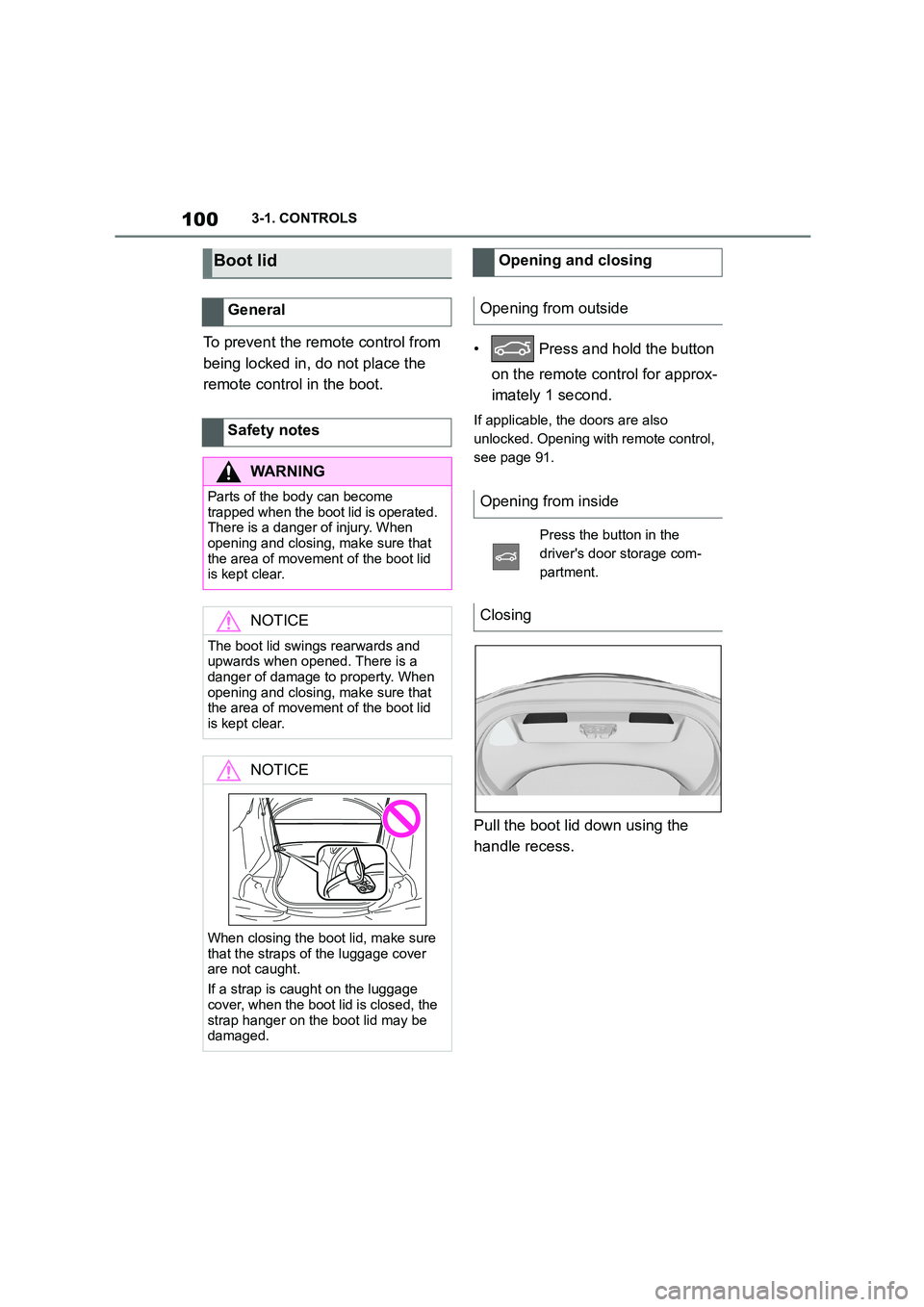
Pull the boot lid down using the
handle recess.
Boot lid
General
Safety notes
WA R N I N G
Parts of the body can become
trapped when the boot lid is operated.
There is a danger of injury. When opening and closing, make sure that
the area of movement of the boot lid
is kept clear.
NOTICE
The boot lid swings rearwards and
upwards when opened. There is a danger of damage to property. When
opening and closing, make sure that
the area of movement of the boot lid
is kept clear.
NOTICE
When closing the boot lid, make sure
that the straps of the luggage cover are not caught.
If a strap is caught on the luggage
cover, when the boot lid is closed, the
strap hanger on the boot lid may be damaged.
Opening and closing
Opening from outside
Opening from inside
Press the button in the
driver's door storage com-
partment.
Closing
Page 103 of 498
101
3
3-1. CONTROLS
CONTROLS
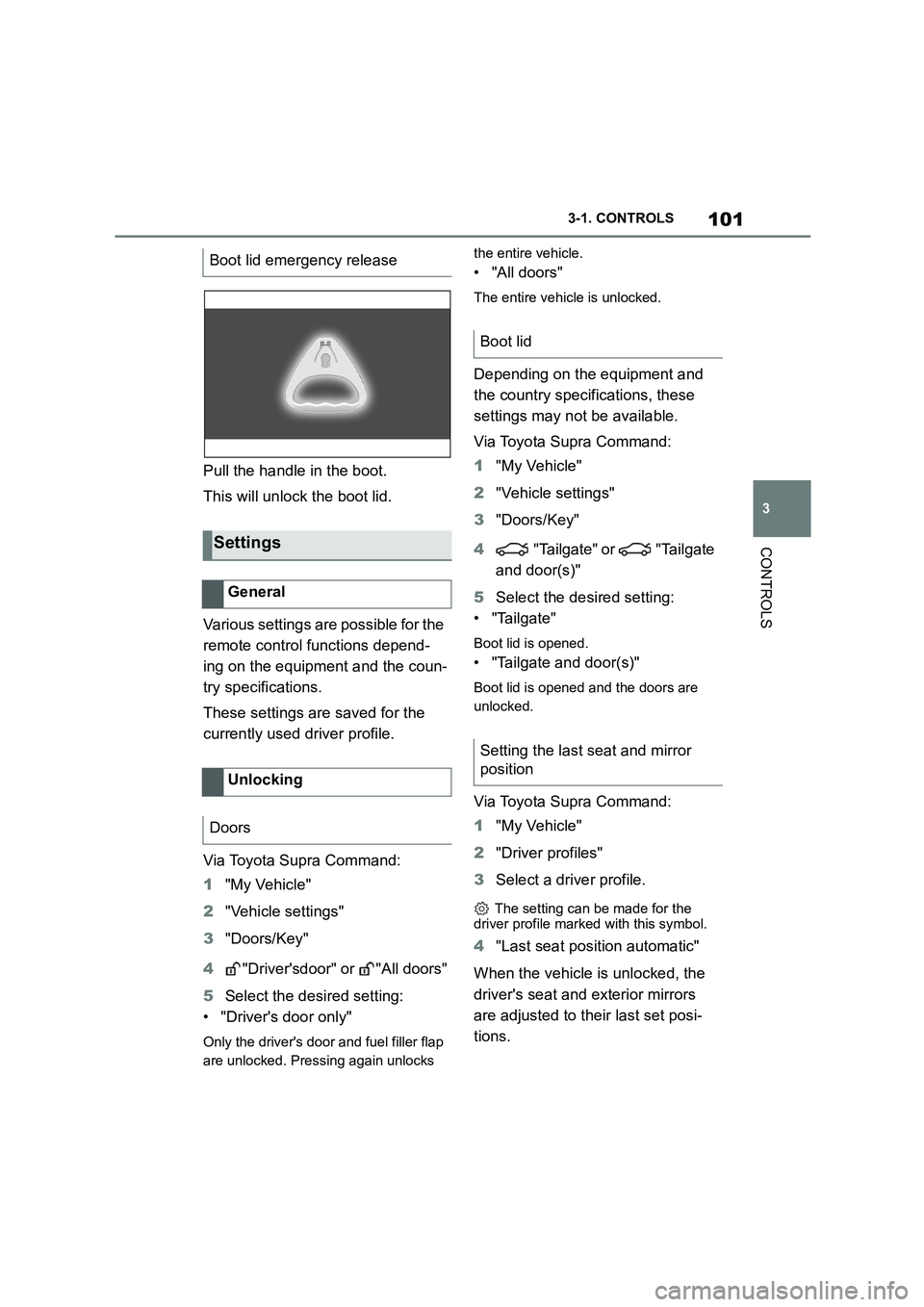
Pull the handle in the boot.
This will unlock the boot lid.
Various settings are possible for the
remote control functions depend-
ing on the equipment and the coun-
try specifications.
These settings are saved for the
currently used driver profile.
Via Toyota Supra Command:
1 "My Vehicle"
2 "Vehicle settings"
3 "Doors/Key"
4 "Driver'sdoor" or "All doors"
5 Select the desired setting:
• "Driver's door only"
Only the driver's door and fuel filler flap
are unlocked. Pressing again unlocks
the entire vehicle.
• "All doors"
The entire vehicle is unlocked.
Depending on the equipment and
the country specifications, these
settings may not be available.
Via Toyota Supra Command:
1 "My Vehicle"
2 "Vehicle settings"
3 "Doors/Key"
4 "Tailgate" or "Tailgate
and door(s)"
5 Select the desired setting:
• "Tailgate"
Boot lid is opened.
• "Tailgate and door(s)"
Boot lid is opened and the doors are
unlocked.
Via Toyota Supra Command:
1 "My Vehicle"
2 "Driver profiles"
3 Select a driver profile.
The setting can be made for the
driver profile marked with this symbol.
4 "Last seat position automatic"
When the vehicle is unlocked, the
driver's seat and exterior mirrors
are adjusted to their last set posi-
tions.
Boot lid emergency release
Settings
General
Unlocking
Doors
Boot lid
Setting the last seat and mirror
position
Page 104 of 498
1023-1. CONTROLS
The last position setting is inde-
pendent of the positions saved via
the seat memory.
Via Toyota Supra Command:
1 "My Vehicle"
2 "Vehicle settings"
3 "Doors/Key"
4 "Flash for lock/unlock"
Unlocking is acknowledged by flashing
twice, locking by flashing once.
Via Toyota Supra Command:
1 "My Vehicle"
2 "Vehicle settings"
3 "Doors/Key"
4 "Relock automatically"
The vehicle is automatically locked
again after a short while if no door is
opened after unlocking.
Via Toyota Supra Command:
1 "My Vehicle"
2 "Vehicle settings"
3 "Doors/Key"
4 Select the desired setting:
• "Unlock doors when in Park"
• "Unlock at end of journey"
After the drive-ready state has been
switched off by pressing the start/stop
button, the locked vehicle is automati-
cally unlocked.
Via Toyota Supra Command:
1 "My Vehicle"
2 "Vehicle settings"
3 "Doors/Key"
4 "Fold mirrors in when locked"
The exterior mirrors are folded in auto-
matically when the vehicle is locked.
Via Toyota Supra Command:
1 "My Vehicle"
2 "Vehicle settings"
3 "Doors/Key"
4 "Switch off after door opening"
Idle state, see page 53, is established
when the front doors are opened.
The alarm system visually and
acoustically signals when some-
one attempts to open the locked
vehicle.
The alarm system responds to the
following changes when the vehicle
is locked:
• A door, the bonnet or the boot lid
Acknowledgement signals of
the vehicle
Automatic locking
Automatic unlocking
Folding the mirrors automati-
cally
Establishing idle state after
opening the front doors
Alarm system
Principle
General
Page 105 of 498

103
3
3-1. CONTROLS
CONTROLS
is opened.
• Movements inside the vehicle.
• A change in the vehicle's incline,
for instance if an attempt is made
to jack it up and steal the wheels
or to raise it prior to towing away.
• An interruption in the power sup-
ply from the battery.
• Improper use of the socket for
on-board diagnosis OBD.
• The vehicle is locked while a
device is connected to the socket
for on-board diagnosis OBD.
Socket for on-board diagnosis
OBD, see page 332.
The alarm system indicates the fol-
lowing changes visually and audi-
bly:
• Audible alarm: Depending on
local regulations, the acoustic
alarm may be suppressed.
• Visual alarm: By flashing of the
hazard warning lights and, if
applicable, the headlights.
To safeguard the function of the
alarm system, do not modify the
system.
The alarm system is switched off
and on at the same time as the
vehicle is unlocked and locked via
the remote control or Smart Key
System.
The alarm system is triggered on
opening a door if the door has been
unlocked using the integrated key
in the door lock.
To stop the alarm, see page 104.
The boot lid can be opened even
with the alarm system switched on.
On closing the boot lid, it is locked
again and monitored, as long as the
doors are locked. The hazard warn-
ing lights flash once.
• Indicator lamp flashes every 2
seconds: The alarm system is
switched on.
• Indicator lamp flashes for
approximately 10 seconds
before it flashes every 2 sec-
onds: The interior movement
detector and tilt alarm sensor are
not active because doors, bon-
Switching on/off
Opening the doors when the
alarm system is switched on
Opening the boot lid with the
alarm system switched on
Indicator lamp on the
rear-view mirror
Page 107 of 498
105
3
3-1. CONTROLS
CONTROLS
remote control.
• Unlock the vehicle with the inte-
grated key and switch on
drive-ready state using the spe-
cial ID feature of the remote con-
trol, see page 93.
• With Smart Key System: fully
grasp the door handle on either
the driver's door or the front pas-
senger door while carrying the
remote control.
The windows can be opened and
closed from outside with the vehicle
key.
For further information: Remote
control, see page 88.
The windows can be operated
under the following conditions.
• In standby state.
• In drive-ready state.
• For a short while after idle state
has been established.
• The remote control is in the inte-
rior.
The vehicle key must be in the
vehicle interior.
• Push the switch as far as
the resistance point.
The window opens as long as the
switch is held.
• Push the switch past the
resistance point.
The window is opened automatically.
The movement is stopped by pressing
the switch again.
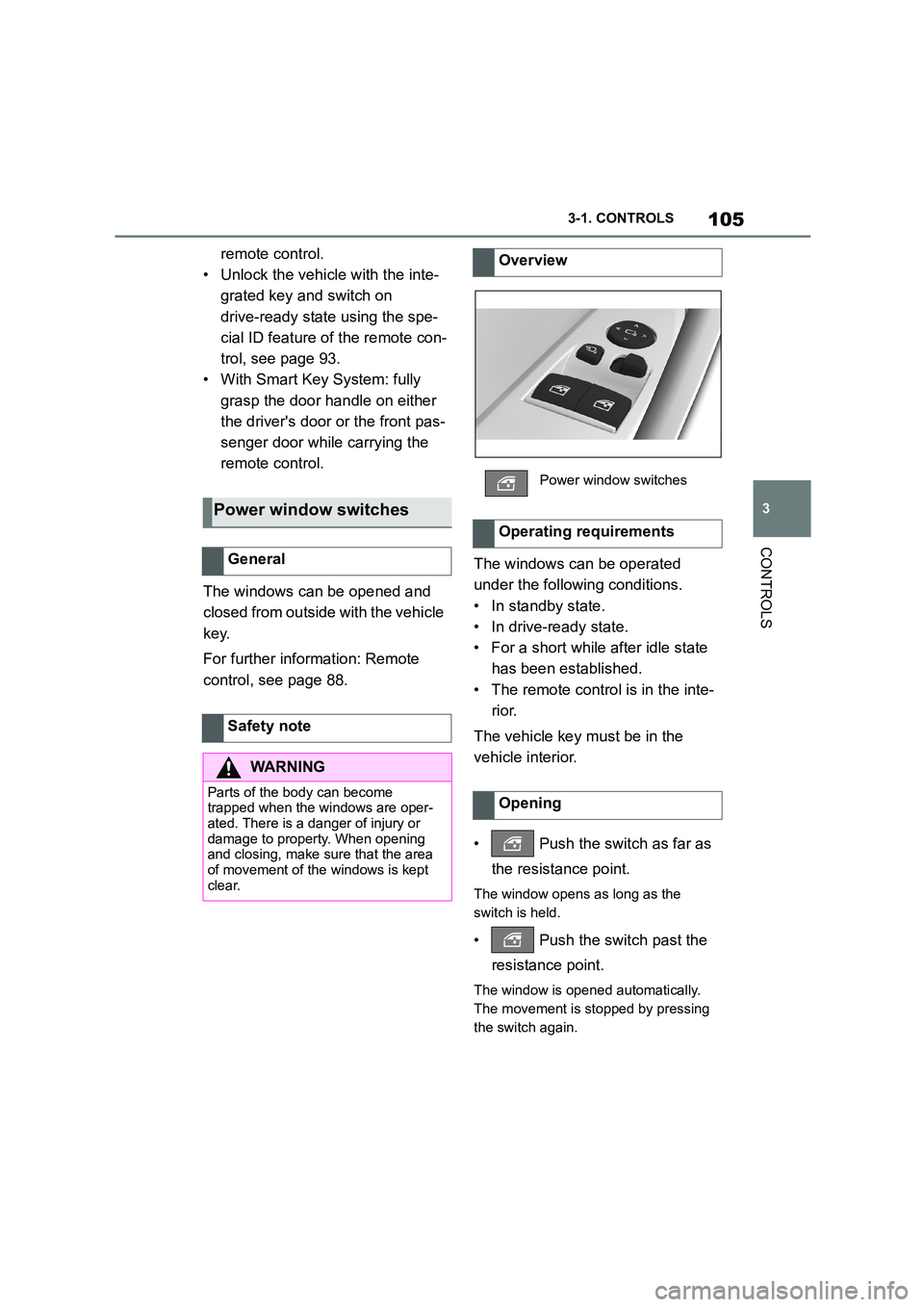
Power window switches
General
Safety note
WA R N I N G
Parts of the body can become
trapped when the windows are oper-
ated. There is a danger of injury or damage to property. When opening
and closing, make sure that the area
of movement of the windows is kept clear.
Overview
Power window switches
Operating requirements
Opening
Page 108 of 498
1063-1. CONTROLS
• Pull the switch as far as
the resistance point.
The window closes as long as the
switch is held.
• Pull the switch past the
resistance point.
The window closes automatically if the
door is closed. Pulling the switch again
stops the movement.
The anti-trap mechanism prevents
objects or parts of the body from
becoming trapped between the
door frame and window while a win-
dow is being closed.
If resistance or a blockage is
detected while a window is being
closed, the closing operation is
interrupted.
If an external danger or ice does
not allow you to close the windows
normally, proceed as follows:
1 Pull the switch past the
resistance point and hold it
there.
The window is closed with a restricted
anti-trap mechanism. If the closing
force exceeds a certain value, the clos- ing operation is interrupted.
2 Pull the switch past the
resistance point again within
approximately 4 seconds and
hold it there.
The window is closed without the
anti-trap mechanism.
Closing
Anti-trap mechanism
Principle
General
Safety note
WA R N I N G
Accessories on the windows, for example aerials, can impair the
anti-trap mechanism. There is a dan-
ger of injury. Do not attach any acces- sories in the area of movement of the
windows.
Closing without the anti-trap
mechanism
Page 124 of 498
1223-1. CONTROLS
WA R N I N G
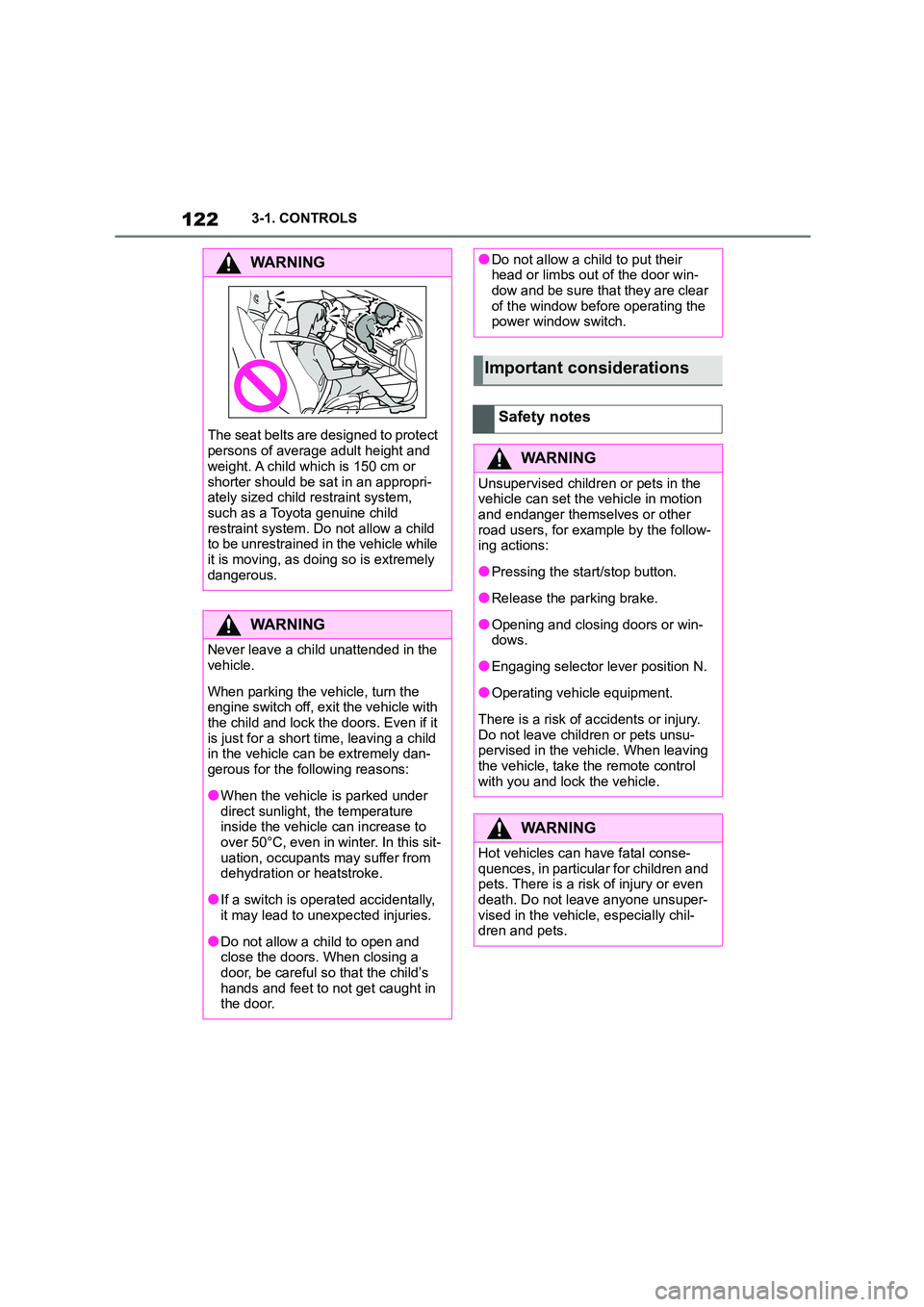
The seat belts are designed to protect
persons of average adult height and
weight. A child which is 150 cm or
shorter should be sat in an appropri- ately sized child restraint system,
such as a Toyota genuine child
restraint system. Do not allow a child to be unrestrained in the vehicle while
it is moving, as doing so is extremely
dangerous.
WA R N I N G
Never leave a child unattended in the
vehicle.
When parking the vehicle, turn the
engine switch off, exit the vehicle with
the child and lock the doors. Even if it
is just for a short time, leaving a child in the vehicle can be extremely dan-
gerous for the following reasons:
●When the vehicle is parked under
direct sunlight, the temperature
inside the vehicle can increase to over 50°C, even in winter. In this sit-
uation, occupants may suffer from
dehydration or heatstroke.
●If a switch is operated accidentally,
it may lead to unexpected injuries.
●Do not allow a child to open and
close the doors. When closing a door, be careful so that the child’s
hands and feet to not get caught in
the door.
●Do not allow a child to put their head or limbs out of the door win-
dow and be sure that they are clear
of the window before operating the power window switch.
Important considerations
Safety notes
WA R N I N G
Unsupervised children or pets in the vehicle can set the vehicle in motion
and endanger themselves or other
road users, for example by the follow- ing actions:
●Pressing the start/stop button.
●Release the parking brake.
●Opening and closing doors or win-
dows.
●Engaging selector lever position N.
●Operating vehicle equipment.
There is a risk of accidents or injury.
Do not leave children or pets unsu- pervised in the vehicle. When leaving
the vehicle, take the remote control
with you and lock the vehicle.
WA R N I N G
Hot vehicles can have fatal conse-
quences, in particular for children and
pets. There is a risk of injury or even death. Do not leave anyone unsuper-
vised in the vehicle, especially chil-
dren and pets.
Page 148 of 498
1463-1. CONTROLS
On steep downward gradients.
Brake not pressed strongly
enough.
High outside temperature and
operation of the automatic air
conditioning.
Interior not heated or cooled to
the desired temperature.
Where there is a risk of conden-
sation when the automatic air
conditioning is switched on.
Engine or other parts not at oper-
ating temperature.
Engine cooling is required.
Sharp steering angle or steering
operation.
Vehicle battery is heavily dis-
charged.
At high altitudes.
Bonnet is unlocked.
Park Assistant is activated.
Stop-and-go traffic.
Selector lever position in N or R.
After reversing.
Use of fuel with high ethanol
content.
For driving off, the engine automati-
cally starts under the following con-
ditions:
By releasing the brake pedal.
After starting the engine, accelerate
as normal.
After an automatic shut down, the
engine will not rest art automatically,
if one of the following conditions is
met:
Driver's seat belt unbuckled and
driver's door open.
Bonnet has been unlocked.
Several indicator lamps illuminate
for various lengths of time.
The engine can only be started
using the start/stop button.
Even if you do not want to drive off,
the engine restarts automatically in
the following situations:
Very high temperature in the
interior when the cooling function
is switched on.
Very low temperature in the inte-
rior when the heating is switched
on.
Where there is a risk of conden-
sation when the automatic air
conditioning is switched on.
When the steering wheel is
turned.
Shift from selector lever position
D to N or R.
Engine start
Operating requirements
Driving off
Safety function
System limits