2022 TOYOTA MIRAI key battery
[x] Cancel search: key batteryPage 131 of 556
1314-2. Opening, closing and locking the doors and trunk
Owners Manual_USA_M62084_en
4
Before driving
once for 5 seconds
●When an interior alarm sounds
continuously
■If “Smart Key System Malfunc-
tion See Owner’s Manual” is
displayed on the multi-informa-
tion display
The system may be malfunctioning.
Have the vehicle inspected by Toy-
ota dealer immediately.
■If “Key Detected in Vehicle” is
shown on the multi-information
display
An attempt was m ade to lock the
doors using the smart key system
while the electronic key was still inside the vehicle. Retrieve the elec-
tronic key from the vehicle and lock
the doors again.
■Battery-saving function
The battery-saving function will be
activated in ord er to prevent the
electronic key battery and the 12-
volt battery from being discharged
while the vehicle is not in operation
for a long time.
●In the following situations, the
smart key system may take some
time to unlock the doors.
• The electronic key has been left in
an area of approxi mately 6 ft. (2
m) of the outside of the vehicle for
10 minutes or longer.
• The smart key system has not been used for 5 days or longer.
●If the smart key system has not
been used for 14 days or longer,
the doors cannot be unlocked at
any doors except the driver’s door.
In this case, take hold of the
driver’s door handle, or use the
wireless remote c ontrol or the
mechanical key, to unlock the
doors.
■Turning an electronic key to
battery-saving mode
●When battery-saving mode is set,
battery depletion is minimized by
stopping the electronic key from
receiving radio waves.
Press twice while pressing and
holding . Confirm that the elec-
tronic key indicator flashes 4 times.
While the battery-saving mode is
set, the smart key system cannot be
used. To cancel the function, press
any of the electronic key buttons.
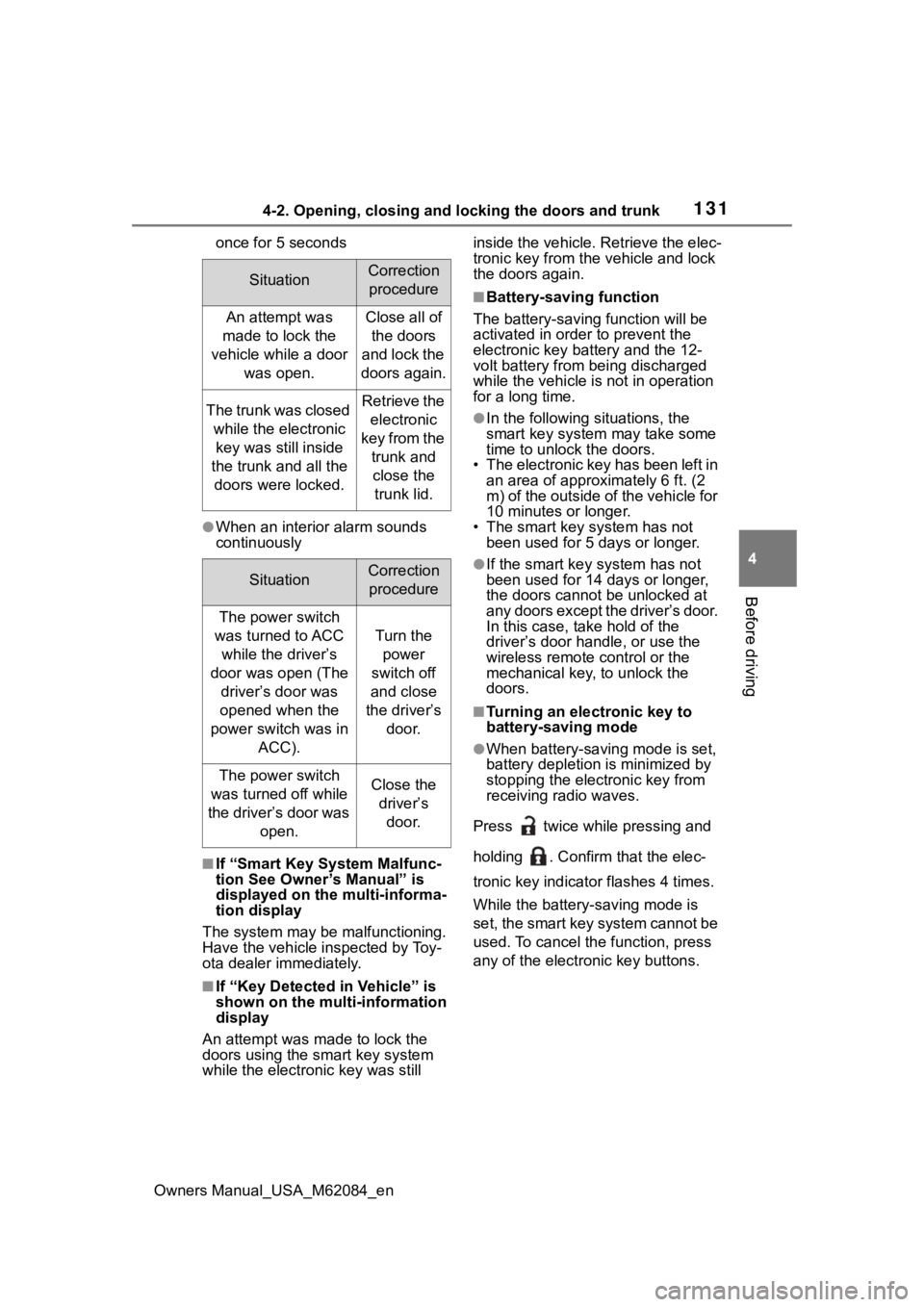
SituationCorrection procedure
An attempt was
made to lock the
vehicle while a door was open.Close all of the doors
and lock the
doors again.
The trunk was closed while the electronic key was still inside
the trunk and all the doors were locked.Retrieve the electronic
key from the trunk and close the trunk lid.
SituationCorrection procedure
The power switch
was turned to ACC while the driver’s
door was open (The driver’s door was
opened when the
power switch was in ACC).
Turn the power
switch off
and close
the driver’s door.
The power switch
was turned off while
the driver’s door was open.Close the driver’s door.
Page 132 of 556
1324-2. Opening, closing and locking the doors and trunk
Owners Manual_USA_M62084_en
●Electronic keys that will not be
used for long periods of time can
be set to the battery-saving mode
in advance.
■Conditions affecting operation
The smart key system uses weak
radio waves. In the following situa-
tions, the communication between
the electronic key and the vehicle
may be affected, preventing the
smart key system, wireless remote
control and immobilizer system from
operating properly. (Ways of coping:
P.468)
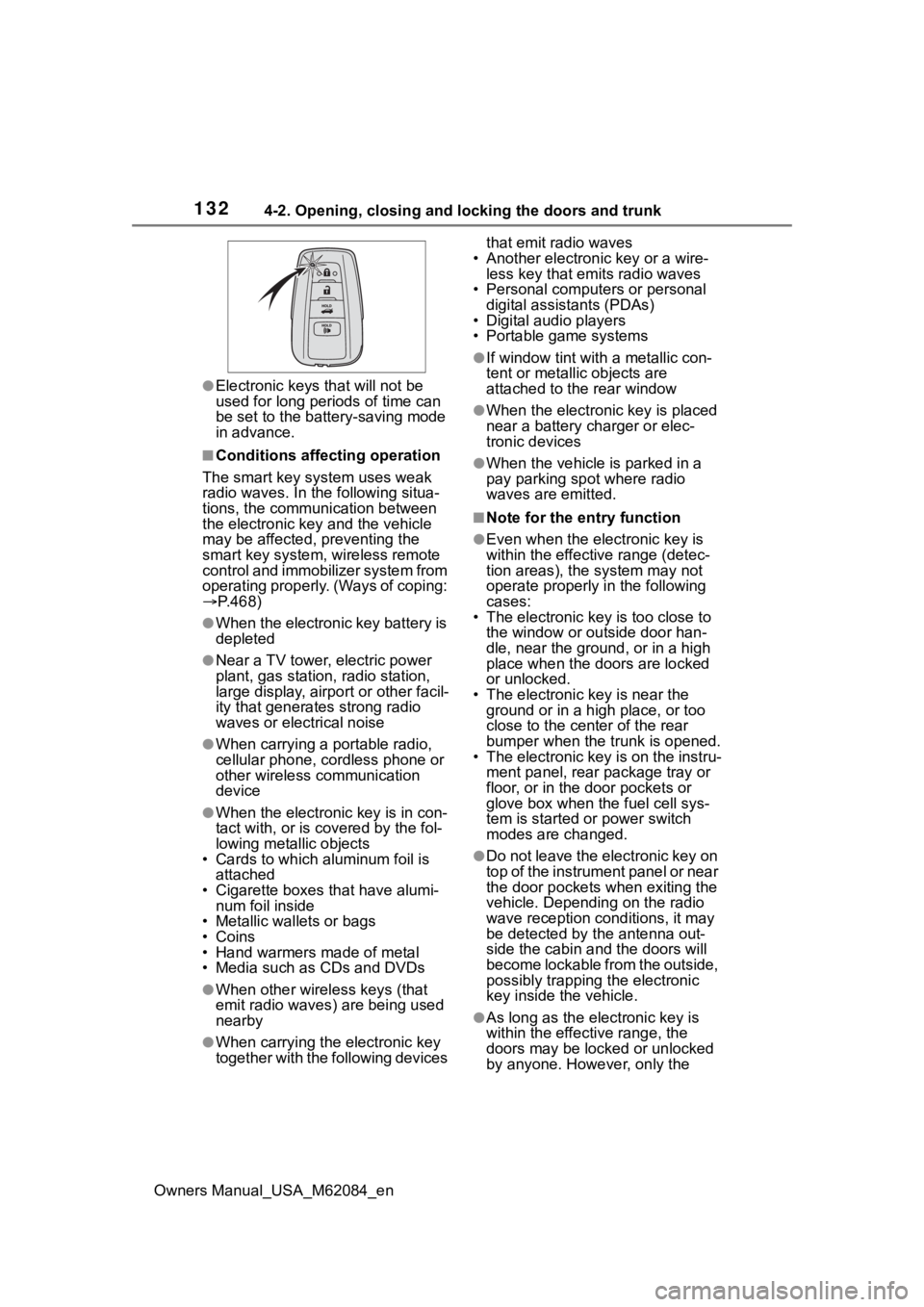
●When the electronic key battery is
depleted
●Near a TV tower, electric power
plant, gas station , radio station,
large display, airpo rt or other facil-
ity that generates strong radio
waves or electrical noise
●When carrying a portable radio,
cellular phone, cordless phone or
other wireless communication
device
●When the electronic key is in con-
tact with, or is covered by the fol-
lowing metallic objects
• Cards to which al uminum foil is
attached
• Cigarette boxes that have alumi- num foil inside
• Metallic wallets or bags
• Coins
• Hand warmers made of metal
• Media such as CDs and DVDs
●When other wireless keys (that
emit radio waves) are being used
nearby
●When carrying the electronic key
together with the following devices that emit radio waves
• Another electronic key or a wire- less key that emits radio waves
• Personal computers or personal digital assistants (PDAs)
• Digital audio players
• Portable game systems
●If window tint wit h a metallic con-
tent or metallic objects are
attached to the rear window
●When the electronic key is placed
near a battery charger or elec-
tronic devices
●When the vehicle is parked in a
pay parking spot where radio
waves are emitted.
■Note for the entry function
●Even when the electronic key is
within the effective range (detec-
tion areas), the system may not
operate properly in the following
cases:
• The electronic key is too close to the window or outside door han-
dle, near the ground, or in a high
place when the doors are locked
or unlocked.
• The electronic key is near the ground or in a high place, or too
close to the center of the rear
bumper when the trunk is opened.
• The electronic key is on the instru- ment panel, rear package tray or
floor, or in the door pockets or
glove box when the fuel cell sys-
tem is started or power switch
modes are changed.
●Do not leave the electronic key on
top of the instrument panel or near
the door pockets when exiting the
vehicle. Depending on the radio
wave reception conditions, it may
be detected by the antenna out-
side the cabin and the doors will
become lockable from the outside,
possibly trapping the electronic
key inside the vehicle.
●As long as the electronic key is
within the effective range, the
doors may be locked or unlocked
by anyone. However, only the
Page 133 of 556

1334-2. Opening, closing and locking the doors and trunk
Owners Manual_USA_M62084_en
4
Before driving
doors detecting the electronic key
can be used to unl ock the vehicle.
●Even if the electronic key is not
inside the vehicle, it may be possi-
ble to start the fuel cell system if
the electronic key is near the win-
dow.
●The doors may unlock or lock if a
large amount of water splashes on
the door handle, such as in the
rain or in a car wash, when the
electronic key is within the effec-
tive range. (The doors will auto-
matically be locked after
approximately 60 seconds if the
doors are not opened and closed.)
●If the wireless remote control is
used to lock the doors when the
electronic key is near the vehicle,
there is a possib ility that the door
may not be unlocke d by the entry
function. (Use the wireless remote
control to unloc k the doors.)
●Touching the door lock sensor
while wearing gloves may delay or
prevent lock operation.
●When the lock op eration is per-
formed using the lock sensor, rec-
ognition signals will be shown up
to two consecutive times. After
this, no recogniti on signals will be
given.
●If the door handle becomes wet
while the electronic key is within
the effective ran ge, the door may
lock and unlock repeatedly. In this
case, follow the fo llowing correc-
tion procedures to wash the vehi-
cle:
• Place the electronic key in a loca- tion 6 ft. (2 m) or more away from
the vehicle. (Take care to ensure
that the key is not stolen.)
• Set the electronic key to battery- saving mode to disable the smart
key system. ( P.131)
●If the electronic key is inside the
vehicle and a door handle
becomes wet during a car wash, a
message may be shown on the
multi-informatio n display and a buzzer will sound outside the vehi-
cle. To turn off the alarm, lock all
the doors.
●The lock sensor may not work
properly if it comes into contact
with ice, snow, m
ud, etc. Clean
the lock sensor and attempt to
operate it again.
●A sudden approach to the effec-
tive range or door handle may pre-
vent the doors from being
unlocked. In this case, return the
door handle to the original position
and check that t he doors unlock
before pulling the door handle
again.
●If there is another electronic key in
the detection area, it may take
slightly longer to unlock the doors
after the door handle is gripped.
■When the vehicle is not driven
for extended periods
●To prevent theft of the vehicle, do
not leave the electronic key within
6 ft. (2 m) of the vehicle.
●The smart key system can be
deactivated in advance.
●Setting the electronic key to bat-
tery-saving mode helps to reduce
key battery depletion. ( P.131)
■To operate the system properly
●Make sure to carry the electronic
key when operating the system.
Do not get the electronic key too
close to the vehicle when operat-
ing the system from the outside of
the vehicle.
Depending on the position and hold-
ing condition of the electronic key,
the key may not be detected cor-
rectly and the system may not oper-
ate properly. (The alarm may go off
accidentally, or the door lock pre-
vention function m ay not operate.)
●Do not leave the electronic key
inside the trunk.
The key confinement prevention
function may not operate, depend-
Page 173 of 556

1735-2. Driving procedures
Owners Manual_USA_M62084_en
5
Driving
Shutdown Due to Freezing Stop in
a Safe Place See Owner’s Man-
ual” may be displayed in the multi-
information display.
The fuel cell system is frozen and
cannot be started. Contact your Toy-
ota dealer.
●The power output will be tempo-
rarily limited until the fuel cell sys-
tem reaches full operating
temperature.
●When the traction battery is
extremely cold (below approxi-
mately -22˚F [-3 0˚C]) under the
influence of outsi de temperature,
it may not be poss ible to start the
fuel cell system. In this case, try to
start the fuel ce ll system again
after the temperat ure of the trac-
tion battery increases due to the
outside temperature increase etc.
■If the fuel cell system does not
start
●The immobilizer system may not
have been deactivated. ( P. 6 9 )
Contact your Toyota dealer.
●If a message related to start-up is
shown on the multi-information
display, read the message and fol-
low the instructions.
●Check that the fuel door is closed.
When the fuel doo r is open, the
fuel cell system cannot be started.
Close the fuel door before starting
the system. ( P.205)
■Sounds and vibrations specific
to a fuel cell vehicle
P. 7 5
■If the 12-volt battery is dis-
charged
The fuel cell system cannot be
started using the smart key system.
Refer to P.471to res tart the fuel cell
system.
■Electronic key battery depletion
P. 1 1 8
■Conditions affecting operation
P.132
■Notes for the entry function
P.132
■If “Smart Key System Malfunc-
tion See Owner’s Manual” is
displayed on the multi-informa-
tion display
The system may be malfunctioning.
Have the vehicle inspected by your
Toyota dealer immediately.
■Steering lock function
●After turning the power switch off
and opening and closing the
doors, the steeri ng wheel will be
locked due to the steering lock
function. Operating the power
switch again automatically can-
cels the steering lock.
●When the steering lock cannot be
released, “Push Power Switch
while Turning Steering Wheel in
Either Direction” will be displayed
on the multi-information display.
Press the power switch shortly
and firmly while turning the steer-
ing wheel left and right.
●To prevent the steering lock motor
from overheating , the motor may
be suspended if the fuel cell sys-
tem is turned on and off repeat-
edly in a short period of time. In
this case, refrain from operating
the power switch. After about 10
seconds, the steering lock motor
will resume functioning.
■If the “READY” indicator does
not come on
In the event that the “READY” indi-
cator does not come on even after
Page 174 of 556

1745-2. Driving procedures
Owners Manual_USA_M62084_enperforming the proper procedures
for starting the vehicle, contact your
Toyota dealer immediately.
■If the fuel cell system is mal-
functioning
P. 4 5 1
■Electronic key battery
P. 4 2 3
■Operation of the power switch
●If the switch is not pressed shortly
and firmly, the power switch mode
may not change or the fuel cell
system may not start.
●If attempting to restart the fuel cell
system immediately after turning
the power switch off, the fuel cell
system may not start in some
cases. After turn ing the power
switch off, please wait a few sec-
onds before restarting the fuel cell
system.
■Customization
If the smart key system has been
deactivated in a customized setting,
refer to P.468.1 Stop the vehicle completely.
2 Set the parking brake.
( P.183)
3 Press the P position switch.
( P.178)
Check that the shif t position indica-
tor shows P and the parking brake
indicator is illuminated.
4 Press the power switch.
The fuel cell system will stop, and
the meter disp lay will be extin-
guished (the shift position indicator
will be extinguished a few seconds
after the meter display).
5 Release the brake pedal and
check that “ACCESSORY” or
“IGNITION ON” is not shown
on the meter.
■Stopping the fuel cell system in
cold temperatures
●When the power switch is pressed
and the fuel cell system is stopped
WARNING
■When starting the fuel cell
system
Always start the fuel cell system
while sitting in the driver’s seat.
Do not depress the accelerator
pedal while starting the fuel cell
system under any circumstances.
Doing so may cause an accident
resulting in death or serious injury.
■Caution while driving
If fuel cell system failure occurs
while the vehicle is moving, do not
lock or open the doors until the
vehicle reaches a safe and com-
plete stop. The steering lock func-
tion will activate and this may lead
to an accident, resulting in death
or serious injury.
NOTICE
■When starting the fuel cell
system
If the fuel cell system becomes
difficult to start, have your vehicle
checked by your Toyota dealer
immediately.
■Symptoms indicating a mal-
function with the power
switch
If the power switch seems to be
operating somewhat differently
than usual, such as the switch
sticking slightly, there may be a
malfunction. Contact your Toyota
dealer immediately.
Stopping the fuel cell sys-
tem
Page 192 of 556

1925-3. Operating the lights and wipers
Owners Manual_USA_M62084_en
■Headlight control sensor
The sensor may not function prop-
erly if an object is placed on the sen-
sor, or anything that blocks the
sensor is affixed to the windshield.
Doing so interfere s with the sensor
detecting the level of ambient light
and may cause the automatic head-
light system to malfunction.
■Automatic light off system
●When the headlights are on: The
headlights and tail lights turn off
30 seconds after the driver’s door
is opened and clos ed if the power
switch is turned to ACC or off.
(The lights turn off immediately if
on the key is pressed after all
the doors are closed.)
●When only the tail lights are on:
The tail lights tu rn off automati-
cally if the power switch is turned
to ACC or off and the driver’s door
is opened.
To turn the lights on again, turn the
power switch to ON, or turn the light
switch off once and then back to
or .
■Light reminder buzzer
A buzzer sounds when the power
switch is turned off or turned to ACC
and the driver’s door is opened
while the lights are turned on.
■Automatic headlight leveling
system (if equipped)
The level of the headlights is auto-
matically adjusted according to the
number of passengers and the load-
ing condition of the vehicle to ensure that the headlights do not
interfere with other road users.
■Windshield wiper linked head-
light illumination
When driving during daytime with
the headlight switch turned to , if
the windshield wipers are used, the
headlights will turn o n automatically
after several seconds to help
enhance the visibility of your vehi-
cle.
■12-volt battery-saving function
In order to prevent the 12-volt bat-
tery of the vehicle from discharging,
if the headlights and/or tail lights are
on when the power switch is turned
off the 12-volt battery saving func-
tion will operate and automatically
turn off all the lig hts after approxi-
mately 20 minutes. When the power
switch is turned to ON, the 12-volt
battery-saving function will be dis-
abled.
When any of the following are per-
formed, the 12-volt battery-saving
function is canceled once and then
reactivated. All the lights will turn off
automatically 20 minutes after the
12-volt battery-saving function has
been reactivated:
●When the headlight switch is oper-
ated
●When a door or the trunk is
opened or closed
■Customization
Some functions can be customized.
( P.498)
NOTICE
■To prevent 12-volt battery dis-
charge
Do not leave the lights on longer
than necessary when the fuel cell
system is off.
Page 348 of 556
3486-2. Using the interior lights
Owners Manual_USA_M62084_en
1Select .
2 Select “Illumination Color”.
3 Select the desired color.
■Illuminated entry system
The lights automatically turn on/off
according to the power switch
mode, the presence of the elec-
tronic key, whether the doors are
locked/unlocked, and whether the
doors are open/closed.
■To prevent the 12-volt battery
from being discharged
If the interior lights remain on when
the power switch is turned off, the
lights will go off automatically after
20 minutes.
■When the interior lights or front
personal lights do not respond
as normal
●When water, dirt, etc., have
adhered to the lens surface
●When operated with a wet hand
●When wearing gloves, etc.
■The interior lights may turn on
automatically when
If any of the SRS airbags deploy
(inflate) or in the event of a strong
rear impact, the interior lights will
turn on automatically.
The interior lights will turn off auto-
matically after approximately 20min-
utes.
The interior lights can be turned off
manually. However, in order to help
prevent further collisions, it is rec-
ommended that they be left on until
safety can be ensured.
(The interior lights may not turn on
automatically depending on the
force of the impact and conditions of
the collision.)
■Customization
Some functions can be customized.
( P.498)
NOTICE
■To prevent 12-volt battery dis-
charge
Do not leave the lights on longer
than necessary when the fuel cell
system is off.
■Removing light lenses
Never remove the lens for the
interior lights and front personal
lights. Otherwise, the lights will be
damaged. If a lens needs to be
removed, contact your Toyota
dealer.
Page 361 of 556
3616-4. Using the other interior features
Owners Manual_USA_M62084_en
6
Interior features
Pull the armrest down for use.
WARNING
●Do not attempt t o dismantle for
disassembly or modifications
●Do not hit or apply a strong
force
NOTICE
■Conditions in wh ich the func-
tion may not operate cor-
rectly
In the following conditions, it may
not operate correctly
●The portable device is fully
charged
●There is foreign matter between
the charge area and portable
device
●The temperature of the portable
device gets higher from
charging
●The charging surface of the por-
table device is facing up
●The placement of the portable
device is out of alignment with
the charge area
●Near a TV tower, electric power
plant, gas station, radio station,
large display, airport or other
facility that generates strong
radio waves or electrical noise
●When the portable device is in
contact with, or is covered by
the following metallic objects
• Cards to which aluminum foil is attached
• Cigarette boxes that have alu- minum foil inside
• Metallic wallets or bags
• Coins
• Hand warmers made of metal
• Media such as CDs and DVDs
●When other wireless keys (that
emit radio waves) are being
used nearby
In addition, excluding the above-
mentioned, when the charger
does not perform normally or the
operation display lamp is flashing
continuously, it is considered that
the wireless char ger is malfunc-
tioning. Contact authorized Toyota
dealer.
■To prevent failure or damage
to data
●Do not bring magnetic cards,
such as credit cards, or mag-
netic recording media, etc.,
close to the charger while
charging, otherwise, data may
disappear under the influence of
magnetism. Also, do not bring
precision instruments such as
wrist watches, etc., close to the
charger, as such objects may
break.
●Do not leave portable devices in
the cabin. The temperature
inside the cabin may become
high, when under the sun, and
cause damage to the device.
■To prevent 12-volt battery dis-
charge
When the fuel cell system is
stopped, do not use the wireless
charger for a long time.
Armrest