Page 358 of 568
3585-2. Using the air conditioning system and defogger
*: If equipped
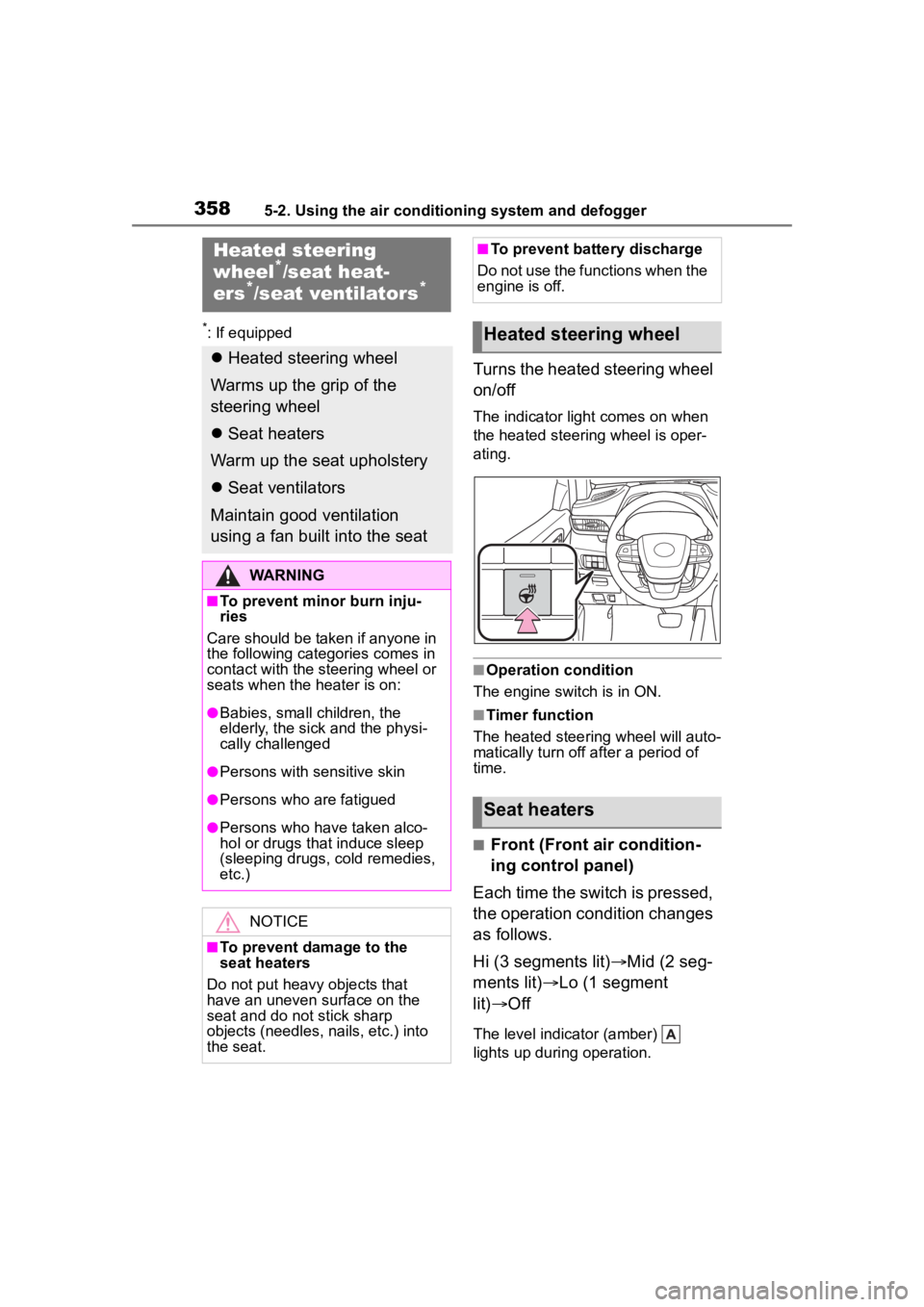
Turns the heated steering wheel
on/off
The indicator light comes on when
the heated steering wheel is oper-
ating.
■Operation condition
The engine switch is in ON.
■Timer function
The heated steering wheel will auto-
matically turn off after a period of
time.
■Front (Front air condition-
ing control panel)
Each time the switch is pressed,
the operation condition changes
as follows.
Hi (3 segments lit) Mid (2 seg-
ments lit) Lo (1 segment
lit) Off
The level indicator (amber)
lights up during operation.
Heated steering
wheel*/seat heat-
ers*/seat ventilators*
Heated steering wheel
Warms up the grip of the
steering wheel
Seat heaters
Warm up the seat upholstery
Seat ventilators
Maintain good ventilation
using a fan built into the seat
WARNING
■To prevent minor burn inju-
ries
Care should be taken if anyone in
the following categories comes in
contact with the steering wheel or
seats when the heater is on:
●Babies, small children, the
elderly, the sick and the physi-
cally challenged
●Persons with sensitive skin
●Persons who are fatigued
●Persons who have taken alco-
hol or drugs that induce sleep
(sleeping drugs, cold remedies,
etc.)
NOTICE
■To prevent damage to the
seat heaters
Do not put heavy objects that
have an uneven surface on the
seat and do not stick sharp
objects (needles, nails, etc.) into
the seat.
■To prevent battery discharge
Do not use the functions when the
engine is off.
Heated steering wheel
Seat heaters
Page 363 of 568
3635-3. Using the interior lights
5
Interior features
■To prevent the battery from
being discharged
If the interior lights remain on when
the engine switch is turned off, the
lights will go off automatically after
20 minutes.
■The interior lights may turn on
automatically when
If any of the SRS airbags deploy
(inflate) or in the event of a strong
rear impact, the interior lights will
turn on automatically.
The interior lights will turn off auto-
matically after approximately 20
minutes.
The interior lights can be turned off
manually. However, in order to help
prevent further collisions, it is rec-
ommended that they be left on until
safety can be ensured.
(The interior lights may not turn on
automatically depending on the
force of the impact and conditions of
the collision.)
■Customization
Some functions can be customized.
( P.521)
NOTICE
■To prevent battery discharge
Do not leave the lights on longer
than necessary when the engine
is not running.
Page 374 of 568

3745-5. Using the other interior features
A portable device, such as a
smartphone or mobile battery,
can be charged by just placing it
on the charging area, provided
the device is compatible with the
Qi wireless charging standard
created by the Wireless Power
Consortium.
The wireless charger cannot be
used with a portable device that
is larger than the charging area.
Additionally, depending on the
portable device, the wireless
charger may not operate prop-
erly. Refer to the operation man-
ual of the portable device.
■The “Qi” symbol
The “Qi” symbol is a trademark
of the Wireless Power Consor-
tium.
■Name for all parts
Power supply switch
Operation indicator light
Charge area
■Using the wireless charger
1 Push the tab and slide the
console box lid. ( P.365)
2 Press the power supply
switch of the wireless char-
ger.
Pressing the switch again turns the
wireless charger off.
When turned on, the operation indi-
cator light (green) comes on.
When the engine switch is turned
off, the on/off state of the wireless
NOTICE
■To prevent damage to exter-
nal devices
●Do not leave external devices in
the vehicle. The temperature
inside the vehicle may become
high, resulting in damage to an
external device.
●Do not push down on or apply
unnecessary force to an exter-
nal device or the cable of an
external device while it is con-
nected.
■To prevent battery discharge
Do not use the USB charging
ports for a long period of time with
the engine stopped.
Wireless charger (if
equipped)
Page 381 of 568
3815-5. Using the other interior features
5
Interior features
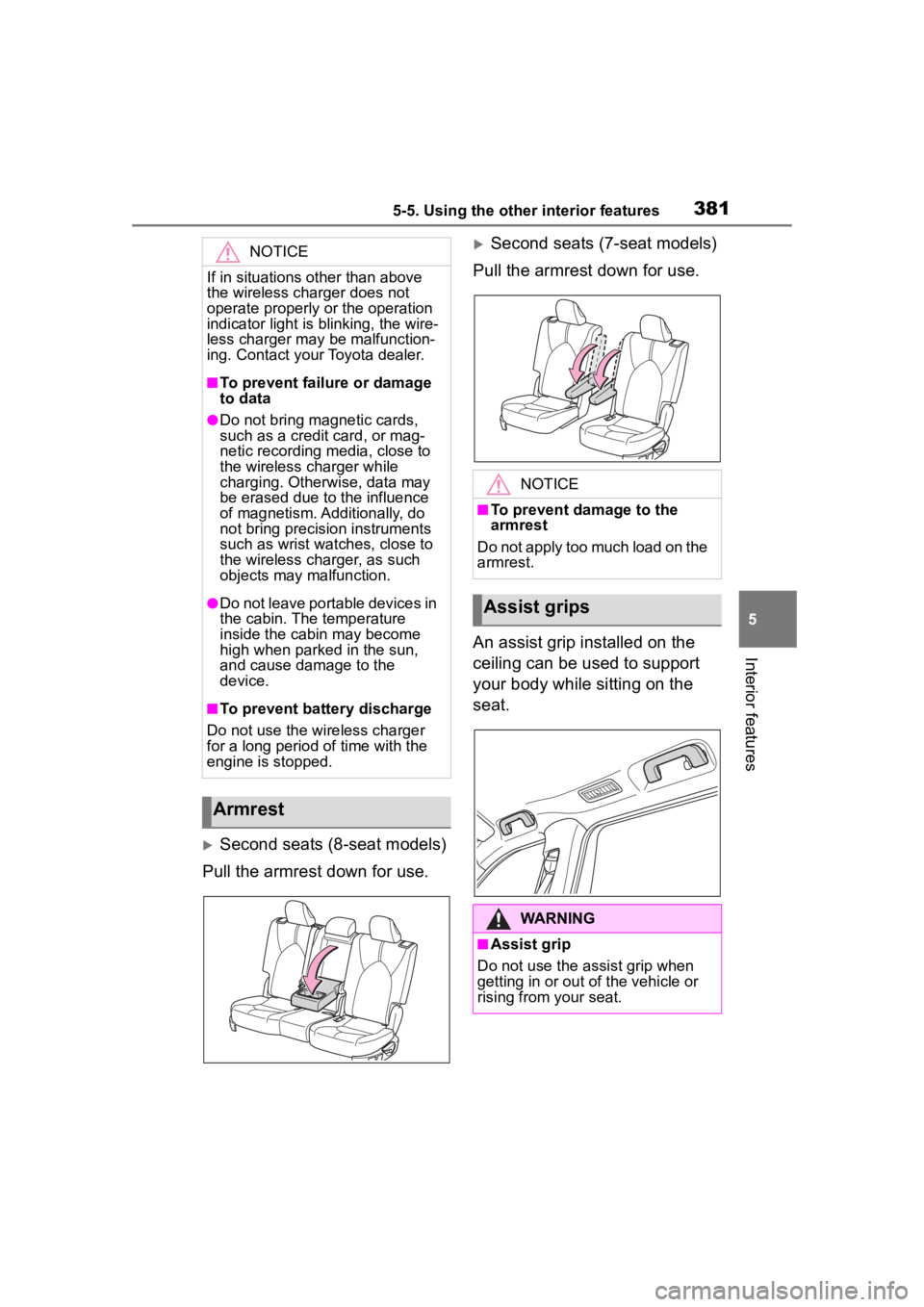
Second seats (8-seat models)
Pull the armrest down for use.
Second seats (7-seat models)
Pull the armrest down for use.
An assist grip installed on the
ceiling can be used to support
your body while sitting on the
seat.NOTICE
If in situations other than above
the wireless charger does not
operate properly or the operation
indicator light is blinking, the wire-
less charger may be malfunction-
ing. Contact your Toyota dealer.
■To prevent failu re or damage
to data
●Do not bring magnetic cards,
such as a credit card, or mag-
netic recording media, close to
the wireless charger while
charging. Otherwise, data may
be erased due to the influence
of magnetism. Additionally, do
not bring precision instruments
such as wrist watches, close to
the wireless charger, as such
objects may malfunction.
●Do not leave portable devices in
the cabin. The temperature
inside the cabin may become
high when parked in the sun,
and cause damage to the
device.
■To prevent battery discharge
Do not use the wireless charger
for a long period of time with the
engine is stopped.
Armrest
NOTICE
■To prevent damage to the
armrest
Do not apply too much load on the
armrest.
Assist grips
WARNING
■Assist grip
Do not use the assist grip when
getting in or out of the vehicle or
rising from your seat.
Page 383 of 568
3835-5. Using the other interior features
5
Interior features
■The power outlet can be used
when
12 V
The engine switch is in ACC or ON.
120 VAC (if equipped)
The engine switch is in ON.
■Using the power outlet (vehi-
cles with Stop & Start system)
When the engine restarts after hav-
ing been stopped by the Stop &
Start system, the power outlets may
be temporarily unusable, but this is
not a malfunction.
■When turning the engine switch
off
Disconnect electrical devices with
charging functions, such as mobile
battery packs.
If such devices are left connected,
the engine switch may not be turned
off normally.
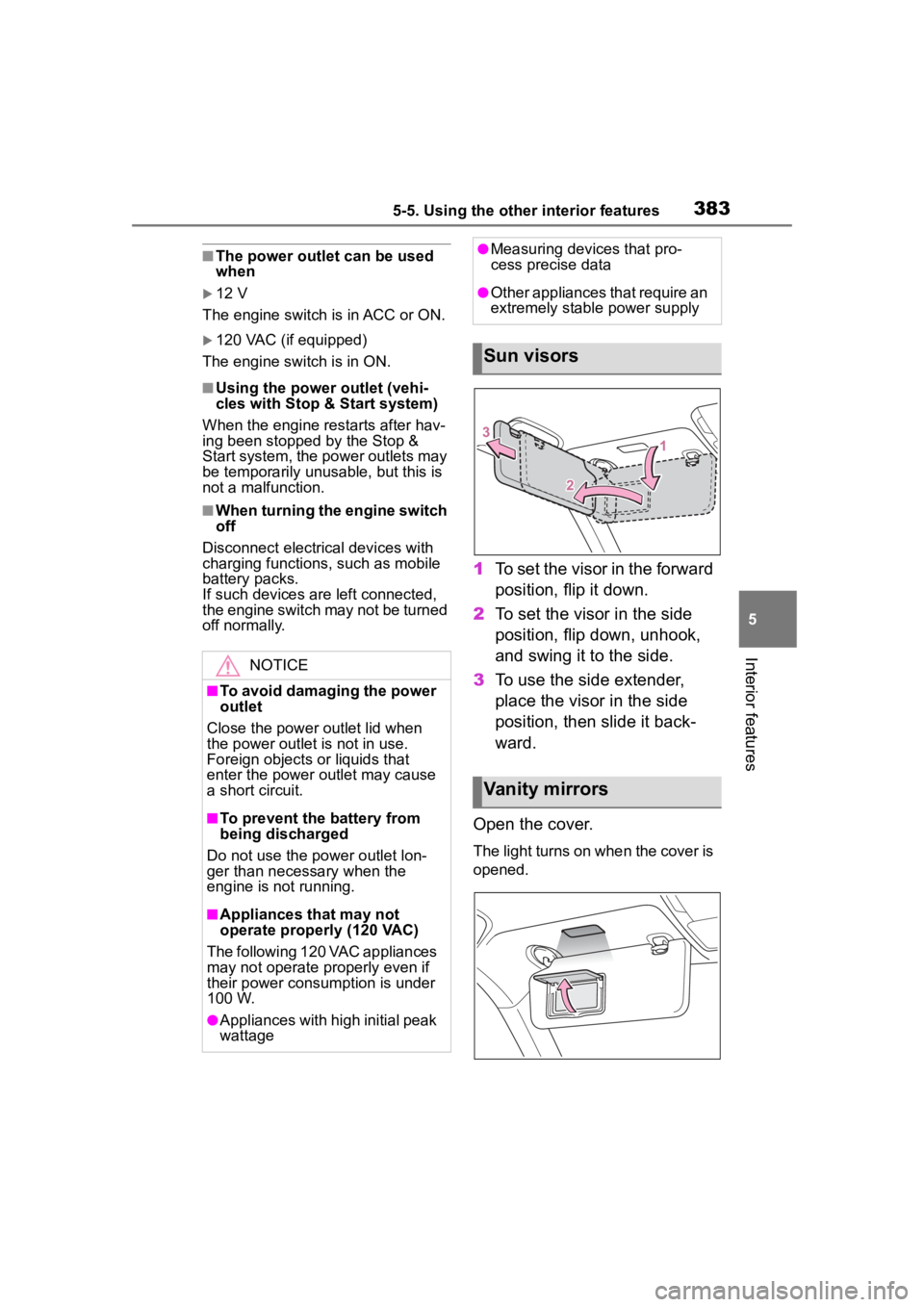
1 To set the visor in the forward
position, flip it down.
2 To set the visor in the side
position, flip down, unhook,
and swing it to the side.
3 To use the side extender,
place the visor in the side
position, then slide it back-
ward.
Open the cover.
The light turns on when the cover is
opened.
NOTICE
■To avoid damaging the power
outlet
Close the power outlet lid when
the power outlet is not in use.
Foreign objects or liquids that
enter the power outlet may cause
a short circuit.
■To prevent the battery from
being discharged
Do not use the power outlet lon-
ger than necessary when the
engine is not running.
■Appliances that may not
operate properly (120 VAC)
The following 120 VAC appliances
may not operate properly even if
their power consumption is under
100 W.
●Appliances with high initial peak
wattage
●Measuring devices that pro-
cess precise data
●Other appliances that require an
extremely stable power supply
Sun visors
Vanity mirrors
Page 384 of 568
3845-5. Using the other interior features
■To prevent battery discharge
If the vanity light s remain on when
the engine switch is turned off, the
lights will go off automatically after
20 minutes.
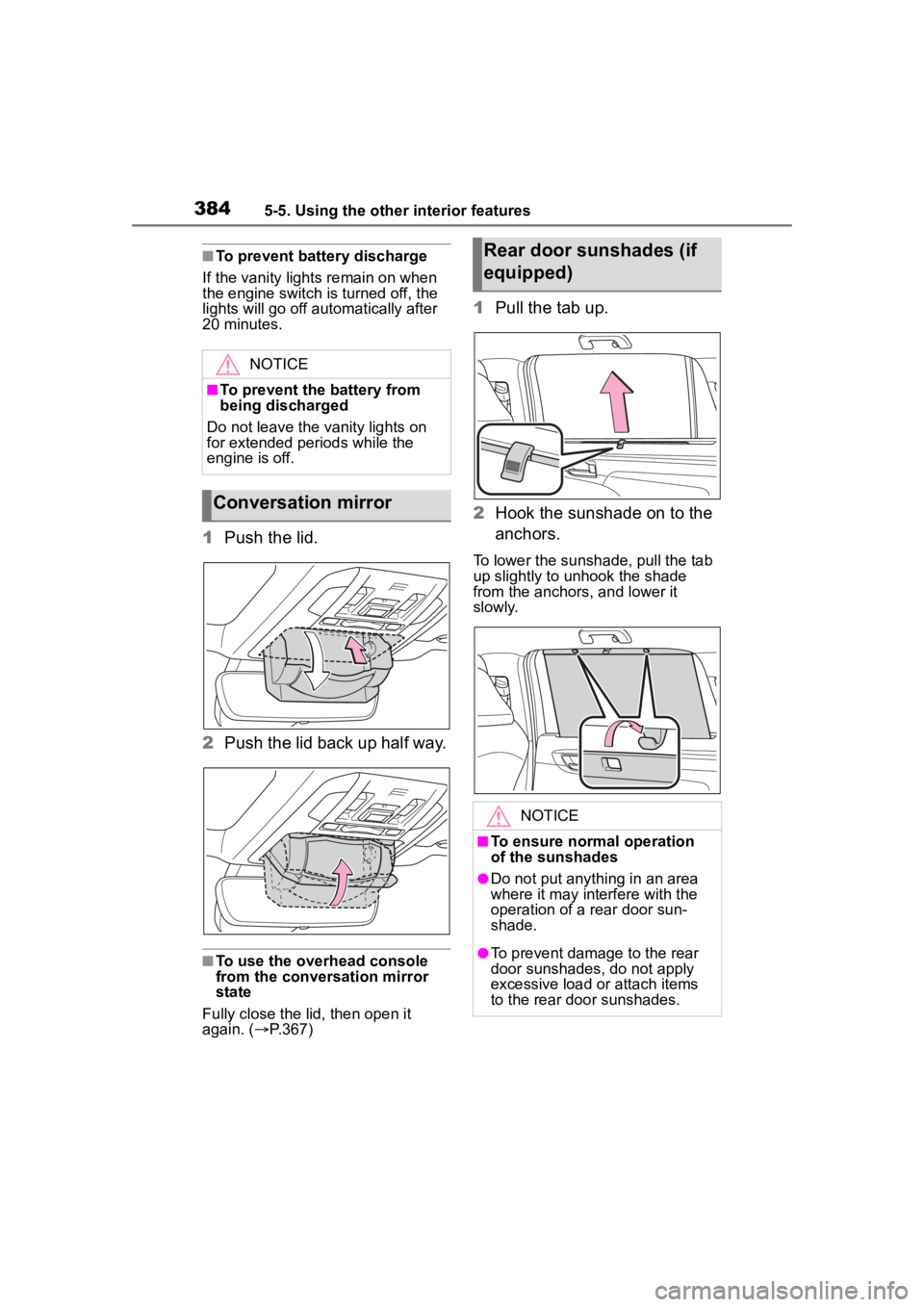
1 Push the lid.
2 Push the lid back up half way.
■To use the overhead console
from the conversation mirror
state
Fully close the lid, then open it
again. ( P.367)
1 Pull the tab up.
2 Hook the sunshade on to the
anchors.
To lower the sunshade, pull the tab
up slightly to unhook the shade
from the anchors, and lower it
slowly.
NOTICE
■To prevent the battery from
being discharged
Do not leave the vanity lights on
for extended periods while the
engine is off.
Conversation mirror
Rear door sunshades (if
equipped)
NOTICE
■To ensure normal operation
of the sunshades
●Do not put anyth ing in an area
where it may int erfere with the
operation of a rear door sun-
shade.
●To prevent damage to the rear
door sunshades, do not apply
excessive load or attach items
to the rear door sunshades.
Page 386 of 568
3865-5. Using the other interior features
Illuminates above each button
selected.
Buttons
■Codes stored in the Home-
Link® memory
●The registered codes are not erased even if the battery cable is
disconnected.
●If learning failed when registering
a different code to a HomeLink®
button that already has a code
registered to it, the already regis-
tered code will not be erased.
■Certification for the garage door opener
WARNING
■When programming a garage
door or other remote control
device
The garage door o r other device
may operate, so ensure people
and objects are out of danger to
prevent potential harm.
Page 387 of 568
3875-5. Using the other interior features
5
Interior features
■Before programming Home-
Link
®
During programming, it is pos-
sible that garage doors,
gates, or other devices may
operate. For this reason,
make sure that people and
objects are clear of the
garage door or other devices
to prevent injury or other
potential harm.
It is recommended that a new
battery be placed in the
remote control transmitter for
more accurate programming.
Garage door opener motors
manufactured after 1995 may
be equipped with rolling code protection. If this is the case,
you may need a stepladder or
other sturdy, safe device to
reach the “Learn” or “Smart”
button on the garage door
opener motor.
■Programming HomeLink®
Steps
1 through 3 must be per-
formed within 60 seconds, oth-
erwise the HomeLink
® indicator
light will stop flashing and pro-
gramming will not be success-
fully completed.
1 Press and release the Home-
Link
® button you want to pro-
gram and check that the
HomeLink
® indicator light
flashes (orange).
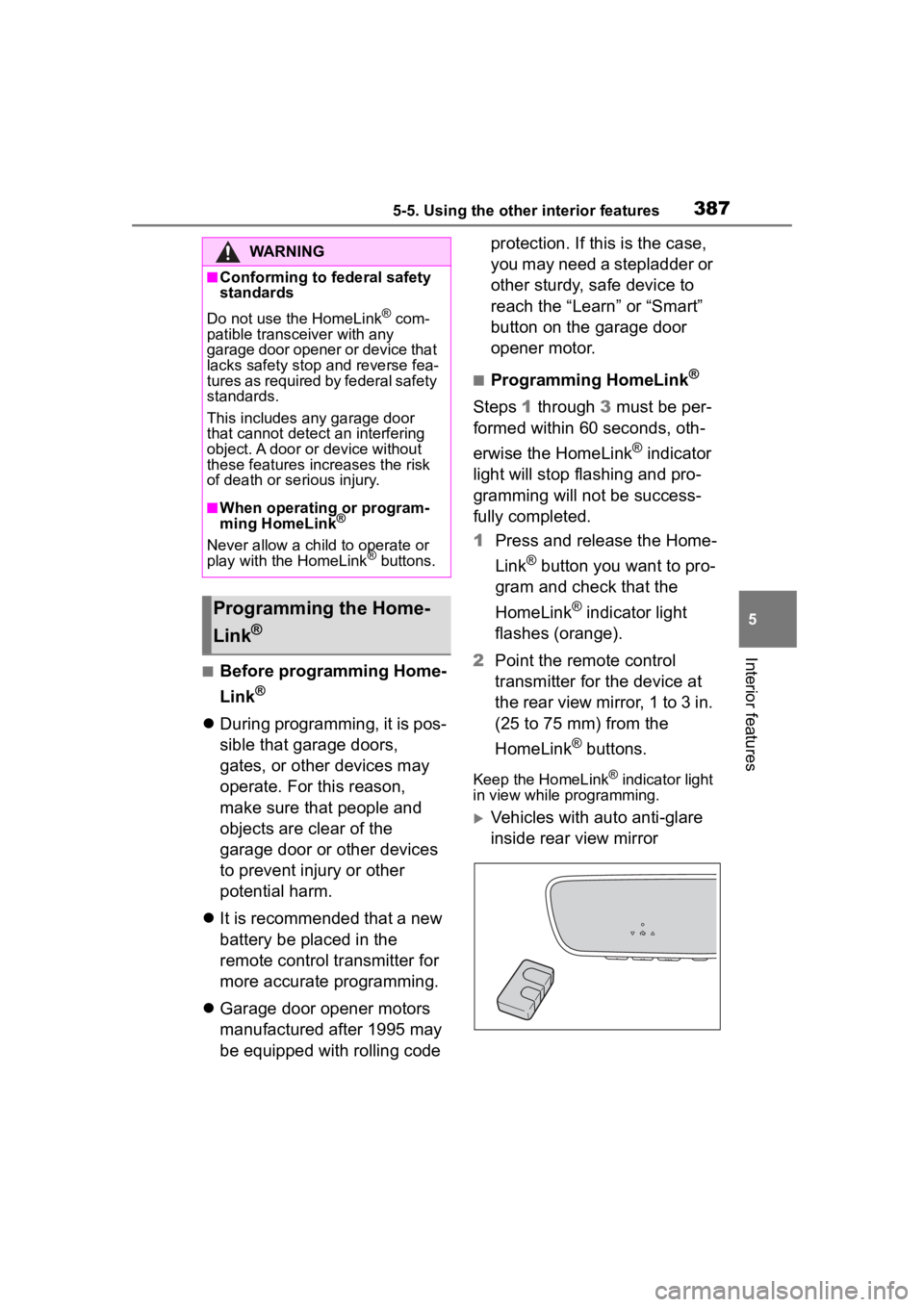
2 Point the remote control
transmitter for the device at
the rear view mirror, 1 to 3 in.
(25 to 75 mm) from the
HomeLink
® buttons.
Keep the HomeLink® indicator light
in view while programming.
Vehicles with auto anti-glare
inside rear view mirror
WARNING
■Conforming to federal safety
standards
Do not use the HomeLink
® com-
patible transceiver with any
garage door opener or device that
lacks safety stop and reverse fea-
tures as required by federal safety
standards.
This includes any garage door
that cannot detect an interfering
object. A door or device without
these features increases the risk
of death or se rious injury.
■When operating or program-
ming HomeLink®
Never allow a child to operate or
play with the HomeLink® buttons.
Programming the Home-
Link
®