Page 372 of 568
3725-4. Using the storage features
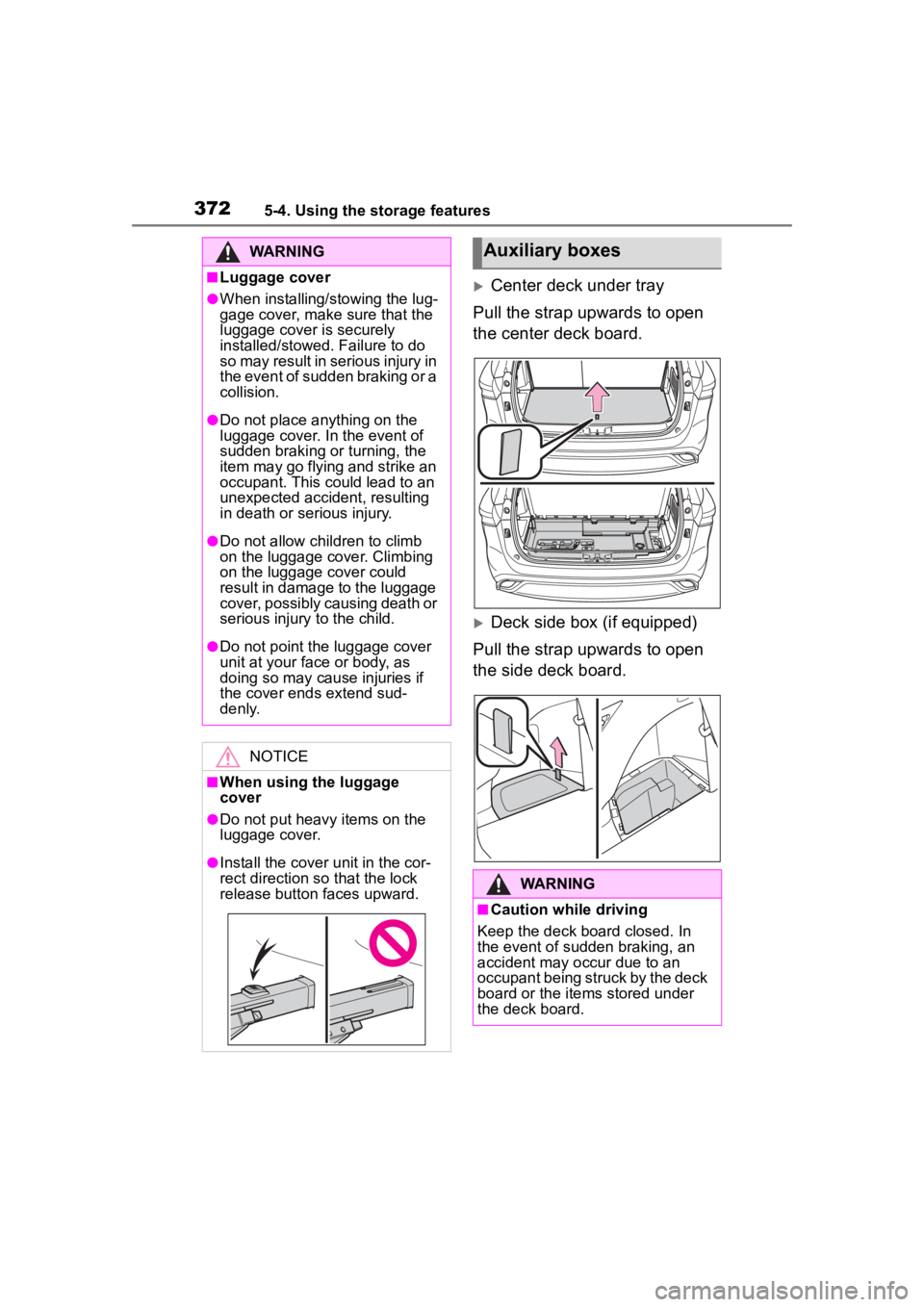
Center deck under tray
Pull the strap upwards to open
the center deck board.
Deck side box (if equipped)
Pull the strap upwards to open
the side deck board.
WARNING
■Luggage cover
●When installing/stowing the lug-
gage cover, make sure that the
luggage cover is securely
installed/stowed. Failure to do
so may result in serious injury in
the event of sudden braking or a
collision.
●Do not place anything on the
luggage cover. In the event of
sudden braking or turning, the
item may go flying and strike an
occupant. This could lead to an
unexpected accident, resulting
in death or serious injury.
●Do not allow ch ildren to climb
on the luggage cover. Climbing
on the luggage cover could
result in damage to the luggage
cover, possibly causing death or
serious injury to the child.
●Do not point the luggage cover
unit at your face or body, as
doing so may cause injuries if
the cover ends extend sud-
denly.
NOTICE
■When using the luggage
cover
●Do not put heavy items on the
luggage cover.
●Install the cover unit in the cor-
rect direction so that the lock
release button faces upward.
Auxiliary boxes
WARNING
■Caution while driving
Keep the deck board closed. In
the event of sudden braking, an
accident may occur due to an
occupant being struck by the deck
board or the items stored under
the deck board.
Page 379 of 568
3795-5. Using the other interior features
5
Interior features
WARNING
■Caution while driving
When charging a portable device
while driving, for safety reasons,
the driver should not operate the
portable device.
Page 380 of 568
3805-5. Using the other interior features
WARNING
■Caution regarding interfer-
ence with electronic devices
People with implantable cardiac
pacemakers, cardiac resynchroni-
zation therapy pacemakers or
implantable cardioverter defibrilla-
tors, as well as any other electri-
cal medical device, should consult
their physician about the usage of
the wireless charger.
Operations of the wireless char-
ger may have an affect on medi-
cal devices.
■To prevent damage or burns
Observe the following precau-
tions.
Failure to do so may result in the
possibility of fire, equipment fail-
ure or damage, or burns due to
heat.
●Do not put any metallic objects
between the charging area and
the portable device while
charging.
●Do not attach me tallic objects,
such as aluminum stickers, to
the charging area.
●Do not cover the wireless char-
ger with a cloth or other object
while charging.
●Do not attempt t o charge porta-
ble devices whic h are not com-
patible with the Qi wireless
charging standard.
●Do not disassemble, modify or
remove the wireless charger.
●Do not apply force or impact to
the wireless charger.
NOTICE
■Conditions in which the wire-
less charger may not operate
correctly
In the following situations, the
wireless charger may not operate
correctly:
●When a portable device is fully
charged
●When there is a foreign object
between the charging area and
portable device
●When a portable device
becomes hot wh ile charging
●When a portable device is
placed on the wireless area with
its charging surface facing up
●When a portable device is not
centered on the charging area
●When the vehicle is near a TV
tower, electric po wer plant, gas
station, radio station, large dis-
play, airport or other facility that
generates strong radio waves or
electrical noise
●When the portable device is in
contact with, or is covered by
any of the following metallic
objects:
• Cards to which aluminum foil is attached
• Cigarette boxes that have alu- minum foil inside
• Metallic wallets or bags
• Coins
• Metal hand warmers
• Media such as CDs and DVDs
●When wireless keys (that emit
radio waves) other than those of
your vehicle are being used
nearby.
Page 381 of 568
3815-5. Using the other interior features
5
Interior features
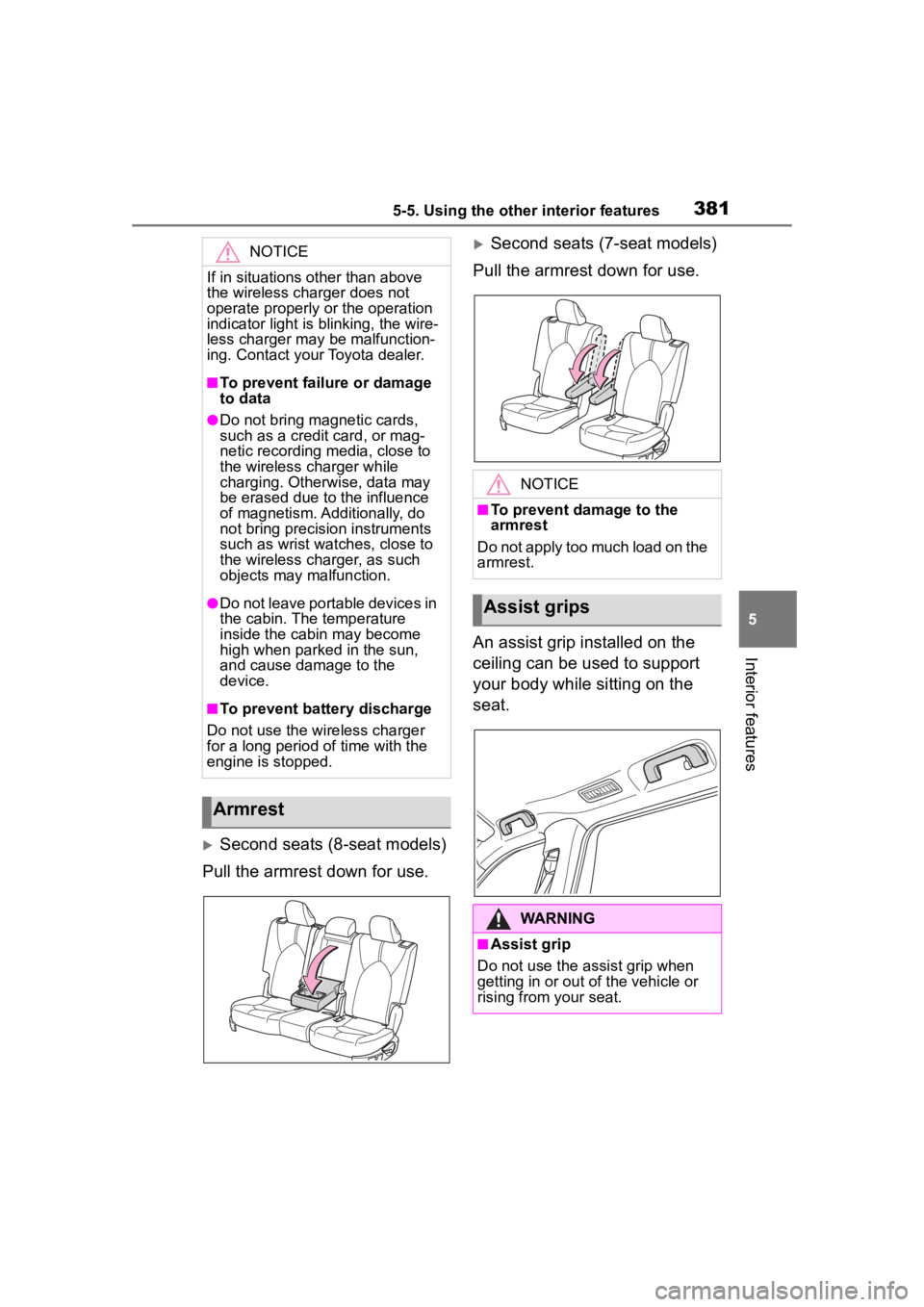
Second seats (8-seat models)
Pull the armrest down for use.
Second seats (7-seat models)
Pull the armrest down for use.
An assist grip installed on the
ceiling can be used to support
your body while sitting on the
seat.NOTICE
If in situations other than above
the wireless charger does not
operate properly or the operation
indicator light is blinking, the wire-
less charger may be malfunction-
ing. Contact your Toyota dealer.
■To prevent failu re or damage
to data
●Do not bring magnetic cards,
such as a credit card, or mag-
netic recording media, close to
the wireless charger while
charging. Otherwise, data may
be erased due to the influence
of magnetism. Additionally, do
not bring precision instruments
such as wrist watches, close to
the wireless charger, as such
objects may malfunction.
●Do not leave portable devices in
the cabin. The temperature
inside the cabin may become
high when parked in the sun,
and cause damage to the
device.
■To prevent battery discharge
Do not use the wireless charger
for a long period of time with the
engine is stopped.
Armrest
NOTICE
■To prevent damage to the
armrest
Do not apply too much load on the
armrest.
Assist grips
WARNING
■Assist grip
Do not use the assist grip when
getting in or out of the vehicle or
rising from your seat.
Page 382 of 568
3825-5. Using the other interior features
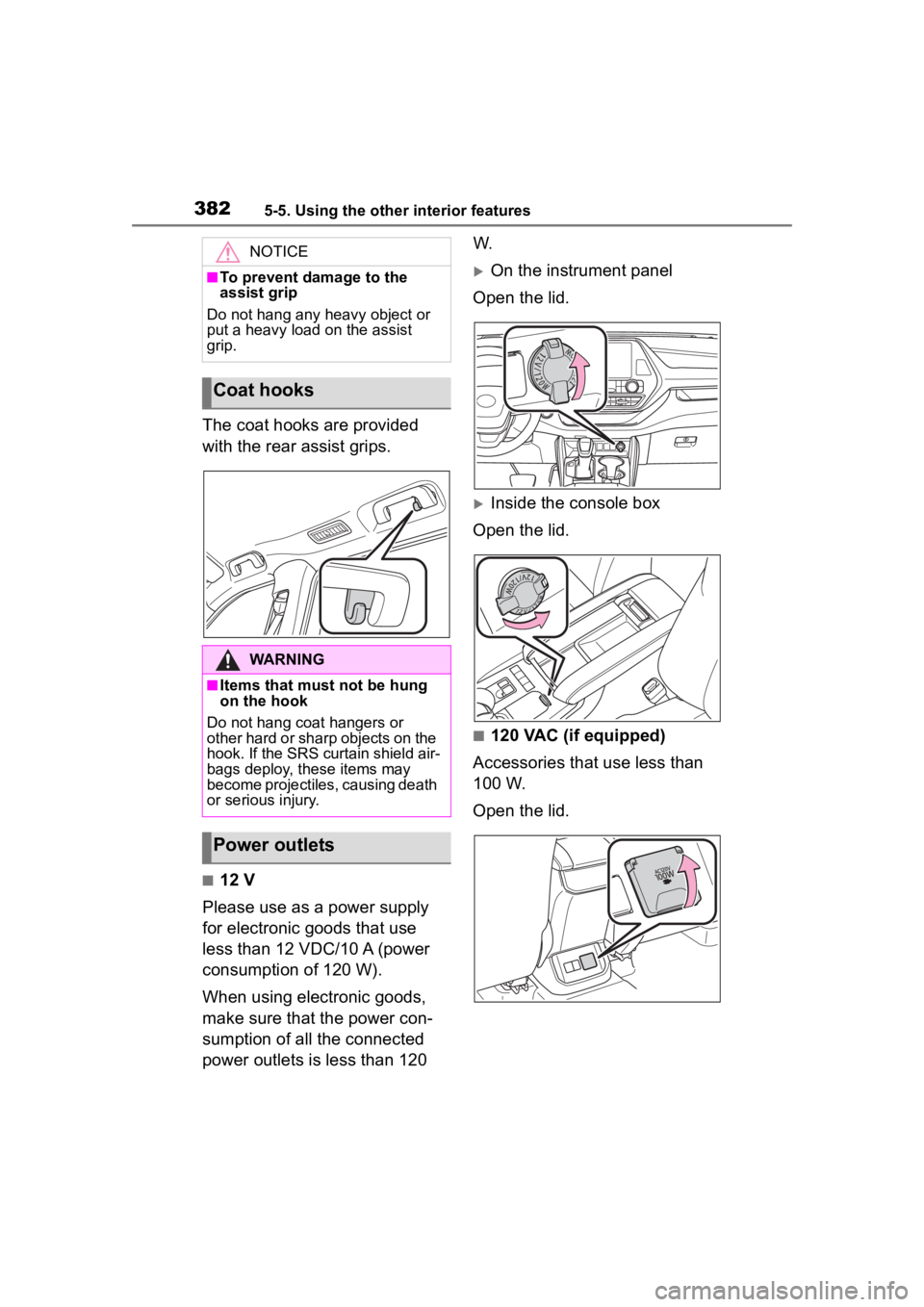
The coat hooks are provided
with the rear assist grips.
■12 V
Please use as a power supply
for electronic goods that use
less than 12 VDC/10 A (power
consumption of 120 W).
When using electronic goods,
make sure that the power con-
sumption of all the connected
power outlets is less than 120 W.
On the instrument panel
Open the lid.
Inside the console box
Open the lid.
■120 VAC (if equipped)
Accessories that use less than
100 W.
Open the lid.
NOTICE
■To prevent damage to the
assist grip
Do not hang any heavy object or
put a heavy load on the assist
grip.
Coat hooks
WARNING
■Items that must not be hung
on the hook
Do not hang coat hangers or
other hard or sharp objects on the
hook. If the SRS curtain shield air-
bags deploy, these items may
become projectiles, causing death
or serious injury.
Power outlets
Page 386 of 568
3865-5. Using the other interior features
Illuminates above each button
selected.
Buttons
■Codes stored in the Home-
Link® memory
●The registered codes are not erased even if the battery cable is
disconnected.
●If learning failed when registering
a different code to a HomeLink®
button that already has a code
registered to it, the already regis-
tered code will not be erased.
■Certification for the garage door opener
WARNING
■When programming a garage
door or other remote control
device
The garage door o r other device
may operate, so ensure people
and objects are out of danger to
prevent potential harm.
Page 387 of 568
3875-5. Using the other interior features
5
Interior features
■Before programming Home-
Link
®
During programming, it is pos-
sible that garage doors,
gates, or other devices may
operate. For this reason,
make sure that people and
objects are clear of the
garage door or other devices
to prevent injury or other
potential harm.
It is recommended that a new
battery be placed in the
remote control transmitter for
more accurate programming.
Garage door opener motors
manufactured after 1995 may
be equipped with rolling code protection. If this is the case,
you may need a stepladder or
other sturdy, safe device to
reach the “Learn” or “Smart”
button on the garage door
opener motor.
■Programming HomeLink®
Steps
1 through 3 must be per-
formed within 60 seconds, oth-
erwise the HomeLink
® indicator
light will stop flashing and pro-
gramming will not be success-
fully completed.
1 Press and release the Home-
Link
® button you want to pro-
gram and check that the
HomeLink
® indicator light
flashes (orange).
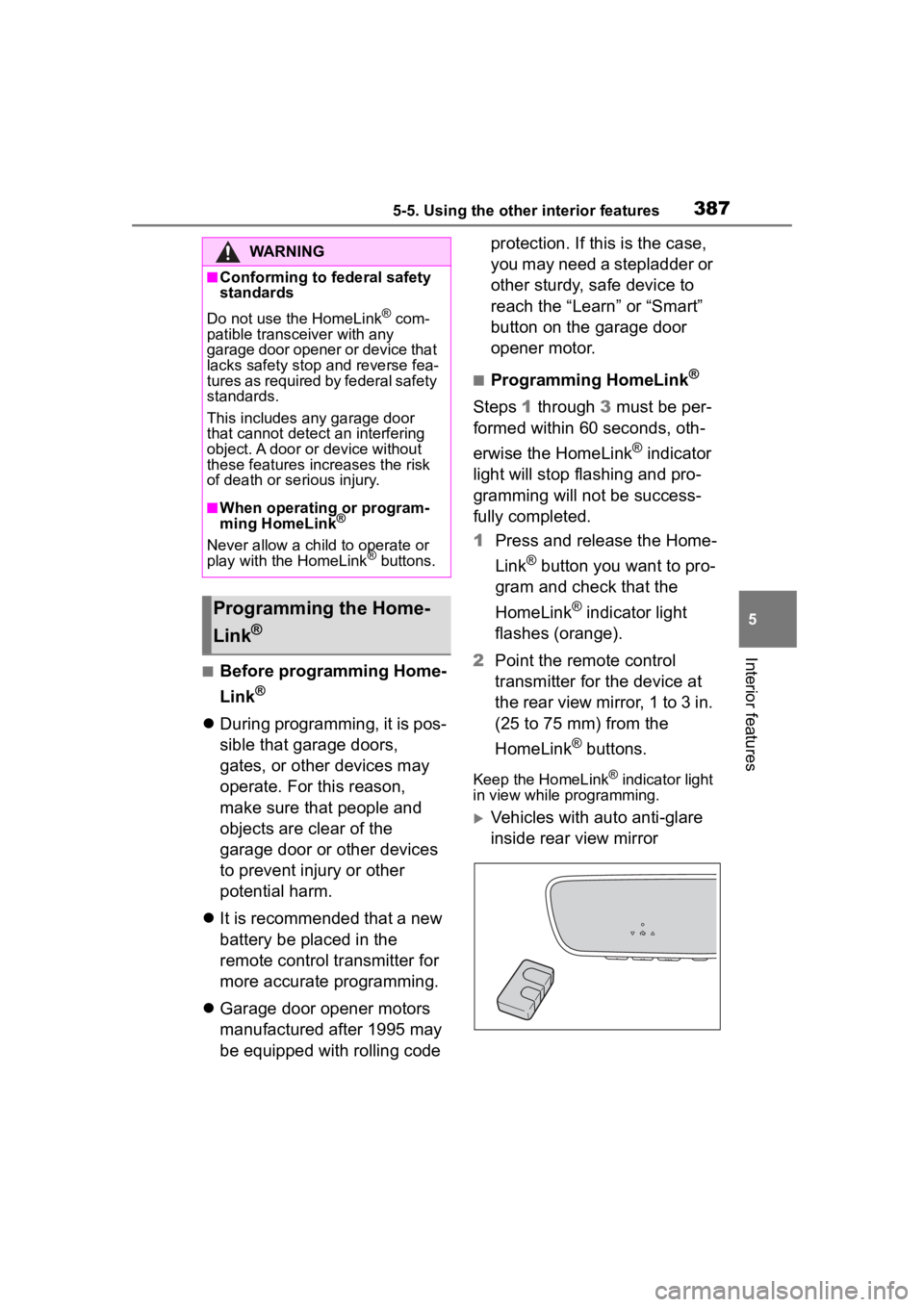
2 Point the remote control
transmitter for the device at
the rear view mirror, 1 to 3 in.
(25 to 75 mm) from the
HomeLink
® buttons.
Keep the HomeLink® indicator light
in view while programming.
Vehicles with auto anti-glare
inside rear view mirror
WARNING
■Conforming to federal safety
standards
Do not use the HomeLink
® com-
patible transceiver with any
garage door opener or device that
lacks safety stop and reverse fea-
tures as required by federal safety
standards.
This includes any garage door
that cannot detect an interfering
object. A door or device without
these features increases the risk
of death or se rious injury.
■When operating or program-
ming HomeLink®
Never allow a child to operate or
play with the HomeLink® buttons.
Programming the Home-
Link
®
Page 395 of 568

3956-1. Maintenance and care
6
Maintenance and care
parts.
■Bumpers
Do not scrub with abrasive cleaners.
■Plated portions
If dirt cannot be removed, clean the
parts as follows:
●Use a soft cloth dampened with an
approximately 5% solution of neu-
tral detergent and water to clean
the dirt off.
●Wipe the surface with a dry, soft
cloth to remove any remaining
moisture.
●To remove oily deposits, use alco-
hol wet wipes or a similar product.
WARNING
■When washing the vehicle
Do not apply water to the inside of
the engine compartment. Doing
so may cause the electrical com-
ponents, etc. to catch fire.
■When cleaning the windshield
(vehicles with rain-sensing
windshield wipers)
Set the wiper switch to off.
If the switch is in “AUTO”, the wip-
ers may operate unexpectedly in
the following situations, and may
result in hands being caught or
other serious injuries and cause
damage to the wiper blades.
Off
AUTO
●When the upper part of the
windshield where the raindrop
sensor is located is touched by
hand
●When a wet rag or similar is
held close to the raindrop sen-
sor
●If something bumps against the
windshield
●If you directly touch the raindrop
sensor body or if something
bumps into the ra indrop sensor
■Precautions regarding the
exhaust pipe
Exhaust gasses cause the
exhaust pipe to become quite hot.
When washing the vehicle, be
careful not to touch the pipe until it
has cooled sufficiently, as touch-
ing a hot exhaust pipe can cause
burns.
■Precaution regarding the rear
bumper with Blind Spot Moni-
tor (if equipped)
If the paint of th e rear bumper is
chipped or scratched, the system
may malfunction. If this occurs,
consult your Toyota dealer.
NOTICE
■To prevent paint deteriora-
tion and corrosion on the
body and components (alumi-
num wheels, etc.)
●Wash the vehicle immediately in
the following cases:
• After driving nea r the sea coast
• After driving on salted roads
• If coal tar or tree sap is present on the paint surface
• If dead insects, insect droppings or bird droppings are present on
the paint surface