2022 TOYOTA HIGHLANDER navigation system
[x] Cancel search: navigation systemPage 106 of 568
1062-1. Instrument cluster
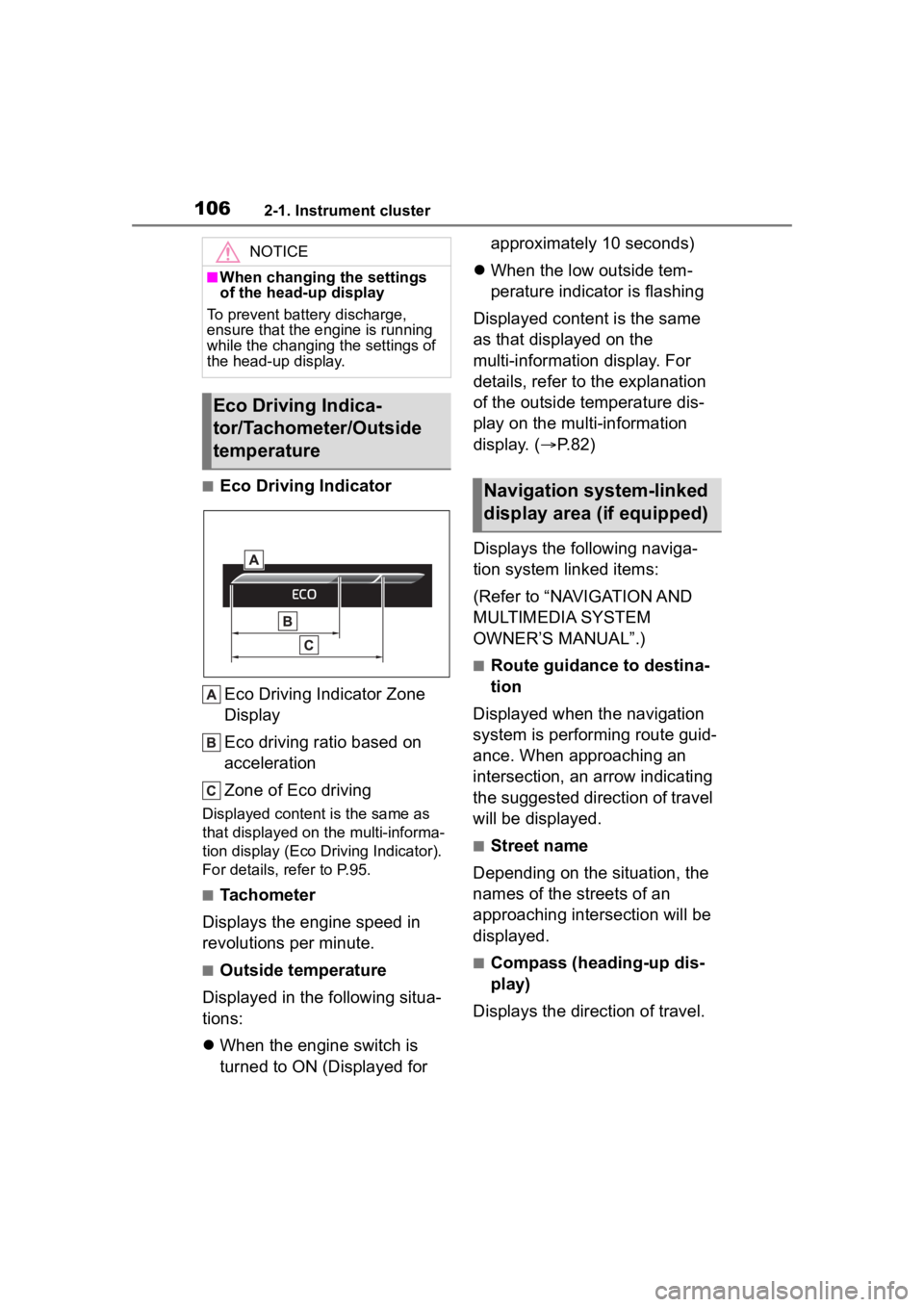
■Eco Driving IndicatorEco Driving Indicator Zone
Display
Eco driving ratio based on
acceleration
Zone of Eco driving
Displayed content is the same as
that displayed on the multi-informa-
tion display (Eco Driving Indicator).
For details, refer to P.95.
■Tachometer
Displays the engine speed in
revolutions per minute.
■Outside temperature
Displayed in the following situa-
tions:
When the engine switch is
turned to ON (Displayed for approximately 10 seconds)
When the low outside tem-
perature indicator is flashing
Displayed content is the same
as that displayed on the
multi-information display. For
details, refer to the explanation
of the outside temperature dis-
play on the multi-information
display. ( P.82)
Displays the following naviga-
tion system linked items:
(Refer to “NAVIGATION AND
MULTIMEDIA SYSTEM
OWNER’S MANUAL”.)
■Route guidance to destina-
tion
Displayed when the navigation
system is performing route guid-
ance. When approaching an
intersection, an arrow indicating
the suggested direction of travel
will be displayed.
■Street name
Depending on the situation, the
names of the streets of an
approaching intersection will be
displayed.
■Compass (heading-up dis-
play)
Displays the direction of travel.
NOTICE
■When changing the settings
of the head-up display
To prevent battery discharge,
ensure that the engine is running
while the changing the settings of
the head-up display.
Eco Driving Indica-
tor/Tachometer/Outside
temperature
Navigation system-linked
display area (if equipped)
Page 107 of 568

1072-1. Instrument cluster
2
Vehicle status information and indicators
■Street name display (vehicles
with a navigation system)
Depending on the situation, such as
when no information is available in
map data, etc., the street names of
an intersection may not be dis-
played.
Displays the operational status
of the following systems:
LTA (Lane Tracing Assist)
( P.246)
Dynamic radar cruise control
with full-speed range
( P.257)
PCS (Pre-Collision System)
( P.235)
Parking Support Brake func-
tion (for static objects) (if
equipped) ( P.307)
Intuitive parking assist (if
equipped) ( P.284)
Drive-Start Control ( P.180)
Brake Override System
( P.180)
Displayed content is the same as
that displayed on the multi-informa-
tion display. For details, refer to the
explanations of each system.
Displays the following
multi-information display linked
icons and a message: : Master warning icon
Displayed when a warning mes-
sage is displayed on
the multi-infor-
mation display. ( P.467)
: Information icon
Displayed when a sugges-
tion/advice pop-up display is dis-
played on the multi-information
display. ( P.92, 102)
Depending on the situation, the
following will be displayed:
■Warning/Message
Depending on the situation, a
warning message or other mes-
sage will be displayed.
Warning messages
Certain warning messages can be
displayed.
Pop-up displays
When the driving assist system
operates, some of the information
displayed on the multi-information
display will be displayed on the
head-up display as a pop-up dis-
play.
■Hands-free system status
Displayed when the hands-free
system is operated.
(Refer to “NAVIGATION AND
MULTIMEDIA SYSTEM
OWNER’S MANUAL”.)
■Audio system operation
status
Displayed when the audio sys-
Driving assist system sta-
tus display area
/ icons
Message display area
Page 108 of 568
1082-1. Instrument cluster
tem is operated.
(Refer to “NAVIGATION AND
MULTIMEDIA SYSTEM
OWNER’S MANUAL”.)
■Pop-up displays
Depending on the pop-up display,
the currently disp layed item in the
message display area may be tem-
porarily not displayed. The item will
be displayed after the pop-up dis-
play is no longer displayed.
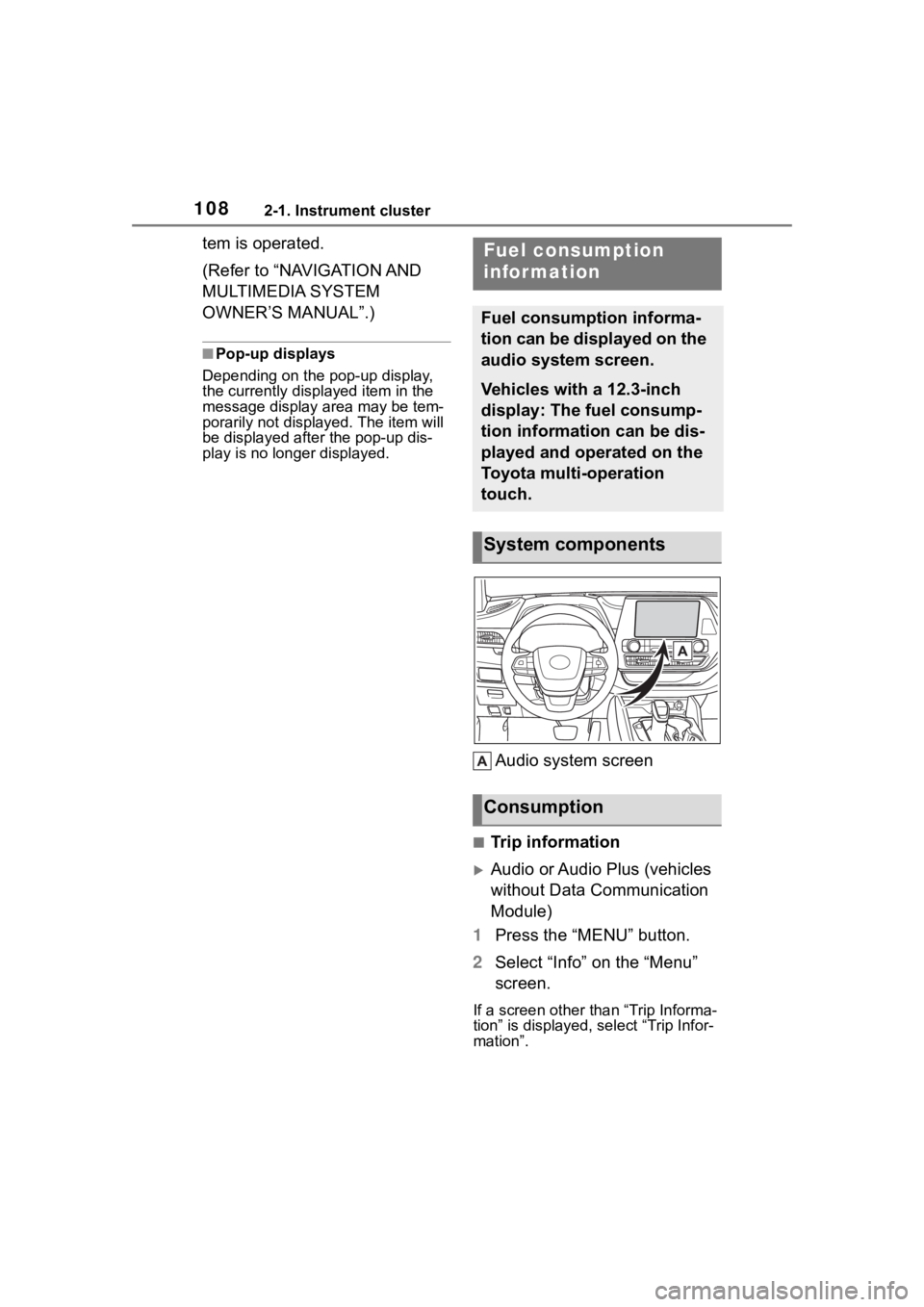
Audio system screen
■Trip information
Audio or Audio Plus (vehicles
without Data Communication
Module)
1 Press the “MENU” button.
2 Select “Info” on the “Menu”
screen.
If a screen other than “Trip Informa-
tion” is displayed, select “Trip Infor-
mation”.
Fuel consumption
information
Fuel consumption informa-
tion can be displayed on the
audio system screen.
Vehicles with a 12.3-inch
display: The fuel consump-
tion information can be dis-
played and operated on the
Toyota multi-operation
touch.
System components
Consumption
Page 226 of 568
2264-3. Operating the lights and wipers
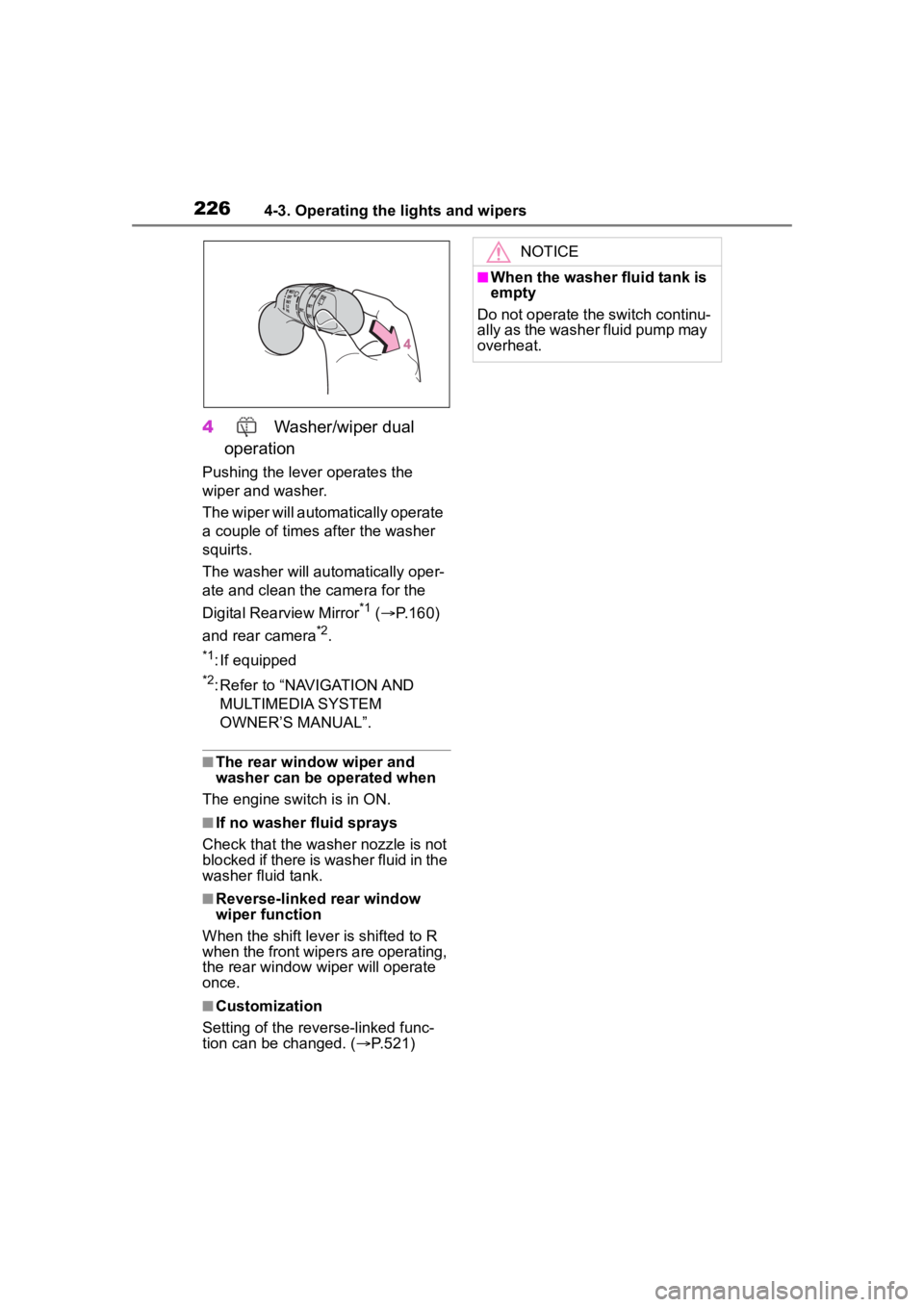
4 Washer/wiper dual
operation
Pushing the lever operates the
wiper and washer.
The wiper will automatically operate
a couple of times after the washer
squirts.
The washer will automatically oper-
ate and clean the camera for the
Digital Rearview Mirror
*1 ( P.160)
and rear camera
*2.
*1: If equipped
*2: Refer to “NAVIGATION AND MULTIMEDIA SYSTEM
OWNER’S MANUAL”.
■The rear window wiper and
washer can be operated when
The engine switch is in ON.
■If no washer fluid sprays
Check that the washer nozzle is not
blocked if there is washer fluid in the
washer fluid tank.
■Reverse-linked rear window
wiper function
When the shift lever is shifted to R
when the front wipers are operating,
the rear window wiper will operate
once.
■Customization
Setting of the reverse-linked func-
tion can be changed. ( P.521)
NOTICE
■When the washer fluid tank is
empty
Do not operate the switch continu-
ally as the washer fluid pump may
overheat.
Page 269 of 568
2694-5. Using the driving support systems
4
Driving
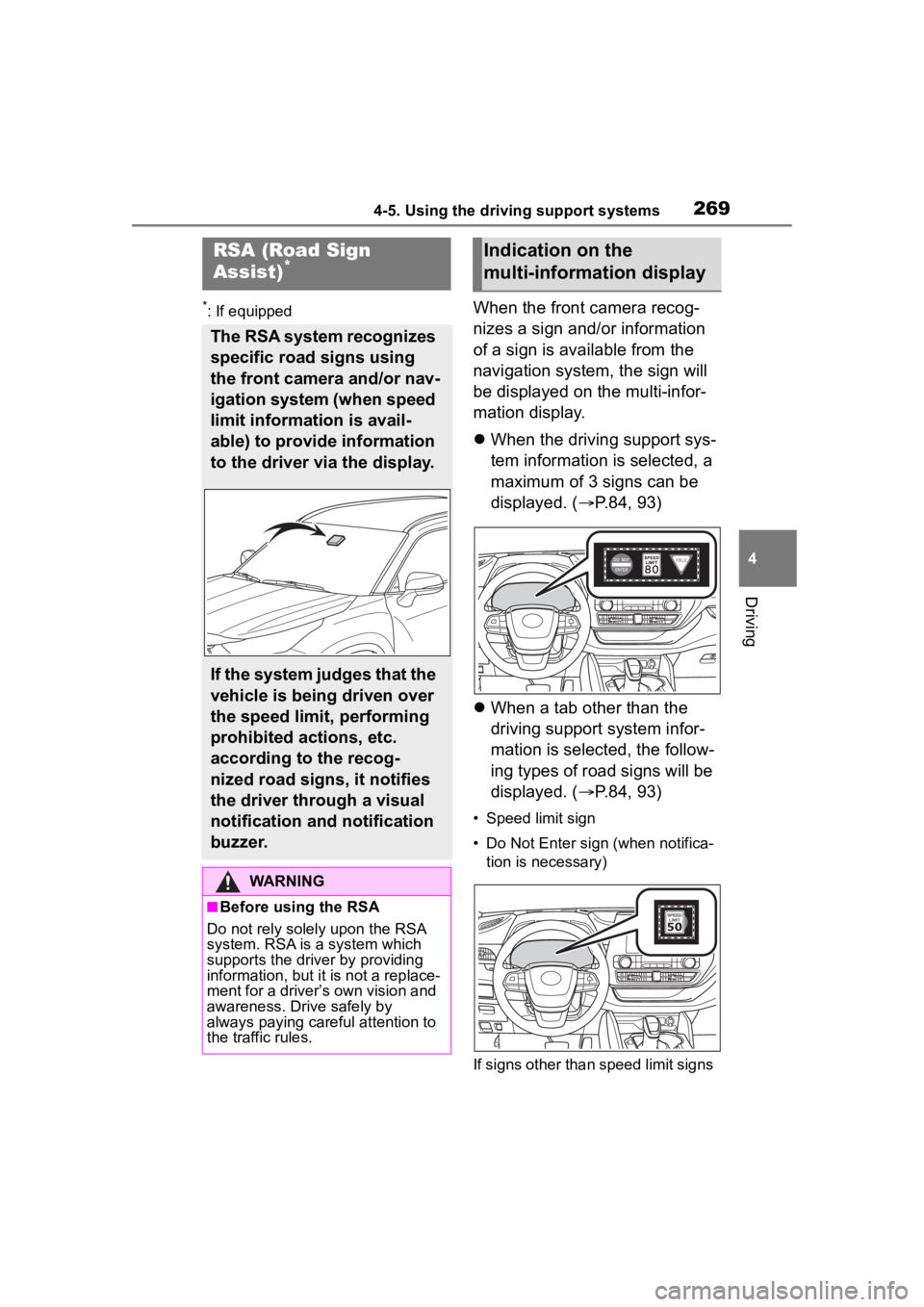
*: If equippedWhen the front camera recog-
nizes a sign and/or information
of a sign is available from the
navigation system, the sign will
be displayed on the multi-infor-
mation display.
When the driving support sys-
tem information is selected, a
maximum of 3 signs can be
displayed. ( P.84, 93)
When a tab other than the
driving support system infor-
mation is selected, the follow-
ing types of road signs will be
displayed. ( P.84, 93)
• Speed limit sign
• Do Not Enter sign (when notifica-
tion is necessary)
If signs other than speed limit signs
RSA (Road Sign
Assist)*
The RSA system recognizes
specific road signs using
the front camera and/or nav-
igation system (when speed
limit information is avail-
able) to provide information
to the driver via the display.
If the system judges that the
vehicle is being driven over
the speed limit, performing
prohibited actions, etc.
according to the recog-
nized road signs, it notifies
the driver through a visual
notification and notification
buzzer.
WARNING
■Before using the RSA
Do not rely solely upon the RSA
system. RSA is a system which
supports the driver by providing
information, but it is not a replace-
ment for a driver’s own vision and
awareness. Drive safely by
always paying careful attention to
the traffic rules.
Indication on the
multi-information display
Page 271 of 568

2714-5. Using the driving support systems
4
Driving
■Conditions in which the func-
tion may not operate or detect
correctly
In the following situations, RSA
does not operate normally and may
not recognize signs, display the
incorrect sign, etc. However, this
does not indicate a malfunction.
●The front camera is misaligned
due to a strong impact being
applied to the sensor, etc.
●Dirt, snow, stickers, etc. are on the
windshield near the front camera.
●In inclement weather such as
heavy rain, fog, snow or sand
storms.
●Light from an oncoming vehicle,
the sun, etc. enters the front cam-
era.
●The sign is dirty, faded, tilted or
bent.
●The contrast of electronic sign is
low.
●All or part of the sign is hidden by
the leaves of a tree, a pole, etc.
●The sign is only visible to the front
camera for a short amount of time.
●The driving scene (turning, lane
change, etc.) is judged incorrectly.
●If a sign not appropriate for the
currently traveled lane, but the
sign exists directly after a freeway
branches, or in an adjacent lane
just before merging.
●Stickers are attached to the rear of
the preceding vehicle.
●A sign resembling a system com-
patible sign is recognized.
●Side road speed signs may be
detected and displayed (if posi-
tioned in sight of the front camera)
while the vehicle is traveling on
the main road.
●Roundabout exit road speed signs
may be detected and displayed (if
positioned in sight of the front
camera) while traveling on a
roundabout.
●The front of the vehicle is raised or
lowered due to the carried load.
●The surrounding brightness is not
sufficient or changes suddenly.
●When a sign inte nded for trucks,
etc. is recognized.
●The navigation system map data
is outdated.
●The navigation system is not oper-
ating.
●The speed information displayed
on the meter and on the naviga-
tion system may be different due
to the navigation system using
map data.
■Speed limit sign display
If the engine switch was last turned
off while a speed limit sign was dis-
played on the multi-information dis-
play, the same sig n displays again
when the engine switch is turned to
ON.
■If “RSA Malfunction Visit Your
Dealer” is shown
The system may be malfunctioning.
Have the vehicle inspected by your
Toyota dealer.
■Customization
Some functions can be customized.
(Customizable features: P.521)
Page 332 of 568
3325-1. Toyota multi-operation touch
5-1.Toyota multi-operation touch
*: Vehicle with the 12.3-inch display
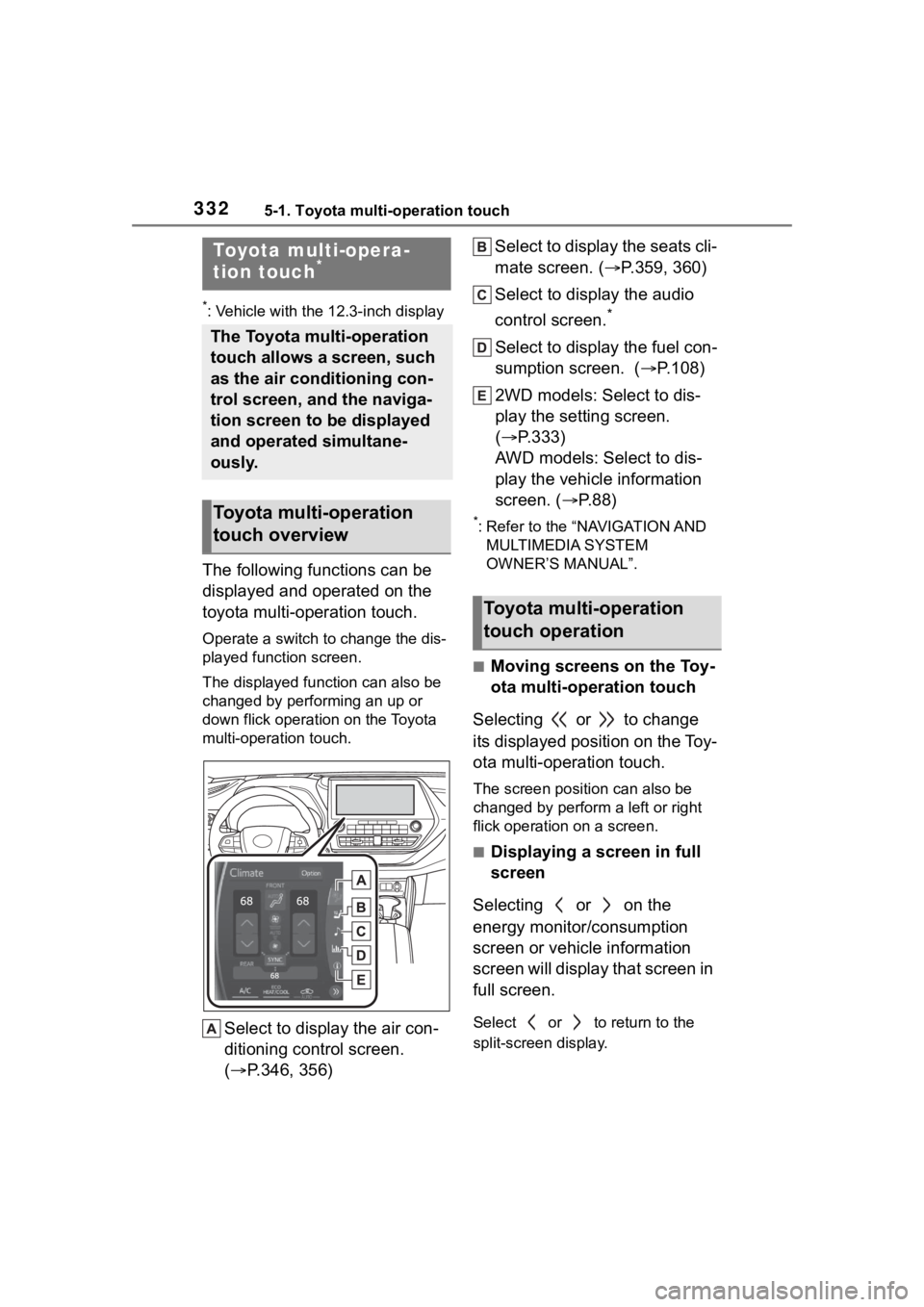
The following functions can be
displayed and operated on the
toyota multi-operation touch.
Operate a switch to change the dis-
played function screen.
The displayed function can also be
changed by performing an up or
down flick operation on the Toyota
multi-operation touch.
Select to display the air con-
ditioning control screen.
( P.346, 356) Select to display the seats cli-
mate screen. (
P.359, 360)
Select to display the audio
control screen.
*
Select to display the fuel con-
sumption screen. ( P.108)
2WD models: Select to dis-
play the setting screen.
( P.333)
AWD models: Select to dis-
play the vehicle information
screen. ( P. 8 8 )
*: Refer to the “NAVIGATION AND
MULTIMEDIA SYSTEM
OWNER’S MANUAL”.
■Moving screens on the Toy-
ota multi-operation touch
Selecting or to change
its displayed position on the Toy-
ota multi-operation touch.
The screen posit ion can also be
changed by perform a left or right
flick operation on a screen.
■Displaying a screen in full
screen
Selecting or on the
energy monitor/consumption
screen or vehicle information
screen will display that screen in
full screen.
Select or to return to the
split-screen display.
Toyota multi-opera-
tion touch*
The Toyota multi-operation
touch allows a screen, such
as the air conditioning con-
trol screen, and the naviga-
tion screen to be displayed
and operated simultane-
ously.
Toyota multi-operation
touch overview
Toyota multi-operation
touch operation
Page 482 of 568
4827-2. Steps to take in an emergency
WARNING
■When using the compact
spare tire (vehicles with a
compact spare tire)
●Remember that the compact
spare tire provided is specifi-
cally designed for use with your
vehicle. Do not use your com-
pact spare tire on another vehi-
cle.
●Do not use more than one com-
pact spare tire simultaneously.
●Replace the compact spare tire
with a standard tire as soon as
possible.
●Avoid sudden acceleration,
abrupt steering, sudden brak-
ing and shifting operations that
cause sudden engine braking.
■When the compact spare tire
is attached (vehicles with a
compact spare tire)
The vehicle speed may not be
correctly detecte d, and the follow-
ing systems may not operate cor-
rectly:
• ABS & Brake assist
• VSC
• TRAC
• EPS
• Dynamic radar cruise control with full-speed range
• PCS (Pre-Collision System)
• LTA (Lane Tracing Assist)
• RSA (Road Sign Assist) (if equipped)
• Automatic High Beam
• AFS (Adaptive Front-lighting System) (if equipped)
• Tire pressure warning system
• Intuitive parking assist (if equipped)
• PKSB (Parking Support Brake) (if equipped)
• Toyota parking assist monitor (if equipped)
• Panoramic view monitor (if equipped)
• BSM (Blind Spot Monitor) (if equipped)
• Navigation system (if equipped)
Also, not only c an the following
system not be utilized fully, but it
may even negatively affect the
drive-train components:
• AWD system (AWD models)
■Speed limit when using the
compact spare tire (vehicles
with a compact spare tire)
Do not drive at speeds in excess
of 50 mph (80 km /h) when a com-
pact spare tire is installed on the
vehicle.
The compact spare tire is not
designed for driving at high
speeds. Failure to observe this
precaution may lead to an acci-
dent causing death or serious
injury.
■After using the tools and jack
Before driving, ma ke sure all the
tools and jack are securely in
place in their storage location to
reduce the possibility of personal
injury during a collision or sudden
braking.