3806-1. Using the air conditioning system and defogger
6-1.Using the air conditioning system and defogger
*: If equipped
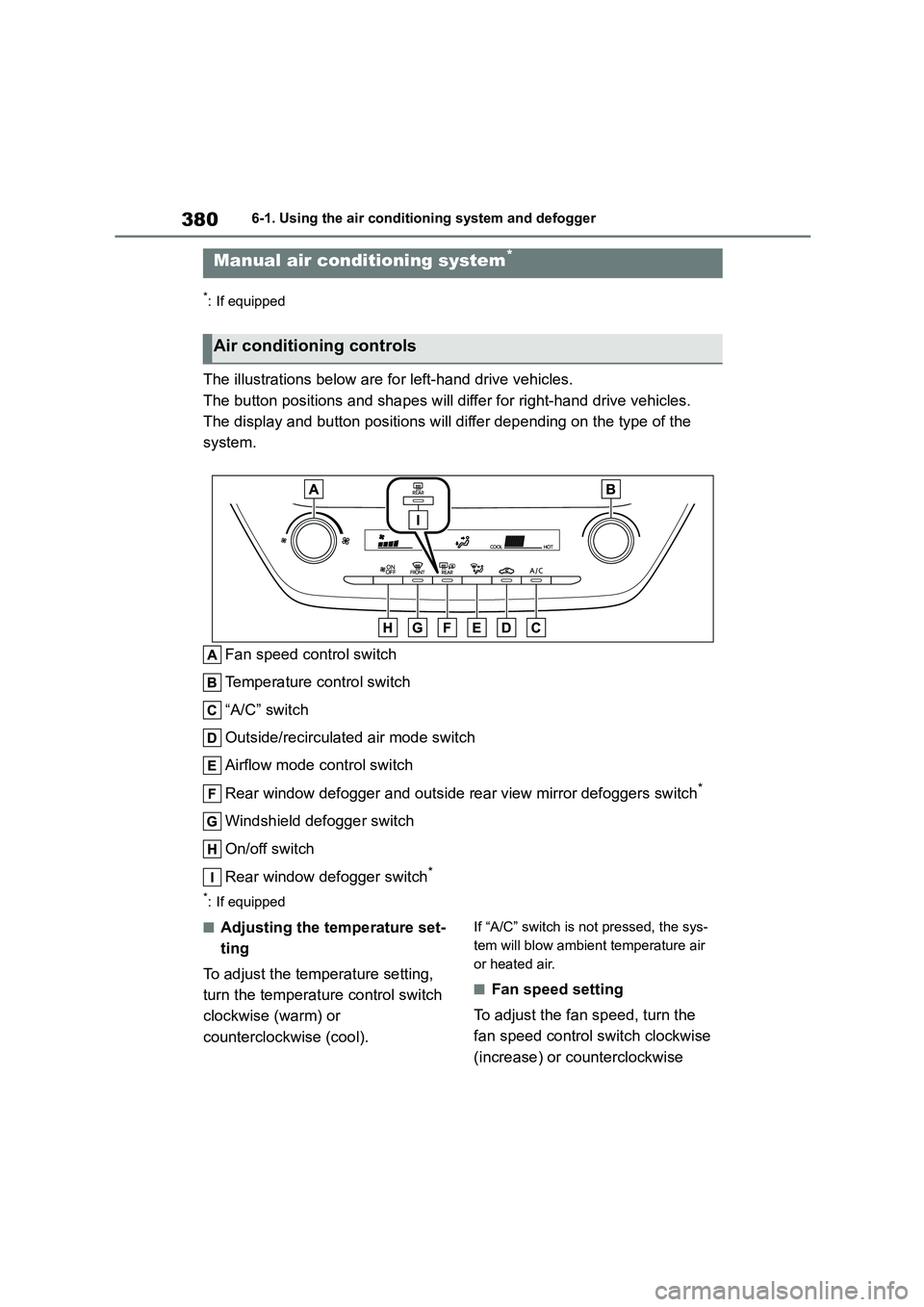
The illustrations below are for left-hand drive vehicles.
The button positions and shapes will differ for right-hand drive vehicles.
The display and button positions will di ffer depending on the type of the
system.
Fan speed control switch
Temperature control switch
“A/C” switch
Outside/recirculated air mode switch
Airflow mode control switch
Rear window defogger and outside rear view mirror defoggers switch*
Windshield defogger switch
On/off switch
Rear window defogger switch*
*: If equipped
■Adjusting the temperature set-
ting
To adjust the temperature setting,
turn the temperature control switch
clockwise (warm) or
counterclockwise (cool).
If “A/C” switch is not pressed, the sys-
tem will blow ambient temperature air
or heated air.
■Fan speed setting
To adjust the fan speed, turn the
fan speed control switch clockwise
(increase) or counterclockwise
Manual air conditioning system*
Air conditioning controls
385
6
6-1. Using the air conditioning system and defogger
Interior features
*: If equipped
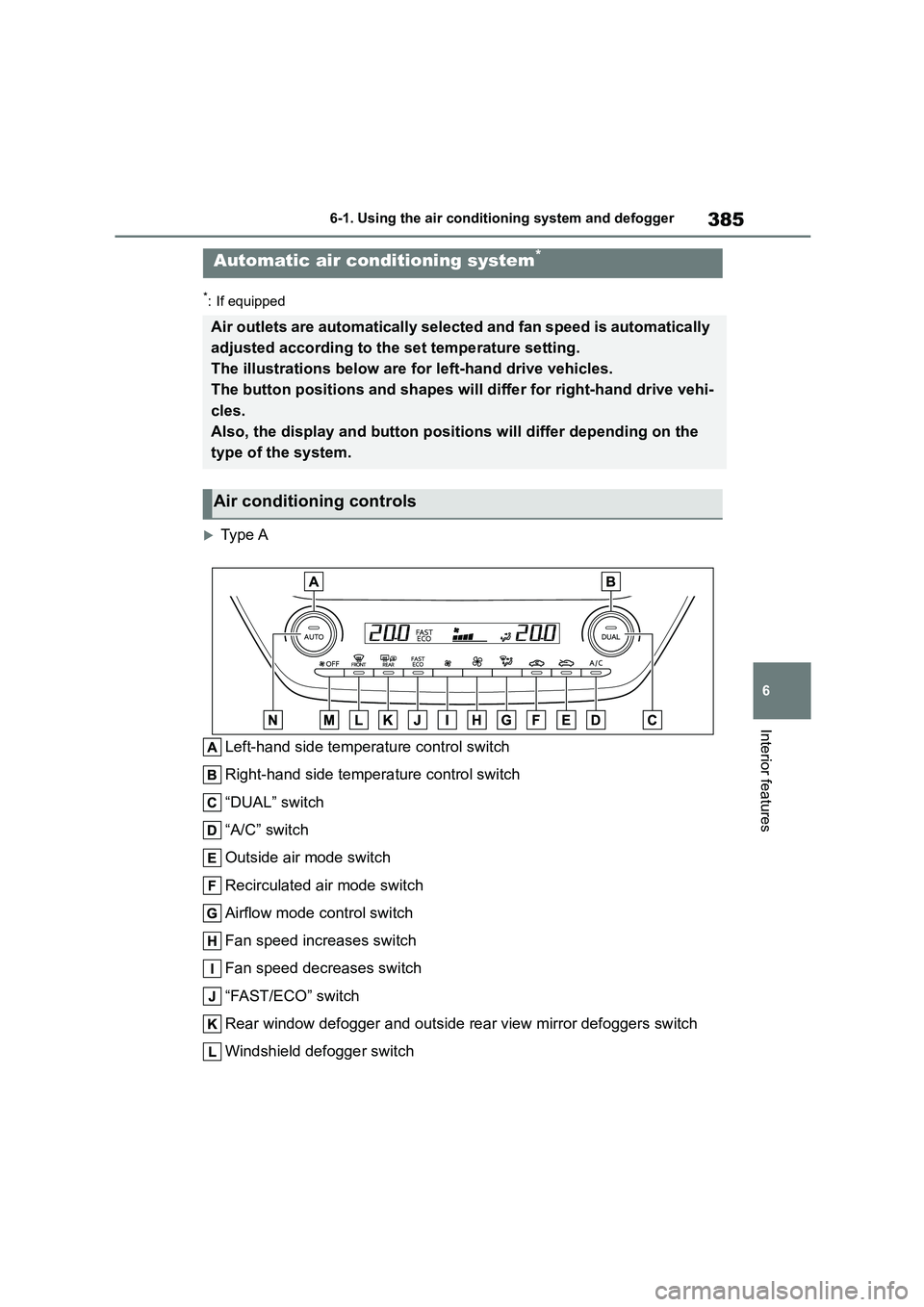
Type A
Left-hand side temperature control switch
Right-hand side temperature control switch
“DUAL” switch
“A/C” switch
Outside air mode switch
Recirculated air mode switch
Airflow mode control switch
Fan speed increases switch
Fan speed decreases switch
“FAST/ECO” switch
Rear window defogger and outside rear view mirror defoggers switch
Windshield defogger switch
Automatic air conditioning system*
Air outlets are automatically selected and fan speed is automatically
adjusted according to the set temperature setting.
The illustrations below are for left-hand drive vehicles.
The button positions and shapes will differ for right-hand drive vehi-
cles.
Also, the display and button positions will differ depending on the
type of the system.
Air conditioning controls