2022 TOYOTA BZ4X change
[x] Cancel search: changePage 117 of 674
115
2
Owners Manual_Europe_M42D76_en
2-2. Charging
Electric Vehicle system
days and the traction battery heater
automatically stops. It automatically
insulates the traction battery in
extremely low temperatures.
This control stops 31 days after
the charging cable is connected,
even if it is still connected to the
vehicle.
When this control operates,
charging schedule settings are
ignored and charging starts
immediately.
■Traction battery cooler
When the traction battery is hot and
the AC charging cable is connected
to the vehicle, this function cools
the traction battery to protect it.
The function may operate when
continuously driving at high speeds
such as driving on highways or
freeways, or during DC charging.
■Using My Room Mode during DC charging
P. 1 4 6
■Traction battery heater
●Traction battery heater may operate when charging is not being performed.
●When Traction battery heater is oper-ating, the charging indicator will illumi-
nate.
●When Traction battery heater is oper-
ating during charging, the charging may take longer than normal.
●The remaining charge of the traction battery declines when the traction bat-tery heater operates, it might be nec-
essary to recharge the traction battery again in order to supplement the remaining charge.
■Traction battery cooler
●For AC charging: Traction battery cooler settings can be changed on the
multi-information display. ( P.115)
●The charging indicator will illuminate
when the traction battery cooler is on standby or operating.
●When the charge level of the traction battery is low, the traction battery cooler may not operate, even if the
temperature of the traction battery is high.
●When the following conditions are met while the traction battery cooler is operating, the cooling operation will
stop. • The hood is opened• The power switch is turned to ACC or
ON. • The shift position is changed to any position other than P
• The Remote Air Conditioning System is operated ( P.427) • The remaining charge of the traction
battery drops below a certain amount
●The traction battery cooler operates
using power supplied by the traction battery and an external power source.• While the traction battery cooler is
operating, the charge of the traction battery will increase and decrease within a certain range, and will not
increase as during AC charging. • When the traction battery cooler oper-ates, charger will recognize it as the
battery being charged. If this function operates while a charger which charges a charging fee is connected
to the vehicle, AC charging fees will apply.
■Changing of the traction battery cooler setting
Setting can be changed on the
multi-information display.
Use the meter control switches
( P.176) and select “Vehicle Settings”, “Charging Settings”, “Battery Cooler”, and change the setting.
Page 120 of 674

118
Owners Manual_Europe_M42D76_en
2-2. Charging
■Safety functions
●The EV system will not start while the charging cable is attached to the vehi-
cle, even if the power switch is oper- ated.
●If the charging cable is connected while the “READY” indicator is illumi-nated, the EV system will stop auto-
matically and driving will not be possible.
Things to know before
charging
Make sure to r ead the follow-
ing precautions before
charging the traction battery.
WARNING
■Caution when charging
People with implantable cardiac pace- makers or cardiac resynchronization
therapy-pacemakers should not carry out the charging procedure. Ask someone else to do it.
●Do not approach the charger and charging cable while charging. Charging procedure may affect the
operation of such devices.
●Do not remain in the vehicle during
charging. Charging procedure may affect the operation of such devices.
●Do not enter the vehicle even to take something out of the luggage
compartment. Charging procedure may affect the operation of such devices.
■When the charging cable is con-nected to the vehicle
Do not change the shift position from
P.
In the unlikely event that the charging cable has been damaged, the shift
position may change from P to another position and the vehicle could move, possibly leading to an acci-
dent.
■Charging precautions
This vehicle has been designed to allow charging from an external power source using an AC charging
cable for exclusive use with standard household AC sockets.
However, the vehicle differs greatly
from standard household electrical goods in the following ways, and incorrect usage could cause fire or
electric shock, possibly leading to death or serious injury.
●When 220 V - 240 V charging, a large amount of current will flow for a long time.
●Charging can be conducted out-doors.
NOTICE
■Charging precautions
To charge properly, follow the proce- dure after reading the explanation
below. Charging is intended to be car- ried out by licensed drivers only who properly understand the charging pro-
cedure.
●Do not allow people who is not
used to charging, such as children, to perform charging without super-vision.
Also, keep the AC charging cable out of reach of infants.
●When charging with a charger, fol-low the procedures for using each charger.
Page 122 of 674

120
Owners Manual_Europe_M42D76_en
2-2. Charging
charging completes may be less than
normal in order to protect the traction battery (the driving range after the bat-
tery is fully charged may be shorter).*
●Charging is performed when the out- side temperature is low or high
●Charging is performed immediately after high-load driving or in extreme
heat
In any other situation, if the remaining
charge of the traction battery is signifi-
cantly lower than normal after charging
completes, have the vehicle inspected
by any authorized Toyota retailer or
Toyota authorized repairer, or any reli-
able repairer.
*: When this occurs, even if the remain-
ing charge display of the traction bat-
tery shows that it is fully charged, the
remaining charge rapidly decreases
faster than normal.
■When the charging amount sent to the traction battery decreases
When the amount of power supplied by
the charger is low or operation of the battery heater, etc., reduces the charging power sent to the traction bat-
tery, the charging amount sent to the traction battery may decrease.
■Charging time may increase
In the following situations, charging time
may become longer than normal:
●In very hot or very cold temperatures.
●When the traction battery becomes hot, such as immediately after high-
load driving.
●The vehicle is consuming a lot of elec-
tricity, for example, when the head- lights are on, etc.
●When using “My Room Mode”. ( P.145)
●There is a power outage during charging.
●There is an interruption in the electri-cal supply.
●There is a drop in the voltage of exter-
nal power source.
●The charge in the 12-volt battery is
low, for example due to the vehicle being left unused for a long period of time.
●When the upper limit of charging cur-rent is changed in the charging cur-
rent setting of the vehicle ( P.124)
●When the battery heater operates.
( P. 1 1 5 )
●When the “Battery Cooler” is operated
before charging. ( P. 1 1 5 )
●When the plug generates heat due to
a loose socket connection, etc.
●When adjusting the power supply with
the charger.
●When frequently and repeatedly using
DC charging.
●When selecting “DC charging power”
setting other than “MAX”.
●When the temperature of charging-
related parts is high.
■Charging electricity
This vehicle can be charged up to approximately 7 kW.
However, depending on the used char- ger or AC charging cable, charging elec-tricity may be limited.
Page 126 of 674

124
Owners Manual_Europe_M42D76_en
2-2. Charging
■Safety function
Charging will not start when the charging connector is not locked.
If the charging indicator does not illumi-
nate even when the charging connector is inserted, remove and reinsert the con-nector, and then check that the charging
indicator of the charging port illuminates.
■Charging time may increase
P. 1 2 0
■Charging at a public charging sta- tion with authentication function
When a door is unlocked during charging, the charging connector is unlocked and charging will be stopped.
In this case, the charging station authentication is canceled and charging may not be able to restart. Reconnect
the charging connector and perform authentication for the charging station.
■When your circuit breaker trips during charging
The upper limit of the charging current can be changed on the multi-information display or multimedia.
●Setting operations on multi-informa-tion display
1 Press or of the meter control
switches to select .
2 Press or of the meter control
switches to select “Vehicle Settings”,
and then press and hold .
3 Press or of the meter control
switches to select “Charging Set-
tings”, and then press .
The “Charging Settings” screen will be displayed.
4 Press or of the meter control
switches to select “Charging Cur-
rent”, and then press .
The “Charging Current” screen will be
displayed.
5 Press or of the meter control
switches to select “16A” or “8A” and
then press .
●Setting operations on multimedia
1 Select .
2 Select “Vehicle customize”.
3 Select “Charging”.
4 Select “Charging current”.
5 Select “16A” or “8A”.
The maximum charging current is lim-
ited to less than or equal to the selected
current.*
If the breaker still trips while charging,
even after changing the upper limit of the charging current, check if the con-nected power source meets the speci-
fied charging conditions. ( P.112)*: Restricting the charging current will
lengthen the charging time.
■Changing the “Charging Limit” set- tings
The upper limit of the charge capacity
can be changed on the multi-information display or multimedia.
The selected upper limit value is com-
mon to AC charging and DC charging.
●Setting operations on multi-informa-
tion display
1 Press or of the meter control
switches to select .
2 Press or of the meter control
switches to select “Vehicle Settings”,
and then press and hold .
3 Press or of the meter control
switches to select “Charging Set-
tings”, and then press .
Page 127 of 674

125
2
Owners Manual_Europe_M42D76_en
2-2. Charging
Electric Vehicle system
The “Charging Settings” screen will be
displayed.
4 Press or of the meter control
switches to select “Charging Limit”,
and then press .
The “Charging Limit” screen will be dis- played.
5 Select “Full”, “90%”, “80%”, “70%”,
“60%” or “50%” and then press .
●Setting operations on multimedia
1 Select .
2 Select “Vehicle customize”.
3 Select “Charging”.
4 Select “Charging limit”.
5 Select “Full”, “90%”, “80%”, “70%”, “60%” or “50%”.
If the setting is changed during DC charging, charging may stop due to the operation of the DC charger timer and
the traction battery cannot be fully charged.
■Protection function of AC charging inlet overheating
By installing a temperature sensor to the AC charging inlet, prevents parts from melting when the temperature rises due
to foreign matter entering the charging connector.
When a certain temperature increase is
detected, charging is stopped immedi- ately.
After this, when the power switch is off,
a message will be displayed on the multi-information display ( P.160)
WARNING
■When charging
Observe the following precautions.
Failure to do so may cause an unex- pected accident, resulting in death or serious injury.
●Connect to a power source suitable for charging. ( P.112)
●Check that the AC charging cable, plug and socket are free of foreign matter.
●Before charging, check that the AC charging inlet is not deformed,
damaged or corroded, and check that the inlet is free of foreign mat-ter such as dirt, snow and ice.
If there is dirt or dust in these areas, remove completely before inserting the charging connector.
●Before inserting the charging plug into the charger, make sure there is
no dirt or dust on the terminal areas. If there is dirt or dust in these areas, remove completely before
inserting the charging plug.
●Do not get the terminals of the AC
charging inlet wet.
●Only use sockets where the plug
can be securely inserted.
●Do not bundle or wind the AC
charging cable while charging, as doing so may result in overheating.
●Do not touch the terminals of the charging connector and AC charging inlet with a sharp metal
objects (needles, etc.,) or hands, or short them with foreign objects.
Page 132 of 674

130
Owners Manual_Europe_M42D76_en
2-2. Charging
dures of the DC charger.
5 Operate the DC charger and
start the charging.
Follow the handling procedures of the DC charger to start charging.
Charging starts after a system check is
done.
6 Confirm that the charging indi-
cator on the charging port lights
up.
When the charging indicator is not lit, charging has not started.
Stop the charging in accordance to the
handling procedures of the DC charger when it is desired to interrupt the DC charging.
■Charging time may increase
P. 1 2 0
■When the DC charging connector cannot be inserted into the DC charging inlet
P. 1 1 0
■If a message indicating vehicle
error on the DC charger side is dis- played
Even if a message indicating vehicle
error on the DC charger side (ex. vehicle error found, vehicle error occurred, etc.) is displayed, there is no vehicle fault but
possibly a communication error between the DC charger and vehicle. In this case, there may be terminal damage (bad
contact) in the DC charging connector. If there is no error with the vehicle, contact the facility manager of the DC charger.
■During DC charging
●The current charging condition can be checked on the multi-information dis-
play.
●The actual charging time may differ
from that displayed on the DC charger during charging.
●There may be occasions the radio cannot be heard due to noise occur-rence during DC charging
●As the battery approaches full charge, the charging speed will decrease and
it will take longer to complete charging.
●The time to complete charging may change, or charging may stop before reaching the upper limit of the charge
capacity, due to the remaining charge of the traction battery, the outside tem-perature, the specifications of the
charger (stand), etc.
●It is recommended to avoid frequent
DC charging to prevent a decline in the traction battery capacity.
●Quickly move from the DC charging space for other users after the DC charging is completed.
■How to set the DC charging power
You can change the DC charging power limit on the multi-information display or multimedia.
●Setting operations on multi-informa-tion display
Page 136 of 674

134
Owners Manual_Europe_M42D76_en
2-2. Charging
■Calendar settings
Charging schedule is performed accord- ing to the date and time shown on the multi-information display. Refer to the
“Settings display” ( P.178)
If the calendar settings check screen is displayed when an attempt was made to
register a charge schedule, check that the correct date is set. If it is incorrect, be sure to correct it.
If the calendar information is wrong, the charging schedule function will not oper-ate normally.
When registering the charging
schedule, the following settings can
be changed.
■Select the charging mode
One of the two following charging
modes can be selected.
“Start”
Starts charging at the set time* and
finishes charging when fully
charged.
“Start-Stop”
AC charging is performed accord-
ing to the set start time and stop
time.*
*: There might be a slight error in the
timing when charging starts due to
the state of the traction battery.
■Repeated setting
The periodic charging schedule can
be set by selecting your desired
day of the week. Select one or
more day of the week to do the
charging schedule.
■Turning “Charge Now” on and
off
To start charging without changing
the charging schedule setting, turn
“Charge Now” on to temporarily
cancel the charging schedule and
enable charging after connecting
the AC charging connector.*
*: If the charging connector is removed
during charging while the charging
schedule is registered and “Charge
Now” is on, “Charge Now” turns off.
■“Next Event”
Of the registered charging sched-
ules, the closest charging schedule
after the current time is called the
“Next Event”.
For charging schedule, AC
charging will be performed accord-
ing to the Next Event.
The charging schedule can be reg-
istered on the multi-information dis-
play or multimedia.
Multi-information display opera-
tion: P. 1 3 6
Using the charging
schedule function
AC charging can be carried out
at the desired time by register-
ing the charging schedule.
Settings of the charging
schedule function
Registering the charging
schedule
Page 139 of 674
137
2
Owners Manual_Europe_M42D76_en
2-2. Charging
Electric Vehicle system
6Press or of the meter
control switches to select
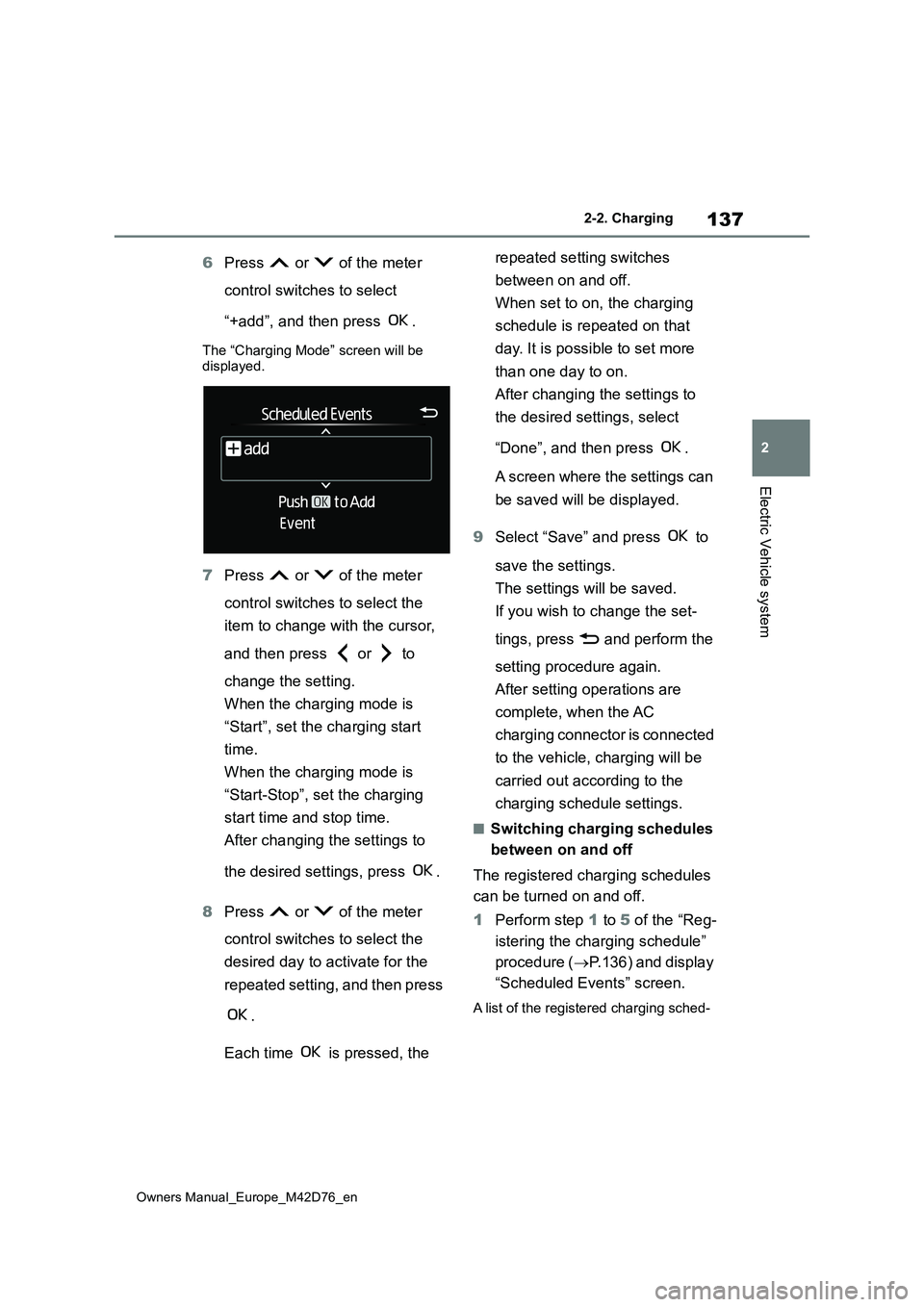
“+add”, and then press .
The “Charging Mode” screen will be displayed.
7 Press or of the meter
control switches to select the
item to change with the cursor,
and then press or to
change the setting.
When the charging mode is
“Start”, set the charging start
time.
When the charging mode is
“Start-Stop”, set the charging
start time and stop time.
After changing the settings to
the desired settings, press .
8 Press or of the meter
control switches to select the
desired day to activate for the
repeated setting, and then press
.
Each time is pressed, the
repeated setting switches
between on and off.
When set to on, the charging
schedule is repeated on that
day. It is possible to set more
than one day to on.
After changing the settings to
the desired settings, select
“Done”, and then press .
A screen where the settings can
be saved will be displayed.
9 Select “Save” and press to
save the settings.
The settings will be saved.
If you wish to change the set-
tings, press and perform the
setting procedure again.
After setting operations are
complete, when the AC
charging connector is connected
to the vehicle, charging will be
carried out according to the
charging schedule settings.
■Switching charging schedules
between on and off
The registered charging schedules
can be turned on and off.
1 Perform step 1 to 5 of the “Reg-
istering the charging schedule”
procedure ( P.136) and display
“Scheduled Events” screen.
A list of the registered charging sched-