2022 TOYOTA 4RUNNER stop start
[x] Cancel search: stop startPage 201 of 616
2014-1. Before driving
4
Driving
4RUNNER (U)
●Always place wheel blocks under both the vehicle’s and the trai ler’s
wheels when parking. Apply the parking brake firmly, and put th e
transmission in P. Avoid parking on a slope, but if unavoidable , do
so only after perform ing the following:
Apply the brakes and keep them applied.
Have someone place wheel blocks under both the vehicle’s and
trailer’s wheels.
When the wheel blocks are in pl ace, release the brakes slowly
until the blocks absorb the load.
Apply the parking brake firmly.
Shift into P and turn off the engine.
● When restarting afte r parking on a slope:
With the transmission in P, start the engine. Be sure to keep t he
brake pedal pressed.
Shift into a forward gear. If reversing, shift into R.
Release the parking brake and brake pedal, and slowly pull or
back away from the wheel bloc ks. Stop and apply the brakes.
Have someone retrieve the blocks.
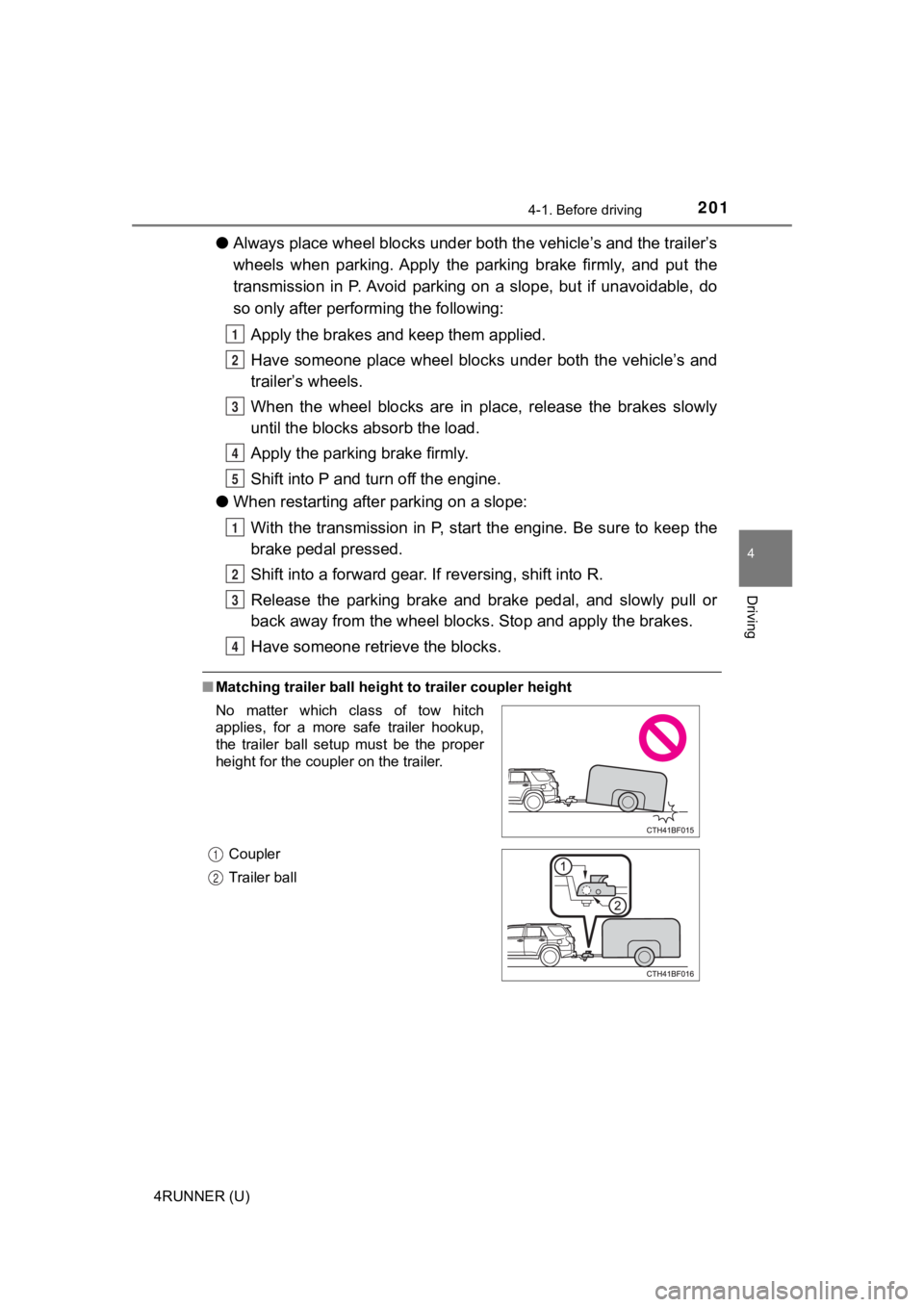
■ Matching trailer ball height to trailer coupler height
1
2
3
4
5
1
2
3
4
No matter which class of tow hitch
applies, for a more safe trailer hookup,
the trailer ball setup must be the proper
height for the coupler on the trailer.
Coupler
Trailer ball
1
2
Page 209 of 616
2094-2. Driving procedures
4
Driving
4RUNNER (U)
WARNING
■When starting the engine
Always start the engine while sitting in the driver's seat. Do not depress the
accelerator pedal while starting the engine under any circumsta nces.
Doing so may cause an accident resulting in death or serious in jury.
■ Caution when driving
Do not turn the engine switch to the “LOCK” position while driving. If, in an
emergency, you must turn the engine off while the vehicle is moving, turn
the engine switch only to the “ACC” position to stop the engine . An accident
may result if the engine is stopped while driving.
NOTICE
■ To prevent battery discharge
Do not leave the engine switch in the “ACC” or “ON” position fo r long peri-
ods of time without the engine running.
■ When starting the engine
● Do not crank the engine for more than 30 seconds at a time. This may
overheat the starter and wiring systems.
● Do not race a cold engine.
● If the engine becomes difficult to start or stalls frequently, have the engine
checked immediately.
Page 214 of 616

2144-2. Driving procedures
4RUNNER (U)
WARNING
■When starting the engine
Always start the engine while sitting in the driver’s seat. Do not depress the
accelerator pedal while starting the engine under any circumsta nces.
Doing so may cause an accident resulting in death or serious in jury.
■ Caution while driving
If engine failure occurs while the vehicle is moving, do not lock or open the
doors until the vehicle reaches a safe and complete stop.
■ Stopping the engine in an emergency
● If you want to stop the engine in an emergency while driving the vehicle,
press and hold the engine switch for more than 2 seconds, or press it
briefly 3 times or more in succession. ( P. 475)
However, do not touch the engine switch while driving except in an emer-
gency. Turning the engine off while driving will not cause loss of steering or
braking control, but the power assist to these systems will be lost. This will
make it more difficult to steer and brake, so you should pull over and stop
the vehicle as soon as it is safe to do so.
● If the engine switch is operated while the vehicle is running, a warning
message will be shown on the multi-information display and a buzzer
sounds.
■ When parking
Exhaust gases include harmful carbon monoxide (CO), which is co lorless
and odorless. Observe the following precautions.
Failure to do so may cause exhaust gases to enter the vehicle a nd may
lead to an accident caused by light-headedness, or may lead to death or a
serious health hazard.
● If the vehicle is in a poorly ventilated area or a closed area, such as a
garage, stop the engine.
● Do not leave the vehicle with the engine running for a long time. If such a
situation cannot be avoided, park the vehicle in an open space and ensure
that exhaust fumes do not enter the vehicle interior.
● Do not leave the engine running in an area with snow build-up, or where it
is snowing. If snowbanks build up around the vehicle while the engine is
running, exhaust gases may collect and enter the vehicle.
Page 215 of 616
2154-2. Driving procedures
4
Driving
4RUNNER (U)
NOTICE
■To prevent battery discharge
● Do not leave the engine switch in ACCESSORY or IGNITION ON mode
for long periods of time without the engine running.
● If “ACCESSORY” or “IGNITION ON” is displayed on the multi-infor mation
display, the engine switch is not off. Exit the vehicle after t urning the
engine switch off.
● Do not stop the engine when the shift lever is in a position ot her than P. If
the engine is stopped in another shift lever position, the engine switch will
not be turned off but instead be turned to ACCESSORY mode. If t he vehi-
cle is left in ACCESSORY mode, battery discharge may occur.
■ When starting the engine
● Do not race a cold engine.
● If the engine becomes difficult to start or stalls frequently, have your vehi-
cle checked by your Toyota dealer immediately.
■ Symptoms indicating a malf unction with the engine switch
If the engine switch seems to be operating somewhat differently than usual,
such as the switch sticking slightly, there may be a malfunction. Contact
your Toyota dealer immediately.
Page 287 of 616

2874-5. Using the driving support systems
4
Driving
4RUNNER (U)■
Conditions under which the system may not function correctly
●The Blind Spot Monitor may not detect vehicles correctly in the following sit-
uations:
• When the sensor is misaligned due to a strong impact to the se nsor or its
surrounding area
• When mud, snow, ice, a sticker, etc. is covering the sensor or surround-
ing area on the rear bumper
• When driving on a road surface that is wet with standing water during bad
weather, such as heavy rain, snow, or fog
• When multiple vehicles are approaching with only a small gap b etween
each vehicle
• When the distance between your vehicle and a following vehicle is short
• When there is a significant difference in speed between your v ehicle and
the vehicle that enters the detection area
• When the difference in speed between your vehicle and another vehicle
is changing
• When a vehicle enters a detection area traveling at about the same
speed as your vehicle
• As your vehicle starts from a stop, a vehicle remains in the d etection area
• When driving up and down consecutive steep inclines, such as hills, dips in the road, etc.
• When driving on roads with sharp bends, consecutive curves, or uneven
surfaces
• When vehicle lanes are wide, or when driving on the edge of a lane, and
the vehicle in an adjacent lane is far away from your vehicle
• When an accessory (such as a bicycle carrier) or towing eyelet is
installed to the rear of the vehicle
• When there is a significant difference in height between your vehicle and
the vehicle that enters the detection area
• Immediately after the Blind Spot Monitor is turned on
● Instances of the Blind Spot Monitor unnecessarily detecting a vehicle and/or
object may increase in the following situations:
• When the sensor is misaligned due to a strong impact to the se nsor or its
surrounding area
• When the distance between your vehicle and a guardrail, wall, etc. that
enters the detection area is short
• When driving up and down consecutive steep inclines, such as h ills, dips
in the road, etc.
• When vehicle lanes are narrow, or when driving on the edge of a lane,
and a vehicle traveling in a lane other than the adjacent lanes enters the
detection area
• When driving on roads with sharp bends, consecutive curves, or uneven
surfaces
• When the tires are slipping or spinning
• When the distance between your vehicle and a following vehicle is short
• When an accessory (such as a bicycle carrier) or towing eyelet is
installed to the rear of the vehicle
• When the vehicle throws up water or snow behind.
Page 313 of 616
3134-5. Using the driving support systems
4
Driving
4RUNNER (U)■
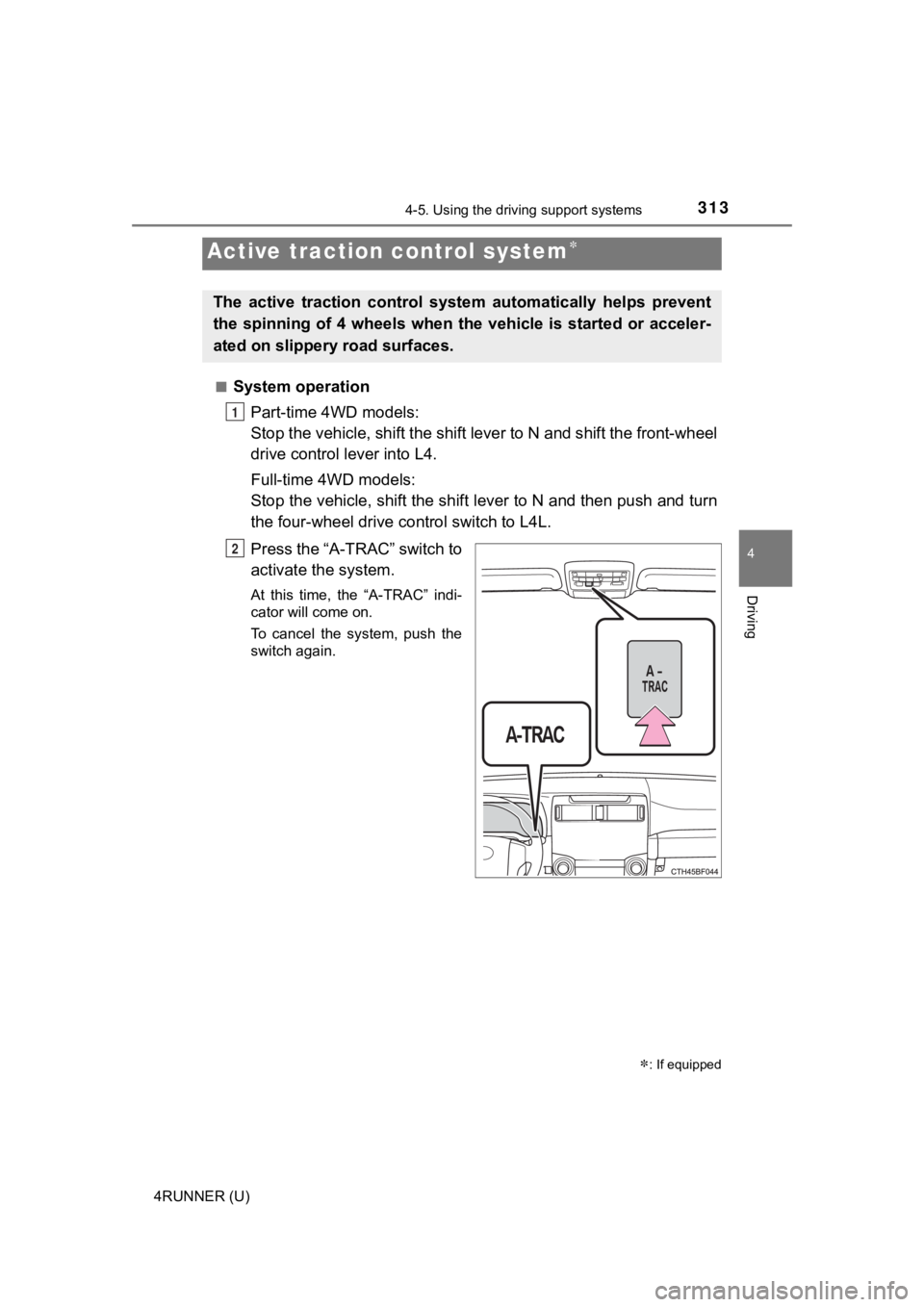
System operation
Part-time 4WD models:
Stop the vehicle, shift the shif t lever to N and shift the front-wheel
drive control lever into L4.
Full-time 4WD models:
Stop the vehicle, shift the shift lever to N and then push and turn
the four-wheel drive c ontrol switch to L4L.
Press the “A-TRAC” switch to
activate the system.
At this time, the “A-TRAC” indi-
cator will come on.
To cancel the system, push the
switch again.
Active traction control system
: If equipped
The active traction control syst em automatically helps prevent
the spinning of 4 wheels when the vehicle is started or acceler -
ated on slippery road surfaces.
1
2
Page 314 of 616
3144-5. Using the driving support systems
4RUNNER (U)
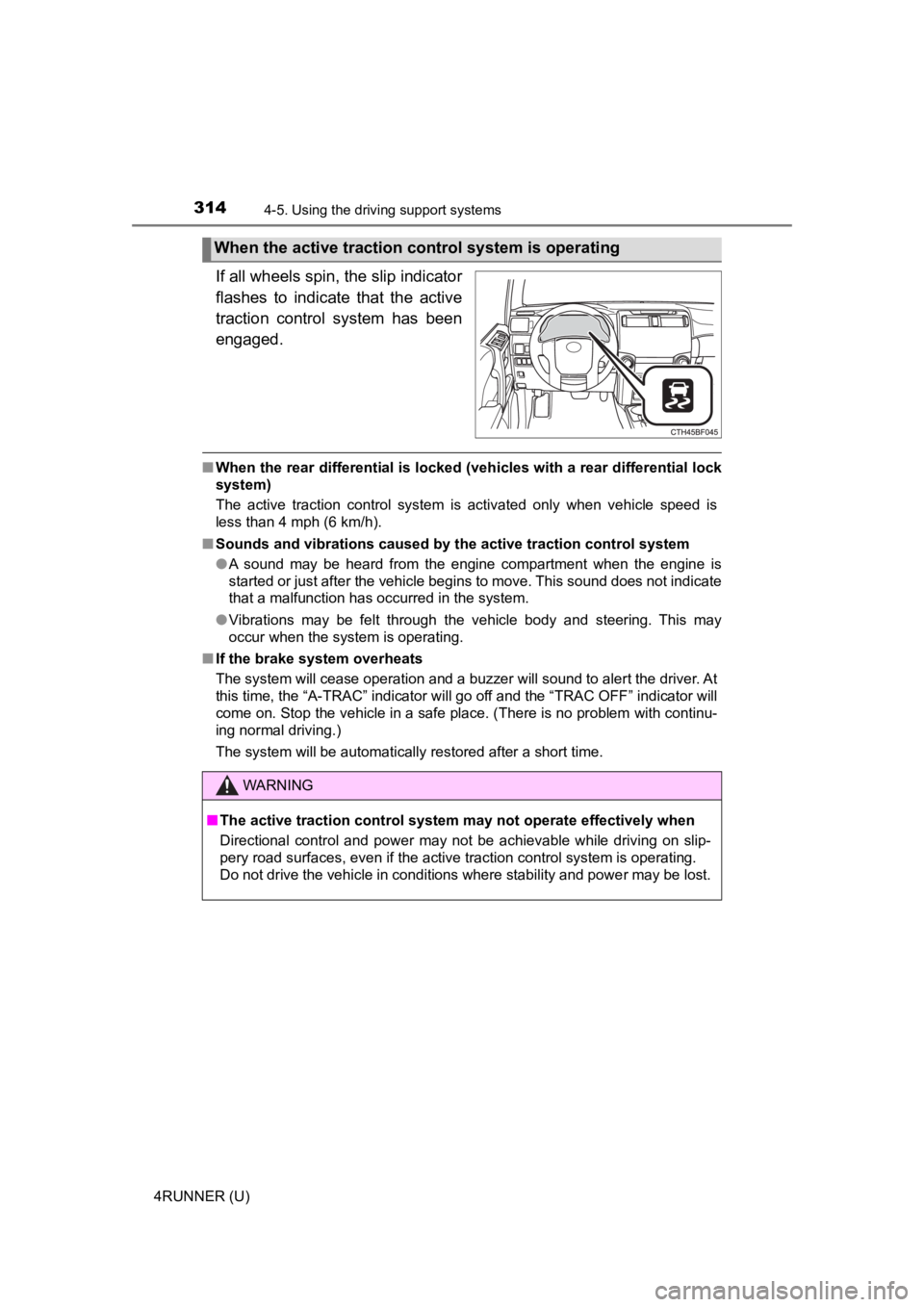
If all wheels spin, the slip indicator
flashes to indicate that the active
traction control system has been
engaged.
■When the rear differential is locked (vehicles with a rear differential lock
system)
The active traction control system is activated only when vehicle speed is
less than 4 mph (6 km/h).
■ Sounds and vibrations caused by the active traction control sys tem
● A sound may be heard from the engine compartment when the engine is
started or just after the vehicle begins to move. This sound do es not indicate
that a malfunction has occurred in the system.
● Vibrations may be felt through the vehicle body and steering. T his may
occur when the system is operating.
■ If the brake system overheats
The system will cease operation and a buzzer will sound to alert the driver. At
this time, the “A-TRAC” indicator will go off and the “TRAC OFF ” indicator will
come on. Stop the vehicle in a safe place. (There is no problem with continu-
ing normal driving.)
The system will be automatically restored after a short time.
When the active traction co ntrol system is operating
WARNING
■The active traction control system may not operate effectively when
Directional control and power may not be achievable while driving on slip-
pery road surfaces, even if the active traction control system is operating.
Do not drive the vehicle in conditions where stability and powe r may be lost.
Page 316 of 616
3164-5. Using the driving support systems
4RUNNER (U)
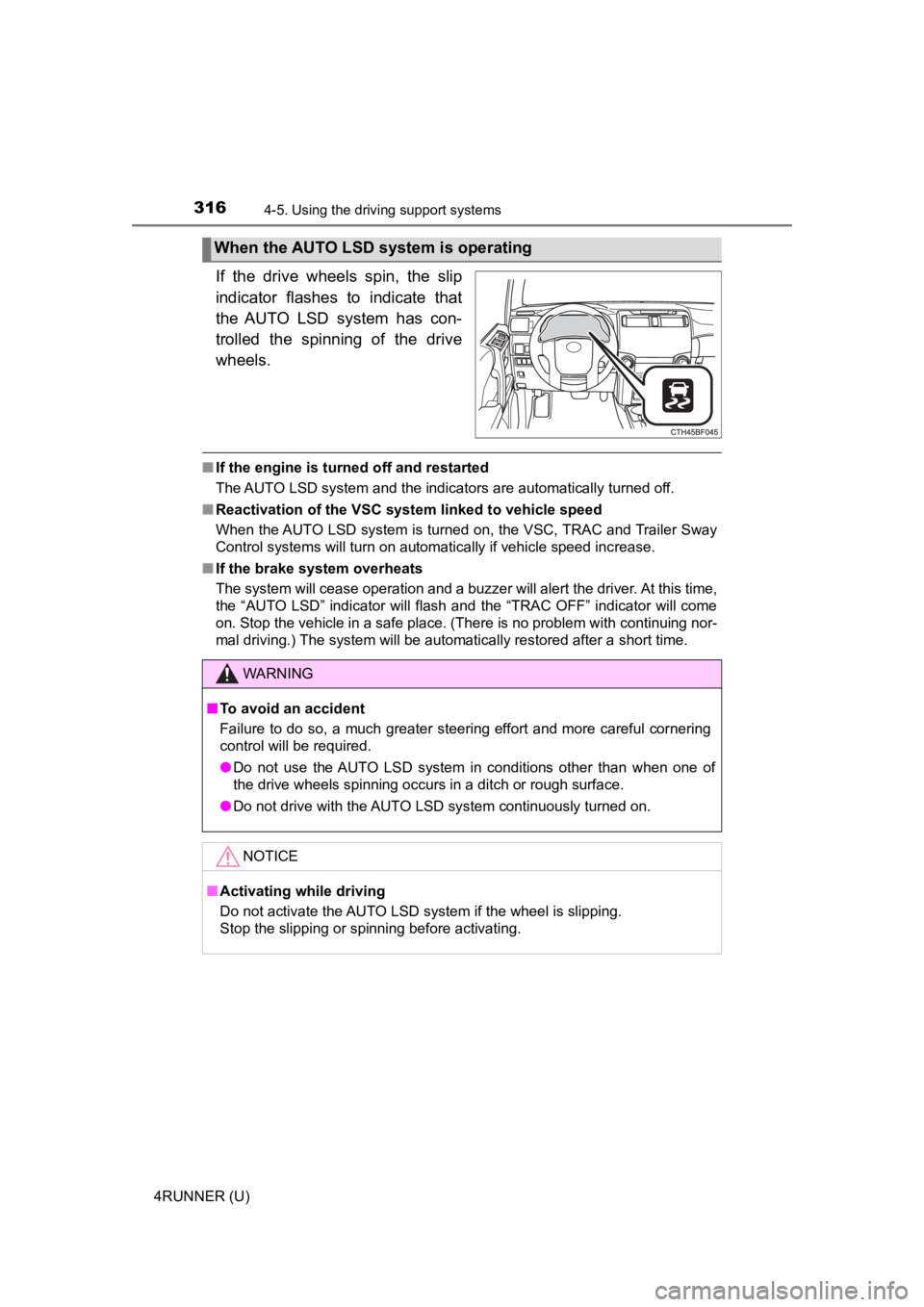
If the drive wheels spin, the slip
indicator flashes to indicate that
the AUTO LSD system has con-
trolled the spinning of the drive
wheels.
■If the engine is turned off and restarted
The AUTO LSD system and the indicators are automatically turned off.
■ Reactivation of the VSC system linked to vehicle speed
When the AUTO LSD system is turned on, the VSC, TRAC and Traile r Sway
Control systems will turn on automatically if vehicle speed inc rease.
■ If the brake system overheats
The system will cease operation and a buzzer will alert the driver. At this time,
the “AUTO LSD” indicator will flash and the “TRAC OFF” indicator will come
on. Stop the vehicle in a safe place. (There is no problem with continuing nor-
mal driving.) The system will be automatically restored after a short time.
When the AUTO LSD system is operating
WARNING
■To avoid an accident
Failure to do so, a much greater steering effort and more careful cornering
control will be required.
● Do not use the AUTO LSD system in conditions other than when on e of
the drive wheels spinning occurs in a ditch or rough surface.
● Do not drive with the AUTO LSD system continuously turned on.
NOTICE
■Activating while driving
Do not activate the AUTO LSD system if the wheel is slipping.
Stop the slipping or spinning before activating.