Page 262 of 559
ON (Normal operating position)
This position turns on the ignition system
and electrical accessories.
ON has a battery saver feature that will
place the ignition switch in the OFF posi-
tion, if the vehicle is not running, af ter some
time under the following conditions:∙ All doors are closed.
∙ The shif t lever is in P (Park).
The battery saver feature will be canceled if
any of the following occur: ∙ Any door is opened.
∙ The shif t lever is moved out of the P (Park) position.
∙ The ignition switch changes position.
Page 265 of 559
5. To stop the engine, move the shif t leverto the P (Park) position and push the
ignition switch to the OFF position.
NOTE:
Care should be taken to avoid situations
that can lead to potential battery dis-
charge and potential no-start conditions
such as: 1. Installation or extended use of elec-
tronic accessories that consume bat-
tery power when the engine is not
running (phone chargers, GPS, DVD
players, etc.).
2. The vehicle is not driven regularly
and/or only driven short distances.
In these cases, the battery may need to
be charged to maintain battery health.
REMOTE ENGINE START
Vehicles started with the Remote Engine
Start require the ignition switch to be
placed in the ON position before the shif t
lever can be moved from the P (Park) posi-
tion. To place the ignition switch in the ON
position, follow these steps: 1. Make sure that the Intelligent Key is on you. 2. Apply the brake.
3. Push the ignition switch once to the ON
position.
For additional information, refer to “NISSAN
Intelligent Key®” in the “Pre-driving checks
and adjustments” section of this manual.
CONTINUOUSLY VARIABLE
TRANSMISSION (CVT)
Page 266 of 559
CAUTION
∙ Except in an emergency, do not shif tto the N (Neutral) position while driv-
ing. Coasting with the transmission in
the N (Neutral) position may cause se-
rious damage to the transmission.
∙ To avoid possible damage to your ve- hicle, when stopping the vehicle on an
uphill grade, do not hold the vehicle by
depressing the accelerator pedal. The
foot brake should be used for this
purpose.
The CVT in your vehicle is electronically
controlled to produce maximum power
and smooth operation.
Follow these procedures for maximum ve-
hicle performance and driving enjoyment.
NOTE:
Engine power may be automatically re-
duced to protect the CVT if the engine
speed increases quickly when driving on
slippery roads or while being tested on
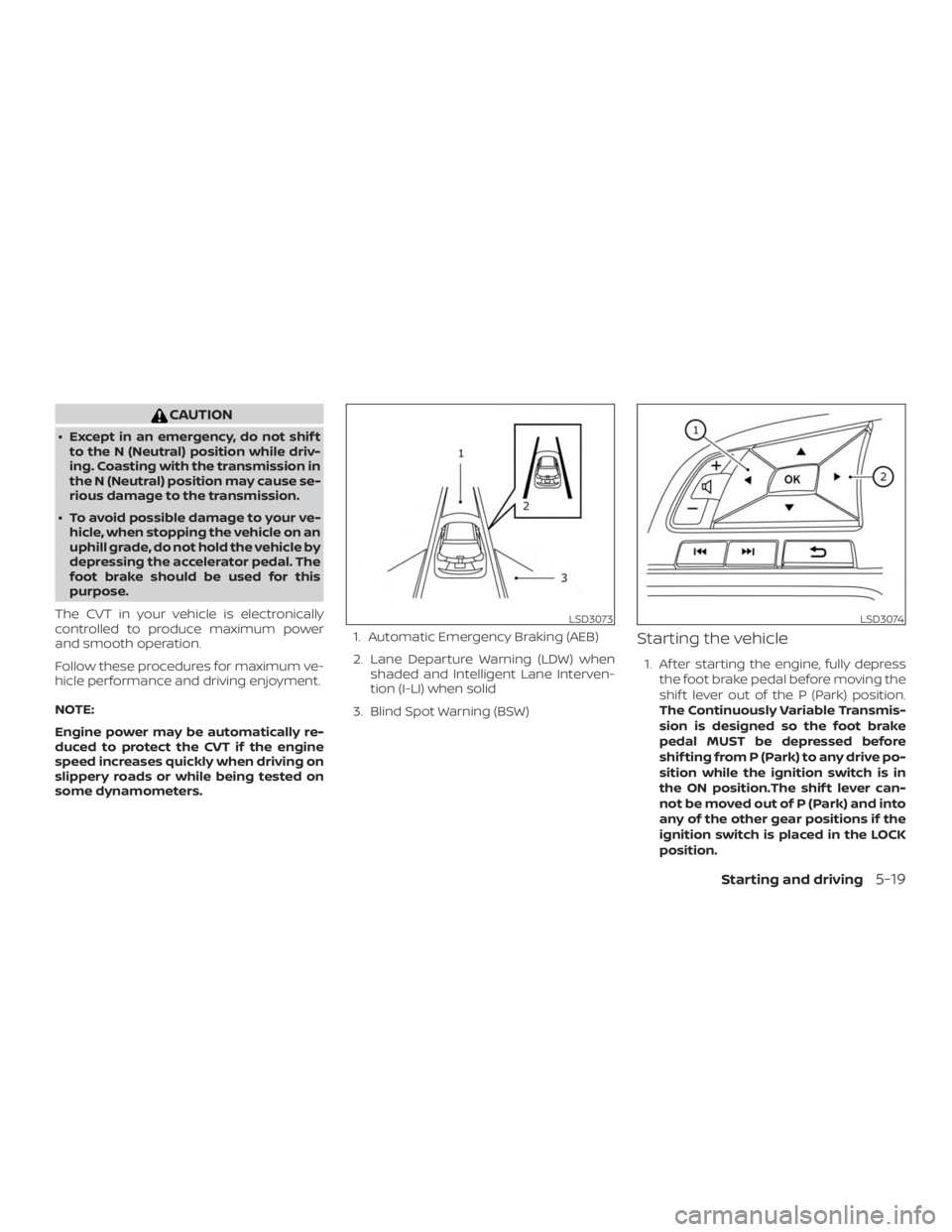
some dynamometers. 1. Automatic Emergency Braking (AEB)
2. Lane Departure Warning (LDW) when
shaded and Intelligent Lane Interven-
tion (I-LI) when solid
3. Blind Spot Warning (BSW)
Starting the vehicle
1. Af ter starting the engine, fully depress the foot brake pedal before moving the
shif t lever out of the P (Park) position.
The Continuously Variable Transmis-
sion is designed so the foot brake
pedal MUST be depressed before
shif ting from P (Park) to any drive po-
sition while the ignition switch is in
the ON position.The shif t lever can-
not be moved out of P (Park) and into
any of the other gear positions if the
ignition switch is placed in the LOCK
position.
Page 272 of 559
Fail-safe
If the vehicle is driven under extreme
conditions, such as excessive wheel
spinning and subsequent hard braking,
the fail-safe system may be activated.
The Malfunction Indicator Light (MIL)
may come on to indicate the fail-safe
mode is activated. For additional infor-
mation, refer to “Malfunction Indicator
Light (MIL)” in the “Instruments and con-
trols” section of this manual. This will oc-
cur even if all electrical circuits are func-
tioning properly. In this case, place the
ignition switch in the OFF position and
wait for 10 seconds. Then push the
switch back to the ON position. The ve-
hicle should return to its normal operat-
ing condition. If it does not return to its
normal operating condition, have the
transmission checked. It is recom-
mended that you visit a NISSAN dealer
for this service.
Page 273 of 559
PEDAL TYPE
To engage:Firmly depress the parking
brake.
To release:
1. Firmly apply the foot brake.
2. Move the shif t lever to the P (Park) po- sition.
3. Firmly depress the parking brake pedal and it will release.
4. Before driving, be sure the brake warn- ing light goes out.
SWITCH TYPE (models with
electronic parking brake system)
The electronic parking brake can be ap-
plied or released automatically or by oper-
ating the parking brake switch.
Automatic operation
The electronic parking brake will apply au-
tomatically if the ignition switch is placed in
the OFF position when the brake force is
maintained by the automatic brake hold
function. The electronic parking brake is automati-
cally released as soon as the vehicle starts
and the accelerator pedal is depressed
with the driver’s seat belt fastened.
Page 275 of 559
∙While pulling up the electronic park-
ing brake switch during driving, the
parking brake is applied and a chime
sounds. The electronic parking brake
indicator light in the meter and in the
parking brake switch illuminates.
This does not indicate a malfunction.
The electronic parking brake indica-
tor light in the meter and in the park-
ing brake switch turns off when the
parking brake is released.
∙ When pulling the electronic parking
brake switch up with the ignition
switch in the OFF or AUTO ACC posi-
tion, the parking brake switch indica-
tor light will continue to illuminate for
a short period of time. The automatic brake hold function main-
tains the braking force without the driver
having to depress the brake pedal when
the vehicle is stopped at a traffic light or
intersection. As soon as the driver de-
presses the accelerator pedal again, the
automatic brake hold function is deacti-
vated and the braking force is released. The
operating status of the automatic brake
hold can be displayed on the vehicle infor-
mation display.
Page 276 of 559
∙ The automatic brake hold functionwill not be activated if the Vehicle Dy-
namic Control (VDC) OFF indicator
light, electronic parking brake warn-
ing light or master warning light illu-
minate and the chassis control sys-
tem fault message appears in the
vehicle information display.
∙ To maintain the braking force to keep the vehicle to a standstill, a noise may
be heard. This is not a malfunction.
HOW TO ACTIVATE/DEACTIVATE
THE AUTOMATIC BRAKE HOLD
FUNCTION
For additional information on activating
and deactivating the automatic brake hold
function, refer to the instructions outlined
in this section.
How to activate the automatic
brake hold function
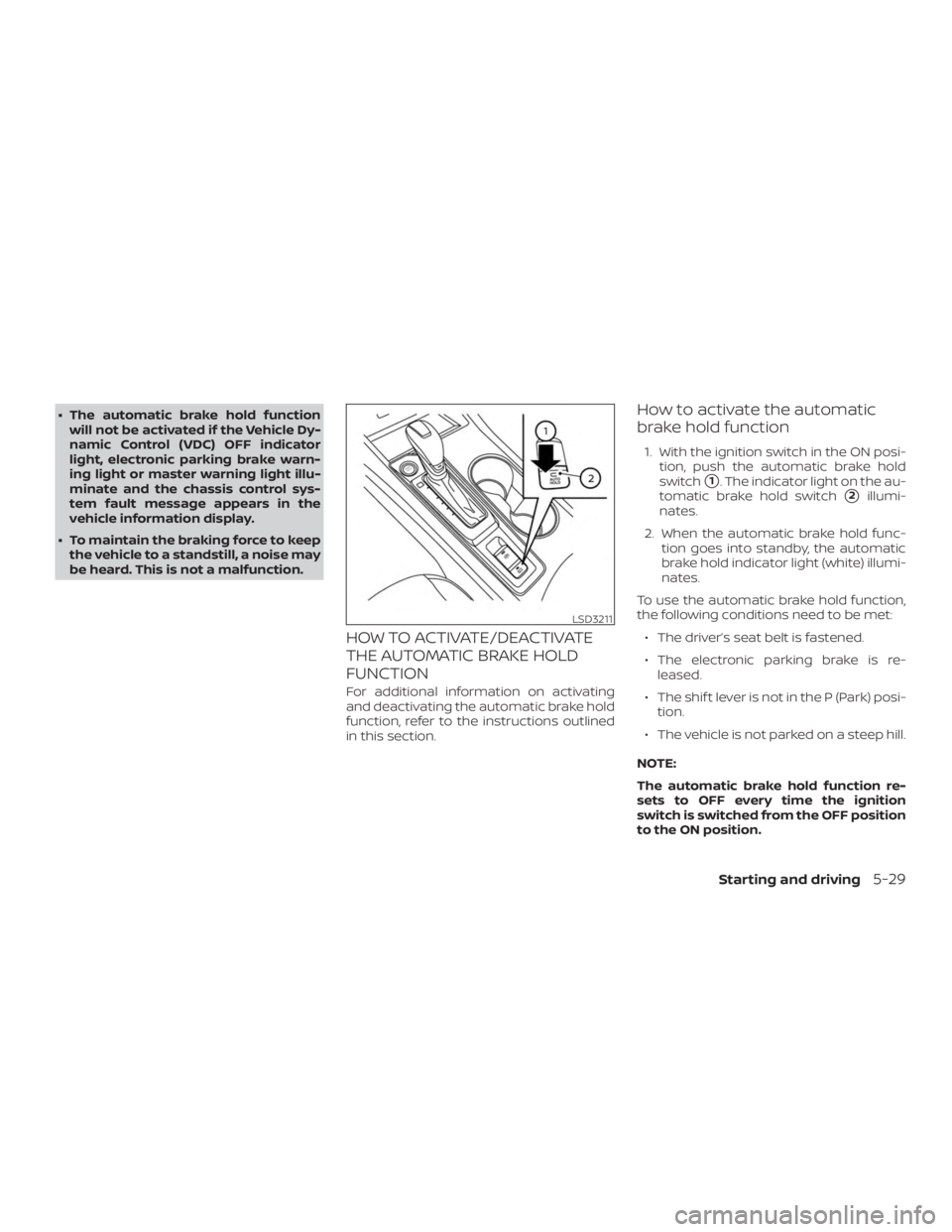
1. With the ignition switch in the ON posi- tion, push the automatic brake hold
switch
�1. The indicator light on the au-
tomatic brake hold switch
�2illumi-
nates.
2. When the automatic brake hold func- tion goes into standby, the automatic
brake hold indicator light (white) illumi-
nates.
To use the automatic brake hold function,
the following conditions need to be met: ∙ The driver’s seat belt is fastened.
∙ The electronic parking brake is re- leased.
∙ The shif t lever is not in the P (Park) posi- tion.
∙ The vehicle is not parked on a steep hill.
NOTE:
The automatic brake hold function re-
sets to OFF every time the ignition
switch is switched from the OFF position
to the ON position.
Page 314 of 559
∙ In the conventional (fixed speed)cruise control mode, a warning chime
will not sound to warn you if you are
too close to the vehicle ahead. Pay
special attention to the distance be-
tween your vehicle and the vehicle
ahead of you or a collision could occur.
NOTE:
For vehicles equipped with ProPILOT As-
sist, refer to “ProPILOT Assist” in this sec-
tion.
The ICC system maintains a selected dis-
tance from the vehicle in front of you within
the speed range of 0 to 90 mph (0 to
144 km/h) up to the set speed. The set
speed can be selected by the driver be-
tween 20 to 90 mph (32 to 144 km/h).
The vehicle travels at a set speed when the
road ahead is clear.
The ICC system can be set to one of two
cruise control modes: ∙ Vehicle-to-vehicle distance control
mode: For maintaining a selected dis-
tance between your vehicle and the ve-
hicle in front of you up to the preset
speed ∙
Conventional (fixed speed) cruise
control mode: For cruising at a preset
speed
Push the ICC switch
�Ato choose the
cruise control mode between the vehicle-
to-vehicle distance control mode and the
conventional (fixed speed) cruise control
mode.
Once a control mode is activated, it cannot
be changed to the other cruise control
mode. To change the mode, push the ICC
switch
�Aonce to turn the system off. Then
push the ICC switch
�Aagain to turn the
system back on and select the desired
cruise control mode.
Always confirm the setting in the ICC sys-
tem display.
For the vehicle-to-vehicle distance control
mode, refer to “Vehicle-to-vehicle distance
control mode” in this section.
For the conventional (fixed speed) cruise
control mode, refer to “Conventional (fixed
speed) cruise control mode” in this section.
Starting and driving5-67