Page 503 of 646
If issue persists, you may need to visit an
authorized dealer for service.
Audio may mute. Access to SiriusXM features
may be unavailable.
Antenna Problem or Hardware Problem
Allow SiriusXM some time to completeupdating.
Audio may mute.
SiriusXM Updating...
No action necessary. If loading time is longerthan usual, See Satellite Radio Limitations
(page 493).
Audio may mute. Content may be temporarily
unavailable while loading.
Loading...
No action necessary. Allow SiriusXM sometime to finish loading.
Audio may mute. Content and controls may
be temporarily unavailable.
SiriusXM Loading...
499
2022 Navigator (TB9) Canada/United States of America, enUSA, Edition date: 202109, First-Printing Audio System
Page 504 of 646
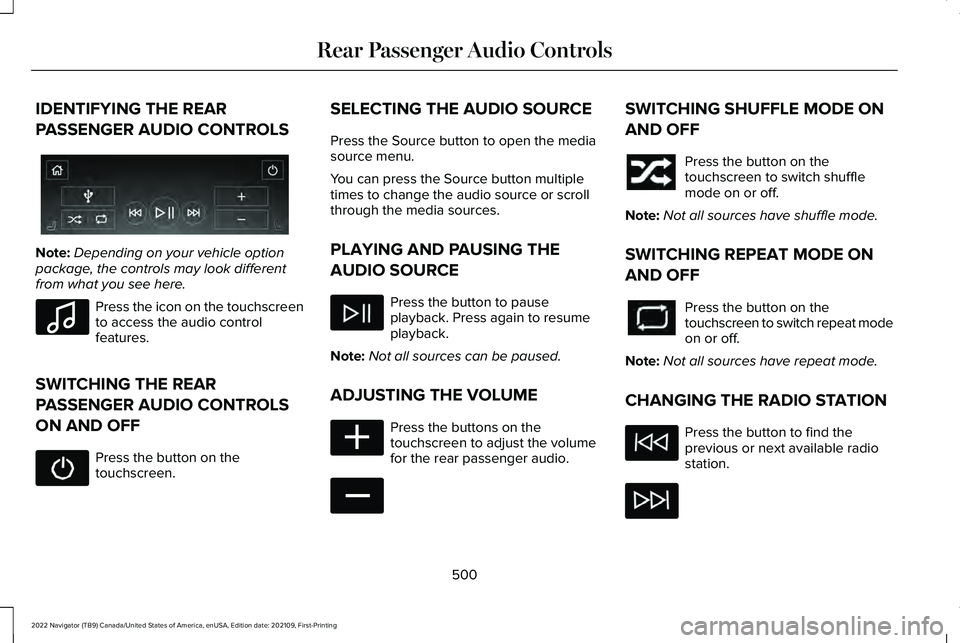
IDENTIFYING THE REAR
PASSENGER AUDIO CONTROLS
Note:
Depending on your vehicle option
package, the controls may look different
from what you see here. Press the icon on the touchscreen
to access the audio control
features.
SWITCHING THE REAR
PASSENGER AUDIO CONTROLS
ON AND OFF Press the button on the
touchscreen. SELECTING THE AUDIO SOURCE
Press the Source button to open the media
source menu.
You can press the Source button multiple
times to change the audio source or scroll
through the media sources.
PLAYING AND PAUSING THE
AUDIO SOURCE
Press the button to pause
playback. Press again to resume
playback.
Note: Not all sources can be paused.
ADJUSTING THE VOLUME Press the buttons on the
touchscreen to adjust the volume
for the rear passenger audio. SWITCHING SHUFFLE MODE ON
AND OFF
Press the button on the
touchscreen to switch shuffle
mode on or off.
Note: Not all sources have shuffle mode.
SWITCHING REPEAT MODE ON
AND OFF Press the button on the
touchscreen to switch repeat mode
on or off.
Note: Not all sources have repeat mode.
CHANGING THE RADIO STATION Press the button to find the
previous or next available radio
station.
500
2022 Navigator (TB9) Canada/United States of America, enUSA, Edition date: 202109, First-Printing Rear Passenger Audio ControlsE356495 E100027 E356421 E356422
Page 506 of 646

Wi-Fi connected.
Vehicle data sharing on.
Vehicle data sharing off.
Vehicle location sharing on.
Vehicle data and vehicle location
sharing on.
Vehicle System Update Vehicle system update available.
Vehicle system update requires
schedule.
Vehicle system update requires
consent.
Vehicle system update requires
Wi-Fi. Vehicle system update schedule
reminder.
Vehicle system update not
successful.
Vehicle system update successful.
Wireless Accessory Charger Wireless accessory charger active.
FEATURE BAR
The feature bar is located on the bottom of
the display and allows you to access vehicle
features. Press to use the radio, a USB, a
media player or a Bluetooth®
device. Press to make calls and access the
phonebook on your cell phone. Press to use the navigation system.
Press to replace this button with a
shortcut to a feature or setting.
Press to search for and use
compatible apps on your iOS or
Android device.
Press to adjust system settings.
Press to view features.
Note:
The icon may be different depending
on your vehicle.
502
2022 Navigator (TB9) Canada/United States of America, enUSA, Edition date: 202109, First-Printing Center Display Overview E335292 E327789 E327785 E327786 E353217 E327787 E327788 E353218 E353214 E100027 E358432 E353220 E280315 E353210 E335299 E335300 E347104
Page 508 of 646

WHAT IS VOICE INTERACTION
Voice Interaction allows you to control
vehicle features using conversational
requests.
SETTING THE WAKE WORD
1. Press the Settings option on the feature
bar.
2. Press the Voice Control button.
3. Switch on Listen for Wake Word.
4. Press Preferred Wake Word
5. Select a wake word.
BEGINNING A VOICE
INTERACTION
Say the selected wake word. Press the voice interaction button
on the steering wheel. VOICE INTERACTION EXAMPLES
General Examples Result
Command
The system resetsthe current voice interaction.
Start Over.
The system ends the
current voice interac-tion.
Cancel.
The system goes tothe next page.
Next Page.
The system goes tothe previous page.
Previous Page.
The system displaysa list of available
commands you can use on the current screen.
Help. Entertainment Examples Result
Command
The system plays theselected music.
Play The Beatles.
The system shows
the selected music.
Show music by The
Beatles.
The system tunes
the radio to 101.9 FM.
Tune to FM 101.9.
The system tunesthe radio to Sirius Channel 2.
Set the station to
Sirius Channel 2.
504
2022 Navigator (TB9) Canada/United States of America, enUSA, Edition date: 202109, First-Printing Voice InteractionE142599
Page 520 of 646

HOW DO PERSONAL PROFILES
WORK
This feature allows you to create multiple
personal profiles enabling users to
personalize vehicle
’s settings such as seats
and mirrors, as well as non-positional settings
like radio, navigation, driver assist system
settings. Positional settings are saved by
holding a memory seat button.
Non-positional settings are saved you
change a setting while a profile is active. You
can create one profile for each preset
memory seat button along with a guest
profile.
Recalling and Changing a Profile
You can recall a profile using the
touchscreen or the preset button you
selected when you created your profile. You
can also link a remote control and a mobile
device to your profile, which are used to
recall it. ENABLING OR DISABLING
PERSONAL PROFILES
When you switch on the Personal Profiles
feature:
•
Unlocking a door with a remote control
or mobile device that is not linked to a
driver profile does not change the active
profile, but remains in the last known
profile. It does not change the positional
settings.
• Pressing a memory seat button that is
not linked to a driver profile or saved to
a preset setting does not change the
active profile, but remains in the last
known profile. It does not change the
positional settings.
• Pressing a memory seat button that is
not linked to a driver profile but is saved
to a preset setting does not change the
active profile, but remains in the last
known profile. It recalls the positional
settings that you saved to that memory
seat button. When you switch off a Personal Profiles
feature:
•
Unlocking a door with a remote control
or mobile device does not recall any
non-positional settings but still recalls
positional settings from the driver profile
which the remote control or mobile
device is linked to.
• Pressing a memory seat button that is
not linked to a driver profile or saved to
a preset setting does not change the
positional or non-positional settings.
• Pressing a memory seat button that is
linked to a driver profile or has saved to
a preset setting recalls the positional
settings that you saved to that memory
seat button.
CREATING A PERSONAL PROFILE
Use the touchscreen to create a personal
profile.
1. Switch the vehicle on and leave the vehicle in park (P).
2. Select the Personal Profiles button under
Settings.
516
2022 Navigator (TB9) Canada/United States of America, enUSA, Edition date: 202109, First-Printing Personal Profiles
Page 527 of 646

For a complete listing of the accessories that
are available for your vehicle, please contact
your authorized dealer or visit the online
store website:
Web Address (United States)
https://accessories.lincoln.com/ Web Address (Canada)
www.lincolncanada.com
We will repair or replace any properly
authorized dealer-installed Lincoln Original
Accessory found to be defective in
factory-supplied materials or workmanship
during the warranty period, as well as any
component damaged by the defective
accessories.
We will warrant your Lincoln Original
Accessory through the warranty that provides
the greatest benefit:
• 24 months, unlimited mileage.
• The remainder of your new vehicle
limited warranty. Lincoln Licensed Accessories
The accessory manufacturer designs,
develops and therefore warrants Lincoln
Licensed Accessories, and does not design
or test these accessories to Lincoln
engineering requirements. Contact an
authorized Lincoln dealer for the accessory
manufacturer's limited warranty details and
request a copy of the Lincoln Licensed
Accessories product limited warranty from
the accessory manufacturer. See your
warranty guide for more information.
For maximum vehicle performance, keep the
following information in mind when adding
accessories or equipment to your vehicle:
•
When adding accessories, equipment,
passengers and luggage to your vehicle,
do not exceed the total weight capacity
of the vehicle or of the front or rear axle
(GVWR or GAWR as indicated on the
Safety Compliance Certification label).
Ask an authorized dealer for specific
weight information.
• The Federal Communications
Commission (FCC) and Canadian Radio
Telecommunications Commission (CRTC)
regulate the use of mobile
communications systems that have radio
transmitters, for example two-way radios,
telephones and theft alarms. Any such
equipment installed in your vehicle
should comply with Federal
Communications Commission (FCC) and
Canadian Radio Telecommunications
Commission (CRTC) regulations and
should only be installed by an authorized
dealer.
523
2022 Navigator (TB9) Canada/United States of America, enUSA, Edition date: 202109, First-Printing Accessories
Page 548 of 646
RADIO FREQUENCY CERTIFICATION
LABELS
BLIND SPOT INFORMATION SYSTEM
SENSORS
Argentina
Belarus Brazil
Canada
Short Range Radar Sensor SRR3-B
IC ID: 4135A-SRR3B
544
2022 Navigator (TB9) Canada/United States of America, enUSA, Edition date: 202109, First-Printing Customer InformationE363578 E253816 E340204
Page 558 of 646
2013-07-03
Syria
Ukraine
United States and Canada
WARNING: Changes or modifications
not expressively approved by the party
responsible for compliance could void the
user's authority to operate the equipment.
The term "IC:" before the radio certification
number only signifies that Industry Canada
technical specifications were met.
FCC ID: M3NA2C738448
IC: 7812A-A2C738448 This device complies with Part 15 of the FCC
Rules and with Innovation, Science and
Economic Development Canada
’s
licence-exempt RSS(s). Operation is subject
to the following two conditions:
1. This device may not cause harmful interference, and
2. This device must accept any interference
received, including interference that may
cause undesired operation.
Vietnam 554
2022 Navigator (TB9) Canada/United States of America, enUSA, Edition date: 202109, First-Printing Customer InformationE344542 E269682 E278262


