2022 LEXUS ES350 tow
[x] Cancel search: towPage 111 of 468

1093-2. Opening, closing and locking the doors and trunk
3
Before driving
■Battery-saving function
The battery-saving function will be acti-
vated in order to prevent the electronic key
battery and the battery from being dis-
charged while the vehicle is not in operation
for a long time.
●In the following situations, the smart
access system with push-button start may
take some time to unlock the doors.
• The electronic key has been left within
approximately 6 ft. (2 m) of the outside of
the vehicle for 10 minutes or longer.
• The smart access system with push-but-
ton start has not been used for 5 days or
longer.
●If the smart access system with push-but-
ton start has not been used for 14 days or
longer, the doors cannot be unlocked at
any doors except the driver’s door. In this
case, take hold of the driver’s door han-
dle, or use the wireless remote control or
mechanical key, to unlock the doors.
■Turning an electronic key to battery-
saving mode
●When battery-saving mode is set, battery
depletion is minimized by stopping the
electronic key from receiving radio
waves.
Press twice while pressing and
holding . Confirm that the elec-
tronic key indicator flashes 4 times.
While the battery-saving mode is set, the
smart access system with push-button
start cannot be used. To cancel the func-
tion, press any of the electronic key but-
tons.
●Electronic keys that will not be used for
long periods of time can be set to the bat-
tery-saving mode in advance.
■Conditions affecting operation
The smart access system with push-button
start uses weak radio waves. In the follow-
ing situations, the communication between
the electronic key and the vehicle may be
affected, preventing the smart access sys-
tem with push-button start, wireless remote
control and engine immobilizer system
from operating properly.
(Ways of coping: P.376)
●When the electronic key battery is
depleted
●Near a TV tower, electric power plant,
gas station, radio station, large display,
airport or other facility that generates
strong radio waves or electrical noise
●When the electronic key is in contact
with, or is covered by the following metal-
lic objects
• Cards to which aluminum foil is attached
• Cigarette boxes that have aluminum foil inside
• Metallic wallets or bags
•Coins
• Hand warmers made of metal
• Media such as CDs and DVDs
●When other wireless keys (that emit
radio waves) are being used nearby
●When carrying the electronic key
together with the following devices that
emit radio waves
• Portable radio, cellular phone, cordless phone or other wireless communication
device
• Another electronic key or a wireless key that emits radio waves
• Personal computers or personal digital assistants (PDAs)
• Digital audio players
• Portable game systems
●If window tint with a metallic content or
metallic objects are attached to the rear
window
●When the electronic key is placed near a
battery charger or electronic devices
●When the vehicle is parked in a pay park-
ing spot where radio waves are emitted.
■Notes for the entry function
●Even when the electronic key is within the
Page 120 of 468
1183-4. Adjusting the steering wheel and mirrors
3-4.A djusting the steering wheel and mirrors
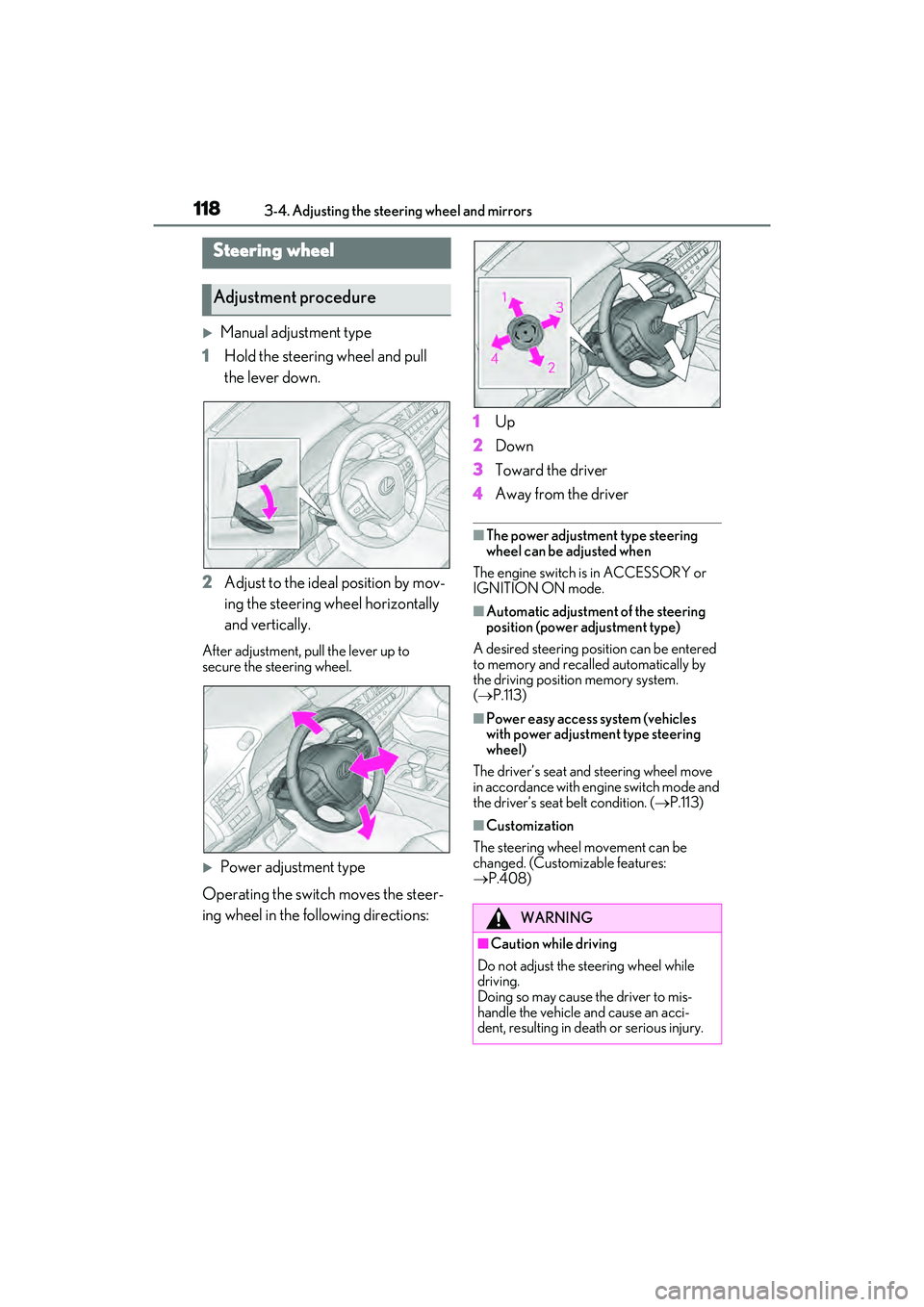
Manual adjustment type
1 Hold the steering wheel and pull
the lever down.
2 Adjust to the ideal position by mov-
ing the steering wheel horizontally
and vertically.
After adjustment, pull the lever up to
secure the steering wheel.
Power adjustment type
Operating the switch moves the steer-
ing wheel in the following directions: 1
Up
2 Down
3 Toward the driver
4 Away from the driver
■The power adjustment type steering
wheel can be adjusted when
The engine switch is in ACCESSORY or
IGNITION ON mode.
■Automatic adjustment of the steering
position (power adjustment type)
A desired steering position can be entered
to memory and recalled automatically by
the driving position memory system.
( P.113)
■Power easy access system (vehicles
with power adjustment type steering
wheel)
The driver’s seat and steering wheel move
in accordance with engine switch mode and
the driver’s seat belt condition. ( P.113)
■Customization
The steering wheel movement can be
changed. (Customizable features:
P.408)
Steering wheel
Adjustment procedure
WARNING
■Caution while driving
Do not adjust the steering wheel while
driving.
Doing so may cause the driver to mis-
handle the vehicle and cause an acci-
dent, resulting in death or serious injury.
Page 124 of 468
1223-4. Adjusting the steering wheel and mirrors
■Using automatic mode in cold weather
(power type)
When automatic mode is used in cold
weather, the door mirror could freeze up
and automatic stowing and return may not
be possible. In this case, remove any ice and
snow from the door mirror, then either
operate the mirror using manual mode or
move the mirror by hand.
■Customization (power type)
The automatic mirror folding and extending
operation can be changed.
(Customizable features: P.408)
When the mirror select switch is in the
“L” or “R” position, the outside rear
view mirrors will automatically angle
downwards when the vehicle is revers-
ing in order to give a better view of the
ground.
To disable this function, move the mir-
ror select switch to the neutral position
(between “L” or “R”).
■Adjusting the mirror angle when
the vehicle is reversing
With the shift lever in R, adjust the mir-
ror angle at a desired position. The
adjusted angle will be memorized and
the mirror will automatically tilt to the
memorized angle whenever the shift
lever is shifted to R from next time.
The memorized downward tilt position of
the mirror is linked to the normal position
(angle adjusted with the shift lever in other
than R). Therefore, if the normal position is
changed after adjustment, the tilt position
will also change.
When the normal position is changed,
readjust the angle in reversing.
WARNING
■When a mirror is moving
To avoid personal injury and mirror mal-
function, be careful not to get your hand
caught by the moving mirror.
Linked mirror function when
reversing (vehicles with driving
position memory)
Page 135 of 468
133
4
4
Driving
Driving
4-1. Before drivingDriving the vehicle ..................... 134
Cargo and luggage ................... 140
Vehicle load limits ...................... 142
Trailer towing ............................... 142
Dinghy towing ............................. 143
4-2. Driving procedures Engine (ignition) switch ........... 144
Automatic transmission ........... 149
Turn signal lever.......................... 153
Parking brake .............................. 154
Brake Hold.................................... 156
4-3. Operating the lights and wipers Headlight switch ......................... 158
AHB (Automatic High Beam) 161
Windshield wipers and washer ......................................................... 164
4-4. Refueling
Opening the fuel tank cap ...... 169
4-5. Using the driving support sys- tems
Lexus Safety System + 2.5 ...... 171
PCS (Pre-Collision System).. 176
LTA (Lane Tracing Assist)...... 186
RSA (Road Sign Assist) ........... 195
Dynamic radar cruise control with full-speed range ....................... 198
BSM (Blind Spot Monitor) .... 208
Driving Mode Select switch .. 213PKSA (Parking Support Alert)
........................................................ 215
Intuitive parking assist .............. 216
RCTA (Rear cross traffic alert) function....................................... 223
RCD (Rear Camera Detection) function....................................... 229
PKSB (Parking Support Brake) ....................................................... 232
Parking Support Brake function (static objects) ......................... 239
Parking Support Brake function (rear-crossing vehicles) ....... 242
Parking Support Brake function (rear pedestrians) .................. 244
Driving assist systems.............. 246
4-6. Driving tips Winter driving tips ..................... 251
Page 142 of 468

1404-1. Before driving
Cargo capacity depends on the total
weight of the occupants.
(Cargo capacity) = (Total load capac-
ity) (Total weight of occupants) Steps for Determining Correct Load
Limit
(1) Locate the statement “The com-
bined weight of occupants and cargo
should never exceed XXX kg or XXX
lbs.” on your vehicle’s placard.
(2) Determine the combined weight of
the driver and passengers that will be
riding in your vehicle.
(3) Subtract the combined weight of
the driver and passengers from XXX
kg or XXX lbs.
(4) The resulting figure equals the
available amount of cargo and luggage
load capacity.
For example, if the “XXX” amount
equals 1400 lbs. and there will be five
150 lb passengers in your vehicle, the
amount of available cargo and luggage
load capacity is 650 lbs. (1400 − 750
(5 150) = 650 lbs.)
(5) Determine the combined weight of
luggage and cargo being loaded on
the vehicle. That weight may not safely
exceed the available cargo and lug-
gage load capacity calculated in Step
4.
(6) If your vehicle will be towing a
trailer, load from your trailer will be
transferred to your vehicle. Consult
this manual to determine how this
reduces the available cargo and lug-
gage load capacity of your vehicle.
( P.142)Lexus does not recommend towing a
trailer with your vehicle. Your vehicle is not
designed for trailer towing.
Cargo and luggage
Take notice of the following infor-
mation about storage precautions,
cargo capacity and load:
WARNING
■Things that must not be carried in the
trunk
The following things may cause a fire if
loaded in the trunk:
●Receptacles containing gasoline
●Aerosol cans
■Storage precautions
Observe the following precautions.
Failure to do so may prevent the pedals
from being depressed properly, may
block the driver’s vision, or may result in
items hitting the driver or passengers,
possibly causing an accident.
●Stow cargo and luggage in the trunk
whenever possible.
●Do not place cargo or luggage in or on
the following locations.
• At the feet of the driver
• On the front passenger or rear seats (when stacking items)
• On the package tray
• On the instrument panel
• On the dashboard
• In front of the Center Display
●Secure all items in the occupant com-
partment.
Capacity and distribution
Page 144 of 468
1424-1. Before driving
■Total load capacity and seating capacity
These details are also described on the tire
and loading information label. ( P.328)
Vehicle load limits
Vehicle load limits include total
load capacity, seating capacity,
towing capacity and cargo capac-
ity.
Total load capacity (vehicle
capacity weight): P.388
Total load capacity means the com-
bined weight of occupants, cargo
and luggage.
Seating capacity: P.388
Seating capacity means the maxi-
mum number of occupants whose
estimated average weight is 150 lb.
(68 kg) per person.
Towing capacity
Lexus does not recommend towing
a trailer with your vehicle.
Cargo capacity
Cargo capacity may increase or
decrease depending on the weight
and the number of occupants.
WARNING
■Overloading the vehicle
Do not overload the vehicle.
It may not only cause damage to the tires,
but also degrade steering and braking
ability, resulting in an accident.
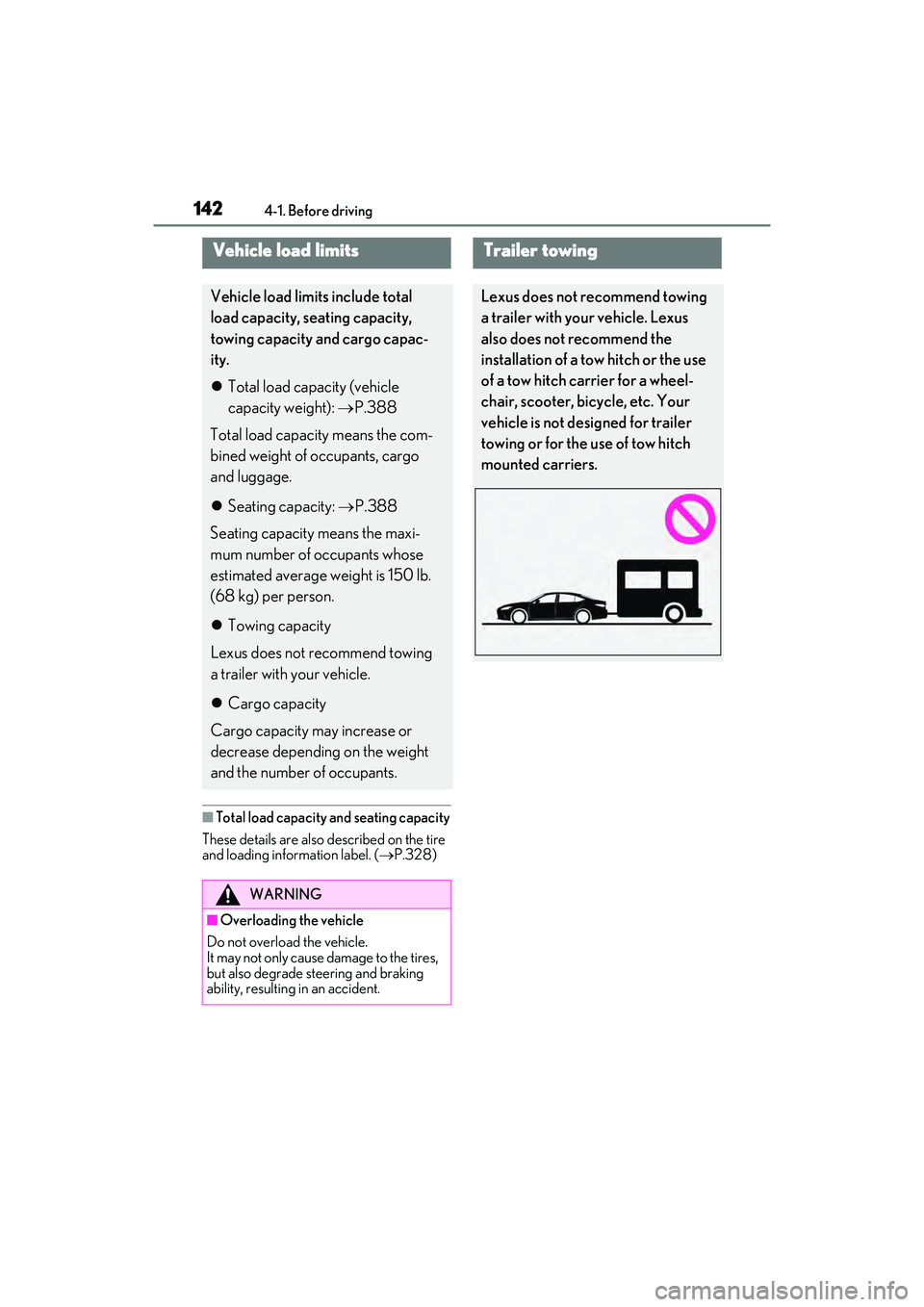
Trailer towing
Lexus does not recommend towing
a trailer with your vehicle. Lexus
also does not recommend the
installation of a tow hitch or the use
of a tow hitch carrier for a wheel-
chair, scooter, bicycle, etc. Your
vehicle is not designed for trailer
towing or for the use of tow hitch
mounted carriers.
Page 145 of 468
1434-1. Before driving
4
Driving
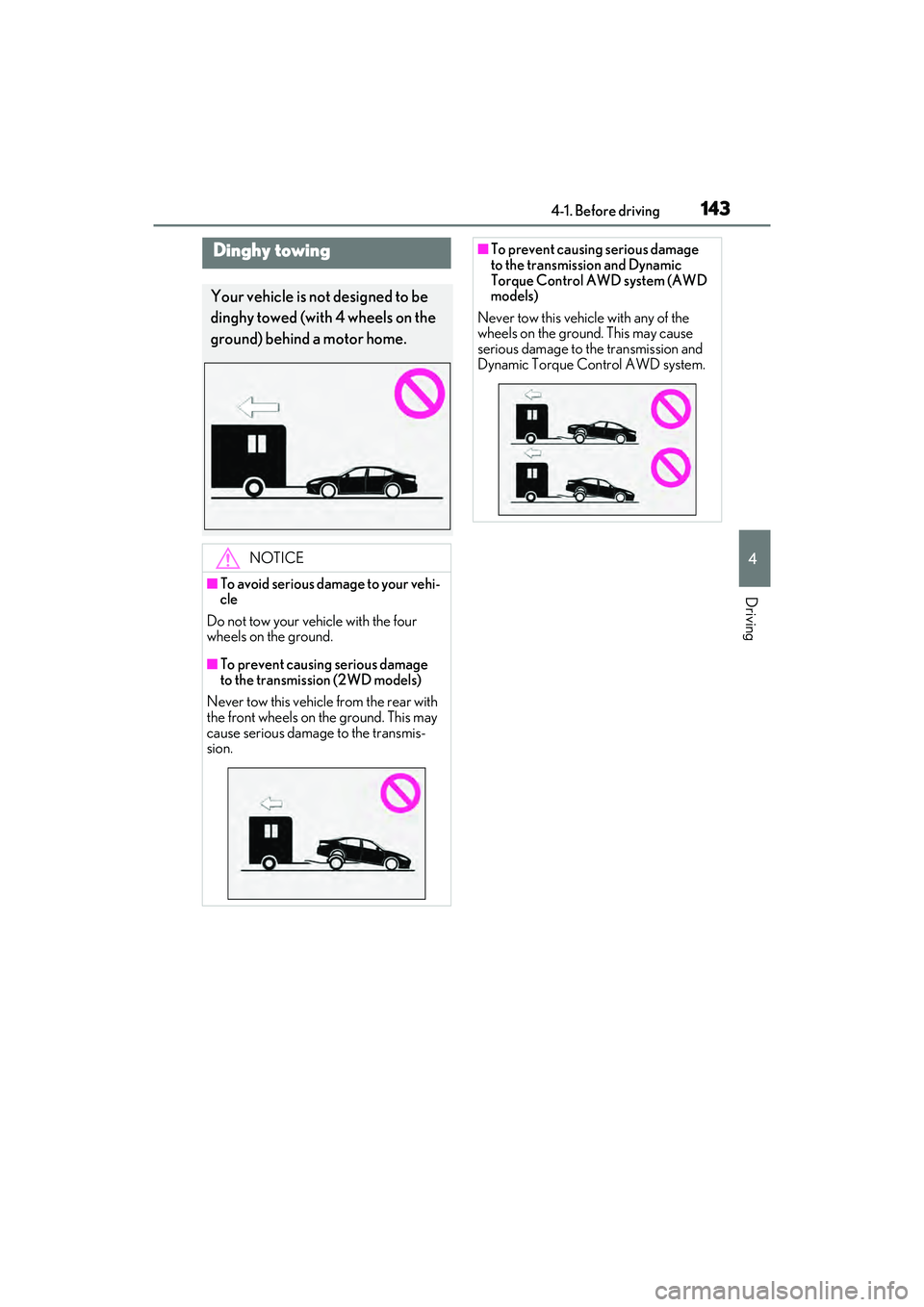
Dinghy towing
Your vehicle is not designed to be
dinghy towed (with 4 wheels on the
ground) behind a motor home.
NOTICE
■To avoid serious damage to your vehi-
cle
Do not tow your vehicle with the four
wheels on the ground.
■To prevent causing serious damage
to the transmission (2WD models)
Never tow this vehicle from the rear with
the front wheels on the ground. This may
cause serious damage to the transmis-
sion.
■To prevent causing serious damage
to the transmission and Dynamic
Torque Control AWD system (AWD
models)
Never tow this vehicle with any of the
wheels on the ground. This may cause
serious damage to the transmission and
Dynamic Torque Control AWD system.
Page 154 of 468

1524-2. Driving procedures
The selected shift range, from D1 to D8,
will be displayed on the meter.
■Automatic deactivation of shift range
selection in the D position
Shift range selection in the D position will
be deactivated in the following situations:
●The “+” paddle shift switch is held down
for a period of time
●When the vehicle comes to a stop
●If the accelerator pedal is depressed for
more than a certain period of time
●When the shift lever is shifted to a posi-
tion other than D
■Downshifting restriction warning
buzzer
To help ensure safety and driving perfor-
mance, downshifting operation may some-
times be restricted. In some circumstances,
downshifting may not be possible even
when the shift lever or paddle shift switch is
operated. (A buzzer will sound twice.)
To enter S mode, shift the shift lever to
S. Shift ranges can be selected by
operating the shift lever or paddle shift
switches, allowing you to drive in the
gear of your choosing. 1
Upshifting
2 Downshifting
The initial shift range in S mode is set
automatically to S4, S5 or S6 accord-
ing to vehicle’s speed. However, the
initial shift range may be set to S3 if AI-
SHIFT has operated while the shift
lever was in the D position. ( P.149)
A lower shift range will provide greater
engine braking forces than a higher
shift range.
■S mode
●When the shift range is S7 or lower, hold-
ing the shift lever toward “+” sets the shift
range to S8.
●To prevent the engine from over-revving,
upshifting may automatically occur.
●To protect the automatic transmission, a
function is adopted that automatically
selects a higher shift range when the fluid
temperature is high.
■Downshifting restriction warning
buzzer
To help ensure safety and driving perfor-
mance, downshifting operation may some-
times be restricted. In some circumstances,
downshifting may not be possible even
when the shift lever or paddle shift switch is
operated. (A buzzer will sound twice.)
Selecting shift ranges in S mode
Meter displayFunction
S2 - S8
A gear in the range
between S1 and the
selected gear is
automatically cho-
sen depending on
vehicle speed and
driving conditions
S1Setting the gear at
S1