2022 LEXUS ES350 height
[x] Cancel search: heightPage 214 of 468

2124-5. Using the driving support systems
■Conditions under which the system may
not function correctly
●The Blind Spot Monitor may not detect
vehicles correctly in the following situa-
tions:
• When the sensor is misaligned due to a strong impact to the sensor or its sur-
rounding area
• When mud, snow, ice, a sticker, etc. is covering the sensor or surrounding area
on the rear bumper
• When driving on a road surface that is wet with standing water during bad
weather, such as heavy rain, snow, or fog
• When multiple vehicles are approaching with only a small gap between each vehi-
cle
• When the distance between your vehicle and a following vehicle is short
• When there is a significant difference in
speed between your vehicle and the
vehicle that enters the detection area
• When the difference in speed between
your vehicle and another vehicle is
changing
• When a vehicle enters a detection area
traveling at about the same speed as your
vehicle
• As your vehicle starts from a stop, a vehi-
cle remains in the detection area
• When driving up and down consecutive steep inclines, such as hills, dips in the
road, etc.
• When driving on roads with sharp bends, consecutive curves, or uneven surfaces
• When vehicle lanes are wide, or when driving on the edge of a lane, and the
vehicle in an adjacent lane is far away
from your vehicle
• When an accessory (such as a bicycle carrier) or towing eyelet is installed to the
rear of the vehicle
• When there is a significant difference in height between your vehicle and the
vehicle that enters the detection area
• Immediately after the Blind Spot Monitor
is turned on
●Instances of the Blind Spot Monitor
unnecessarily detecting a vehicle and/or
object may increase in the following situ-
ations:
• When the sensor is misaligned due to a strong impact to the sensor or its sur- rounding area
• When the distance between your vehicle and a guardrail, wall, etc. that enters the
detection area is short
• When driving up and down consecutive steep inclines, such as hills, dips in the
road, etc.
• When vehicle lanes are narrow, or when driving on the edge of a lane, and a vehi-
cle traveling in a lane other than the adja-
cent lanes enters the detection area
• When driving on roads with sharp bends,
consecutive curves, or uneven surfaces
• When the tires are slipping or spinning
• When the distance between your vehicle
and a following vehicle is short
• When an accessory (such as a bicycle carrier) or towing eyelet is installed to the
rear of the vehicle
Page 229 of 468

2274-5. Using the driving support systems
4
Driving
wet with standing water during bad
weather, such as heavy rain, snow, or fog.
●When multiple vehicles are approaching
with only a small gap between each vehi-
cle.
●When a vehicle is approaching at high
speed.
●When equipment that may obstruct a
sensor is installed, such as a towing eye-
let, bumper protector (an additional trim
strip, etc.), bicycle carrier, or snow plow.
●When backing up on a slope with a sharp
change in grade.
●When backing out of a sharp angle park-
ing spot.
●When towing a trailer.
●When there is a significant difference in
height between your vehicle and the
vehicle that enters the detection area.
●When a sensor or the area around a sen-
sor is extremely hot or cold.
●If the suspension has been modified or
tires of a size other than specified are
installed.
●If the front of the vehicle is raised or low-
ered due to the carried load.
●When turning while backing up.
●When a vehicle turns into the detection
area.
■Situations in which the system may
operate even if there is no possibility of a
collision
Instances of the RCTA function unneces-
sarily detecting a vehicle and/or object may
increase in the following situations:
●When the parking space faces a street
and vehicles are being driven on the
street.
●When the distance between your vehicle
and metal objects, such as a guardrail,
wall, sign, or parked vehicle, which may
reflect electrical waves toward the rear of
the vehicle, is short.
Page 233 of 468
2314-5. Using the driving support systems
4
Driving
■Situations in which the system may not
operate properly
●Some pedestrians, such as the following,
may not be detected by the rear camera
detection function, preventing the func-
tion from operating properly:
• Pedestrians who are bending forward or squatting
• Pedestrians who are lying down
• Pedestrians who are running
• Pedestrians who suddenly enter the detection area
• People riding a bicycle, skateboard, or other light vehicle
• Pedestrians wearing oversized clothing such as a rain coat, long skirt, etc., making
their silhouette obscure
• Pedestrians whose body is partially hid- den by an object, such as a cart or
umbrella
• Pedestrians which are obscured by dark- ness, such as at night
●In some situations, such as the following,
pedestrians may not be detected by the
rear camera detection function, prevent-
ing the function from operating properly:
• When backing up in inclement weather (rain, snow, fog, etc.)
• When the rear camera is obscured (dirt, snow, ice, etc. are attached) or scratched
• When a very bright light, such as the sun,
or the headlights of another vehicle,
shines directly into the rear camera
• When backing up in a place where the
surrounding brightness changes sud-
denly, such as at the entrance or exit of a
garage or underground parking lot
• When backing up in a dim environment such as during dusk or in an underground
parking lot
• When the camera position and direction are deviated
• When a towing hook is attached
• When water droplets are flowing on the camera lens
• When the vehicle height is extremely
changed (nose up, nose down)
• When tire chains or an emergency tire
puncture repair kit are used
■Situations in which the system may
operate unexpectedly
●Even though there are no pedestrians in the detection area, some objects, such as
the following, may be detected, possibly
causing the rear camera detection func-
tion to operate.
• Three dimensional objects, such as a pole, traffic cone, fence, or parked vehi-
cle
• Moving objects, such as a car or motor- cycle
• Objects moving toward your vehicle when backing up, such as flags or pud-
dles (or airborne matter, such as smoke,
steam, rain, or snow)
• Cobblestone or gravel roads, tram rails, road repairs, white lines, pedestrian
crossings or fallen leaves on the road
• Metal covers (gratings), such as those used for drainage ditches
• Objects reflected in a puddle or on a wet road surface
•Shadows on the road
●In some situations, such as the following,
the rear camera detection function may
operate even though there are no pedes-
trians in the detection area.
• When backing up toward the roadside or
a bump on the road
• When backing up toward an incline/decline
• If the rear of the vehicle is raised or low- ered due to the carried load
• If a bumper protector, such as an addi-
tional trim strip, is installed to the rear
bumper
• If the orientation of the rear camera has
been changed due to a collision or other
impact, or removal and installation
• If a towing eyelet is installed to the rear of
the vehicle
• When water is flowing over the rear cam- era lens
• When the rear camera is obscured (dirt, snow, ice, etc. are attached) or scratched
• If there is a flashing light in the detection
area, such as the emergency flashers of
another vehicle
• When tire chains or an emergency tire puncture repair kit are used.
●Situations in which the rear camera
detection function may be difficult to
notice
• The buzzer may be difficult to hear if the surrounding area is noisy, the volume of
Page 347 of 468
3457-1. Essential information
7
When trouble arises
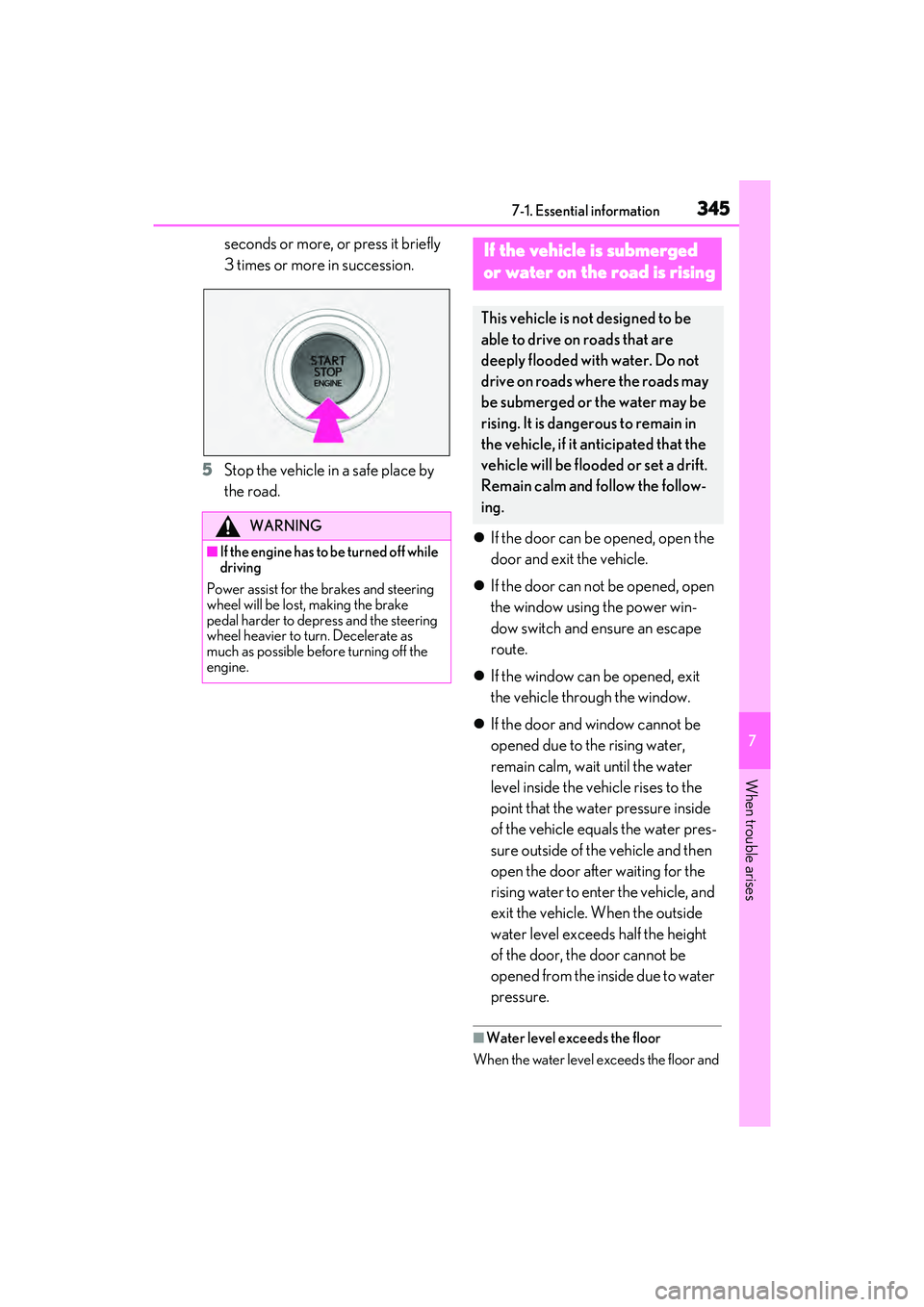
seconds or more, or press it briefly
3 times or more in succession.
5 Stop the vehicle in a safe place by
the road.
If the door can be opened, open the
door and exit the vehicle.
If the door can not be opened, open
the window using the power win-
dow switch and ensure an escape
route.
If the window can be opened, exit
the vehicle through the window.
If the door and window cannot be
opened due to the rising water,
remain calm, wait until the water
level inside the vehicle rises to the
point that the water pressure inside
of the vehicle equals the water pres-
sure outside of the vehicle and then
open the door after waiting for the
rising water to enter the vehicle, and
exit the vehicle. When the outside
water level exceeds half the height
of the door, the door cannot be
opened from the inside due to water
pressure.
■Water level exceeds the floor
When the water level exceeds the floor and
WARNING
■If the engine has to be turned off while
driving
Power assist for the brakes and steering
wheel will be lost, making the brake
pedal harder to depress and the steering
wheel heavier to turn. Decelerate as
much as possible before turning off the
engine.
If the vehicle is submerged
or water on the road is rising
This vehicle is not designed to be
able to drive on roads that are
deeply flooded with water. Do not
drive on roads where the roads may
be submerged or the water may be
rising. It is dangerous to remain in
the vehicle, if it anticipated that the
vehicle will be flooded or set a drift.
Remain calm and follow the follow-
ing.
Page 370 of 468

3687-2. Steps to take in an emergency
When replacing tires on a vehicle with
wheel lock nuts, use the following pro-
cedures to remove and install the
wheel lock nuts. The wheel lock key is
stored in the tray inside the luggage
compartment. Always return the wheel
lock key to its original position after
use, so that it does not get lost.
■Removal
For ease of removal, the wheel lock nut
should always be the first one loos-
ened.
1 Place the wheel lock key on top of
the wheel lock nut, turning until the
wheel lock key and wheel lock nut
patterns engage.
2 Place the wheel nut wrench on the
wheel lock key, and while applying
pressure on the wheel lock key,
loosen the wheel lock nut.
■Installation
For ease of installation, the wheel lock
nut should always be the last one tight-
ened.
1 By hand, Install a wheel lock nut on
the wheel to be installed.
2 Place the wheel lock key on top of
the wheel lock nut, turning until the
wheel lock key and wheel lock nut
patterns engage.
3 Place the wheel nut wrench on the
wheel lock key, and while applying
pressure on the wheel lock key,
tighten the wheel lock nut to the
recommended torque.
1 Open the trunk.
2 Pull the lever upwards when lifting
the luggage mat up.WARNING
●Do not raise the vehicle to a height
greater than that required to replace
the tire.
●Use a jack stand if it is necessary to get
under the vehicle.
●When lowering the vehicle, make sure
that there is no-one near the vehicle. If
there are people nearby, warn them
vocally before lowering.
Wheel lock nut (if equipped)
NOTICE
Do not use an impact wrench. Using an
impact wrench may cause permanent
damage to wheel lock nut and wheel lock
key. If in doubt about wheel lock applica-
tion, contact your Lexus dealer.
Taking out the jack
Page 390 of 468

3888-1. Specifications
8-1 .S pec if ic ati on s
*1:Unladen vehicle
*2: Vehicles with 215/55R17 tires
*3: Vehicles with 235/45R18 tires or 235/40R19 tires
■Vehicle identification number
The vehicle identification number
(VIN) is the legal identifier for your
vehicle. This is the primary identifica- tion number for your Lexus. It is used in
registering the ownership of your vehi-
cle.
This number is on the top left of the
instrument panel.
Maintenance data (fuel, oil level, etc.)
Dimensions and weight
Overall length195.9 in. (4975 mm)
Overall width73.4 in. (1865 mm)
Overall height*12WD models56.9 in. (1445 mm)
AWD models57.1 in. (1450 mm)
Wheelbase113.0 in. (2870 mm)
Front tread*1
2WD models62.9 in. (1598 mm)*2
62.5 in. (1588 mm)*3
AWD models63.0 in. (1599 mm)*2
62.6 in. (1589 mm)*3
Rear tread*1
2WD models63.3 in. (1609 mm)*2
63.0 in. (1599 mm)*3
AWD models63.6 in. (1616 mm)*2
63.2 in. (1606 mm)*3
Vehicle capacity weight
(Occupants + luggage)905 lb. (410 kg)
Seating capacity
Seating capacity5 (Front 2, Rear 3)
Vehicle identification
Page 403 of 468

4018-1. Specifications
8
Vehicle specifications
Type ADOT symbol
*
Tire Identification Number (TIN)
Tire manufacturer’s identification
mark
Tire size code
Manufacturer’s optional tire type
code (3 or 4 letters)
Manufacturing week
Manufacturing year
*: The DOT symbol certifies that the tire conforms to applicable Federal Motor
Vehicle Safety Standards.
Type B
DOT symbol
*
Tire Identification Number (TIN) Tire manufacturer’s identification
mark
Manufacturer’s code
Manufacturing week
Manufacturing year
*: The DOT symbol certifies that the tire
conforms to applicable Federal Motor
Vehicle Safety Standards.
■Typical tire size information
The illustration indicates typical tire
size.
Tire use (P = Passenger car, T =
Temporary use)
Section width (millimeters)
Aspect ratio (tire height to section
width)
Tire construction code (R = Radial,
D = Diagonal)
Wheel diameter (inches)
Load index (2 digits or 3 digits)
Speed symbol (alphabet with one
letter)
Typical DOT and Tire Identifica-
tion Number (TIN)
A
B
C
D
E
F
G
A
B
Tire size
C
D
E
F
A
B
C
D
E
F
G
Page 404 of 468
4028-1. Specifications
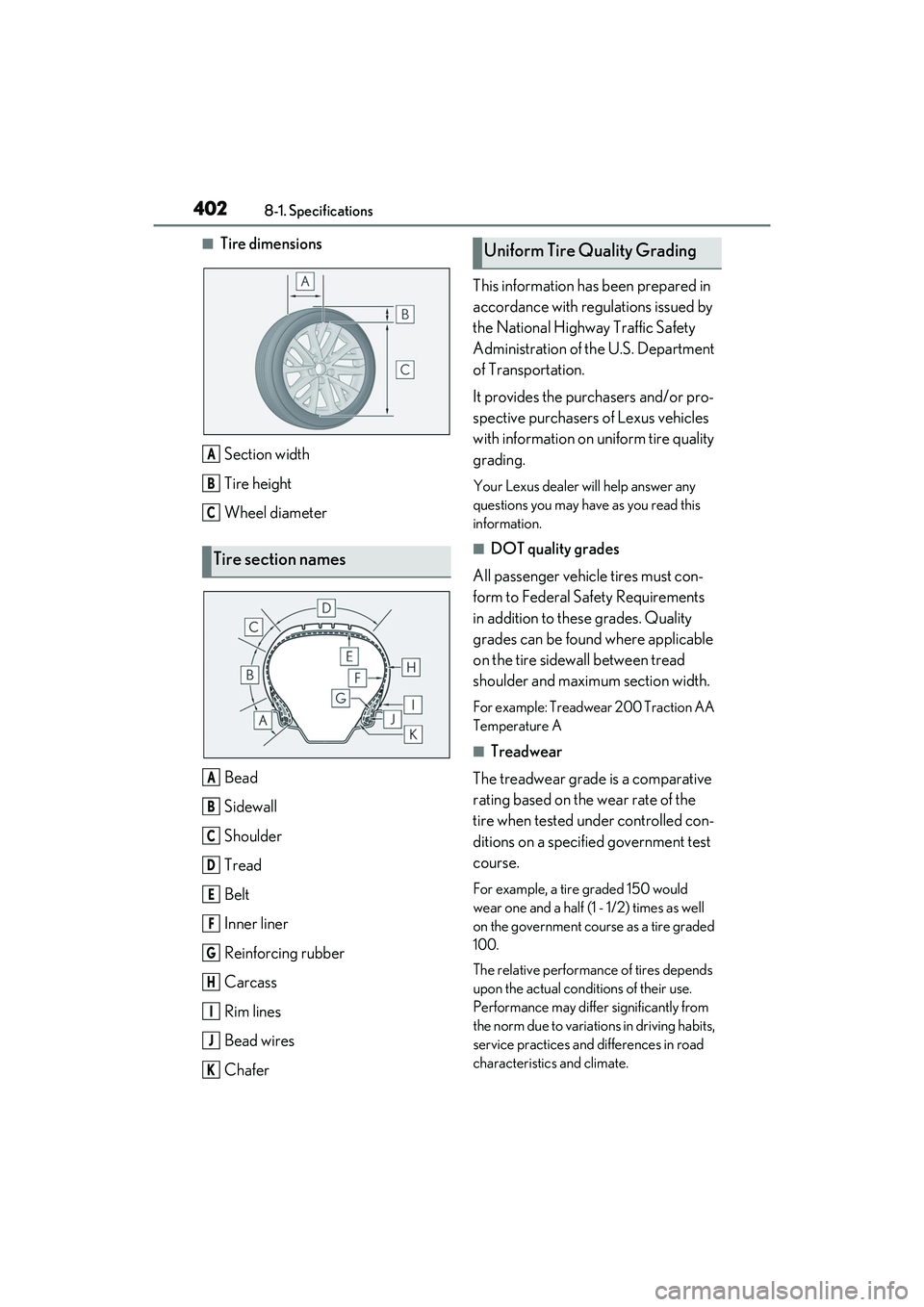
■Tire dimensionsSection width
Tire height
Wheel diameter
Bead
Sidewall
Shoulder
Tread
Belt
Inner liner
Reinforcing rubber
Carcass
Rim lines
Bead wires
Chafer This information has been prepared in
accordance with regulations issued by
the National Highway Traffic Safety
Administration of th
e U.S. Department
of Transportation.
It provides the purchasers and/or pro-
spective purchasers of Lexus vehicles
with information on uniform tire quality
grading.
Your Lexus dealer will help answer any
questions you may have as you read this
information.
■DOT quality grades
All passenger vehicle tires must con-
form to Federal Safety Requirements
in addition to these grades. Quality
grades can be found where applicable
on the tire sidewall between tread
shoulder and maximum section width.
For example: Treadwear 200 Traction AA
Temperature A
■Treadwear
The treadwear grade is a comparative
rating based on the wear rate of the
tire when tested under controlled con-
ditions on a specified government test
course.
For example, a tire graded 150 would
wear one and a half (1 - 1/2) times as well
on the government course as a tire graded
100.
The relative performance of tires depends
upon the actual conditions of their use.
Performance may differ significantly from
the norm due to variations in driving habits,
service practices and differences in road
characteristics and climate.
Tire section names
A
B
C
A
B
C
D
E
F
G
H
I
J
K
Uniform Tire Quality Grading