Page 395 of 630
Driving your vehicle
110
5
The driver can monitor their driving
conditions on the LCD display.
- Select 'User Settings Mode' andthen 'Driver Assistance' on the
LCD display. (For more informa-
tion, refer to “LCD Display” in
chapter 4.)
The driver's attention level is dis- played on the scale of 1 to 5. The
lower the number is, the more inat-
tentive the driver is.
The number decreases when the driver does not take a break for a
certain period of time.
The number increases when the driver attentively drives for a cer-
tain period of time.
When the driver turns on the sys- tem while driving, it displays ‘Last
Break time’.Take a break
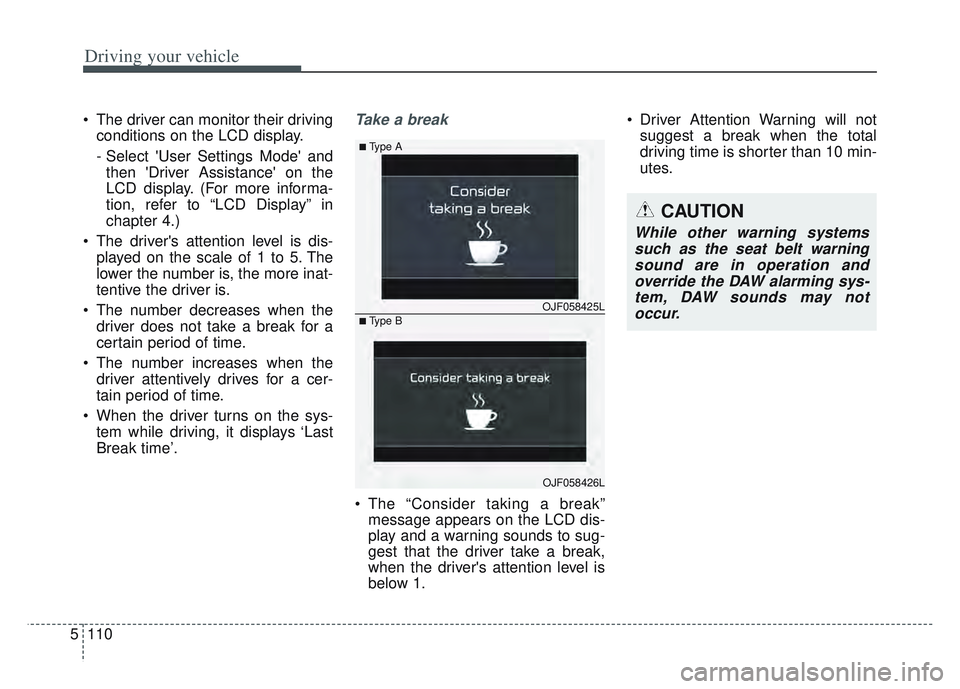
The “Consider taking a break”message appears on the LCD dis-
play and a warning sounds to sug-
gest that the driver take a break,
when the driver's attention level is
below 1. Driver Attention Warning will not
suggest a break when the total
driving time is shorter than 10 min-
utes.
OJF058425L
■Type A
■Type B
OJF058426L
CAUTION
While other warning systemssuch as the seat belt warningsound are in operation andoverride the DAW alarming sys-tem, DAW sounds may notoccur.
Page 396 of 630
5111
Driving your vehicle
Resetting the system
The last break time is set to 00:00and the driver's attention level is
set to 5 (very attentive) when the
driver resets Driver Attention
Warning.
Driver Attention Warning resets in the following situations.
- The engine is turned OFF.
- The driver unfastens the seat beltand then opens the driver’s door
in stop.
- The driver takes a break from driving that lasts more than 10
minutes.
Driver Attention Warning operates again, when the driver restarts
driving.
System standby
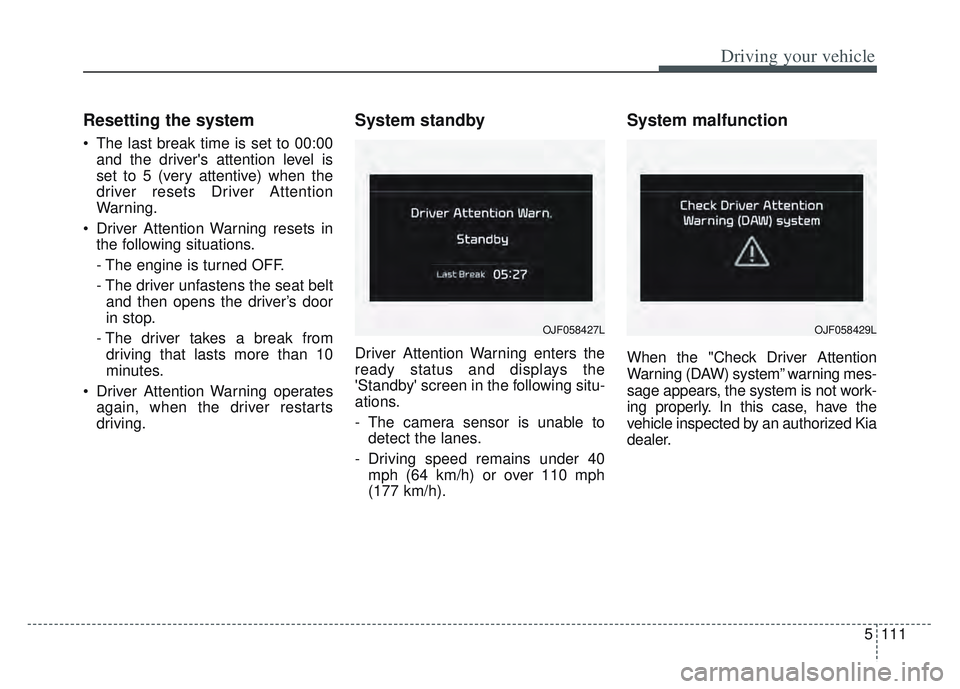
Driver Attention Warning enters the
ready status and displays the
'Standby' screen in the following situ-
ations.
- The camera sensor is unable todetect the lanes.
- Driving speed remains under 40 mph (64 km/h) or over 110 mph
(177 km/h).
System malfunction
When the "Check Driver Attention
Warning (DAW) system” warning mes-
sage appears, the system is not work-
ing properly. In this case, have the
vehicle inspected by an authorized Kia
dealer.
OJF058427LOJF058429L
Page 403 of 630
Driving your vehicle
118
5
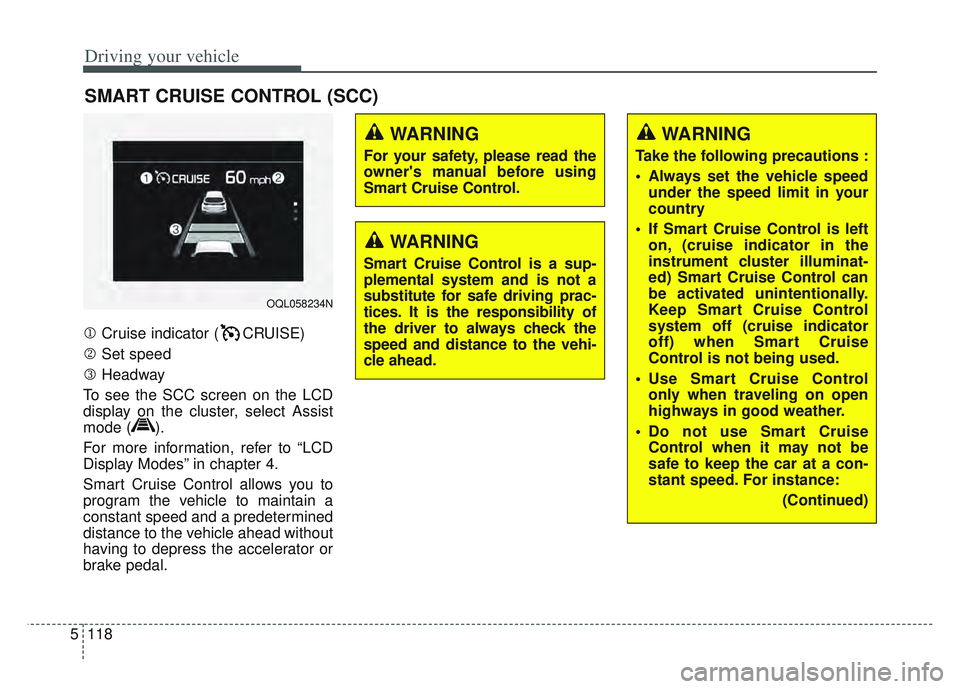
Cruise indicator ( CRUISE)
Set speed
Headway
To see the SCC screen on the LCD
display on the cluster, select Assist
mode ( ).
For more information, refer to “LCD
Display Modes” in chapter 4.
Smart Cruise Control allows you to
program the vehicle to maintain a
constant speed and a predetermined
distance to the vehicle ahead without
having to depress the accelerator or
brake pedal.
SMART CRUISE CONTROL (SCC)
WARNING
For your safety, please read the
owner's manual before using
Smart Cruise Control.
WARNING
Smart Cruise Control is a sup-
plemental system and is not a
substitute for safe driving prac-
tices. It is the responsibility of
the driver to always check the
speed and distance to the vehi-
cle ahead.
OQL058234N
WARNING
Take the following precautions :
Always set the vehicle speed under the speed limit in your
country
If Smart Cruise Control is left on, (cruise indicator in the
instrument cluster illuminat-
ed) Smart Cruise Control can
be activated unintentionally.
Keep Smart Cruise Control
system off (cruise indicator
off) when Smart Cruise
Control is not being used.
Use Smart Cruise Control only when traveling on open
highways in good weather.
Do not use Smart Cruise Control when it may not be
safe to keep the car at a con-
stant speed. For instance:
(Continued)
Page 407 of 630
Driving your vehicle
122
5
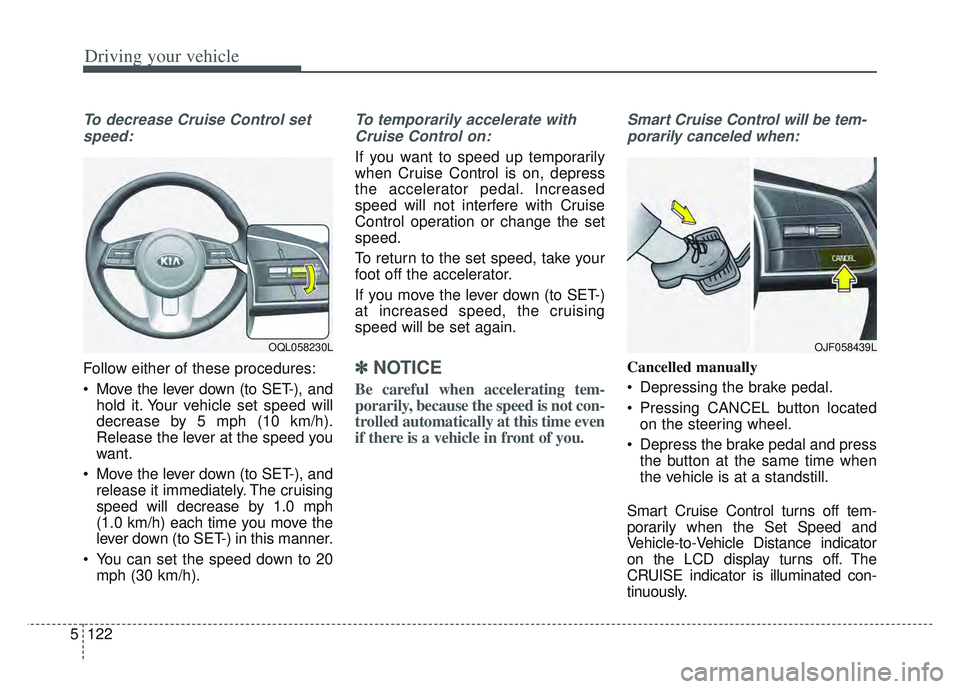
To decrease Cruise Control set
speed:
Follow either of these procedures:
Move the lever down (to SET-), and hold it. Your vehicle set speed will
decrease by 5 mph (10 km/h).
Release the lever at the speed you
want.
Move the lever down (to SET-), and release it immediately. The cruising
speed will decrease by 1.0 mph
(1.0 km/h) each time you move the
lever down (to SET-) in this manner.
You can set the speed down to 20 mph (30 km/h).
To temporarily accelerate with
Cruise Control on:
If you want to speed up temporarily
when Cruise Control is on, depress
the accelerator pedal. Increased
speed will not interfere with Cruise
Control operation or change the set
speed.
To return to the set speed, take your
foot off the accelerator.
If you move the lever down (to SET-)
at increased speed, the cruising
speed will be set again.
✽ ✽ NOTICE
Be careful when accelerating tem-
porarily, because the speed is not con-
trolled automatically at this time even
if there is a vehicle in front of you.
Smart Cruise Control will be tem-
porarily canceled when:
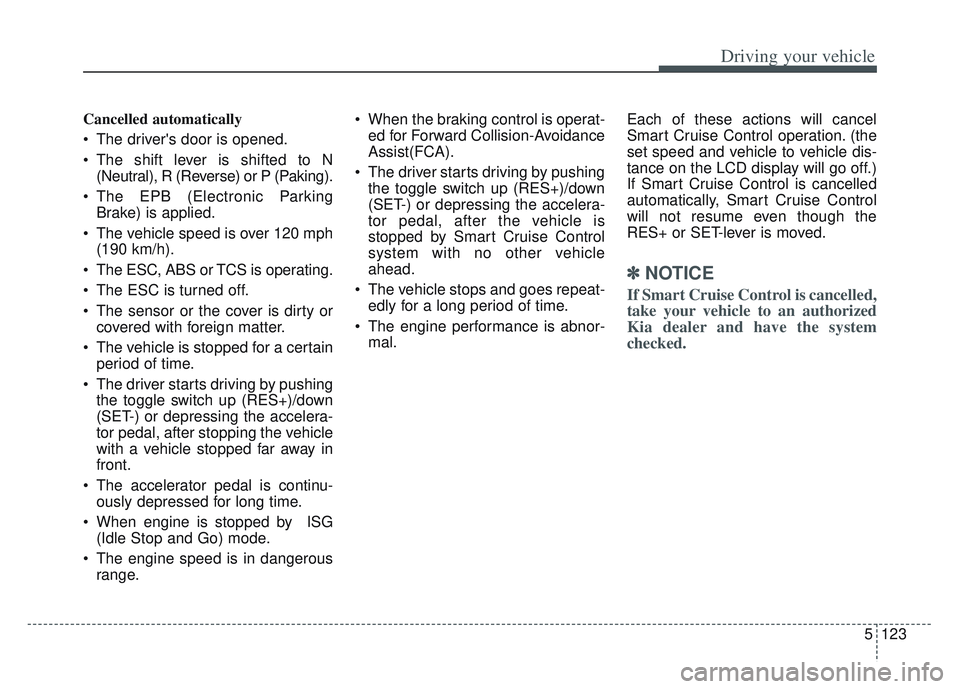
Cancelled manually
Depressing the brake pedal.
Pressing CANCEL button located on the steering wheel.
Depress the brake pedal and press the button at the same time when
the vehicle is at a standstill.
Smart Cruise Control turns off tem-
porarily when the Set Speed and
Vehicle-to-Vehicle Distance indicator
on the LCD display turns off. The
CRUISE indicator is illuminated con-
tinuously.
OJF058439LOQL058230L
Page 408 of 630
5123
Driving your vehicle
Cancelled automatically
The driver's door is opened.
The shift lever is shifted to N(Neutral), R (Reverse) or P (Paking).
The EPB (Electronic Parking Brake) is applied.
The vehicle speed is over 120 mph (190 km/h).
The ESC, ABS or TCS is operating.
The ESC is turned off.
The sensor or the cover is dirty or covered with foreign matter.
The vehicle is stopped for a certain period of time.
The driver starts driving by pushing the toggle switch up (RES+)/down
(SET-) or depressing the accelera-
tor pedal, after stopping the vehicle
with a vehicle stopped far away in
front.
The accelerator pedal is continu- ously depressed for long time.
When engine is stopped by ISG (Idle Stop and Go) mode.
The engine speed is in dangerous range. When the braking control is operat-
ed for Forward Collision-Avoidance
Assist(FCA).
The driver starts driving by pushing the toggle switch up (RES+)/down
(SET-) or depressing the accelera-
tor pedal, after the vehicle is
stopped by Smart Cruise Control
system with no other vehicle
ahead.
The vehicle stops and goes repeat- edly for a long period of time.
The engine performance is abnor- mal. Each of these actions will cancel
Smart Cruise Control operation. (the
set speed and vehicle to vehicle dis-
tance on the LCD display will go off.)
If Smart Cruise Control is cancelled
automatically, Smart Cruise Control
will not resume even though the
RES+ or SET-lever is moved.
✽ ✽
NOTICE
If Smart Cruise Control is cancelled,
take your vehicle to an authorized
Kia dealer and have the system
checked.
Page 412 of 630
5127
Driving your vehicle
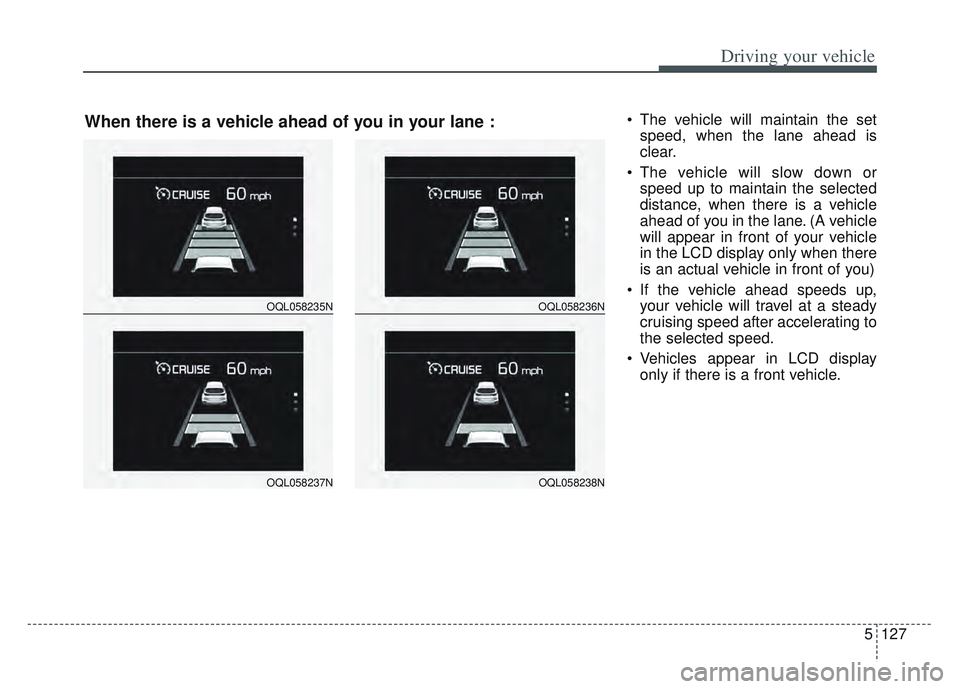
The vehicle will maintain the setspeed, when the lane ahead is
clear.
The vehicle will slow down or speed up to maintain the selected
distance, when there is a vehicle
ahead of you in the lane. (A vehicle
will appear in front of your vehicle
in the LCD display only when there
is an actual vehicle in front of you)
If the vehicle ahead speeds up, your vehicle will travel at a steady
cruising speed after accelerating to
the selected speed.
Vehicles appear in LCD display only if there is a front vehicle.
OQL058235N
OQL058237N
OQL058236N
OQL058238N
When there is a vehicle ahead of you in your lane :
Page 415 of 630
Driving your vehicle
130
5
Warning message
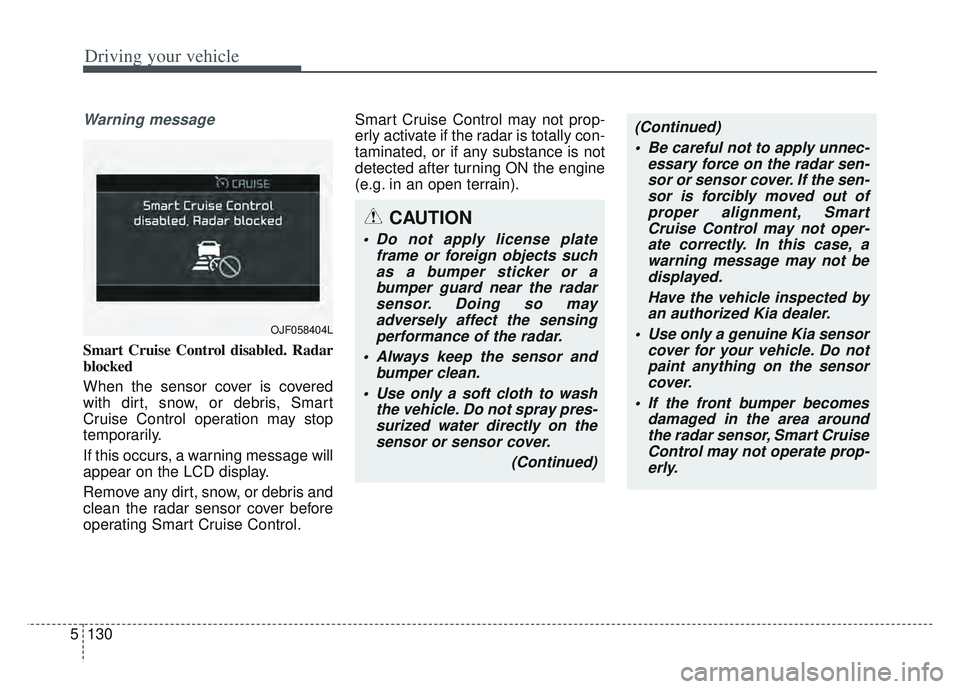
Smart Cruise Control disabled. Radar
blocked
When the sensor cover is covered
with dirt, snow, or debris, Smart
Cruise Control operation may stop
temporarily.
If this occurs, a warning message will
appear on the LCD display.
Remove any dirt, snow, or debris and
clean the radar sensor cover before
operating Smart Cruise Control. Smart Cruise Control may not prop-
erly activate if the radar is totally con-
taminated, or if any substance is not
detected after turning ON the engine
(e.g. in an open terrain).
OJF058404L
CAUTION
Do not apply license plate
frame or foreign objects suchas a bumper sticker or abumper guard near the radarsensor. Doing so mayadversely affect the sensingperformance of the radar.
Always keep the sensor and bumper clean.
Use only a soft cloth to wash the vehicle. Do not spray pres-surized water directly on thesensor or sensor cover.
(Continued)
(Continued) Be careful not to apply unnec- essary force on the radar sen-sor or sensor cover. If the sen-sor is forcibly moved out ofproper alignment, SmartCruise Control may not oper-ate correctly. In this case, awarning message may not bedisplayed.
Have the vehicle inspected byan authorized Kia dealer.
Use only a genuine Kia sensor cover for your vehicle. Do notpaint anything on the sensorcover.
If the front bumper becomes damaged in the area aroundthe radar sensor, Smart CruiseControl may not operate prop-erly.
Page 424 of 630
5139
Driving your vehicle
System description
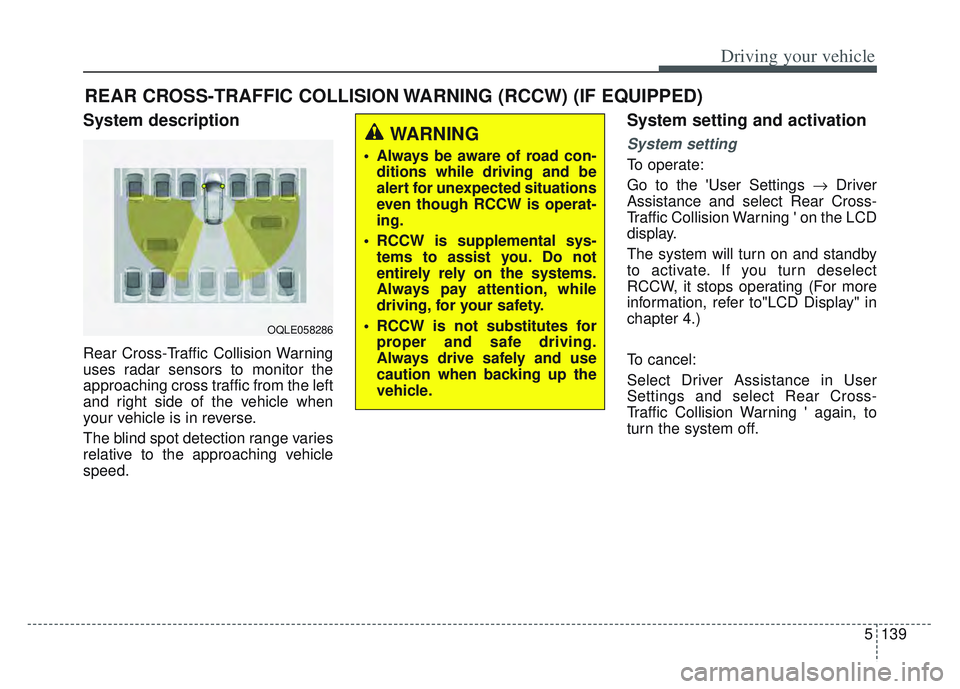
Rear Cross-Traffic Collision Warning
uses radar sensors to monitor the
approaching cross traffic from the left
and right side of the vehicle when
your vehicle is in reverse.
The blind spot detection range varies
relative to the approaching vehicle
speed.
System setting and activation
System setting
To operate:
Go to the 'User Settings Driver
Assistance and select Rear Cross-
Traffic Collision Warning ' on the LCD
display.
The system will turn on and standby
to activate. If you turn deselect
RCCW, it stops operating (For more
information, refer to"LCD Display" in
chapter 4.)
To cancel:
Select Driver Assistance in User
Settings and select Rear Cross-
Traffic Collision Warning ' again, to
turn the system off.
REAR CROSS-TRAFFIC COLLISION WARNING (RCCW) (IF EQUIPPED)
OQLE058286
WARNING
Always be aware of road con- ditions while driving and be
alert for unexpected situations
even though RCCW is operat-
ing.
RCCW is supplemental sys- tems to assist you. Do not
entirely rely on the systems.
Always pay attention, while
driving, for your safety.
RCCW is not substitutes for proper and safe driving.
Always drive safely and use
caution when backing up the
vehicle.