Page 143 of 528
Features of your vehicle
64
4
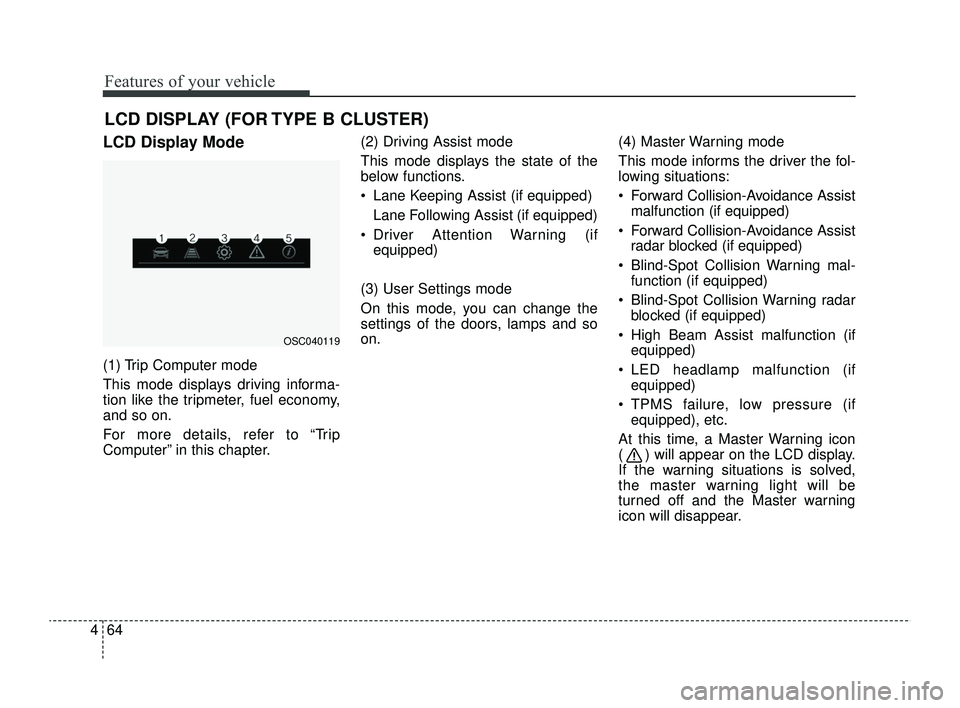
LCD DISPLAY (FOR TYPE B CLUSTER)
LCD Display Mode
(1) Trip Computer mode
This mode displays driving informa-
tion like the tripmeter, fuel economy,
and so on.
For more details, refer to “Trip
Computer” in this chapter. (2) Driving Assist mode
This mode displays the state of the
below functions.
Lane Keeping Assist (if equipped)
Lane Following Assist (if equipped)
Driver Attention Warning (if equipped)
(3) User Settings mode
On this mode, you can change the
settings of the doors, lamps and so
on. (4) Master Warning mode
This mode informs the driver the fol-
lowing situations:
Forward Collision-Avoidance Assist
malfunction (if equipped)
Forward Collision-Avoidance Assist radar blocked (if equipped)
Blind-Spot Collision Warning mal- function (if equipped)
Blind-Spot Collision Warning radar blocked (if equipped)
High Beam Assist malfunction (if equipped)
LED headlamp malfunction (if equipped)
TPMS failure, low pressure (if equipped), etc.
At this time, a Master Warning icon
( ) will appear on the LCD display.
If the warning situations is solved,
the master warning light will be
turned off and the Master warning
icon will disappear.
OSC040119
SC PE USA 4.QXP 9/9/2021 6:04 PM Page 64
Page 144 of 528
465
Features of your vehicle
(5) Information mode
This mode informs of the digital
speedometer.
❈For controlling the LCD modes,
refer to “LCD Display Control” in
this chapter.Driving Assist mode
(if equipped)
This mode displays the state of :
Lane Keeping Assist (if equipped)
Lane Following Assist (if equipped)
Driver Attention Warning (if equipped)
❈ For more details, refer to each
system information in chapter 5.
Settings
To change the Driver Assistance set-
tings, press the OK button on the
steering wheel for more than 1 sec-
ond when the Driving Assist mode is
displayed.
OYB040553L
WARNING
While driving, please do not
change the setting mode. It may
distract your attention and
cause an accident.
SC PE USA 4.QXP 9/9/2021 6:04 PM Page 65
Page 146 of 528
467
Features of your vehicle
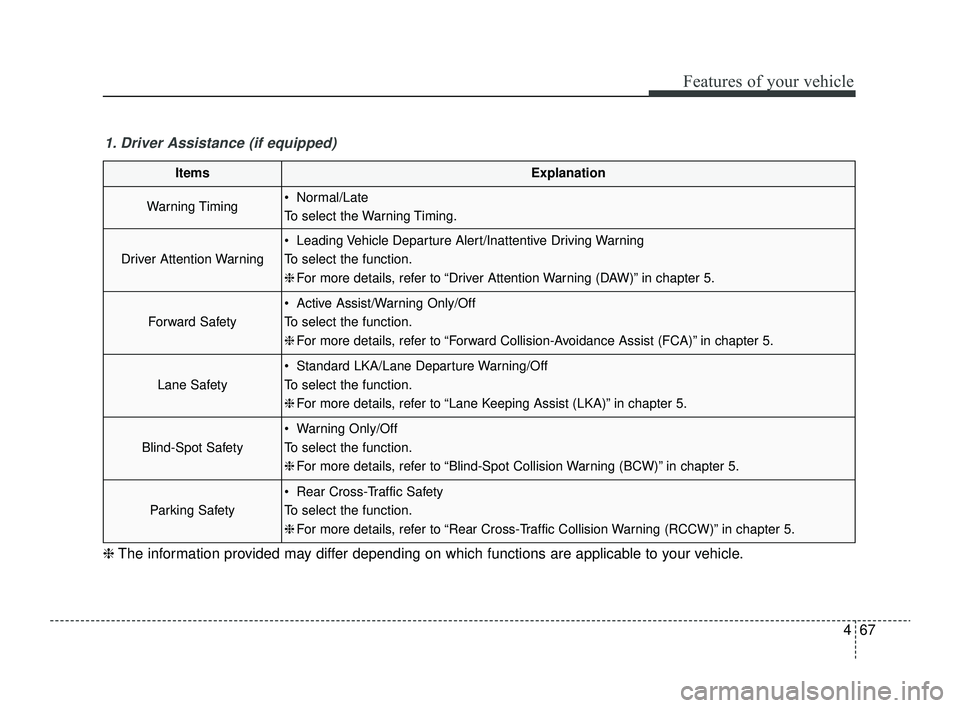
1. Driver Assistance (if equipped)
ItemsExplanation
Warning Timing Normal/Late
To select the Warning Timing.
Driver Attention Warning
Leading Vehicle Departure Alert/Inattentive Driving Warning
To select the function.
❈For more details, refer to “Driver Attention Warning (DAW)” in chapter 5.
Forward Safety
Active Assist/Warning Only/Off
To select the function.
❈For more details, refer to “Forward Collision-Avoidance Assist (FCA)” in chapter 5.
Lane Safety
Standard LKA/Lane Departure Warning/Off
To select the function.
❈For more details, refer to “Lane Keeping Assist (LKA)” in chapter 5.
Blind-Spot Safety
Warning Only/Off
To select the function.
❈For more details, refer to “Blind-Spot Collision Warning (BCW)” in chapter 5.
Parking Safety
Rear Cross-Traffic Safety
To select the function.
❈For more details, refer to “Rear Cross-Traffic Collision Warning (RCCW)” in chapter 5.
❈ The information provided may differ depending on which functions are applicable to your vehicle.
SC PE USA 4.QXP 9/9/2021 6:05 PM Page 67
Page 147 of 528
Features of your vehicle
68
4
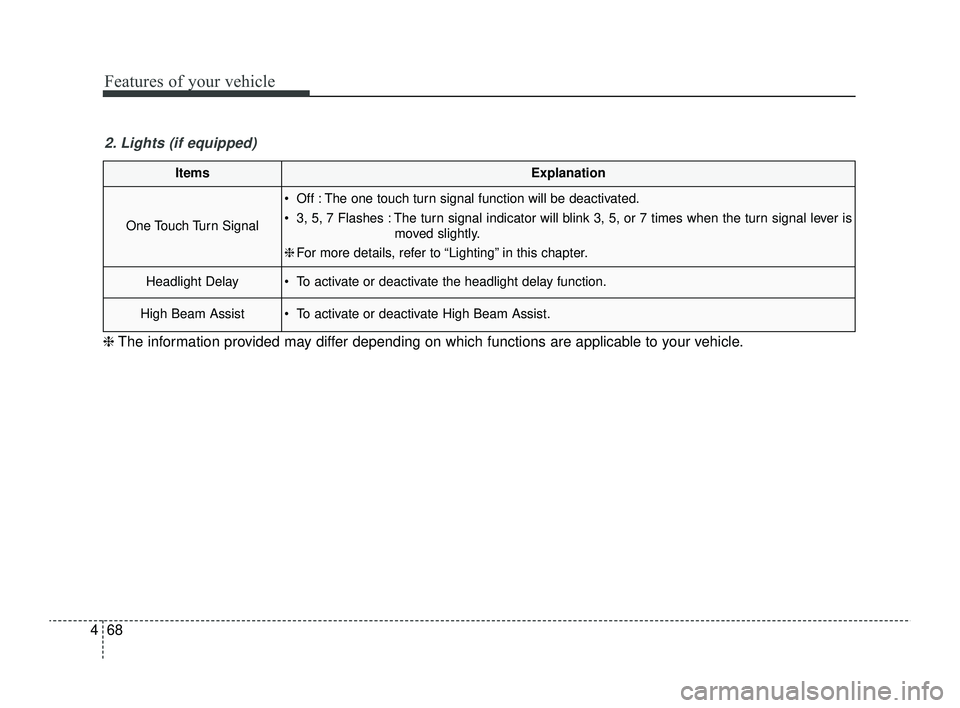
ItemsExplanation
One Touch Turn Signal
Off : The one touch turn signal function will be deactivated.
3, 5, 7 Flashes : The turn signal indicator will blink 3, 5, or 7 times when the turn signal lever is
moved slightly.
❈ For more details, refer to “Lighting” in this chapter.
Headlight Delay To activate or deactivate the headlight delay function.
High Beam Assist To activate or deactivate High Beam Assist.
2. Lights (if equipped)
❈ The information provided may differ depending on which functions are applicable to your vehicle.
SC PE USA 4.QXP 9/9/2021 6:05 PM Page 68
Page 151 of 528
Features of your vehicle
72
4
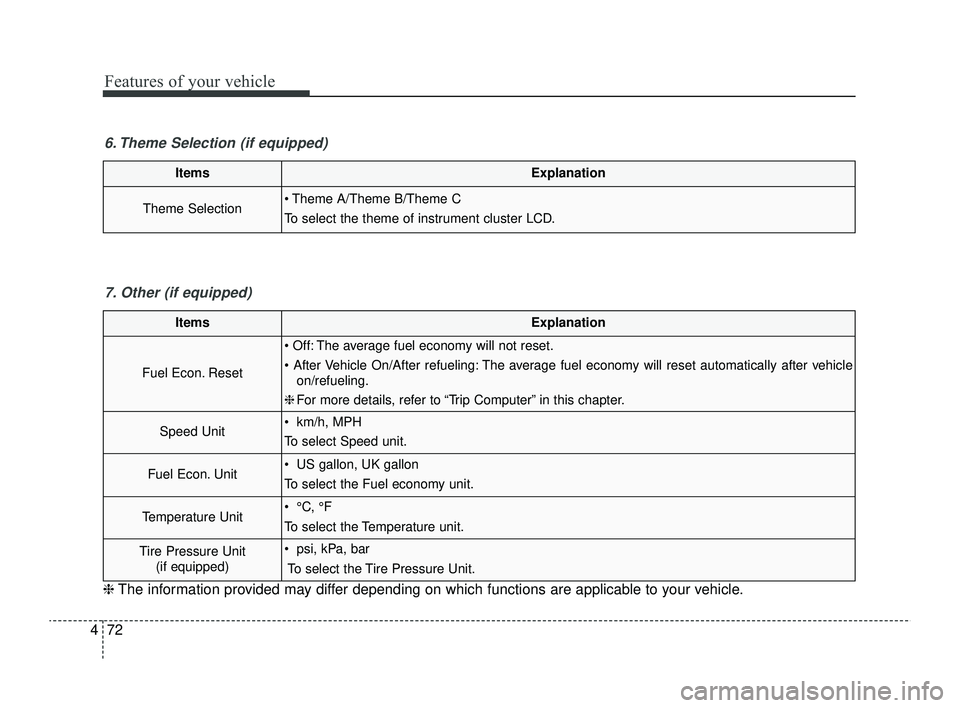
ItemsExplanation
Theme Selection Theme A/Theme B/Theme C
To select the theme of instrument cluster LCD.
6. Theme Selection (if equipped)
ItemsExplanation
Fuel Econ. Reset
Off: The average fuel economy will not reset.
After Vehicle On/After refueling: The average fuel economy will reset automatically after vehicle
on/refueling.
❈ For more details, refer to “Trip Computer” in this chapter.
Speed Unit km/h, MPH
To select Speed unit.
Fuel Econ. Unit US gallon, UK gallon
To select the Fuel economy unit.
Temperature Unit °C, °F
To select the Temperature unit.
Tire Pressure Unit
(if equipped) psi, kPa, bar
To select the Tire Pressure Unit.
7. Other (if equipped)
❈ The information provided may differ depending on which functions are applicable to your vehicle.
SC PE USA 4.QXP 9/9/2021 6:05 PM Page 72
Page 154 of 528
475
Features of your vehicle
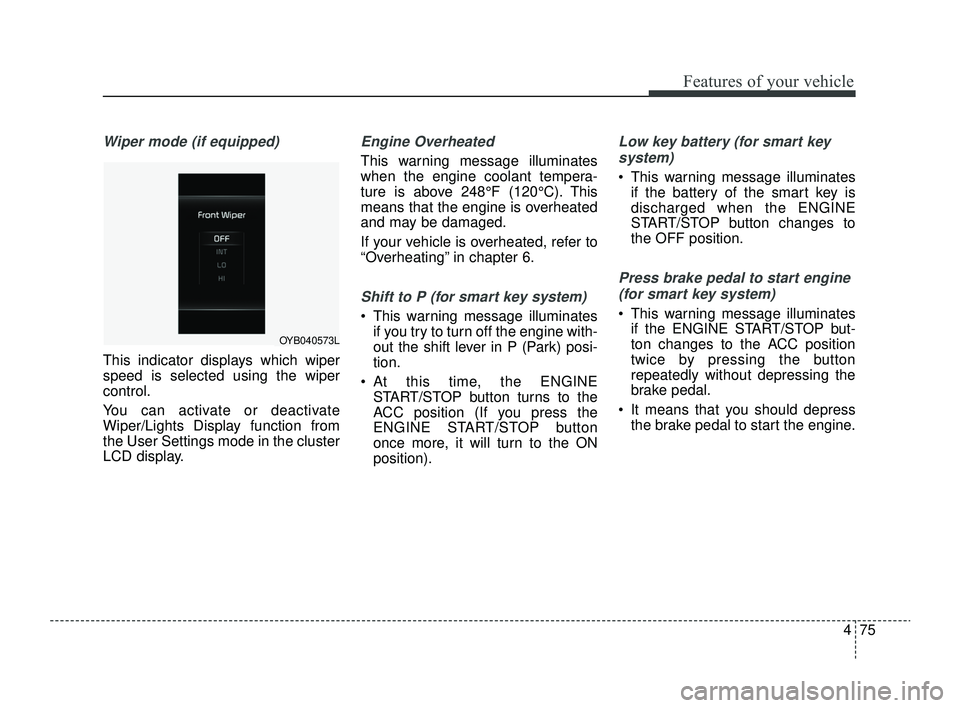
Wiper mode (if equipped)
This indicator displays which wiper
speed is selected using the wiper
control.
You can activate or deactivate
Wiper/Lights Display function from
the User Settings mode in the cluster
LCD display.
Engine Overheated
This warning message illuminates
when the engine coolant tempera-
ture is above 248°F (120°C). This
means that the engine is overheated
and may be damaged.
If your vehicle is overheated, refer to
“Overheating” in chapter 6.
Shift to P (for smart key system)
This warning message illuminatesif you try to turn off the engine with-
out the shift lever in P (Park) posi-
tion.
At this time, the ENGINE START/STOP button turns to the
ACC position (If you press the
ENGINE START/STOP button
once more, it will turn to the ON
position).
Low key battery (for smart key
system)
This warning message illuminates if the battery of the smart key is
discharged when the ENGINE
START/STOP button changes to
the OFF position.
Press brake pedal to start engine
(for smart key system)
This warning message illuminates if the ENGINE START/STOP but-
ton changes to the ACC position
twice by pressing the button
repeatedly without depressing the
brake pedal.
It means that you should depress the brake pedal to start the engine.
OYB040573L
SC PE USA 4.QXP 9/9/2021 6:05 PM Page 75
Page 157 of 528
Features of your vehicle
78
4
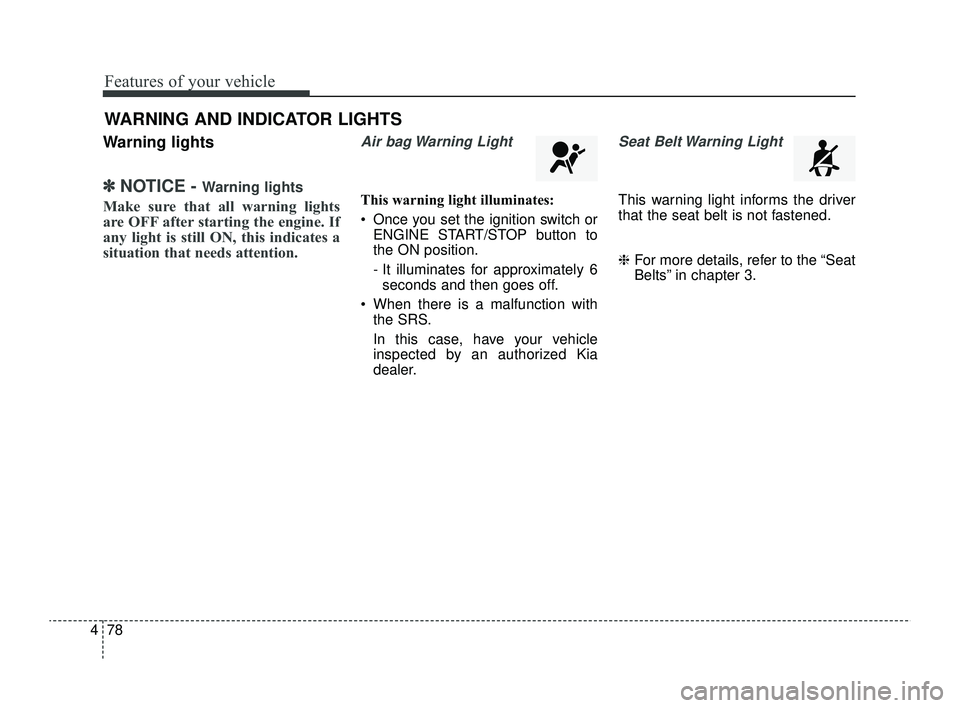
Warning lights
✽ ✽
NOTICE - Warning lights
Make sure that all warning lights
are OFF after starting the engine. If
any light is still ON, this indicates a
situation that needs attention.
Air bag Warning Light
This warning light illuminates:
Once you set the ignition switch or
ENGINE START/STOP button to
the ON position.
- It illuminates for approximately 6seconds and then goes off.
When there is a malfunction with the SRS.
In this case, have your vehicle
inspected by an authorized Kia
dealer.
Seat Belt Warning Light
This warning light informs the driver
that the seat belt is not fastened.
❈ For more details, refer to the “Seat
Belts” in chapter 3.
WARNING AND INDICATOR LIGHTS
SC PE USA 4.QXP 9/9/2021 6:05 PM Page 78
Page 158 of 528

479
Features of your vehicle
Parking Brake & BrakeFluid Warning Light
This warning light illuminates:
Once you set the ignition switch or ENGINE START/STOP button to
the ON position.
- It illuminates for approximately 3seconds
When the parking brake is applied.
When the brake fluid level in the reservoir is low.
- If the warning light illuminateswith the parking brake released, it
indicates the brake fluid level in
reservoir is low. If the brake fluid level in the reservoir
is low:
1.Drive carefully to the nearest safe
location and stop your vehicle.
2.With the engine stopped, check the brake fluid level immediately and
add fluid as required (For more
details, refer to "Brake Fluid" in
chapter 7).
Then check all brake components
for fluid leaks. If any leak on the
brake system is still found, the
warning light remains on, or the
brakes do not operate properly, do
not drive the vehicle.
In this case, have your vehicle
towed to an authorized Kia dealer
and inspected. Dual-diagonal braking system
Your vehicle is equipped with dual-
diagonal braking systems. This
means you still have braking on two
wheels even if one of the dual sys-
tems should fail.
With only one of the dual systems
working, greater pedal pressure will
be required to stop the vehicle.
Also, the vehicle will require
increased stopping distance with
only a portion of the brake system
working.
If the brakes fail while you are driv-
ing, shift to a lower gear for addition-
al engine braking and stop the vehi-
cle as soon as it is safe to do so.
Driving the vehicle with a warning
light ON is dangerous. If the Parking
Brake & Brake Fluid Warning Light
illuminates with the parking brake
released, it indicates that the brake
fluid level is low.
In this case, have your vehicle inspect-
ed by an authorized Kia dealer.
SC PE USA 4.QXP 9/9/2021 6:05 PM Page 79