Page 267 of 332

9-67
Fuel Price Information
When displaying gas stations or LPG charging stations on the map, the fuel prices below a
specific range can be displayed.
A
Select Display Fuel Price Info on Map to view recommended fuel prices based on the
prices offered in the area.
A
Fuel prices on the map may differ from actual ones.
Auto Re-center Map
You can set the system to automatically display the current position when the specified
period of time elapses after changing to another position on the map.
Guidance
You can configure the navigation guidance settings.
AThe screen may differ depending on the vehicle model and specifications.
Show Guidance Distance
You can configure settings for displaying the distance to the destination during guidance.
•Interval Distance: Displays the distance as the one between different zones.
•Cumulative Distance: Displays the distance as the one between the current position and
target position.
Voice Guidance
You can configure the navigation voice guidance feature.
•Mute voice navigation nearby Destination: If the set destination is a registered
location, voice guidance is turned off when the vehicle gets closer to the destination.
Page 269 of 332
9-69
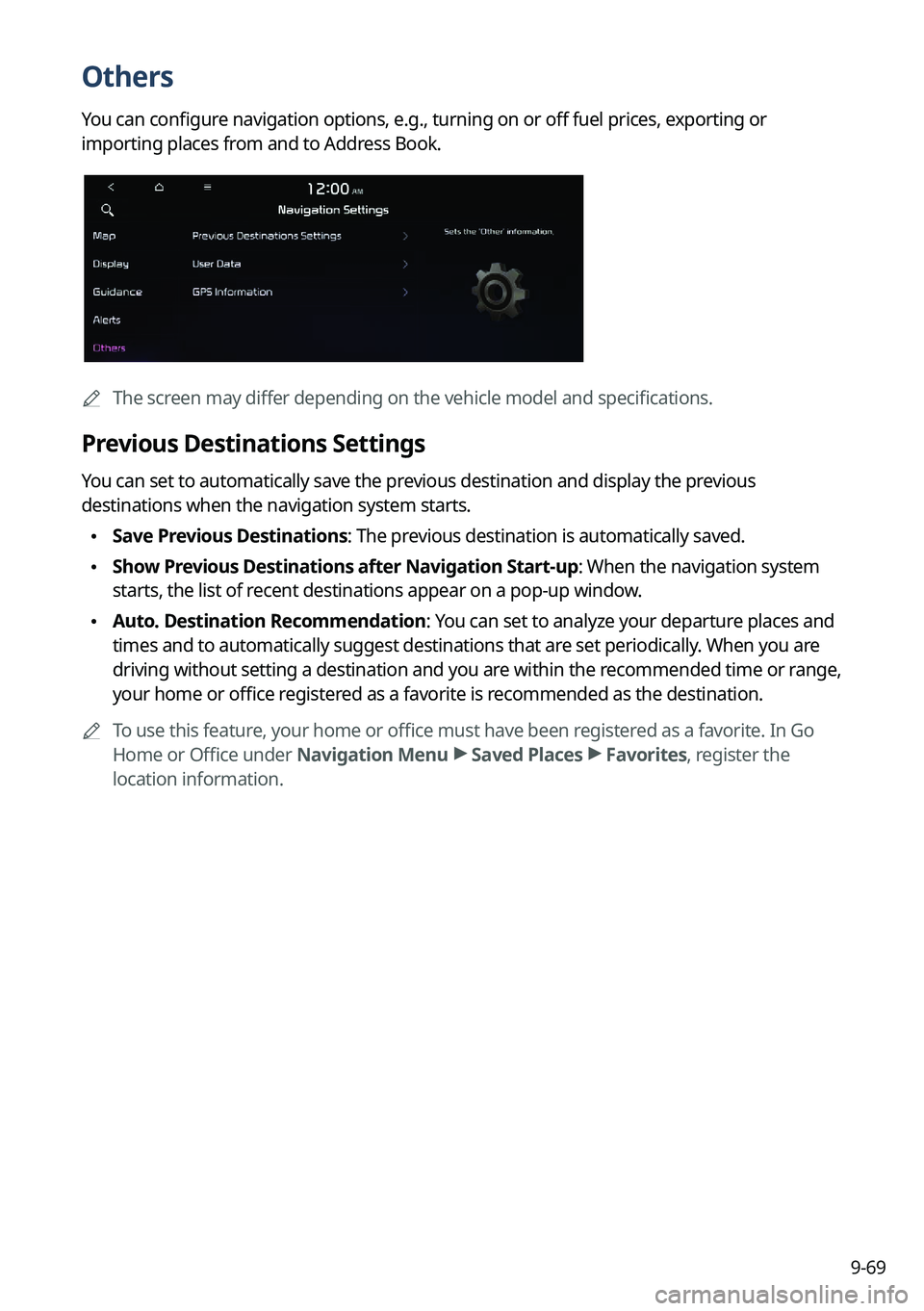
Others
You can configure navigation options, e.g., turning on or off fuel prices, exporting or
importing places from and to Address Book.
AThe screen may differ depending on the vehicle model and specifications.
Previous Destinations Settings
You can set to automatically save the previous destination and display the previous
destinations when the navigation system starts.
•Save Previous Destinations: The previous destination is automatically saved.
•Show Previous Destinations after Navigation Start-up: When the navigation system
starts, the list of recent destinations appear on a pop-up window.
•Auto. Destination Recommendation: You can set to analyze your departure places and
times and to automatically suggest destinations that are set periodically. When you are
driving without setting a destination and you are within the recommended time or range,
your home or office registered as a favorite is recommended as the destination.
A
To use this feature, your home or office must have been registered as a favorite. In Go
Home or Office under Navigation Menu >
Saved Places >
Favorites, register the
location information.
Page 300 of 332
9-100
Updating the software and map
1 Connect a USB device to the computer and run Navigation Updater for
downloading the update files.
2 Follow the instructions on the screen to download the update files.
3 Remove the USB device from the computer and then connect it to the
USB port in your vehicle.
4 Start the vehicle to turn on the system.
A
You can perform update without starting the vehicle by simply locating the start
switch to "ON".
Page 301 of 332
9-101
[Background Update
You can perform update while using the system.
1 On the SW Info/Update screen, press Update.
2 Press Background Update.
3 Press OK.
A
Compared to Update Now, it may take longer.
A
On the All Menus screen, press Setup >
General >
SW Info/Update to see the update
progress.
A
It is possible to start background updates only when the vehicle is on.
A
It is possible to continue to perform updates even after turning off the vehicle while
updates are in progress. On the notification window displayed when the vehicle is
turned off, press Update to perform the remaining updates to complete the process
successfully. For later update, press Later.
A
If the update process is not completed, a notification window appears asking if you want
to perform updates each time you turn off the vehicle.
A
All system functions, including the rear view camera, are disabled while updates are in
progress.
[Scheduling an update
When you set for scheduled update after downloading the latest data, the navigation map
and infotainment system can be updated while not using the vehicle.
1 On the SW Info/Update screen, press Update.
2 Press Install after Turning Off the Ignition.
3 Set the update time and press OK.
When scheduling the update is finished, the status indicator icon appears.
A
You can set to start the update within 12 hours or less after the vehicle is stopped.
4 Turn off the vehicle (ACC Off).
Page 302 of 332
9-102
A
Make sure that a USB device with update files is connected to the system before turning
off the vehicle.
A
When you set the update time to "0", the update notification window appears and then
the update starts.
To close the notification window and proceed with the update, press
Yes.
To cancel the update, press No.
A
Once the update has started, you cannot cancel it. After the update, the system
automatically turns off.
A
When you start the vehicle, the update complete notification appears to show the update
result. After update is completed, the SW Info/Update screen displays the updated
version.
A
When you turn on the system while updating, you can see its progress.
A
Scheduled update is canceled when:
Low battery is detected when turning off the vehicle.
The storage device with the update files is disconnected.
The vehicle is started before the update scheduled time.
The system has been turned off for more than 3 minutes with the vehicle turned off.
Page 304 of 332
10-2
Solutions
Before reporting a malfunctioning system, refer to the following table and see if you can
identify and fix the problem. If the problem persists or you are unable to locate your specific
need, contact your place of purchase or dealer.
Sound and display
SymptomPossible causeSolution
A blank screen
appears and sound
is not audible. The system is turned
off.
•
Check that the start switch is in "ACC" or
"ON."
•Press the Power button on the control
panel to turn on the system.
Sound volume is too
low. Use the Volume knob on the control panel to
adjust the volume.
Sound is muted. Press the Mute button on the steering wheel
to unmute.
Sound is audible
from only one side
of the speakers. Sound is
imbalanced.
On the All Menus screen, navigate to Setup
>
Sound and use the settings menu to
adjust the sound balance.
The sound is cut off
or noise is heard. Vibration occurs in
the system.When the system vibrates, the sound may
be cut off or noise may occur. This is not a
system failure. The system is restored as
soon as the vibration stops.
Page 307 of 332
10-5
Bluetooth connection
SymptomPossible causeSolution
The system is
not detected by a
Bluetooth device. Registration mode
needs to be run.
On the All Menus screen, navigate to Setup
>
Device Connections, run the device
registration mode and then perform search
again from the device.
> See " Connecting a
Bluetooth device."
The Bluetooth
device is not
connected. The Bluetooth
function should be
activated.Activate the Bluetooth function on the
Bluetooth device to connect.
Any error occurs
while using the
Bluetooth function.
• Turn the Bluetooth function OFF / ON on
the Bluetooth device and then connect
the device again.
•Turn the Bluetooth device off and on and
then connect the device again.
•Remove the battery from the Bluetooth
device and attach it back, turn on the
device, and then connect the device
again.
•Delete the system and Bluetooth device
from the registration lists respectively,
and then connect the device again.
Page 309 of 332
10-7
System operation
SymptomPossible causeSolution
The previous media
mode does not
appear when the
system is turned off
and on. It is encountered
with poor media
connection or
playback error.
When the media source is not connected or
played normally, the previous mode appears.
Connect the media source again or play it
again.
The system slows
down or does not
operate at all. An internal error
occurs in the
system.
•
Restart the system by pressing the reset
button with a sharp object such as pen
or clip.
•If the problem persists, contact your
place of purchase or dealer.
The system is not
turned on. Fuse-related issues
•
Visit an auto service shop and replace
the fuse with a new one of appropriate
capacity.
•If the problem persists, contact your
place of purchase or dealer.


