Page 257 of 380
9-19
ÝWarning
�Safe Exit Assist may not operate properly when a vehicle is coming rapidly two lanes
over from your vehicle or a vehicle is approaching at a fast speed from the rear in the
lane next to your vehicle.
�Safe Exit Assist may not operate properly if there is any vehicle or obstacle at the rear
area of your vehicle.
�Safe Exit Assist may be activated later than normal or may not operate properly if a
vehicle is approaching fast from the rear of your vehicle.
�Safe Exit Assist may not operate when the Blind-Spot Safety system malfunctions as
follows:
The warning message of the Blind-Spot Safety system appears on the instrument
cluster.
The sensors of the Blind-Spot Safety system are contaminated or covered.
The Blind-Spot Safety system does not generate warning or generates a wrong
alert.
� Active Assist: Provides a warning and vehicle control when a risk of blind-spot collision is
detected.
ÝWarning
Always be aware of road conditions while driving and be alert for unexpected situations
even though Blind-Spot Collision Warning and Blind-Spot Collision-Avoidance Assist are
operating.
�Warning Only: Provides a warning when a risk of blind-spot collision is detected.
�Off: Disables Blind-Spot Safety function.
Parking Safety (if equipped)
Sets the properties of the Parking Safety systems.
�Camera Settings: Sets the properties of the cameras.
Display Contents: Specify information that will be displayed on the view screen.
Setting items may differ depending on the vehicle model and camera type.
Display Settings: Adjust the brightness and contrast of the view screen. To initialize all
Surround View or Rear View screen settings of the phone projection, press
Reset.
�Surround View Monitor Auto On: Automatically activates Surround View Monitor when
Parking Distance Warning is active.
�Parking Distance Warning Auto On: Automatically activates Parking Distance Warning
when traveling at low speeds.
�Rear Safety: Provides a warning and emergency braking when a risk of rear collision is
detected while reversing.
Page 260 of 380
9-22
Sport Mode Seat Support (if equipped)
Reinforces seat side bolstering to offer a sporty driving experience.
Coasting (if equipped)
You can enable coasting while driving to improve fuel efficiency. This setting allows the
transmission to disengage the engine while driving in ECO mode or SMART mode, provided
that the coasting conditions are met.
A
Coasting is available only when the drive mode supports ECO or SMART mode.
A
Available settings may differ depending on the vehicle model and specifications.
Reset ECO/NORMAL/SPORT (if equipped)
You can reset the drive mode settings to the default values.
A
The display may differ depending on the vehicle model and specifications.
A
See how to improve ECO potential by pressing the Help button from an EV (Electric
Vehicle). In most cases, a vehicle can travel a longer distance when its ECO potential score
is higher (EV only).
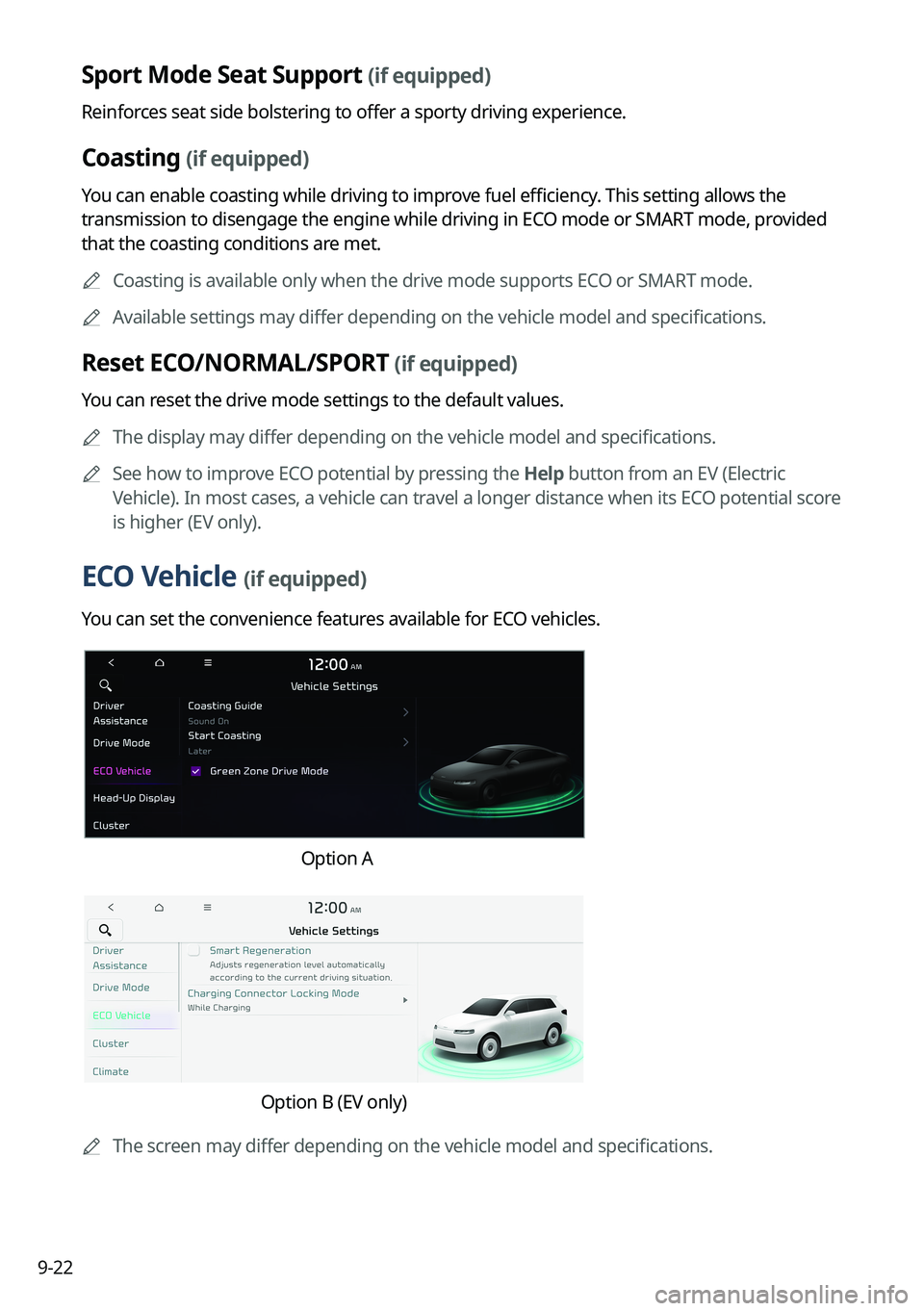
ECO Vehicle (if equipped)
You can set the convenience features available for ECO vehicles.
Option A
Option B (EV only)
A
The screen may differ depending on the vehicle model and specifications.
Page 261 of 380
9-23
Coasting Guide (if equipped)
You can set the system to notify when to release the accelerator pedal to improve fuel
efficiency.
Start Coasting (if equipped)
You can set when to receive the accelerator release notification.
Smart Regeneration (if equipped)
Set to activate regenerative braking automatically based on the vehicle state or driving
conditions.
Charging Connector Locking Mode (if equipped)
Configure the lock mode setting for the connected charging cable.
Green Zone Drive Mode (if equipped)
When you are driving in an area that needs to improve air quality, set to drive in EV mode as
much as possible.
Active Sound (if equipped)
Turn on or off the engine sound function which generates a virtual engine sound.
Active Sound Design (if equipped)
Adjust the interior engine sound volume.
Page 264 of 380
9-26
Energy Consumption Reset (if equipped)
You can set to automatically initialize the average fuel economy.
�After Vehicle On: The average fuel economy is automatically initialize whenever you
drive the vehicle.
�After refueling: The average fuel economy is automatically initialize whenever you refuel
the vehicle.
�After Recharging: The average fuel economy is automatically initialize whenever you
charge the vehicle (EV only).
�Off: The average fuel economy initialize is unavailable.
Reset Fuel Economy (if equipped)
Select which average fuel economy to display on the cluster.
�At vehicle start: Displays the fuel economy after engine restart.
�After refueling: Displays the fuel economy after refueling.
�After Recharging: Displays the fuel economy after recharging (EV only).
�Manually: Displays the accumulated fuel economy.
Content Selection (if equipped)
You can set the content to display on the instrument cluster.
�Wiper/Lights Display: When the wiper or light lever operates, the operation mode
appears.
�Traffic Signs: Displays the road information such as speed bumps and speed limits.
�Blind-Spot View Monitor: Displays the blind spot view on the instrument cluster when
the turn signal lamp is operating.
�Icy Road Warning: When the outside temperature drops below 4 °C (39 °F), the
possibility of road icing appears.
Cluster Voice Guidance Volume (if equipped)
You can adjust the voice guidance volume of the cluster.
Welcome Sound (if equipped)
You can set to generate the notification sound when turning on or off the instrument cluster.
Page 265 of 380

9-27
Climate (if equipped)
You can configure the operation environment for climate control system.
A
The screen may differ depending on the vehicle model and specifications.
Recirculate Air (if equipped)
You can set to keep the inside air pleasant by blocking inflow of outside air.
�Activate upon Washer Fluid Use
: Sets to automatically switch to the inside air circulation
mode to prevent inflow of washer fluid scent when spraying washer fluid.
� Recirculation Mode Plus: Sets to automatically control windows or climate system to
keep inside air pleasant with synced with the navigation system.
Automatic Ventilation (if equipped)
You can set to prevent condensation inside and keep inside air pleasant using this feature.
�Automatic Dehumidify: Once the inside air circulation mode has been used for a long
time, it is switched to the outside air inflow mode to prevent condensation.
�Scheduled Ventilation: Automatically ventilates the cabin at the scheduled time.
Ventilation occurs while the vehicle is off.
Defog/Defrost Options (if equipped)
You can set to enable the defogger to secure driver visibility.
�Defog/Defrost: When the sensor detects humidity on the windshield and glasses, it
enables the outside air inflow mode and air conditioner for defogging and defrosting.
�Auto Defog: When the sensor detects fog on the windshield, the automatic ventilation is
run for defogging.
Climate Features (if equipped)
You can set or change the settings for the climate system.
�Lock Rear Climate Controls: Prevents changes to the climate control system from rear
seats.
�Rear Climate Controls: Used to move to the climate control screen for the rear seat. You
can check or set the climate status for the rear seat (if equipped).
A
For more information about controlling the rear-seat climate control system:
> see "Using
the rear-seat climate control function (if equipped)."
Page 266 of 380
9-28
Heated/Ventilated Features (if equipped)
You can set to make the driving environment pleasant by controlling the steering wheel
warmer and driver's seat warmer/ventilation.
�Auto. Controls That Use Climate Control Settings: Automatically controls the heating
wire or ventilation for the driver's seat and steering wheel, in sync with the climate control
function.
Steering Wheel Warmer: Steering Wheel Warmer adjusts automatically based on
Climate settings.
Seat Warmer/Ventilation: Seat Warmer/Ventilation adjusts automatically based on
Climate settings.
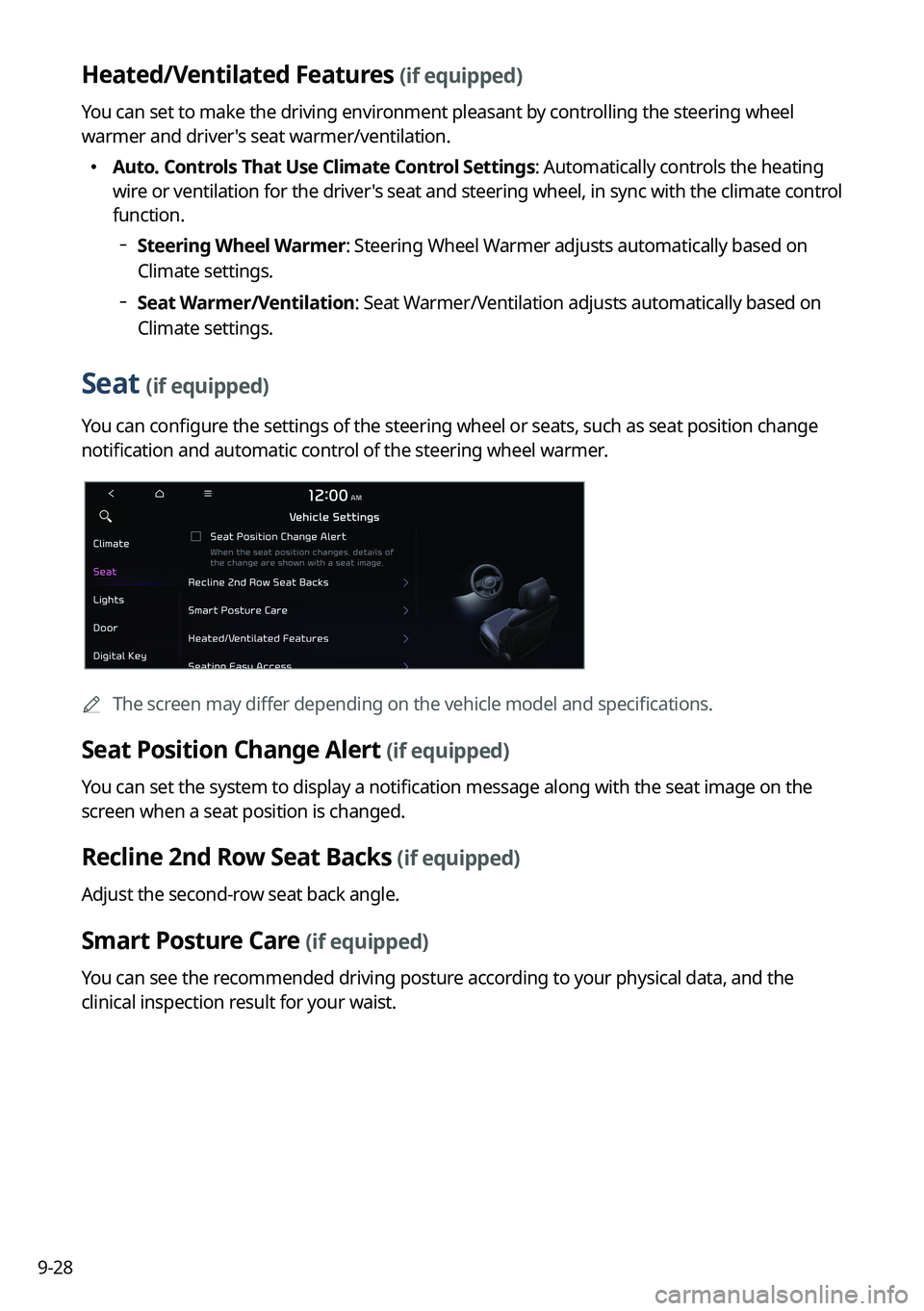
Seat (if equipped)
You can configure the settings of the steering wheel or seats, such as seat position change
notification and automatic control of the steering wheel warmer.
A
The screen may differ depending on the vehicle model and specifications.
Seat Position Change Alert (if equipped)
You can set the system to display a notification message along with the seat image on the
screen when a seat position is changed.
Recline 2nd Row Seat Backs (if equipped)
Adjust the second-row seat back angle.
Smart Posture Care (if equipped)
You can see the recommended driving posture according to your physical data, and the
clinical inspection result for your waist.
Page 267 of 380
9-29
Heated/Ventilated Features (if equipped)
You can set to make the driving environment pleasant by controlling the steering wheel
warmer and driver's seat warmer/ventilation.
�Auto. Controls That Use Climate Control Settings: Automatically controls the heating
wire or ventilation for the driver's seat and steering wheel, in sync with the climate control
function.
Steering Wheel Warmer: Steering Wheel Warmer adjusts automatically based on
Climate settings.
Seat Warmer/Ventilation: Seat Warmer/Ventilation adjusts automatically based on
Climate settings.
Seating Easy Access (if equipped)
For convenience upon getting on and off, you can adjust the position of the driver's seat or
steering wheel to secure space inside the vehicle.
� Seat Slide Easy Access: Can set the distance to automatically move the driver's seat
when getting on or off.
Rear Seat Heating Control (if equipped)
You can set to enable the warmer for the rear-left and rear-right seats.
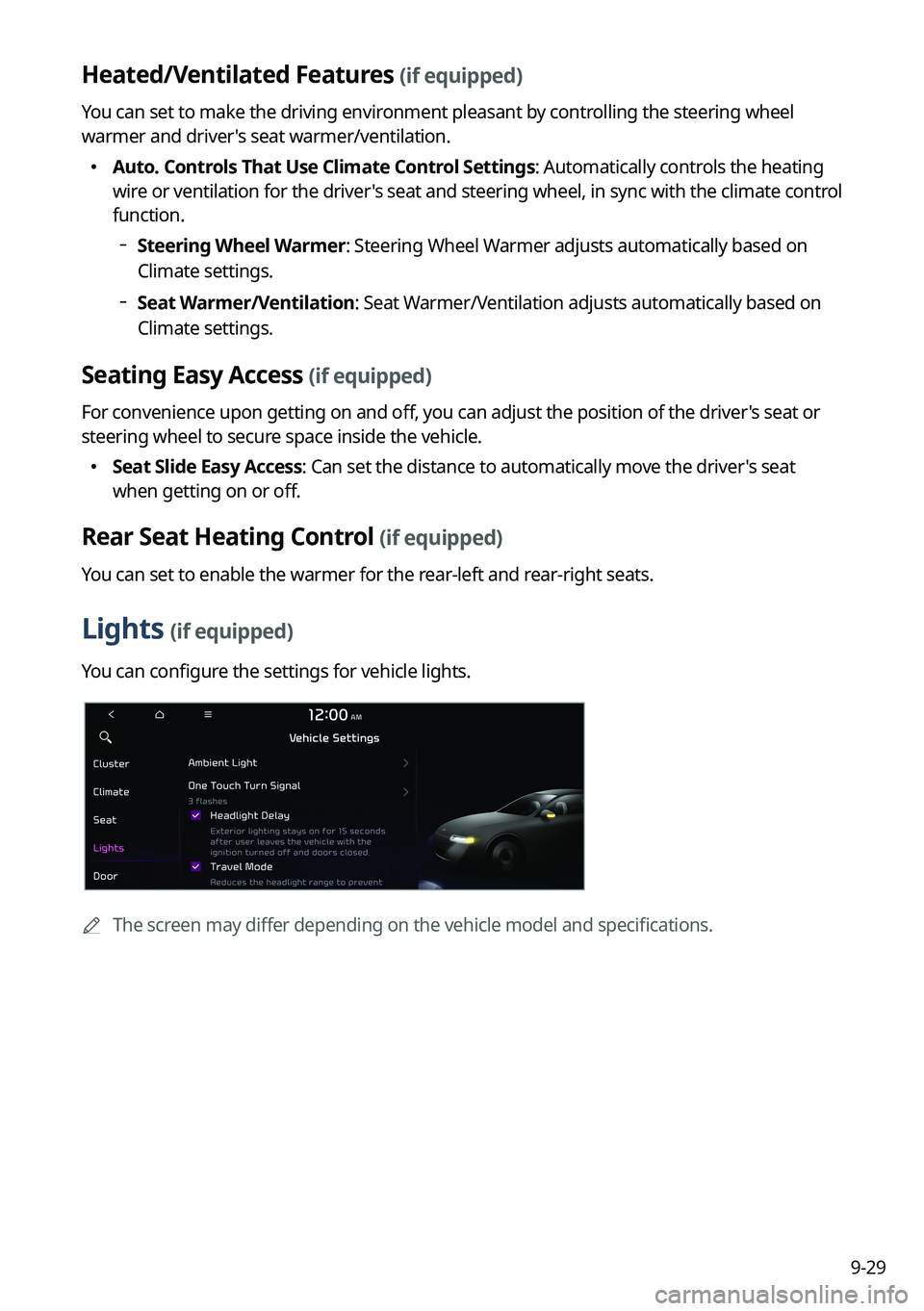
Lights (if equipped)
You can configure the settings for vehicle lights.
A
The screen may differ depending on the vehicle model and specifications.
Page 268 of 380
9-30
Ambient Light (if equipped)
You can set the brightness and color of the ambient light.
One Touch Turn Signal (if equipped)
You can set the number of turn signal lamp flashes when the lamp lever is operated.
Headlight Delay (if equipped)
You can set to turn off the taillights and headlights in 15 seconds after turning off the vehicle
to ensure visibility.
Travel Mode (if equipped)
Prevents blinding oncoming traffic by decreasing the headlamp illumination range. This
option is applicable in countries where traffic can move in opposite directions.
High Beam Assist (if equipped)
You can set to automatically control the high beam when an oncoming vehicle is approaching
to decrease the high beam glare.
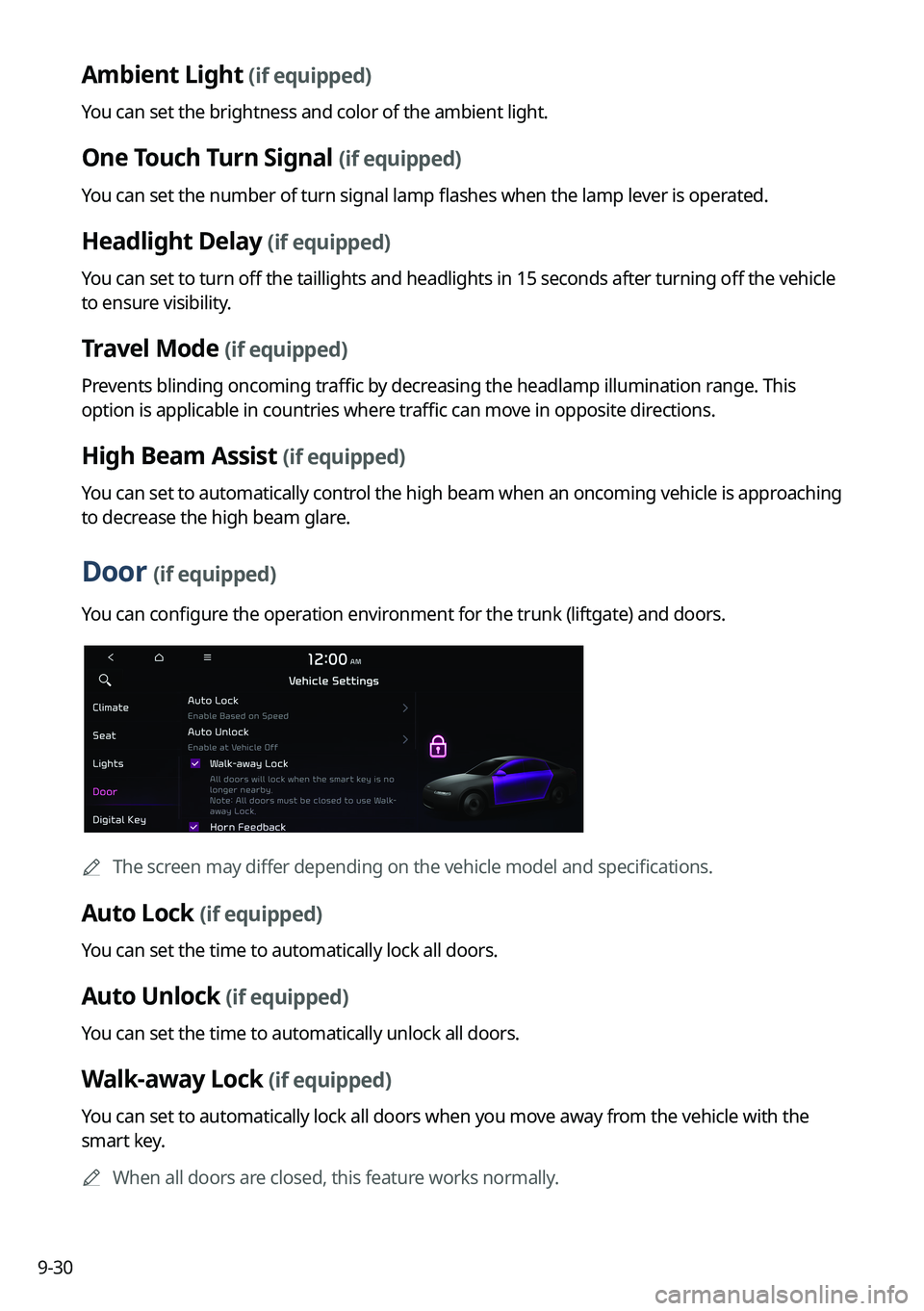
Door (if equipped)
You can configure the operation environment for the trunk (liftgate) and doors.
A
The screen may differ depending on the vehicle model and specifications.
Auto Lock (if equipped)
You can set the time to automatically lock all doors.
Auto Unlock (if equipped)
You can set the time to automatically unlock all doors.
Walk-away Lock (if equipped)
You can set to automatically lock all doors when you move away from the vehicle with the
smart key.
A
When all doors are closed, this feature works normally.
