2022 HYUNDAI TUCSON LED
[x] Cancel search: LEDPage 509 of 638
Driver assistance system
7-146
Limitations of Reverse Parking
Collision-Avoidance Assist
Reverse Parking Collision-Avoidance
Assist may not assist braking or warn
the driver even if there are pedestrians
or objects under the following
circumstances:
• Any non-factory equipment or
accessory is installed
• Your vehicle is unstable due to an
accident or other causes
• Bumper height or rear ultrasonic
sensor installation has been modified
• Rear view camera or rear ultrasonic
sensor(s) is damaged
• Rear view camera or the rear
ultrasonic sensor(s) is stained with
foreign material, such as snow, dirt,
etc.
• Rear view camera is obscured by a
light source or by inclement weather,
such as heavy rain, fog, snow, etc.
• The surrounding is very bright or very
dark
• Outside temperature is very high or
very low
• The wind is either strong (above
12 mph (20 km/h)) or blowing
perpendicular to the rear bumper
• Objects generating excessive
noise, such as vehicle horns, loud
motorcycle engines or truck air
brakes, are near your vehicle
• An ultrasonic sensor with similar
frequency is near your vehicle
• There is ground height difference
between the vehicle and the
pedestrian
• The image of the pedestrian in the
rear view camera is indistinguishable
from the background •
The pedestrian is near the rear edge of
the vehicle
• The pedestrian is not standing upright
• The pedestrian is either very short or
very tall for Reverse Parking Collision-
Avoidance Assist to detect
• The pedestrian or cyclist is wearing
clothing that easily blends into the
background, making it difficult to
detect
• The pedestrian is wearing clothing
that does not reflect ultrasonic waves
well
• Size, thickness, height, or shape of
the object does not reflect ultrasonic
waves well (e.g., pole, bush, curbs,
carts, edge of a wall, etc.)
• The pedestrian or the object is moving
• The pedestrian or the object is very
close to the rear of the vehicle
• A wall is behind the pedestrian or the
object
• The object is not located at the rear
center of your vehicle
• The object is not parallel to the rear
bumper
• The road is slippery or inclined
• The driver backs up the vehicle
immediately after shifting to R
(Reverse)
• The driver accelerates or circles the
vehicle
Page 510 of 638
07
7-147
Reverse Parking Collision-Avoidance
Assist may unnecessarily warn the driver
or assist with braking even if there are
no pedestrians or objects under the
following circumstances:
• Any non-factory equipment or
accessory is installed
• Your vehicle is unstable due to an
accident or other causes
• Bumper height or rear ultrasonic
sensor installation has been modified
• Your vehicle height is low or high
due to heavy loads, abnormal tire
pressure, etc.
• Rear view camera or the rear
ultrasonic sensor(s) is stained with
foreign material, such as snow, dirt,
etc.
• The pattern on the road is mistaken
for a pedestrian
• There is shadow or light reflecting on
the ground
• Pedestrians or objects are around the
path of the vehicle
• Objects generating excessive
noise, such as vehicle horns, loud
motorcycle engines or truck air
brakes, are near your vehicle
• Your vehicle is backing towards a
narrow passage or parking space
• Your vehicle is backing towards an
uneven road surface, such as an
unpaved road, gravel, bump, gradient,
etc.
• A trailer or carrier is installed on the
rear of your vehicle
• An ultrasonic sensor with similar
frequency is near your vehicle WARNING
Take the following precautions when
using Reverse Parking Collision-
Avoidance Assist:
• Always pay extreme caution while
driving. The driver is responsible for
controlling the brake for safe driving.
• Always pay attention to road and
traffic conditions while driving,
whether or not there is a warning.
• Always look around your vehicle to
make sure there are no pedestrians
or objects before moving the vehicle.
• The performance of Reverse Parking
Collision-Avoidance Assist may
vary under certain conditions. If
vehicle speed is above 2 mph (4
km/h), Reverse Parking Collision-
Avoidance Assist will provide
collision avoidance assist only when
pedestrians are detected. Always
look around and pay attention when
backing up your vehicle.
• Some objects may not be detected
by the rear ultrasonic sensors due
to the objects distance, size or
material, all of which can limit the
effectiveness of the sensor.
• Reverse Parking Collision-Avoidance
Assist may not operate properly
or may operate unnecessarily
depending on the road conditions
and the surroundings.
• Do not solely rely on Reverse Parking
Collision-Avoidance Assist. Doing
so may lead to vehicle damage or
injuries.
Page 512 of 638
07
7-149
REMOTE SMART PARKING ASSIST (RSPA) (IF EQUIPPED)
Remote Smart Parking Assist uses
vehicle sensors to help the driver park
and exit parking spaces remotely from
outside the vehicle by controlling the
steering wheel, vehicle speed and
gearshifts.
FunctionDescription
Remote
Forward/
Backward Remotely moving forward/
backward
OJX1079037
• Remote Forward/Backward function
helps the driver move the vehicle
forward or Backward from outside the
vehicle using the smart key.
• When Remote Smart Parking Assist
operates, Surround View Monitor and
Parking Distance Warning will also
operate. For more details, refer to
“Surround View Monitor (SVM) and
“Parking Distance Warning (PDW)”
sections in chapter 7.
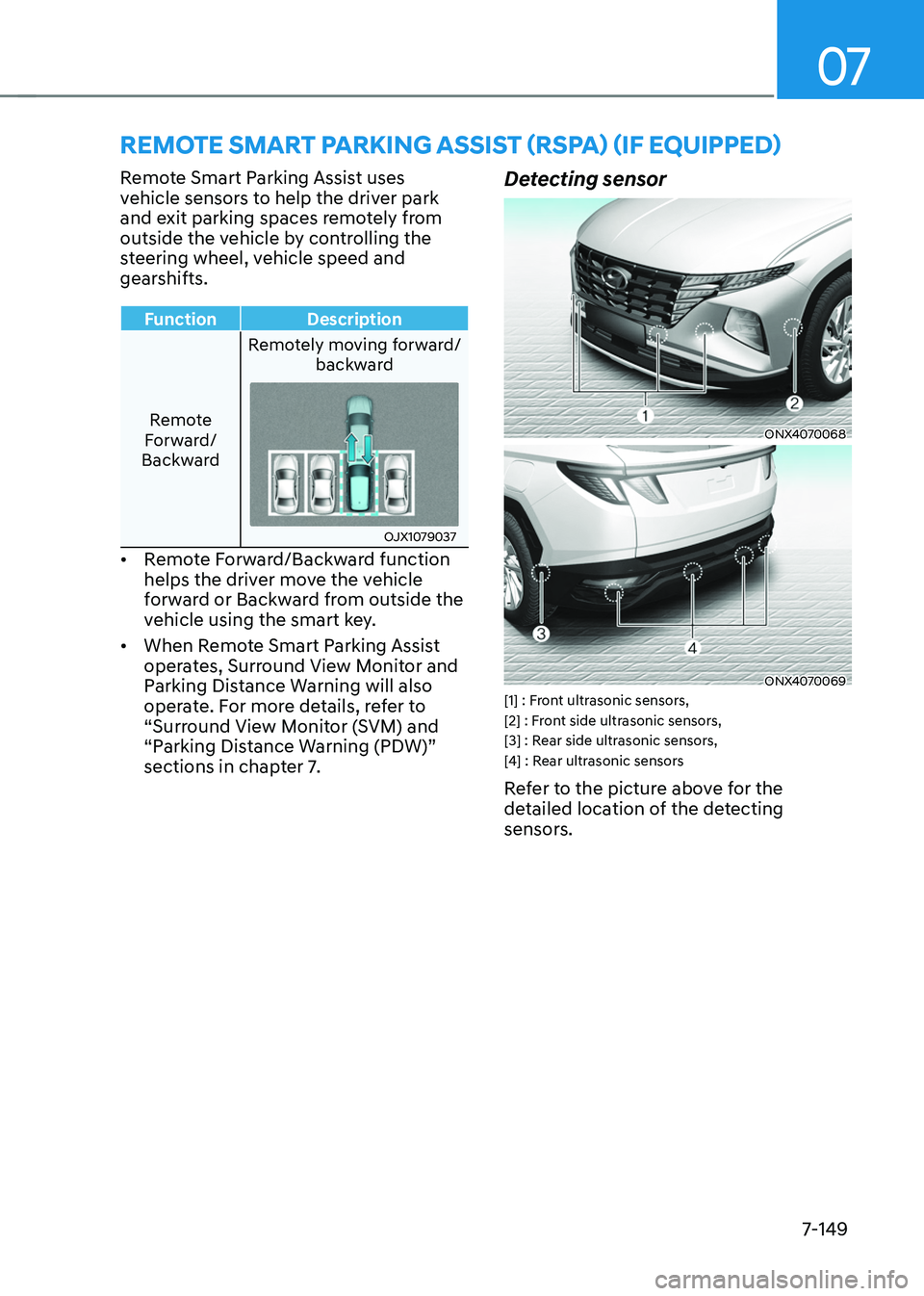
Detecting sensor
ONX4070068
ONX4070069[1] : Front ultrasonic sensors,
[2] : Front side ultrasonic sensors,
[3] : Rear side ultrasonic sensors,
[4] : Rear ultrasonic sensors
Refer to the picture above for the
detailed location of the detecting
sensors.
Page 513 of 638
Driver assistance system
7-150
CAUTION
Take the following precautions to
maintain optimal performance of the
detecting sensors:
• Never disassemble the detecting
sensor or sensor assembly, or apply
any impact on it.
• If the detecting sensor have been
replaced or repaired, we recommend
that you have your vehicle inspected
by an authorized HYUNDAI dealer.
• Remote Smart Parking Assist
may malfunction if the vehicle
bumper height or ultrasonic sensor
installation has been modified
or damaged. Any non-factory
installed equipment or accessories
may also interfere with the sensor
performance.
• When the ultrasonic sensor is frozen
or stained with snow, dirt, or water,
the sensor may be not operate until
the stains are removed using a soft
cloth.
• Do not push, scratch or strike the
ultrasonic sensor. Sensor damage
could occur.
• Do not spray the ultrasonic sensors
or its surrounding area directly with
a high pressure washer.
Remote Smart Parking Assist
Settings
Setting features
OTM070141N
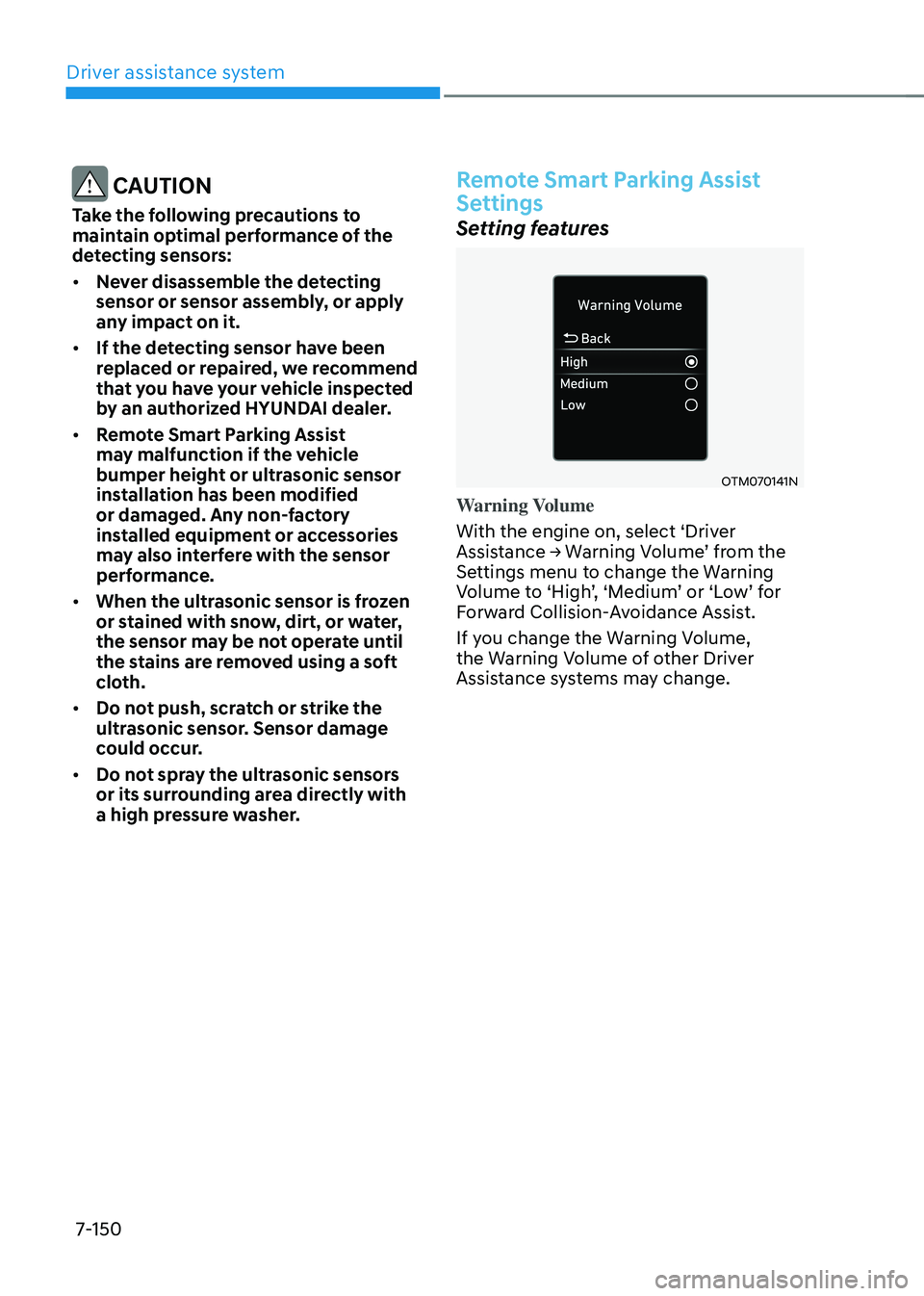
Warning Volume
With the engine on, select ‘Driver
Assistance → Warning Volume’ from the Settings menu to change the Warning Volume to ‘High’, ‘Medium’ or ‘Low’ for Forward Collision-Avoidance Assist.
If you change the Warning Volume,
the Warning Volume of other Driver
Assistance systems may change.
Page 517 of 638
Driver assistance system
7-154
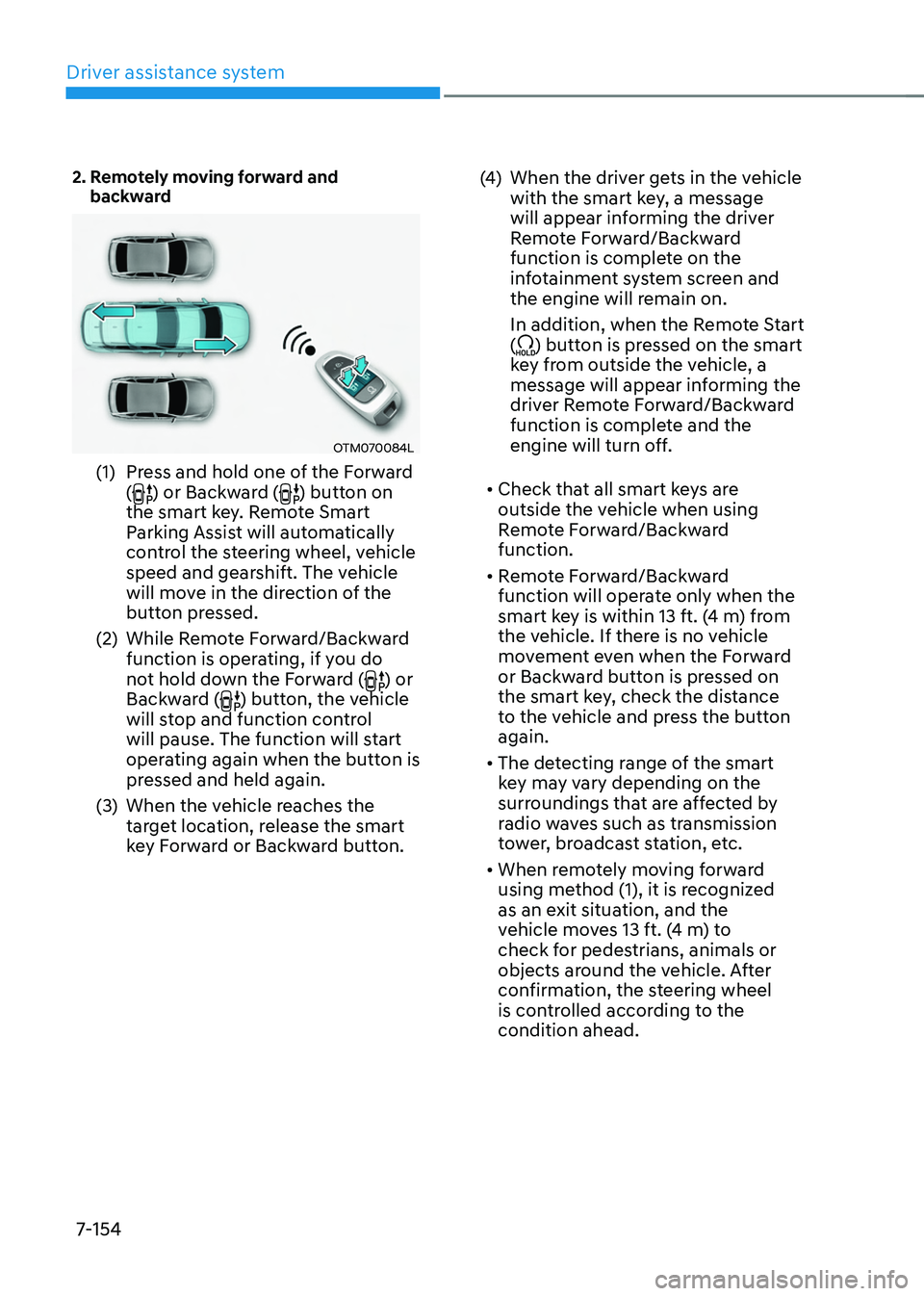
2. Remotely moving forward and backward
OTM070084L
(1) Press and hold one of the Forward
() or Backward () button on
the smart key. Remote Smart
Parking Assist will automatically
control the steering wheel, vehicle
speed and gearshift. The vehicle
will move in the direction of the
button pressed.
(2) While Remote Forward/Backward
function is operating, if you do
not hold down the Forward (
) or
Backward () button, the vehicle
will stop and function control
will pause. The function will start
operating again when the button is
pressed and held again.
(3) When the vehicle reaches the
target location, release the smart
key Forward or Backward button.
(4) When the driver gets in the vehicle
with the smart key, a message
will appear informing the driver
Remote Forward/Backward
function is complete on the
infotainment system screen and
the engine will remain on.
In addition, when the Remote Start
(
) button is pressed on the smart
key from outside the vehicle, a
message will appear informing the
driver Remote Forward/Backward
function is complete and the
engine will turn off.
• Check that all smart keys are
outside the vehicle when using
Remote Forward/Backward
function.
• Remote Forward/Backward
function will operate only when the
smart key is within 13 ft. (4 m) from
the vehicle. If there is no vehicle
movement even when the Forward
or Backward button is pressed on
the smart key, check the distance
to the vehicle and press the button
again.
• The detecting range of the smart
key may vary depending on the
surroundings that are affected by
radio waves such as transmission
tower, broadcast station, etc.
• When remotely moving forward
using method (1), it is recognized
as an exit situation, and the
vehicle moves 13 ft. (4 m) to
check for pedestrians, animals or
objects around the vehicle. After
confirmation, the steering wheel
is controlled according to the
condition ahead.
Page 519 of 638
Driver assistance system
7-156
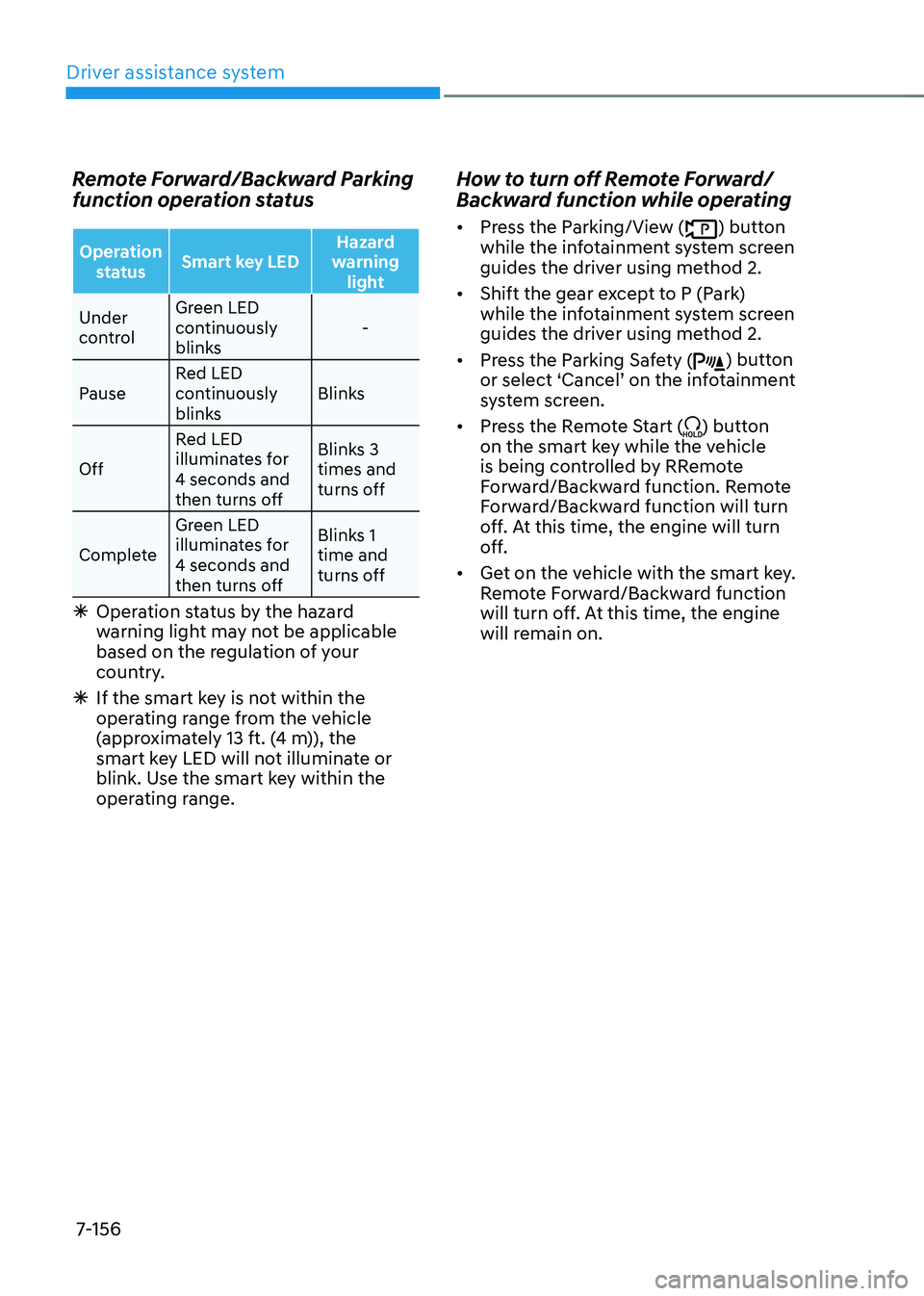
Remote Forward/Backward Parking
function operation status
Operation status Smart key LED Hazard
warning light
Under
control Green LED
continuously
blinks
-
Pause Red LED
continuously
blinks Blinks
Off Red LED
illuminates for
4 seconds and
then turns off Blinks 3
times and
turns off
Complete Green LED
illuminates for
4 seconds and
then turns off Blinks 1
time and
turns off
Ã
Operation status by the hazard
warning light may not be applicable
based on the regulation of your
country.
ÃIf the smart key is not within the
operating range from the vehicle
(approximately 13 ft. (4 m)), the
smart key LED will not illuminate or
blink. Use the smart key within the
operating range.
How to turn off Remote Forward/
Backward function while operating
• Press the Parking/View () button
while the infotainment system screen
guides the driver using method 2.
• Shift the gear except to P (Park)
while the infotainment system screen
guides the driver using method 2.
• Press the Parking Safety (
) button or select ‘Cancel’ on the infotainment system screen.
• Press the Remote Start (
) button
on the smart key while the vehicle
is being controlled by RRemote
Forward/Backward function. Remote
Forward/Backward function will turn
off. At this time, the engine will turn
off.
• Get on the vehicle with the smart key.
Remote Forward/Backward function
will turn off. At this time, the engine
will remain on.
Page 520 of 638
07
7-157
The function will pause in the
following conditions when:
• There is a pedestrian, animal or object
in the direction the vehicle is moving
• The door or liftgate is open
• The Forward (
) or Backward ()
button is not continuously pressed
• Simultaneously pressing multiple
buttons on a smart key
• The smart key is not operated within
13 ft. (4 m) from the vehicle
• Button of another smart key is pressed
in addition to the operating smart key
• Blind-Spot Collision-Avoidance
Assist or Rear Cross-Traffic Collision-
Avoidance Assist operates while the
vehicle is being controlled in the
backward direction.
• The vehicle moves 22 ft. (7 m)
while the smart key is pressed with
Remote Forward/Backward function
(maximum travel distance per button
press)
When Remote Forward/Backward
function is paused, the vehicle will stop.
If the condition that made the function
to pause disappears, the function may
operate again.
The function will cancel in the
following conditions when:
• The steering wheel is steered
• The gear is shifted while the vehicle is
moving
• Operating EPB while the vehicle is
moving
• The engine hood is open
• The brake pedal or accelerator pedal
is depressed when all the doors are
closed
• The smart key is outside the vehicle
when the brake pedal is depressed
while the driver's door is open
• Rapid acceleration occurs
• Vehicle skid occurs
• The wheel is stuck by an obstacle and
cannot move
• There are pedestrians, animals or
objects at the front and rear of the
vehicle at the same time
• Approximately 3 minutes and 50
seconds have past after Remote
Forward/Backward function has
started to operate
• The slope of the road exceeds the
operational range
• The function is paused for more than
1 minute
• The total travel distance of the vehicle
has exceeded 45 ft. (14 m) after
Remote Forward/Backward function
operation
Page 521 of 638
Driver assistance system
7-158
• The steering wheel, gearshift, braking,
and drive controls are not working
normally
• There is a problem with the smart key
or the smart key battery is low
• ABS, TCS or ESC system operates due
to slippery road conditions
• The alarm of the Theft Alarm System
sounds
When Remote Forward/Backward
function is canceled, the vehicle will
automatically stop, shift the gear to
P (Park) and engage EPB (Electronic
Parking Brake).Remote Smart Parking Assist
Malfunction and Limitations
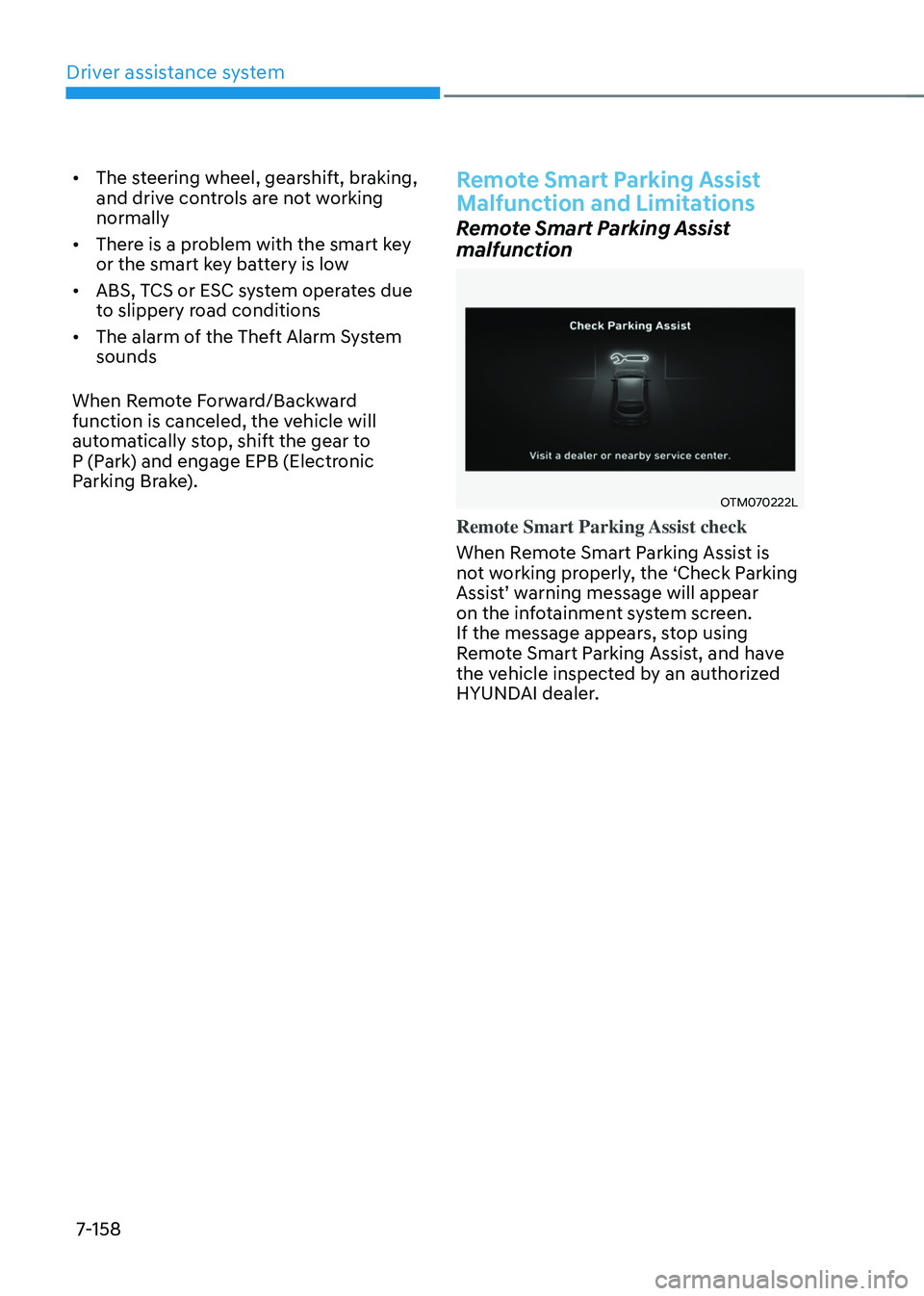
Remote Smart Parking Assist
malfunction
OTM070222L
Remote Smart Parking Assist check
When Remote Smart Parking Assist is
not working properly, the ‘Check Parking
Assist’ warning message will appear on the infotainment system screen.
If the message appears, stop using
Remote Smart Parking Assist, and have
the vehicle inspected by an authorized
HYUNDAI dealer.