Page 59 of 638
Seats & Safety System
3-28
Rear Seat Belt – Passenger’s 3point
system with convertible locking
retractor
This type of seat belt combines the
features of both an emergency locking
retractor seat belt and an automatic
locking retractor seat belt. Convertible
retractor type seat belts are installed
in the rear seat positions to help
accommodate the installation of child
restraint systems. Although a convertible
retractor is also installed in the front
passenger seat position, NEVER place
any infant/child restraint system in the
front seat of the vehicle.
To fasten your seat belt:
Pull the seat belt out of the retractor
and insert the metal tab into the buckle.
There will be an audible “click” when
the tab locks into the buckle. When
not securing a child restraint, the seat
belt operates in the same way as the
driver’s seat belt (Emergency Locking
Retractor Type). It automatically adjusts
to the proper length only after the lap
belt portion of the seat belt is adjusted
manually so that it fits snugly across your
hips.
When the seat belt is fully extended from
the retractor to allow the installation of
a child restraint system, the seat belt
operation changes to allow the belt to
retract, but not to extend (Automatic
Locking Retractor Type). Refer to the
“Using a Child Restraint System” section
in this chapter.
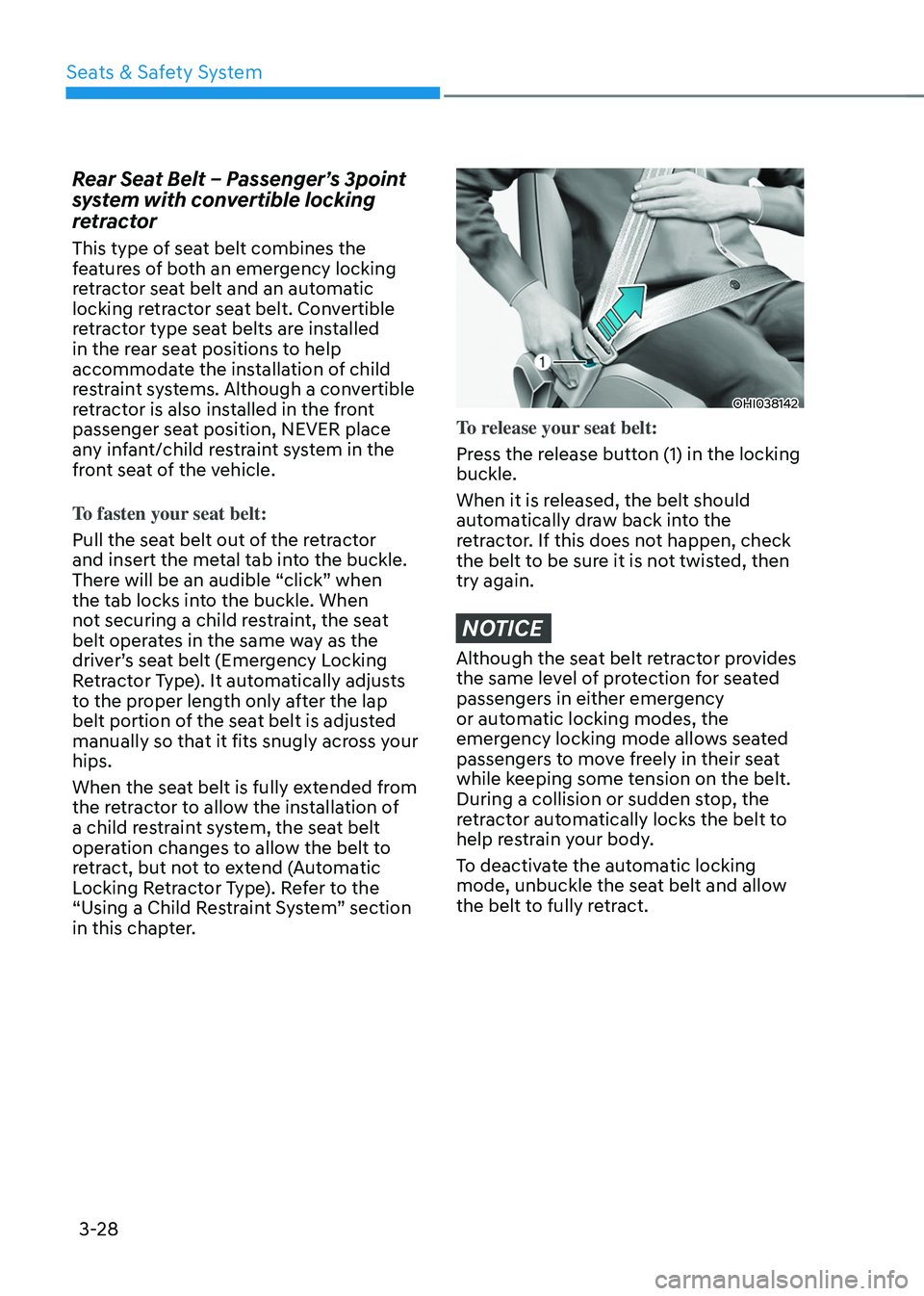
OHI038142
To release your seat belt:
Press the release button (1) in the locking
buckle.
When it is released, the belt should
automatically draw back into the
retractor. If this does not happen, check
the belt to be sure it is not twisted, then
try again.
NOTICE
Although the seat belt retractor provides
the same level of protection for seated
passengers in either emergency
or automatic locking modes, the
emergency locking mode allows seated
passengers to move freely in their seat
while keeping some tension on the belt.
During a collision or sudden stop, the
retractor automatically locks the belt to
help restrain your body.
To deactivate the automatic locking
mode, unbuckle the seat belt and allow
the belt to fully retract.
Page 98 of 638
03
3-67
Additional safety precautions
Passengers should not move out of
or change seats while the vehicle is
moving. A passenger who is not wearing
a seat belt during a crash or emergency
stop can be thrown against the inside of
the vehicle, against other occupants, or
be ejected from the vehicle.
Do not use any accessories on seat
belts. Devices claiming to improve
occupant comfort or reposition the seat
belt can reduce the protection provided
by the seat belt and increase the chance
of serious injury in a crash.
Do not modify the front seats.
Modification of the front seats could
interfere with the operation of the
supplemental restraint system sensing
components or side air bags.
Do not place items under the front
seats. Placing items under the front seats
could interfere with the operation of the
supplemental restraint system sensing
components and wiring harnesses.
Do not cause impact to the doors.
Impact to the doors when the Engine
Start/Stop button is in the ON or START
position may cause the air bags to
inflate.
Modifications to accommodate
disabilities. If you require modification
to your vehicle to accommodate
a disability, contact the HYUNDAI
Customer Connect Center at 800-633-
5151.
Adding equipment to or modifying
your air bag equipped vehicle
If you modify your vehicle by changing
your vehicle’s frame, bumper system,
front end or side sheet metal or ride
height, this may affect the operation of
your vehicle’s air bag system.
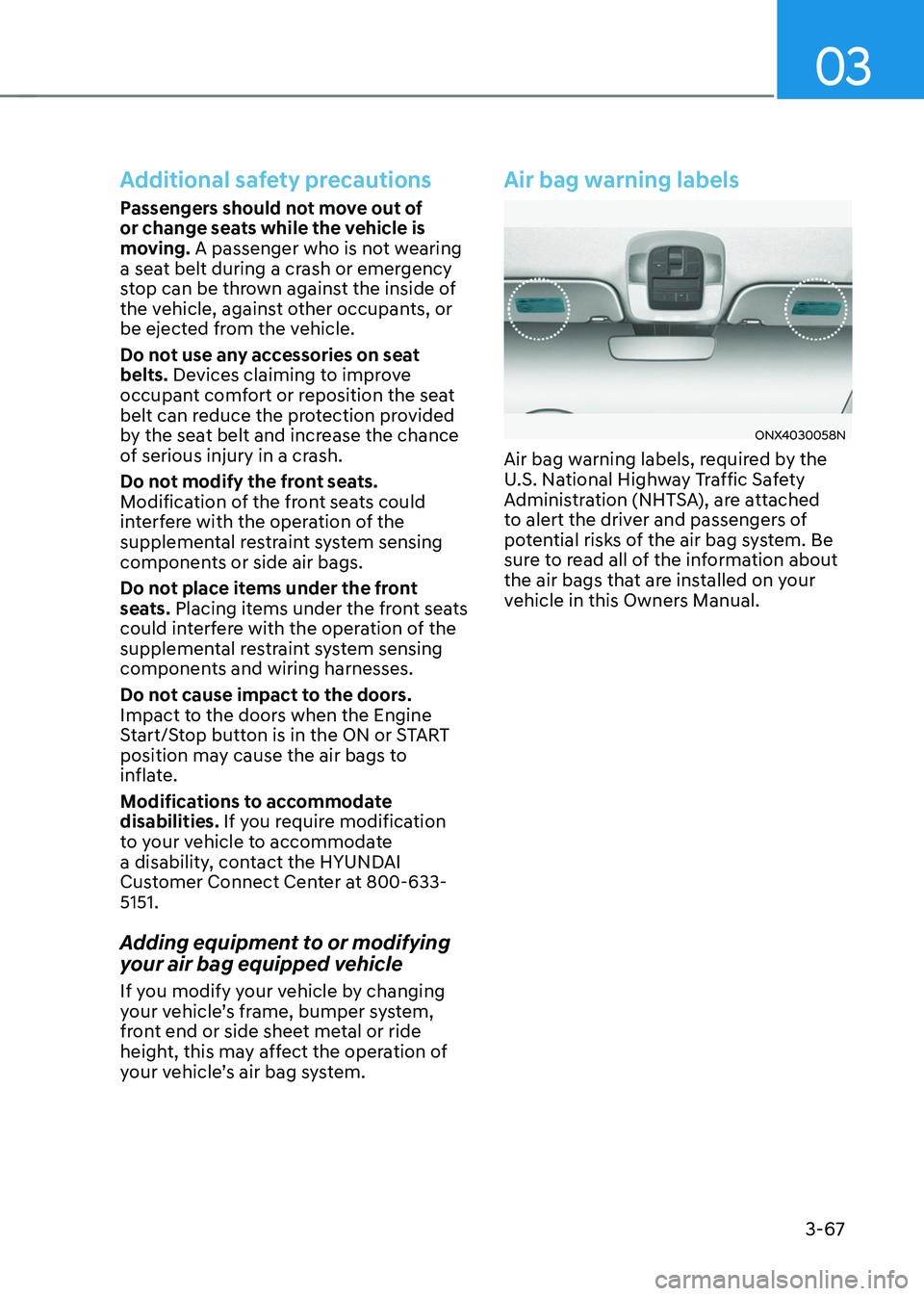
Air bag warning labels
ONX4030058N
Air bag warning labels, required by the
U.S. National Highway Traffic Safety
Administration (NHTSA), are attached
to alert the driver and passengers of
potential risks of the air bag system. Be
sure to read all of the information about
the air bags that are installed on your
vehicle in this Owners Manual.
Page 105 of 638
04
4 -7
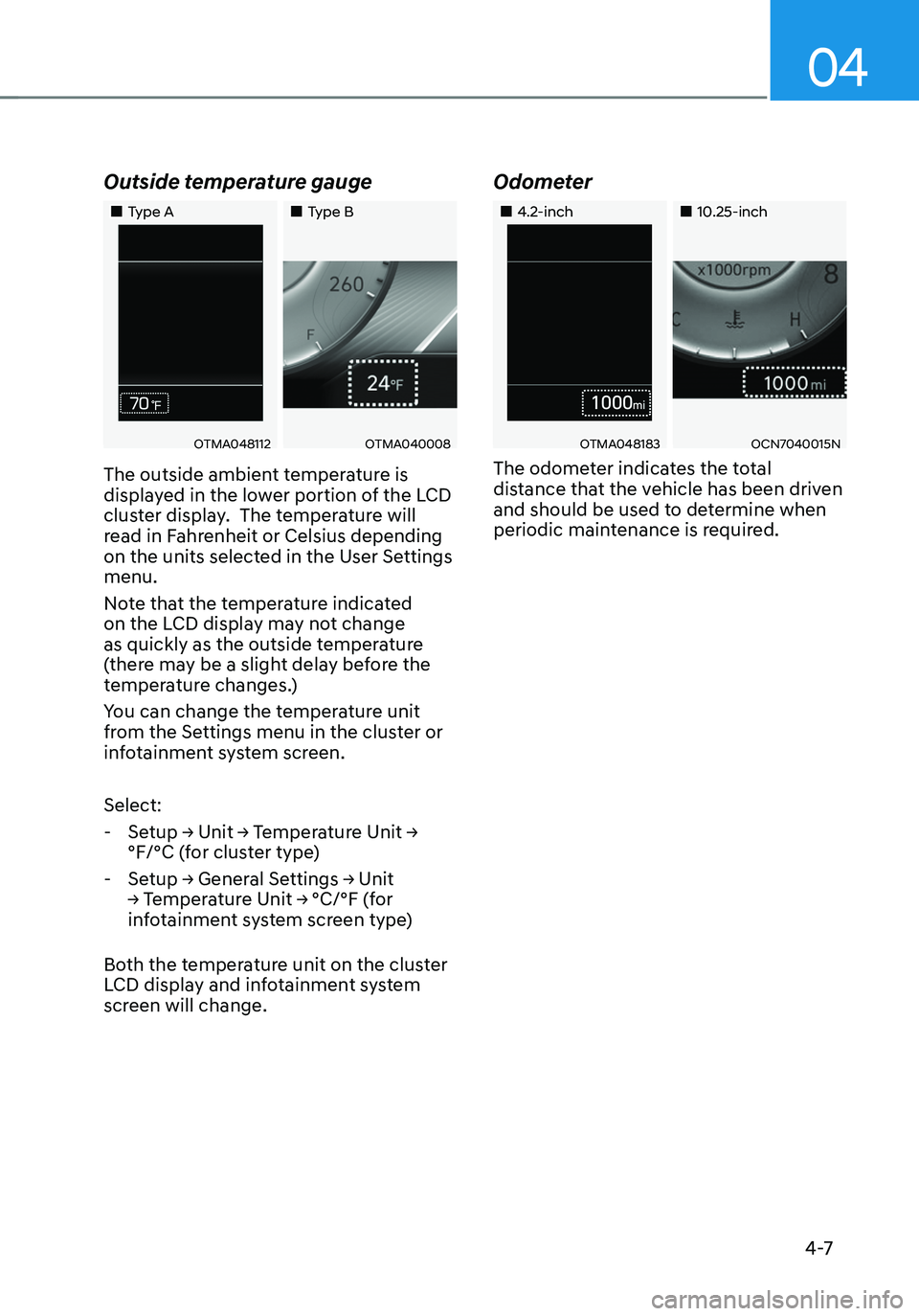
Outside temperature gauge
„„Type A„„Type B
OTMA048112OTMA040008
The outside ambient temperature is
displayed in the lower portion of the LCD
cluster display. The temperature will
read in Fahrenheit or Celsius depending
on the units selected in the User Settings
menu.
Note that the temperature indicated
on the LCD display may not change
as quickly as the outside temperature
(there may be a slight delay before the
temperature changes.)
You can change the temperature unit
from the Settings menu in the cluster or
infotainment system screen.
Select:
-Setup → Unit → Temperature Unit →
°F/°C (for cluster type)
-Setup → General Settings → Unit
→ Temperature Unit → °C/°F (for
infotainment system screen type)
Both the temperature unit on the cluster
LCD display and infotainment system
screen will change.
Odometer
„„4.2-inch„„10.25-inch
OTMA048183OCN7040015N
The odometer indicates the total
distance that the vehicle has been driven
and should be used to determine when
periodic maintenance is required.
Page 106 of 638
Instrument cluster
4-8
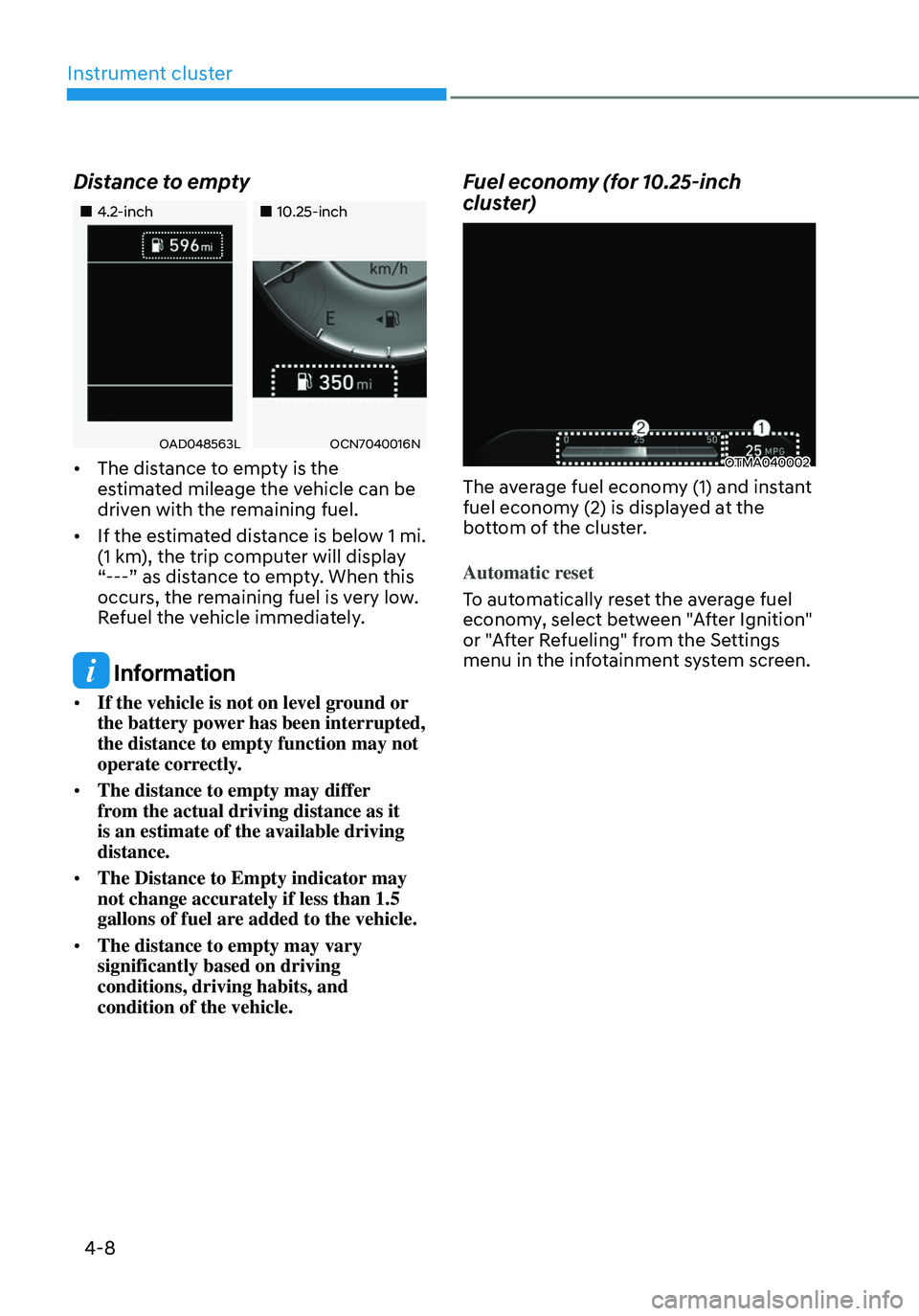
Distance to empty
„„4.2-inch„„10.25-inch
OAD048563LOCN7040016N
• The distance to empty is the
estimated mileage the vehicle can be
driven with the remaining fuel.
• If the estimated distance is below 1 mi.
(1 km), the trip computer will display
“---” as distance to empty. When this
occurs, the remaining fuel is very low.
Refuel the vehicle immediately.
Information
• If the vehicle is not on level ground or
the battery power has been interrupted,
the distance to empty function may not
operate correctly.
• The distance to empty may differ
from the actual driving distance as it
is an estimate of the available driving
distance.
• The Distance to Empty indicator may
not change accurately if less than 1.5
gallons of fuel are added to the vehicle.
• The distance to empty may vary
significantly based on driving
conditions, driving habits, and
condition of the vehicle.
Fuel economy (for 10.25-inch
cluster)
OTMA040002
The average fuel economy (1) and instant
fuel economy (2) is displayed at the
bottom of the cluster.
Automatic reset
To automatically reset the average fuel
economy, select between "After Ignition"
or "After Refueling" from the Settings
menu in the infotainment system screen.
Page 121 of 638
04
4-23
LCD Display Messages for
Vehicles Equipped with Smart
Key
Shift to P
This message is displayed if you try to
turn off the vehicle without the gear in
the P (Park) position.
If this occurs, the Engine Start/Stop
button turns to the ACC position.
Low key battery
When the Engine Start/Stop button
is pressed to turn OFF the engine,
this message may be displayed. This
message indicates that the internal
battery of the Smart Key is low. Consider
replacing the Smart Key internal battery.
Press START button while turning
wheel
This message is displayed if the steering
wheel does not unlock normally when
the Engine Start/Stop button is pressed.
You should press the Engine Start/Stop
button while turning the steering wheel
right and left.
Check steering wheel lock system
This message is displayed if the steering
wheel does not lock normally while the
Engine Start/Stop button is pressed to
the OFF position.
Press brake pedal to start engine
This message is displayed if the Engine
Start/Stop button changes to the ACC
position twice by pressing the button
repeatedly without depressing the brake
pedal.
You can start the vehicle by depressing
the brake pedal and then pressing the
Engine Start/Stop button.
Key not in vehicle
This message is displayed if the smart
key is not in the vehicle when you leave
the vehicle with the Engine Start/Stop
button in the ON or Start position.
Always turn off the engine before leaving
your vehicle.
Key not detected
This message is displayed if the smart
key is not detected when you press the
Engine Start/Stop button.
Press START button again
This message is displayed if you were
unable to start the vehicle when the
Engine Start/Stop button was pressed.
If this occurs, attempt to start the engine
by pressing the Engine Start/ Stop button
again.
If the warning message appears each
time you press the Engine Start/Stop
button, we recommend that you have
the vehicle inspected by an authorized
HYUNDAI dealer.
Page 127 of 638
04
4-29
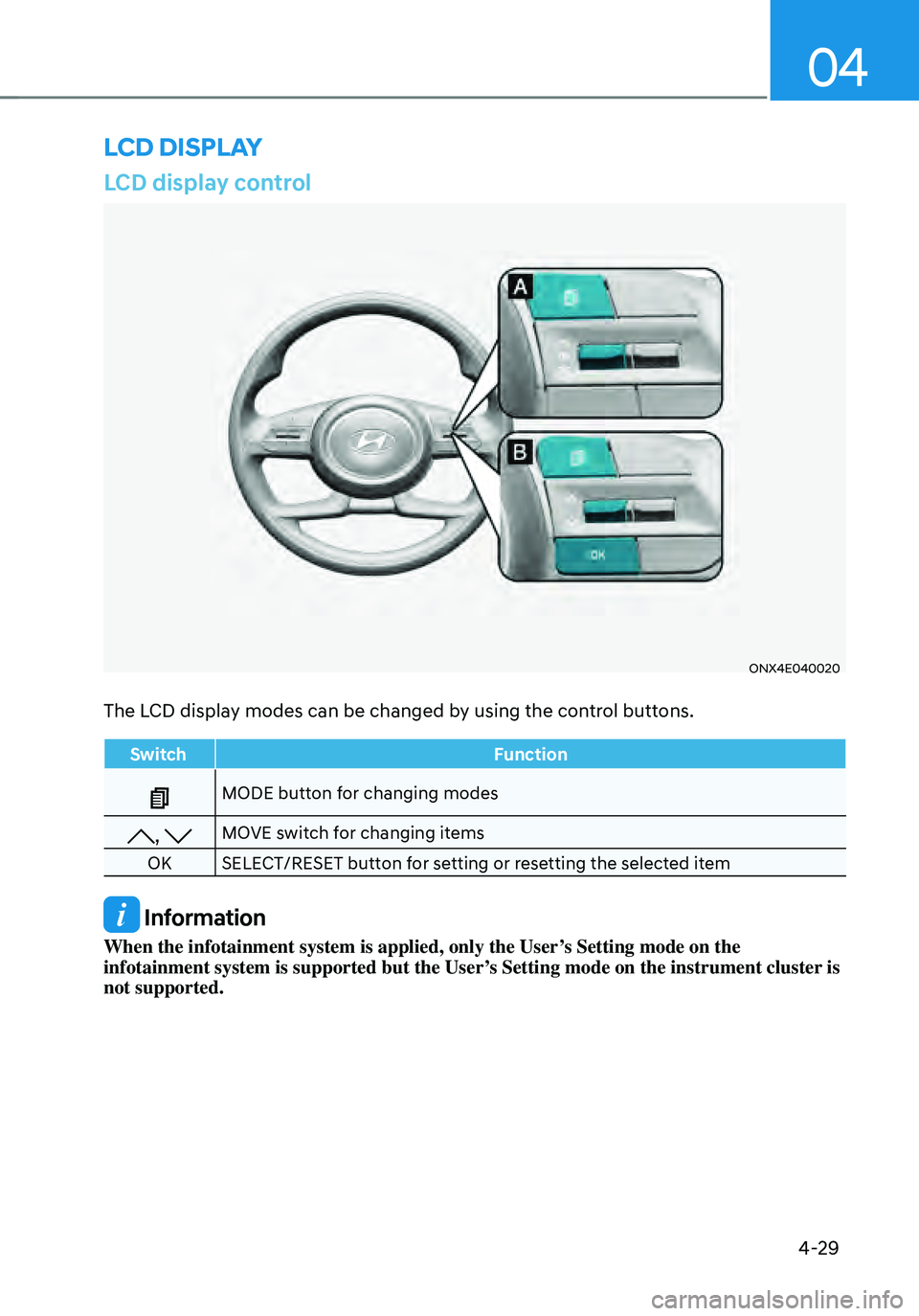
LCD display control
ONX4E040020
The LCD display modes can be changed by using the control buttons.
SwitchFunction
MODE button for changing modes
, MOVE switch for changing items
OK SELECT/RESET button for setting or resetting the selected item
Information
When the infotainment system is applied, only the User’s Setting mode on the
infotainment system is supported but the User’s Setting mode on the instrument cluster is
not supported.
LCD DISPLAY
Page 128 of 638
Instrument cluster
4-30
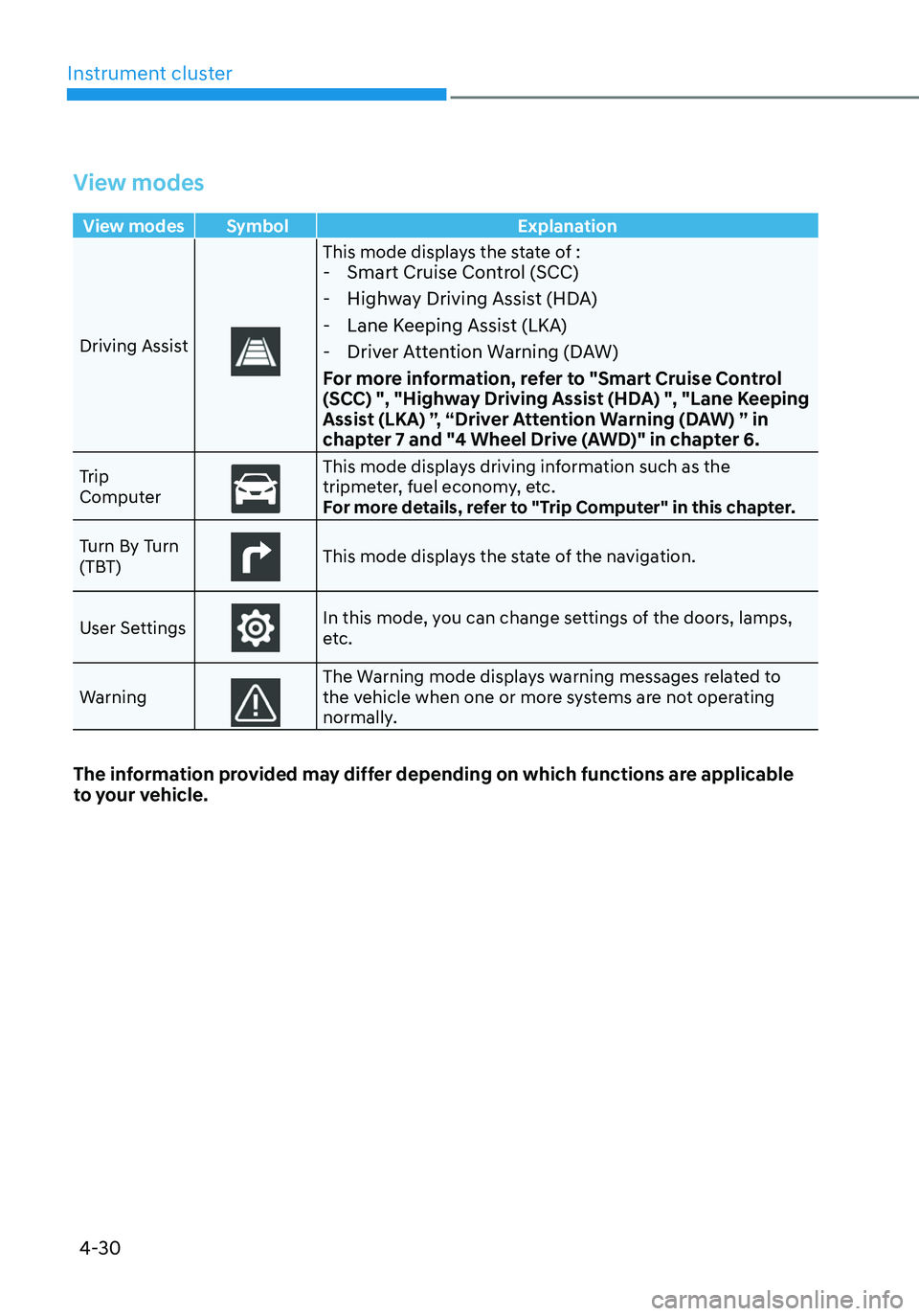
View modes
View modes Symbol Explanation
Driving Assist
This mode displays the state of : - Smart Cruise Control (SCC)
-Highway Driving Assist (HDA)
-Lane Keeping Assist (LKA)
-Driver Attention Warning (DAW)
For more information, refer to "Smart Cruise Control
(SCC) ", "Highway Driving Assist (HDA) ", "Lane Keeping
Assist (LKA) ”, “Driver Attention Warning (DAW) ” in
chapter 7 and "4 Wheel Drive (AWD)" in chapter 6.
Trip
ComputerThis mode displays driving information such as the tripmeter, fuel economy, etc.
For more details, refer to "Trip Computer" in this chapter.
Turn By Turn
(TBT)
This mode displays the state of the navigation.
User Settings
In this mode, you can change settings of the doors, lamps,
etc.
Warning
The Warning mode displays warning messages related to the vehicle when one or more systems are not operating
normally.
The information provided may differ depending on which functions are applicable
to your vehicle.
Page 131 of 638
04
4-33
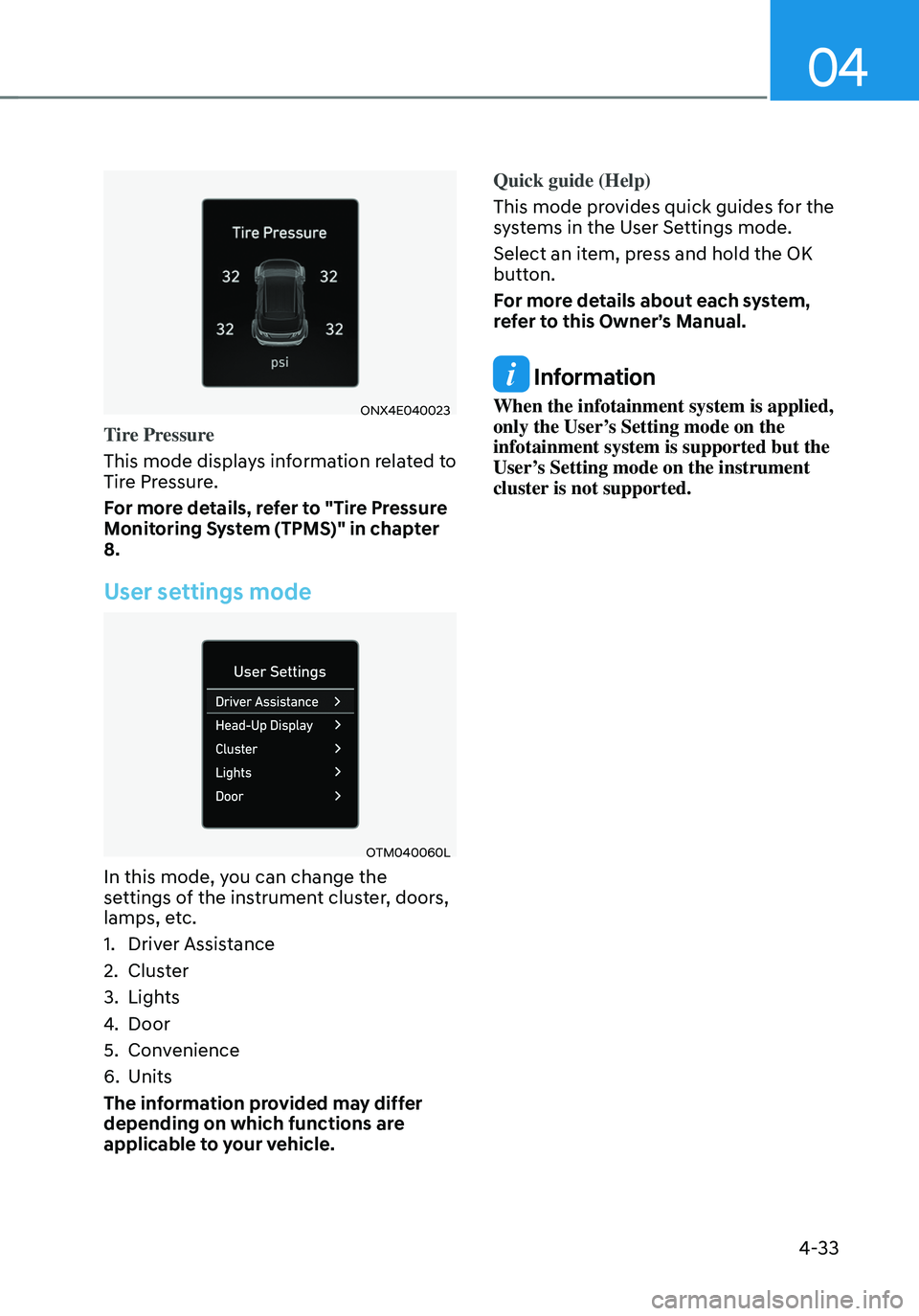
ONX4E040023
Tire Pressure
This mode displays information related to
Tire Pressure.
For more details, refer to "Tire Pressure
Monitoring System (TPMS)" in chapter
8.
User settings mode
OTM040060L
In this mode, you can change the
settings of the instrument cluster, doors,
lamps, etc.
1. Driver Assistance
2. Cluster
3. Lights
4. Door
5. Convenience
6. Units
The information provided may differ
depending on which functions are
applicable to your vehicle. Quick guide (Help)
This mode provides quick guides for the
systems in the User Settings mode.
Select an item, press and hold the OK
button.
For more details about each system,
refer to this Owner’s Manual.
Information
When the infotainment system is applied,
only the User’s Setting mode on the
infotainment system is supported but the
User’s Setting mode on the instrument
cluster is not supported.