2022 HYUNDAI KONA EV lock
[x] Cancel search: lockPage 155 of 548

Instrument cluster
4-12
Electric Power Steering (EPS)
Warning Light
This warning light illuminates:
•
When the START/STOP button is in the ON position.
- It illuminates for approximately 3 seconds and then goes off.
• When there is a malfunction with the
Electric Power Steering System.
In this case, we recommend that
you have the vehicle inspected by an
authorized HYUNDAI dealer.
Charging System Warning
Light (for 12-volt battery)
This warning light illuminates:
• When the 12-volt battery level is low
or a failure occurs on the charging
system such as LDC.
• If the warning light turns on while
driving, move the vehicle to a safe
location, turn off and turn on the
vehicle again, and check if the
warning light turns off. If the warning
light remains on, we recommend that
you have the vehicle inspected by an
authorized HYUNDAI dealer.
• Even if the warning light turns off, we
recommend that you have the vehicle
inspected by an authorized HYUNDAI
dealer.
If you drive the vehicle while the
warning light is on, vehicle speed may
be limited and the 12-volt battery may
be discharged.
à LDC : Low voltage DC-DC Converter. Master Warning Light
This indicator light illuminates:
•
When there is a malfunction in the
below systems.
- Forward Collision-Avoidance Assist malfunction (if equipped)
- Forward Collision-Avoidance Assist radar blocked (if equipped)
- Blind-Spot Collision Warning malfunction (if equipped)
- Blind-Spot Collision Warning radar blocked (if equipped)
- LED headlamp malfunction (if equipped)
- High Beam Assist malfunction (if equipped)
- Smart Cruise Control with Stop & Go malfunction (if equipped)
- Smart Cruise Control with Stop & Go radar blocked (if equipped)
- Tire Pressure Monitoring System (TPMS) malfunction
To identify the details of the warning,
look at the LCD display.
Page 160 of 548
04
4-17
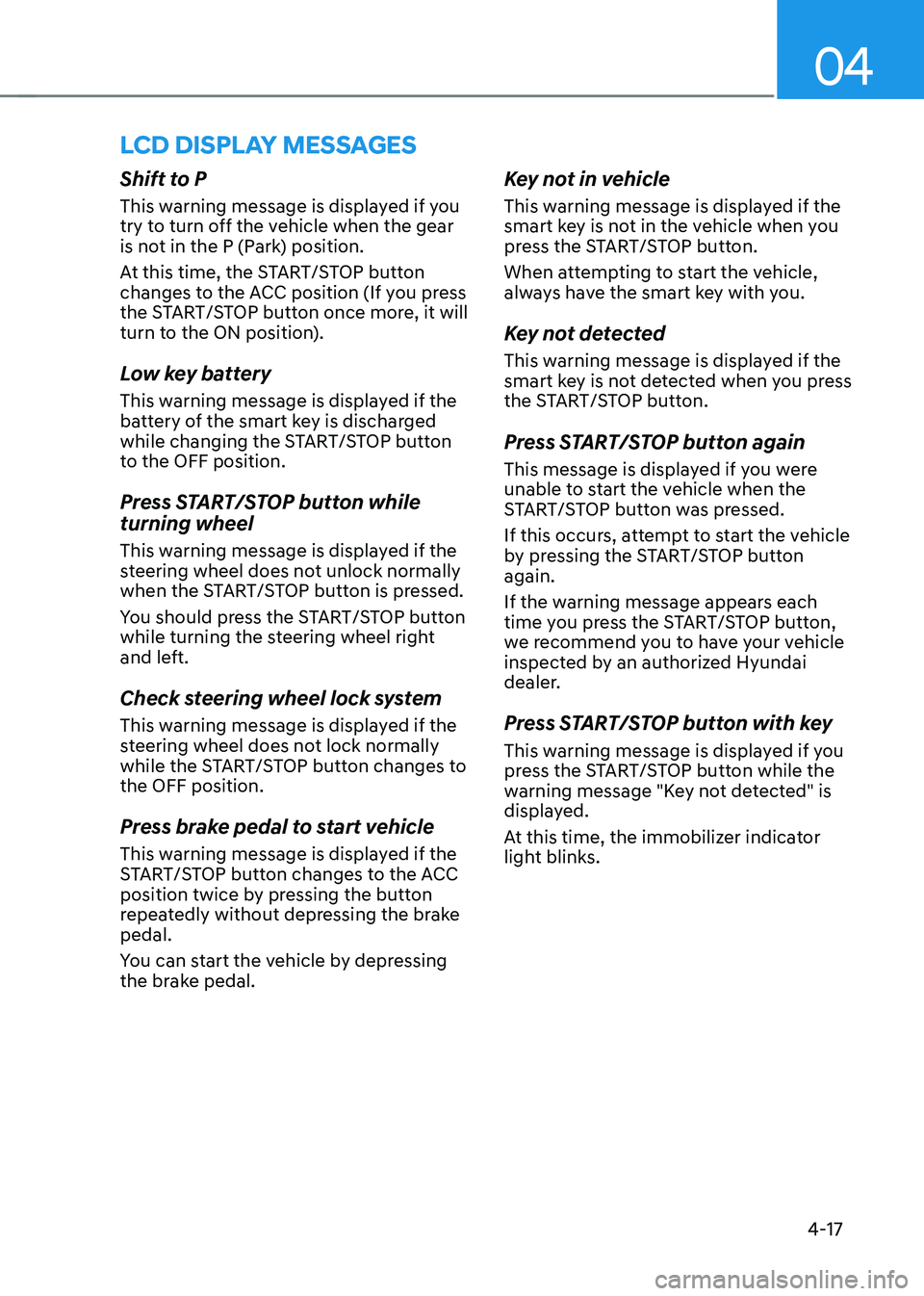
lcD DIsplay messages
Shift to P
This warning message is displayed if you
try to turn off the vehicle when the gear
is not in the P (Park) position.
At this time, the START/STOP button
changes to the ACC position (If you press
the START/STOP button once more, it will
turn to the ON position).
Low key battery
This warning message is displayed if the
battery of the smart key is discharged
while changing the START/STOP button
to the OFF position.
Press START/STOP button while turning wheel
This warning message is displayed if the
steering wheel does not unlock normally
when the START/STOP button is pressed.
You should press the START/STOP button
while turning the steering wheel right
and left.
Check steering wheel lock system
This warning message is displayed if the
steering wheel does not lock normally
while the START/STOP button changes to the OFF position.
Press brake pedal to start vehicle
This warning message is displayed if the
START/STOP button changes to the ACC
position twice by pressing the button
repeatedly without depressing the brake pedal.
You can start the vehicle by depressing
the brake pedal.Key not in vehicle
This warning message is displayed if the
smart key is not in the vehicle when you
press the START/STOP button.
When attempting to start the vehicle,
always have the smart key with you.
Key not detected
This warning message is displayed if the
smart key is not detected when you press
the START/STOP button.
Press START/STOP button again
This message is displayed if you were
unable to start the vehicle when the
START/STOP button was pressed.
If this occurs, attempt to start the vehicle
by pressing the START/STOP button again.
If the warning message appears each
time you press the START/STOP button,
we recommend you to have your vehicle
inspected by an authorized Hyundai
dealer.
Press START/STOP button with key
This warning message is displayed if you
press the START/STOP button while the
warning message "Key not detected" is
displayed.
At this time, the immobilizer indicator
light blinks.
Page 173 of 548

Instrument cluster
4-30
Master warning group
OIG059097L
This warning light informs the driver the
following situations.
- Forward Collision-Avoidance Assist malfunction (if equipped)
- Forward Collision-Avoidance Assist radar blocked (if equipped)
- Blind-Spot Collision Warning malfunction (if equipped)
- Blind-Spot Collision Warning radar blocked (if equipped)
- LED headlamp malfunction (if equipped)
- High Beam Assist malfunction (if equipped)
- Smart Cruise Control malfunction (if equipped)
- Smart Cruise Control radar blocked (if equipped)
- Tire Pressure Monitoring System (TPMS) malfunction
The Master Warning Light illuminates
if one or more of the above warning
situations occur.
At this time, a Master Warning icon (
)
will appear on the LCD display.
If the warning situation is solved, the
master warning light will be turned
off and the Master Warning icon will
disappear.
OOSEV048110L
Tire Pressure
This mode displays information related to
Tire Pressure.
For more details, refer to "Tire Pressure
Monitoring System (TPMS)" in chapter 8.
Page 179 of 548
Instrument cluster
4-36
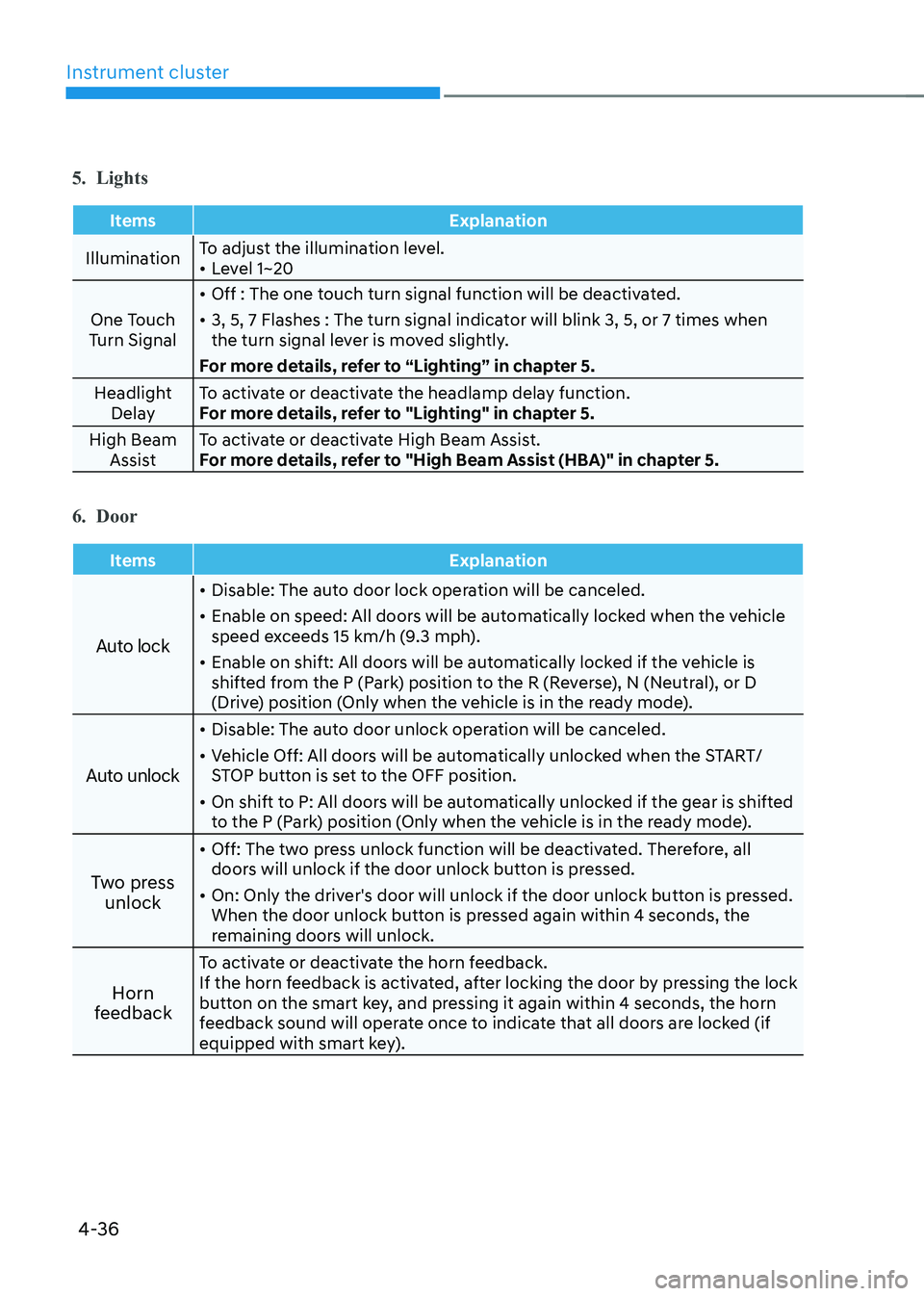
5. Lights
Items Explanation
IlluminationTo adjust the illumination level. •
Level 1~20
One Touch
Turn Signal •
Off : The one touch turn signal function will be deactivated.
• 3, 5, 7 Flashes : The turn signal indicator will blink 3, 5, or 7 times when
the turn signal lever is moved slightly.
For more details, refer to “Lighting” in chapter 5.
Headlight Delay To activate or deactivate the headlamp delay function.
For more details, refer to "Lighting" in chapter 5.
High Beam Assist To activate or deactivate High Beam Assist.
For more details, refer to "High Beam Assist (HBA)" in chapter 5.
6. Door
Items Explanation
Auto lock
•
Disable: The auto door lock operation will be canceled.
• Enable on speed: All doors will be automatically locked when the vehicle
speed exceeds 15 km/h (9.3 mph).
• Enable on shift: All doors will be automatically locked if the vehicle is
shifted from the P (Park) position to the R (Reverse), N (Neutral), or D
(Drive) position (Only when the vehicle is in the ready mode).
Auto unlock
• Disable: The auto door unlock operation will be canceled.
• Vehicle Off: All doors will be automatically unlocked when the START/
STOP button is set to the OFF position.
• On shift to P: All doors will be automatically unlocked if the gear is shifted
to the P (Park) position (Only when the vehicle is in the ready mode).
Two press unlock •
Off: The two press unlock function will be deactivated. Therefore, all
doors will unlock if the door unlock button is pressed.
• On: Only the driver's door will unlock if the door unlock button is pressed.
When the door unlock button is pressed again within 4 seconds, the
remaining doors will unlock.
Horn
feedback To activate or deactivate the horn feedback.
If the horn feedback is activated, after locking the door by pressing the lock
button on the smart key, and pressing it again within 4 seconds, the horn
feedback sound will operate once to indicate that all doors are locked (if
equipped with smart key).
Page 185 of 548
5
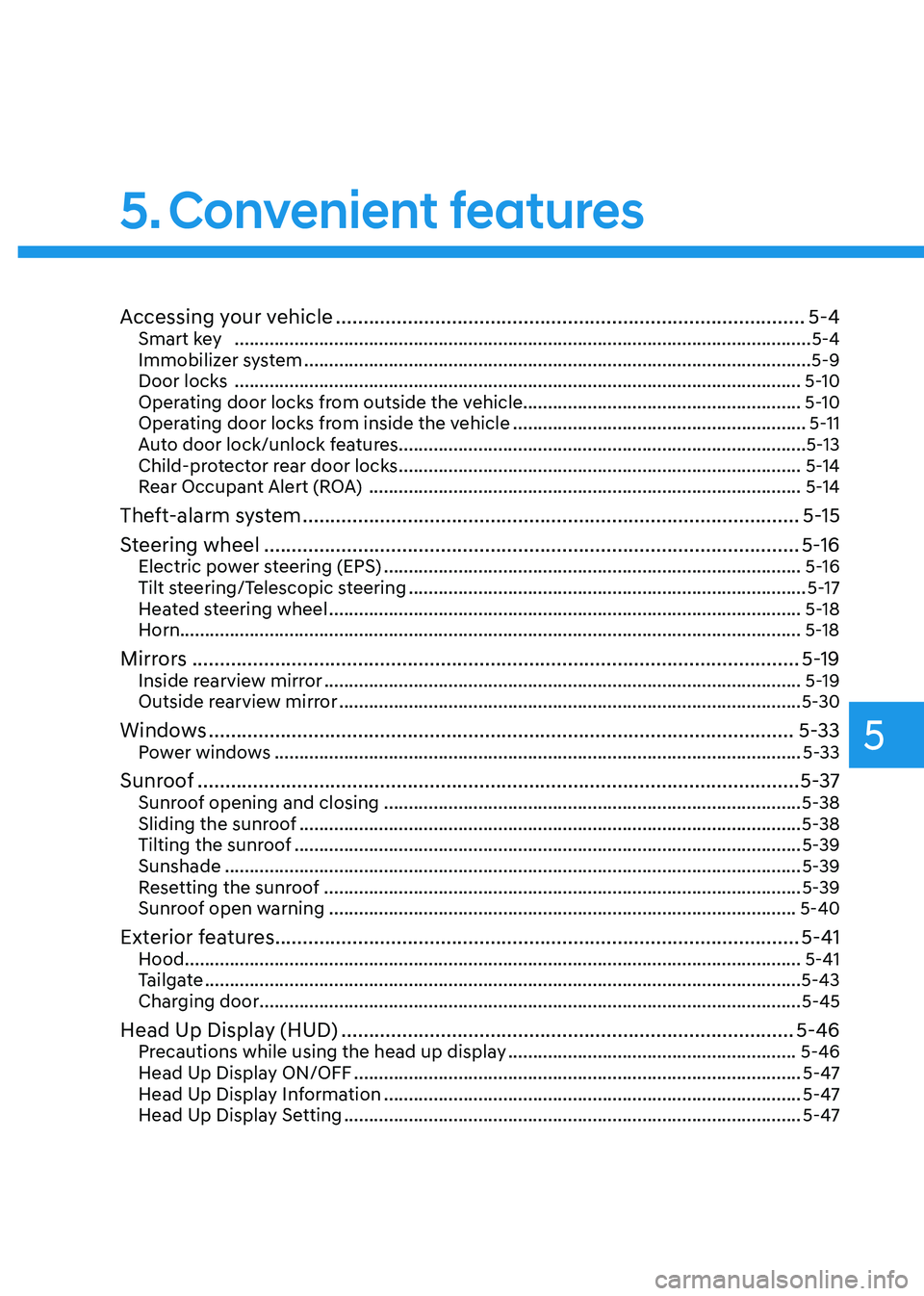
Accessing your vehicle ..................................................................................... 5-4
Smart key .................................................................................................................... 5-4
Immobilizer system ...................................................................................................... 5-9
Door locks .................................................................................................................. 5-10
Operating door locks from outside the vehicle........................................................ 5-10
Operating door locks from inside the vehicle ...........................................................5-11
Auto door lock/unlock features..................................................................................5-13
Child-protector rear door locks ................................................................................. 5-14
Rear Occupant Alert (ROA) ....................................................................................... 5-14
Theft-alarm system .......................................................................................... 5-15
Steering wheel ................................................................................................. 5-16
Electric power steering (EPS) .................................................................................... 5-16
Tilt steering/Telescopic steering ................................................................................ 5-17
Heated steering wheel ............................................................................................... 5-18
Horn............................................................................................................................. 5-18
Mirrors .............................................................................................................. 5-19
Inside rearview mirror ................................................................................................ 5-19
Outside rearview mirror ............................................................................................. 5-30
Windows .......................................................................................................... 5-33
Power windows .......................................................................................................... 5-33
Sunroof ............................................................................................................. 5-37
Sunroof opening and closing .................................................................................... 5-38
Sliding the sunroof ..................................................................................................... 5-38
Tilting the sunroof ...................................................................................................... 5-39
Sunshade .................................................................................................................... 5-39
Resetting the sunroof ................................................................................................ 5-39
Sunroof open warning .............................................................................................. 5-40
Exterior features ............................................................................................... 5-41
Hood ............................................................................................................................ 5-41
Tailgate ........................................................................................................................ 5-43
Charging door ............................................................................................................. 5-45
Head Up Display (HUD) .................................................................................. 5-46
Precautions while using the head up display ..........................................................5-46
Head Up Display ON/OFF .......................................................................................... 5-47
Head Up Display Information .................................................................................... 5-47
Head Up Display Setting ............................................................................................ 5-47
5. Convenient features
Page 187 of 548

5
Interior features .............................................................................................. 5-84
Cup holder ................................................................................................................. 5-84
Sunvisor ...................................................................................................................... 5-85
Power outlet ............................................................................................................... 5-85
USB charger ............................................................................................................... 5-86
Wireless cellular phone charging system .................................................................5-87
Clock .......................................................................................................................... 5-89
Clothes hanger .......................................................................................................... 5-89
Floor mat anchor(s) ................................................................................................... 5-90
Luggage net (holder) .................................................................................................. 5-91
Cargo area cover ........................................................................................................ 5-91
Exterior features .............................................................................................. 5-92
Roof rack ..................................................................................................................... 5-92
Infotainment system ....................................................................................... 5-93
USB and iPod ® port ....................................................................................................5-93
Antenna ....................................................................................................................... 5-93
Steering wheel audio controls ................................................................................. 5-94
Bluetooth ® Wireless Technology hands-free ........................................................... 5-95
Voice recognition ...................................................................................................... 5-96
Audio / Video / Navigation system (AVN) ................................................................5-96
5. Convenient features
Page 188 of 548
Convenient features
5-4
Smart key
OOS050026N
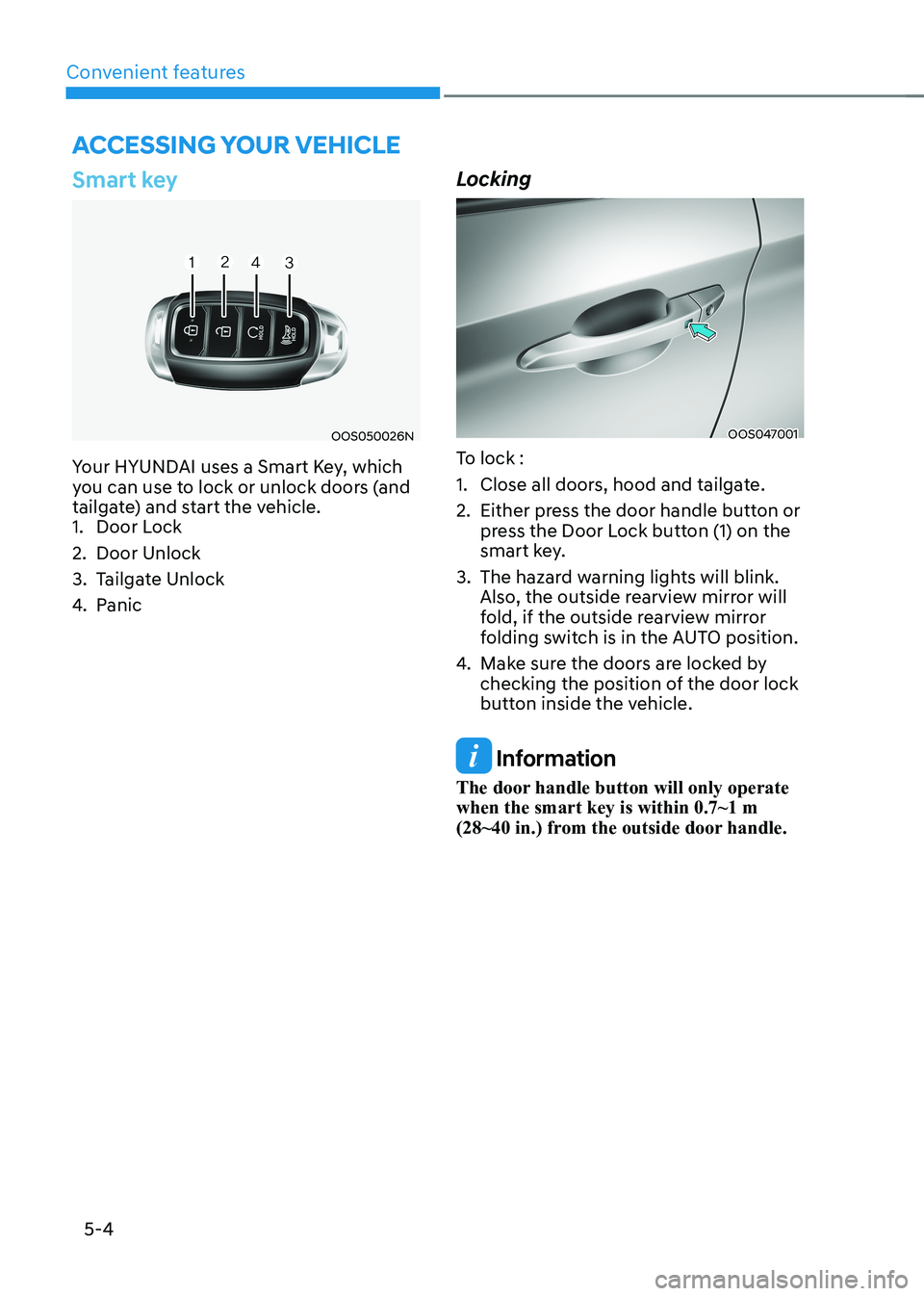
Your HYUNDAI uses a Smart Key, which
you can use to lock or unlock doors (and
tailgate) and start the vehicle.
1. Door Lock
2. Door Unlock
3. Tailgate Unlock
4. Panic LockingOOS047001
To lock :
1. Close all doors, hood and tailgate.
2. Either press the door handle button or press the Door Lock button (1) on the
smart key.
3. The hazard warning lights will blink. Also, the outside rearview mirror will
fold, if the outside rearview mirror
folding switch is in the AUTO position.
4. Make sure the doors are locked by
checking the position of the door lock
button inside the vehicle.
Information
The door handle button will only operate when the smart key is within 0.7~1 m
(28~40 in.) from the outside door handle.
Accessing your vehicle
Page 189 of 548
05
5-5
Even though you press the outside
door handle button, the doors will not
lock and the chime will sound for three
seconds if any of the following occur: •
The Smart Key is in the vehicle.
• The START/STOP button is ON position.
• Any door except the tailgate is open.
WARNING
Do not leave the Smart Key in your
vehicle with unsupervised children.
Unattended children could press the
START/STOP button and may operate
power windows or other controls, or
even make the vehicle move, which
could result in serious injury or death. Unlocking
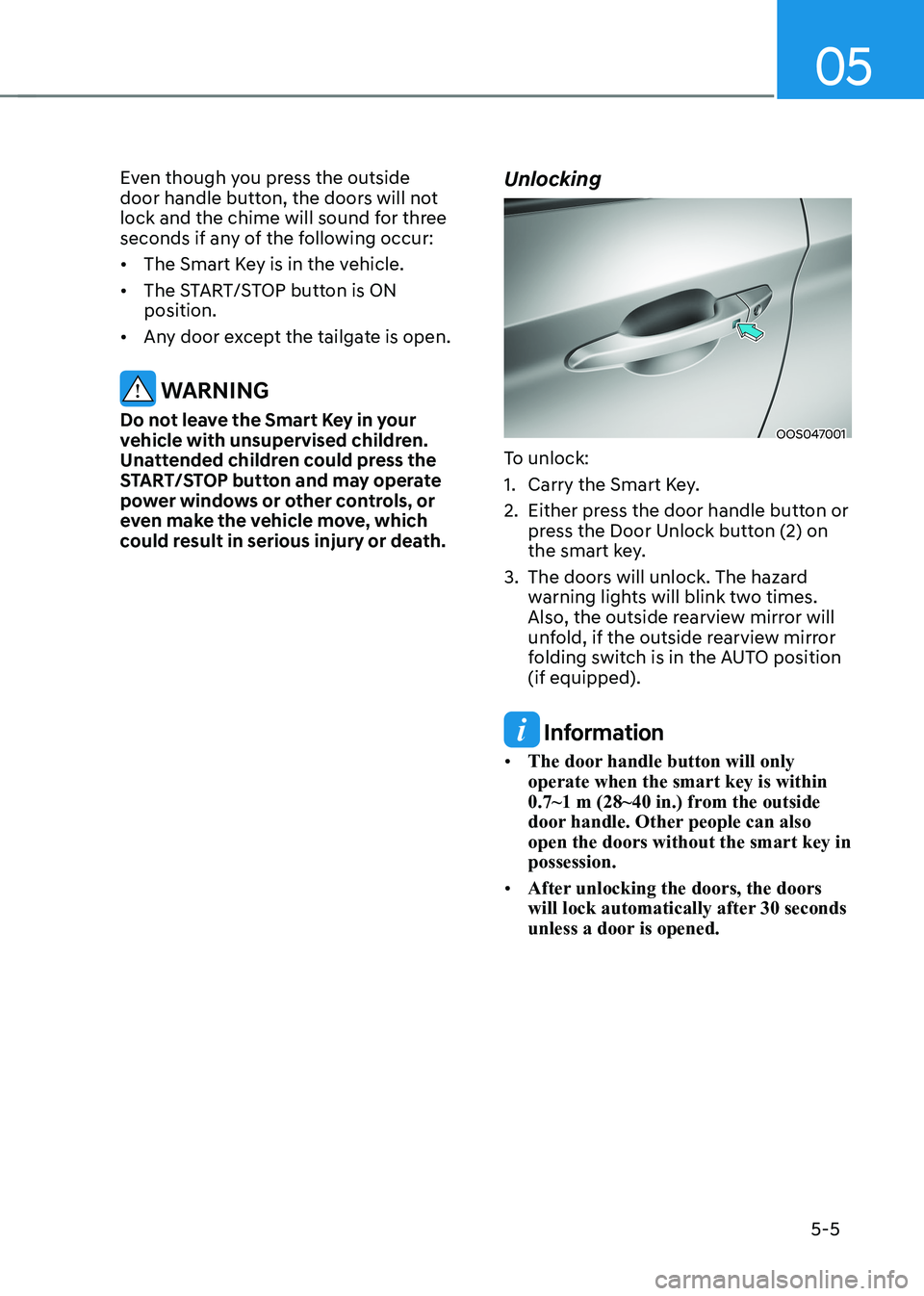
OOS047001
To unlock:
1. Carry the Smart Key.
2. Either press the door handle button or press the Door Unlock button (2) on
the smart key.
3. The doors will unlock. The hazard warning lights will blink two times.
Also, the outside rearview mirror will
unfold, if the outside rearview mirror
folding switch is in the AUTO position (if equipped).
Information
• The door handle button will only operate when the smart key is within
0.7~1 m (28~40 in.) from the outside
door handle. Other people can also open the doors without the smart key in possession.
• After unlocking the doors, the doors
will lock automatically after 30 seconds
unless a door is opened.