Page 278 of 548
Convenient features
5-94
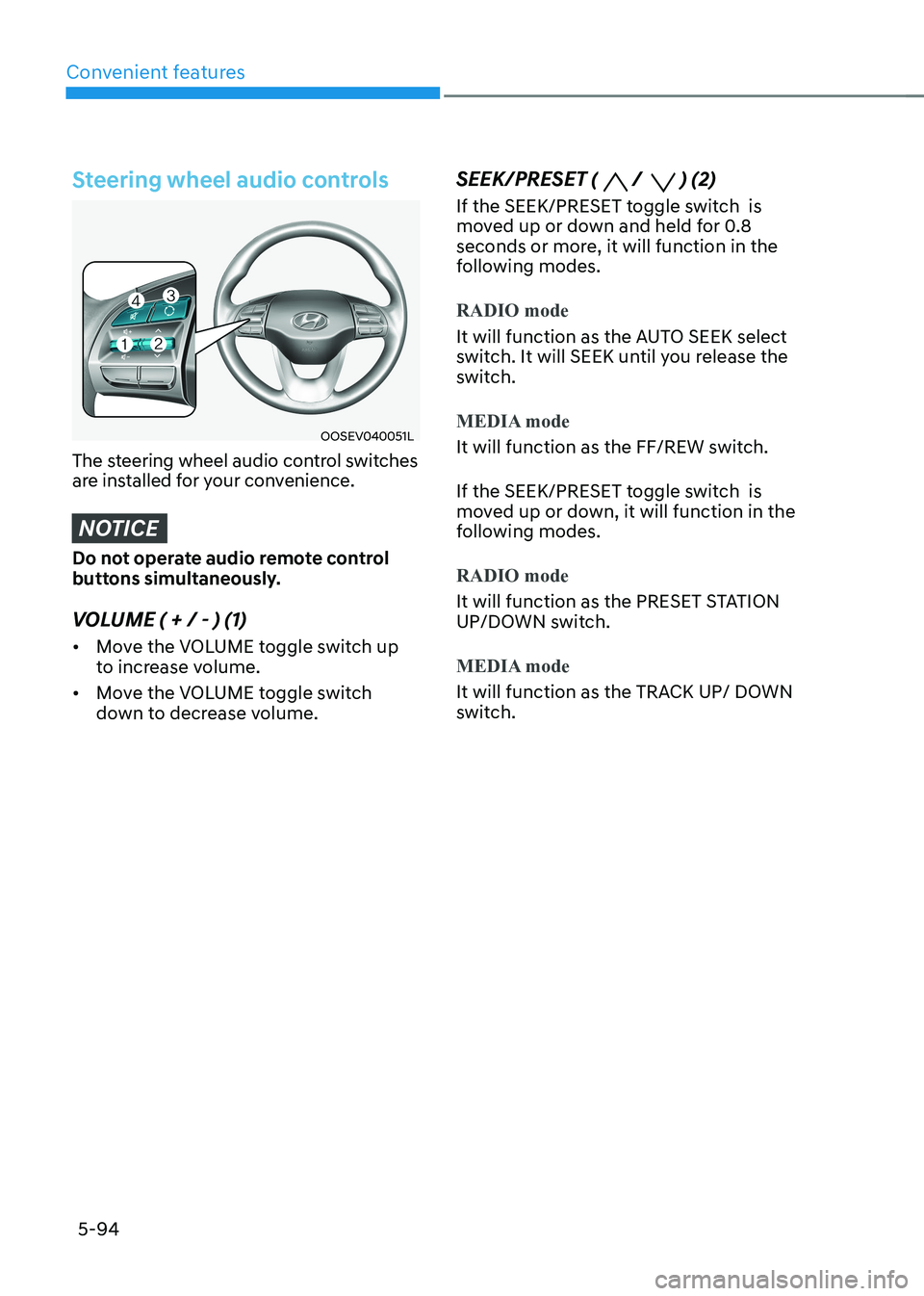
Steering wheel audio controls
OOSEV040051L
The steering wheel audio control switches
are installed for your convenience.
NOTICE
Do not operate audio remote control
buttons simultaneously.
VOLUME ( + / - ) (1) • Move the VOLUME toggle switch up
to increase volume.
• Move the VOLUME toggle switch
down to decrease volume. SEEK/PRESET (
/ ) (2)
If the SEEK/PRESET toggle switch is
moved up or down and held for 0.8
seconds or more, it will function in the
following modes.
RADIO mode
It will function as the AUTO SEEK select
switch. It will SEEK until you release the
switch.
MEDIA mode
It will function as the FF/REW switch.
If the SEEK/PRESET toggle switch is
moved up or down, it will function in the
following modes.
RADIO mode
It will function as the PRESET STATION
UP/DOWN switch.
MEDIA mode
It will function as the TRACK UP/ DOWN
switch.
Page 279 of 548
05
5-95
MODE (
) (3)
Press the MODE button to select Radio,
Disc, or AUX. MUTE (
) (4)
• Press the button to mute the sound.
• Press the button again to activate the sound.
Information
Detailed information is described in a separately supplied manual.
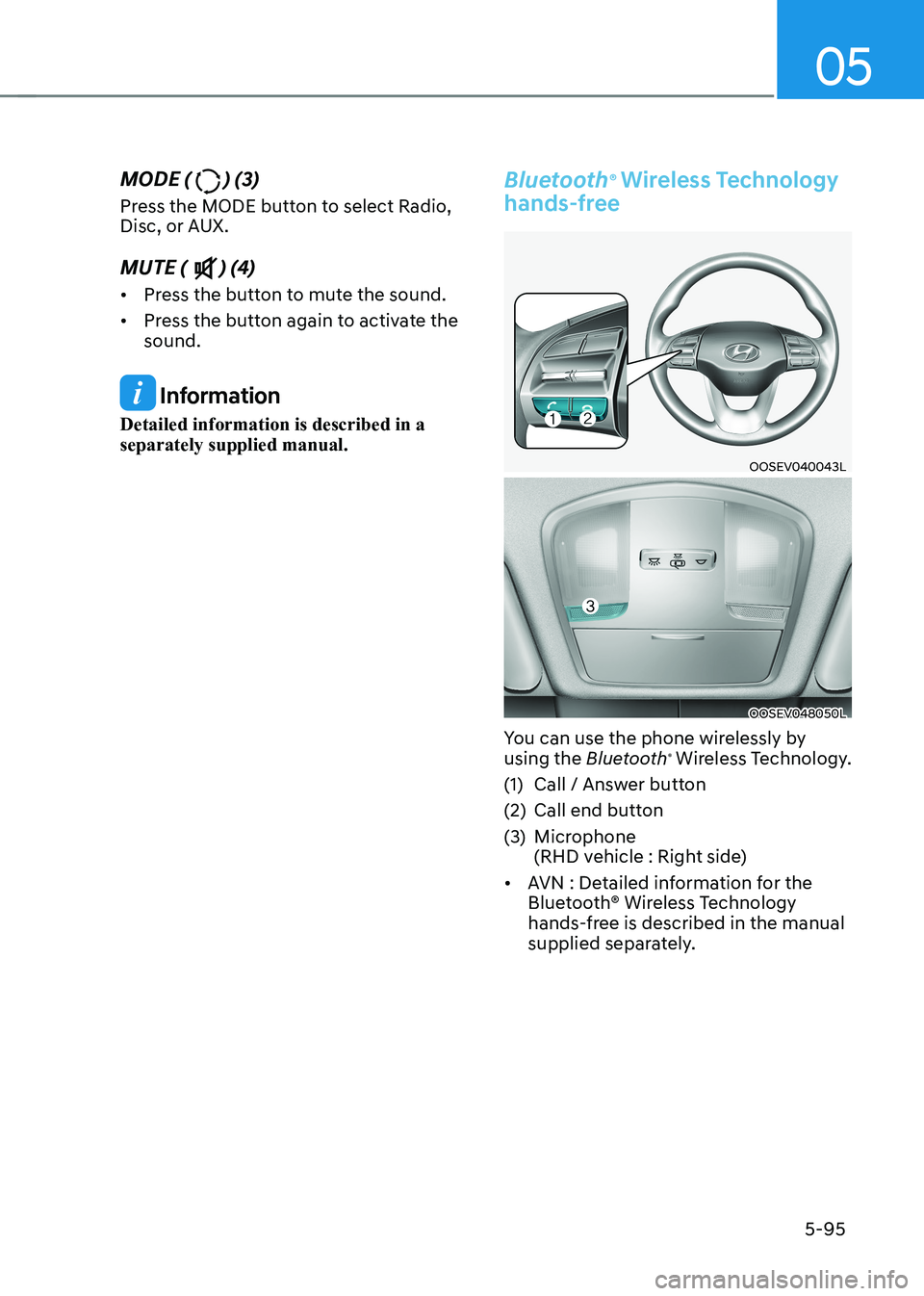
Bluetooth ®
Wireless Technology
hands-free
OOSEV040043L
OOSEV048050L
You can use the phone wirelessly by using the Bluetooth®
Wireless Technology.
(1) Call / Answer button
(2) Call end button
(3) Microphone
(RHD vehicle : Right side)
• AVN : Detailed information for the
Bluetooth® Wireless Technology
hands-free is described in the manual
supplied separately.
Page 343 of 548
Driver assistance system
7-10
•
You are driving by a pedestrian,
traffic signs, structures, etc. near the
intersection
• Driving in a parking lot
• Driving through a tollgate,
construction area, unpaved road,
partial paved road, uneven road,
speed bumps, etc.
• Driving on an incline road, curved
road, etc.
• Driving through a roadside with trees
or streetlights
• The adverse road conditions cause
excessive vehicle vibrations while driving
• Your vehicle height is low or high
due to heavy loads, abnormal tire
pressure, etc.
• Driving through a narrow road where
trees or grass are overgrown
• There is interference by
electromagnetic waves, such as
driving in an area with strong radio
waves or electrical noise
warning
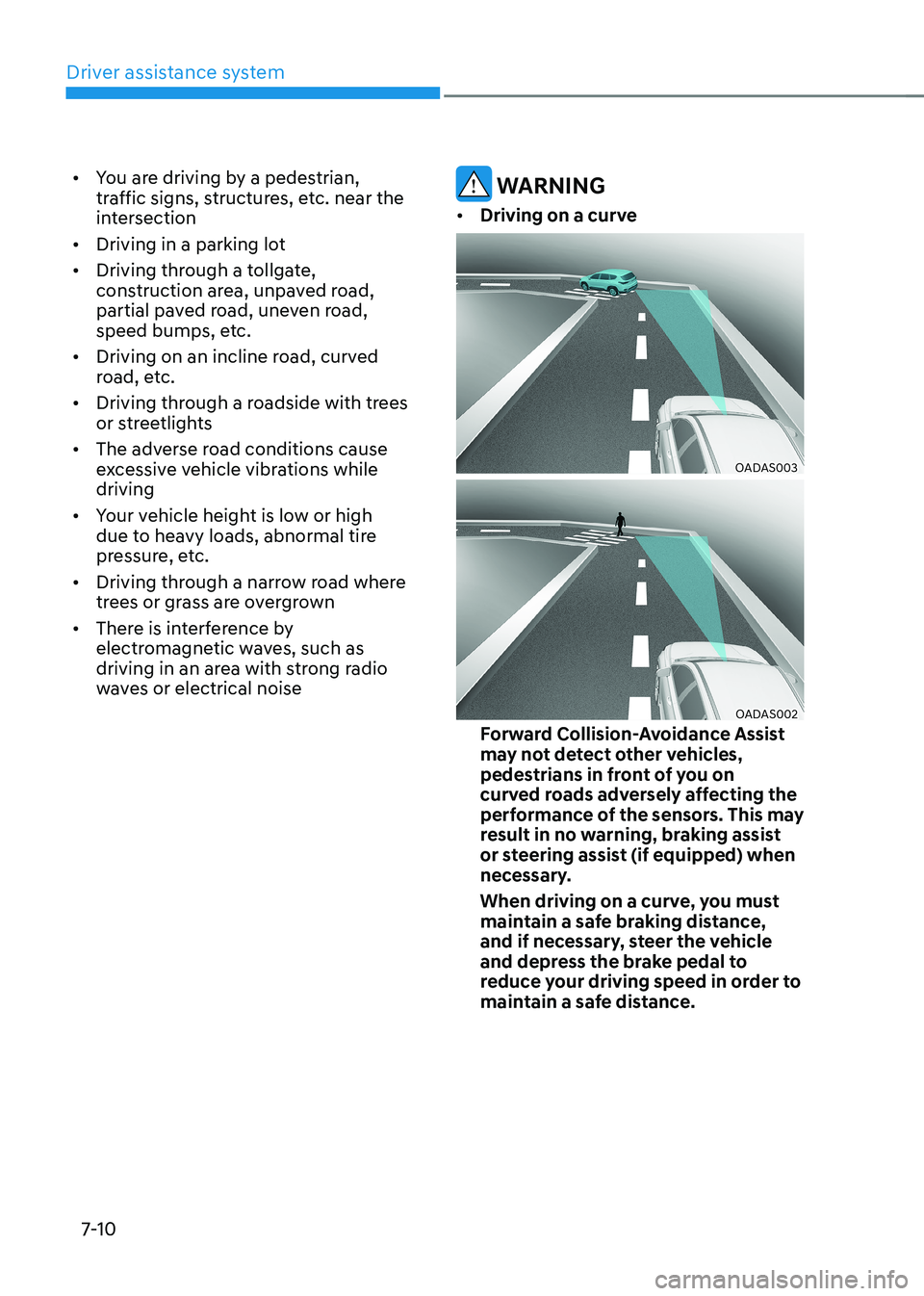
• Driving on a curve
OADAS003
OADAS002
Forward Collision-Avoidance Assist
may not detect other vehicles,
pedestrians in front of you on
curved roads adversely affecting the
performance of the sensors. This may
result in no warning, braking assist
or steering assist (if equipped) when
necessary.
When driving on a curve, you must
maintain a safe braking distance,
and if necessary, steer the vehicle
and depress the brake pedal to
reduce your driving speed in order to
maintain a safe distance.
Page 356 of 548
07
7-23
•
There is a group of pedestrians,
cyclists or a large crowd in front
• The pedestrian or cyclist is wearing
clothing that easily blends into the
background, making it difficult to
detect
• The pedestrian or cyclist is difficult to
distinguish from the similar shaped
structure in the surroundings
• You are driving by a pedestrian,
cyclist, traffic signs, structures, etc.
near the intersection
• Driving in a parking lot
• Driving through a tollgate,
construction area, unpaved road,
partial paved road, uneven road,
speed bumps, etc.
• Driving on an incline road, curved
road, etc.
• Driving through a roadside with trees
or streetlights
• The adverse road conditions cause
excessive vehicle vibrations while driving
• Your vehicle height is low or high
due to heavy loads, abnormal tire
pressure, etc.
• Driving through a narrow road where
trees or grass are overgrown
• There is interference by
electromagnetic waves, such as
driving in an area with strong radio
waves or electrical noise
warning
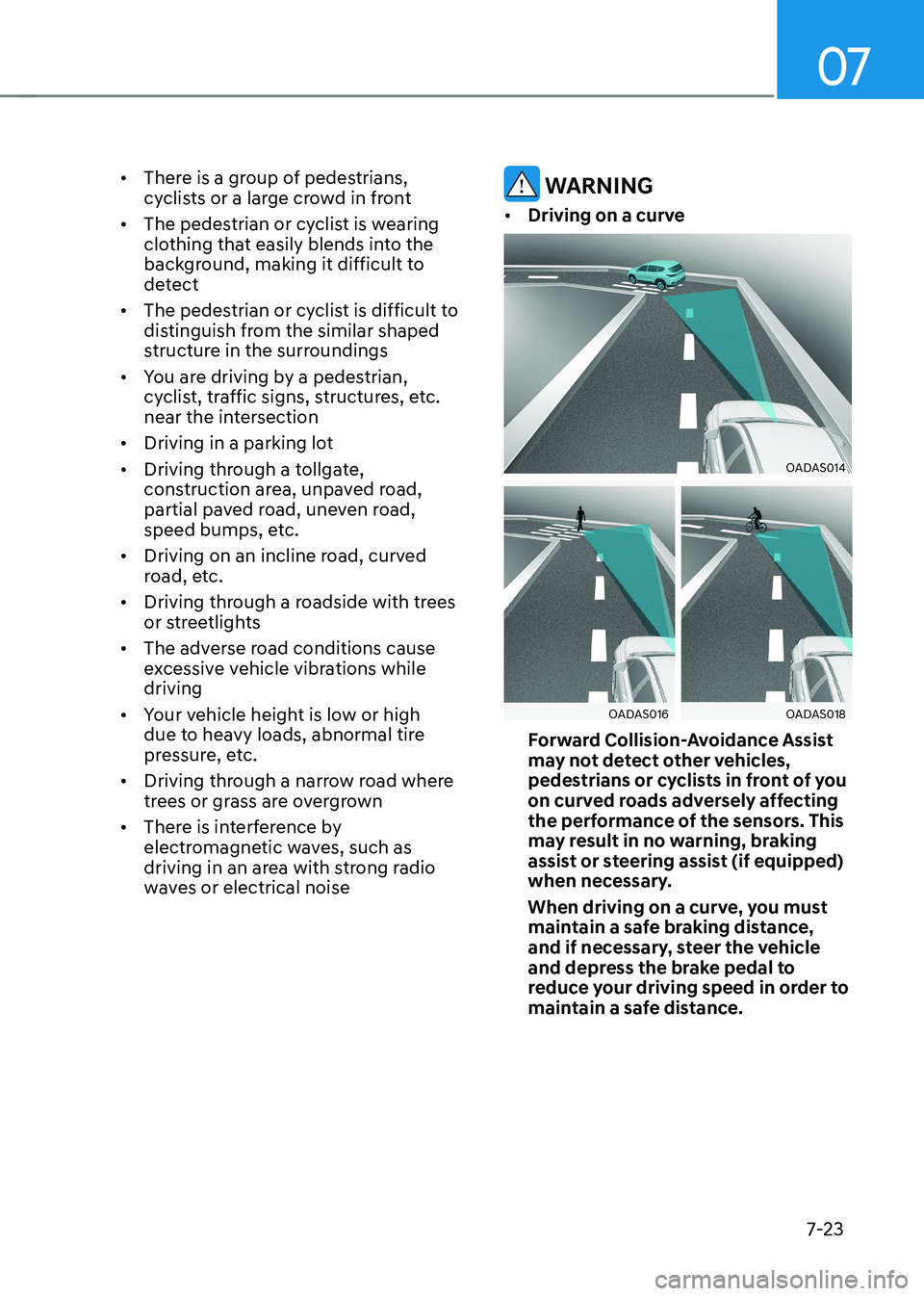
• Driving on a curve
OADAS014
OADAS016OADAS018
Forward Collision-Avoidance Assist
may not detect other vehicles,
pedestrians or cyclists in front of you
on curved roads adversely affecting
the performance of the sensors. This
may result in no warning, braking
assist or steering assist (if equipped)
when necessary.
When driving on a curve, you must
maintain a safe braking distance,
and if necessary, steer the vehicle
and depress the brake pedal to
reduce your driving speed in order to
maintain a safe distance.
Page 360 of 548
07
7-27
Information
In some instances, FCA system may be cancelled when subjected to
electromagnetic interference.
Information
This device complies with Industry Canada RSS-210 standard.
Operation is subject to the following three conditions: 1. This device may not cause harmful
interference, and
2. This device must accept any
interference received, including
interference that may cause undesired operation.
3. Changes or modifications not expressly
approved by the party responsible
for compliance could void the user's authority to operate the device.
Information
Radio frequency radiation exposure information: This equipment complies with RSS- 210
radiation exposure limits set forth for an
uncontrolled environment. This equipment should be installed and operated with minimum distance of 20cm
(8 in.) between the radiator (antenna) and
your body.
This transmitter must not be co-located or
operating in conjunction with any other
antenna or transmitter.
Page 380 of 548
07
7-47
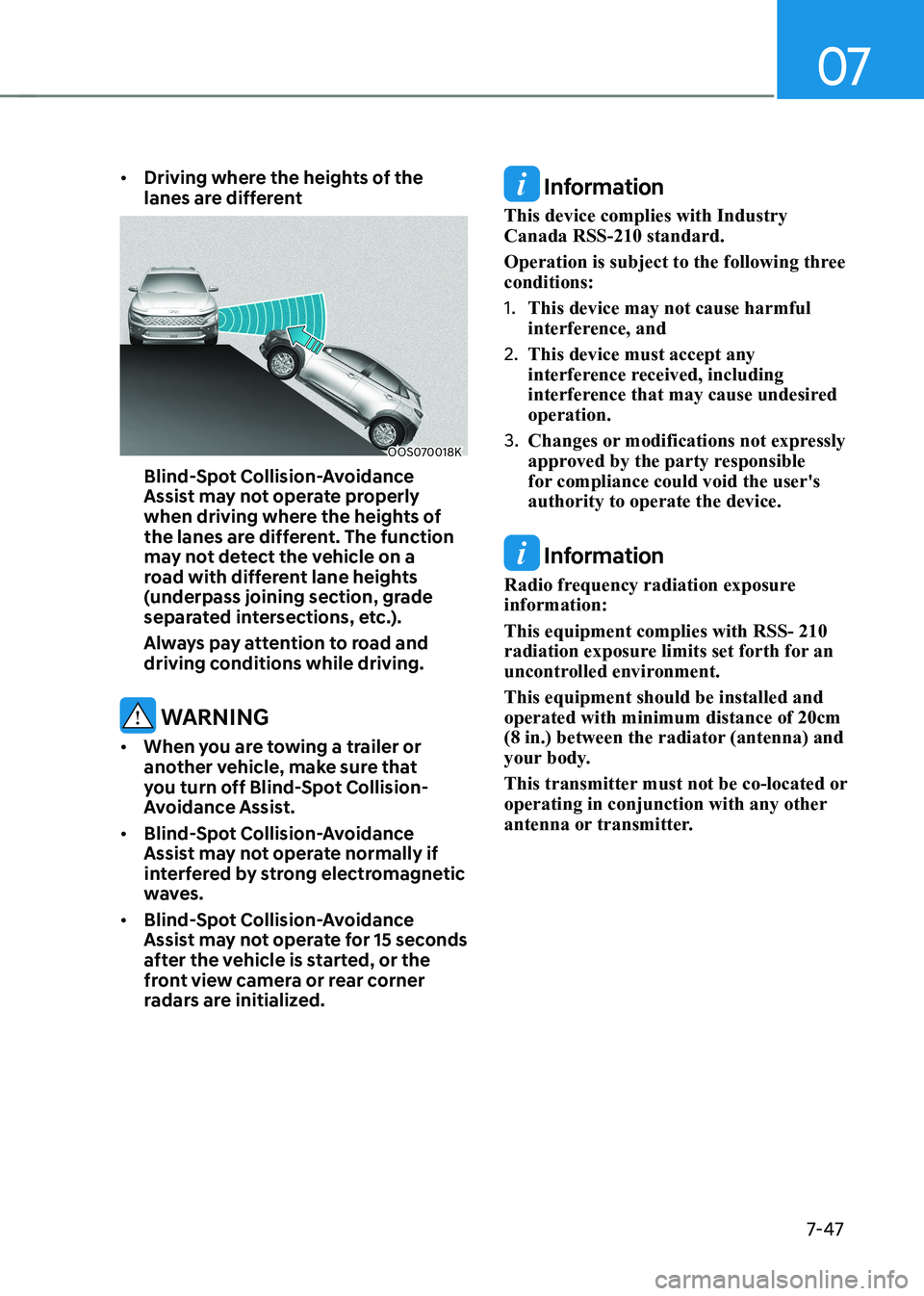
•
Driving where the heights of the
lanes are different
OOS070018K
Blind-spot Collision-avoidance
Assist may not operate properly
when driving where the heights of
the lanes are different. The function
may not detect the vehicle on a
road with different lane heights
(underpass joining section, grade
separated intersections, etc.).
Always pay attention to road and
driving conditions while driving.
warning
• When you are towing a trailer or
another vehicle, make sure that
you turn off Blind-spot Collision-
Avoidance Assist.
• Blind-spot Collision-avoidance
Assist may not operate normally if
interfered by strong electromagnetic
waves.
• Blind-spot Collision-avoidance
Assist may not operate for 15 seconds
after the vehicle is started, or the
front view camera or rear corner
radars are initialized.
Information
This device complies with Industry Canada RSS-210 standard.
Operation is subject to the following three conditions: 1. This device may not cause harmful
interference, and
2. This device must accept any
interference received, including
interference that may cause undesired operation.
3. Changes or modifications not expressly
approved by the party responsible
for compliance could void the user's authority to operate the device.
Information
Radio frequency radiation exposure information: This equipment complies with RSS- 210
radiation exposure limits set forth for an
uncontrolled environment. This equipment should be installed and operated with minimum distance of 20cm
(8 in.) between the radiator (antenna) and
your body.
This transmitter must not be co-located or
operating in conjunction with any other
antenna or transmitter.
Page 409 of 548
Driver assistance system
7-76
•
The vehicle in front is bent out of shape
• The front vehicle’s speed is fast or slow
• With a vehicle in front, your vehicle
changes lane at low speed
• The vehicle in front is covered with
snow
• Unstable driving
• You are on a roundabout and the
vehicle in front is not detected
• You are continuously driving in a circle
• Driving in a parking lot
• Driving through a construction area,
unpaved road, partial paved road,
uneven road, speed bumps, etc.
• Driving on an incline road, curved
road, etc.
• Driving through a roadside with trees
or streetlights
• The adverse road conditions cause
excessive vehicle vibrations while driving
• Your vehicle height is low or high
due to heavy loads, abnormal tire
pressure, etc.
• Driving through a narrow road where
trees or grass are overgrown
• There is interference by
electromagnetic waves, such as
driving in an area with strong radio
waves or electrical noise •
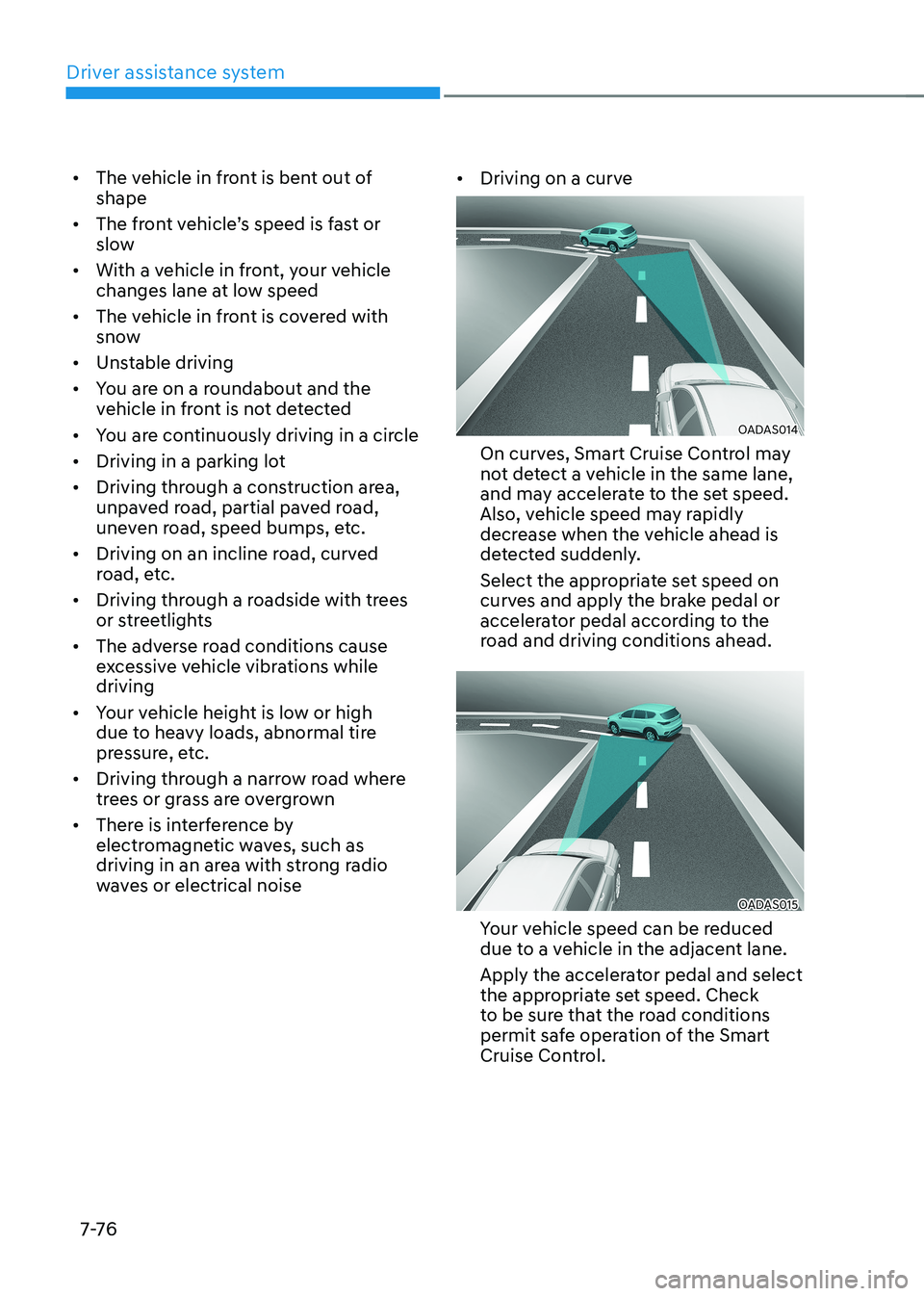
Driving on a curve
OADAS014
On curves, Smart Cruise Control may
not detect a vehicle in the same lane,
and may accelerate to the set speed.
Also, vehicle speed may rapidly
decrease when the vehicle ahead is
detected suddenly.
Select the appropriate set speed on
curves and apply the brake pedal or
accelerator pedal according to the
road and driving conditions ahead.
OADAS015
Your vehicle speed can be reduced
due to a vehicle in the adjacent lane.
Apply the accelerator pedal and select
the appropriate set speed. Check
to be sure that the road conditions
permit safe operation of the Smart
Cruise Control.
Page 412 of 548
07
7-7 9
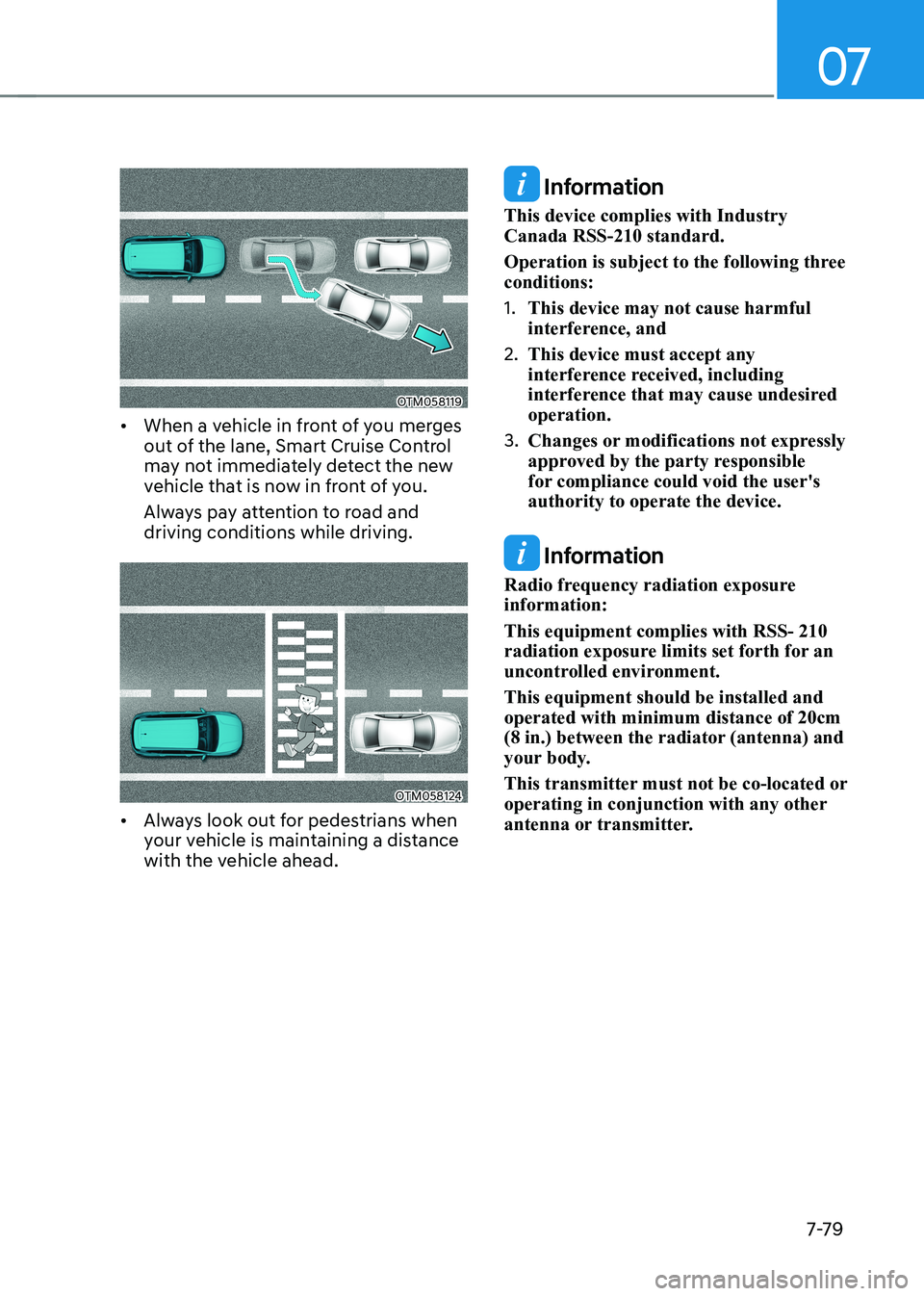
OTM058119
• When a vehicle in front of you merges
out of the lane, Smart Cruise Control
may not immediately detect the new
vehicle that is now in front of you.
Always pay attention to road and driving conditions while driving.
OTM058124
• Always look out for pedestrians when
your vehicle is maintaining a distance
with the vehicle ahead.
Information
This device complies with Industry Canada RSS-210 standard.
Operation is subject to the following three conditions: 1. This device may not cause harmful
interference, and
2. This device must accept any
interference received, including
interference that may cause undesired operation.
3. Changes or modifications not expressly
approved by the party responsible
for compliance could void the user's authority to operate the device.
Information
Radio frequency radiation exposure information: This equipment complies with RSS- 210
radiation exposure limits set forth for an
uncontrolled environment. This equipment should be installed and operated with minimum distance of 20cm
(8 in.) between the radiator (antenna) and
your body.
This transmitter must not be co-located or
operating in conjunction with any other
antenna or transmitter.