Page 192 of 546
3-42
Convenient features of your vehicle
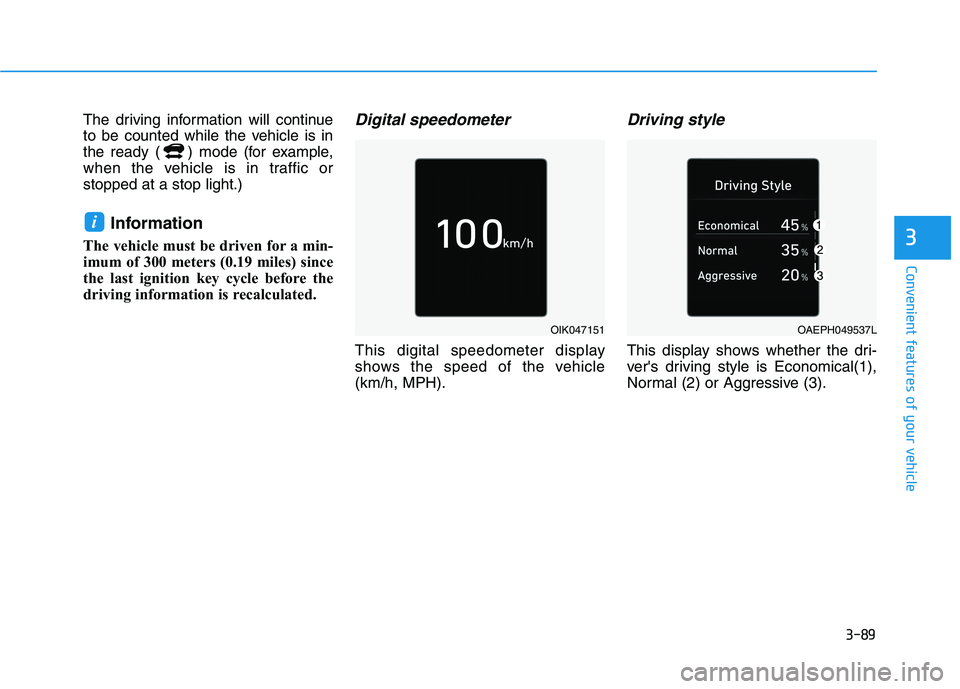
Emergency tailgate safetyrelease
Your vehicle is equipped with an
Emergency Tailgate Safety Release
lever located inside the tailgate.
When someone is inadvertently
locked in the luggage compartment,
the tailgate can be opened manually
from inside the luggage compart-
ment by performing the followingsteps :
1. Input the mechanical key into the hole.
2. Push the mechanical key to the right.
3. Push up the tailgate.
For emergencies, be fully
aware of the location of the
emergency tailgate safety
release lever in this vehicle
and how to open the tailgate if
you are accidentally locked in
the luggage compartment.
No one should be allowed to
occupy the luggage compart-
ment of the vehicle at any time.
The luggage compartment is a
very dangerous location in the
event of a crash.
Use the release lever for
emergencies only. Use
extreme caution, especially
while the vehicle is in motion.
WARNING
OAEE049008
Do not hold the part (gas lifter)
that supports the tailgate. Be
aware that the deformation of
the part may cause vehicle
damage and a risk of safetyaccident.
WARNING
OHYK047009
Page 209 of 546
3-59
Convenient features of your vehicle
3
Immobilizer IndicatorLight
This indicator light illuminates for
up to 30 seconds:
When the vehicle detects the smart
key in the vehicle with the POWER
button in the ACC or ON position.
- At this time, you can start the vehi- cle ( indicator ON).
- The indicator light goes off after starting the vehicle ( indicator
ON).
This indicator light blinks for a few
seconds:
When the smart key is not in the
vehicle.
- At this time, you cannot start the vehicle.
This indicator light illuminates for
2 seconds and goes off:
If the smart key is in the vehicle and
the POWER button is ON, but the
vehicle cannot detect the smart key.
In this case, have your vehicle
inspected by an authorized
HYUNDAI dealer.
This indicator light blinks:
When there is a malfunction withthe immobilizer system.
In this case, have your vehicle
inspected by an authorized
HYUNDAI dealer.
Turn Signal Indicator
Light
This indicator light blinks:
When you operate the turn signal
indicator.
If any of the following occurs, there
may be a malfunction with the turnsignal system.
- The turn signal indicator light illu- minates but does not blink
- The turn signal indicator light blinks rapidly
- The turn signal indicator light does not illuminate at all
If either of these conditions occur,
have your vehicle inspected by an
authorized HYUNDAI dealer.
Page 212 of 546
3-62
Convenient features of your vehicle
LCD Display Messages
Shift to P
This warning message is displayed if
you try to turn off the vehicle with the
gear in the N (Neutral) position.
At this time, the POWER button
changes to the ACC position (If you
press the POWER button once more,
it will turn to the ON position).
Low Key Battery
This warning message is displayed if
the battery of the smart key is dis-
charged while changing the POWER
button to the OFF position.
Press POWER button whileturning wheel
This warning message is displayed if
the steering wheel does not unlock
normally when the POWER button ispressed.
You should press the POWER button
while turning the steering wheel rightand left.
Check Steering Wheel LockSystem
This warning message is displayed if
the steering wheel does not lock nor-
mally while the POWER buttonchanges to the OFF position.
Press brake pedal to start vehicle
This warning message is displayed if
the POWER button changes to the
ACC position twice by pressing the
button repeatedly without depressing
the brake pedal.
You can start the vehicle by depress-
ing the brake pedal.
Key not in vehicle
This warning message is displayed if
the smart key is not in the vehicle
when you press the POWER button.
When attempting to start the vehicle,
always have the smart key with you.
Key not detected
This warning message is displayed if
the smart key is not detected when
you press the POWER button.
Press POWER button again
This message is displayed if you
were unable to start the vehicle when
the POWER button was pressed.
If this occurs, attempt to start the
vehicle by pressing the POWER but-ton again.
If the warning message appears
each time you press the POWER
button, have your vehicle inspected
by an authorized HYUNDAI dealer.
Page 213 of 546
3-63
Convenient features of your vehicle
3
Press POWER button with key
This warning message is displayed if
you press the POWER button while
the warning message "Key not
detected" is displayed.
At this time, the immobilizer indicator
light blinks.
Check BRAKE SWITCH fuse
This warning message is displayed if
the brake switch fuse is disconnected.
You need to replace the fuse with a
new one before starting the vehicle.
If that is not possible, you can start the
vehicle by pressing the POWER but-
ton for 10 seconds in the ACC posi-tion.
Shift to P to start vehicle
This warning message is displayed if
you try to start the vehicle without
shifting to the P (Park) position.
Unplug vehicle to start
This message is displayed when you
start the vehicle without unplugging
the charging cable. Unplug the
charging cable, and then start the
vehicle.
Low Washer Fluid (if equipped)
This warning message is displayed
if the washer fluid level in the reser-
voir is nearly empty.
Have the washer fluid reservoir refilled.
Door / Hood / Tailgate open
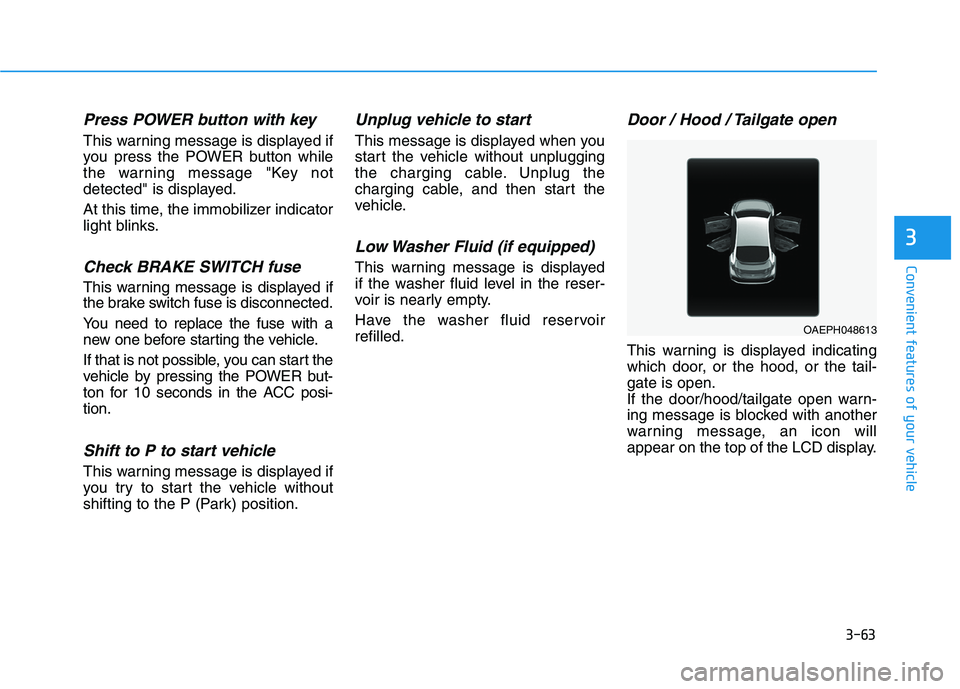
This warning is displayed indicating
which door, or the hood, or the tail-gate is open.
If the door/hood/tailgate open warn-
ing message is blocked with another
warning message, an icon will
appear on the top of the LCD display.
OAEPH048613
Page 230 of 546
3-80
Convenient features of your vehicle
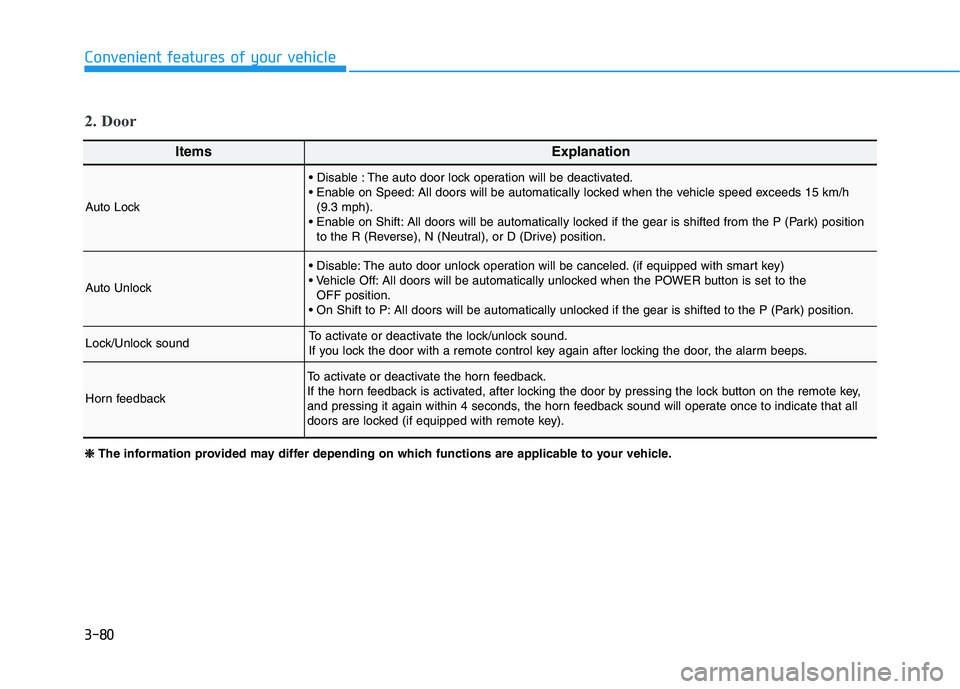
ItemsExplanation
Auto Lock
The auto door lock operation will be deactivated.
All doors will be automatically locked when the vehicle speed exceeds 15 km/h(9.3 mph).
All doors will be automatically locked if the gear is shifted from the P (Park) position to the R (Reverse), N (Neutral), or D (Drive) position.
Auto Unlock
The auto door unlock operation will be canceled. (if equipped with smart key)
All doors will be automatically unlocked when the POWER button is set to the OFF position.
All doors will be automatically unlocked if the gear is shifted to the P (Park) position.
Lock/Unlock soundTo activate or deactivate the lock/unlock sound.
If you lock the door with a remote control key again after locking the door, the alarm beeps.
Horn feedback
To activate or deactivate the horn feedback.
If the horn feedback is activated, after locking the door by pressing the lock button on the remote key,
and pressing it again within 4 seconds, the horn feedback sound will operate once to indicate that all
doors are locked (if equipped with remote key).
2. Door
❈❈
The information provided may differ depending on which functions are applicable to your vehicle.
Page 237 of 546
3-87
Convenient features of your vehicle
Consumption info display
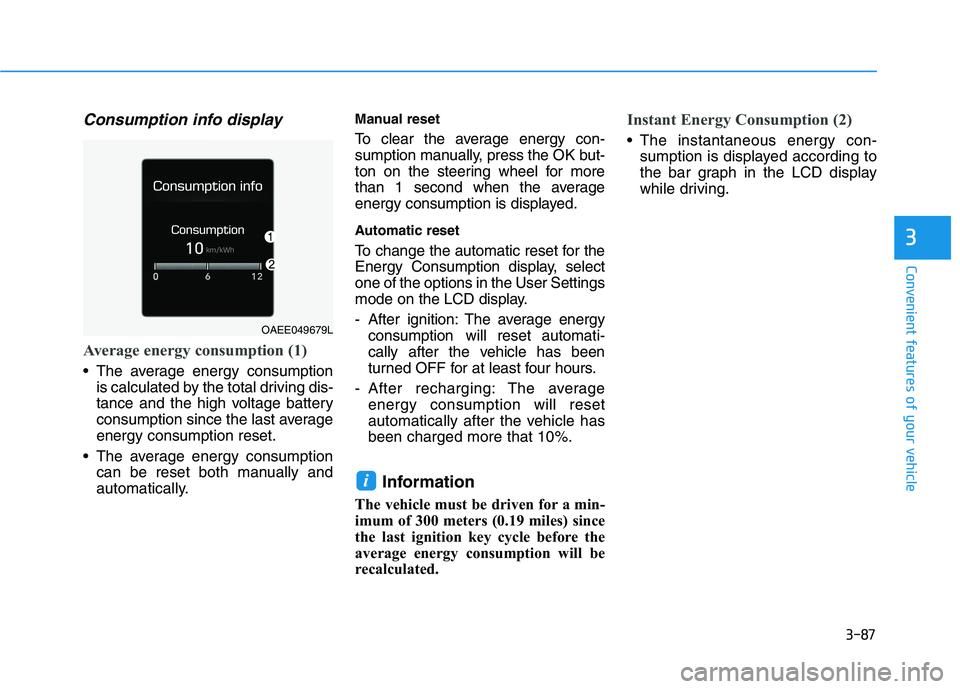
Average energy consumption (1)
The average energy consumptionis calculated by the total driving dis-
tance and the high voltage battery
consumption since the last averageenergy consumption reset.
The average energy consumption can be reset both manually and
automatically. Manual reset
To clear the average energy con-
sumption manually, press the OK but-
ton on the steering wheel for more
than 1 second when the average
energy consumption is displayed.
Automatic reset
To change the automatic reset for the
Energy Consumption display, selectone of the options in the User Settings
mode on the LCD display.
- After ignition: The average energy
consumption will reset automati-
cally after the vehicle has been
turned OFF for at least four hours.
- After recharging: The average energy consumption will reset
automatically after the vehicle hasbeen charged more that 10%.
Information
The vehicle must be driven for a min-
imum of 300 meters (0.19 miles) since
the last ignition key cycle before the
average energy consumption will be
recalculated.
Instant Energy Consumption (2)
The instantaneous energy con- sumption is displayed according to
the bar graph in the LCD display
while driving.
i
3
OAEE049679L
Page 238 of 546
3-88
Convenient features of your vehicle
Accumulated info display
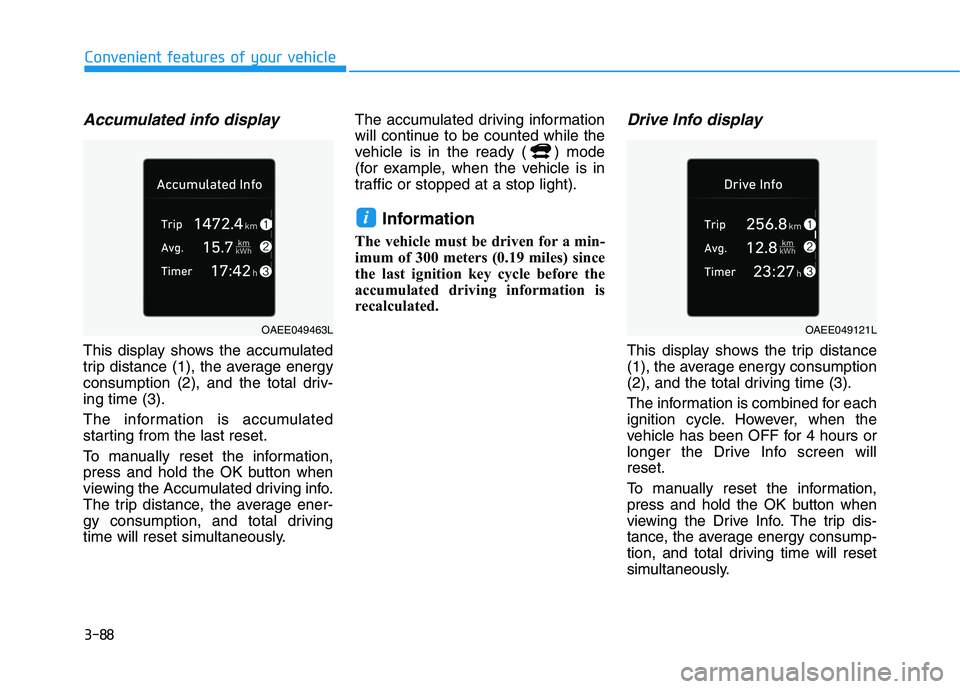
This display shows the accumulated
trip distance (1), the average energy
consumption (2), and the total driv-ing time (3).
The information is accumulated
starting from the last reset.
To manually reset the information,
press and hold the OK button when
viewing the Accumulated driving info.
The trip distance, the average ener-
gy consumption, and total driving
time will reset simultaneously.The accumulated driving information
will continue to be counted while the
vehicle is in the ready ( ) mode
(for example, when the vehicle is in
traffic or stopped at a stop light).
Information
The vehicle must be driven for a min-
imum of 300 meters (0.19 miles) since
the last ignition key cycle before the
accumulated driving information is
recalculated.
Drive Info display
This display shows the trip distance
(1), the average energy consumption
(2), and the total driving time (3).
The information is combined for each
ignition cycle. However, when the
vehicle has been OFF for 4 hours or
longer the Drive Info screen willreset.
To manually reset the information,
press and hold the OK button when
viewing the Drive Info. The trip dis-
tance, the aver age energy consump-
tion, and total driving time will reset
simultaneously.
i
OAEE049463LOAEE049121L
Page 239 of 546
3-89
Convenient features of your vehicle
3
The driving information will continue
to be counted while the vehicle is in
the ready ( ) mode (for example,
when the vehicle is in traffic orstopped at a stop light.)Information
The vehicle must be driven for a min-
imum of 300 meters (0.19 miles) since
the last ignition key cycle before the
driving information is recalculated.Digital speedometer
This digital speedometer display
shows the speed of the vehicle(km/h, MPH).
Driving style
This display shows whether the dri-
ver's driving style is Economical(1),
Normal (2) or Aggressive (3).
i
OIK047151OAEPH049537L