2022 HYUNDAI IONIQ ELECTRIC key
[x] Cancel search: keyPage 159 of 546
3-9
Convenient features of your vehicle
Operating Door Locks from
Outside the Vehicle
Mechanical key
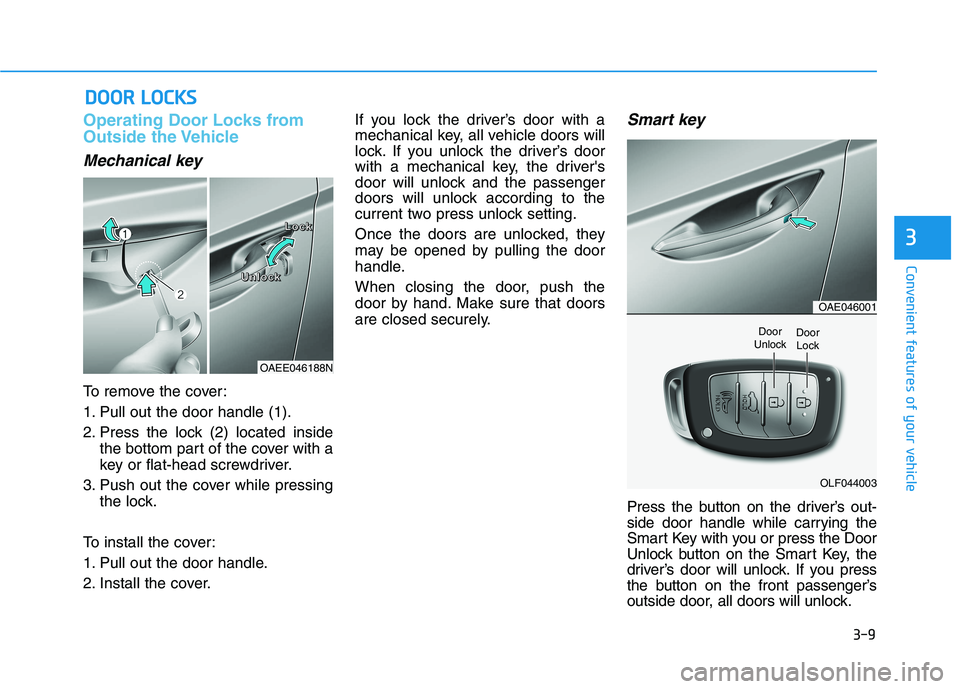
To remove the cover:
1. Pull out the door handle (1).
2. Press the lock (2) located insidethe bottom part of the cover with a
key or flat-head screwdriver.
3. Push out the cover while pressing the lock.
To install the cover:
1. Pull out the door handle.
2. Install the cover. If you lock the driver’s door with a
mechanical key, all vehicle doors will
lock. If you unlock the driver’s door
with a mechanical key, the driver's
door will unlock and the passenger
doors will unlock according to the
current two press unlock setting.
Once the doors are unlocked, they
may be opened by pulling the door
handle.
When closing the door, push the
door by hand. Make sure that doors
are closed securely.
Smart key
Press the button on the driver’s out-
side door handle while carrying the
Smart Key with you or press the Door
Unlock button on the Smart Key, the
driver’s door will unlock. If you press
the button on the front passenger’s
outside door, all doors will unlock.
DD
OO OORR LL OO CCKK SS
3
OAEE046188N
LLLLoooocccckkkk
UUUUnnnnlllloooocccckkkk
OAE046001
OLF044003
Door
UnlockDoor Lock
Page 160 of 546
3-10
Convenient features of your vehicle
Once the doors are unlocked, they
may be opened by pulling the door
handle.
When closing the door, push the
door by hand. Make sure that doors
are closed securely.Information
In cold and wet climates, door lock and door mechanisms may not work
properly due to freezing conditions.
If the door is locked/unlocked multi- ple times in rapid succession with
either the vehicle key or door lock
switch, the system may stop operat-
ing temporarily in order to protect
the circuit and prevent damage to
system components.
Two press unlock setting can be changed with the smart key or in the
User Settings mode on the cluster.Operating Door Locks from
Inside the Vehicle
With the door lock button
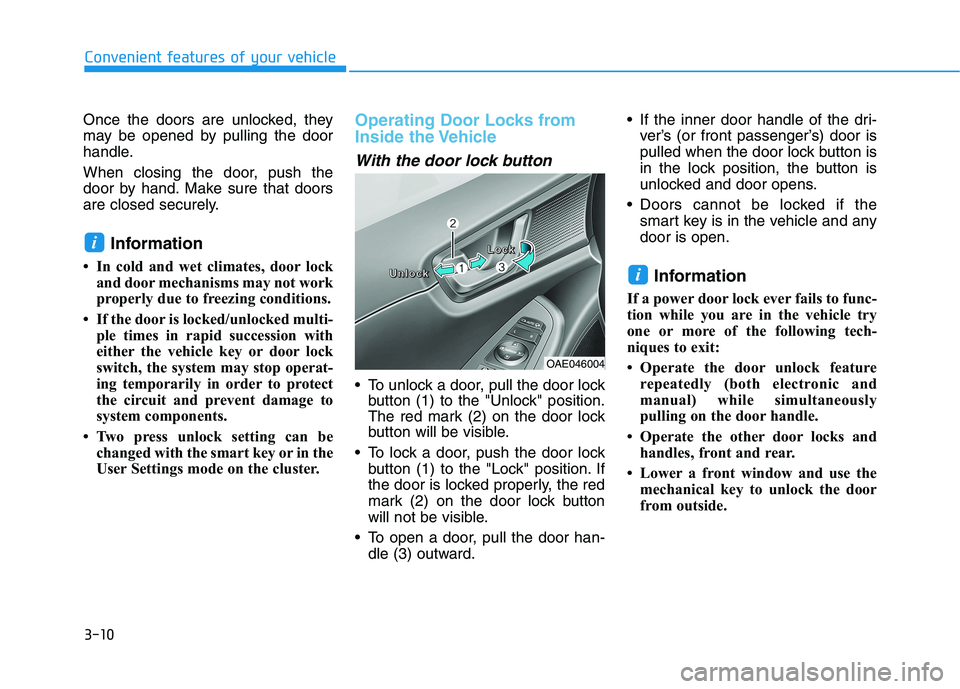
To unlock a door, pull the door lockbutton (1) to the "Unlock" position.
The red mark (2) on the door lock
button will be visible.
To lock a door, push the door lock button (1) to the "Lock" position. If
the door is locked properly, the red
mark (2) on the door lock button
will not be visible.
To open a door, pull the door han- dle (3) outward. If the inner door handle of the dri-
ver’s (or front passenger’s) door is
pulled when the door lock button is
in the lock position, the button is
unlocked and door opens.
Doors cannot be locked if the smart key is in the vehicle and anydoor is open.
Information
If a power door lock ever fails to func-
tion while you are in the vehicle try
one or more of the following tech-
niques to exit:
Operate the door unlock feature repeatedly (both electronic and
manual) while simultaneously
pulling on the door handle.
Operate the other door locks and handles, front and rear.
Lower a front window and use the mechanical key to unlock the door
from outside.
i
i
OAE046004
UUUUnnnnlllloooocccckkkk
LLLLoooocccckkkk
Page 161 of 546
3-11
Convenient features of your vehicle
3
With the central door lockswitch
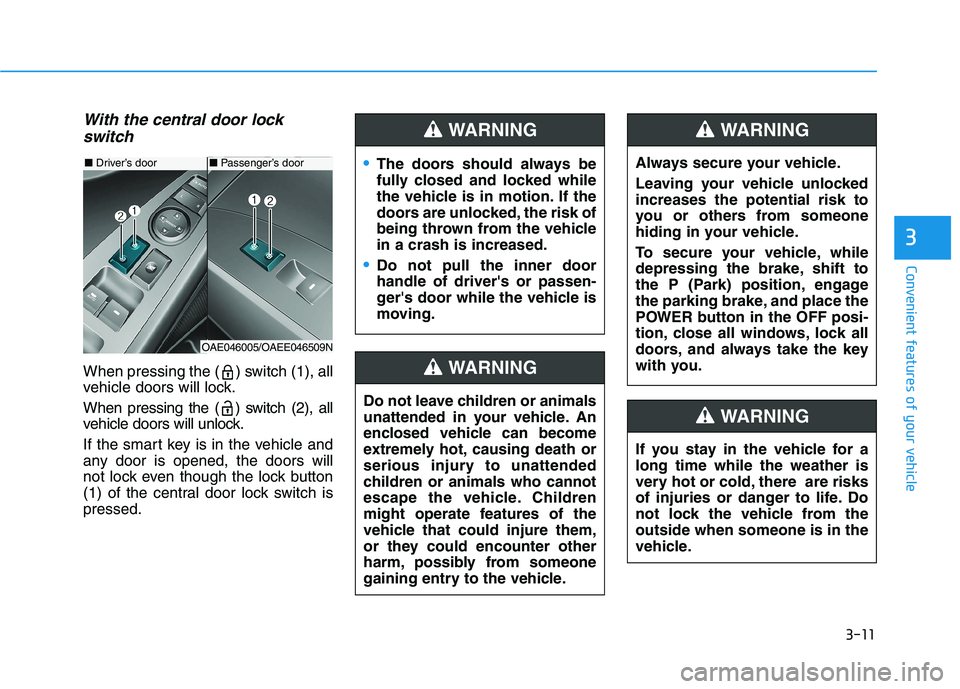
When pressing the ( ) switch (1), all
vehicle doors will lock.
When pressing the ( ) switch (2), all
vehicle doors will unlock.
If the smart key is in the vehicle and
any door is opened, the doors will
not lock even though the lock button
(1) of the central door lock switch ispressed.
■ Driver’s door
OAE046005/OAEE046509N
■ Passenger’s doorThe doors should always be
fully closed and locked while
the vehicle is in motion. If the
doors are unlocked, the risk of
being thrown from the vehiclein a crash is increased.
Do not pull the inner door handle of driver's or passen-
ger's door while the vehicle is
moving.
WARNING
Do not leave children or animals
unattended in your vehicle. An
enclosed vehicle can become
extremely hot, causing death or
serious injury to unattended
children or animals who cannot
escape the vehicle. Children
might operate features of the
vehicle that could injure them,
or they could encounter other
harm, possibly from someone
gaining entry to the vehicle.
WARNING
Always secure your vehicle.
Leaving your vehicle unlocked increases the potential risk to
you or others from someone
hiding in your vehicle.
To secure your vehicle, while
depressing the brake, shift to
the P (Park) position, engage
the parking brake, and place the
POWER button in the OFF posi-
tion, close all windows, lock all
doors, and always take the key
with you.
WARNING
If you stay in the vehicle for a long time while the weather is
very hot or cold, there are risks
of injuries or danger to life. Do
not lock the vehicle from theoutside when someone is in the
vehicle.
WARNING
Page 163 of 546
3-13
Convenient features of your vehicle
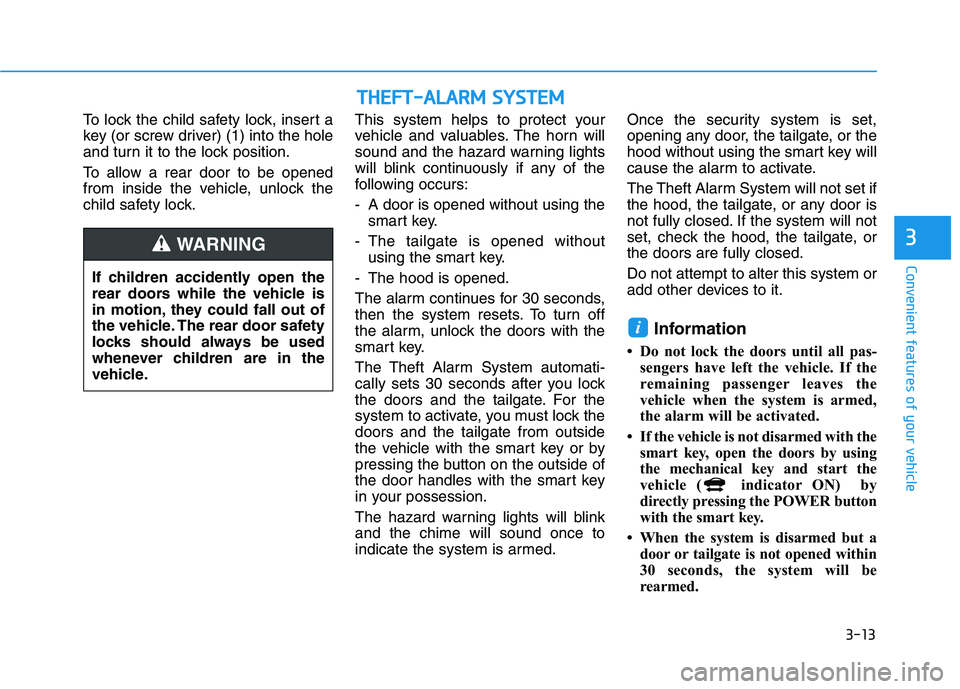
To lock the child safety lock, insert a
key (or screw driver) (1) into the hole
and turn it to the lock position.
To allow a rear door to be opened
from inside the vehicle, unlock the
child safety lock.This system helps to protect your
vehicle and valuables. The horn will
sound and the hazard warning lights
will blink continuously if any of the
following occurs:
- A door is opened without using the
smart key.
- The tailgate is opened without using the smart key.
- The hood is opened.
The alarm continues for 30 seconds,
then the system resets. To turn off
the alarm, unlock the doors with the
smart key.
The Theft Alarm System automati-
cally sets 30 seconds after you lock
the doors and the tailgate. For the
system to activate, you must lock thedoors and the tailgate from outside
the vehicle with the smart key or by
pressing the button on the outside of
the door handles with the smart key
in your possession.
The hazard warning lights will blink and the chime will sound once to
indicate the system is armed. Once the security system is set,
opening any door, the tailgate, or the
hood without using the smart key will
cause the alarm to activate.
The Theft Alarm System will not set if
the hood, the tailgate, or any door is
not fully closed. If the system will not
set, check the hood, the tailgate, orthe doors are fully closed. Do not attempt to alter this system or
add other devices to it.
Information
Do not lock the doors until all pas- sengers have left the vehicle. If the
remaining passenger leaves the
vehicle when the system is armed,
the alarm will be activated.
If the vehicle is not disarmed with the smart key, open the doors by using
the mechanical key and start the
vehicle ( indicator ON) by
directly pressing the POWER button
with the smart key.
When the system is disarmed but a door or tailgate is not opened within
30 seconds, the system will be
rearmed.
i
3
If children accidently open the
rear doors while the vehicle is
in motion, they could fall out of
the vehicle. The rear door safety
locks should always be used
whenever children are in the
vehicle.
WARNING
TTHH EEFFTT --AA LLAA RRMM SS YY SSTT EEMM
Page 165 of 546
3-15
Convenient features of your vehicle
3
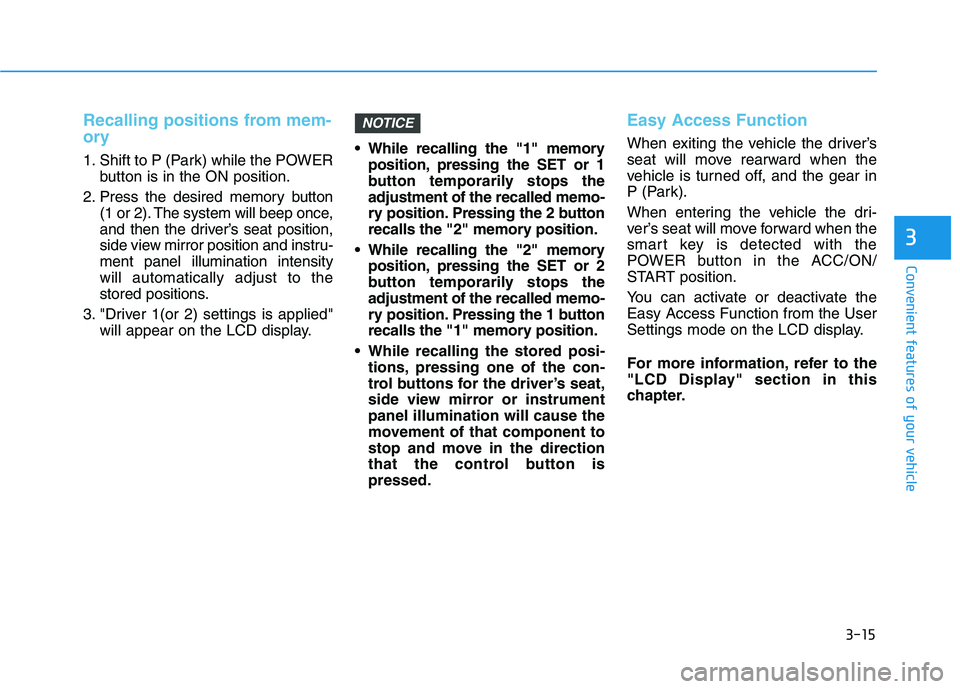
Recalling positions from mem-
ory
1. Shift to P (Park) while the POWERbutton is in the ON position.
2. Press the desired memory button (1 or 2). The system will beep once,
and then the driver’s seat position,
side view mirror position and instru-ment panel illumination intensitywill automatically adjust to the
stored positions.
3. "Driver 1(or 2) settings is applied" will appear on the LCD display. While recalling the "1" memory
position, pressing the SET or 1
button temporarily stops theadjustment of the recalled memo-
ry position. Pressing the 2 button
recalls the "2" memory position.
While recalling the "2" memory position, pressing the SET or 2
button temporarily stops theadjustment of the recalled memo-
ry position. Pressing the 1 button
recalls the "1" memory position.
While recalling the stored posi- tions, pressing one of the con-
trol buttons for the driver’s seat,
side view mirror or instrumentpanel illumination will cause the
movement of that component to
stop and move in the direction
that the control button ispressed.
Easy Access Function
When exiting the vehicle the driver’s
seat will move rearward when the
vehicle is turned off, and the gear in
P (Park).
When entering the vehicle the dri-
ver’s seat will move forward when the
smart key is detected with the
POWER button in the ACC/ON/
START position.
You can activate or deactivate the Easy Access Function from the User
Settings mode on the LCD display.
For more information, refer to the
"LCD Display" section in this
chapter.
NOTICE
Page 179 of 546
3-29
Convenient features of your vehicle
3
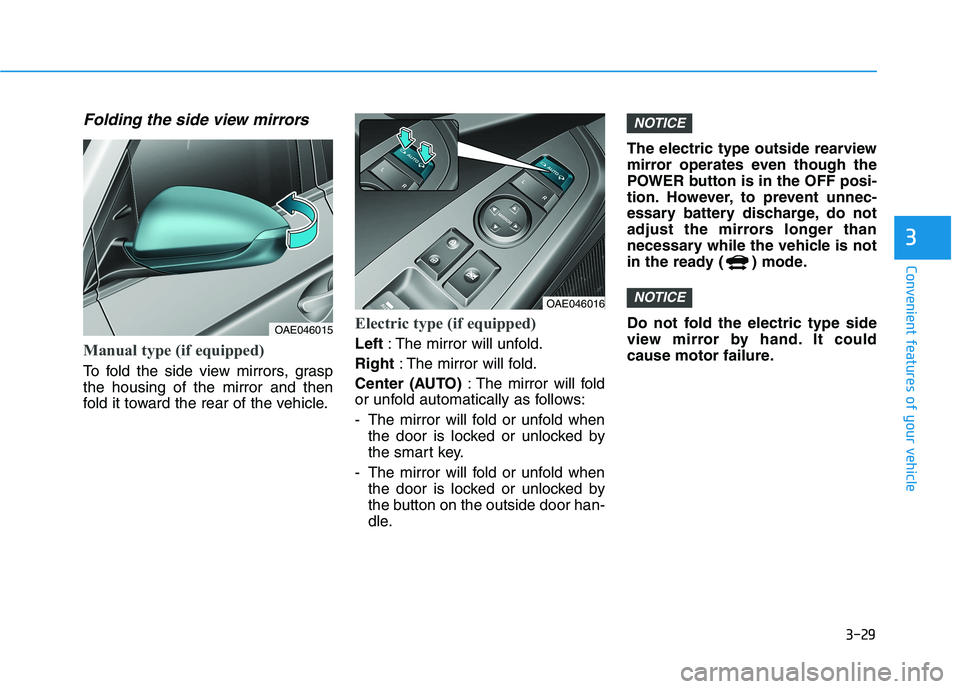
Folding the side view mirrors
Manual type (if equipped)
To fold the side view mirrors, grasp the housing of the mirror and then
fold it toward the rear of the vehicle.
Electric type (if equipped)
Left: The mirror will unfold.
Right : The mirror will fold.
Center (AUTO) : The mirror will fold
or unfold automatically as follows:
- The mirror will fold or unfold when
the door is locked or unlocked by
the smart key.
- The mirror will fold or unfold when the door is locked or unlocked by
the button on the outside door han-
dle. The electric type outside rearview
mirror operates even though the
POWER button is in the OFF posi-
tion. However, to prevent unnec-
essary battery discharge, do not
adjust the mirrors longer than
necessary while the vehicle is not
in the ready ( ) mode.
Do not fold the electric type side
view mirror by hand. It could
cause motor failure.
NOTICE
NOTICE
OAE046016
OAE046015
Page 185 of 546
3-35
Convenient features of your vehicle
3
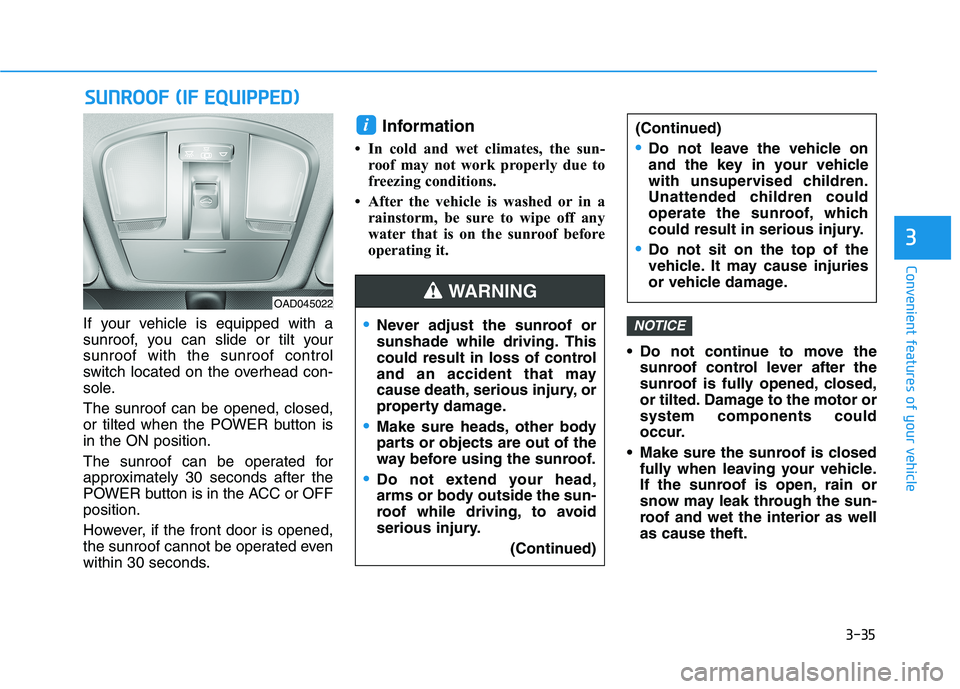
If your vehicle is equipped with a
sunroof, you can slide or tilt yoursunroof with the sunroof control
switch located on the overhead con-
sole. The sunroof can be opened, closed,
or tilted when the POWER button isin the ON position.
The sunroof can be operated for
approximately 30 seconds after the
POWER button is in the ACC or OFFposition.
However, if the front door is opened,
the sunroof cannot be operated even
within 30 seconds.Information
In cold and wet climates, the sun- roof may not work properly due to
freezing conditions.
After the vehicle is washed or in a rainstorm, be sure to wipe off any
water that is on the sunroof before
operating it.
Do not continue to move thesunroof control lever after the
sunroof is fully opened, closed,
or tilted. Damage to the motor orsystem components could
occur.
Make sure the sunroof is closed fully when leaving your vehicle.
If the sunroof is open, rain or
snow may leak through the sun-
roof and wet the interior as wellas cause theft.NOTICE
i
SSUU NNRROO OO FF (( IIFF EE QQ UUIIPP PP EEDD ))
OAD045022
Never adjust the sunroof or
sunshade while driving. This
could result in loss of control
and an accident that may
cause death, serious injury, or
property damage.
Make sure heads, other body
parts or objects are out of the
way before using the sunroof.
Do not extend your head,
arms or body outside the sun-
roof while driving, to avoid
serious injury.
(Continued)
(Continued)
Do not leave the vehicle on
and the key in your vehicle
with unsupervised children.
Unattended children could
operate the sunroof, which
could result in serious injury.
Do not sit on the top of the
vehicle. It may cause injuries
or vehicle damage.
WARNING
Page 191 of 546
3-41
Convenient features of your vehicle
3
Tailgate
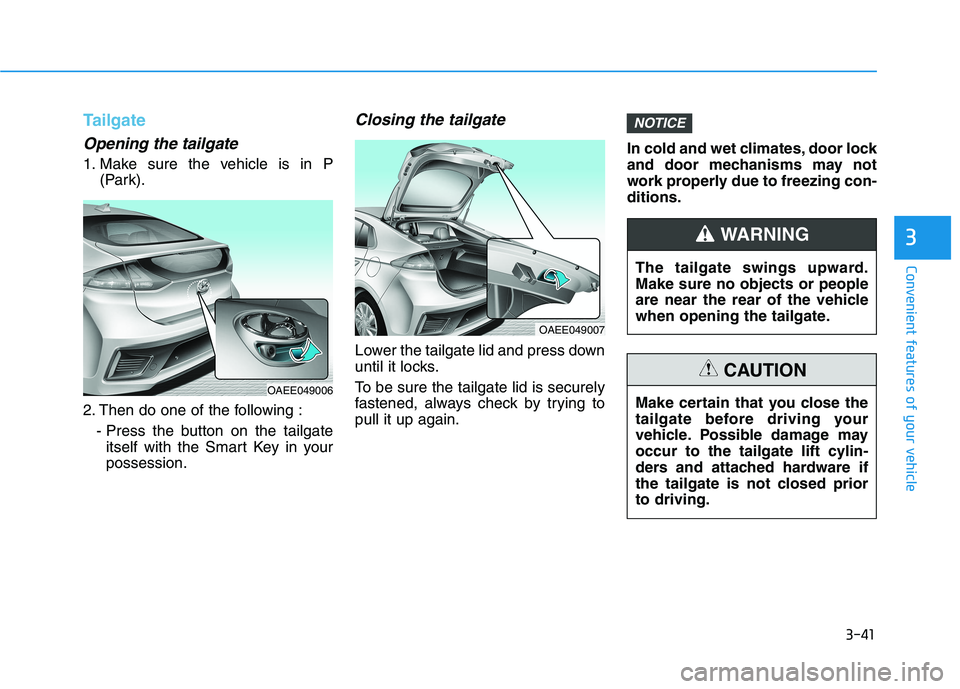
Opening the tailgate
1. Make sure the vehicle is in P(Park).
2. Then do one of the following : - Press the button on the tailgateitself with the Smart Key in your possession.
Closing the tailgate
Lower the tailgate lid and press down
until it locks.
To be sure the tailgate lid is securely
fastened, always check by trying topull it up again. In cold and wet climates, door lock
and door mechanisms may not
work properly due to freezing con-ditions.
NOTICE
OAEE049007
The tailgate swings upward. Make sure no objects or people
are near the rear of the vehicle
when opening the tailgate.
WARNING
Make certain that you close the
tailgate before driving your
vehicle. Possible damage may
occur to the tailgate lift cylin-
ders and attached hardware if
the tailgate is not closed priorto driving.
CAUTION
OAEE049006