Page 112 of 584
Instrument Cluster
4-26
LCD display modes
Modes Symbol Explanation
Trip
ComputerThis mode displays driving information such as the tripmeter,
fuel economy, etc.
For more details, refer to "Trip Computer" in this chapter.
Turn By
Turn (TBT)This mode displays the state of the navigation.
Driving
Assist
- Smart Cruise Control (SCC)
- Lane Keeping Assist (LKA)
- Lane Following Assist (LFA)
- Driver Attention Warning (DAW)
User
SettingsIn this mode, you can change settings of the doors, lamps,
etc.
Warning
- This mode displays warning messages related to the
lamp malfunction, etc.
- Tire pressure information
The information provided may differ depending on which functions are applicable
to your vehicle.
Page 113 of 584
04
4-27
Trip computer mode
OCN7040040N
The trip computer mode displays
information related to vehicle driving
parameters including fuel economy, trip
meter information and vehicle speed.
For more information, refer to "Trip
Computer" in this chapter.
Turn By Turn (TBT) mode
OIK047147N
This mode displays the state of the
navigation.
Driving Assist mode
OCN7060074N
SCC/LKA
This group displays the state of the Smart
Cruise Control, Lane Keeping Assist.
For more details, refer to each function
information in chapter 7.
OIG059288L
Driver Attention Warning
This group displays information related
to Driver Attention Warning.
For more details, refer to "Driver
Attention Warning (DAW)" in chapter 7.
Page 121 of 584

04
4-35
8. Other
Items Explanation
Fuel Econ.
Reset�[�Off: The average fuel economy will not reset automatically
whenever refueling.
�[�After ignition: When the engine has been OFF for 4 hours or longer
the average fuel economy will reset automatically.
�[�After refueling: The average fuel economy will reset automatically
after adding 6 liters (1.6 gallons) of fuel or more and after driving
speed exceeds 1 km/h (1 mph).
For more details, refer to “Trip Computer” in this chapter.
Speed Unit
(if equipped)To select the speed unit. (km/h, MPH)
Fuel Econ.
UnitTo select the fuel economy unit. (km/L, L/100km, MPG)
Temperature
UnitTo select the temperature unit. (°C,°F)
Tire Pressure
UnitTo select the tire pressure unit. (psi, kPa, bar)
9. Language (if equipped)
Items Explanation
LanguageChoose the language. You can choose the language in infotain-
ment system. (if equipped)
10. Reset
Items Explanation
ResetYou can reset the menus in the User Settings Mode. All menus in
the User Settings Mode are reset to factory settings, except language
and service interval.
Page 122 of 584
Instrument Cluster
4-36
Trip Computer
The trip computer is a microcomputer-
controlled driver information system that
displays information related to driving.
Information
Some driving information stored in the
trip computer (for example Average
Vehicle Speed) resets if the battery is
disconnected.
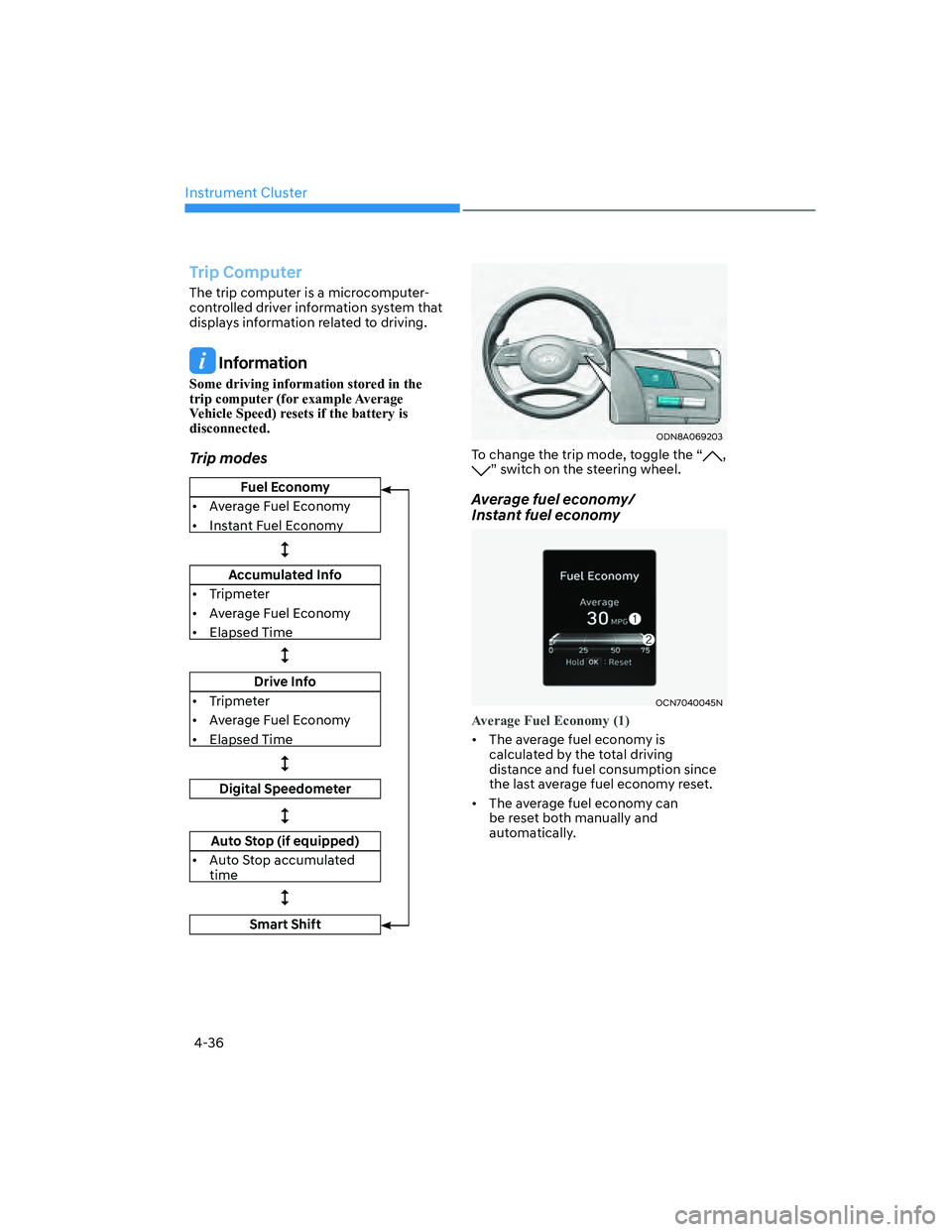
Trip modes
Fuel Economy
�[�Average Fuel Economy
�[�Instant Fuel Economy
�
Accumulated Info
�[�Tripmeter
�[�Average Fuel Economy
�[�Elapsed Time
�
Drive Info
�[�Tripmeter
�[�Average Fuel Economy
�[�Elapsed Time
�
Digital Speedometer
�
Auto Stop (if equipped)
�[�Auto Stop accumulated
time
�
Smart Shift
ODN8A069203
To change the trip mode, toggle the “, ” switch on the steering wheel.
Average fuel economy/
Instant fuel economy
OCN7040045N
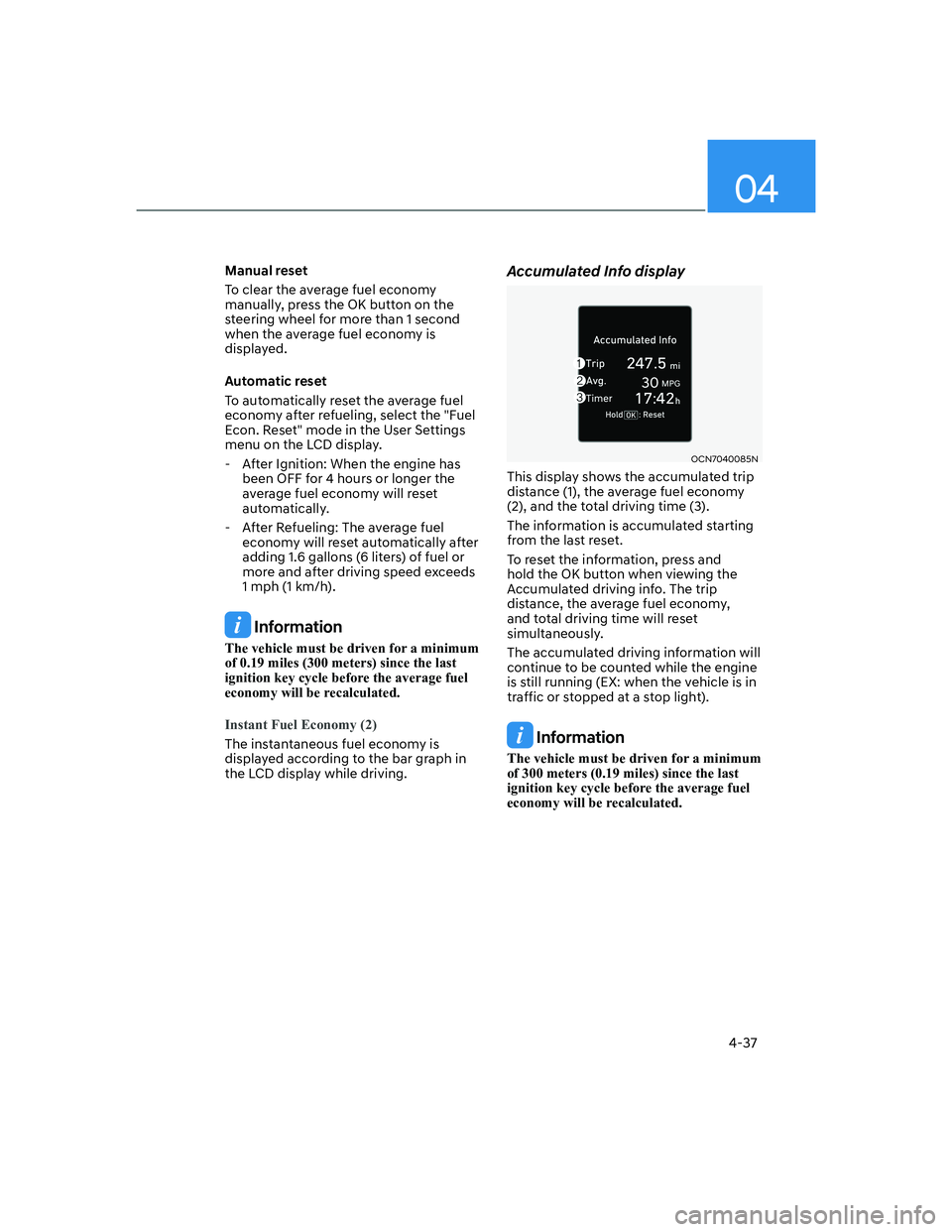
Average Fuel Economy (1)
�[�The average fuel economy is
calculated by the total driving
distance and fuel consumption since
the last average fuel econ omy reset.
�[�The average fuel economy can
be reset both manually and
automatically.
Page 123 of 584
04
4-37
Manual reset
To clear the average fuel economy
manually, press the OK button on the
steering wheel for more than 1 second
when the average fuel economy is
displayed.
Automatic reset
To automatically reset the average fuel
economy after refueling, select the "Fuel
Econ. Reset" mode in the User Settings
menu on the LCD display.
- After Ignition: When the engine has
been OFF for 4 hours or longer the
average fuel economy will reset
automatically.
- After Refueling: The average fuel
economy will reset automatically after
adding 1.6 gallons (6 liters) of fuel or
more and after driving speed exceeds
1 mph (1 km/h).
Information
The vehicle must be driven for a minimum
of 0.19 miles (300 meters) since the last
ignition key cycle before the average fuel
economy will be recalculated.
Instant Fuel Economy (2)
The instantaneous fuel economy is
displayed according to the bar graph in
the LCD display while driving.
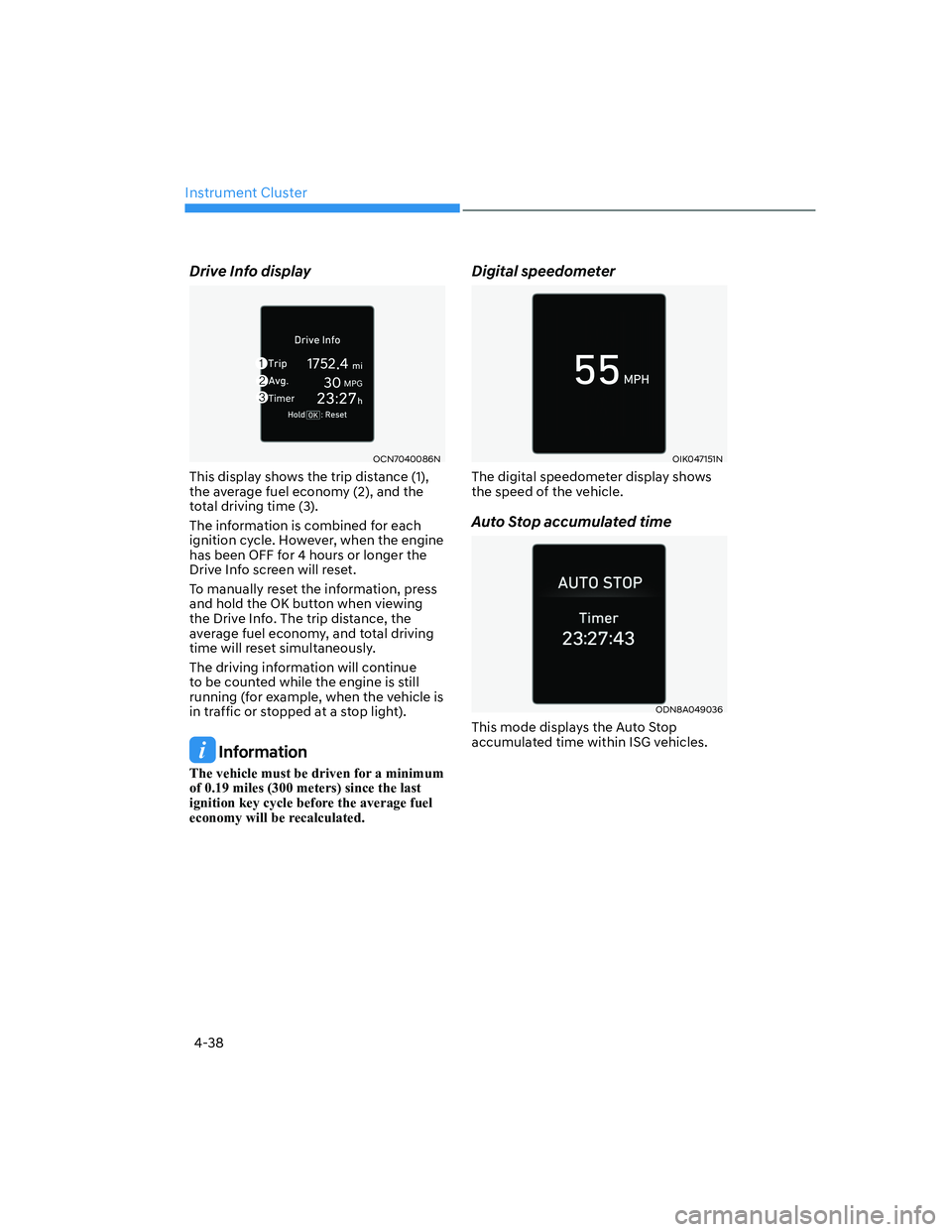
Accumulated Info display
OCN7040085N
This display shows the accumulated trip
distance (1), the average fuel economy
(2), and the total driving time (3).
The information is accumulated starting
from the last reset.
To reset the information, press and
hold the OK button when viewing the
Accumulated driving info. The trip
distance, the average fuel economy,
and total driving time will reset
simultaneously.
The accumulated driving information will
continue to be counted while the engine
is still running (EX: when the vehicle is in
traffic or stopped at a stop light).
Information
The vehicle must be driven for a minimum
of 300 meters (0.19 miles) since the last
ignition key cycle before the average fuel
economy will be recalculated.
Page 124 of 584
Instrument Cluster
4-38
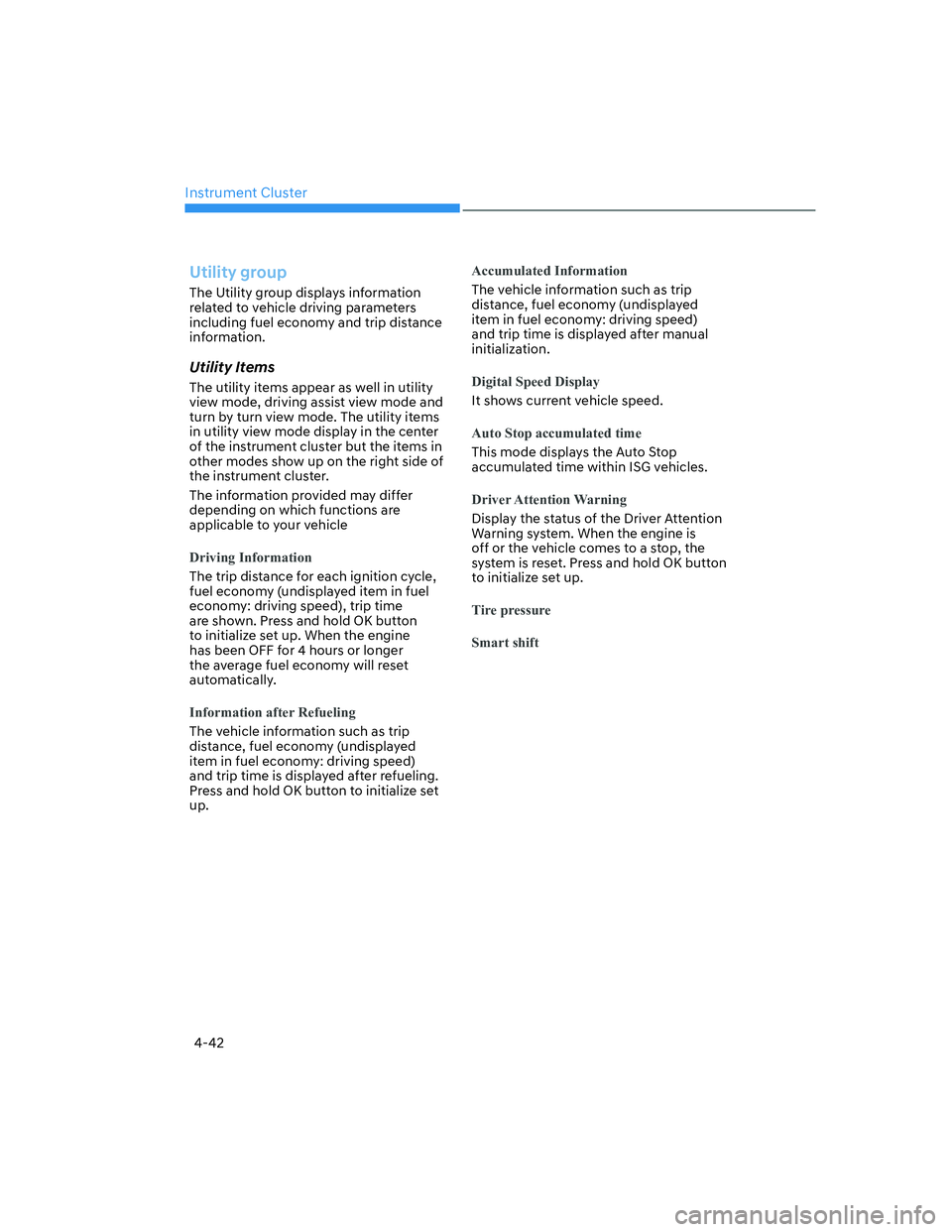
Drive Info display
OCN7040086N
This display shows the trip distance (1),
the average fuel economy (2), and the
total driving time (3).
The information is combined for each
ignition cycle. However, when the engine
has been OFF for 4 hours or longer the
Drive Info screen will reset.
To manually reset the information, press
and hold the OK button when viewing
the Drive Info. The trip distance, the
average fuel economy, and total driving
time will reset simultaneously.
The driving information will continue
to be counted while the engine is still
running (for example, when the vehicle is
in traffic or stopped at a stop light).
Information
The vehicle must be driven for a minimum
of 0.19 miles (300 meters) since the last
ignition key cycle before the average fuel
economy will be recalculated.
Digital speedometer
OIK047151N
The digital speedometer display shows
the speed of the vehicle.
Auto Stop accumulated time
ODN8A049036
This mode displays the Auto Stop
accumulated time within ISG vehicles.
Page 127 of 584
04
4-41
View modes
View Modes Explanation
Utility groupThe Utility group displays driving information such as the trip
distance, fuel economy and etc.
Driving assist groupThe Driving Assist mode displays the driving status.
Navigation group This mode displays the state of the navigation.
Driving info. groupDisplay for 4 seconds when the vehicle mode changes from
IGN ON to OFF.
The information provided may differ depending on which functions are applicable
to your vehicle.
Page 128 of 584
Instrument Cluster
4-42
Utility group
The Utility group displays information
related to vehicle driving parameters
including fuel economy and trip distance
information.
Utility Items
The utility items appear as well in utility
view mode, driving assist view mode and
turn by turn view mode. The utility items
in utility view mode display in the center
of the instrument cluster but the items in
other modes show up on the right side of
the instrument cluster.
The information provided may differ
depending on which functions are
applicable to your vehicle
Driving Information
The trip distance for each ignition cycle,
fuel economy (undisplayed item in fuel
economy: driving speed), trip time
are shown. Press and hold OK button
to initialize set up. When the engine
has been OFF for 4 hours or longer
the average fuel economy will reset
automatically.
Information after Refueling
The vehicle information such as trip
distance, fuel economy (undisplayed
item in fuel economy: driving speed)
and trip time is displayed after refueling.
Press and hold OK button to initialize set
up.
Accumulated Information
The vehicle information such as trip
distance, fuel economy (undisplayed
item in fuel economy: driving speed)
and trip time is displayed after manual
initialization.
Digital Speed Display
It shows current vehicle speed.
Auto Stop accumulated time
This mode displays the Auto Stop
accumulated time within ISG vehicles.
Driver Attention Warning
Display the status of the Driver Attention
Warning system. When the engine is
off or the vehicle comes to a stop, the
system is reset. Press and hold OK button
to initialize set up.
Tire pressure
Smart shift