Page 200 of 529
05
5-53
Information
• If you press the door unlock button
(2), the Smart Trunk release function
will be deactivated temporarily. But,
if you do not open any door for 30 seconds, the smart trunk function will be activated again.
• If you press the trunk open button
(3) for more than 1 second, the trunk opens.
• If you press the door lock button (1) or trunk open button (3) when the Smart
Trunk release function is not in the
Detect and Alert stage, the smart trunk function will not be deactivated.
• In case you have deactivated the Smart
Trunk function by pressing the smart
key button and opened a door, the
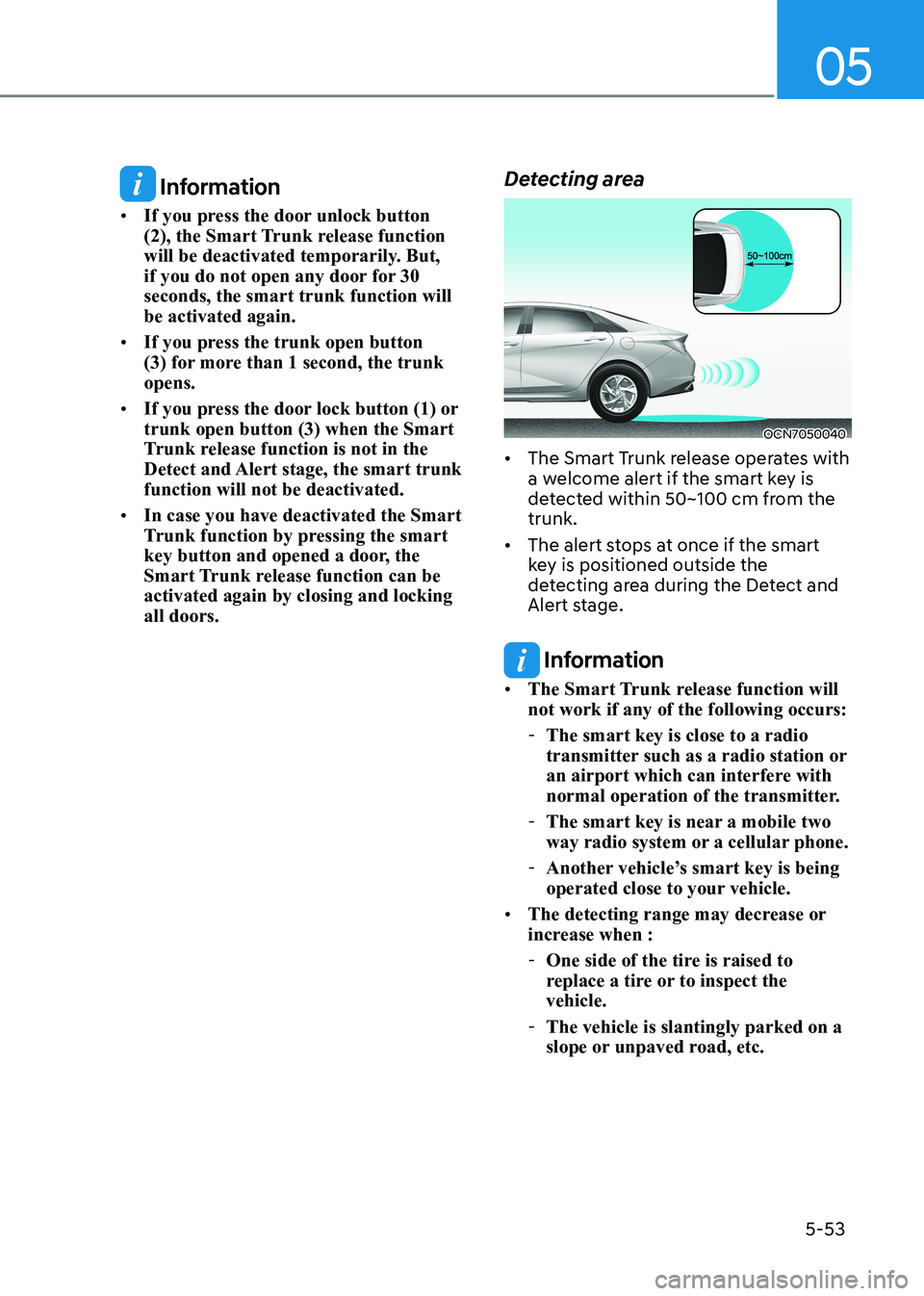
Smart Trunk release function can be activated again by closing and locking all doors. Detecting area
OCN7050040
• The Smart Trunk release operates with
a welcome alert if the smart key is
detected within 50~100 cm from the trunk.
• The alert stops at once if the smart
key is positioned outside the
detecting area during the Detect and
Alert stage.
Information
• The Smart Trunk release function will not work if any of the following occurs:
- The smart key is close to a radio
transmitter such as a radio station or
an airport which can interfere with
normal operation of the transmitter.
- The smart key is near a mobile two
way radio system or a cellular phone.
- Another vehicle’s smart key is being
operated close to your vehicle.
• The detecting range may decrease or
increase when :
- One side of the tire is raised to
replace a tire or to inspect the vehicle.
- The vehicle is slantingly parked on a
slope or unpaved road, etc.
Page 271 of 529
Driving your vehicle
6-26
• Satisfy the following conditions
1. Ensure seat belts are fastened and the doors, hood and tailgate are closed.
2. With the vehicle in the ready (
)
mode, depress the brake pedal and
shift out of P (Park) to R (Reverse), D
(Drive) or Manual shift mode.
3. Depress the accelerator pedal.
Make sure the Parking Brake Warning
Light goes off.
Information
• For your safety, you can engage the EPB even though the ignition switch
is in the OFF position, but you cannot
release it.
• For your safety, depress the brake
pedal and release the parking brake manually with the EPB switch when
you drive downhill or when backing up the vehicle.
NOTICE
• If the parking brake warning light
is still on even though the EPB has
been released, have the system be
checked by an authorized HYUNDAI
dealer.
• Do not drive your vehicle with the
EPB applied. It may cause excessive
brake pad and brake rotor wear.
EPB (Electronic Parking Brake) may be automatically applied when: • Requested by other systems
• The driver turns the engine off while
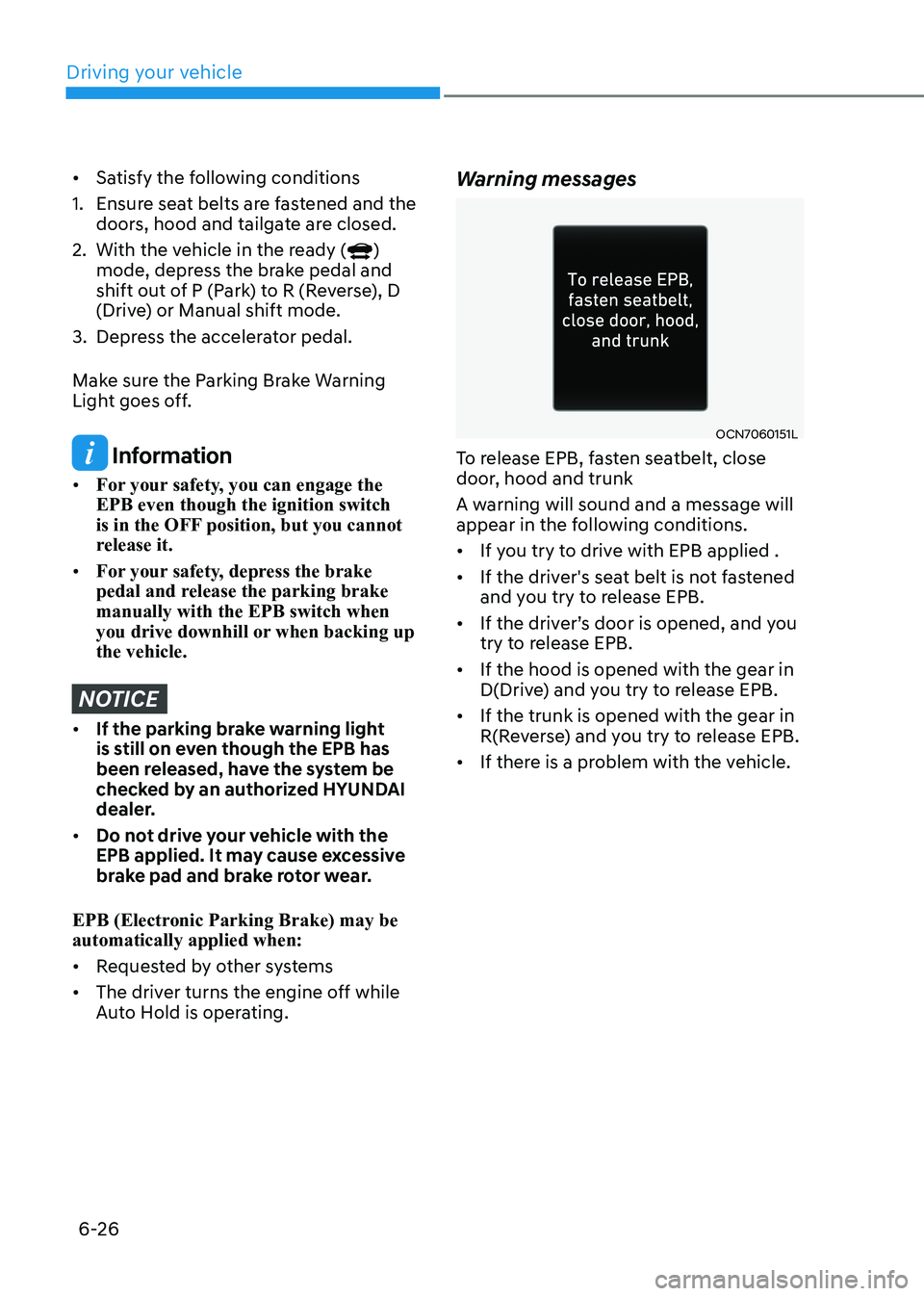
Auto Hold is operating. Warning messages
OCN7060151L
To release EPB, fasten seatbelt, close
door, hood and trunk
A warning will sound and a message will
appear in the following conditions. • If you try to drive with EPB applied .
• If the driver's seat belt is not fastened
and you try to release EPB.
• If the driver’s door is opened, and you
try to release EPB.
• If the hood is opened with the gear in
D(Drive) and you try to release EPB.
• If the trunk is opened with the gear in
R(Reverse) and you try to release EPB.
• If there is a problem with the vehicle.
Page 275 of 529
![HYUNDAI ELANTRA HYBRID 2022 Owners Manual Driving your vehicle
6-30
To cancel :
OCN7060018
1. Depress the brake pedal.
2. Press the [AUTO HOLD] switch.
The AUTO HOLD indicator will turn off.
WARNING
To prevent, unexpected and sudden
ve](/manual-img/35/56241/w960_56241-274.png "HYUNDAI ELANTRA HYBRID 2022 Owners Manual Driving your vehicle
6-30
To cancel :
OCN7060018
1. Depress the brake pedal.
2. Press the [AUTO HOLD] switch.
The AUTO HOLD indicator will turn off.
WARNING
To prevent, unexpected and sudden
ve")
Driving your vehicle
6-30
To cancel :
OCN7060018
1. Depress the brake pedal.
2. Press the [AUTO HOLD] switch.
The AUTO HOLD indicator will turn off.
WARNING
To prevent, unexpected and sudden
vehicle movement, ALWAYS press your
foot on the brake pedal to cancel the
Auto Hold before you: - Drive downhill.
- Drive the vehicle in R (Reverse).
- Park the vehicle.
Information
• The Auto Hold does not operate when:
- The driver’s door is opened
- The engine hood is opened in D
(Driving) or N (Neutral)
- The shift lever is in P (Park)
- The trunk is opened in R (Reverse)
- The EPB is applied
- The vehicle stop more than 30 minutes.
• For your safety, the Auto Hold automatically switches to EPB when:
- The driver’s door is opened in D
(Driving) or N(Neutral).
- The engine hood is opened.
- The trunk is opened in R (Reverse).
- The vehicle stops for more than 10 minutes
- The vehicle stands on a steep slope
- The vehicle moves several times
- The vehicle stops for more than 30
minutes accumulatively.
In these cases, the parking brake
warning light comes on, the AUTO
HOLD indicator changes from green
to white, and a warning sound and a
message will appear to inform you that
EPB has been automatically engaged.
Before driving off again, press foot
brake pedal, check the surrounding area
near your vehicle and release parking brake manually with the EPB switch.
• While operating Auto Hold, you may
hear mechanical noise. However, it is normal operating noise.
NOTICE
If the AUTO HOLD indicator changes
to yellow, the Auto Hold is not working
properly. Contact an authorized
HYUNDAI dealer.
WARNING
• Depress the accelerator pedal slowly
when you start the vehicle.
• For your safety, cancel the Auto Hold
when you drive downhill, back up the
vehicle or park the vehicle.
NOTICE
If there is a malfunction with the
driver's door or engine hood open
detection system, the Auto Hold may
not work properly.
Contact an authorized HYUNDAI dealer.
•
•CLUSTER
Page 276 of 529
06
6-31
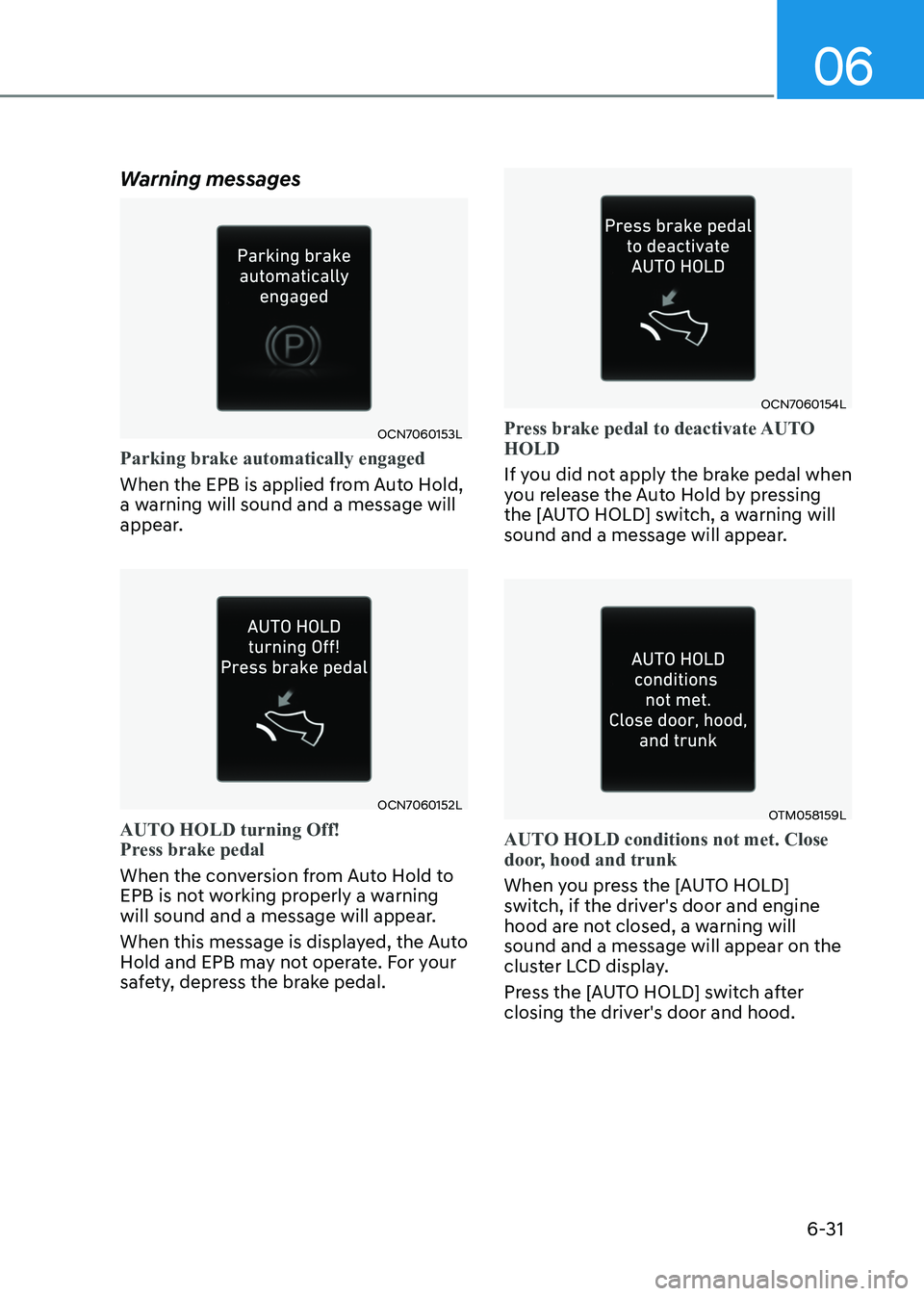
Warning messages
OCN7060153L
Parking brake automatically engaged
When the EPB is applied from Auto Hold,
a warning will sound and a message will
appear.
OCN7060152L
AUTO HOLD turning Off!
Press brake pedal
When the conversion from Auto Hold to
EPB is not working properly a warning
will sound and a message will appear.
When this message is displayed, the Auto
Hold and EPB may not operate. For your
safety, depress the brake pedal.
OCN7060154L
Press brake pedal to deactivate AUTO HOLD
If you did not apply the brake pedal when
you release the Auto Hold by pressing
the [AUTO HOLD] switch, a warning will
sound and a message will appear.
OTM058159L
AUTO HOLD conditions not met. Close
door, hood and trunk
When you press the [AUTO HOLD]
switch, if the driver's door and engine
hood are not closed, a warning will sound and a message will appear on the
cluster LCD display.
Press the [AUTO HOLD] switch after
closing the driver's door and hood.
Page 528 of 529
I
I-11
Tire Sidewall Labeling ..................................................................................... 9-31
Tire Terminology and Definitions .................................................................... 9-34
Tire Traction ..................................................................................................... 9-31
Wheel Alignment and Tire Balance ................................................................. 9-29
Wheel Replacement .......................................................................................... 9-31
Towing ................................................................................................................. 8-22
Emergency Towing ................................................................................ 8-23, 8-24
Removable Towing Hook ................................................................................. 8-24
Trailer Towing ..................................................................................................... 6-52
Trunk .................................................................................................................... 5-49
Emergency Trunk Safety Release..................................................................... 5-50
Smart Trunk Release ........................................................................................ 5-51
V
Vehicle Break-In Process ....................................................................................... 1-7
Vehicle Certification Label .................................................................................. 2-13
Vehicle Data Collection and Event Data Recorders ..............................................1-8
Vehicle Identification Number (vin) .................................................................... 2-13
Vehicle Load Limit .............................................................................................. 6-48
Tire Loading Information Label ....................................................................... 6-48
Vehicle Modifications ............................................................................................ 1-7
Volume and Weight .............................................................................................. 2-10