2022 HONDA INSIGHT battery
[x] Cancel search: batteryPage 313 of 609
312
uuGeneral Information on the Audio System uHonda App License Agreement
Features
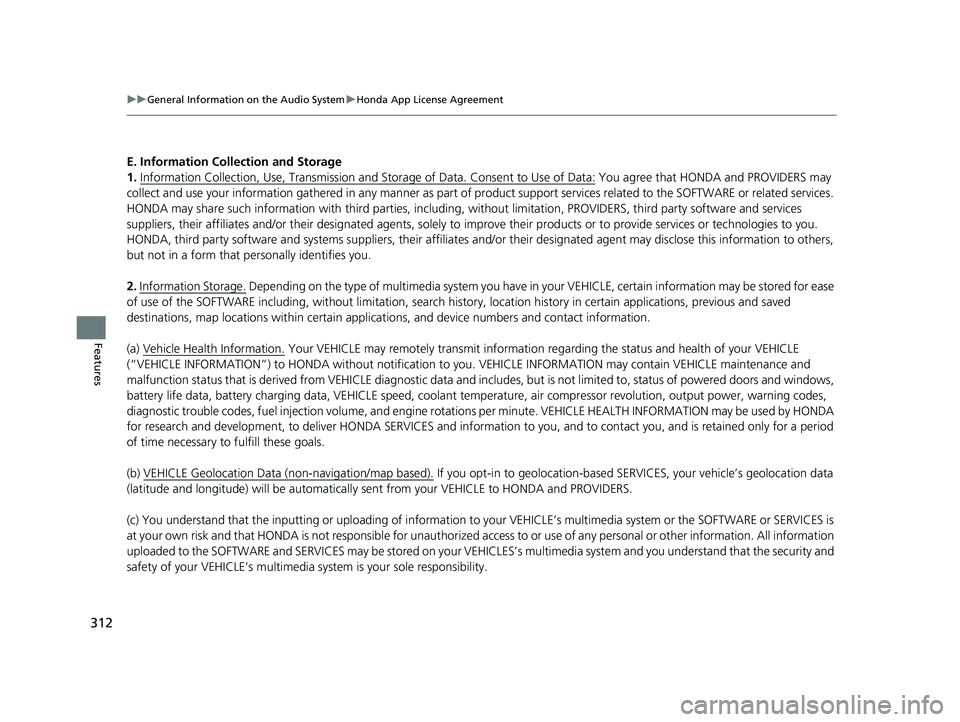
E. Information Collection and Storage
1. Information Collection , Use, Transmission and Storage of Data. Consent to Use of Data:
You agree that HONDA and PROVIDERS may
collect and use your information gathered in any manner as part of product support services related to the SOFTWARE or related services.
HONDA may share such information with third parties, including, without limitation, PROV IDERS, third party software and service s
suppliers, their affiliates and/or their design ated agents, solely to improve their products or to provide services or technologies to you.
HONDA, third party software and systems supp liers, their affiliates and/or their designated agent may disclose this information to others,
but not in a form that pe rsonally identifies you.
2. Information Storage.
Depending on the type of multimedia system you have in your VEHICLE, certain information may be stored for ease
of use of the SOFTWARE including, without limitation, search hi story, location history in certain applications, previous and saved
destinations, map locations within certain applications, and device numbers and contact information.
(a) Vehicle Health Information.
Your VEHICLE may remotely trans mit information regarding the status and health of your VEHICLE
(“VEHICLE INFORMATION”) to HONDA without notification to you. VEHICLE INFORMATION may contain VEHICLE maintenance and
malfunction status that is derived from VEHICLE diagnostic data and includes, but is not limited to, status of powered doors and windows,
battery life data, battery charging data, VEHICLE speed, coolant temperat ure, air compressor revolution, output power, warning codes,
diagnostic trouble codes, fuel injection volu me, and engine rotations per minute. VEHICL E HEALTH INFORMATION may be used by HON DA
for research and development, to deliver HO NDA SERVICES and information to you, and to contact you, and is retained only for a period
of time necessary to fulfill these goals.
(b) VEHICLE Geolocation Data (non-navigation/map based).
If you opt-in to geolocation-based SERVICES, your vehicle’s geolocation data
(latitude and longitude) will be automatically sent from your VEHICLE to HONDA and PROVIDERS.
(c) You understand that the inputting or uploading of information to your VEHICLE’s multimedia system or the SOFTWARE or SERVICES is
at your own risk and that HONDA is not resp onsible for unauthorized access to or use of any personal or other information. All information
uploaded to the SOFTWARE and SERVICES may be stored on your VEHI CLES’s multimedia system and you understand that the security and
safety of your VEHICLE’s multimedia system is your sole responsibility.
22 INSIGHT HMIN-31TXM6300.book 312 ページ 2021年2月24日 水曜日 午後3時45分
Page 352 of 609

351
uuBluetooth ® HandsFreeLink ®u Using HFL
Features
The audio/information scr een notifies you when there is an incoming call.
Certain manual functions are disabled or inoperable while the vehicle is in motion.
You cannot select a grayed-out option until the vehicle is stopped.
Only previously stored phonebook names or numbers can be called using voice
commands while the vehicle is in motion.
2 Favorite Contacts P. 359
■HFL Status Display1HFL Status Display
The information that appears on the audio/
information screen vari es between phone models.
■Limitations for Manual Operation
Bluetooth Indicator
Appears when your phone is
connected to HFL.
Signal Strength
HFL Mode Battery Level Status
Caller’s Name
(If registered)/
Caller’s Number
(If not registered)
22 INSIGHT HMIN-31TXM6300.book 351 ページ 2021年2月24日 水曜日 午後3時45分
Page 356 of 609

Continued355
uuBluetooth ® HandsFreeLink ®u HFL Menus
Features
■To pair a cell phone (when there is no
phone paired to the system)
1. Press the button.
2. Select Phone.
3. Select Connect Phone .
4. Make sure your phone is in search or
discoverable mode, then select + Connect
New Device .
u HFL automatically searches for a
Bluetooth ® device.
5. Select your phone when it appears on the
list.
u If your phone still does not appear,
search for Bluetooth® devices using your
phone.
From your phone, search for
HandsFreeLink .
6. The system gives you a pairing code on the
audio/information screen.
u Confirm if the pairing code on the screen
and your phone match.
This may vary by phone.
7. Select desired functions and then select
Save.1Phone Setup
Your Bluetooth -compatible phone must be paired to
the system before you ca n make and receive hands-
free calls.
Phone Pairing Tips:
•You cannot pair your phone while the vehicle is
moving.
•Up to six phones can be paired.
•Your phone’s battery may dr ain faster when it is
paired to the system.
Once you have paired a phone, you can see it
displayed on the screen with one or more icons on
the right side.
These icons indicate the following: : The phone is compatible with Bluetooth ® Audio.
: The phone can be used with HFL.
If there is an active c onnection to Apple CarPlay
pairing of addition al Bluetooth compat ible devices is
unavailable.
22 INSIGHT HMIN-31TXM6300.book 355 ページ 2021年2月24日 水曜日 午後3時45分
Page 373 of 609

372
uuBluetooth ® HandsFreeLink ®u HondaLink ® Assist*
Features
HondaLink ® Assist*
■Automatic collision notification
If your vehicle’s airbags deploy or if the unit
detects that the vehicle is severely impacted,
your vehicle automatically will attempt to
connect to the HondaLink® operator. If
connected, information about your vehicle, its
location, and its condition can be sent to the
operator
*1; you also can speak to the operator
when connected.
IMPORTANT: For vehicles equipp ed with HondaLink® Assist, owner activation
constitutes authorization for Honda to collect information from your vehicle needed
to provide the service, and agr eement to the Terms of Use at www.hondalink.com/
TermsAndConditions . In a crash, HondaLink ® Assist will attempt to notify emergency
services but NEITHER HONDA NOR ITS SERVICE PROVIDERS GUARANTEE THAT
SUCH NOTIFICATION WILL OCCUR.
Honda reserves the right to terminate HondaLink ® Assist services at any time or for
any reason, and in the future may not be ab le to provide services due to changes in,
or obsolescence of, technology integral to the service or changes in governmental
regulation.
*1: Depending on your phone and ad equate cellular coverage, your vehicle’s location may not
be sent to the operator.
■In Case of Emergency
1 HondaLink ® Assist*
HondaLink ® Assist also provides services you can
operate from the Intern et or your smartphone.
To subscribe to HondaLink ® Assist, or to get more
information about all of its features, contact an
Honda dealer, or visit hondalink.honda.com
1In Case of Emergency
Your vehicle may not be able to connect to the
operator if the battery level is low, the line is
disconnected, or you do not have adequate cellular
coverage.
You cannot use this emergency services when:
•You travel outside the HondaLink ® service coverage
areas.
•There is a problem with the connecting devices,
such as the microphones, speakers, or the unit
itself.
•HondaLink Assist is not enabled.
2 To enable notification P. 373
You cannot operate othe r phone-related functions
using the screen while talking to the operator.
Only the operator can terminate the connection to
your vehicle.
1 Automatic collision notification
If the unit fails to connect to the operator, it
repeatedly tries until it succeeds.
* Not available on all models
22 INSIGHT HMIN-31TXM6300.book 372 ページ 2021年2月24日 水曜日 午後3時45分
Page 376 of 609

375
Driving
This chapter discusses driving and refueling.
Before Driving................................... 376
Towing a Trailer ................................ 381
When Driving
Turning on the Power ...................... 382
Precautions While Driving................. 388
Transmission .................................... 390
Shifting ............................................ 391
SPORT Mode.................................... 397
Deceleration Paddle Selector ............ 398
ECON Mode .................................... 401
Acoustic Vehicle Al erting System ...... 402
Vehicle Stability AssistTM (VSA®), aka Electronic
Stability Control (ESC), System ...............403
Agile Handling Assist ............................. 405Tire Pressure Monitoring System (TPMS) .. 406Tire Pressure Monitoring System (TPMS) - Required Federal Explanation ......... 409
Blind spot information System.......... 411
High Voltage Battery ........................ 414
Honda Sensing ®................................ 415
Collision Mitigati on Braking System
TM
(CMBSTM) ....................................... 418
Adaptive Cruise Control (ACC) with Low Speed Follow ................................. 428
Lane Keeping Assist System (LKAS).... 446
Road Departure Mi tigation (RDM)
System ........................................ 454
Traffic Sign Recognition System ....... 459
Front Sensor Camera ....................... 465
Radar Sensor ................................... 467
Braking
Brake System ................................... 468
Anti-lock Brake System (ABS) ........... 476
Brake Assist System ......................... 477
Parking Your Vehicle ........................ 478
Multi-View Rear Camera .................. 483
Refueling ........................................... 485
Fuel Economy and CO
2 Emissions .... 488
22 INSIGHT HMIN-31TXM6300.book 375 ページ 2021年2月24日 水曜日 午後3時45分
Page 383 of 609

382
Driving
When Driving
Turning on the Power
1.Make sure the parking brake is applied.
u The parking brake indicator (red) comes
on for 30 seconds when you pull up the
electric parking brake switch.
2. Depress the brake pedal.1Turning on the Power
Keep your foot firmly on the brake pedal when
starting the power system.
The engine is harder to st art in cold weather and in
thinner air found at altit udes above 8,000 feet (2,400
meters).
When turning on the power system in cold weather,
turn off all electrical accessories such as the lights,
climate control system, and rear defogger in order to
reduce 12-volt battery drain.
If you live in a region where winter is extremely cold,
an engine block heater will improve starting and
warming of the engine. Cons ult a dealer for details.
If exhaust system sounds abnormal or you can smell
exhaust gas inside the vehi cle, have your vehicle
checked by a dealer. There may be a problem with
the engine or exhaust system.
The immobilizer system pr otects your vehicle from
theft.
If an improperly c oded key (or other device) is used,
the power system does not activate. 2 Immobilizer System P. 174
When you turn the power system on, you may feel
the brake pedal slightly sink down. This is normal.
Electric Parking Brake Switch
Brake Pedal
22 INSIGHT HMIN-31TXM6300.book 382 ページ 2021年2月24日 水曜日 午後3時45分
Page 384 of 609

Continued383
uuWhen Driving uTurning on the Power
Driving
3. Without depressing the accelerator pedal,
press the POWER button while depressing
the brake pedal.
4. Check the READY indicator.
u Keep depressing the brake pedal until
the READY indicator comes on.
u The READY indicator comes on when
the power system is on and you can start
driving.
u If the outside temperature is extremely
low, you cannot drive until conditions are
improved. In this case, the READY
indicator does not come on and a
warning message appears on the driver
information interface.
2 Driver Information Interface
Warning and Information Messages
P. 104
You can turn the power system off when the vehicle is completely stopped.
1. Put the transmission into
(P.
2. Press the POWER button.
■Stopping the Power System
1Turning on the Power
Bring the keyless remote close to the POWER button
if the battery in the keyless remote is weak. 2 If the Keyless Remote Battery is Weak
P. 562
The power system may not activate if the keyless
remote is subjected to strong radio waves.
The engine may not run when the vehicle is ready for
driving.
You can start driving with the READY indicator on.
If you press the POWER button while depressing the
brake pedal with the READY indicator on, the power
mode is set to VEHICLE OFF and you cannot start
driving.
2 READY Indicator P. 87
Do not hold the POWER button to start the power
system.
If the power system does not start, wait at least 30
seconds before trying again.
22 INSIGHT HMIN-31TXM6300.book 383 ページ 2021年2月24日 水曜日 午後3時45分
Page 386 of 609

Continued385
uuWhen Driving uTurning on the Power
Driving
■To turn the power system off1Remote Engine Start with Vehicle Feedback
•You have already used the keyless remote twice to
turn the power system on.
•Another registered keyless remote is in the vehicle.
•There is any antenna failure.•The door is unlocked with the built-in key.
•The engine oil pressure is low.
•The engine coolant temper ature is extremely high.•The telematics unit* malfunctions.
•The security system alarm is not set.
The power system may be turned off while it is
running if:
•You do not start the vehicl e within 10 minutes of
turning the power system on with the keyless
remote.
•The power system is turned off by using the keyless
remote.
•The security system alarm is activated.
•The door is unlocked with the built-in key.
•The hood is open.•The engine coolant temper ature is extremely high.
•The 12-volt battery is low.
•The engine oil pressure is low.•The malfunction indicator la mp comes on if there is
a problem with the emissions control systems.
•You press the POWER button without depressing
the brake pedal.
•The transmission is in a position other than ( P.
Press and hold the
button for one second.
Go within the range,
and try again.
The exterior lights flash once if the power system turned off
successfully.
The exterior lights will not flash when the keyless remote
is out of the keyless access system range.
The power system will not be turned off.
* Not available on all models
22 INSIGHT HMIN-31TXM6300.book 385 ページ 2021年2月24日 水曜日 午後3時45分