Page 382 of 641

uuBluetooth ® HandsFreeLink ®u HFL Menus
380
Features
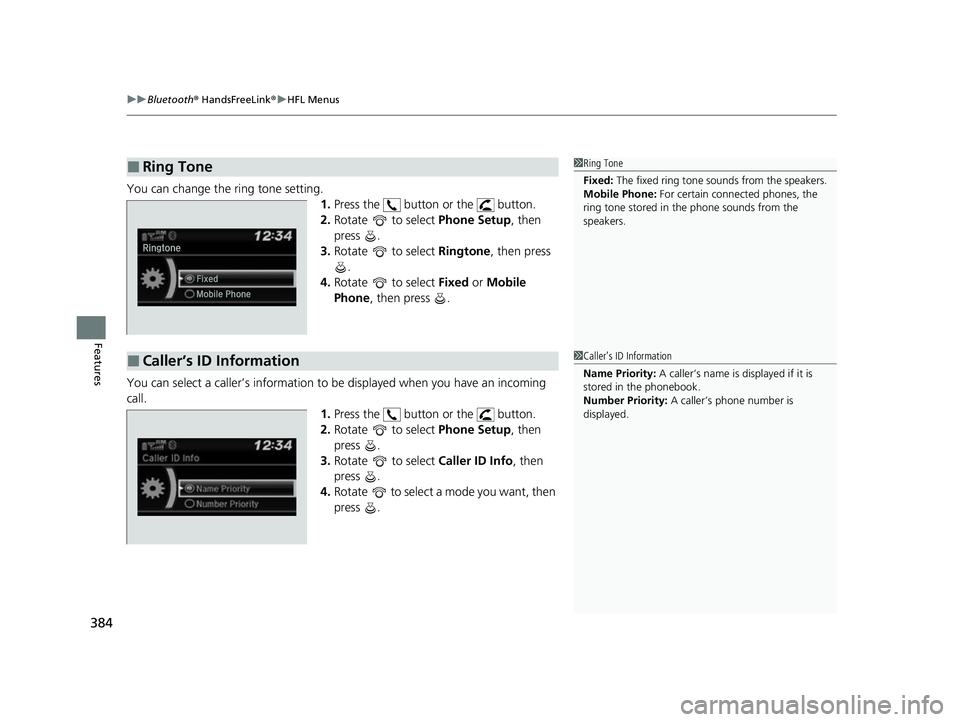
■To pair a cell phone (No phone has
been paired to the system)
1. Press the button or the button.
2. Rotate to select Yes, then press .
3. Make sure your phone is in search or
discoverable mode, then press .
u HFL automatically searches for a
Bluetooth® device.
4. When your phone appears on the list, select
it by pressing .
u If your phone doesn’t appear, select
Phone Not Found? and search for
Bluetooth® devices using your phone.
From your phone, select
HandsFreeLink .
5. The system gives you a pairing code on the
audio/information screen.
u Confirm if the pairing code on the screen
and your phone match.
This may vary by phone.
6. A notification appears on the screen if
pairing is successful.
■Phone Setup1Phone Setup
Your Bluetooth -compatible phone must be paired to
HFL before you can make and receive hands-free
calls.
Phone Pairing Tips:
•You cannot pair your phone while the vehicle is
moving.
•Up to six phones can be paired.
•Your phone’s battery may dr ain faster when it is
connected to HFL.
•If your phone is not ready for pairing or not found
by the system within three minutes, the system will
time out and returns to idle.
Once you have paired a phone, you can see it
displayed on the screen with one or two icons on the
right side.
These icons indicate the following: : The phone can be used with HFL.
: The phone is compatible with Bluetooth® Audio.
22 HR-V HDMC-31T7A6600.book 380 ページ 2021年4月12日 月曜日 午前10時50分
Page 386 of 641
uuBluetooth ® HandsFreeLink ®u HFL Menus
384
Features
You can change the ring tone setting.
1.Press the button or the button.
2. Rotate to select Phone Setup, then
press .
3. Rotate to select Ringtone, then press
.
4. Rotate to select Fixed or Mobile
Phone , then press .
You can select a caller’s information to be displayed when you have an incoming
call. 1.Press the button or the button.
2. Rotate to select Phone Setup, then
press .
3. Rotate to select Caller ID Info, then
press .
4. Rotate to select a mode you want, then
press .
■Ring Tone1Ring Tone
Fixed: The fixed ring tone sounds from the speakers.
Mobile Phone: For certain connect ed phones, the
ring tone stored in the phone sounds from the
speakers.
■Caller’s ID Information1 Caller’s ID Information
Name Priority: A caller’s name is displayed if it is
stored in the phonebook.
Number Priority: A caller’s phone number is
displayed.
22 HR-V HDMC-31T7A6600.book 384 ページ 2021年4月12日 月曜日 午前10時50分
Page 389 of 641
Continued387
uuBluetooth ® HandsFreeLink ®u HFL Menus
Features
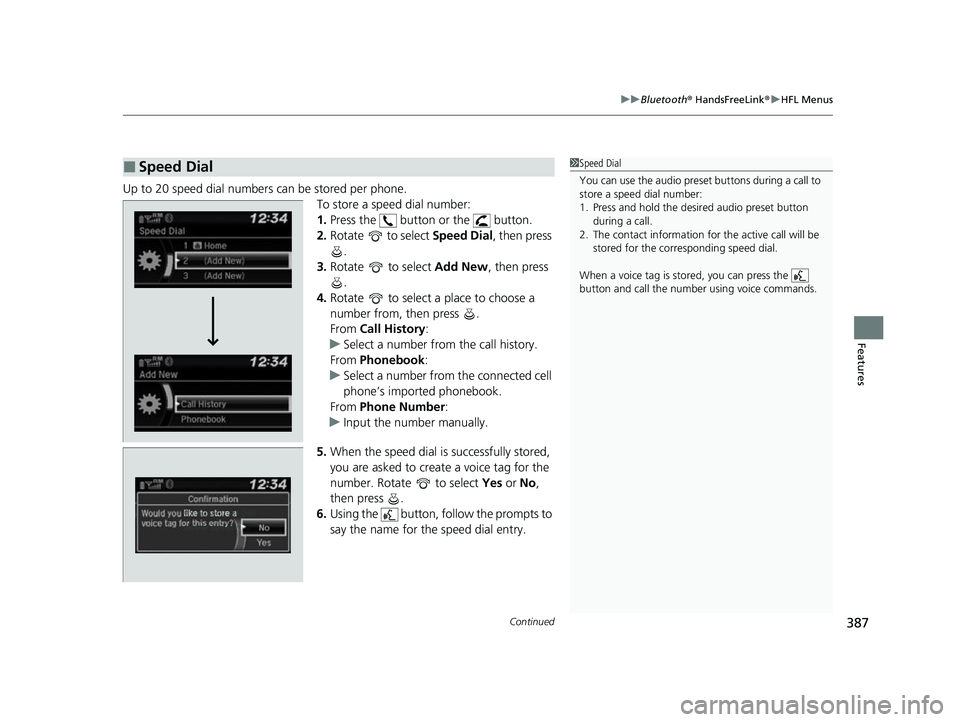
Up to 20 speed dial numbers can be stored per phone.
To store a speed dial number:
1.Press the button or the button.
2. Rotate to select Speed Dial, then press
.
3. Rotate to select Add New, then press
.
4. Rotate to select a place to choose a
number from, then press .
From Call History :
u Select a number from the call history.
From Phonebook:
u Select a number from the connected cell
phone’s imported phonebook.
From Phone Number :
u Input the number manually.
5. When the speed dial is successfully stored,
you are asked to create a voice tag for the
number. Rotate to select Yes or No,
then press .
6. Using the button, fo llow the prompts to
say the name for the speed dial entry.
■Speed Dial1 Speed Dial
You can use the audio preset buttons during a call to
store a speed dial number:
1. Press and hold the desired audio preset button
during a call.
2. The contact information for the active call will be
stored for the corresponding speed dial.
When a voice tag is stored, you can press the
button and call the numbe r using voice commands.
Change Speed Dial
Delete Speed DialChaChaChaChahaChangengengengegenge Sp Sp SpSpSpSpeedeedeedeedeedeed Dial
DelDelDelDleteeteetet SpSpSpSeedeedeedd DiDiDiDiDiDiDiDiDiDiiDiDiiDiilalaaaaalaa
22 HR-V HDMC-31T7A6600.book 387 ページ 2021年4月12日 月曜日 午前10時50分
Page 397 of 641
Continued395
uuBluetooth ® HandsFreeLink ®u HFL Menus
Features
When there is an inco ming call, an audible
notification sounds and the Incoming Call
screen appears.
Press the button to answer the call.
Press the button to decline or end the call.
■Receiving a Call1 Receiving a Call
Call Waiting
Press the button to put the current call on hold to
answer the incoming call.
Press the button again to return to the current
call.
Select Ignore to ignore the incoming call if you do
not want to answer it.
Press the button if you want to hang up the
current call.
You can select the icons on the audio/information
screen instead of the and buttons. Rotate
to select the icon, then press .
HFL Mode
Caller’s Name
22 HR-V HDMC-31T7A6600.book 395 ページ 2021年4月12日 月曜日 午前10時50分
Page 401 of 641
399
uuBluetooth ® HandsFreeLink ®u Using HFL
Features
The audio/information scr een notifies you when there is an incoming call.
Certain manual functions are disabled or inoperable while the vehicle is in motion.
You cannot select a grayed-out option until the vehicle is stopped.
Only previously stored speed dial entries with voice tags, phonebook names, or
numbers can be called using voice commands while the vehicle is in motion.
2 Speed Dial P. 410
■HFL Status Display1HFL Status Display
The information that appears on the audio/
information screen vari es between phone models.
You can change the system language. 2 Customized Features P. 356
HFL Mode
Battery Level Status
Signal Strength
Bluetooth Indicator
Appears when your phone
is connected to HFL.
Caller’s Name
Caller’s Number
Roaming Status
■Limitations for Manual Operation
22 HR-V HDMC-31T7A6600.book 399 ページ 2021年4月12日 月曜日 午前10時50分
Page 406 of 641

uuBluetooth ® HandsFreeLink ®u HFL Menus
404
Features
■To pair a cell phone (when there is no
phone paired to the system)
1. Select Phone .
2. Select Yes.
3. Make sure your phone is search or
discoverable mode, then select Continue.
u HFL automatically searches for a
Bluetooth® device.
4. Select your phone when it appears on the
list.
u If your phone does not appear, you can
select Refresh to search again.
u If your phone still does not appear, select
Phone Not Found and search for
Bluetooth® devices using your phone.
From your phone, search for
HandsFreeLink .
5. The system gives you a pairing code on the
audio/information screen.
u Confirm if the pairing code on the screen
and your phone match.
This may vary by phone.
■Phone Setup1Phone Setup
Your Bluetooth -compatible phone must be paired to
the system before you ca n make and receive hands-
free calls.
Phone Pairing Tips:
•You cannot pair your phone while the vehicle is
moving.
•Up to six phones can be paired.
•Your phone’s battery may dr ain faster when it is
paired to the system.
•If your phone is not ready for pairing or not found
by the system within three minutes, the system will
time out and returns to idle.
Once you have paired a phone, you can see it
displayed on the screen with one or two icons on the
right side.
These icons indicate the following: : The phone can be used with HFL.
: The phone is co mpatible with Bluetooth ® Audio.
If there is an active c onnection to Apple CarPlay,
pairing of additional Bluetooth -compatible devices is
unavailable and Add Bluetooth Device is grayed
out from the Bluetooth Device List screen.
22 HR-V HDMC-31T7A6600.book 404 ページ 2021年4月12日 月曜日 午前10時50分
Page 422 of 641
uuBluetooth ® HandsFreeLink ®u HFL Menus
420
Features
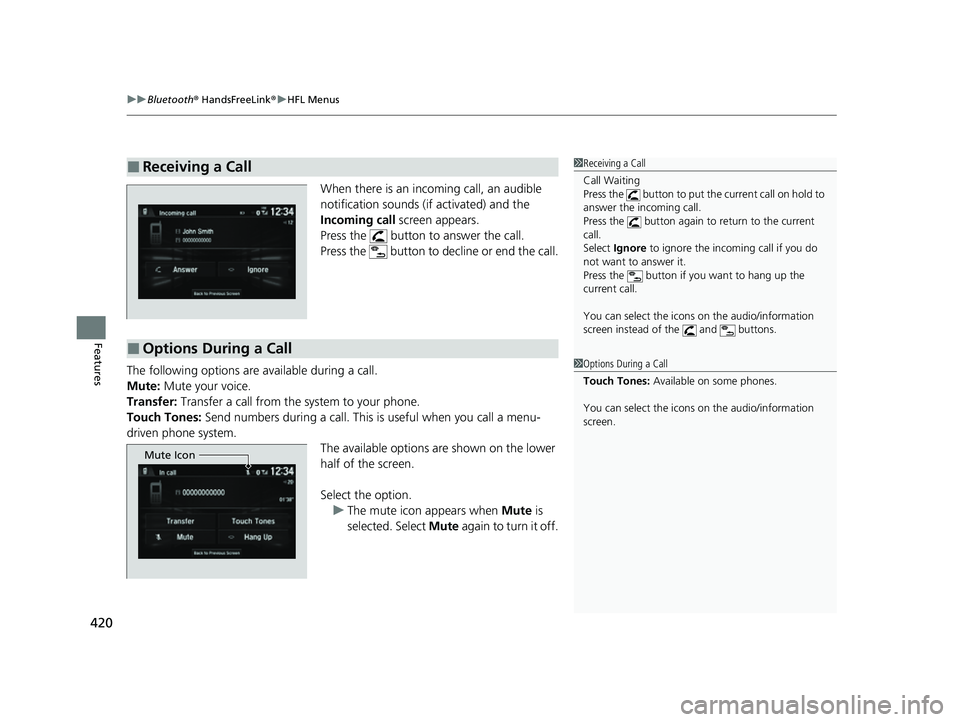
When there is an incoming call, an audible
notification sounds (i f activated) and the
Incoming call screen appears.
Press the button to answer the call.
Press the button to decline or end the call.
The following options are available during a call.
Mute: Mute your voice.
Transfer: Transfer a call from the system to your phone.
Touch Tones: Send numbers during a call. This is useful when you call a menu-
driven phone system. The available options are shown on the lower
half of the screen.
Select the option.
u The mute icon appears when Mute is
selected. Select Mute again to turn it off.
■Receiving a Call1Receiving a Call
Call Waiting
Press the button to put the current call on hold to
answer the incoming call.
Press the button again to return to the current
call.
Select Ignore to ignore the incoming call if you do
not want to answer it.
Press the button if you want to hang up the
current call.
You can select the icons on the audio/information
screen instead of the and buttons.
■Options During a Call
1 Options During a Call
Touch Tones: Available on some phones.
You can select the icons on the audio/information
screen.
Mute Icon
22 HR-V HDMC-31T7A6600.book 420 ページ 2021年4月12日 月曜日 午前10時50分
Page 427 of 641

Continued425
uuBluetooth ® HandsFreeLink ®u HFL Menus
Features
■Automatic collis ion notification
If your vehicle’s airbags deploy or if the unit
detects that the vehicle is severely impacted,
your vehicle automatically will attempt to
connect to the HondaLink ® operator. If
connected, information ab out your vehicle, its
location, and its condition can be sent to the
operator
*1; you also can speak to the operator
when connected.
IMPORTANT: For vehicles equipped with Ho ndaLink Assist, owner activation
constitutes authorization for Honda to collect information from your vehicle needed
to provide the service, and agreement to the Terms of Use at www.hondalink.com/
TermsAndConditions . In a crash, HondaLink Assist will attempt to notify emergency
services but NEITHER Honda-PRO NOR ITS SERVICE PROVIDERS GUARANTEE THAT
SUCH NOTIFICATION WILL OCCUR.
Honda reserves the right to terminate HondaLink Assist services at any time or for
any reason, and in the future may not be ab le to provide services due to changes in,
or obsolescence of, technology integral to the service or changes in governmental
regulation.
*1 : Depending on your phone and adequate cellular co verage, your vehicle’s location may not be sent to
the operator.
■In Case of Emergency1 In Case of Emergency
Your vehicle may not be able to connect to the
operator if the battery level is low, the line is
disconnected, or you do not have adequate cellular
coverage.
You cannot use this emergency service when:
•You travel outside the HondaLink ® service coverage
areas.
•There is a problem with the connecting devices,
such as the microphones, speakers, or the unit
itself.
You cannot operate othe r phone-related functions
using the screen while talking to the operator.
Select Hang Up to terminate the connection to your
vehicle.
1 Automatic collision notification
If the unit fails to connect to the operator, it
repeatedly tries until it succeeds.
22 HR-V HDMC-31T7A6600.book 425 ページ 2021年4月12日 月曜日 午前10時50分