2022 FORD F-150 tire
[x] Cancel search: tirePage 335 of 750

HOW DOES ADAPTIVE CRUISE
CONTROL WITH STOP AND GO
WORK
Adaptive cruise control with stop and go
uses radar and camera sensors to maintain
a set gap between your vehicle and the
vehicle in front of you while following it to
a complete stop. Stop and go can also be
set to follow a vehicle directly in front of
you and adjust the set speed, while you are
at a complete stop.
ADAPTIVE CRUISE CONTROL
PRECAUTIONS
WARNING: You are responsible for
controlling your vehicle at all times. The
system is designed to be an aid and does
not relieve you of your responsibility to
drive with due care and attention. Failure
to follow this instruction could result in
the loss of control of your vehicle,
personal injury or death. WARNING: Do not use adaptive
cruise control on winding roads, in heavy
traffic or when the road surface is
slippery. This could result in loss of
vehicle control, serious injury or death. WARNING:
Pay close attention to
changing road conditions such as
entering or leaving a highway, on roads
with intersections or roundabouts, roads
without visible lanes of travel, roads that
are unpaved, or steep slopes. Failure to
follow this instruction could result in the
loss of control of your vehicle, personal
injury or death. WARNING:
The system is not a
crash warning or avoidance system. WARNING:
Do not use the system
when towing a trailer that has
aftermarket electronic trailer brake
controls. Failure to follow this instruction
could result in the loss of control of your
vehicle, personal injury or death. WARNING:
Do not use tire sizes
other than those recommended because
this can affect the normal operation of
the system. Failure to do so may result
in a loss of vehicle control, which could
result in serious injury. WARNING:
Do not use the system
with a snow plow blade installed. WARNING:
Do not use the system
in poor visibility, for example fog, heavy
rain, spray or snow.
When Following a Vehicle WARNING:
When following a
vehicle that is braking, your vehicle does
not always decelerate quickly enough to
avoid a crash without driver intervention.
Apply the brakes when necessary. Failure
to follow this instruction could result in
personal injury or death.
Hilly Condition Usage
Select a lower gear when the system is
active in situations such as prolonged
downhill driving on steep slopes, for
example in mountainous areas.
331
2022 F-150 (TFD) Canada/United States of America, enUSA, Edition date: 202109, First-Printing Adaptive Cruise Control
(If Equipped)
Page 338 of 750

Switching Adaptive Cruise Control
Off
Press the button when the
system is in standby mode or
switch the ignition off.
Note: When you switch the system off, the
set speed clears.
ADAPTIVE CRUISE CONTROL
AUTOMATIC CANCELLATION
The system may cancel if:
• The tires lose traction.
• You apply the parking brake.
The system may cancel and set the parking
brake if:
• You unbuckle the seatbelt and open
the driver door after you stop your
vehicle.
• Your vehicle is at a stop continuously
for more than three minutes.
The system may deactivate or prevent
activating when requested if:
• The vehicle has a blocked sensor.
• The brake temperature is too high.
• There is a failure in the system or a
related system.
SETTING THE ADAPTIVE
CRUISE CONTROL SPEED
Drive to the speed you prefer. Press the SET+ or SET- buttons
to set the current speed.
Take your foot off the accelerator pedal. The indicator, current gap setting and set
speed appear in the instrument cluster
display.
A vehicle image illuminates if there is a
vehicle detected in front of you.
Note:
When adaptive cruise control is
active, the speedometer may vary slightly
from the set speed displayed in the
instrument cluster display.
Setting the Adaptive Cruise Speed
from a Complete Stop Press the SET+ or SET- buttons
while keeping the brake pedal
fully depressed.
The set speed adjusts to 20 km/h when in
metric units or 15 mph when in imperial
units.
The indicator, current gap setting and set
speed appear in the instrument cluster
display.
Note: The system activates from a
complete stop only when it detects a lead
vehicle in close proximity.
334
2022 F-150 (TFD) Canada/United States of America, enUSA, Edition date: 202109, First-Printing Adaptive Cruise Control (If Equipped)E144529 E337576
Page 343 of 750

LANE CENTERING LIMITATIONS
Adaptive cruise control limitations apply
to lane centering unless stated otherwise
or contradicted by a lane centering
limitation. See Adaptive Cruise Control
Limitations (page 332).
Lane Centering may not correctly operate
in any of the following conditions:
• The lane is too narrow or wide.
• The system does not detect at least
one lane marking or when lanes merge
or split.
• Limited steering torque input is applied.
• Areas under construction or new
infrastructure.
• When modifications to the steering
system have been made.
• When using a spare tire.
• In high wind conditions.
Note: The driving assistance torque is
limited and may not be sufficient for all
driving situations such as driving through
tight curves or driving through curves at high
speeds.
Note: In exceptional conditions, such as
inclement weather or direct sunlight, the
system could deviate from the center line
or could cancel.
SWITCHING LANE CENTERING ON
AND OFF
You must keep your hands on the steering
wheel at all times.
The controls are on the steering wheel. Press the button.
The indicator appears in the information
display. When the system is on, the color
of the indicator changes to indicate the
system status. You can override the system at any time
by steering your vehicle.
Note:
The correct requirements must be
met before you can switch the system on.
See
Lane Centering Requirements (page
338).
Enabling and Disabling Lane
Centering
1. Press
Features on the touchscreen.
2. Press
Driver Assistance.
3. Press
Cruise Control.
4. Press
Lane Centering Assist.
LANE CENTERING ALERTS
You must keep your hands on the steering
wheel at all times.
When the system is active and detects no
steering activity for a period of time, the
system alerts you to put your hands on the
steering wheel. If you do not react to the
warnings the system cancels and slows
your vehicle down to idle speeds while
maintaining steering control.
See Lane
Centering Automatic Cancellation
(page
339).
The system also alerts you if your vehicle
crosses lane markings without detected
steering activity.
Note: The system could detect a light grip
or touch on the steering wheel as hands-off
driving.
LANE CENTERING AUTOMATIC
CANCELLATION
When an external condition cancels the
system, for example, no lane markings
available, a tone sounds and a message
appears in the instrument cluster display.
339
2022 F-150 (TFD) Canada/United States of America, enUSA, Edition date: 202109, First-Printing Adaptive Cruise Control
(If Equipped)E308131
Page 349 of 750

WARNING: Do not use the system
if any changes or modifications to the
steering wheel have been made. Any
changes or modifications to the steering
wheel could affect the functionality or
performance of the system. Failure to
follow this instruction could result in the
loss of control of your vehicle, personal
injury or death. WARNING:
The system may not
function if the sensor is blocked. WARNING:
Pay close attention to
changing road conditions such as
entering or leaving a highway, on roads
with intersections or roundabouts, roads
without visible lanes of travel, roads that
are winding, slippery, unpaved, or steep
slopes. WARNING:
The system is not a
crash warning or avoidance system. WARNING:
Large contrasts in
outside lighting can limit sensor
performance. WARNING:
The system attempts
to keep your vehicle in the center of the
lane as well as maintain speed and gap
control. The system may not be able to
perform these tasks in all situations. Do
not use the system in complex or
uncertain driving conditions. Failure to
follow this instruction could result in the
loss of control of your vehicle, personal
injury or death. WARNING: Your vehicle could drift
out of the lane of travel. Always be
prepared to manually steer your vehicle.
Failure to follow this instruction could
result in the loss of control of your
vehicle, personal injury or death. WARNING:
The system will not
operate if the sensor cannot track the
road lane markings.
BLUECRUISE REQUIREMENTS
BlueCruise only activates when all of the
following occur:
• BlueCruise is enabled in your
information and entertainment screen.
See BlueCruise Settings (page 346).
• Adaptive cruise control is on.
• The system detects both lane
markings.
• Your hands are on the steering wheel.
• Your eyes are on the road.
Note: For hands-free mode to work, your
vehicle must be on certain limited access
divided freeways.
Note: The system may require updated
software for hands-free mode. See Vehicle
System Updates
(page 633).
BLUECRUISE LIMITATIONS
Any of the following conditions could result
in BlueCruise not correctly operating:
• You do not have your vehicle centered
in the lane.
• The lane is too narrow or too wide.
• The system does not detect at least
one lane marking or when lanes merge
or split.
• You are applying a low amount of
steering input.
• You are using the system in areas under
construction.
• If you make any aftermarket
modifications to the steering system.
• You are using a spare tire.
345
2022 F-150 (TFD) Canada/United States of America, enUSA, Edition date: 202109, First-Printing BlueCruise
(If Equipped)
Page 356 of 750

•
Baja – Loudest setting for off-road use
only. Maximum exhaust noise under all
driving conditions.
• Quiet – Quietest setting for maximum
comfort under all driving conditions.
MyMode You can use MyMode to create
one custom vehicle
configuration based on the
current state of your vehicle.
When you have your vehicle configured to
your desired settings, you can press and
hold the button for a few seconds to save
as MyMode.
Double-pressing the button activates your
saved MyMode.
You can check the saved MyMode settings
with a single press of the button.
You can save the following settings as
MyMode:
• Drive mode.
• Steering mode.
• Suspension mode.
• Exhaust mode.
• Four-wheel drive mode.
• Stop and start on or off.
• Rear electronic locking differential on
or off.
Note: MyMode can only be set with
configurations that are available for each
drive mode. See Drive Modes (page 352).
Note: You can save or view MyMode at any
time, regardless of your vehicle's speed or
transmission selection, as long as your
vehicle is running and it meets system
conditions. Note:
When activating MyMode, your
vehicle must meet all preconditions for the
drive mode and various settings before it
activates. A message appears if it does not
meet system conditions.
DRIVE MODES
BAJA - RAPTOR For high speed off-road driving.
Baja mode optimizes the throttle
control for better response and
torque delivery.
Four-wheel drive high is the default
four-wheel drive mode. Four-wheel drive
auto is not available in baja mode.
Off-road is the default steering and
suspension modes. All steering and
suspension modes are available.
Baja is the default exhaust mode. All
exhaust modes are available.
The system tunes the engine and
transmission controls to baja mode.
The system tunes the stability and traction
controls to baja mode.
The electronic locking differential is
available at all speeds in four-wheel drive.
See
Switching the Electronic Locking
Differential On and Off (page 280).
Note: Using baja mode on dry, hard
surfaces could produce some vibration,
driveline bind up, and potential excessive
tire and vehicle wear depending on the
four-wheel drive mode selection.
352
2022 F-150 (TFD) Canada/United States of America, enUSA, Edition date: 202109, First-Printing Drive Mode ControlE359278 E225314
Page 362 of 750
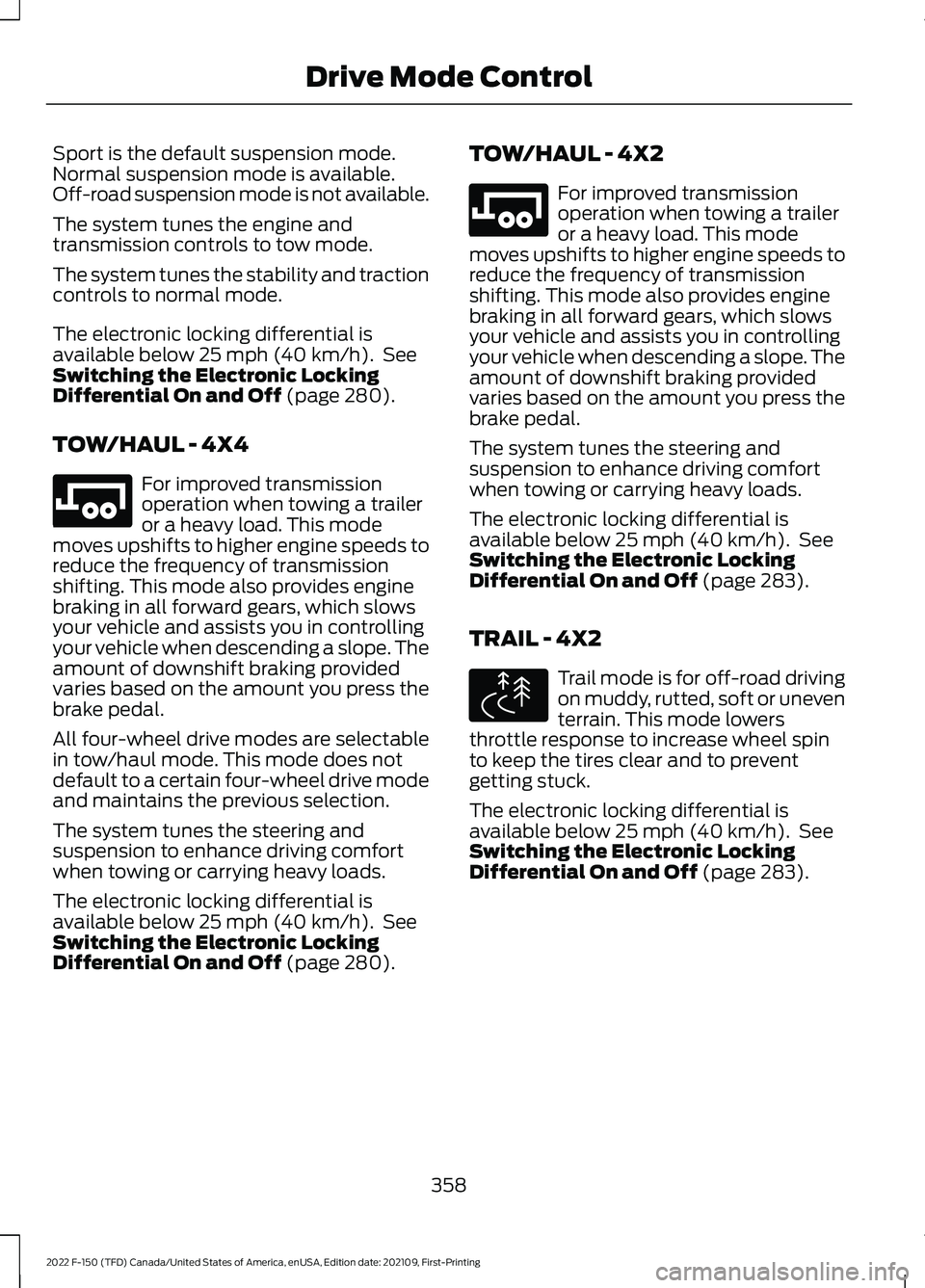
Sport is the default suspension mode.
Normal suspension mode is available.
Off-road suspension mode is not available.
The system tunes the engine and
transmission controls to tow mode.
The system tunes the stability and traction
controls to normal mode.
The electronic locking differential is
available below 25 mph (40 km/h). See
Switching the Electronic Locking
Differential On and Off
(page 280).
TOW/HAUL - 4X4 For improved transmission
operation when towing a trailer
or a heavy load. This mode
moves upshifts to higher engine speeds to
reduce the frequency of transmission
shifting. This mode also provides engine
braking in all forward gears, which slows
your vehicle and assists you in controlling
your vehicle when descending a slope. The
amount of downshift braking provided
varies based on the amount you press the
brake pedal.
All four-wheel drive modes are selectable
in tow/haul mode. This mode does not
default to a certain four-wheel drive mode
and maintains the previous selection.
The system tunes the steering and
suspension to enhance driving comfort
when towing or carrying heavy loads.
The electronic locking differential is
available below
25 mph (40 km/h). See
Switching the Electronic Locking
Differential On and Off
(page 280). TOW/HAUL - 4X2 For improved transmission
operation when towing a trailer
or a heavy load. This mode
moves upshifts to higher engine speeds to
reduce the frequency of transmission
shifting. This mode also provides engine
braking in all forward gears, which slows
your vehicle and assists you in controlling
your vehicle when descending a slope. The
amount of downshift braking provided
varies based on the amount you press the
brake pedal.
The system tunes the steering and
suspension to enhance driving comfort
when towing or carrying heavy loads.
The electronic locking differential is
available below
25 mph (40 km/h). See
Switching the Electronic Locking
Differential On and Off
(page 283).
TRAIL - 4X2 Trail mode is for off-road driving
on muddy, rutted, soft or uneven
terrain. This mode lowers
throttle response to increase wheel spin
to keep the tires clear and to prevent
getting stuck.
The electronic locking differential is
available below
25 mph (40 km/h). See
Switching the Electronic Locking
Differential On and Off
(page 283).
358
2022 F-150 (TFD) Canada/United States of America, enUSA, Edition date: 202109, First-Printing Drive Mode ControlE246592 E246592 E295419
Page 366 of 750

The lane keeping system may not correctly
operate in any of the following conditions:
•
The lane keeping system does not
detect at least one lane marking.
• You switch the turn signal on.
• You apply direct steering, accelerate
fast or brake hard.
• The vehicle speed is less than 40 mph
(64 km/h).
• The anti-lock brake, stability control or
traction control system activates.
• The lane is too narrow.
• Something is obscuring the camera or
it is unable to detect the lane markings
due to environment, traffic or vehicle
conditions.
• Entering or exiting a tight curve when
driving at high speeds.
The lane keeping system may not correct
lane positioning in any of the following
conditions:
• High winds.
• Uneven road surfaces.
• Heavy or uneven loads.
• Incorrect tire pressure.
SWITCHING THE LANE
KEEPING SYSTEM ON AND
OFF To activate the lane keeping
system, press the button on the
steering wheel.
To deactivate the lane keeping system,
press the button again.
Note: When switching the system on or off
a message appears in the information and
entertainment display to show the status. Note:
The system stores the on or off
setting until manually changed, unless it
detects a MyKey ™. If the system detects a
MyKey ™, it defaults to the last setting for
that MyKey ™.
Note: If the system detects a MyKey ™,
pressing the button does not affect the on
or off status of the system. You can only
change the mode and intensity settings.
SWITCHING THE LANE
KEEPING SYSTEM MODE
The lane keeping system has different
settings that you can view or adjust using
the information display.
The system stores the last known selection
for each of these settings. You do not need
to readjust your settings each time you
switch on the system.
To change the lane keeping system mode,
use the touchscreen:
1. Press
Features on the touchscreen.
2. Press
Driver Assistance.
3. Press
Lane-Keeping System.
4. Press
Lane-Keeping Mode.
5. Select a mode.
Note: The system remembers the last
setting when you start your vehicle. If the
system detects a MyKey ™, it defaults to the
last setting for that MyKey ™.
ALERT MODE
WHAT IS ALERT MODE
Alert mode vibrates the steering wheel
when it detects an unintended lane
departure.
362
2022 F-150 (TFD) Canada/United States of America, enUSA, Edition date: 202109, First-Printing Lane Keeping System
(If Equipped)E334922
Page 371 of 750
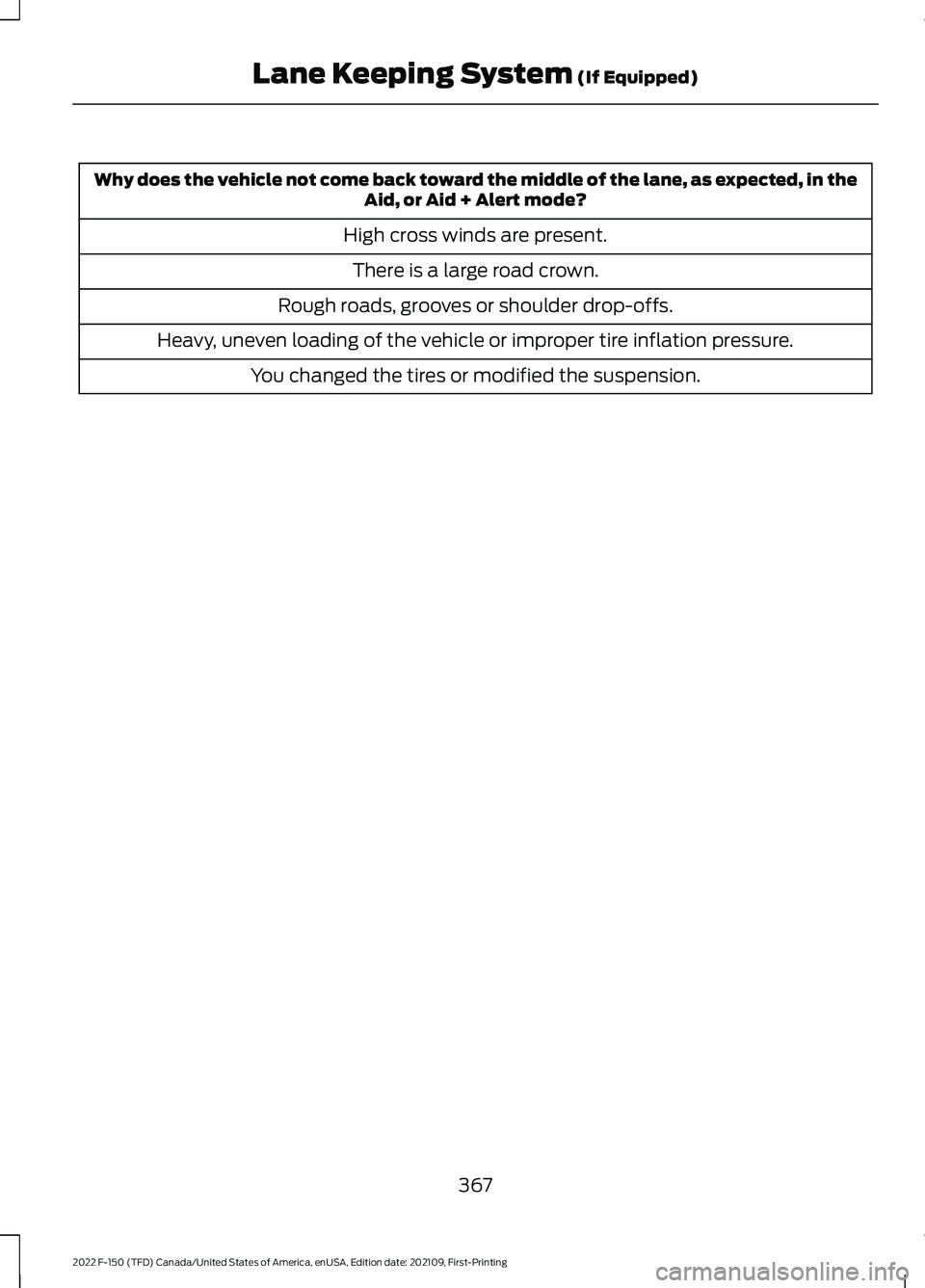
Why does the vehicle not come back toward the middle of the lane, as expected, in the
Aid, or Aid + Alert mode?
High cross winds are present. There is a large road crown.
Rough roads, grooves or shoulder drop-offs.
Heavy, uneven loading of the vehicle or improper tire inflation pressure. You changed the tires or modified the suspension.
367
2022 F-150 (TFD) Canada/United States of America, enUSA, Edition date: 202109, First-Printing Lane Keeping System (If Equipped)