2022 FORD ESCAPE Electri
[x] Cancel search: ElectriPage 217 of 585

Returning Your Vehicle to Normal
Mode
1. Once it is safe to do so, reconnect thenegative (black) battery cable to the
battery.
2. Apply the parking brake. See What Is
the Electric Parking Brake (page 220).
Note: If the vehicle battery is dead, for
example, no electrical power is available,
you could use an external power source to
apply the parking brake.
3. Fully apply the brake pedal and hold. Do not release. Pull the orange tether
outward towards the driver seat to
release it from the override position.
4. The cable will release and retract back to its original rest position.
5. Stow the manual park release cable tether back inside the instrument panel
dash hole, install the access cover by
pressing it back in position.
6. With your foot fully applied on the brake pedal, start your vehicle. Confirm
that your vehicle is in the park (P)
position and that the instrument
cluster indicates park (P).
7. If the instrument cluster is not displaying the park (P) position or a
message displays on the instrument
cluster screen, make sure you apply the
parking brake before exiting your
vehicle. Contact an authorized dealer
for service.
AUTOMATIC TRANSMISSION
AUDIBLE WARNINGS
Transmission Not In Park (P)
Audible Warning
Sounds if you open the driver door before
shifting into park (P).
AUTOMATIC TRANSMISSION
– TROUBLESHOOTING
AUTOMATIC TRANSMISSION –
INFORMATION MESSAGES
Description
Message
The electric parking
brake is not fully applied.
Park Brake Not
Applied
A reminder to shiftinto park. In addi-
tion, this message is typically afterreconnecting or recharging the
battery until you
cycle the ignition to the on mode.
Transmission Not in
Park
Displays when
there is a system
fault and the park
brake needs to be depressed before
exiting the vehicle.
See your authorized dealer.
SHIFT SYS FAULT
Apply Park Brake
Before Exiting the Vehicle
The system has
detected a fault that requires
service. Have your
vehicle checked as soon as possible.
Transmission
Malfunction Service Now
214
Automatic Transmission
Page 223 of 585

WHAT IS THE ELECTRIC
PARKING BRAKE
The electric parking brake is used to hold
your vehicle on slopes and flat roads.
APPLYING THE ELECTRIC
PARKING BRAKE
WARNING: Always fully apply the
parking brake and make sure you shift
into park (P). Failure to follow this
instruction could result in personal injury
or death.
WARNING: If you drive extended
distances with the parking brake applied,
you could cause damage to the brake
system.
WARNING: The electric parking
brake does not operate if the vehicle
battery has run out of charge.
E267156The electronic parking brake
switch is on the center console.
1. Pull the switch up.
The red warning lamp flashes during
operation and illuminates when the parking
brake is applied.
Note: You can apply the electric parking
brake when the power is off.
Note: The electric parking brake could
apply when you shift into park (P). See Park
(P) (page 209).
APPLYING THE ELECTRIC
PARKING BRAKE IN AN
EMERGENCY
You can use the electric parking brake to
slow or stop your vehicle in an emergency.
1. Pull the switch up and hold it.
The electric parking brake continues to
slow your vehicle down unless you release
the switch.
The red warning lamp illuminates, a tone
sounds and the stoplamps turn on when
you use the electric parking brake in an
emergency.
Note: Do not apply the electric parking
brake when your vehicle is moving, except
in an emergency. If you repeatedly use the
electric parking brake to slow or stop your
vehicle, you could cause damage to the
brake system.
MANUALLY RELEASING THE
ELECTRIC PARKING BRAKE
1. Switch the ignition on.
2. Press and hold the brake pedal.
3. Push the switch down.
The red warning lamp turns off.
Pulling Away on a Hill When Towing a
Trailer
1. Press and hold the brake pedal.
2. Pull the switch upward and hold it.
3. Shift into gear.
4. Press the accelerator pedal until engine has developed sufficient torque to
prevent your vehicle from rolling down
the hill.
5. Release the switch and pull away in a normal manner.
220
Electric Parking Brake
Page 224 of 585

AUTOMATICALLY RELEASING
THE ELECTRIC PARKING
BRAKE
1. Close the driver door.
2. Shift into gear.
3. Press the accelerator pedal and pullaway in a normal manner.
ELECTRIC PARKING BRAKE
AUDIBLE WARNING
Sounds when the parking brake is on and
your vehicle is moving. If the warning tone
continues after you have released the
parking brake, this indicates a malfunction.
Have your vehicle checked as soon as
possible.
RELEASING THE ELECTRIC
PARKING BRAKE IF THE
VEHICLE BATTERY HAS RUN
OUT OF CHARGE
See Jump Starting the Vehicle (page
311).
ELECTRIC PARKING BRAKE –
TROUBLESHOOTING
ELECTRIC PARKING BRAKE –
WARNING LAMPS
Brake System
E270480
It illuminates red when you apply
the parking brake and your
vehicle is on. If the lamp flashes
when the parking brake has been
released, this indicates the
parking brake system requires
service. Have your vehicle checked as
soon as possible.
Note: Lamps may vary depending on region.
Electric Parking Brake
E146190
When the lamp illuminates
yellow, it indicates a malfunction
in the electric parking brake.
Have your vehicle checked as soon as
possible.
221
Electric Parking Brake
Page 225 of 585
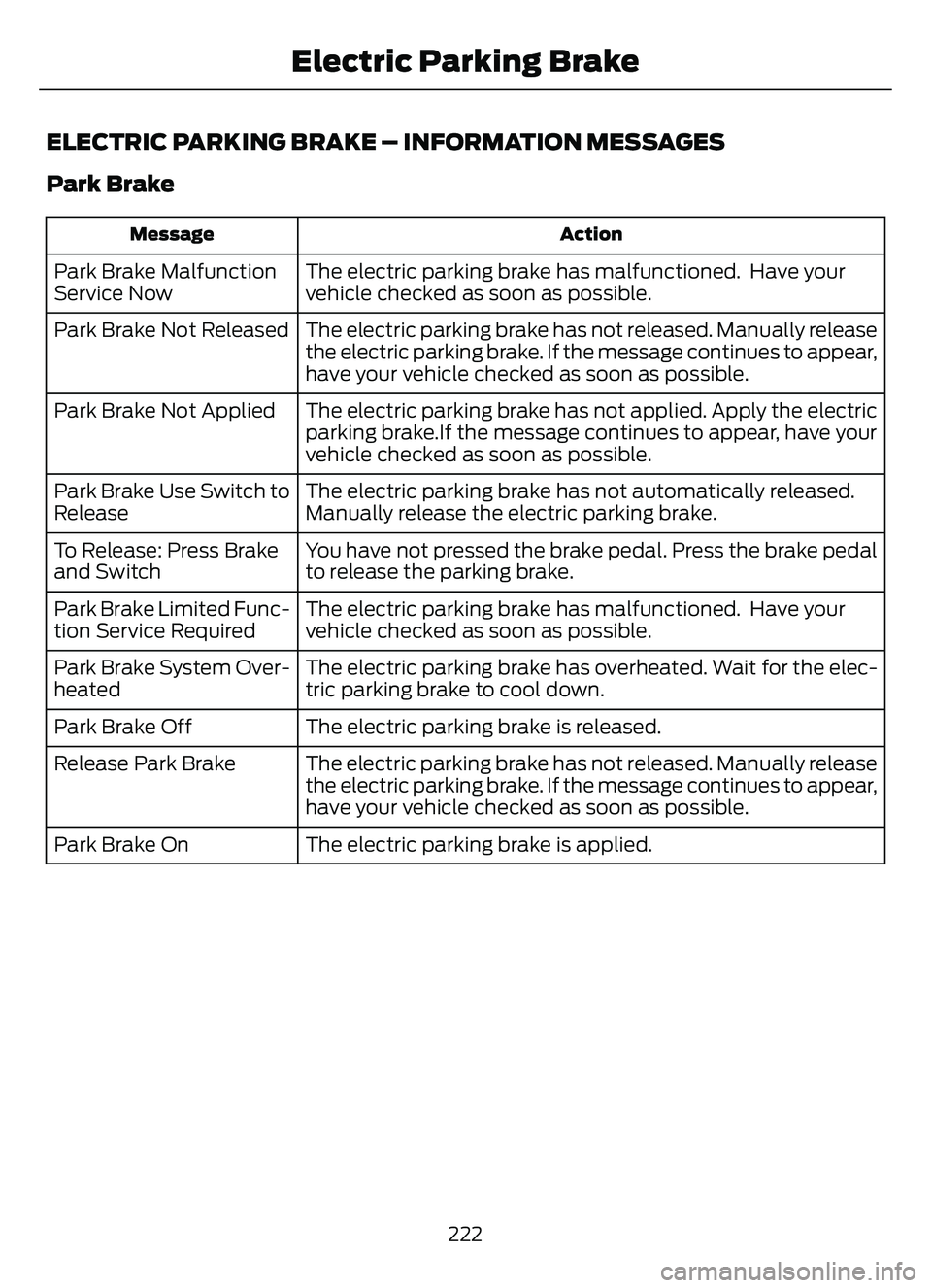
ELECTRIC PARKING BRAKE – INFORMATION MESSAGES
Park Brake
Action
Message
The electric parking brake has malfunctioned. Have your
vehicle checked as soon as possible.
Park Brake Malfunction
Service Now
The electric parking brake has not released. Manually release
the electric parking brake. If the message continues to appear,
have your vehicle checked as soon as possible.
Park Brake Not Released
The electric parking brake has not applied. Apply the electric
parking brake.If the message continues to appear, have your
vehicle checked as soon as possible.
Park Brake Not Applied
The electric parking brake has not automatically released.
Manually release the electric parking brake.
Park Brake Use Switch to
Release
You have not pressed the brake pedal. Press the brake pedal
to release the parking brake.
To Release: Press Brake
and Switch
The electric parking brake has malfunctioned. Have your
vehicle checked as soon as possible.
Park Brake Limited Func-
tion Service Required
The electric parking brake has overheated. Wait for the elec-
tric parking brake to cool down.
Park Brake System Over-
heated
The electric parking brake is released.
Park Brake Off
The electric parking brake has not released. Manually release
the electric parking brake. If the message continues to appear,
have your vehicle checked as soon as possible.
Release Park Brake
The electric parking brake is applied.
Park Brake On
222
Electric Parking Brake
Page 227 of 585

HOW DOES AUTO HOLD WORK
Auto Hold applies the brakes to hold your
vehicle after you stop it and release the
brake pedal. This can help when waiting
on a hill or in traffic.
SWITCHING AUTO HOLD ON
AND OFF
WARNING: The system does not
replace the parking brake. When you
leave your vehicle, always apply the
parking brake.
WARNING: You must remain in
your vehicle when the system turns on.
At all times, you are responsible for
controlling your vehicle, supervising the
system and intervening, if required.
Failure to take care may result in the loss
of control of your vehicle, serious
personal injury or death.
You can switch the system on or off by
accessing the menu in the SYNC display
screen.
1. Press Features on the touchscreen.
2. Press Driver Assistance.
Note: You can only switch the system on
after you close the driver door, and fasten
your seatbelt.
Note: The system remembers the last
setting when you start your vehicle.
Note: Make sure you switch the system off
before using an automatic car wash.
USING AUTO HOLD
1. Bring your vehicle to a complete stop. The auto hold active indicator
illuminates in the information display. 2. Release the brake pedal. The system
holds your vehicle at a standstill. The
auto hold active indicator remains
illuminated in the information display.
3. Pull away in the normal manner. The system releases the brakes and the
auto hold active indicator switches off.
Note: The system only activates if you
apply enough brake pressure on the brake
pedal.
Note: Under certain conditions, the system
could apply the electric parking brake. The
brake system warning lamp illuminates. The
electric parking brake releases when you
press the accelerator pedal. See
Automatically Releasing the Electric
Parking Brake (page 221).
Note: The system switches off if you shift
into reverse (R) and press the brake pedal.
There could be actions that can cause the
auto hold system not to work when the
following occur:
• When you use active park assist.
• Your vehicle is in stay in neutral mode.
• The driver door is open.
• You have not fastened your seatbelt.
• You shift into reverse (R) before the system is active.
AUTO HOLD INDICATORS
E323448Illuminates when the system is
active.
E323449Illuminates when the system is
on but cannot hold your vehicle
at a standstill at this particular
time.
224
Auto Hold
Page 232 of 585

ELECTRIC POWER STEERING
ELECTRIC POWER STEERING
PRECAUTIONS
WARNING: The electric power
steering system has diagnostic checks
that continuously monitor the system. If
a fault is detected, a message displays
in the information display. Stop your
vehicle as soon as it is safe to do so.
Switch the vehicle off. After at least 10
seconds, switch the vehicle on and
watch the information display for a
steering system warning message. If a
steering system warning message
returns, have the system checked as
soon as possible.
WARNING: If the system detects
an error, you may not feel a difference in
the steering, however a serious condition
may exist. Have your vehicle checked as
soon as possible. Failure to do so may
result in loss of steering control.
Adapt your speed and driving behavior
according to reduced steering assist.
Extreme continuous steering may increase
the effort to steer. This occurs to prevent
internal overheating and damage to the
steering system. If this occurs, you will not
lose the ability to steer your vehicle
manually nor will it cause damage to the
system. Normal steering and driving allows
the system to cool down and steering
assist returns to normal.
Note: There is no fluid reservoir to check or
fill.
STEERING – TROUBLESHOOTING
STEERING – INFORMATION MESSAGES
Action
Message
The power steering system has detected a
condition that requires service. Have your vehicle checked as soon as possible.
Steering Fault Service Now
The power steering system is not working.
Stop your vehicle in a safe place. Have your vehicle checked as soon as possible.
Steering Loss Stop Safely
The power steering system has detected acondition that requires service. Have your vehicle checked as soon as possible.
Steering Assist Fault Service Required
The steering system has detected a condi-
tion that requires service. Have your vehiclechecked as soon as possible.
Steering Lock Malfunction Service Now
229
Steering
Page 260 of 585

WHAT IS DRIVE MODE
CONTROL
The system delivers a driving experience
through a suite of sophisticated electronic
vehicle systems. These systems optimize
steering, handling and powertrain
response. This provides a single location
to control multiple systems performance
settings.
Changing the drive mode changes the
functionality of the following systems:
• Electric power-assisted steeringsystem adjusts steering effort and feel
based on the mode you select. See
Electric Power Steering
Precautions (page 229).
• Electronic stability control and traction control maintain your vehicle control
in adverse conditions or high
performance driving. See Stability
Control (page 227).
• Electronic throttle control enhances the powertrain response to your driving
inputs.
• Transmission controls become optimized with shift schedules tuned
to each mode.
• Four-wheel drive settings are optimized and tuned to each mode.
• Electric vehicle mode selections may be limited.
The system tailors your vehicle
configuration for each mode you select.
Note: Not all settings may be available.
Note: The system has diagnostic checks
that continuously monitor the system for
proper operation. If a mode is unavailable
due to a system fault or change in gear
shifter position, the mode defaults to
Normal.
SELECTING A DRIVE MODE -
EXCLUDING: PLUG-IN HYBRID
ELECTRIC VEHICLE (PHEV)
Note: Drive mode changes may not be
available when the ignition is off.
Note: Button icon shown may vary from
your vehicle.
Note: Selected drive mode displays in the
information display.
E306303E306303E306E306EE306E306E306E306E3063066E306EE306EE3063333333303033033033033303303303
To select drive modes, use the console
mounted control.
SELECTING A DRIVE MODE
E356781E356EEE356E356EE356E356E3566E356E356EE3566777777787817817817817817781781
To select drive modes, use the console
mounted control.
257
Drive Mode Control
Page 262 of 585

PLUG-IN HYBRID ELECTRIC
VEHICLE DRIVE MODES
SELECTING A PLUG-IN HYBRID
ELECTRIC VEHICLE DRIVE MODE
E327677E327E327E327E327E327E3273327327277777E32733272767767676776677767677676677677
Your vehicle contains selectable electric
vehicle (EV) modes. Press the button on
the center console to change the mode.
Depending on your drive mode selection
some EV modes may not be available. EV
Now and EV Later modes are only
available when you have electric-only
driving range available.
AUTO EV
E287836
This mode provides an
automatic use of high voltage
battery power during the drive,
staying in electric mode when possible and
running the engine when needed.
EV CHARGE
E287822
This mode uses your vehicle's
engine to charge the high voltage
battery versus plugging the
vehicle into a utility grid. The electric range gained through the EV
Charge allows you to switch to Auto EV or
EV Now for full electric operation later in
your drive. The battery cannot completely
charge to 100% when in EV Charge mode.
This is to allow for full operation of the
regenerative braking system. When the
battery reaches its EV Charge limit, the
vehicle remains in EV Charge mode and
maintains that charge level, until you select
another EV Mode, or until you switch your
vehicle off.
When you enable EV Charge, a white EV
Charge icon appears in the information
display.
EV Charge resets to Auto EV when you
switch off your vehicle. You may select EV
Charge again using the EV button during
your next drive.
EV LATER
E287824
In EV Later, your vehicle runs on
the engine as needed and saves
most of the available electric
range for later use in Auto EV or EV Now
mode.
For example, your initial drive is at high
speeds on open roads, but later your drive
is at low speeds in an urban area where
electric only driving is most efficient. In this
case, you can select EV Later for the higher
speed portion of your trip and then select
Auto EV or EV Now for the urban portion.
When you enable EV Later, a white EV
Later icon appears in the information
display. EV Later resets to Auto EV when
you switch off your vehicle. You may select
EV Later again using the EV button during
your next drive.
259
Drive Mode Control