2022 FORD ESCAPE warning
[x] Cancel search: warningPage 274 of 585

WHAT IS CROSS TRAFFIC
ALERT
The system alerts you of vehicles
approaching from the sides behind your
vehicle when you shift into reverse (R).
HOW DOES CROSS TRAFFIC
ALERT WORK
Cross traffic alert detects vehicles that
approach at a speed between 4–37 mph
(6–60 km/h). Coverage decreases when
the sensors are partially, mostly or fully
obstructed.
E142440
The sensor on the left-hand side is only
partially obstructed and zone coverage on
the right-hand side is maximized.
E142441
Zone coverage also decreases when
parking at narrow angles. The sensor on
the left-hand side is mostly obstructed and
zone coverage on that side is severely
reduced.
Note: Slowly reversing helps increase the
coverage area and effectiveness.
CROSS TRAFFIC ALERT
PRECAUTIONS
WARNING: Do not use the cross
traffic alert system as a replacement for
using the interior and exterior mirrors or
looking over your shoulder before
reversing out of a parking space. The
cross traffic alert system is not a
replacement for careful driving.
WARNING: The system may not
operate properly during severe weather
conditions, for example snow, ice, heavy
rain and spray. Always drive with due
care and attention. Failure to take care
may result in a crash.
CROSS TRAFFIC ALERT
LIMITATIONS
Cross traffic alert may not correctly
operate when any of the following occur:
• Something is blocking the sensors.
• Adjacently parked vehicles or objects are obstructing the sensors.
• Vehicles approach at speeds less than 4 mph (6 km/h) or greater than 37 mph
(60 km/h).
• Your vehicle speed is greater than 7 mph (12 km/h).
• You reverse out of an angled parking space.
SWITCHING CROSS TRAFFIC
ALERT ON AND OFF
To switch cross traffic alert on or off use
the touchscreen.
1. Press Settings on the touchscreen.
2. Press Driver Assistance.
271
Cross Traffic Alert
Page 275 of 585
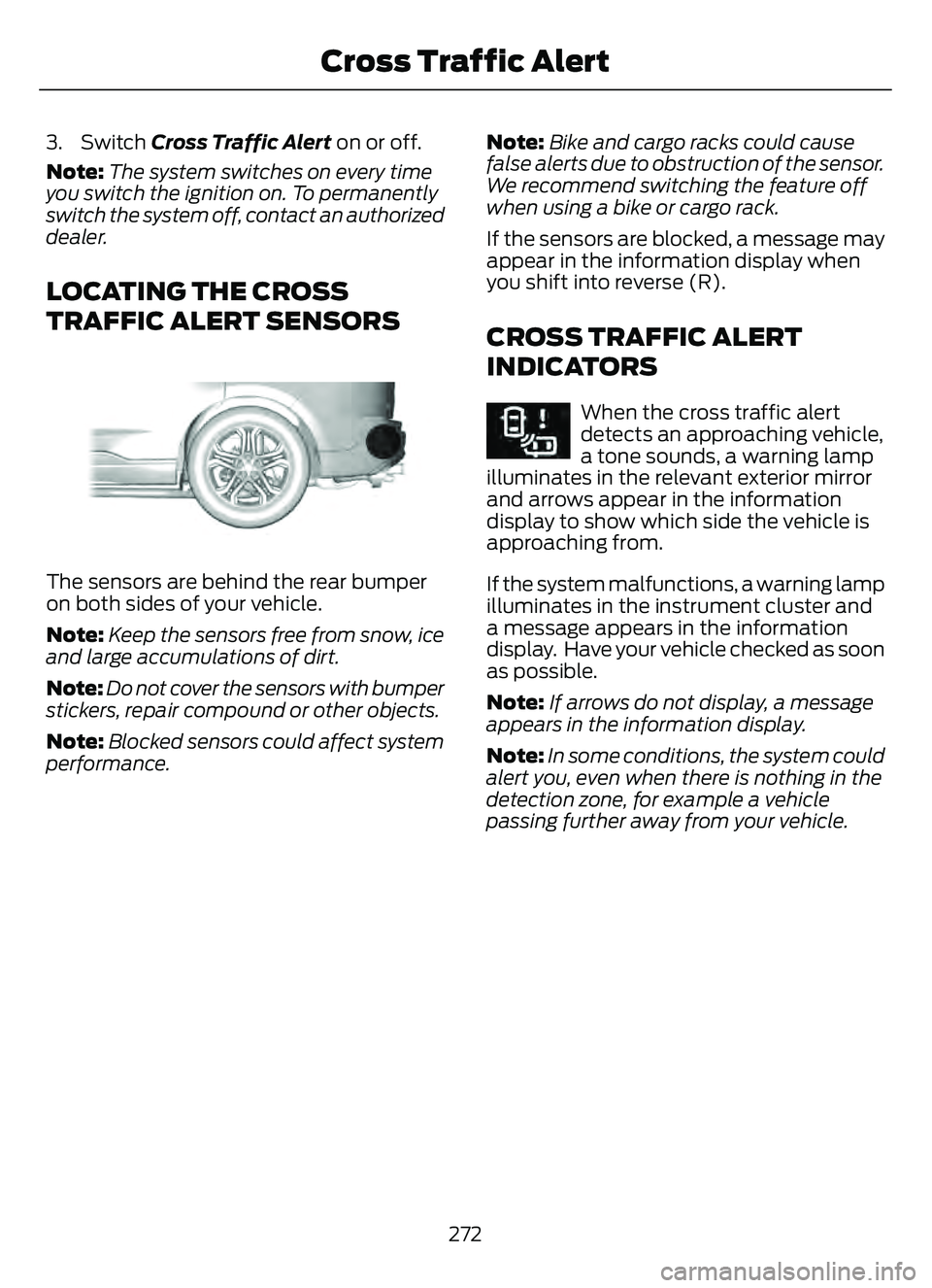
3. Switch Cross Traffic Alert on or off.
Note:The system switches on every time
you switch the ignition on. To permanently
switch the system off, contact an authorized
dealer.
LOCATING THE CROSS
TRAFFIC ALERT SENSORS
E205199E205199
The sensors are behind the rear bumper
on both sides of your vehicle.
Note: Keep the sensors free from snow, ice
and large accumulations of dirt.
Note: Do not cover the sensors with bumper
stickers, repair compound or other objects.
Note: Blocked sensors could affect system
performance. Note:
Bike and cargo racks could cause
false alerts due to obstruction of the sensor.
We recommend switching the feature off
when using a bike or cargo rack.
If the sensors are blocked, a message may
appear in the information display when
you shift into reverse (R).
CROSS TRAFFIC ALERT
INDICATORS
E268294When the cross traffic alert
detects an approaching vehicle,
a tone sounds, a warning lamp
illuminates in the relevant exterior mirror
and arrows appear in the information
display to show which side the vehicle is
approaching from.
If the system malfunctions, a warning lamp
illuminates in the instrument cluster and
a message appears in the information
display. Have your vehicle checked as soon
as possible.
Note: If arrows do not display, a message
appears in the information display.
Note: In some conditions, the system could
alert you, even when there is nothing in the
detection zone, for example a vehicle
passing further away from your vehicle.
272
Cross Traffic Alert
Page 277 of 585

WHAT IS PRE-COLLISION
ASSIST
Pre-collision assist detects and warns of
approaching hazards in the roadway. If
your vehicle is rapidly approaching another
stationary vehicle, a vehicle traveling in the
same direction as yours, or a pedestrian
within your driving path, the system
provides multiple levels of assistance to
help avoid a collision.
HOW DOES PRE-COLLISION
ASSIST WORK
The system warns the driver of potential
hazards by providing three levels of
assistance.
E156130
If your vehicle is rapidly approaching
potential hazards, the system provides the
following levels of functionality:
1. Alert.
2. Brake Support.
3. Automatic Emergency Braking.
55 68E255268
Alert: When active, a flashing visual
warning appears and an audible warning
tone sounds.Brake Support
: The system is designed
to help reduce the impact speed by
preparing the brakes for rapid braking. The
system does not automatically apply the
brakes. If you press the brake pedal, the
system could apply additional braking up
to maximum braking force, even if you
lightly press the brake pedal.
Automatic Emergency Braking:
Automatic emergency braking may
activate if the system determines that a
collision is imminent.
Note: If you perceive pre-collision assist
alerts as being too frequent or disturbing,
then you can reduce the alert sensitivity,
though the manufacturer recommends
using the highest sensitivity setting where
possible. Setting lower sensitivity would
lead to fewer and later system warnings.
Each system has various level of detection
capabilities. See Pre-Collision Assist
Limitations (page 275).
PRE-COLLISION ASSIST
PRECAUTIONS
WARNING: You are responsible for
controlling your vehicle at all times. The
system is designed to be an aid and does
not relieve you of your responsibility to
drive with due care and attention. Failure
to follow this instruction could result in
the loss of control of your vehicle,
personal injury or death.
WARNING: The system does not
detect vehicles that are driving in a
different direction, cyclists or animals.
Apply the brakes when necessary. Failure
to follow this instruction could result in
the loss of control of your vehicle,
personal injury or death.
274
Pre-Collision Assist
Page 278 of 585

WARNING: The system does not
operate during hard acceleration or
steering. Failure to take care may lead
to a crash or personal injury.
WARNING: The system may fail or
operate with reduced function during
cold and severe weather conditions.
Snow, ice, rain, spray and fog can
adversely affect the system. Keep the
front camera and radar free of snow and
ice. Failure to take care may result in the
loss of control of your vehicle, serious
personal injury or death.
WARNING: Take additional care if
your vehicle is heavily loaded or you are
towing a trailer. These conditions could
result in reduced performance of this
system. Failure to follow this instruction
could result in the loss of control of your
vehicle, personal injury or death.
WARNING: The system cannot
help prevent all crashes. Do not rely on
this system to replace driver judgment
and the need to maintain a safe distance
and speed.
WARNING: In situations where the
vehicle camera has limited detection
capability, this may reduce system
performance. These situations include
but are not limited to direct or low
sunlight, vehicles at night without tail
lights, unconventional vehicle types,
pedestrians with complex backgrounds,
running pedestrians, partly obscured
pedestrians, or pedestrians that the
system cannot distinguish from a group.
Failure to take care may result in the loss
of control of your vehicle, serious
personal injury or death.
PRE-COLLISION ASSIST
LIMITATIONS
Pre-collision assist depends on the
detection ability of its camera and sensors.
Any obstructions or damage to these areas
can limit detection or prevent the system
from functioning. See Locating the
Pre-Collision Assist Sensors (page 276).
The system is active at speeds above
3 mph (5 km/h)
Note: The pre-collision assist system
disables when you select four-wheel drive
low or manually disable AdvanceTrac™.
Note: Brake support and automatic
emergency braking are active at speeds up
to 80 mph (130 km/h). If the vehicle has a
radar sensor included with adaptive cruise
control, then brake support and automatic
emergency braking are active up to the
maximum speed of the vehicle.
Pedestrian Detection Limitations
Pedestrian detection is active at speeds
up to 50 mph (80 km/h).
Pedestrian detection functions optimally
when detected hazards are clearly
identifiable. System performance may
reduce in situations where pedestrians are
running, partly obscured, have a complex
background, or cannot be distinguished
from a group.
SWITCHING PRE-COLLISION
ASSIST ON AND OFF
You cannot switch the system off.
275
Pre-Collision Assist
Page 281 of 585

SWITCHING DISTANCE
INDICATION ON AND OFF
To switch the system on or off, use the
touchscreen:
1. Press Settings on the touchscreen.
2. Press Driver Assistance.
3. Press Pre-Collision Assist.
4. Press Distance Indication .
DISTANCE INDICATION
INDICATOR
The indicator displays the time gap
between your vehicle and vehicles traveling
in the same direction ahead of you.
E254791E254791
DISTANCE ALERT
WHAT IS DISTANCE ALERT
The system alerts you with a warning lamp
if the distance to the vehicle ahead is
small.
Note:The warning lamp does not
illuminate if cruise control or adaptive cruise
control is active.
ADJUSTING THE SENSITIVITY OF
DISTANCE ALERT
To adjust the sensitivity of the system, use
the touchscreen:
1. Press Settings on the touchscreen.
2. Press Driver Assistance.
3. Press Pre-Collision Assist.
4. Press Alert Sensitivity.
5. Press a setting.
AUTOMATIC EMERGENCY
BRAKING
WHAT IS AUTOMATIC
EMERGENCY BRAKING
Automatic emergency braking may
activate if the system determines that a
collision is imminent. The system may help
reduce impact damage to avoid the crash
completely.
Automatic emergency braking is only
available up to certain speeds. See
Pre-Collision Assist Limitations (page
275).
278
Pre-Collision Assist
Page 285 of 585

WHAT IS DRIVER ALERT
Driver alert alerts you if it determines that
you are becoming drowsy or if your driving
deteriorates.
HOW DOES DRIVER ALERT
WORK
Driver Alert calculates your alertness level
based on your driving behavior in relation
to the lane markings and other factors
through use of the front camera sensor
behind the interior mirror.
E309385E309385E309385
DRIVER ALERT PRECAUTIONS
WARNING: You are responsible for
controlling your vehicle at all times. The
system is designed to be an aid and does
not relieve you of your responsibility to
drive with due care and attention. Failure
to follow this instruction could result in
the loss of control of your vehicle,
personal injury or death.
WARNING: Take regular rest
breaks if you feel tired. Do not wait for
the system to warn you.
WARNING: Certain driving styles
may result in the system warning you
even if you are not feeling tired.
WARNING: In cold and severe
weather conditions the system may not
function. Rain, snow and spray can all
limit sensor performance.
WARNING: The system will not
operate if the sensor cannot track the
road lane markings.
WARNING: If damage occurs in the
immediate area surrounding the sensor,
have your vehicle checked as soon as
possible.
WARNING: The system may not
correctly operate if your vehicle is fitted
with a suspension kit not approved by
us.
WARNING: The system may not
operate properly if the sensor is blocked.
Keep the windshield free from
obstruction.
Note: If something is blocking the camera
or damaged the windshield, Driver Alert may
not function.
DRIVER ALERT LIMITATIONS
Driver alert may not function correctly if:
• The sensor cannot track the road lane markings.
• Your vehicle's speed is less than approximately 40 mph (65 km/h).
SWITCHING DRIVER ALERT ON
AND OFF
1. Press Settings on the touchscreen.
282
Driver Alert
Page 286 of 585

2. Press Driver Assistance.
3. Switch Driver Alert on or off.
Note:The system remains on or off
depending on how it was last set.
Resetting Driver Alert
You can reset the system by either:
• Switching the ignition off and on.
• Stopping the vehicle and then opening and closing the driver door.
DRIVER ALERT INDICATORS
System Warnings
The warning system has two stages:
1. A temporary warning is issued to adviseyou to take a rest. This message only
appears for a short time.
2. If you do not rest and the system continues to detect that your driving
deteriorates, it issues a further warning.
This remains in the instrument cluster
display until you cancel it.
Note: The system does not warn you if the
vehicle speed falls below approximately
40 mph (65 km/h).
DRIVER ALERT – TROUBLESHOOTING
DRIVER ALERT – INFORMATION MESSAGES
Action
Message
Stop and rest as soon as it is safe to do so.
Driver Alert Warning Rest Now
Take a rest soon.
Driver Alert Warning Rest Suggested
283
Driver Alert
Page 287 of 585

WHAT IS SPEED SIGN
RECOGNITION
Speed sign recognition detects speed limit
signs to inform you of the current speed
limit. Detected speed signs appear in the
information display.
HOW DOES SPEED SIGN
RECOGNITION WORK
Speed sign recognition uses a sensor
behind the interior mirror to detect speed
signs.
If your vehicle has speed sign recognition
with navigation, stored speed sign data
may influence the indicated speed limit
value.
SPEED SIGN RECOGNITION
PRECAUTIONS
WARNING: You are responsible for
controlling your vehicle at all times. The
system is designed to be an aid and does
not relieve you of your responsibility to
drive with due care and attention. Failure
to follow this instruction could result in
the loss of control of your vehicle,
personal injury or death.
WARNING: In cold and severe
weather conditions the system may not
function. Rain, snow and spray can all
limit sensor performance.
WARNING: The system may not
operate properly if the sensor is blocked.
Keep the windshield free from
obstruction. Note:
Do not carry out windshield repairs
in the immediate area surrounding the
sensor.
Note: If your vehicle has a suspension kit
not approved by us, the system may not
correctly function.
Note: The system may not detect all speed
signs and may incorrectly read signs.
Note: Always fit our original parts when
replacing headlamp bulbs. Other bulbs may
reduce system performance.
SPEED SIGN RECOGNITION
LIMITATIONS
Speed sign recognition may not operate
correctly due to:
• Outdated map data.
• Incorrect recognition of speed limits by the sensor of signs on parallel roads or
exit ramps.
• Missed recognition of faded, dirty, or distorted signs.
SPEED SIGN RECOGNITION
INDICATORS
E317824E317824
When the system detects a speed limit
sign, it appears in the information display.
284
Speed Sign Recognition (If Equipped)