2021 VOLVO V90 CROSS COUNTRY interior lights
[x] Cancel search: interior lightsPage 6 of 683

4
Resetting center display settings138
Table of settings in the center display 139
Driver profiles 140
Selecting a driver profile 141
Changing a driver profile's name 141
Protecting a driver profile 142
Linking a remote key to a driver profile 142
Resetting driver profile settings 143
Messages in the center display 144
Handling messages in the center display 144
Handling messages saved fromthe center display 145
Head-up display *
146
Activating and deactivating the head-up display * 147
Head-up display settings *
148
Voice Control 149
Use voice recognition 150
Voice control for cellular phones 152
Voice control for radio and media 153
Voice control settings 154
LIGHTING
Lighting control and panel156
Adjusting light functions via the center display 157
Parking lights 158
Daytime running lights 158
Low beams 159
Using high beam 160
Active high beam 161
Using turn signals 162
Active Bending Lights *
162
Front fog lights/corner illumination *
163
Rear fog light 164
Brake lights 165
Emergency brake lights 165
Hazard warning flashers 165
Using home safe lighting 166
Welcome Light 166
Interior Lighting 166
Adjusting interior lighting 168
WINDOWS, GLASS AND MIRRORS
Windows, glass and mirrors 172
Pinch protection for windows and sun curtains 172
Reset procedure for pinch protection 173
Power windows 174
Operating the power windows 174
Using sun curtains *
176
Rearview/door mirrors 176
Adjusting the rearview mirror dim-ming function 177
Adjusting the door mirrors 177
Panoramic roof *
179
Operating the panoramic roof *
180
Auto closing the panoramic roof *
sun curtain 182
Wiper blades and washer fluid 183
Using the windshield wipers 183
Using the rain sensor 184
Activating and deactivating therain sensor's memory function 185
Using the windshield and head-light washers 186
Using the rear window wiper/washer 187
Using automatic rear windowwiping when backing up 188
Page 15 of 683

13
Fuses in the engine compartment607
Fuses under the glove compartment 612
Fuses in the cargo compartment 618
Replacing bulbs 623
Removing the plastic cover to replace bulbs 624
Location of exterior lights 624
Replacing the low beam headlightbulbs 625
Replacing the high beam headlightbulbs 626
Replacing daytime running lights/front parking light bulbs 626
Replacing front turn signal bulbs 627
Bulb specifications 628
Cleaning the interior 628
Cleaning the center display 629
Cleaning the head-up display * and
instrument panel 630
Cleaning fabric upholstery andceiling liner 630
Cleaning the seat belt 631
Cleaning textile floor and inlay mats 632
Cleaning leather upholstery *
632
Cleaning the leather steering wheel 633
Cleaning interior plastic, metal andwood surfaces 634
Cleaning the exterior
634
Polishing and waxing 635
Hand washing 636
Automatic car washes 637
High-pressure washing 638
Cleaning the wiper blades 639
Cleaning exterior plastic, rubber and trim components 639
Cleaning rims 640
Corrosion protection 641
Paintwork 641
Touching up minor paint damage 642
Color codes 643
Changing rear window wipers 643
Replacing windshield wiper blades 644
Putting the wiper blades in serviceposition 645
Filling washer fluid 646
SPECIFICATIONS
Type designations650
Dimensions 653
Weights 655
Towing capacity and tongue weight 656
Engine specifications 657
Engine oil specifications 658
Transmission fluid specifications 658
Brake fluid specifications 659
Fuel tank volume 659
Air conditioning specifications 659
Approved tire pressure 661
Page 158 of 683
LIGHTING
* Option/accessory.
156
Lighting control and panel
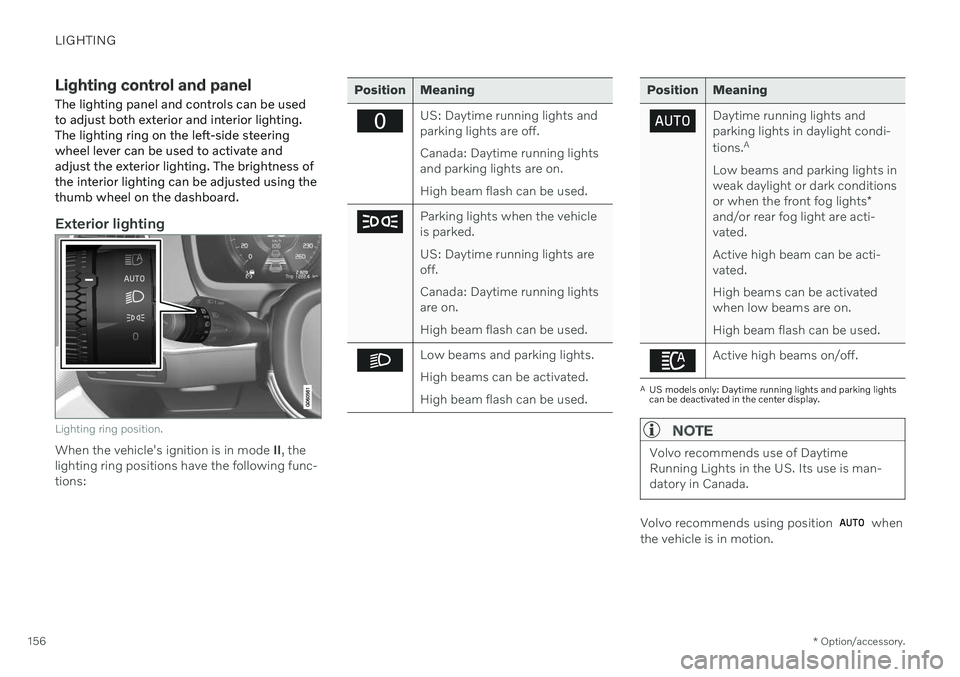
The lighting panel and controls can be used to adjust both exterior and interior lighting.The lighting ring on the left-side steeringwheel lever can be used to activate andadjust the exterior lighting. The brightness ofthe interior lighting can be adjusted using thethumb wheel on the dashboard.
Exterior lighting
Lighting ring position.
When the vehicle's ignition is in mode II, the
lighting ring positions have the following func- tions:
Position Meaning
US: Daytime running lights and parking lights are off. Canada: Daytime running lights and parking lights are on. High beam flash can be used.
Parking lights when the vehicle is parked. US: Daytime running lights are off. Canada: Daytime running lights are on. High beam flash can be used.
Low beams and parking lights. High beams can be activated.High beam flash can be used.
Position Meaning
Daytime running lights and parking lights in daylight condi- tions. A
Low beams and parking lights in weak daylight or dark conditions or when the front fog lights *
and/or rear fog light are acti- vated. Active high beam can be acti- vated. High beams can be activated when low beams are on. High beam flash can be used.
Active high beams on/off.
A US models only: Daytime running lights and parking lights can be deactivated in the center display.
NOTE
Volvo recommends use of Daytime Running Lights in the US. Its use is man-datory in Canada.
Volvo recommends using position when
the vehicle is in motion.
Page 159 of 683
LIGHTING
* Option/accessory.157
WARNING
The vehicle lighting system cannot in all sit- uations determine when the daylight is tooweak or not strong enough, e.g. whenthere is fog or rain. The driver is always responsible for driving the vehicle with lighting that is safe for thetraffic conditions and as specified by appli-cable traffic regulations.
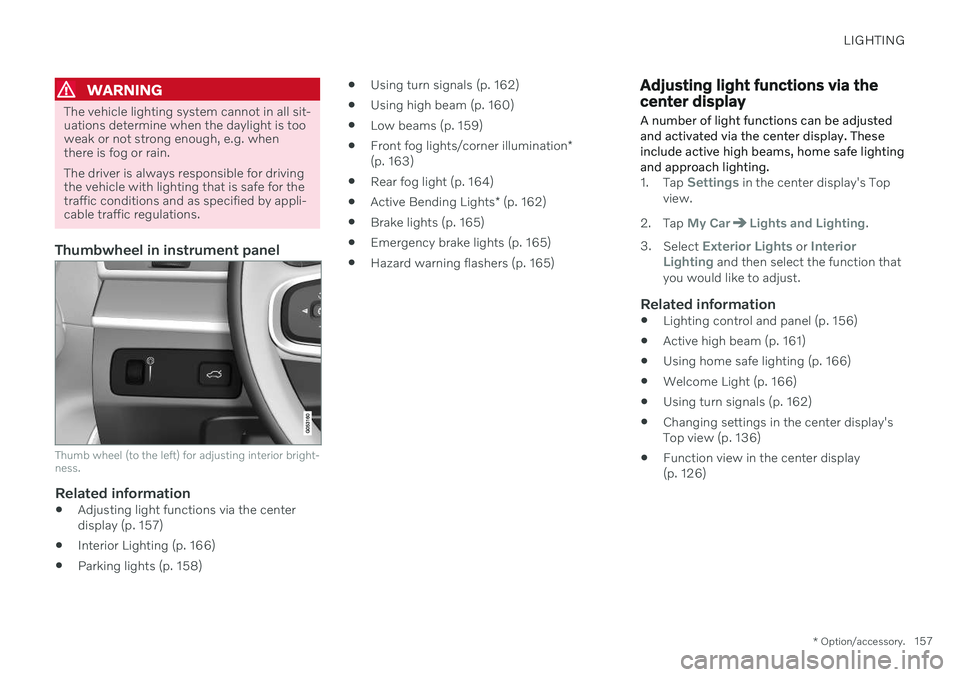
Thumbwheel in instrument panel
Thumb wheel (to the left) for adjusting interior bright- ness.
Related information
Adjusting light functions via the center display (p. 157)
Interior Lighting (p. 166)
Parking lights (p. 158)
Using turn signals (p. 162)
Using high beam (p. 160)
Low beams (p. 159)
Front fog lights/corner illumination
*
(p. 163)
Rear fog light (p. 164)
Active Bending Lights
* (p. 162)
Brake lights (p. 165)
Emergency brake lights (p. 165)
Hazard warning flashers (p. 165)
Adjusting light functions via the center display A number of light functions can be adjusted and activated via the center display. Theseinclude active high beams, home safe lightingand approach lighting.
1.
Tap Settings in the center display's Top
view.
2. Tap
My CarLights and Lighting.
3. Select
Exterior Lights or Interior
Lighting and then select the function that
you would like to adjust.
Related information
Lighting control and panel (p. 156)
Active high beam (p. 161)
Using home safe lighting (p. 166)
Welcome Light (p. 166)
Using turn signals (p. 162)
Changing settings in the center display's Top view (p. 136)
Function view in the center display(p. 126)
Page 168 of 683
LIGHTING
* Option/accessory.
166
Using home safe lighting
Some of the exterior lights remain on to illu- minate the area around the vehicle. This iscalled home safe lighting.
To activate home safe lighting:
1. Switch off the ignition.
2. Push the left-side steering wheel lever toward the dashboard and release.
3. Exit the vehicle and lock the doors. > A symbol in the instrument panel illumi-nates to indicate that the function is activated and exterior lighting switcheson: Parking lights, headlights, licenseplate lighting and outer door handle lighting *.
The length of time home safe lighting remains illuminated can be set in the center display.
Related information
Adjusting light functions via the centerdisplay (p. 157)
Welcome Light (p. 166)
Welcome Light
Approach lighting is activated when the vehi- cle is unlocked and can be used to providelight as you walk toward the vehicle.
The function is activated when the remote key is used for unlocking. The parking lights, ceil-ing lights, footwell lights and trunk/cargocompartment lights are activated in daylightconditions. In weak daylight or dark condi-tions, the license plate lighting and outer door handle lighting * will also be activated, with the
light directed toward the ground. If no door is opened, the lights will remain illu- minated for approx. 2 minutes. If a door isopened while the function is activated, the interior lighting and outer door handle lighting *
will remain on for a longer period of time. This function can be activated and deactivated in the center display.
Related information
Adjusting light functions via the centerdisplay (p. 157)
Using home safe lighting (p. 166)
Remote key (p. 246)
Interior Lighting
The passenger compartment is equipped with several different types of lighting, e.g.general lighting, adjustable ambient lightingand reading lights.
All lighting in the passenger compartment can be turned on and off manually within5 minutes after:
the engine has been switched off and theignition is in mode
0.
the vehicle is unlocked but has not beenstarted.
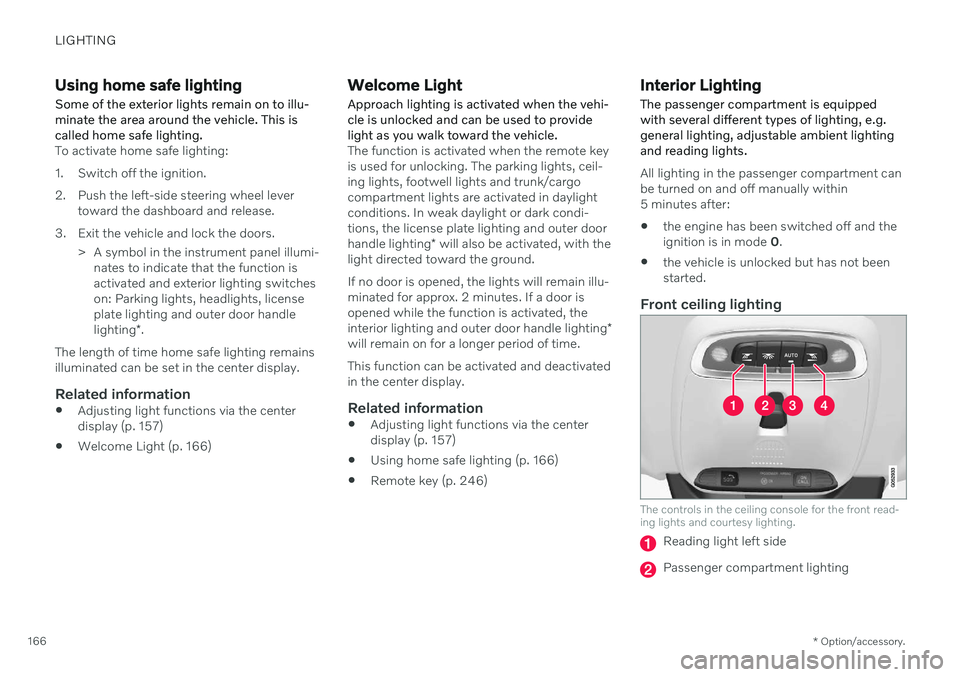
Front ceiling lighting
The controls in the ceiling console for the front read- ing lights and courtesy lighting.
Reading light left side
Passenger compartment lighting
Page 170 of 683
||
LIGHTING
* Option/accessory.
168
Ambient LightingThe ambient lighting comes on when the doors are opened and goes out when the vehi-cle is locked. Ambient lighting brightness canbe adjusted in the center display and also fine-tuned using the thumb wheel in the dash-board.
Mood lighting *The vehicle is equipped with LEDs that pro-vide faint lighting in various colors. This light-ing is on when the engine is running. Moodlighting can be adjusted in the center displayand also fine-tuned using the thumb wheel inthe dashboard.
Lighting in the door storage compartments
Lighting in the door storage compartments comes on when the doors are opened andgoes out when the vehicle is locked. Thebrightness can be adjusted using the thumbwheel in the dashboard.
Lighting in the tunnel console's front
cup holder
The lighting in front console cup holdersswitches on when the vehicle is unlocked andoff when the vehicle is locked. The brightnesscan be adjusted using the thumb wheel in thedashboard.
Related information
Adjusting interior lighting (p. 168)
Lighting control and panel (p. 156)
Ignition modes (p. 401)
Passenger compartment interior (p. 564)
Adjusting interior lighting
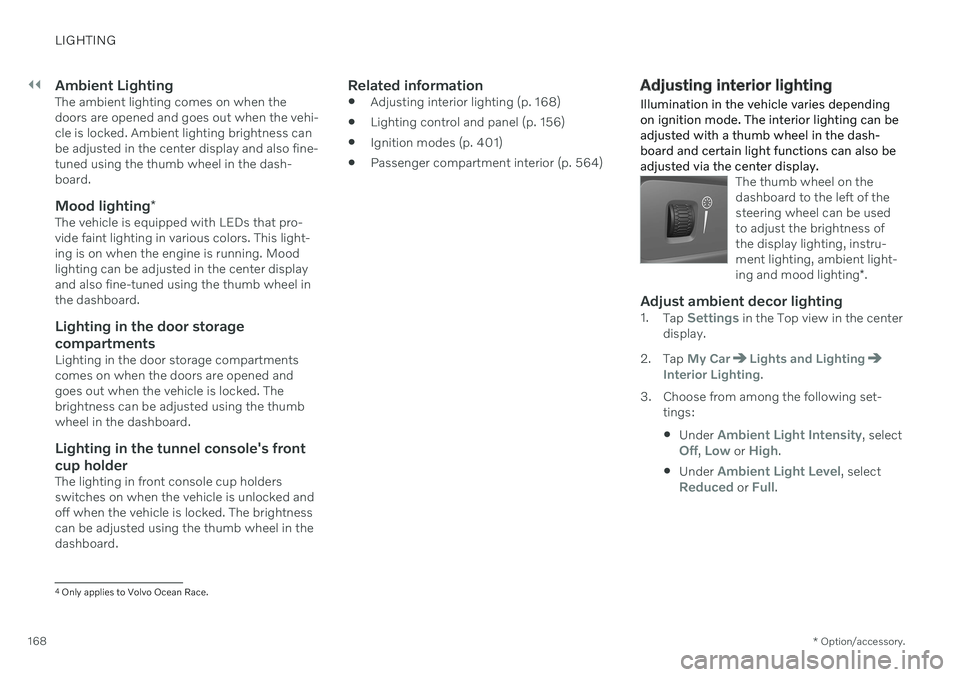
Illumination in the vehicle varies depending on ignition mode. The interior lighting can beadjusted with a thumb wheel in the dash-board and certain light functions can also beadjusted via the center display.
The thumb wheel on the dashboard to the left of thesteering wheel can be usedto adjust the brightness ofthe display lighting, instru-ment lighting, ambient light- ing and mood lighting *.
Adjust ambient decor lighting1.
Tap Settings in the Top view in the center
display.
2. Tap
My CarLights and LightingInterior Lighting.
3. Choose from among the following set- tings:
Under
Ambient Light Intensity, selectOff, Low or High.
Under
Ambient Light Level, selectReduced or Full.
4
Only applies to Volvo Ocean Race.
Page 171 of 683
LIGHTING
* Option/accessory.169
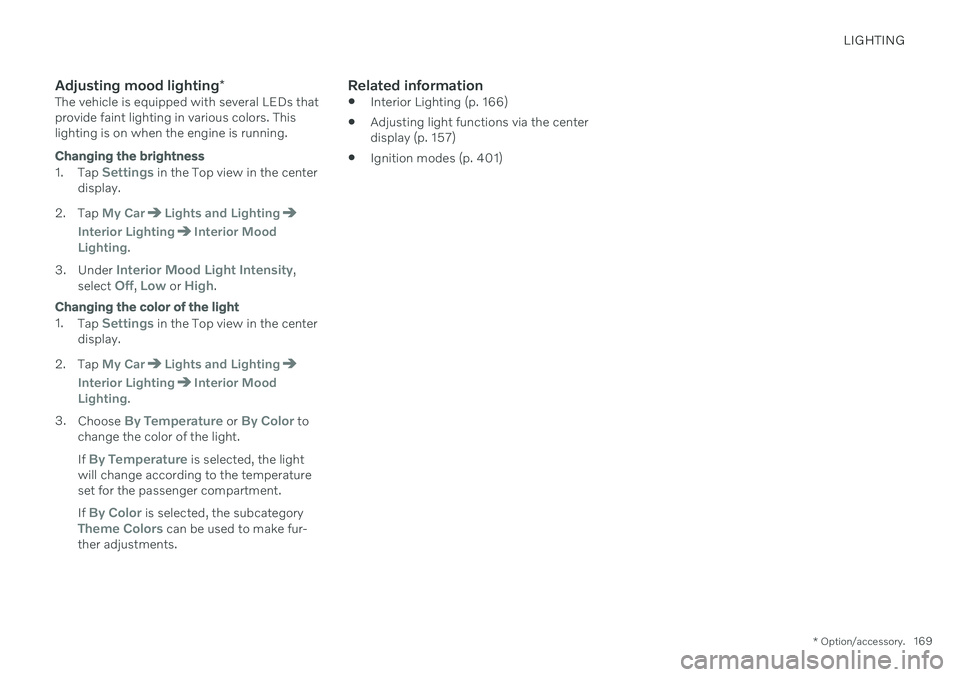
Adjusting mood lighting *The vehicle is equipped with several LEDs that provide faint lighting in various colors. Thislighting is on when the engine is running.
Changing the brightness
1.
Tap Settings in the Top view in the center
display.
2. Tap
My CarLights and Lighting
Interior LightingInterior Mood
Lighting.
3. Under
Interior Mood Light Intensity,
select Off, Low or High.
Changing the color of the light
1. Tap Settings in the Top view in the center
display.
2. Tap
My CarLights and Lighting
Interior LightingInterior Mood
Lighting.
3. Choose
By Temperature or By Color to
change the color of the light. If
By Temperature is selected, the light
will change according to the temperature set for the passenger compartment. If
By Color is selected, the subcategoryTheme Colors can be used to make fur-
ther adjustments.
Related information
Interior Lighting (p. 166)
Adjusting light functions via the center display (p. 157)
Ignition modes (p. 401)
Page 630 of 683

||
MAINTENANCE AND SERVICE
628
Related information
Location of exterior lights (p. 624)
Removing the plastic cover to replace bulbs (p. 624)
Bulb specifications (p. 628)
Bulb specifications
Specifications for replaceable light bulbs. If you are experiencing problems with any lights other than light bulbs, contact a work- shop 18
. If there is a problem with an LED 19
light, the entire lamp unit will normally need to be replaced.
Function WA
Type
Low beams 55 H11
High beams 65 H9
Front turn signal 24 PY24W PWY24W
Daytime running light/ parking light, front 21/5 W21/5W
A
Watt
Related information
Location of exterior lights (p. 624)
Replacing bulbs (p. 623)
Cleaning the interior
Use cleaning agents and car care products recommended by Volvo. Clean regularly andtreat stains immediately. It is important tovacuum before using a cleaning agent.
CAUTION
Some colored clothing (for example, dark jeans and suede garments) maystain the upholstery. If this occurs, it isimportant to clean and treat theseparts of the upholstery as soon as pos-sible.
Never use strong solvents such aswasher fluid, gasoline, mineral spirit orconcentrated alcohol to clean the inte-rior as this can damage the upholsteryas well as other interior materials.
Never spray cleaning agent directlyonto components that have electricalbuttons and controls. Wipe insteadwith a damp cloth with cleaning agent.
Sharp objects and Velcro can damagethe car's textile upholstery.
Only use cleaning agent on the type ofmaterial it is intended for.
18
An authorized Volvo workshop is recommended.
19 LED (Light Emitting Diode)