2021 VOLVO V90 CROSS COUNTRY bluetooth
[x] Cancel search: bluetoothPage 12 of 683
10
Using HomeLink®
* 456
Type approval for HomeLink ®
* 457
Compass *
458
Activating and deactivating the compass * 458
Calibrating the compass *
458
AUDIO, MEDIA AND INTERNET
Audio, media and Internet
462
Sound settings 462
Sound experience *
463
Apps 464
Download apps 465
Updating apps 465
Deleting apps 466
Radio 466
Starting the radio 467
Changing waveband and radio station 468
Searching for a radio station 468
Storing radio channels in the Radio favorites app 469
Radio settings 470
RBDS 470
HD Radio ™
471
Activating and deactivating the HDRadio ™ 472
HD Radio ™ sub-channels
473
HD Radio ™ limitations
473
SiriusXM ®
Satellite radio *
474
Using SiriusXM ®
Satellite radio *
475
Settings for SiriusXM ®
Satellite radio *
477
SiriusXM Travel Link ®
* 478
SiriusXM Travel Link ®
* - Weather
479
SiriusXM Travel Link ®
* - Notifications
481
SiriusXM Travel Link ®
* - Fuel
481
SiriusXM Travel Link ®
* - Sports
483
Media player 483
Playing media 484
Controlling and changing media 485
Media searches 486
Gracenote ®
487
Video 488
Playing video 488
Playing DivX ®
488
Video settings 489
Streaming media via Bluetooth ®
489
Connecting a device via Bluetooth ®
489
Playing media via the USB port 490
Connecting a device via the USB port 490
Technical specifications for USB devices 491
Compatible file formats for media 491
Apple ®
CarPlay ®
* 492
Using Apple ®
CarPlay ®
* 493
Settings for Apple ®
CarPlay ®
* 495
Tips for using Apple ®
CarPlay ®
* 495
Android Auto *
496
Page 13 of 683
11
Using Android Auto*
497
Settings for Android Auto *
498
Tips for using Android Auto *
498
Phone 499
Connecting a phone to the car via Bluetooth for the first time 500
Connecting a phone to the car viaBluetooth automatically 502
Connecting a phone to the car viaBluetooth manually 502
Disconnecting a Bluetooth-con-nected phone 502
Switch between phones con-nected via Bluetooth 503
Disconnecting Bluetooth-con-nected devices 503
Handling phone calls 503
Handling text messages 504
Text message settings 505
Managing the phone book 506
Phone settings 506
Settings for Bluetooth devices 507
Wireless phone charger *
508
Using the wireless phone charger *
508
Certificate for wireless charger 510
Internet-connected vehicle *
514
Connecting the vehicle to the Internet via a Bluetooth-connectedphone 515
Connecting the vehicle to theInternet via a phone (Wi-Fi) 515
Connecting the vehicle to theInternet via vehicle modem (SIM card) 516
Vehicle modem settings 517
Sharing Internet from the vehiclevia Wi-Fi hotspot (tethering) 518
No or poor Internet connection 519
Deleting Wi-Fi networks 519
Wi-Fi technology and security 520
Terms of use and data sharing 520
Activating and deactivating datasharing 521
Data sharing for services 521
Hard disk storage space 522
License agreement for audio andmedia 523
WHEELS AND TIRES
Tires
534
Tire direction of rotation 536
Tread wear indicator 537
Tire terminology 537
Tire sidewall designations 538
Uniform Tire Quality Grading 540
Checking tire pressure 541
Adjusting tire pressure 542
Recommended tire pressure 543
Tire pressure monitoring system *
543
Saving new reference values for tire inflation pressure monitoring *545
Viewing tire pressure status in thecenter display * 546
Action when warned of low tire pressure 547
Tire inflation pressure monitoring system * messages 548
Changing a wheel 548
Tool kit 550
Jack *
551
Wheel bolts 551
Spare wheel 552
Handling the spare wheel 553
Snow tires 554
Snow chains 555
Page 130 of 683
DISPLAYS AND VOICE CONTROL
128
Moving apps and buttons in the center display The apps and buttons for vehicle functions can be moved and organized in the App andFunction views.
1. Swipe from right to left11
to access App
view or swipe from left to right 11
to access
Function view.
2. Press and hold an app or button. > The app or button will change size andbecome slightly transparent. It can then be moved.
3. Drag the app or button to an available position in the view.
A maximum of 48 rows can be used to posi-tion apps or buttons. To move an app or but-ton outside the visible view, drag it to the bot-tom of the view. New rows will be added andthe app or button can be placed in one of these. Apps or buttons placed below the view's nor- mal display will not be visible on the screen. Swipe the screen to scroll up or down in the view to display information outside the view.
NOTE
Hide the apps that are rarely or never used by moving them far down, outside of thevisible view. This makes it easier to find theapps used more frequently.
NOTE
Apps and vehicle function buttons cannot be situated at spots already in use.
Related information
Function view in the center display (p. 126)
Apps (p. 464)
Handling the center display (p. 116)
Symbols in the center display status bar
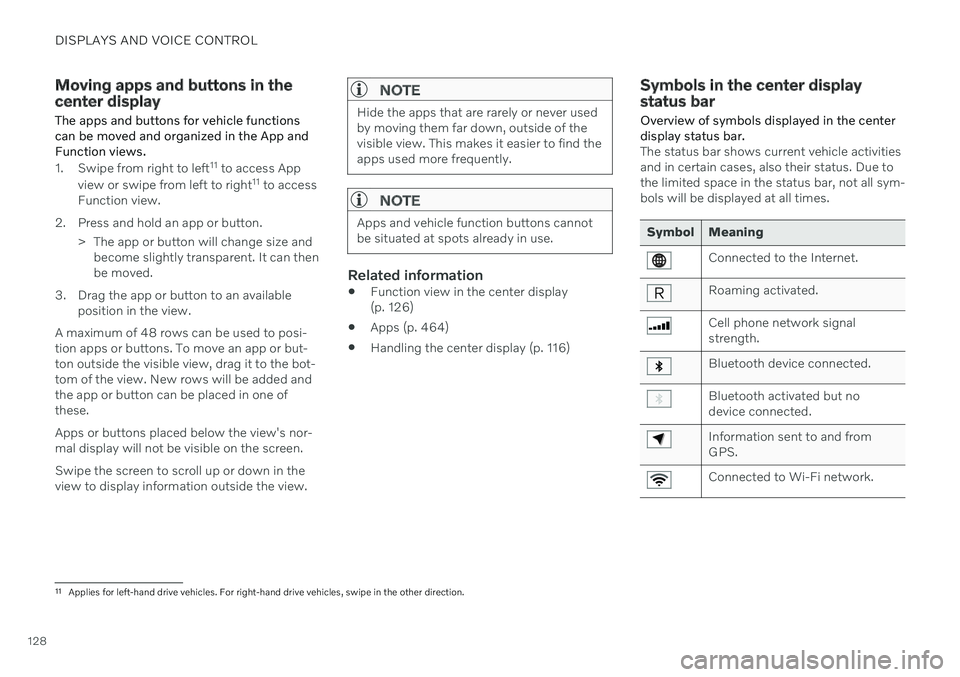
Overview of symbols displayed in the center display status bar.
The status bar shows current vehicle activities and in certain cases, also their status. Due tothe limited space in the status bar, not all sym-bols will be displayed at all times.
Symbol Meaning
Connected to the Internet.
Roaming activated.
Cell phone network signal strength.
Bluetooth device connected.
Bluetooth activated but no device connected.
Information sent to and from GPS.
Connected to Wi-Fi network.
11 Applies for left-hand drive vehicles. For right-hand drive vehicles, swipe in the other direction.
Page 141 of 683
DISPLAYS AND VOICE CONTROL
}}
* Option/accessory.139
Table of settings in the center display
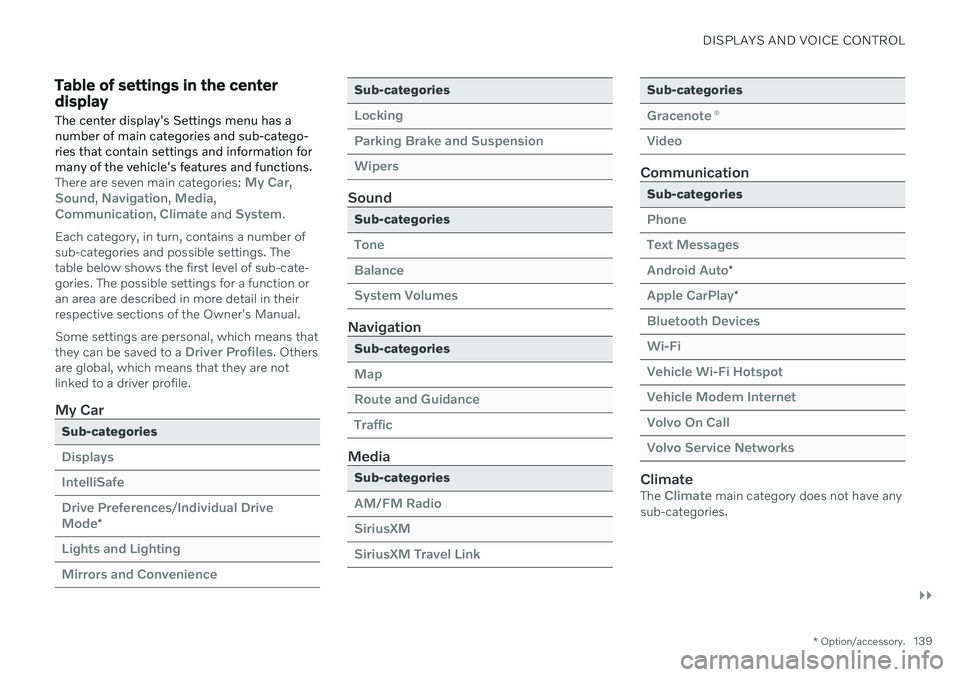
The center display's Settings menu has a number of main categories and sub-catego-ries that contain settings and information formany of the vehicle's features and functions.
There are seven main categories: My Car,Sound, Navigation, Media,Communication, Climate and System.
Each category, in turn, contains a number of sub-categories and possible settings. Thetable below shows the first level of sub-cate-gories. The possible settings for a function oran area are described in more detail in theirrespective sections of the Owner's Manual. Some settings are personal, which means that they can be saved to a
Driver Profiles. Others
are global, which means that they are not linked to a driver profile.
My Car
Sub-categories
Displays IntelliSafeDrive Preferences
/Individual Drive
Mode*
Lights and Lighting Mirrors and Convenience
Sub-categories
Locking Parking Brake and SuspensionWipers
Sound
Sub-categories
Tone BalanceSystem Volumes
Navigation
Sub-categories
Map Route and GuidanceTraffic
Media
Sub-categories
AM/FM Radio SiriusXMSiriusXM Travel Link
Sub-categories
Gracenote ®
Video
Communication
Sub-categories
Phone Text MessagesAndroid Auto
*
Apple CarPlay*
Bluetooth Devices Wi-FiVehicle Wi-Fi Hotspot Vehicle Modem Internet Volvo On Call Volvo Service Networks
ClimateThe Climate main category does not have any
sub-categories.
Page 151 of 683
DISPLAYS AND VOICE CONTROL
}}
* Option/accessory.149
Calibrating the horizontal positionIf the windshield or display unit has been replaced, the head-up display's horizontalposition may need to be calibrated. Calibrationmeans that the projected image is rotatedclockwise or counterclockwise. 1.
Tap
Settings in the center display's Top
view.
2. Select
My CarDisplaysHead-Up
Display Options
Head-Up Display
Calibration.
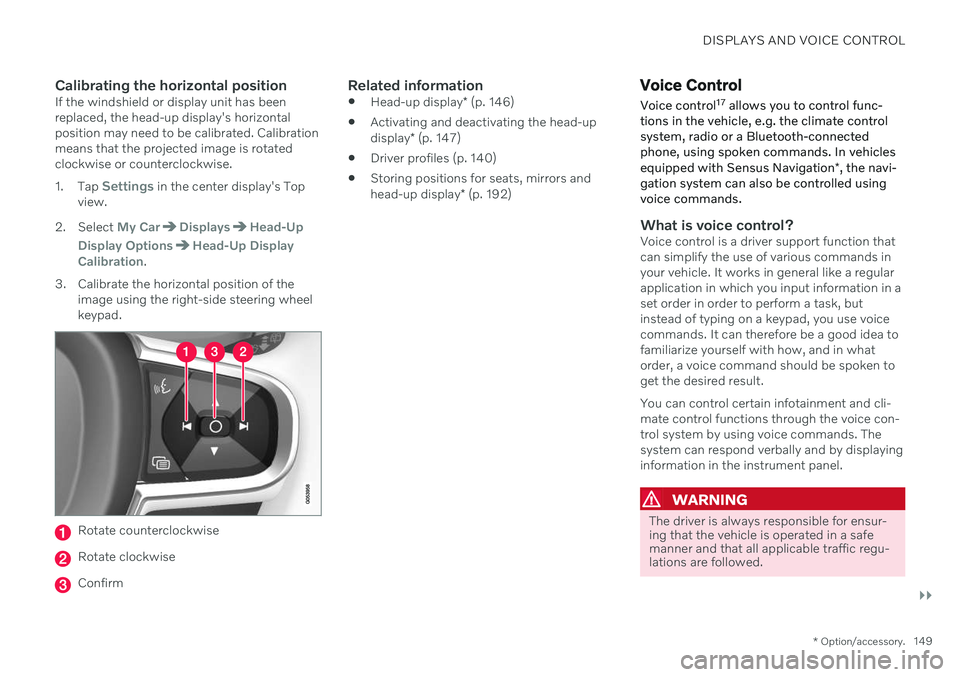
3. Calibrate the horizontal position of the image using the right-side steering wheel keypad.
Rotate counterclockwise
Rotate clockwise
Confirm
Related information
Head-up display
* (p. 146)
Activating and deactivating the head-up display
* (p. 147)
Driver profiles (p. 140)
Storing positions for seats, mirrors andhead-up display
* (p. 192)
Voice Control
Voice control 17
allows you to control func-
tions in the vehicle, e.g. the climate control system, radio or a Bluetooth-connectedphone, using spoken commands. In vehicles equipped with Sensus Navigation *, the navi-
gation system can also be controlled using voice commands.
What is voice control?Voice control is a driver support function that can simplify the use of various commands inyour vehicle. It works in general like a regularapplication in which you input information in aset order in order to perform a task, butinstead of typing on a keypad, you use voicecommands. It can therefore be a good idea tofamiliarize yourself with how, and in whatorder, a voice command should be spoken toget the desired result. You can control certain infotainment and cli- mate control functions through the voice con-trol system by using voice commands. Thesystem can respond verbally and by displayinginformation in the instrument panel.
WARNING
The driver is always responsible for ensur- ing that the vehicle is operated in a safemanner and that all applicable traffic regu-lations are followed.
Page 154 of 683
||
DISPLAYS AND VOICE CONTROL
152
Numbers
Number commands can be given in different ways depending on the function to be con-trolled:
Phone numbers and zip codes
should be
given by stating each number individually,e.g. "zero, three, one, two, two, four, four,three" (03122443).
Addresses
can be given by stating each
number individually or in a group, e.g."two, two" or "twenty-two" (22). For Eng-lish and Dutch language settings, groupsof numbers can also be said in sequence,e.g. "twenty-two, twenty-two" (22 22).For English, double or triple digits can alsobe used, e.g. "double zero" (00). Numbersin the range 0-2300 can be used.
Frequencies
can be given as "ninety-eight
point eight" (98.8), "one hundred fourpoint two" or "hundred and four pointtwo" (104.2).
Speech rate and repeat mode
The speed at which the system speaks can be adjusted. With repeat mode on, the system will repeat what you have said. To change the speech rate or activate/deacti- vate repeat mode: 1. Tap
Settings in the Top view. 2. Tap
SystemVoice Control and select
settings.
Repeat Voice Command
Speech Rate
Related information
Voice Control (p. 149)
Voice control for cellular phones (p. 152)
Voice control for radio and media (p. 153)
Climate control system voice commands (p. 208)
Voice control settings (p. 154)
Voice control for cellular phones 20
Call a contact in the phone book, have a text message read aloud or dictate short mes-sages using voice commands to a Bluetooth-connected phone.
To access a contact in the phone book, the voice command must contain the contactinformation entered in the phone book. If a contact, e.g.
Robyn Smith, has several phone
numbers listed in the phone book, a number category such as
home or cellular can also be
specified, i.e. "Call Robyn Smith cellular".
Tap
and say one of the following com-
mands: "
Call [contact]" - call the selected con-
tact from the phone book.
"
Call [phone number]" - call a phone
number.
"
Recent calls" - display the list of recent
calls.
"
Read message" - read a text message
aloud. If there are several messages, select the message to read aloud.
"
Message to [contact]" – the user is
prompted to dictate a short message. The message will then be read aloud and theuser can choose to send or re-dictate themessage. The vehicle must be connectedto the Internet to access this function.
Page 155 of 683
DISPLAYS AND VOICE CONTROL
* Option/accessory.153
NOTE
Not all system languages support voice control. If a language supports voice con- trol, it is marked with a
symbol in the
list of available system languages. Read more about where the information is foundin the section on voice control settings.
Related information
Voice Control (p. 149)
Use voice recognition (p. 150)
Voice control for radio and media (p. 153)
Climate control system voice commands (p. 208)
Voice control settings (p. 154)
Internet-connected vehicle
* (p. 514)
Voice control for radio and media 21
Voice commands for the radio and media players are shown below.
Tap and say one of the following com-
mands: "
Media" - initiates a dialog for media and
radio and displays examples of com- mands.
"
Play [artist]" - plays music by the
selected artist.
"
Play [song title]" - plays the selected
song.
"
Play [song title] from [album]" - plays
the selected song from the selected album.
"
Play [radio station]" - starts the
selected radio station.
"
Tune to [frequency]" - tunes to the
selected radio frequency in the currently active waveband. If no radio source isactive, the FM band will be started asdefault.
"
Tune to [frequency] [waveband]" -
tunes to the selected radio frequency on the selected waveband.
"
Radio" - starts FM radio.
"
Radio FM" - starts FM radio.
"
Radio AM" - starts AM radio.
"
SiriusXM" - starts SiriusXM radio
*
"
USB" - starts playback from USB.
"
iPod" - starts playback from iPod.
"
Bluetooth" - starts playback from a
Bluetooth-connected media source.
"
Similar music" - plays music from a
USB-connected device with music similar to that currently playing.
NOTE
Not all system languages support voice control. If a language supports voice con- trol, it is marked with a
symbol in the
list of available system languages. Read more about where the information is foundin the section on voice control settings.
Related information
Voice Control (p. 149)
Use voice recognition (p. 150)
Voice control for cellular phones (p. 152)
Climate control system voice commands (p. 208)
Voice control settings (p. 154)
20
Certain markets only.
21 Certain markets only.
Page 403 of 683
STARTING AND DRIVING
}}
* Option/accessory.401
Ignition modes The vehicle's ignition can be put in various modes (levels) to make different functionsavailable.
To enable the use of a limited number of func- tions when the engine is not running, the igni-tion can be put in one of three different levels:0, I and II. These levels are referred to as "igni-
tion modes" in the Owner's Manual. The following table shows which functions are available in each ignition mode:
Mode Functions
0 The odometer, clock and tem- perature gauge are illumi- nated A
.
The power
* seats can be
adjusted.
The power windows can be used.
The center display is activated and can be used A
.
The infotainment system canbe used A
.
In this mode, the functions are available for a limited time andthen switch off automatically.Mode Functions
I The panoramic roof, power windows, 12-volt electricalsocket in the passenger com-partment, Bluetooth, naviga-tion, phone, blower and wind-shield wipers can be used.
The power seats can beadjusted.
The 12-volt electrical socket
* in
the cargo compartment can beused.
Electrical current will be taken
from the battery in this ignitionmode.
II The headlights illuminate.
Warning/indicator lights illumi-nate for 5 seconds.
A number of other systems areactivated. However, seat andrear window heating can onlybe activated when the engineis running.
This ignition mode uses a lot of
current from the battery andshould be avoided wheneverpossible!
A Also activated when the door is opened.