2021 TOYOTA PROACE CITY engine fault
[x] Cancel search: engine faultPage 134 of 272
134
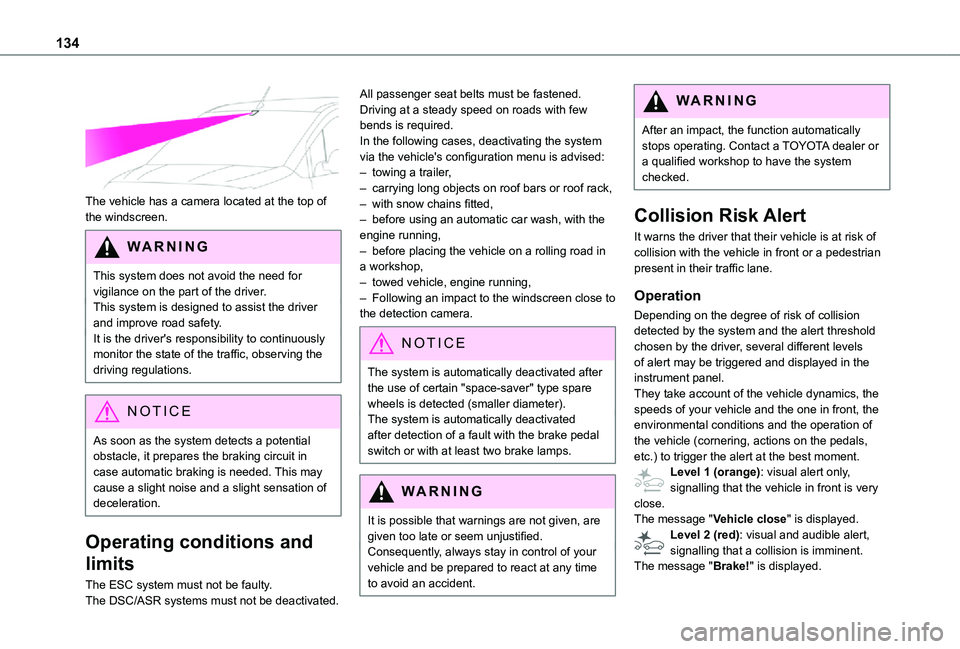
The vehicle has a camera located at the top of the windscreen.
WARNI NG
This system does not avoid the need for vigilance on the part of the driver.This system is designed to assist the driver and improve road safety.It is the driver's responsibility to continuously monitor the state of the traffic, observing the driving regulations.
NOTIC E
As soon as the system detects a potential
obstacle, it prepares the braking circuit in case automatic braking is needed. This may cause a slight noise and a slight sensation of deceleration.
Operating conditions and
limits
The ESC system must not be faulty.The DSC/ASR systems must not be deactivated.
All passenger seat belts must be fastened.Driving at a steady speed on roads with few bends is required.In the following cases, deactivating the system via the vehicle's configuration menu is advised:– towing a trailer,– carrying long objects on roof bars or roof rack,– with snow chains fitted,– before using an automatic car wash, with the engine running,– before placing the vehicle on a rolling road in a workshop,– towed vehicle, engine running,– Following an impact to the windscreen close to the detection camera.
NOTIC E
The system is automatically deactivated after the use of certain "space-saver" type spare wheels is detected (smaller diameter).The system is automatically deactivated after detection of a fault with the brake pedal switch or with at least two brake lamps.
WARNI NG
It is possible that warnings are not given, are given too late or seem unjustified.
Consequently, always stay in control of your vehicle and be prepared to react at any time to avoid an accident.
WARNI NG
After an impact, the function automatically stops operating. Contact a TOYOTA dealer or a qualified workshop to have the system checked.
Collision Risk Alert
It warns the driver that their vehicle is at risk of collision with the vehicle in front or a pedestrian present in their traffic lane.
Operation
Depending on the degree of risk of collision detected by the system and the alert threshold chosen by the driver, several different levels of alert may be triggered and displayed in the instrument panel.They take account of the vehicle dynamics, the speeds of your vehicle and the one in front, the environmental conditions and the operation of the vehicle (cornering, actions on the pedals,
etc.) to trigger the alert at the best moment.Level 1 (orange): visual alert only, signalling that the vehicle in front is very close.The message "Vehicle close" is displayed.Level 2 (red): visual and audible alert, signalling that a collision is imminent.The message "Brake!" is displayed.
Page 136 of 272
136
NOTIC E
Operation of the function may be felt by slight vibration in the brake pedal.If the vehicle comes to a complete stop, the automatic braking is maintained for 1 to 2 seconds.
Deactivation/Activation
By default, the system is automatically activated at every engine start.This system can be deactivated or activated via the vehicle settings menu.Deactivation of the system is signalled by the illumination of this indicator lamp, accompanied by the display of a message.
Malfunction
In the event of a system malfunction, this warning lamp comes on on the instrument panel, accompanied by an onscreen message
and an audible signal.Contact a TOYOTA dealer or a qualified workshop to have the system checked.If these warning lamps come on after the engine has been switched off and then restarted, contact a TOYOTA dealer or a qualified workshop to have the system checked.
Active Lane Departure
Warning System
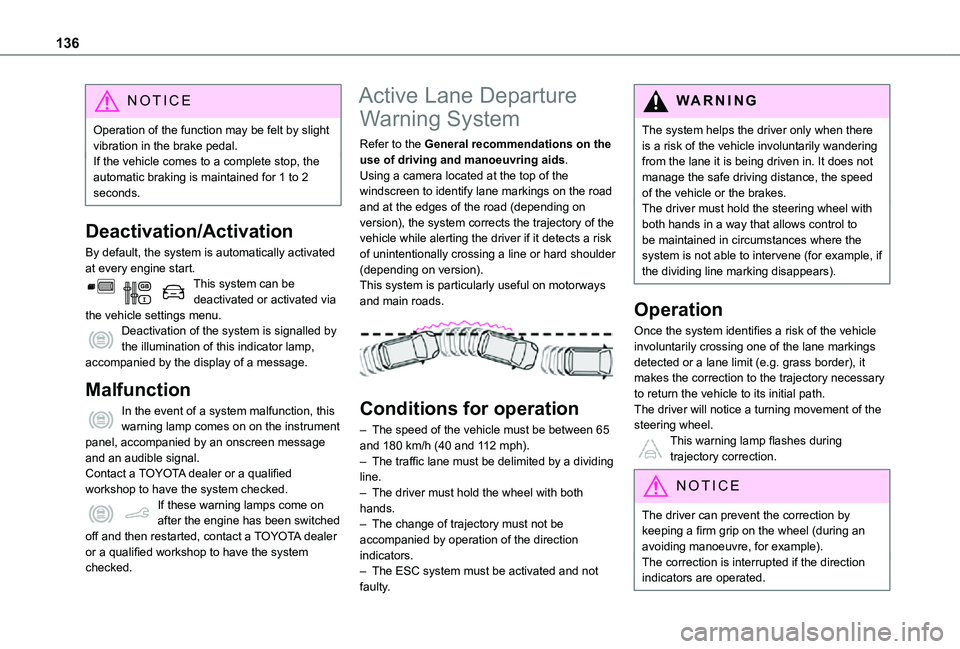
Refer to the General recommendations on the use of driving and manoeuvring aids.Using a camera located at the top of the windscreen to identify lane markings on the road and at the edges of the road (depending on version), the system corrects the trajectory of the vehicle while alerting the driver if it detects a risk of unintentionally crossing a line or hard shoulder (depending on version).This system is particularly useful on motorways and main roads.
Conditions for operation
– The speed of the vehicle must be between 65 and 180 km/h (40 and 112 mph).– The traffic lane must be delimited by a dividing line.– The driver must hold the wheel with both hands.– The change of trajectory must not be accompanied by operation of the direction indicators.– The ESC system must be activated and not faulty.
WARNI NG
The system helps the driver only when there is a risk of the vehicle involuntarily wandering from the lane it is being driven in. It does not manage the safe driving distance, the speed of the vehicle or the brakes.The driver must hold the steering wheel with both hands in a way that allows control to be maintained in circumstances where the system is not able to intervene (for example, if the dividing line marking disappears).
Operation
Once the system identifies a risk of the vehicle involuntarily crossing one of the lane markings detected or a lane limit (e.g. grass border), it makes the correction to the trajectory necessary to return the vehicle to its initial path.The driver will notice a turning movement of the steering wheel.This warning lamp flashes during
trajectory correction.
NOTIC E
The driver can prevent the correction by keeping a firm grip on the wheel (during an avoiding manoeuvre, for example).The correction is interrupted if the direction indicators are operated.
Page 148 of 272
148
WARNI NG
Obstacles may appear further away than they actually are.During parking manoeuvres and lane changes, it is important to check the sides of the vehicle using the mirrors.The rear parking sensors also supplement the information on the vehicle's surroundings.
Activation / Deactivation
The system starts when the ignition is switched on.
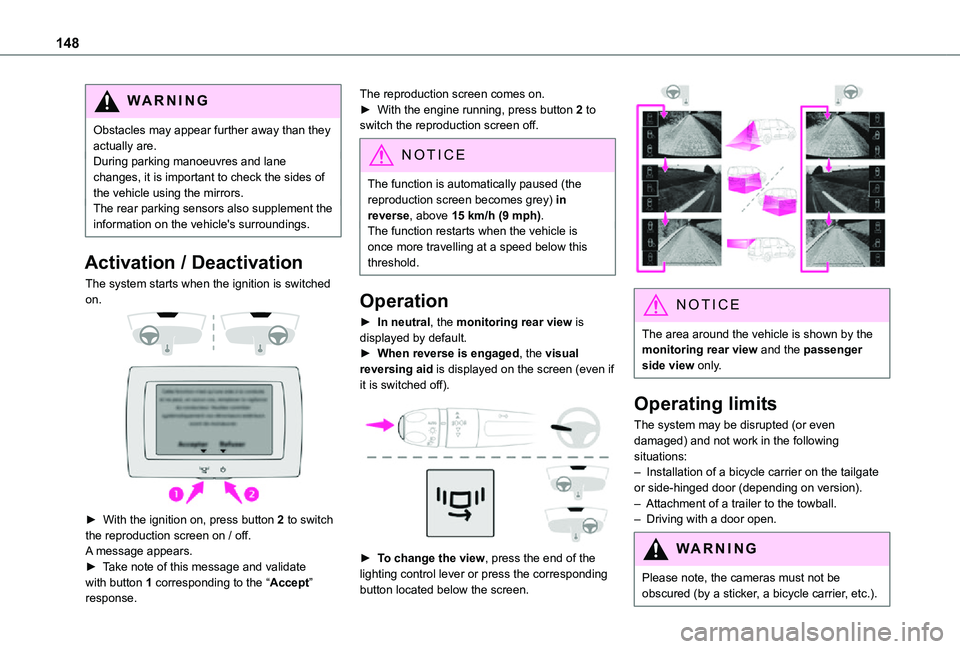
► With the ignition on, press button 2 to switch the reproduction screen on / off.
A message appears.► Take note of this message and validate with button 1 corresponding to the “Accept” response.
The reproduction screen comes on.► With the engine running, press button 2 to switch the reproduction screen off.
NOTIC E
The function is automatically paused (the reproduction screen becomes grey) in reverse, above 15 km/h (9 mph).The function restarts when the vehicle is
once more travelling at a speed below this threshold.
Operation
► In neutral, the monitoring rear view is displayed by default.► When reverse is engaged, the visual reversing aid is displayed on the screen (even if it is switched off).
► To change the view, press the end of the lighting control lever or press the corresponding button located below the screen.
NOTIC E
The area around the vehicle is shown by the monitoring rear view and the passenger side view only.
Operating limits
The system may be disrupted (or even damaged) and not work in the following situations:– Installation of a bicycle carrier on the tailgate or side-hinged door (depending on version).– Attachment of a trailer to the towball.– Driving with a door open.
WARNI NG
Please note, the cameras must not be obscured (by a sticker, a bicycle carrier, etc.).
Page 164 of 272
164
NOTIC E
For more information on the Warning and indicator lamps and the associated alerts, or the Indicators, please refer to the corresponding sections.
WARNI NG
Once the AdBlue® tank is empty, a system
required by legislation prevents starting of the engine.If the SCR system is faulty, the level of emissions from the vehicle will no longer meet the Euro 6 standard: the vehicle becomes polluting.In the event of a confirmed SCR system malfunction, it is essential to visit a TOYOTA dealer or a qualified workshop. After 1,100 km (680 miles), a device is automatically activated to prevent the engine from starting.In both cases, a range indicator indicates the distance that can be travelled before the vehicle is stopped.
NOTIC E
Freezing of the AdBlue®
AdBlue® freezes at temperatures below around -11°C.The SCR system includes a heater for the AdBlue® tank, allowing you to continue driving in very cold conditions.
Supply of AdBlue®
It is recommended that the AdBlue® be topped up as soon as the first alert is issued indicating that the reserve level has been reached.
WARNI NG
In order to ensure that the SCR system operates correctly:– Use only AdBlue® fluid that meets the ISO 22241 standard.– Never transfer AdBlue® to another container: it would lose its purity.
– Never dilute AdBlue® with water.
You can obtain AdBlue® from a TOYOTA dealer or in a qualified workshop.
NOTIC E
You can also visit a service station equipped with AdBlue® pumps specially designed for private vehicles.
WARNI NG
Never top up from an AdBlue® dispenser reserved for heavy goods vehicles.
Storage recommendations
AdBlue® freezes at about -11°C and deteriorates above +25°C. Containers should be stored in a cool area and protected from direct sunlight.Under these conditions, the fluid can be kept for at least a year.If the fluid has frozen, it can be used once it has completely thawed out in the ambient air.
WARNI NG
Never store AdBlue® containers in your vehicle.
Precautions for use
AdBlue® is a urea-based solution. This fluid is non-flammable, colourless and odourless (when kept in a cool place).In the event of contact with the skin, wash the affected area with soap and running water. In the event of contact with the eyes, immediately rinse the eyes with large amounts of water or with an eye wash solution for at least 15 minutes. Seek medical attention if you feel a persistent burning sensation or irritation.
Page 197 of 272
197
Bluetooth® audio system
10
Bluetooth® audio system
NOTIC E
The different functions and settings described vary according to the version and configuration of your vehicle.
WARNI NG
As a safety measure and because it requires sustained attention by the driver, the pairing
of a Bluetooth mobile telephone with the Bluetooth hands-free system of your audio system must be done with the vehicle stationary and the ignition on.
WARNI NG
Your audio system is coded in such a way that it will only operate in your vehicle.All work on the system must be carried out exclusively by a dealer or qualified workshop, to avoid any risk of electrocution, fire or mechanical faults.
NOTIC E
To avoid discharging the battery, the audio system may switch off after a few minutes if the engine is not running.
First steps
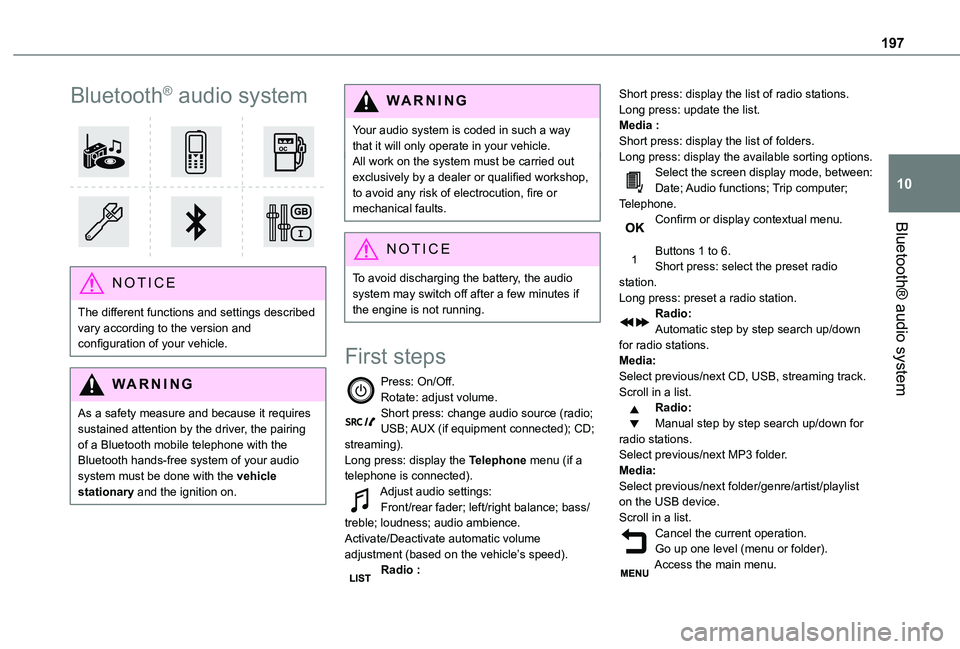
Press: On/Off.Rotate: adjust volume.Short press: change audio source (radio; USB; AUX (if equipment connected); CD; streaming).Long press: display the Telephone menu (if a telephone is connected).Adjust audio settings:Front/rear fader; left/right balance; bass/treble; loudness; audio ambience.Activate/Deactivate automatic volume adjustment (based on the vehicle’s speed).Radio :
Short press: display the list of radio stations.Long press: update the list.Media :Short press: display the list of folders.Long press: display the available sorting options.Select the screen display mode, between:Date; Audio functions; Trip computer; Telephone.Confirm or display contextual menu.
Buttons 1 to 6.Short press: select the preset radio station.Long press: preset a radio station.Radio:Automatic step by step search up/down for radio stations.Media:Select previous/next CD, USB, streaming track.Scroll in a list.Radio:Manual step by step search up/down for radio stations.
Select previous/next MP3 folder.Media:Select previous/next folder/genre/artist/playlist on the USB device.Scroll in a list.Cancel the current operation.Go up one level (menu or folder).Access the main menu.