2021 SUZUKI IGNIS temperature
[x] Cancel search: temperaturePage 201 of 505

3-48
OPERATING YOUR VEHICLE
75RM4-01E
Eco-Cool (if equipped)When driving while using the air condi-
tioner, cold air is stored in the cooling stor-
age medium of the air conditioner unit.
Since stored cold air will be blown into the
vehicle when the engine has been stopped
automatically by the ENG A-STOP system,
the rise of the inside temperature can be
reduced when the air conditioner is not
running.
For the automatic heating and air condi-
tioning system, reducing the rise of the
inside temperature increases the length of
time that the engine is stopped automati-
cally, leading to improved fuel economy.
NOTE:
Sufficient cold air may not be stored if the
vehicle has not been running for very long
or in a traffic jam. The effect varies
depending on the outside temperature and
the air conditioner settings.
I/S AC Settings (if equipped)• When using the automatic heating andair conditioning system (if equipped),
you can select one of the following set-
tings via the setting mode of the informa-
tion display.
– Standard
– Economy
–Comfort
For details on how to use the information
display, refer to “Information display” in
the “BEFORE DRIVING” section.
• When “Economy” is selected, engine auto stop condition is eased, compared
with “Standard”. Engine auto stop condi-
tion will occur more f requently, the stop
time will be longer, leading to reduction
of fuel consumption.
• When “Comfort” is sel ected, engine auto
stop condition becomes severe, com-
pared with “Standard”. Engine auto stop
condition will occur less frequently, the
stop time will be shorter, leading to more
comfortable cabin condition by air condi-
tioner.
Cruise control (if equipped)The cruise control system allows you to
maintain a steady speed without keeping
your foot on the accelerator pedal. The
controls for operating the cruise control
system are on the steering wheel.
You can use the cruise control system
under the following conditions:
• For manual transaxle vehicle, the gear position is in 3rd, 4th or 5th.
• For CVT vehicle, the select lever is in “D” position, or the gear position is in 3rd,
4th, 5th, 6th or 7th in the manual mode
(if equipped).
• For Auto Gear Shift vehicle, the select lever is in “D” position, or the gear posi-
tion is in 3rd, 4th or 5th in the manual
mode.
• The vehicle speed is about 45 km/h (28
mph) or higher.
WA R N I N G
To help avoid loss of vehicle control,
do not use the cruise control system
when driving in heavy traffic, on slip-
pery or winding roads, or on steep
downhills.
Page 209 of 505

3-56
OPERATING YOUR VEHICLE
75RM4-01E
Situations where the system does not activateUnder the following situations, the system
does not activate.
• When the engine is off (except when theengine is automatically stopped by the
ENG A-STOP system)
• After several seconds from starting the
engine
• When the gearshift lever is in reverse gear
• When the ESP
® system is activated
(except the frontal collision warning)
• When the following switches are pushed
and the system is turned off:
– Dual camera brake support OFFswitch
– ESP
® OFF switch
• When the stereo camera is temporarily stopped or malfunctioning
Situations where the system may not activate properlyUnder the following situations, the system
may not activate.
• When the stereo camera cannot detectobstacles in front of your vehicle
• When you take evasive action with the
steering wheel or a ccelerator pedal
Situations where the vehicle may not decelerate properlyUnder the following situations, the vehicle
may not decelerate properly even when
the system is activated.
• When the outside temperature is low, or
when the temperature of the brake is low
such as right after starting
• When the brake is overheating and the brake effect is deteriorated due to con-
tinuing to travel on a downhill road
• When the brake effect is deteriorated due to passing over puddles or washing
the vehicle
• When driving on the following roads – On sharp curves or extremely roughsurfaces
– On a steep slope
• When driving on the following slippery surfaces
– Frozen or snow-covered surfaces
– Over manholes or metal constructionplates
–Gravel
• When driving in a rainy day
Situations where the system may activate by chanceUnder the following situations, the stereo
camera may judge that there is an obstacle
in front of you, and the system may acti-
vate. Drive carefully and calmly.
• When passing through a toll booth with more than recommended speeds
• Before the parking lot gates or railroad crossing gates are opened fully
• When operating on hills that have vary-
ing slopes
• When you suddenly accelerate and approach the vehicle in front of you or on
neighboring lane
• Front visibility is poor due to that there is water vapor, sand or smoke or when the
vehicle in front of you or on oncoming
lane is surrounded by exhaust, water or
snow
• When passing through masses of water vapor or smoke
• When stopping close to an obstacle in
front of you
• When passing through near a vehicle or obstacle
Page 219 of 505

3-66
OPERATING YOUR VEHICLE
75RM4-01E
Temporary stop of the stereo camera
Under the following situations, the function
of the stereo camera stops temporarily.
When the situations are improved, the
temporary stop of the function will be can-
celed.
• When the visibility of the stereo camerais poor
• When the temperature of the body of
stereo camera i s low or high
• When the systems related the dual cam- era brake support stops temporarily
• When the lead-acid battery has a volt- age abnormality
• When the automatic adjustment of the
stereo camera is insufficient
Failure of the stereo camera
When the stereo camera is failure, the
function of the stereo camera stops until
the ignition switch is turned to “LOCK”
position or the engine switch is pressed to
change the ignition mode to LOCK (OFF).
Find a safe place to park and turn the igni-
tion switch to “LOCK” position or change
the ignition mode to LOCK (OFF) by press-
ing the engine switch.
Restart the engine, and check that the dual
camera brake support indicator light and
lane departure warning indicator light go
off.
• If both of the indicators stay on after restarting the engine, there may be a
failure of the stereo camera. Ask your
SUZUKI dealer to have the stereo cam-
era inspected. It is thought that the cause of failure is the
followings.
• When the stereo camera has an abnor-
mality
• When the temperature of the body of stereo camera is t oo low or too high
• When the mounting position of the ste- reo camera is shifted greatly
• When there are communication abnor-
malities among the engine, transaxle
and brake controller
• When the dual camera brake support
OFF switch has an abnormality
• When the steering angle sensor has an abnormality
• When the power supply of the stereo camera is cut
NOTE:
• Under the following situations, the dual camera brake support indicator light and
lane departure warning indicator light
come on after the engine has started, it
does not indicate a malfunction. Once
the ignition switch is turned to “LOCK”
position or the engine switch is pressed
to change the ignition mode to LOCK
(OFF) and then the engine is restarted,
these indicators will go off.
– When the automatic brake system hasbeen operating 3 times
– When the automatic brake system has
been operating for long periods • The function of the stereo camera stops
if the dual camera brake support indica-
tor light and lane departure warning indi-
cator light come on and there may be a
failure of the stereo camera, but it does
not hinder normal driving.
Pedestrian detection
The stereo camera detects pedestrians by
whose size, shape or motion.
75RM238
(1) About 1 – 2 m (3.3 – 6.6 ft)
(1)
Page 227 of 505

3-74
OPERATING YOUR VEHICLE
75RM4-01E
NOTE:
• Images shown on the display from therearview camera are reversed images
(mirror images).
• The colors of objects on the rearview camera may differ from the actual object
colors.
• The rearview camera display may be dif- ficult to see under the following condi-
tions, but this is not a system
malfunction.
– In dark areas, on a rainy day or at
night.
– When the temperature around the lens is too high/low, or the camera is wet
such as on a rainy day or during peri-
ods of high humidity (dew condensa-
tion may occur on the camera lens).
– When a foreign object such as mud or a drop of water is stuck around the
camera lens.
– When strong light directly enters the camera (vertical lines may be seen on
the display).
– Under fluorescent light. (The display may flicker.)
– When the outside temperature is low (the image on the display may be
darkened).
Rearview camera screen indication
The distance viewed in the rearview cam-
era may differ from the actual distance
according to the condition of the road or
the load the vehicle is carrying. Uphill incline behind the vehicle
75RM294
(1) Object
(2) Actual distance
(3) Distance on the display
When there is an uphill incline behind the
vehicle, the object shown on the display
appears farther away than the actual dis-
tance. Downhill incline behind the vehicle
75RM295
(1) Object
(2) Actual distance
(3) Distance on the display
When there is a downhill incline behind the
vehicle, the object shown on the display
appears closer than the actual distance.
(1)
(2)
(3)
EXAMPLE
(1)
(3)
(2)
EXAMPLE
Page 234 of 505

3-81OPERATING YOUR VEHICLE
75RM4-01E
Hill descent control switch
75RM056
(1) Hill descent control switch
To activate the hill descent control system:
1) Shift the gearshift lever into a forward
gear or reverse gear.2) Push the hill descent control switch (1) when the vehicle speed is under 25 km/h
(15 mph). The hill descent control indica-
tor on the instrument cluster will come on
and the hill descent control system will be
activated.
When the vehicle speed exceeds about 7
km/h (4 mph) without depressing the
accelerator pedal, the hill descent control
system applies the brak es automatically to
maintain the vehicle speed at about 7 km/h
(4 mph).
• When braking, the brake/tail lights come on and the ESP
® warning light blinks.
• When the vehicle speed exceeds about
40 km/h (25 mph), the hill descent con-
trol system stops functioning and the hill
descent control indicator goes off. When
the vehicle slows down below about 25
km/h (16 mph), the hill descent control
system will be activated again and the
hill descent control indicator will come
on.
NOTE:
You may hear a sound coming from the
engine when the hill descent control sys-
tem is activated. This sound is normal and
does not indicate a malfunction.
To turn off the hill descent control system,
push the hill descent control switch and
turn off the hill descent control indicator
light.
(1)
WA R N I N G
• When the hill descent control sys- tem is used continuously for a long
time, the temperature of the brake
system may increase and the hill
descent control system may be
deactivated tempor arily to protect
the device of the brake system. The
hill descent control indicator blinks
to let you know the system is deac-
tivated. Depress the brake pedal
and stop the vehicle in a safe place.
When the temperature of the brake
system goes down, the hill descent
control indicator will come on and
the system is activated again. (Continued)
WA R N I N G
(Continued)
• The hill descent control system
may be activated when the gear-
shift lever is in “N” (Neutral) posi-
tion, but engine braking will not
work. Always use the hill descent
control system with the gearshift
lever in a forward gear or reverse
gear.
• When using the hill descent control system, push the hill descent con-
trol switch and ma ke sure that the
hill descent control indicator light
comes on and no warning message
indicates on the information dis-
play.
• While operating the hill descent control system, the dual camera
brake support (if equipped) may
not operate depending on the
accelerating.
Page 235 of 505

3-82
OPERATING YOUR VEHICLE
75RM4-01E
Hill descent control indicator light
79K050
When the ignition switch is in “ON” posi-
tion, or the ignition mode is ON, this light
comes on briefly so you can check that the
light is working.
When you push the hill descent control
switch and the hill descent control operat-
ing conditions are fulfilled, the hill descent
control indicator comes on. If the hill
descent control indicator blinks, the hill
descent control will not be activated.
If hill descent control indicator light comes
on while not operating the hill descent con-
trol switch, or the indicator light does not
come on after the switch is pushed, there
is a problem in this system. Have your
vehicle inspected by an authorized
SUZUKI dealer. NOTE:
If the hill descent control indicator blinks
when you push the hill descent control
switch, the following conditions may not be
fulfilled.
• The gearshift lever is in a forward gear
or reverse gear
• The vehicle speed is under 25 km/h (15 mph)
• The brake system is under normal oper- ating temperature
NOTE:
If any of the followin g conditions occur,
there may be a problem with the hill
descent control system or the ESP
® sys-
tem. Have your vehicle inspected by an
authorized SUZUKI dealer.
• The hill descent control indicator does not come on or blink when you push the
hill descent co ntrol switch.
• The hill descent control indicator stays on when driving without pushing the hill
descent control switch.
75RM224
For the instrument cluster with tachometer,
if the message shown in the above illustra-
tion appears on the information display,
there may be a problem with the hill
descent control system and the hill hold
control system. Ha ve your vehicle
inspected by an authorized SUZUKI
dealer.
NOTE:
You cannot activate the hill descent control
system while this me ssage is displayed.
Page 240 of 505

3-87OPERATING YOUR VEHICLE
75RM4-01E
The low tire pressure warning light can
come on due to normal causes such as
natural air leakage and pressure changes
caused by changes in temperature or
atmospheric pressure. Adjusting the air
pressure in the tires to the pressure shown
on the tire information placard should
cause the low tire pressure warning light to
turn off.
To make the low tire pressure warning light
go off, adjust the tire pressures when the
tires are cold, and drive the vehicle for
about 10 minutes.
When the adjusted tire pressure is recog-
nized, the low tire pressure warning light
will go off and the information display
shows the current tire pressure (if you
select the TPMS monitor).If the light turns on again shortly after
adjusting the pressure in your tires, you
may have a flat tire. If you have a flat tire,
replace it with the spare tire (if equipped).
Refer to “Jacking instructions” in the
“EMERGENCY SERVICE” section. Refer
to “Replacing tires and/or wheels” for
instructions on how to restore normal oper-
ation of the tire pressure monitoring sys-
tem after you have
had a flat tire.
WA R N I N G
Continuing to drive with the low tire
pressure warning light on can lead to
an accident, resulting in severe injury
or death.
If the low tire pressure warning light
comes on and stays on, reduce your
speed and avoid abrupt steering and
braking. Be aware that driving on a
significantly unde r-inflated tire can
cause the tire to overheat and can
lead to tire failure, and may affect
steering control and brake effective-
ness. Stop in a safe place as soon as
possible and check your tires.
• If you have a flat tire, replace it with the spare tire (if e quipped). Refer to
“Jacking instructions” in the
“EMERGENCY SERVICE” section
for tire replacement. Also refer to
“Replacing tires and/or wheels” for
instructions on how to restore nor-
mal operation of the TPMS after
you have had a flat tire. (Continued)
WA R N I N G
(Continued)
• If your vehicle is equipped with a
flat tire repair kit instead of a spare
tire, refer to “Flat tire repair kit” in
the “EMERGENCY SERVICE” sec-
tion for instructions on how to per-
form an emergency repair of a flat
tire.
• If one or more of your tires is under-inflated, adjust the inflation
pressure in all of your tires to the
recommended inflation pressure as
soon as possible.
NOTICE
If the low tire pressure warning light
does not go off even when you drive
for more than 10 minutes after adjust-
ing the cold tire pressure, there may
be a problem with the TPMS. Have
your vehicle inspected by an autho-
rized SUZUKI dealer.
Page 241 of 505
3-88
OPERATING YOUR VEHICLE
75RM4-01E
61MM0A198
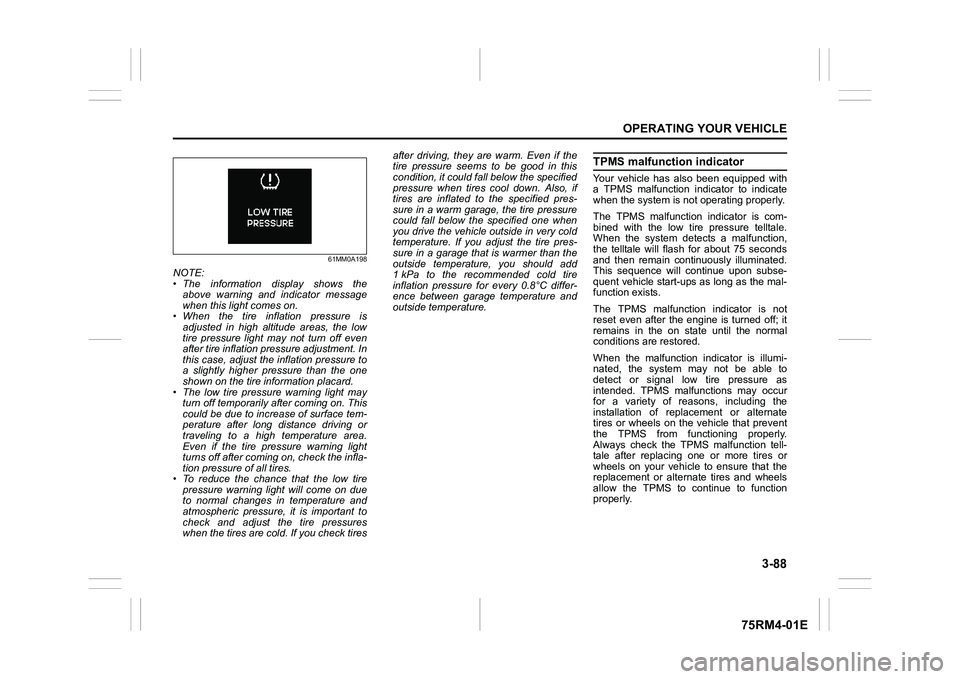
NOTE:
• The information display shows theabove warning and indicator message
when this light comes on.
• When the tire inflation pressure is
adjusted in high altitude areas, the low
tire pressure light may not turn off even
after tire inflation pressure adjustment. In
this case, adjust the inflation pressure to
a slightly higher pressure than the one
shown on the tire information placard.
• The low tire pressure warning light may turn off temporarily after coming on. This
could be due to increase of surface tem-
perature after long distance driving or
traveling to a high temperature area.
Even if the tire pressure warning light
turns off after coming on, check the infla-
tion pressure of all tires.
• To reduce the chance that the low tire pressure warning light will come on due
to normal changes in temperature and
atmospheric pressure, it is important to
check and adjust the tire pressures
when the tires are cold. If you check tires after driving, they are warm. Even if the
tire pressure seems to be good in this
condition, it could fall below the specified
pressure when tires cool down. Also, if
tires are inflated to the specified pres-
sure in a warm garage, the tire pressure
could fall below the specified one when
you drive the vehicle outside in very cold
temperature. If you adjust the tire pres-
sure in a garage that is warmer than the
outside temperature, you should add
1 kPa to the recommended cold tire
inflation pressure for every 0.8°C differ-
ence between garage temperature and
outside temperature.
TPMS malfunction indicatorYour vehicle has also been equipped with
a TPMS malfunction indicator to indicate
when the system is not operating properly.
The TPMS malfunction indicator is com-
bined with the low tire pressure telltale.
When the system detects a malfunction,
the telltale will flash for about 75 seconds
and then remain continuously illuminated.
This sequence will continue upon subse-
quent vehicle start-ups as long as the mal-
function exists.
The TPMS malfunction indicator is not
reset even after the engine is turned off; it
remains in the on state until the normal
conditions are restored.
When the malfunction indicator is illumi-
nated, the system may not be able to
detect or signal low tire pressure as
intended. TPMS malfunctions may occur
for a variety of reasons, including the
installation of replacement or alternate
tires or wheels on the vehicle that prevent
the TPMS from functioning properly.
Always check the TPMS malfunction tell-
tale after replacing one or more tires or
wheels on your vehicle to ensure that the
replacement or alternate tires and wheels
allow the TPMS to continue to function
properly.