2021 NISSAN FRONTIER AUX
[x] Cancel search: AUXPage 251 of 492
SEEK (Reverse or Fast
Forward) buttons
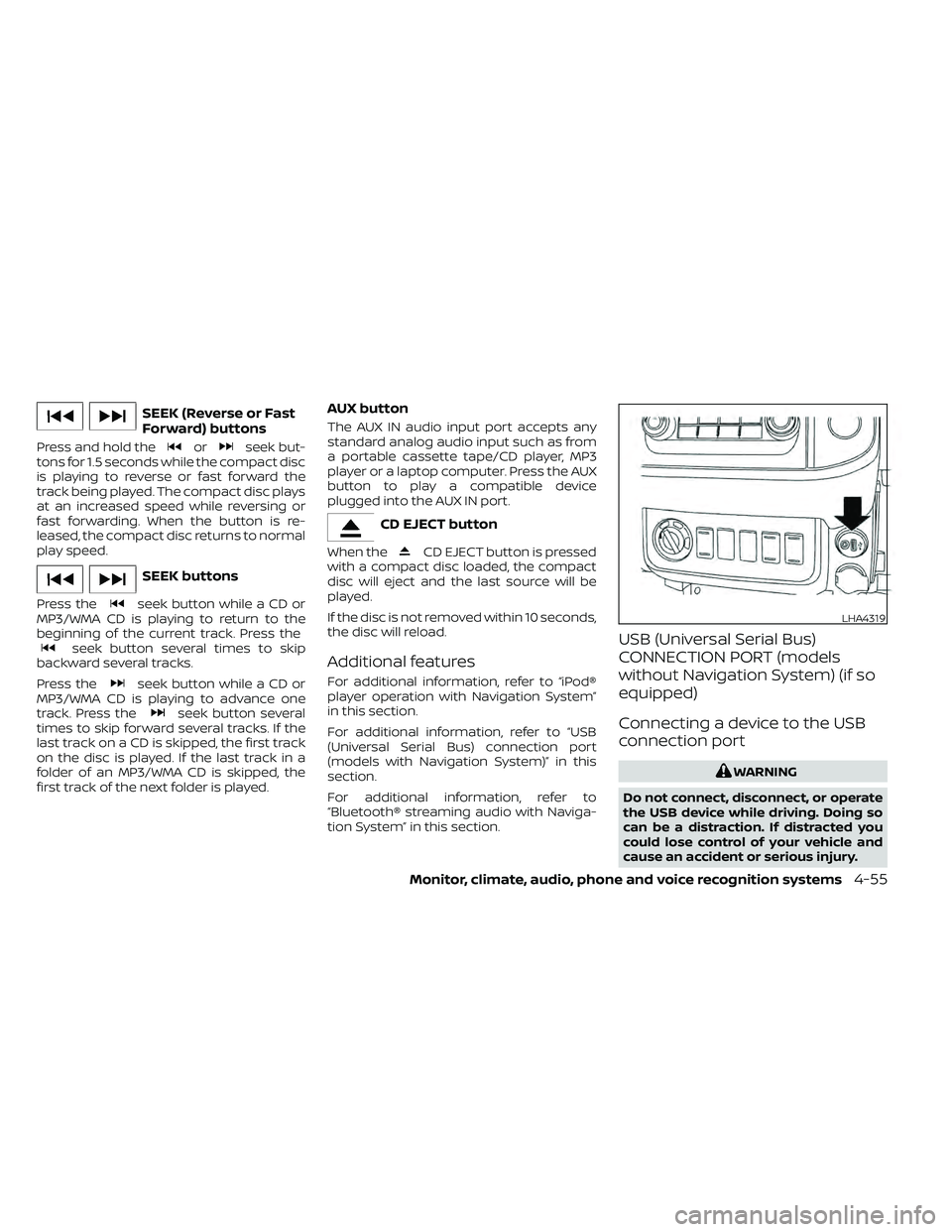
Press and hold theorseek but-
tons for 1.5 seconds while the compact disc
is playing to reverse or fast forward the
track being played. The compact disc plays
at an increased speed while reversing or
fast forwarding. When the button is re-
leased, the compact disc returns to normal
play speed.
seek button while a CD or
MP3/WMA CD is playing to return to the
beginning of the current track. Press the
seek button several times to skip
backward several tracks.
Press the
seek button while a CD or
MP3/WMA CD is playing to advance one
track. Press the
seek button several
times to skip forward several tracks. If the
last track on a CD is skipped, the first track
on the disc is played. If the last track in a
folder of an MP3/WMA CD is skipped, the
first track of the next folder is played.
AUX button
The AUX IN audio input port accepts any
standard analog audio input such as from
a portable cassette tape/CD player, MP3
player or a laptop computer. Press the AUX
button to play a compatible device
plugged into the AUX IN port.
CD EJECT button is pressed
with a compact disc loaded, the compact
disc will eject and the last source will be
played.
If the disc is not removed within 10 seconds,
the disc will reload.
Additional features
For additional information, refer to “iPod®
player operation with Navigation System”
in this section.
For additional information, refer to “USB
(Universal Serial Bus) connection port
(models with Navigation System)” in this
section.
For additional information, refer to
“Bluetooth® streaming audio with Naviga-
tion System” in this section.
USB (Universal Serial Bus)
CONNECTION PORT (models
without Navigation System) (if so
equipped)
Connecting a device to the USB
connection port
Page 255 of 492
CAUTION
• Do not force the USB device into the
USB port. Inserting the USB device
tilted or up-side-down into the port
may damage the port. Make sure
that the USB device is connected cor-
rectly into the USB port.
• Do not grab the USB port cover (if so
equipped) when pulling the USB de-
vice out of the port. This could dam-
age the port and the cover.
• Do not leave the USB cable in a place
where it can be pulled unintention-
ally. Pulling the cable may damage
the port.
For additional information, refer to your de-
vice manufacturer’s owner information re-
garding the proper use and care of the
device.
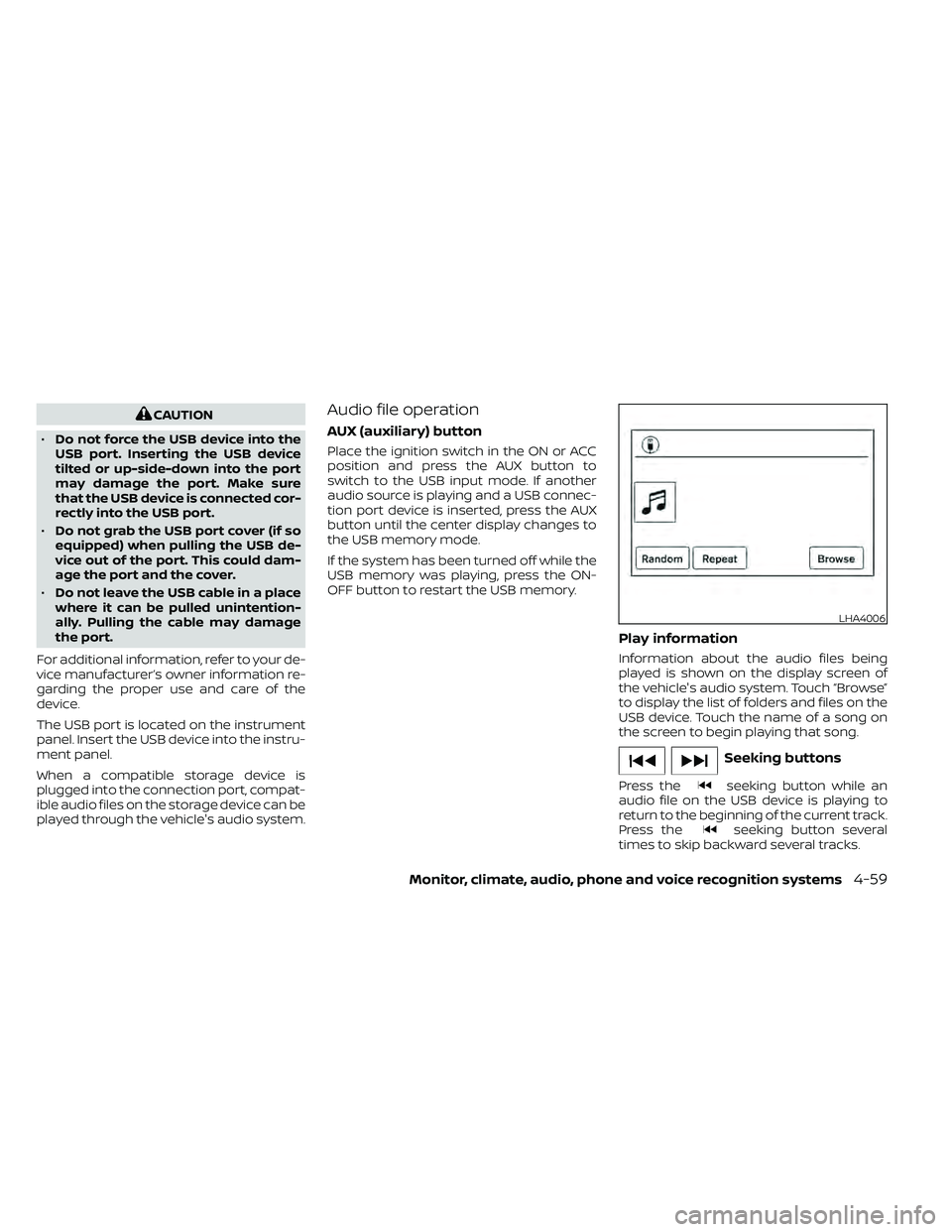
The USB port is located on the instrument
panel. Insert the USB device into the instru-
ment panel.
When a compatible storage device is
plugged into the connection port, compat-
ible audio files on the storage device can be
played through the vehicle's audio system.Audio file operation
AUX (auxiliary) button
Place the ignition switch in the ON or ACC
position and press the AUX button to
switch to the USB input mode. If another
audio source is playing and a USB connec-
tion port device is inserted, press the AUX
button until the center display changes to
the USB memory mode.
If the system has been turned off while the
USB memory was playing, press the ON-
OFF button to restart the USB memory.
Play information
Information about the audio files being
played is shown on the display screen of
the vehicle's audio system. Touch “Browse”
to display the list of folders and files on the
USB device. Touch the name of a song on
the screen to begin playing that song.
seeking button while an
audio file on the USB device is playing to
return to the beginning of the current track.
Press the
seeking button several
times to skip backward several tracks.
LHA4006
Page 261 of 492
Audio main operation
Place the ignition switch in the ACC or ON
position. Press the AUX button repeatedly
to switch to the iPod® mode.
If the system has been turned off while the
iPod® was playing, pressing the ON·OFF
button will start the iPod®.
AUX button
When the AUX button is pressed with the
system off and the iPod® connected, the
system will turn on. If another audio source
is playing and the iPod® is connected, press
the AUX button repeatedly until the center
display changes to the iPod® mode.
Interface
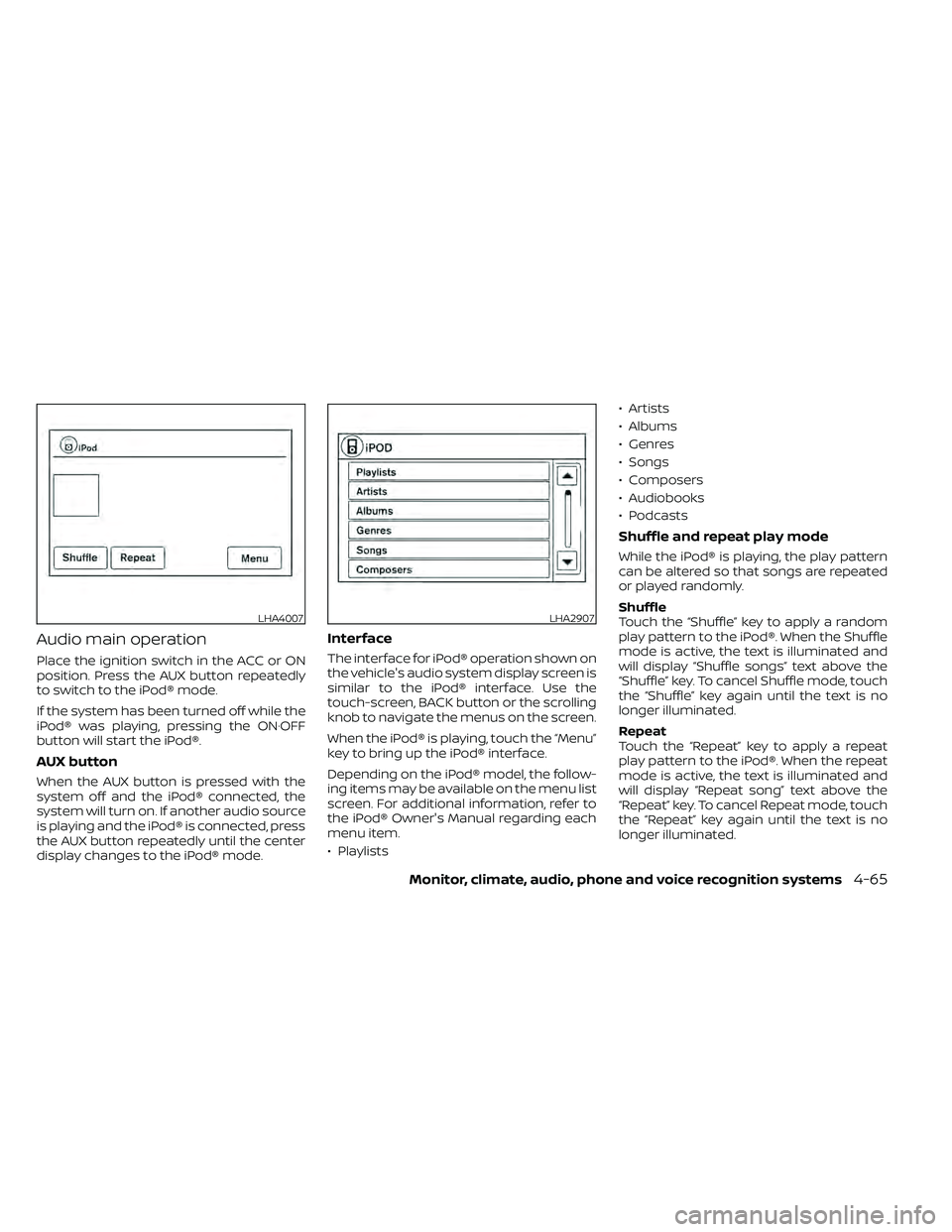
The interface for iPod® operation shown on
the vehicle's audio system display screen is
similar to the iPod® interface. Use the
touch-screen, BACK button or the scrolling
knob to navigate the menus on the screen.
When the iPod® is playing, touch the “Menu”
key to bring up the iPod® interface.
Depending on the iPod® model, the follow-
ing items may be available on the menu list
screen. For additional information, refer to
the iPod® Owner's Manual regarding each
menu item.
• Playlists• Artists
• Albums
• Genres
• Songs
• Composers
• Audiobooks
• Podcasts
Shuffle and repeat play mode
While the iPod® is playing, the play pattern
can be altered so that songs are repeated
or played randomly.
Shuffle
Touch the “Shuffle” key to apply a random
play pattern to the iPod®. When the Shuffle
mode is active, the text is illuminated and
will display “Shuffle songs” text above the
“Shuffle” key. To cancel Shuffle mode, touch
the “Shuffle” key again until the text is no
longer illuminated.
Repeat
Touch the “Repeat” key to apply a repeat
play pattern to the iPod®. When the repeat
mode is active, the text is illuminated and
will display “Repeat song” text above the
“Repeat” key. To cancel Repeat mode, touch
the “Repeat” key again until the text is no
longer illuminated.
LHA4007LHA2907
Page 266 of 492
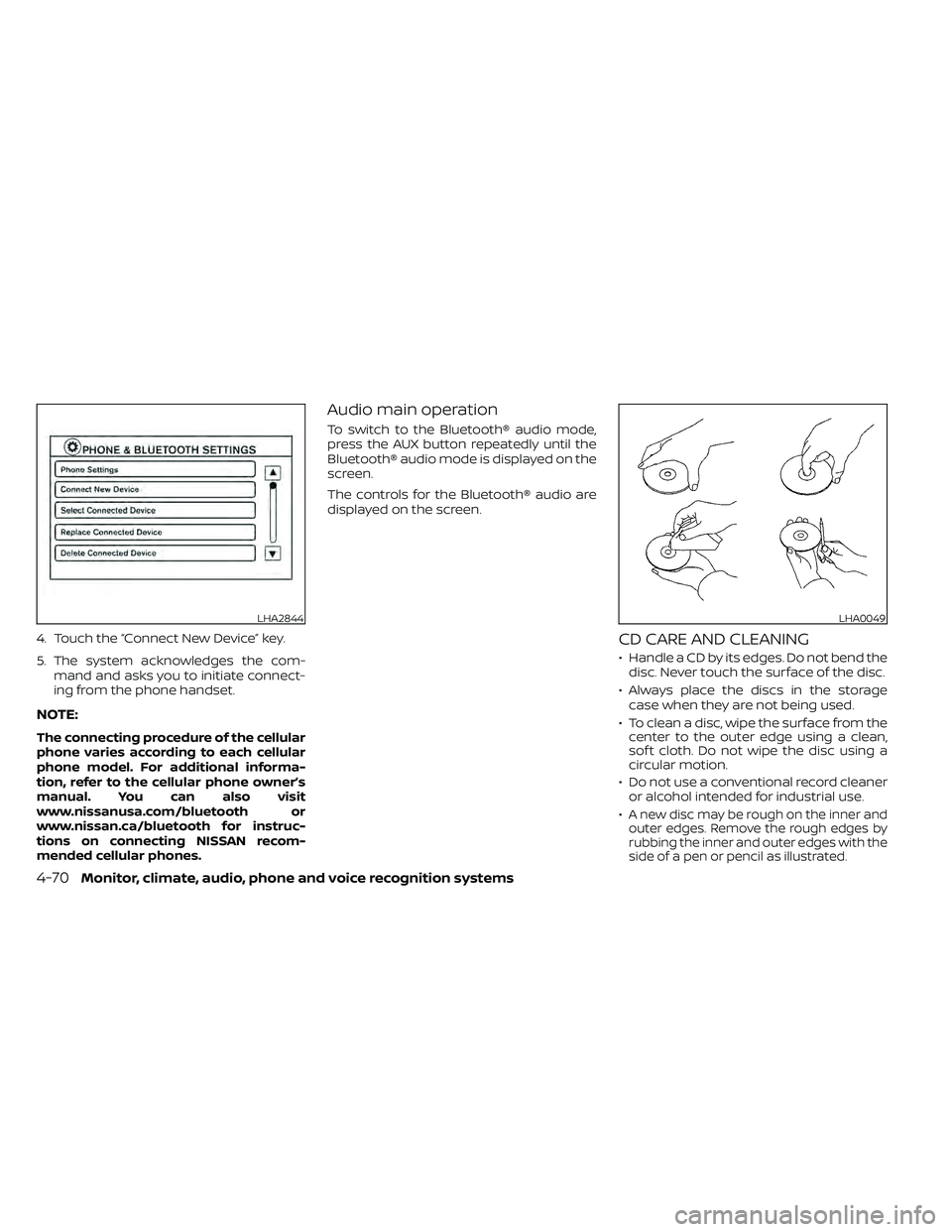
4. Touch the “Connect New Device” key.
5. The system acknowledges the com-mand and asks you to initiate connect-
ing from the phone handset.
NOTE:
The connecting procedure of the cellular
phone varies according to each cellular
phone model. For additional informa-
tion, refer to the cellular phone owner’s
manual. You can also visit
www.nissanusa.com/bluetooth or
www.nissan.ca/bluetooth for instruc-
tions on connecting NISSAN recom-
mended cellular phones.
Audio main operation
To switch to the Bluetooth® audio mode,
press the AUX button repeatedly until the
Bluetooth® audio mode is displayed on the
screen.
The controls for the Bluetooth® audio are
displayed on the screen.
CD CARE AND CLEANING
• Handle a CD by its edges. Do not bend thedisc. Never touch the surface of the disc.
• Always place the discs in the storage case when they are not being used.
• To clean a disc, wipe the surface from the center to the outer edge using a clean,
sof t cloth. Do not wipe the disc using a
circular motion.
• Do not use a conventional record cleaner or alcohol intended for industrial use.
•
A new disc may be rough on the inner and
outer edges. Remove the rough edges by
rubbing the inner and outer edges with the
side of a pen or pencil as illustrated.
LHA2844LHA0049
4-70Monitor, climate, audio, phone and voice recognition systems
Page 267 of 492
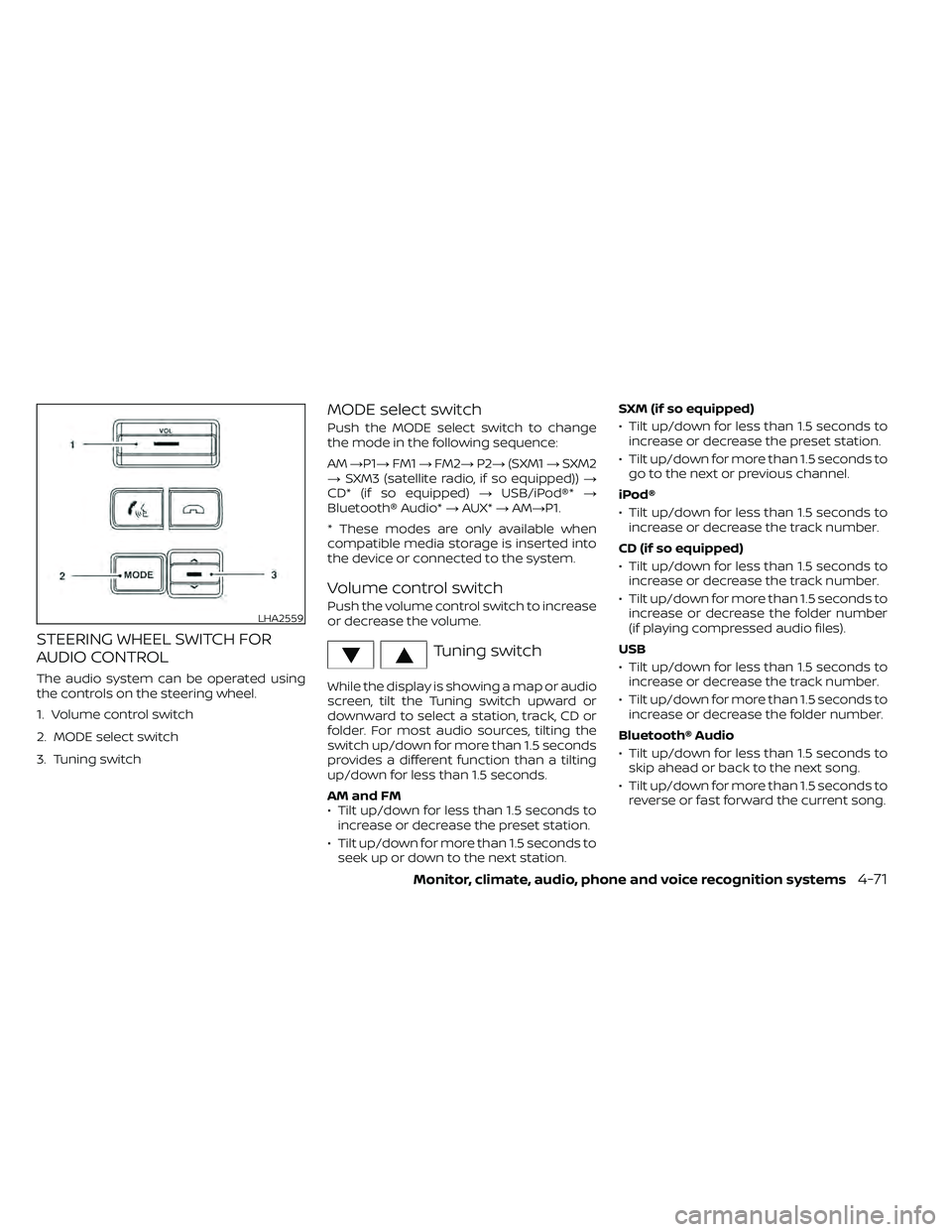
STEERING WHEEL SWITCH FOR
AUDIO CONTROL
The audio system can be operated using
the controls on the steering wheel.
1. Volume control switch
2. MODE select switch
3. Tuning switch
MODE select switch
Push the MODE select switch to change
the mode in the following sequence:
AM→P1→ FM1→FM2→ P2→(SXM1 →SXM2
→ SXM3 (satellite radio, if so equipped)) →
CD* (if so equipped) →USB/iPod®* →
Bluetooth® Audio* →AUX* →AM→P1.
* These modes are only available when
compatible media storage is inserted into
the device or connected to the system.
Volume control switch
Push the volume control switch to increase
or decrease the volume.
Tuning switch
While the display is showing a map or audio
screen, tilt the Tuning switch upward or
downward to select a station, track, CD or
folder. For most audio sources, tilting the
switch up/down for more than 1.5 seconds
provides a different function than a tilting
up/down for less than 1.5 seconds.
AM and FM
• Tilt up/down for less than 1.5 seconds to increase or decrease the preset station.
• Tilt up/down for more than 1.5 seconds to seek up or down to the next station. SXM (if so equipped)
• Tilt up/down for less than 1.5 seconds to
increase or decrease the preset station.
• Tilt up/down for more than 1.5 seconds to go to the next or previous channel.
iPod®
• Tilt up/down for less than 1.5 seconds to increase or decrease the track number.
CD (if so equipped)
• Tilt up/down for less than 1.5 seconds to increase or decrease the track number.
• Tilt up/down for more than 1.5 seconds to increase or decrease the folder number
(if playing compressed audio files).
USB
• Tilt up/down for less than 1.5 seconds to increase or decrease the track number.
• Tilt up/down for more than 1.5 seconds to increase or decrease the folder number.
Bluetooth® Audio
• Tilt up/down for less than 1.5 seconds to skip ahead or back to the next song.
• Tilt up/down for more than 1.5 seconds to reverse or fast forward the current song.
LHA2559