2021 MAZDA MAZDA power
[x] Cancel search: powerPage 165 of 612
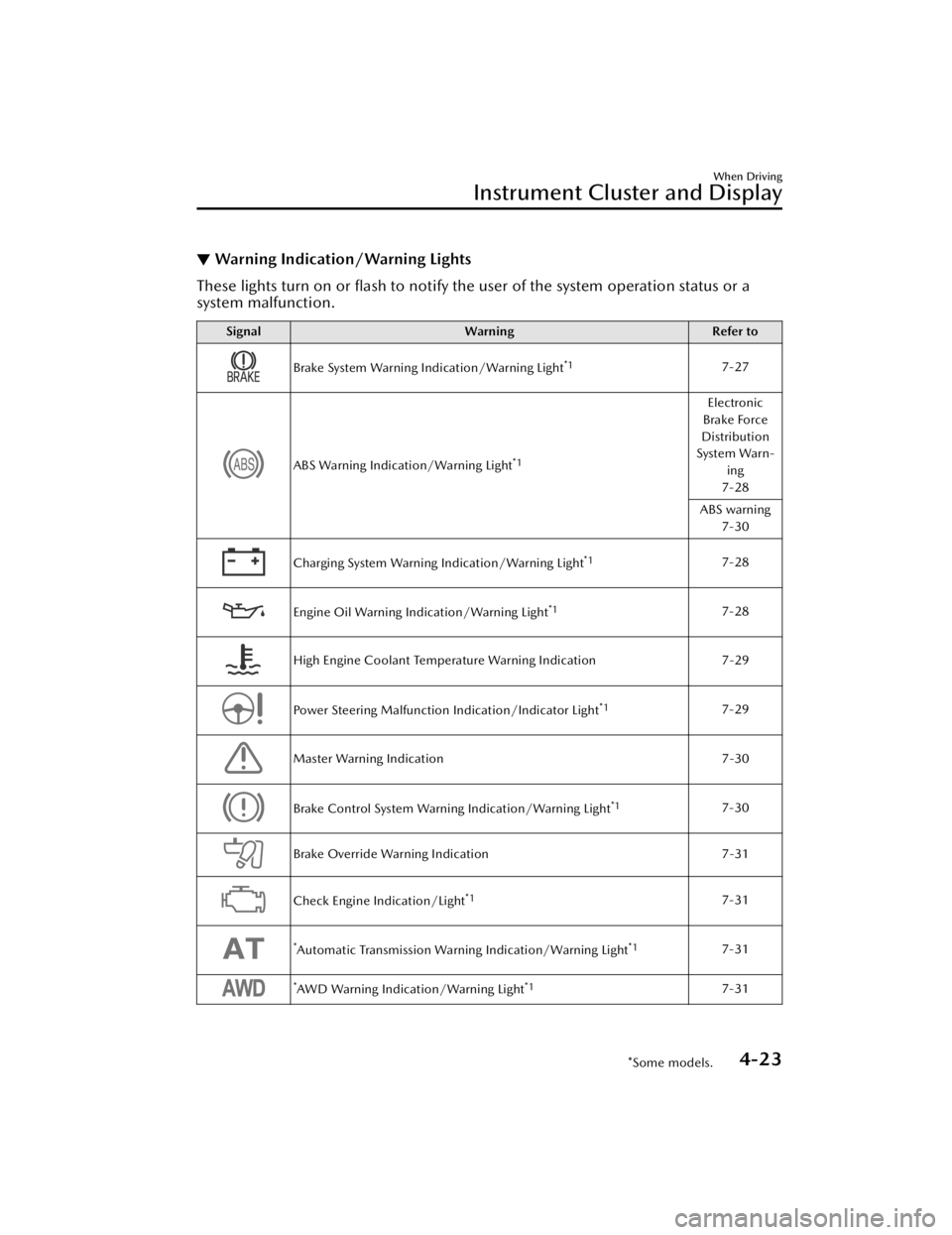
▼Warning Indication/Warning Lights
These lights turn on or flash to notify th
e user of the system operation status or a
system malfunction.
Signal Warning Refer to
Brake System Warning Indication/Warning Light*17-27
ABS Warning Indication/Warning Light*1
Electronic
Brake Force
Distribution
System Warn- ing
7-28
ABS warning 7-30
Charging System Warning Indication/Warning Light*17-28
Engine Oil Warning Indication/Warning Light*17-28
High Engine Coolant Temperature Warning Indication 7-29
Power Steering Malfunction Indication/Indicator Light*17-29
Master Warning Indication7-30
Brake Control System Warning Indication/Warning Light*17-30
Brake Override Warning Indication7-31
Check Engine Indication/Light*17-31
*Automatic Transmission Warning Indication/Warning Light*17-31
*AWD Warning Indication/Warning Light*17-31
When Driving
Instrument Cluster and Display
*Some models.4-23
Mazda3_8JM2-EA-20H_Edition2_new 2020-8-19 13:13:07
Page 187 of 612
Driving Tips
▼Driving Tips
WARNING
Do not let the vehicle move in a
direction opposite to the direction
selected by the selector lever:
Do not let the vehicle move backward
with the selector lever in a forward
position, or do not let the vehicle
move forward with the selector lever in
the reverse position. Otherwise, the
engine may stop, causing the loss of
the power brake and power steering
functions, and make it difficult to
control the vehicle which could result
in an accident.
Pa s s i n g
For extra power when passing another
vehicle or climbing steep grades,
depress the accelerator fully. The
transmission will shift to a lower gear,
depending on vehicle speed.
NOTE
The accelerator pedal may initially
feel heavy as it is being depressed,
then feel lighter as it is depressed
further. This change in pedal force
aids the engine control system in
determining how much the
accelerator pedal has been
depressed for performing kickdown,
and functions to control whether or
not kickdown should be performed.
While the selector lever is in the M
position and the DSC is turned off,
manual shift mode does not switch
to automatic shift mode even if the
accelerator pedal is completely
depressed. Operate the selector
lever.
Climbing steep grades from a stop
To climb a steep grade from a stopped
position:
1. Depress the brake pedal.
2. Shift to D or M1, depending on the
load weight and grade steepness.
3. Release the brake pedal while
gradually accelerating.
Descending steep grades
When descending a steep grade, shift
to lower gears, depending on load
weight and grade steepness. Descend
slowly, using the brakes only
occasionally to prevent them from
overheating.
When Driving
Automatic Transmission
4-45
Mazda3_8JM2-EA-20H_Edition2_new 2020-8-19 13:13:07
Page 191 of 612
NOTE
The headlights and other exterior lights may not turn off immediately even if the
surrounding area becomes well-lit because the light sensor determines that it is
night time if the surrounding area is cont inuously dark for several minutes such as
inside long tunnels, traffic jams inside tunnels, or in indoor parking lots.
If the headlight switch and the windshield wiper switch are in AUTO, and the
wipers are operated at low or high speed by the auto wiper control for several
seconds, bad weather conditions are determined and the headlights may be
turned on.
The sensitivity of the auto-light control may be changed.
Refer to the Settings section in the Mazda Connect Owner's Manual.
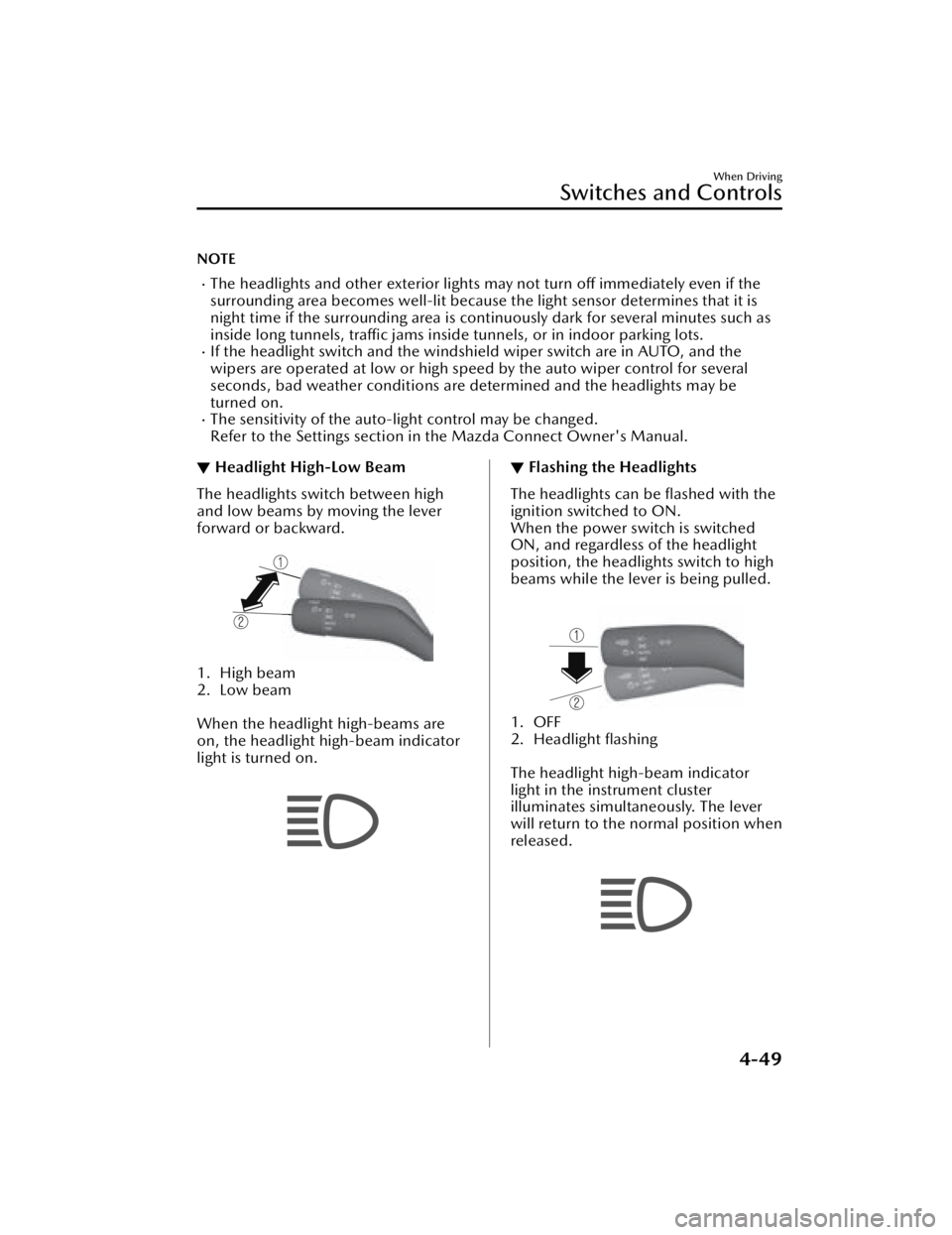
▼Headlight High-Low Beam
The headlights switch between high
and low beams by moving the lever
forward or backward.
1. High beam
2. Low beam
When the headlight high-beams are
on, the headlight high-beam indicator
light is turned on.
▼Flashing the Headlights
The headlights can be flashed with the
ignition switched to ON.
When the power switch is switched
ON, and regardless of the headlight
position, the headlights switch to high
beams while the lever is being pulled.
1. OFF
2. Headlight flashing
The headlight high-beam indicator
light in the instrument cluster
illuminates simultaneously. The lever
will return to the normal position when
released.
When Driving
Switches and Controls
4-49
Mazda3_8JM2-EA-20H_Edition2_new
2020-8-19 13:13:07
Page 207 of 612
Brake System
▼Foot Brake
This vehicle has power-assisted brakes
that adjust automatically through
normal use.
Should power-assist fail, you can stop
by applying greater force than normal
to the brake pedal. But the distance
required to stop will be greater than
usual.
WARNING
Do not coast with the engine stalled
or turned off, find a safe place to stop:
Coasting with the engine stalled or
turned off is dangerous. Braking will
require more effort, and the brake's
power-assist could be depleted if you
pump the brake. This will cause longer
stopping distances or even an
accident.
Shift to a lower gear when going
down steep hills:
Driving with your foot continuously on
the brake pedal or steadily applying
the brakes for long distances is
dangerous. This causes overheated
brakes, resulting in longer stopping
distances or even total brake failure.
This could cause loss of vehicle control
and a serious accident. Avoid
continuous application of the brakes.
Dry off brakes that have become wet
by driving slowly, releasing the
accelerator pedal and lightly applying
the brakes several times until the
brake performance returns to normal:
Driving with wet brakes is dangerous.
Increased stopping
distance or the
vehicle pulling to one side when
braking could result in a serious
accident. Light braking will indicate
whether the brakes have been
affected.
CAUTION
Do not drive with your foot held on
the clutch pedal or brake pedal, or
hold the clutch pedal depressed
halfway unnecessarily. Doing so
could result in the following:
The clutch and brake parts will
wear out more quickly.
The brakes can overheat and
adversely
affect brake
performance.
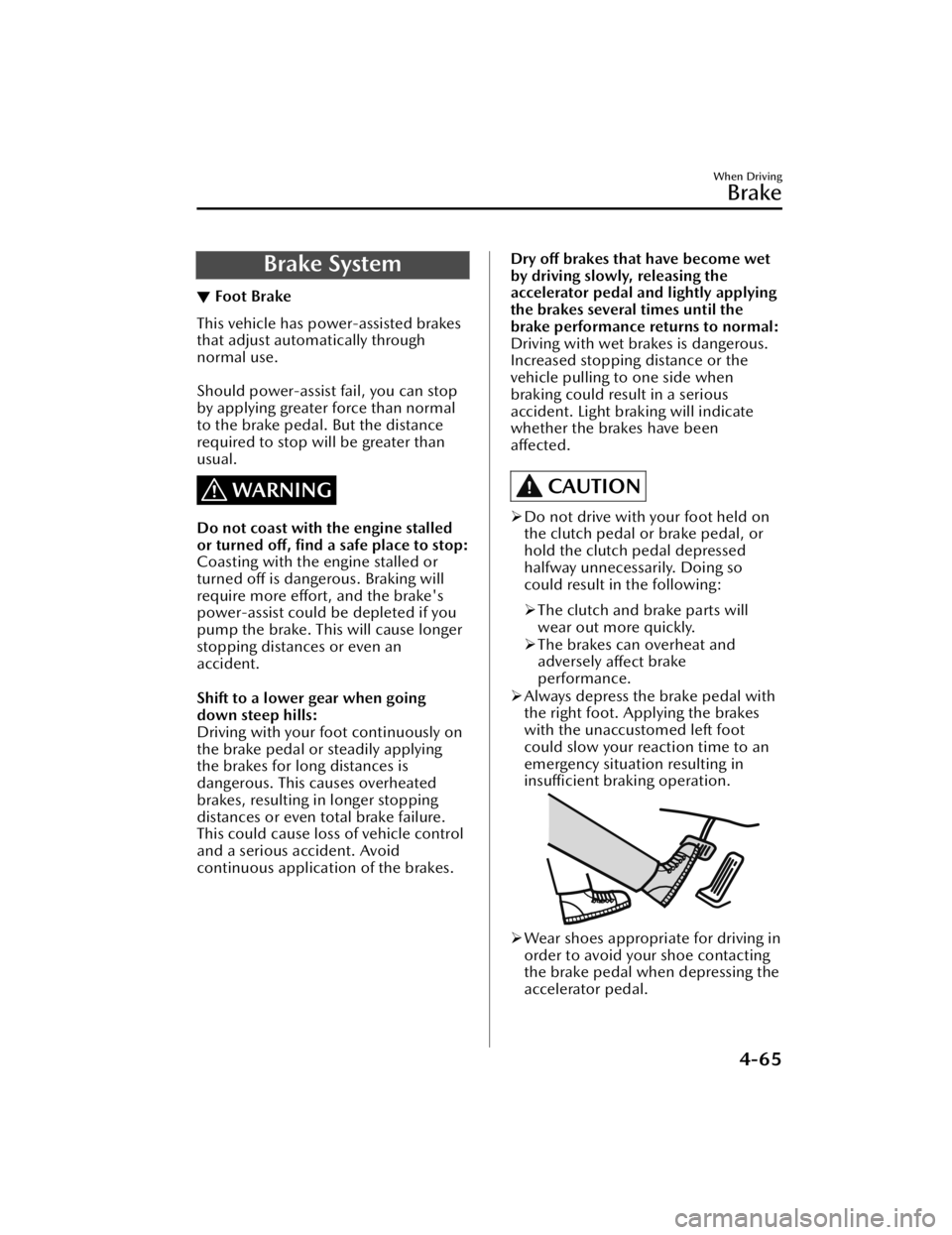
Always depress the brake pedal with
the right foot. Applying the brakes
with the unaccustomed left foot
could slow your reaction time to an
emergency situation resulting in
insufficient braking operation.
Wear shoes appropriate for driving in
order to avoid your shoe contacting
the brake pedal when depressing the
accelerator pedal.
When Driving
Brake
4-65
Mazda3_8JM2-EA-20H_Edition2_new 2020-8-19 13:13:07
Page 220 of 612
Tra c t i o n C o n t r o l Sy s te m(TCS)
▼Traction Control System (TCS)
The Traction Control System (TCS)
enhances traction and safety by
controlling engine torque and braking.
When the TCS detects driving wheel
slippage, it lowers engine torque and
operates the brakes to prevent loss of
traction.
This means that on a slick surface, the
engine adjusts automatically to provide
optimum power to the drive wheels,
limiting wheel spin and loss of traction.
The warning light turns on when the
system has a malfunction.
Refer to TCS/DSC Indication/
Indicator Light (Turns on) on page
7-32.
WARNING
Do not rely on the Traction Control
System (TCS) as a substitute for safe
driving:
The Traction Control System (TCS)
cannot compensate for unsafe and
reckless driving , excessive speed,
tailgating (following another vehicle
too closely), and hydroplaning
(reduced tire friction and road contact
because of water on the road surface).
You can still have an accident.
Use snow tires or tire chains and drive
at reduced speeds when roads are
covered with ice and/or snow:
Driving without proper traction devices
on snow and/or ice-covered roads is
dangerous. The Traction Control
System (TCS) alone cannot provide
adequate traction and you could still
have an accident.
NOTE
To turn off the TCS, press the DSC OFF
switch (page 4-80).
▼
TCS/DSC Indicator Light
This indicator light stays on for a few
seconds when the ignition is switched
ON.
If the TCS or DSC is operating, the
indicator light
flashes.
If the light stays on, the TCS, DSC or
the brake assist system may have a
malfunction and they may not operate
correctly. Take your vehicle to an
Authorized Mazda Dealer.
NOTE
In addition to the indicator light flashing , a slight lugging sound will
come from the engine. This indicates
that the TCS/DSC is operating
properly.
On slippery surfaces, such as fresh
snow, it will be impossible to achieve
high rpm when the TCS is on.
When Driving
ABS/TCS/DSC
4-78
Mazda3_8JM2-EA-20H_Edition2_new 2020-8-19 13:13:07
Page 222 of 612
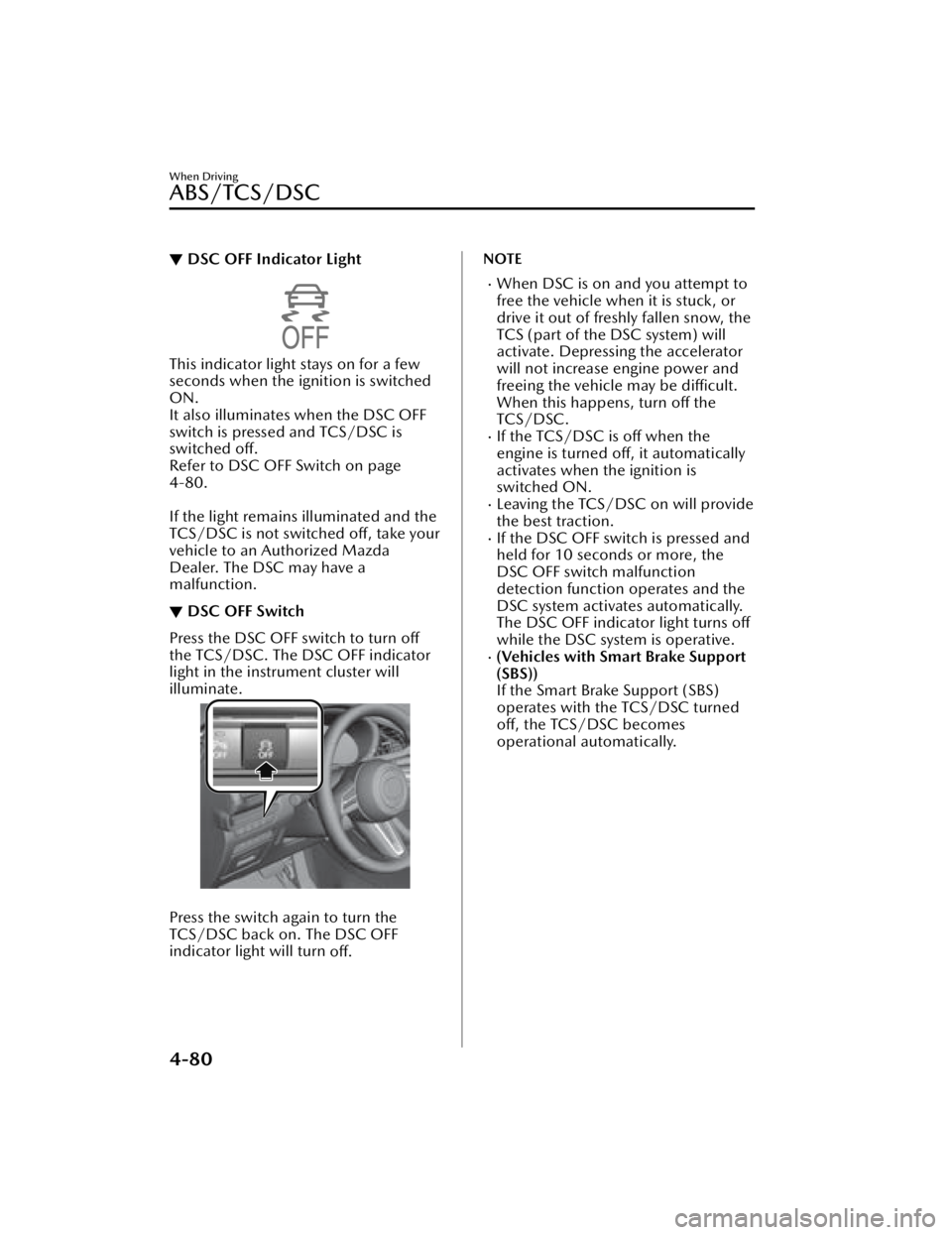
▼DSC OFF Indicator Light
This indicator light stays on for a few
seconds when the ignition is switched
ON.
It also illuminates when the DSC OFF
switch is pressed and TCS/DSC is
switched off.
Refer to DSC OFF Switch on page
4-80.
If the light remains illuminated and the
TCS/DSC is not switched off, take your
vehicle to an Authorized Mazda
Dealer. The DSC may have a
malfunction.
▼DSC OFF Switch
Press the DSC OFF switch to turn off
the TCS/DSC. The DSC OFF indicator
light in the instrument cluster will
illuminate.
Press the switch again to turn the
TCS/DSC back on. The DSC OFF
indicator light will turn
off.
NOTE
When DSC is on and you attempt to
free the vehicle when it is stuck, or
drive it out of freshly fallen snow, the
TCS (part of the DSC system) will
activate. Depressing the accelerator
will not increase engine power and
freeing the vehicle may be difficult.
When this happens, turn off the
TCS/DSC.
If the TCS/DSC is off when the
engine is turned off, it automatically
activates when the ignition is
switched ON.
Leaving the TCS/DSC on will provide
the best traction.
If the DSC OFF switch is pressed and
held for 10 seconds or more, the
DSC OFF switch malfunction
detection function operates and the
DSC system activates automatically.
The DSC OFF indicator light turns off
while the DSC system is operative.
(Vehicles with Smart Brake Support
(SBS))
If the Smart Brake Support (SBS)
operates with the TCS/DSC turned
off, the TCS/DSC becomes
operational automatically.
When Driving
ABS/TCS/DSC
4-80
Mazda3_8JM2-EA-20H_Edition2_new 2020-8-19 13:13:07
Page 226 of 612

Powe r Ste er i n g
▼Power Steering
Power steering is only operable when
the engine is running. If the engine is
off or if the power steering system is
inoperable, you can still steer, but it
requires more physical effort.
If the steering feels stiffer than usual
during normal driving or the steering
vibrates, consult an Authorized
Mazda Dealer.
The malfunction indication notifies
the driver of system abnormalities
and operation conditions.
Refer to Power Steering Malfunction
Indication/Indicator Light on page
7-29.
When Driving
Powe r Ste er in g
4-84
Mazda3_8JM2-EA-20H_Edition2_new 2020-8-19 13:13:07
Page 257 of 612

An object that reflects the radio
waves of the radar such as a
parked vehicle, guardrail, or wall is
directly next to your vehicle.
Vehicles are stopped in the area
around your vehicle such as during
heavy traffic.
A vehicle approaching from the
front or side of your vehicle slows
down.
A vehicle approaching from the
front or left side of your vehicle
makes a right or left turn directly in
front of your vehicle.
A vehicle or pedestrian moves in
the parking lot or on the sidewalk
in the area surrounding your
vehicle.
After making a left or right turn, an
on-coming vehicle is present.
When passing an on-coming
vehicle.
A vehicle overtakes your vehicle
while it is stopped.
Your vehicle is in an area where
strong radio waves or electrical
noise may occur such as near a
television tower or power plant.
Under the following conditions, the
front side radar sensor cannot detect
approaching vehicles or it might be
difficult to detect them, and the
system may not operate normally.
The front side radar sensor
detection area is obstructed by a
nearby wall or vehicle.
Directly after the system becomes
operable.
Radio wave interference from a
radar sensor equipped on a nearby
vehicle.
The approaching vehicle has any of
the following shapes.
a) The size of the vehicle body isextremely small.
b) The vehicle height is extremely low or high.
c) A special type of vehicle with a complex shape
A vehicle suddenly enters the
detection area from the front or
side of your vehicle.
A vehicle that has stopped
suddenly starts to move.
Multiple objects move at the same
time.
The vehicle is driven in bad
weather conditions such as heavy
rain, fog , snow, or sand storms.
The vehicle is driven on a sharp
curve or on bumpy roads.
An object that reflects the radio
waves of the radar such as a
parked vehicle, guardrail, or wall is
directly next to your vehicle.
A vehicle approaches while turning
(Such as roundabout)
The vehicle is driven at an
extremely slow speed.
In the following cases, the system
turns on the i-ACTIVSENSE warning
indication/warning light and
operation of the system is stopped. If
the i-ACTIVSENSE warning
indication/warning light remains on,
have the vehicle inspected by an
Authorized Mazda Dealer as soon as
possible.
Some problem with the system has
occurred.
The front side radar sensor
installation position is greatly
deviated.
There is a large accumulation of
snow or ice on the front bumper
near a front side radar sensor.
The temperature near the radar
sensors becomes extremely hot
due to driving for a long time on
slopes during the summer.
The battery voltage has decreased.
When Driving
i-ACTIVSENSE
4-115
Mazda3_8JM2-EA-20H_Edition2_new 2020-8-19 13:13:07