Page 198 of 631
Features of your vehicle
1084
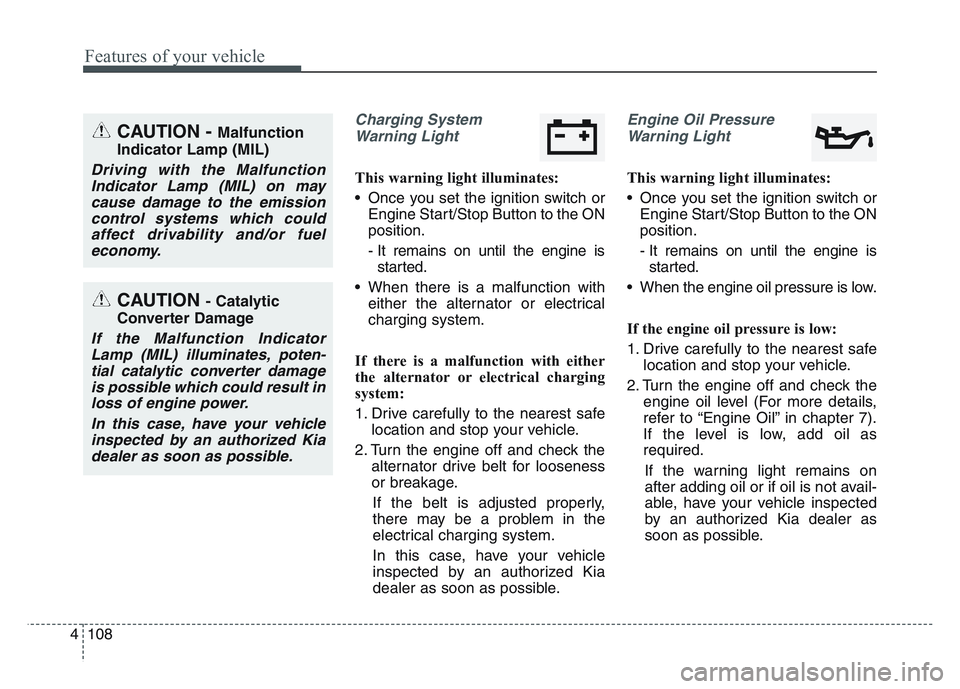
Charging SystemWarning Light
This warning light illuminates:
• Once you set the ignition switch or Engine Start/Stop Button to the ON
position.
- It remains on until the engine isstarted.
• When there is a malfunction with either the alternator or electrical
charging system.
If there is a malfunction with either
the alternator or electrical charging
system:
1. Drive carefully to the nearest safe location and stop your vehicle.
2. Turn the engine off and check the alternator drive belt for looseness
or breakage.
If the belt is adjusted properly,
there may be a problem in the
electrical charging system.
In this case, have your vehicle
inspected by an authorized Kia
dealer as soon as possible.
Engine Oil Pressure Warning Light
This warning light illuminates:
• Once you set the ignition switch or Engine Start/Stop Button to the ON
position.
- It remains on until the engine isstarted.
• When the engine oil pressure is low.
If the engine oil pressure is low:
1. Drive carefully to the nearest safe location and stop your vehicle.
2. Turn the engine off and check the engine oil level (For more details,
refer to “Engine Oil” in chapter 7).
If the level is low, add oil as
required.
If the warning light remains on
after adding oil or if oil is not avail-
able, have your vehicle inspected
by an authorized Kia dealer as
soon as possible.
CAUTION - Catalytic
Converter Damage
If the Malfunction Indicator Lamp (MIL) illuminates, poten-tial catalytic converter damageis possible which could result inloss of engine power.
In this case, have your vehicleinspected by an authorized Kiadealer as soon as possible.
CAUTION - Malfunction
Indicator Lamp (MIL)
Driving with the Malfunction Indicator Lamp (MIL) on maycause damage to the emissioncontrol systems which couldaffect drivability and/or fueleconomy.
Page 265 of 631
4 175
Features of your vehicle
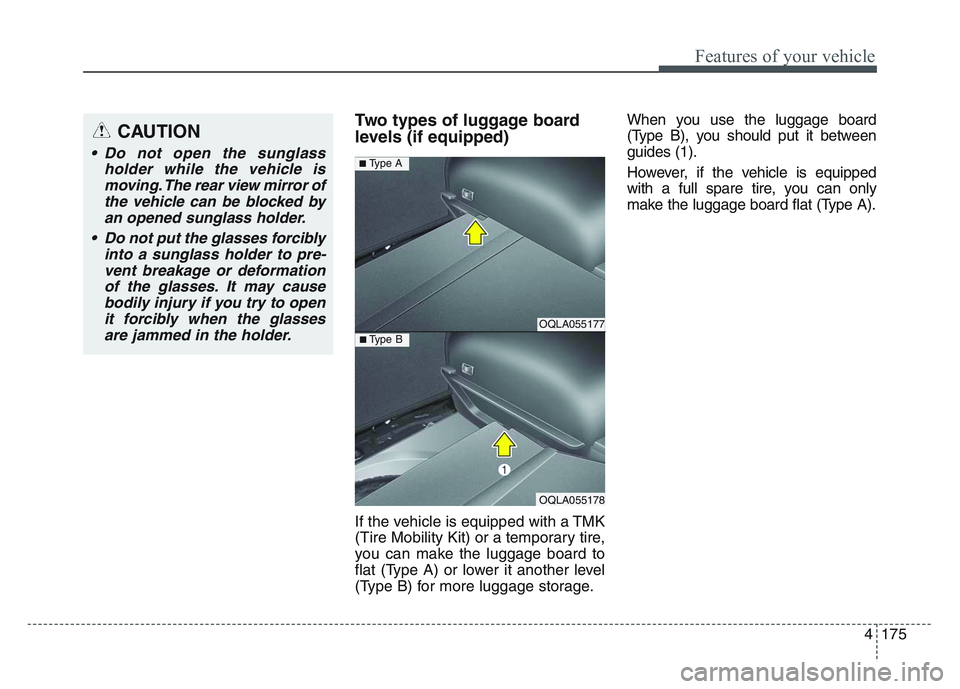
Two types of luggage board
levels (if equipped)
If the vehicle is equipped with a TMK
(Tire Mobility Kit) or a temporary tire,
you can make the luggage board to
flat (Type A) or lower it another level
(Type B) for more luggage storage.When you use the luggage board
(Type B), you should put it between
guides (1).
However, if the vehicle is equipped
with a full spare tire, you can only
make the luggage board flat (Type A).
OQLA055177
OQLA055178
■ Type B
■ Type A
CAUTION
• Do not open the sunglass
holder while the vehicle ismoving. The rear view mirror ofthe vehicle can be blocked byan opened sunglass holder.
• Do not put the glasses forcibly into a sunglass holder to pre-vent breakage or deformationof the glasses. It may causebodily injury if you try to openit forcibly when the glassesare jammed in the holder.
Page 274 of 631
Features of your vehicle
1844
This device complies with Part 15of the FCC rules.
Operation is subject to the following
two conditions:
1. This device may not cause harm- ful interference, and
2. This device must accept any inter- ference received, including inter-
ference that may cause undesired
operation.
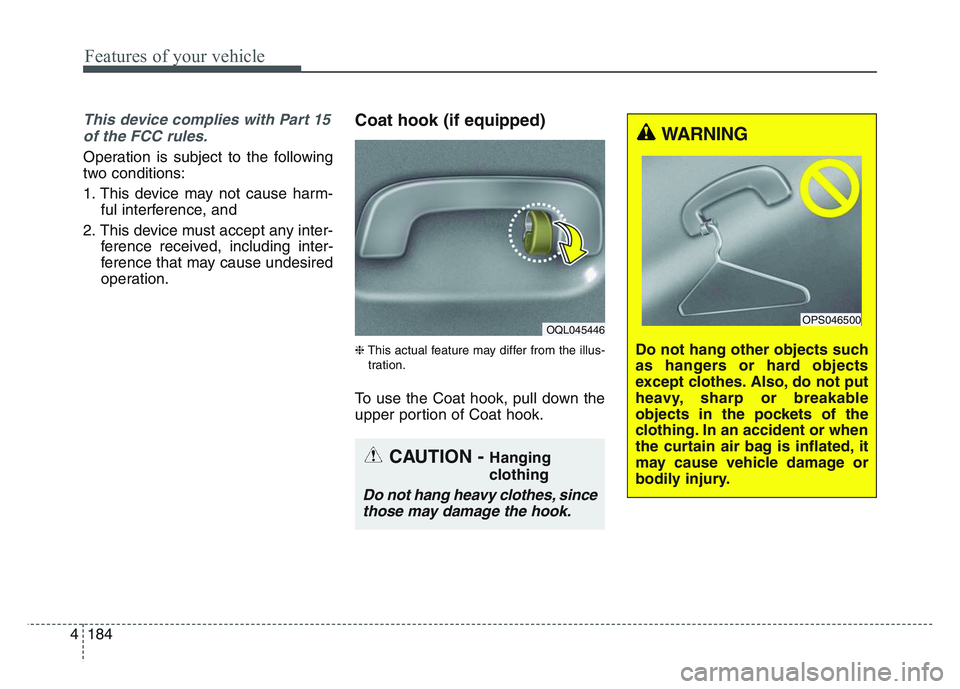
Coat hook (if equipped)
❈This actual feature may differ from the illus-
tration.
To use the Coat hook, pull down the
upper portion of Coat hook.
OQL045446
CAUTION - Hanging
clothing
Do not hang heavy clothes, since those may damage the hook.
WARNING
Do not hang other objects such
as hangers or hard objects
except clothes. Also, do not put
heavy, sharp or breakable
objects in the pockets of the
clothing. In an accident or when
the curtain air bag is inflated, it
may cause vehicle damage or
bodily injury.
OPS046500
Page 396 of 631
Driving your vehicle
1105
• The driver can monitor their drivingconditions on the LCD display.
- Select 'User Settings Mode' andthen 'Driver Assistance' on the
LCD display. (For more informa-
tion, refer to “LCD Display” in
chapter 4.)
• The driver's attention level is dis- played on the scale of 1 to 5. The
lower the number is, the more inat-
tentive the driver is.
• The number decreases when the driver does not take a break for a
certain period of time.
• The number increases when the driver attentively drives for a cer-
tain period of time.
• When the driver turns on the sys- tem while driving, it displays ‘Last
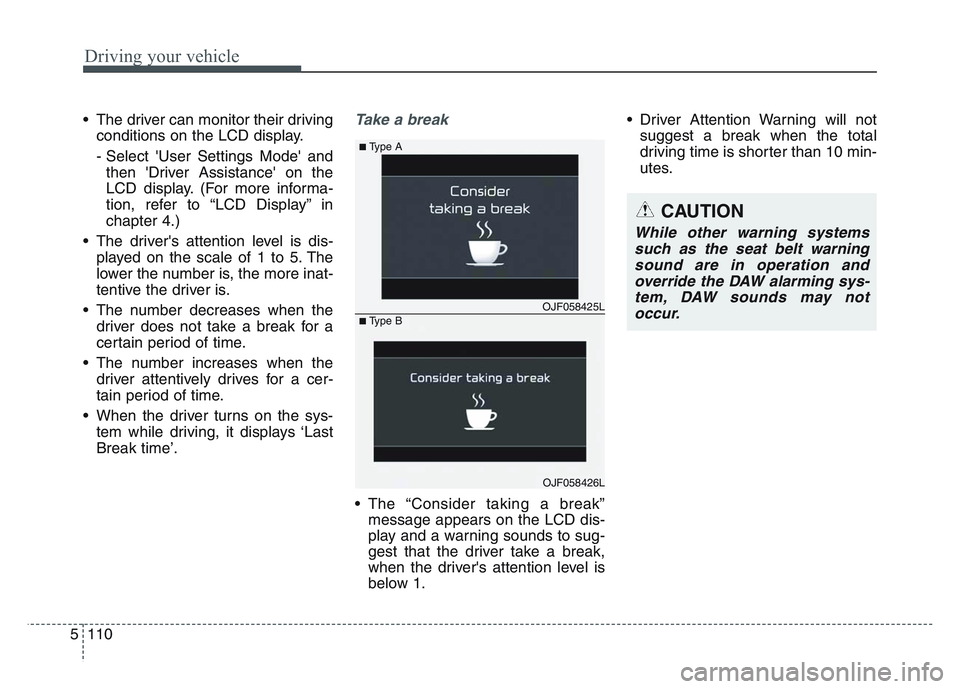
Break time’.Take a break
• The “Consider taking a break”message appears on the LCD dis-
play and a warning sounds to sug-
gest that the driver take a break,
when the driver's attention level is
below 1. • Driver Attention Warning will not
suggest a break when the total
driving time is shorter than 10 min-
utes.
OJF058425L
■Type A
■Type B
OJF058426L
CAUTION
While other warning systemssuch as the seat belt warningsound are in operation andoverride the DAW alarming sys-tem, DAW sounds may notoccur.
Page 397 of 631
5 111
Driving your vehicle
Resetting the system
• The last break time is set to 00:00and the driver's attention level is
set to 5 (very attentive) when the
driver resets Driver Attention
Warning.
• Driver Attention Warning resets in the following situations.
- The engine is turned OFF.
- The driver unfastens the seat beltand then opens the driver’s door
in stop.
- The driver takes a break from driving that lasts more than 10
minutes.
• Driver Attention Warning operates again, when the driver restarts
driving.
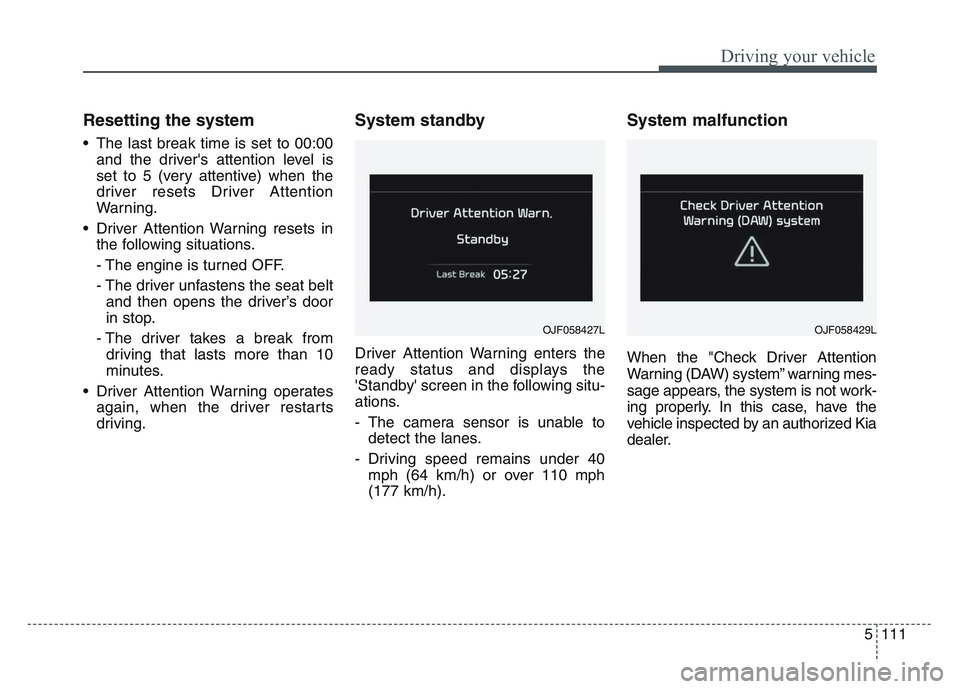
System standby
Driver Attention Warning enters the
ready status and displays the
'Standby' screen in the following situ-
ations.
- The camera sensor is unable todetect the lanes.
- Driving speed remains under 40 mph (64 km/h) or over 110 mph
(177 km/h).
System malfunction
When the "Check Driver Attention
Warning (DAW) system” warning mes-
sage appears, the system is not work-
ing properly. In this case, have the
vehicle inspected by an authorized Kia
dealer.
OJF058427LOJF058429L
Page 398 of 631
Driving your vehicle
1125
✽NOTICE
It may suggest a break according to
the driver’s driving pattern or
habits even if the driver doesn’t feel
fatigued.
✽NOTICE
The Driver Attention Warning
(DAW) is quite related with the front
camera in the vehicle for the better
performance. For more information
of front camera, refer to ”Lane
Keeping Assist (LKA)”
It may not properly operate with
limited alerting in the following situ-
ations:
- Not properly recognize lane
- Rough & Intentionally evasivedriving
- Intentionally frequent lane cut-in
- Severe winding road and uneven road surface condition
- Windy road
- The vehicle is controlled by other driving assist systems; e.g. Lane
Keeping Assist (LKA), etc.WARNING
• Driver Attention Warning is
not a substitute for safe driv-
ing practices. It is the respon-
sibility of the driver to always
drive cautiously to prevent
unexpected and sudden situa-
tions from occurring. Pay
attention to the road condi-
tions at all times.
• The driver, who feels fatigued, should take a break, even
though there is no break sug-
gestion by the Driver
Attention Warning system.
CAUTION
Driver Attention Warning maynot provide alerts in the follow-ing situations:
• The lane detection perform- ance is limited. (For moreinformation, refer to “LaneKeeping Assist (LKA)” in thischapter.)
• The vehicle is erratically driv- en or is abruptly turned forobstacle avoidance (e.g. con-struction area, other vehicles,fallen objects, bumpy road).
• Forward drivability of the vehi- cle is severely undermined(possibly due to wide varia-tion in tire pressures, uneventire wear-out, toe-in/toe-outalignment).
(Continued)
Page 453 of 631
5 167
Driving your vehicle
If you do decide to pull a trailer
Here are some important points if
you decide to pull a trailer:
• Consider using a sway control. Youcan ask a hitch dealer about sway
control.
• Do not do any towing with your vehicle during its first 1,200 miles
(2,000 km) in order to allow the
engine to properly break in. Failure
to heed this caution may result in
serious engine or transmission
damage.
• When towing a trailer, be sure to consult an authorized Kia dealer
for further information on additional
requirements such as a towing kit,
etc.
• Always drive your vehicle at a mod- erate speed (less than 60 mph
(100 km/h)).
• On a long uphill grade, do not exceed 45 mph (70 km/h) or the
posted towing speed limit,
whichever is lower.
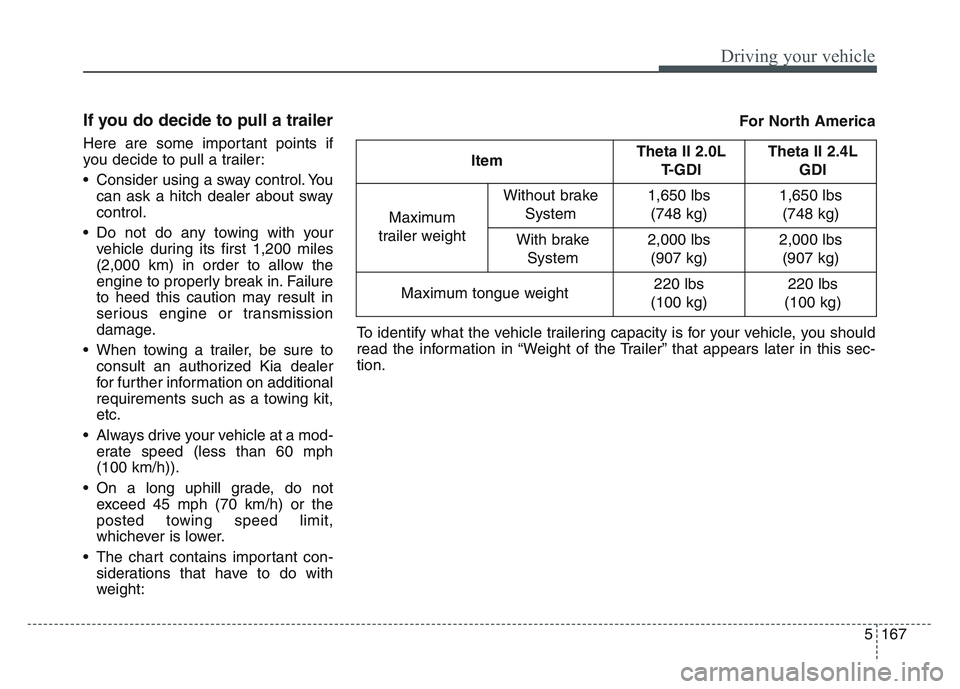
• The chart contains important con- siderations that have to do with
weight: ItemTheta II 2.0L
T-GDI Theta II 2.4L
GDI
Maximum
trailer weight Without brake
System
1,650 lbs(748 kg) 1,650 lbs
(748 kg)
With brake System
2,000 lbs(907 kg) 2,000 lbs
(907 kg)
Maximum tongue weight
220 lbs
(100 kg) 220 lbs
(100 kg)
To identify what the vehicle trailering capacity is for your vehicle, you should
read the information in “Weight of the Trailer” that appears later in this sec-
tion. For North America
Page 496 of 631
What to do in an emergency
366
• Attach a towing strap to the towhook.
• Use only a cable or chain specifical- ly intended for use in towing vehi-
cles. Securely fasten the cable or
chain to the towing hook provided.
• Accelerate or decelerate the vehi- cle in a slow and gradual manner
while maintaining tension on the
tow rope or chain to start or drive
the vehicle, otherwise tow hooks
and the vehicle may be damaged.
• Before emergency towing, check if the hook is not broken or damaged. • Fasten the towing cable or chain
securely to the hook.
• Do not jerk the hook. Apply it steadily and with even force.
• To avoid damaging the hook, do not pull from the side or at a vertical
angle. Always pull straight ahead.
CAUTION
Using a portion of the vehicleother than the tow hooks fortowing may damage the body ofyour vehicle.
WARNING- Emergency
Towing Precautions
Use extreme caution when tow-
ing the vehicle.
• Avoid sudden starts or erratic driving maneuvers which
would place excessive stress
on the emergency towing hook
and towing cable or chain. The
hook and towing cable or
chain may break and cause
serious injury or damage.
• If the disabled vehicle is unable to be moved, do not
forcibly continue the towing.
We recommend that you con-
tact an authorized Kia dealer
or a commercial tow truck
service for assistance.
• Tow the vehicle as straight ahead as possible.
• Keep away from the vehicle during towing.