2021 HYUNDAI SONATA Start stop
[x] Cancel search: Start stopPage 375 of 546
06
6-91
Leading Vehicle Departure Alert
(if equipped)
After the vehicle in front departs an alert
informs the driver.
System setting
With the engine ON, Leading Vehicle
Departure Alert function turns on and
gets ready to be activated when the
‘User Settings → Driver Assistance →
Driv
er Attention Warning → Leading
V
ehicle Departure Alert’ is selected on
the cluster. The function stops operation
when the setting is deactivated.
However, if the engine is turned off then
on again, the function maintains the
previous state.
Operating conditions
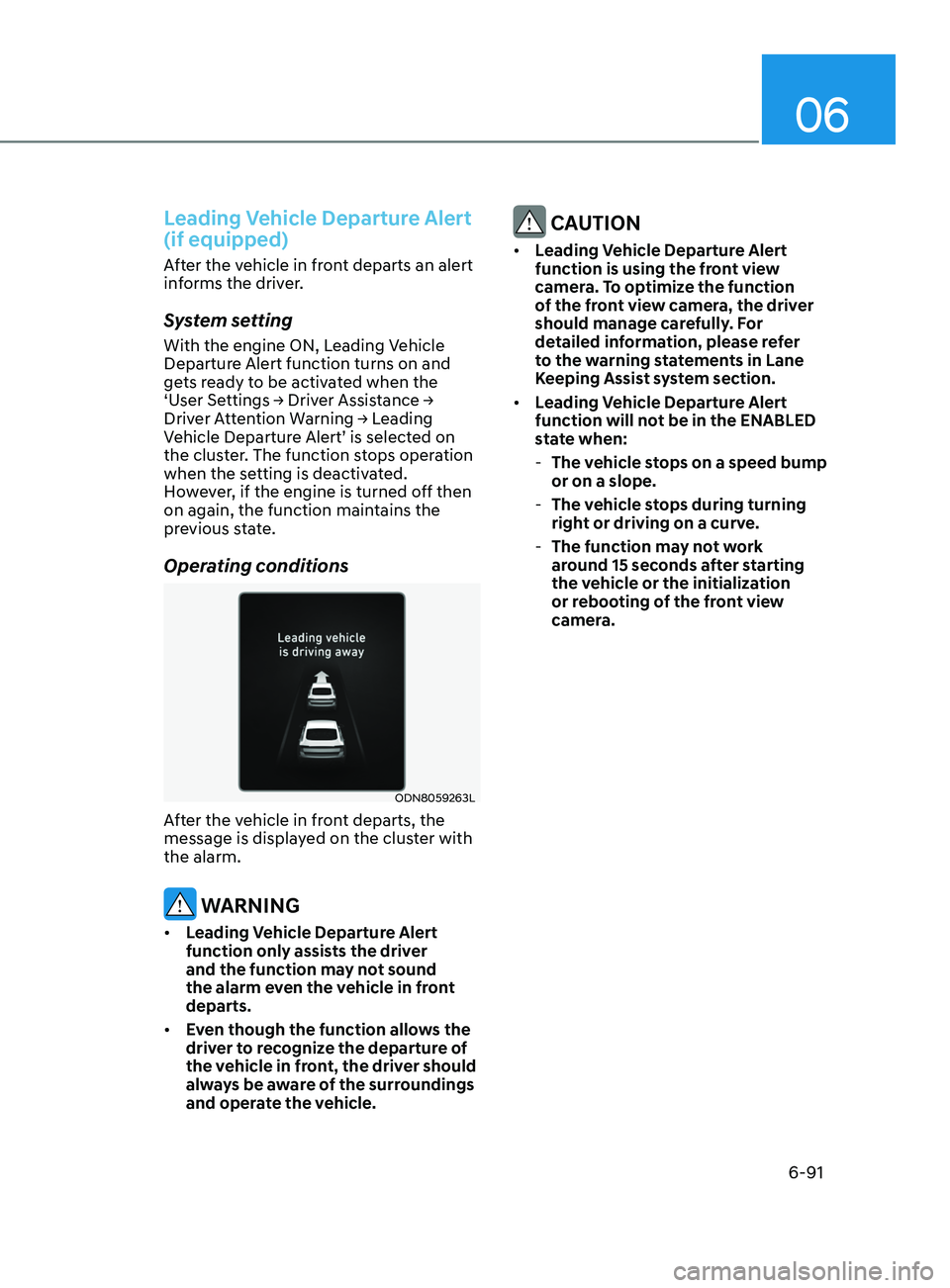
ODN8059263L
After the vehicle in front departs, the
message is displayed on the cluster with
the alarm.
WARNING
• Leading Vehicle Departure Alert
function only assists the driver
and the function may not sound
the alarm even the vehicle in front
departs.
• Even though the function allows the
driver to recognize the departure of
the vehicle in front, the driver should
always be aware of the surroundings
and operate the vehicle.
CAUTION
• Leading Vehicle Departure Alert
function is using the front view
camera. To optimize the function
of the front view camera, the driver
should manage carefully. For
detailed information, please refer
to the warning statements in Lane
Keeping Assist system section.
• Leading Vehicle Departure Alert
function will not be in the ENABLED
state when:
-The v
ehicle stops on a speed bump
or on a slope.
- The v
ehicle stops during turning
right or driving on a curve.
- The function ma
y not work
around 15 seconds after starting
the vehicle or the initialization
or rebooting of the front view
camera.
Page 378 of 546
6-94
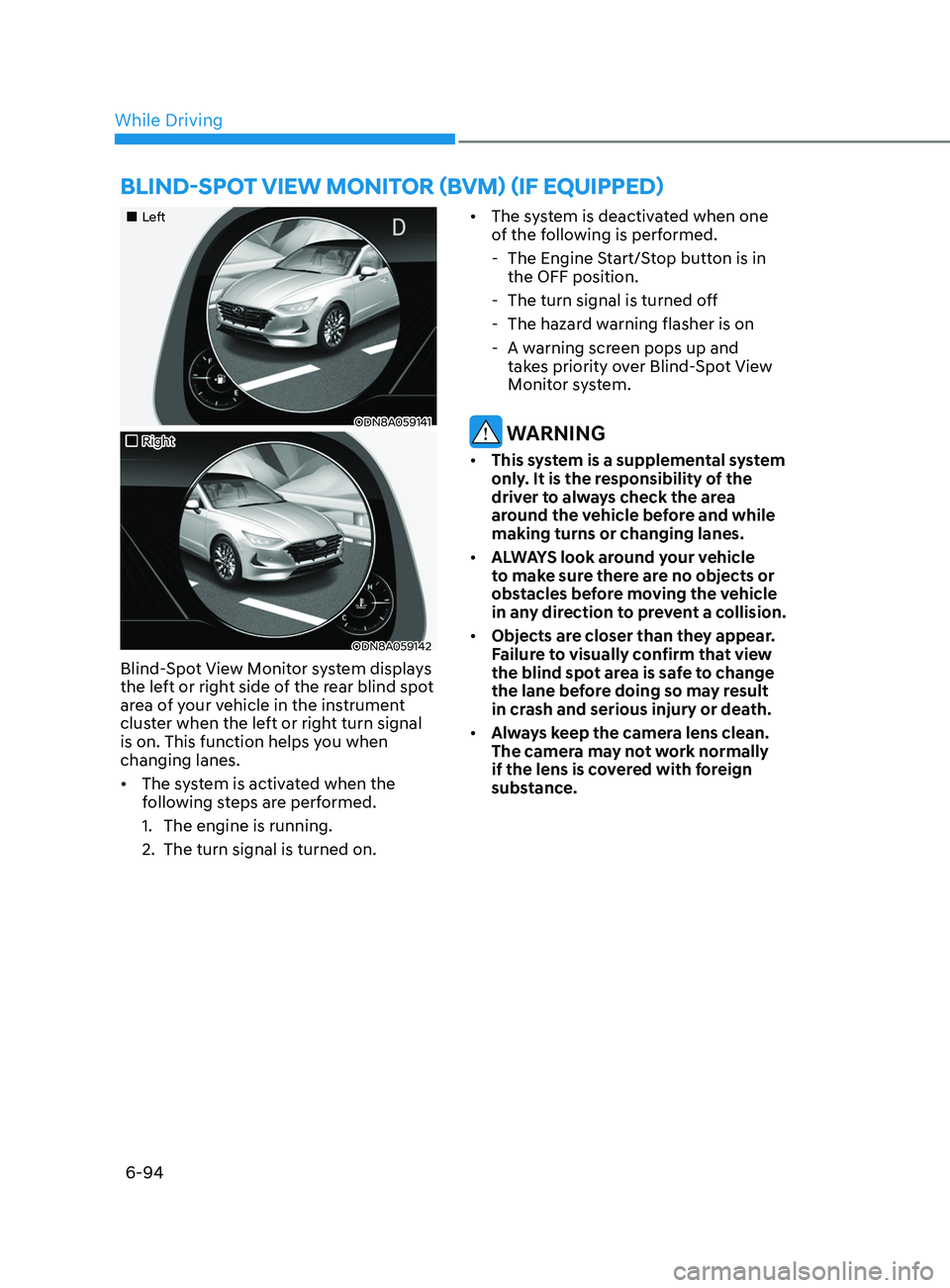
•„Left
ODN8A059141
•„Right
ODN8A059142
Blind-Spot View Monitor system displays
the left or right side of the rear blind spot
area of your vehicle in the instrument
cluster when the left or right turn signal
is on. This function helps you when
changing lanes.
• The system is activated when the
following steps are performed.
1.
The engine is running.
2.
The turn signal is turned on. •
The s
ystem is deactivated when one
of the following is performed.
- The E
ngine Start/Stop button is in
the OFF position.
- The turn signal is turned o
ff
- The hazar
d warning flasher is on
- A w
arning screen pops up and
takes priority over Blind-Spot View
Monitor system.
WARNING
• This system is a supplemental system
only. It is the responsibility of the
driver to always check the area
around the vehicle before and while
making turns or changing lanes.
• ALWAYS look around your vehicle
to make sure there are no objects or
obstacles before moving the vehicle
in any direction to prevent a collision.
• Objects are closer than they appear.
Failure to visually confirm that view
the blind spot area is safe to change
the lane before doing so may result
in crash and serious injury or death.
• Always keep the camera lens clean.
The camera may not work normally
if the lens is covered with foreign
substance.
BlInd-Spot vIew monItor (Bvm ) ( I f equ I pped)
While Driving
Page 384 of 546
6-100
• The vehicle is stopped for more than
5 minutes.
• The vehicle stops and goes repeatedly
for a long period of time.
• The accelerator pedal is continuously
depressed for a long period of time.
• The accelerator pedal is continuously
depressed for more than one minute.
• The engine performance is abnormal.
• Engine rpm is in the red zone.
• The driver starts driving by pushing
the toggle switch up (RES+)/down
(SET-) or depressing the accelerator
pedal, after the vehicle is stopped by
Smart Cruise Control system with no
other vehicle ahead.
• The driver starts driving by pushing
the toggle switch up (RES+)/down
(SET-) or depressing the accelerator
pedal, after stopping the vehicle with
a vehicle stopped far away in front.
• Forward Collision-Avoidance Assist is
activated.
• The engine speed is in dangerous
range.
• When engine is stopped by ISG (Idle
Stop & Go).
Each of these actions will cancel the
Smart Cruise Control operation. The Set
Speed and Vehicle-to-Vehicle Distance
on the LCD display will go off.
In a condition Smart Cruise Control is
cancelled automatically, Smart Cruise
Control will not resume even though the
RES+ or SET- toggle switch is pushed. Information
If Smart Cruise Control is cancelled by
other than the reasons mentioned, have
the vehicle inspected by an authorized
HYUNDAI dealer.
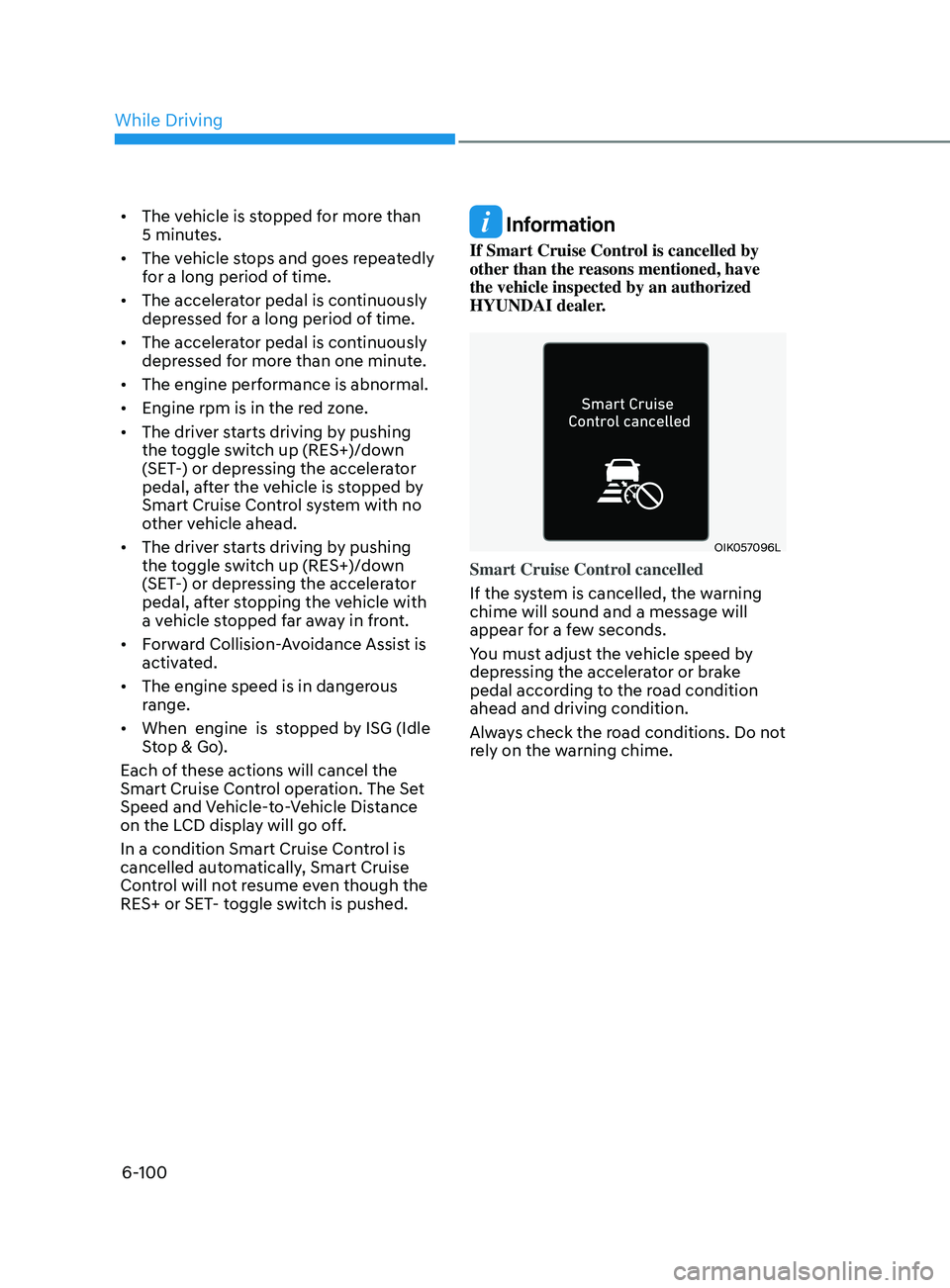
OIK057096L
Smart Cruise Control cancelled
If the system is cancelled, the warning
chime will sound and a message will
appear for a few seconds.
You must adjust the vehicle speed by
depressing the accelerator or brake
pedal according to the road condition
ahead and driving condition.
Always check the road conditions. Do not
rely on the warning chime.
While Driving
Page 389 of 546
06
6-105
CAUTION
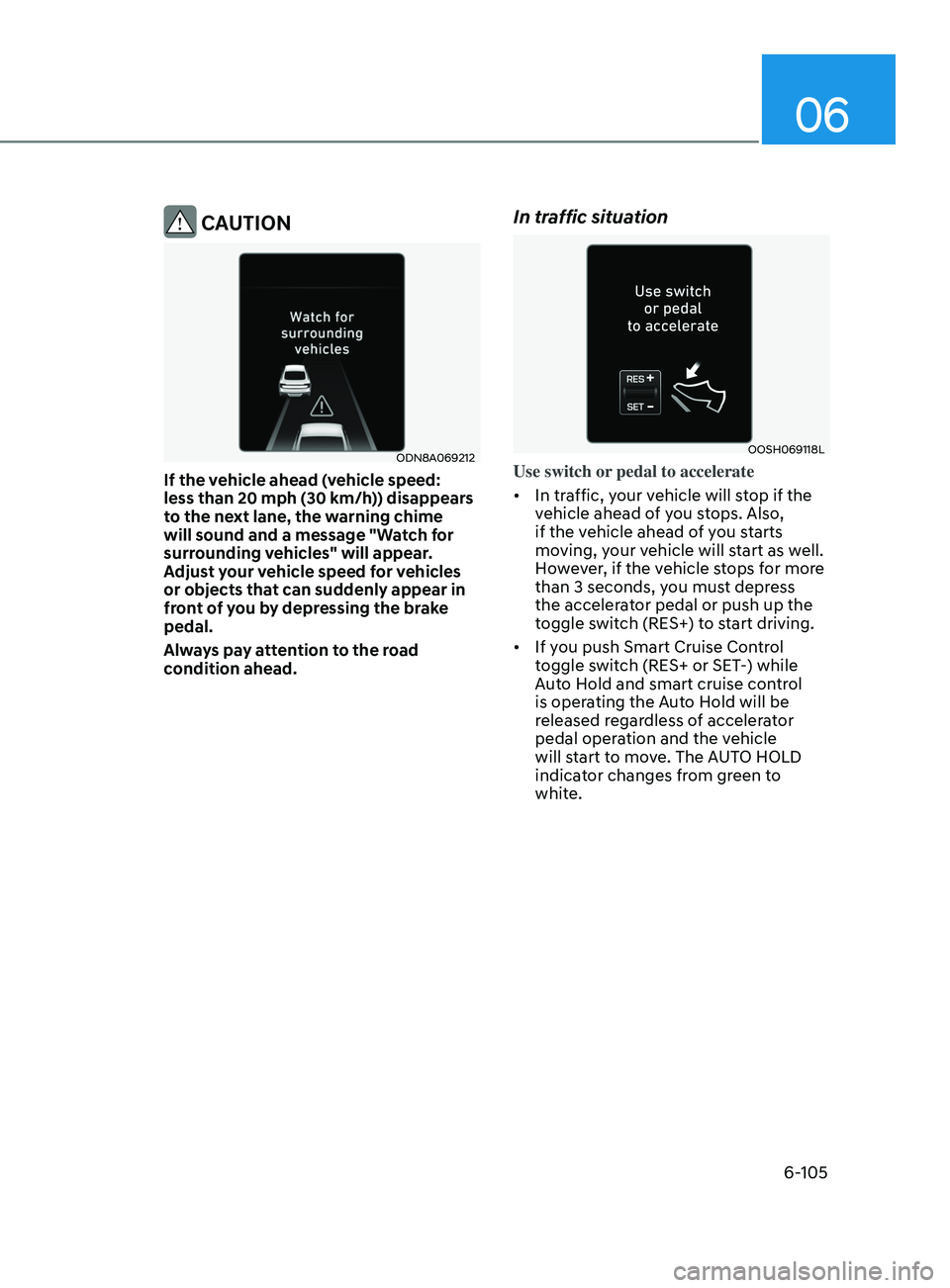
ODN8A069212
If the vehicle ahead (vehicle speed:
less than 20 mph (30 km/h)) disappears
to the next lane, the warning chime
will sound and a message "Watch for
surrounding vehicles" will appear.
Adjust your vehicle speed for vehicles
or objects that can suddenly appear in
front of you by depressing the brake
pedal.
Always pay attention to the road
condition ahead.
In traffic situation
OOSH069118L
Use switch or pedal to accelerate
• In traffic, your vehicle will stop if the
vehicle ahead of you stops. Also,
if the vehicle ahead of you starts
moving, your vehicle will start as well.
However, if the vehicle stops for more
than 3 seconds, you must depress
the accelerator pedal or push up the
toggle switch (RES+) to start driving.
• If you push Smart Cruise Control
toggle switch (RES+ or SET-) while
Auto Hold and smart cruise control
is operating the Auto Hold will be
released regardless of accelerator
pedal operation and the vehicle
will start to move. The AUTO HOLD
indicator changes from green to
white.
Page 397 of 546
06
6-113
System Setting and Operation
System setting
• With the Engine Start/Stop button in
the ON or START position, Navigation-
based Smart Cruise Control can
be activated by selecting 'Driver
Assistance
→ Highway Auto Curve
Slowdown' from the User Settings
mode on the infotainment system.
For detailed information, please refer
to the infotainment system manual
separately supplied.
• If the engine is turned off then on
again, the system maintains the last
setting.
Operating conditions
Select 'Highway Auto Curve Slowdown'
from the Settings menu in the
infotainment system screen and satisfy
the following conditions for the system
to operate.
• Driving on the highway main line
• Smart Cruise Control is operating
If all the mentioned conditions are
satisfied, the system is ENABLED and
the 'AUTO' symbol on the cluster will
illuminate white.
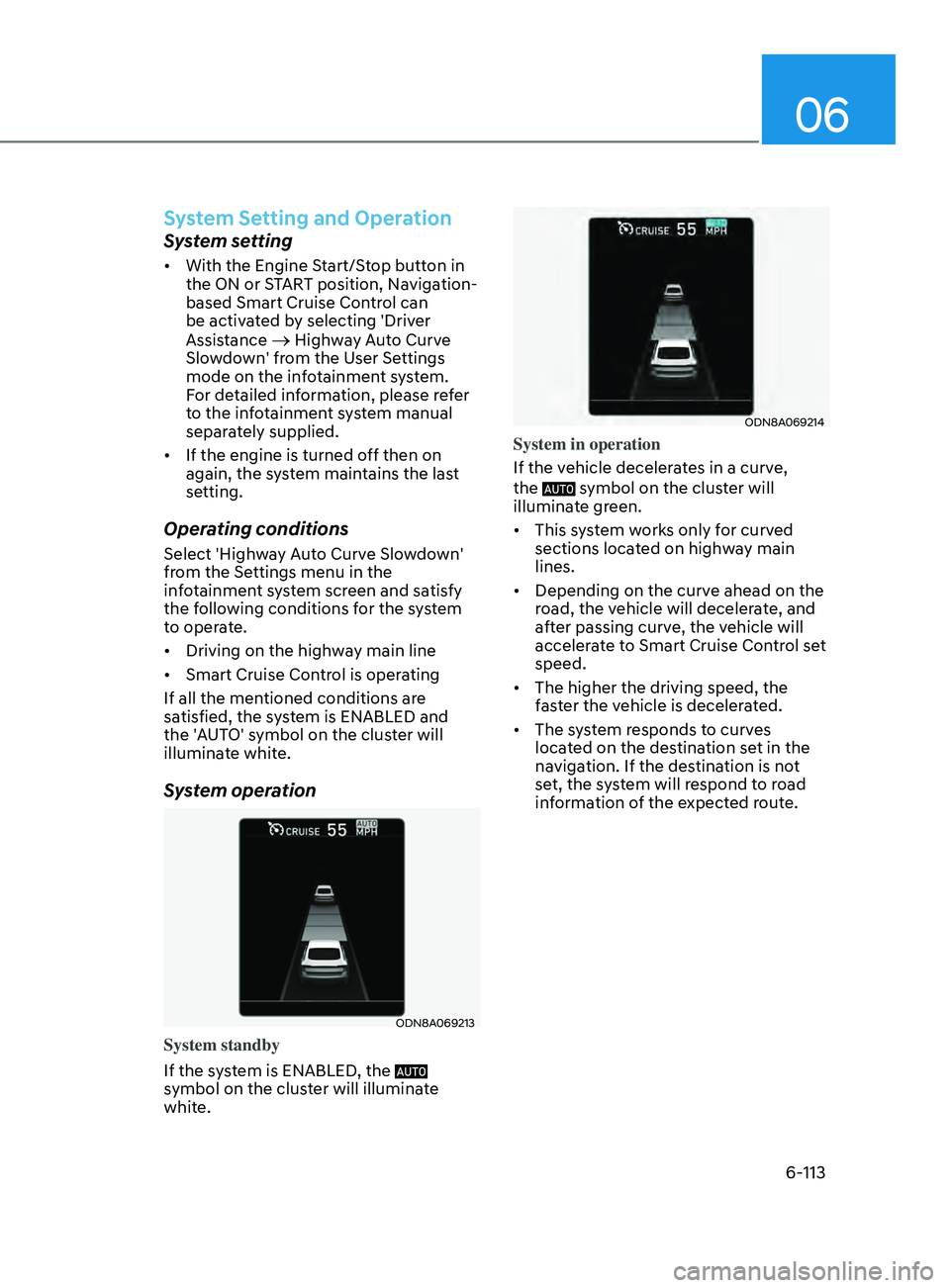
System operation
ODN8A069213
System standby
If the system is ENABLED, the
symbol on the cluster will illuminate
white.
ODN8A069214
System in operation
If the vehicle decelerates in a curve,
the
symbol on the cluster will
illuminate green.
• This system works only for curved
sections located on highway main
lines.
• Depending on the curve ahead on the
road, the vehicle will decelerate, and
after passing curve, the vehicle will
accelerate to Smart Cruise Control set
speed.
• The higher the driving speed, the
faster the vehicle is decelerated.
• The system responds to curves
located on the destination set in the
navigation. If the destination is not
set, the system will respond to road
information of the expected route.
Page 402 of 546
6-118
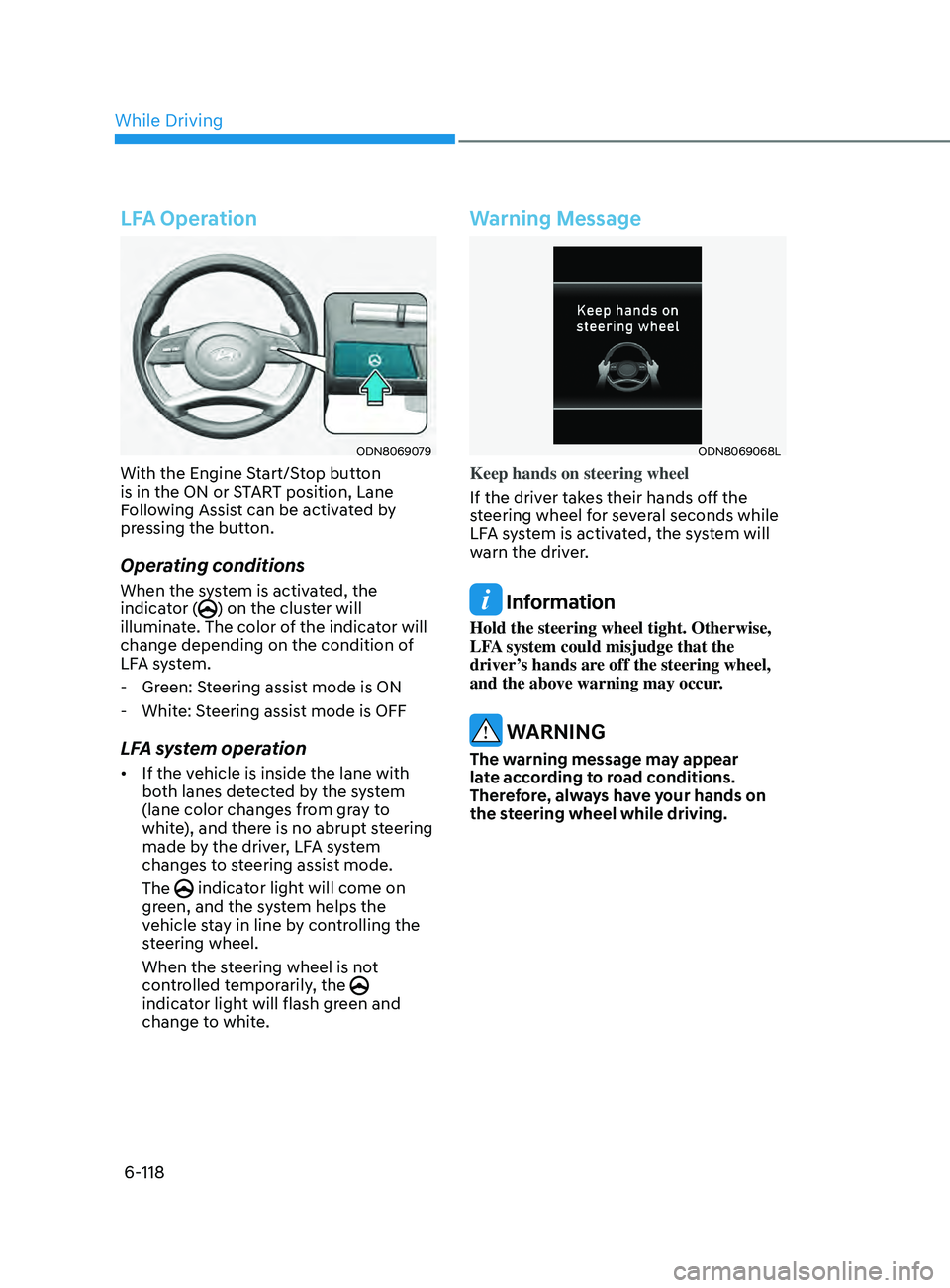
LFA Operation
ODN8069079
With the Engine Start/Stop button
is in the ON or START position, Lane
Following Assist can be activated by
pressing the button.
Operating conditions
When the system is activated, the
indicator () on the cluster will
illuminate. The color of the indicator will
change depending on the condition of
LFA system.
- Gr
een: Steering assist mode is ON
- Whit
e: Steering assist mode is OFF
LFA system operation
• If the vehicle is inside the lane with
both lanes detected by the system
(lane color changes from gray to
white), and there is no abrupt steering
made by the driver, LFA system
changes to steering assist mode.
The
indicator light will come on
green, and the system helps the
vehicle stay in line by controlling the
steering wheel.
When the steering wheel is not
controlled temporarily, the
indicator light will flash green and
change to white.
Warning Message
ODN8069068L
Keep hands on steering wheel
If the driver takes their hands off the
steering wheel for several seconds while
LFA system is activated, the system will
warn the driver.
Information
Hold the steering wheel tight. Otherwise,
LFA system could misjudge that the
driver’s hands are off the steering wheel,
and the above warning may occur.
WARNING
The warning message may appear
late according to road conditions.
Therefore, always have your hands on
the steering wheel while driving.
While Driving
Page 407 of 546
06
6-123
System Setting and Operation
System setting
• With the Engine Start/Stop button in
the ON or START position, Highway
Driving Assist can be activated
by selecting 'Driver Assistance
→
Highway Driving Assist’ from the User
Settings mode on the infotainment
system. For detailed information,
please refer to the infotainment
system manual separately supplied.
• If the engine is turned off then on
again, the system maintains the last
setting.
Operating conditions
Select 'Highway Driving Assist' from
the Settings menu in the infotainment
system screen and satisfy the following
conditions for the system to operate.
• Driving on the highway main line
• Smart Cruise Control is operating
- If Smart Cruise Con
trol is in the
READY state the Highway Driving
Assist will be in the READY state.
The
indicator on the cluster
will illuminate white.
• Vehicle speed is under 95 mph (153
km/h)
If all the mentioned conditions are
satisfied, the system is ENABLED and
the
indicator on the cluster will
illuminate green.
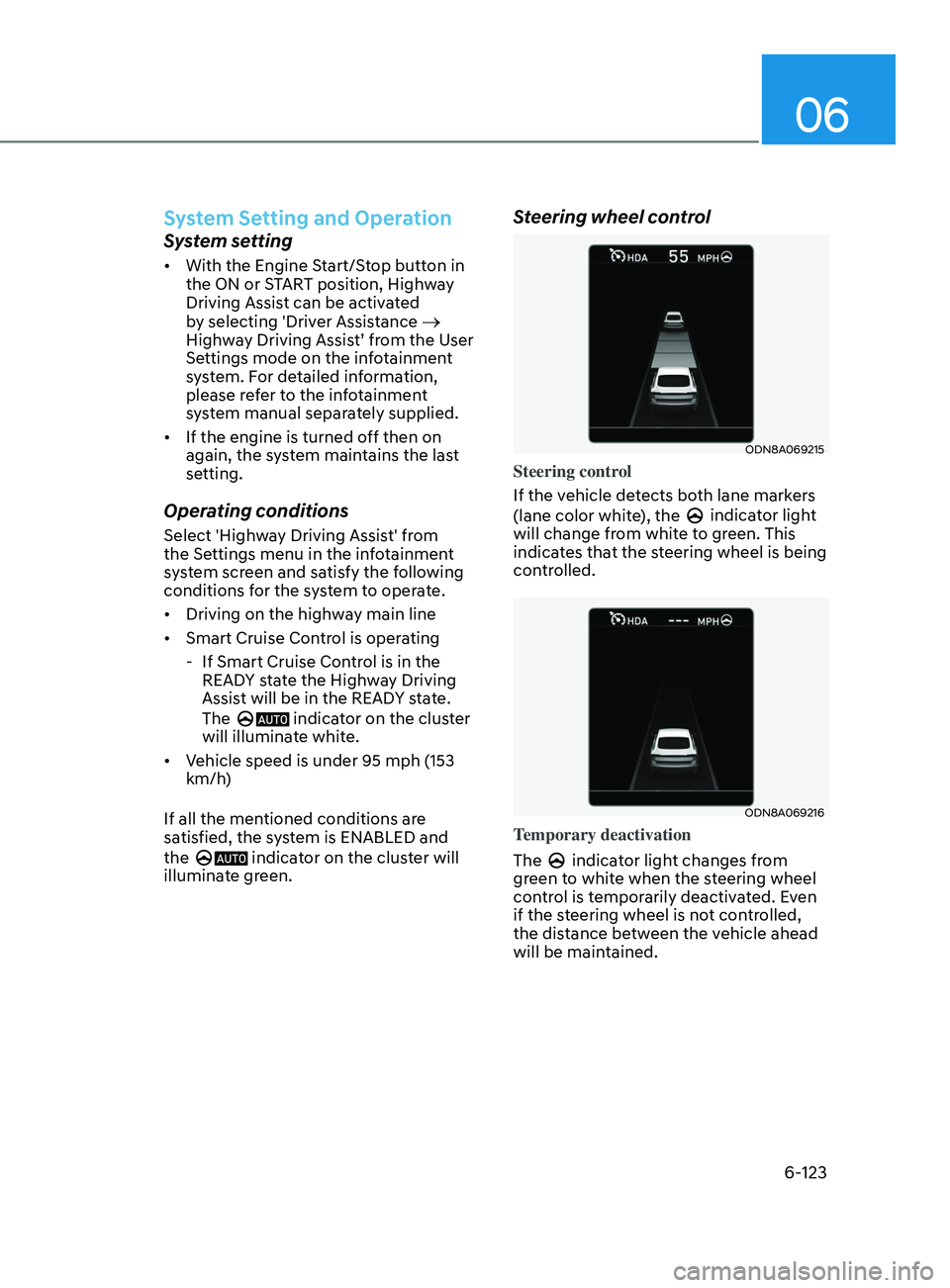
Steering wheel control
ODN8A069215
Steering control
If the vehicle detects both lane markers
(lane color white), the
indicator light
will change from white to green. This
indicates that the steering wheel is being
controlled.
ODN8A069216
Temporary deactivation
The
indicator light changes from
green to white when the steering wheel
control is temporarily deactivated. Even
if the steering wheel is not controlled,
the distance between the vehicle ahead
will be maintained.
Page 420 of 546
6-136
• The vehicle height gets lower or
higher due to heavy loading in a trunk,
abnormal tire pressure, etc.
• When the temperature of the rear
bumper is high.
• When the sensors are blocked by
other vehicles, walls or parking-lot
pillars.
• The vehicle drives on a curved road.
• The road pavement (or the peripheral
ground) abnormally contains metallic
components (i.e. possibly due to
subway construction).
• There is a fixed object near the
vehicle, such as a guardrail.
• While going down or up a steep
road where the height of the lane is
different.
• Driving on a narrow road where trees
or grass or overgrown.
• Driving in rural areas where the sensor
does not detect another vehicle for an
extended period of time.
• Driving on a wet road.
• Driving on a road where the guardrail
or wall is in double structure.
• A big vehicle is near such as a bus or
truck.
• When the other vehicle approaches
very close.
• When the other vehicle passes at a
very fast speed.
• While changing lanes. •
If the vehicle has started at the same
time as the vehicle next to you and
has accelerated.
• When the vehicle in the next lane
moves two lanes away from you or
when the vehicle two lanes away
moves to the next lane from you.
• A motorcycle or bicycle is near.
• A flat trailer is near.
• If there are small objects in the
detecting area such as a shopping
cart or a baby stroller.
• If there is a low height vehicle such as
a sports car.
• The brake pedal is depressed.
• ESC (Electronic Stability Control) is
activated.
• ESC (Electronic Stability Control)
malfunctions.
• The tire pressure is low or a tire is
damaged.
• The brake is reworked.
• The vehicle sharply stops.
• Temperature is extremely low around
the vehicle.
• The vehicle severely vibrates while
driving over a bumpy road, uneven/
bumpy road, or concrete patch.
• The vehicle drives on a slippery
surface due to snow, water puddle,
or ice.
• If the vehicle moves backward after
the vehicle is parked with a diagonal
line
While Driving