2021 HYUNDAI SANTA FE reverse
[x] Cancel search: reversePage 472 of 636
Driver assistance system
7-90
Rear view
Operating conditions
• Shift the gear to R (Reverse), the
image will appear on the screen.
• Press the Parking/View button (1)
while the gear is in P (Park), the image
will appear on the screen. However,
parking guidance is not displayed.
Off conditions
• The rear view cannot be turned off
when the gear is in R (Reverse).
• Press the Parking/View button (1)
again while the gear is in P (Park) with
the rear view on the screen, the rear
view will turn off.
• Shift the gear from R (Reverse) to P
(Park), the rear view will turn off.
Maintaining rear view
The rear view will maintain showing on
the screen to help you when parking.
However, parking guidance is not
displayed.
Operating conditions
Shift the gear from R (Reverse) to N
(Neutral) or D (Drive), the rear view will
appear on the screen.
Off conditions
• When vehicle speed is above 6 mph
(10 km/h), the rear view will turn off.
• Shift the gear to P (Park), the rear view
will turn off.
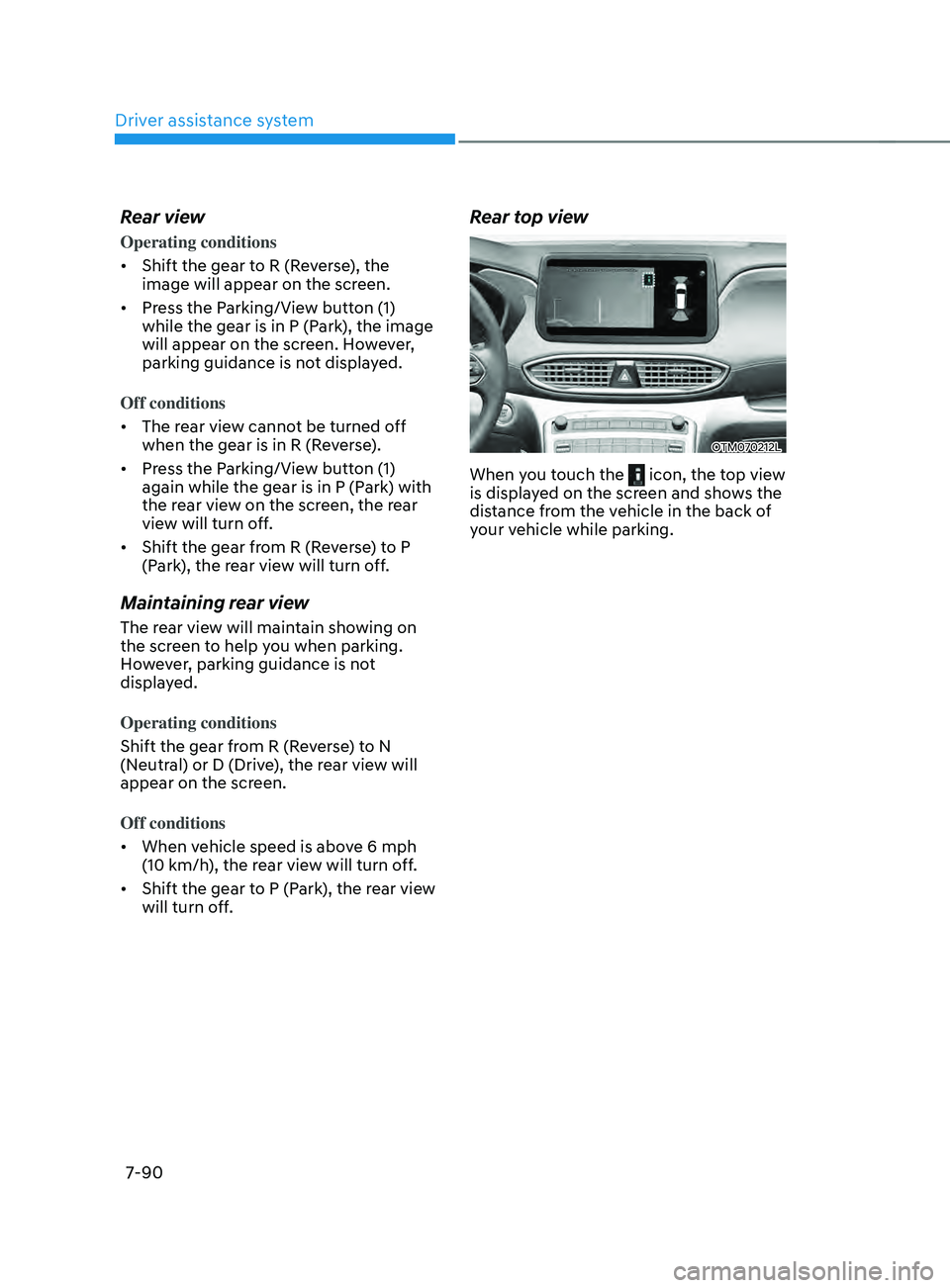
Rear top view
OTM070212L
When you touch the icon, the top view
is displayed on the screen and shows the
distance from the vehicle in the back of
your vehicle while parking.
Page 476 of 636
Driver assistance system
7-94
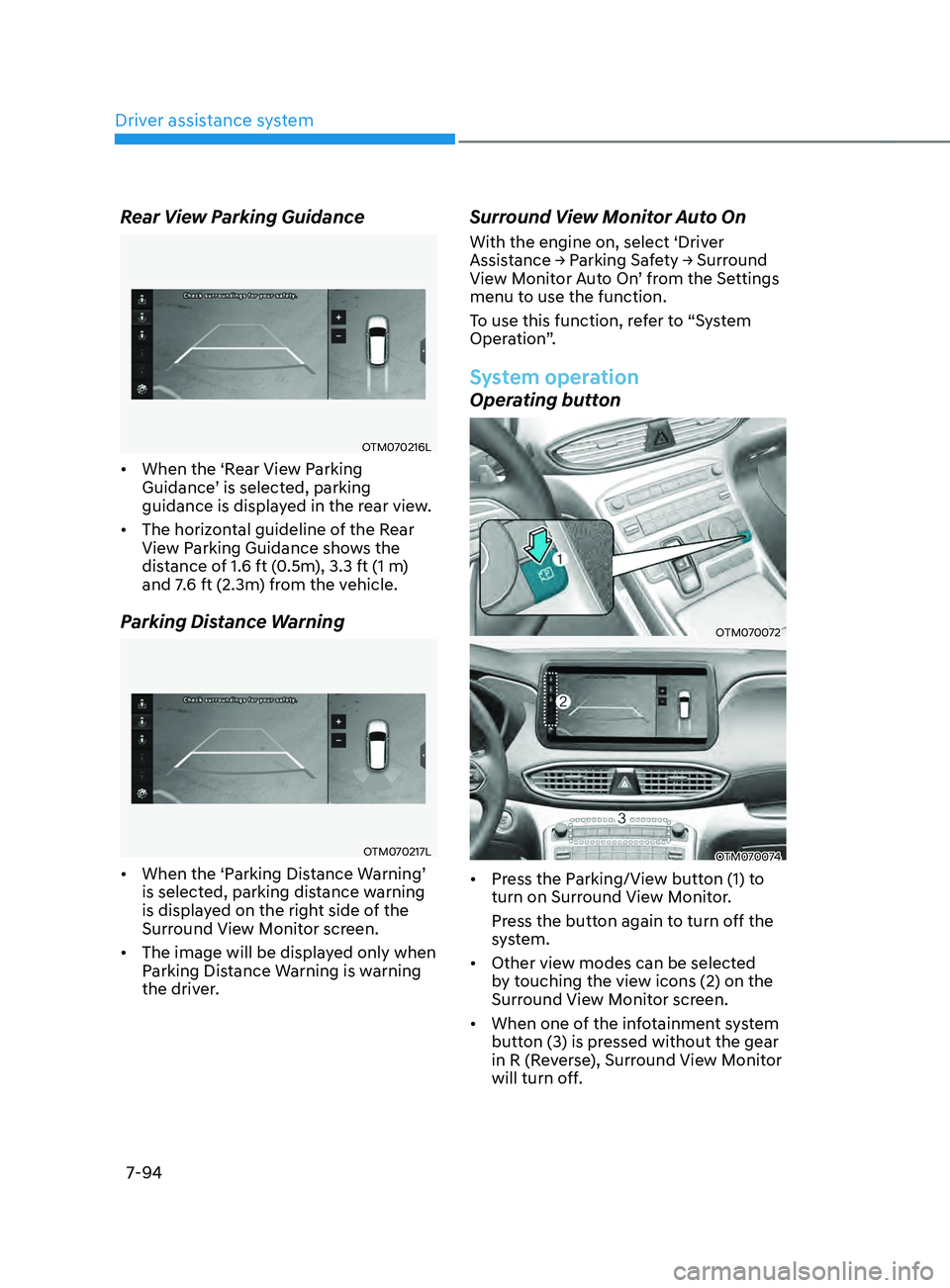
Rear View Parking Guidance
OTM070216L
• When the ‘Rear View Parking
Guidance’ is selected, parking
guidance is displayed in the rear view.
• The horizontal guideline of the Rear
View Parking Guidance shows the
distance of 1.6 ft (0.5m), 3.3 ft (1 m)
and 7.6 ft (2.3m) from the vehicle.
Parking Distance Warning
OTM070217L
• When the ‘Parking Distance Warning’
is selected, parking distance warning
is displayed on the right side of the
Surround View Monitor screen.
• The image will be displayed only when
Parking Distance Warning is warning
the driver.
Surround View Monitor Auto On
With the engine on, select ‘Driver
Assistance → P
arking Sa fety → Surr ound View M
onitor Auto On’ from the Settings
menu to use the function.
To use this function, refer to “System
Operation”.
System operation
Operating button
OTM070072
OTM070074
• Press the Parking/View button (1) to
turn on Surround View Monitor.
Press the button again to turn off the
system.
• Other view modes can be selected
by touching the view icons (2) on the
Surround View Monitor screen.
• When one of the infotainment system
button (3) is pressed without the gear
in R (Reverse), Surround View Monitor
will turn off.
Page 477 of 636
07
7-95
Front view
The front image is displayed on the
screen when the gear is in N (Neutral) or
D (Drive) to assist in parking. The front
view has a top view/front view/side view.
Operating conditions
• Front view function will operate when
the following conditions are satisfied:
- While the inf
otainment system
screen is being displayed, press the
Parking/View button (1) briefly when
the gear is in D (Drive) or N (Neutral)
and vehicle speed is below 9 mph
(15 km/h).
• Surround View Monitor Auto On
function will operate when the
following conditions are satisfied:
-With ‘Driv
er
Assis
tance
→ P
arking
Saf
ety
→ Surr
ound
Vie
w
M
onitor
Aut
o On’ selected from the Settings
menu, the front parking assist view
screen is displayed when Parking
Distance Warning warns the driver
while driving in D (Drive).
Off conditions
• Press the Parking/View button (1)
again, the image will turn off.
• When vehicle speed is above 9 mph
(15 km/h) with the gear in D (Drive),
Surround View Monitor will turn off
and the screen will change back to the
previous infotainment system screen.
Although you drive below 9 mph (15
km/h) again, Surround View Monitor
will not turn on.
• Press one of the infotainment system
button (3), the screen will change to
the infotainment system screen.
• Shift the gear to P (Park), the image
will turn off.
Rear view
The rear image is displayed on the screen
when the gear is in R (Revers) or P (Park)
to assist in parking. The rear view has a
top view/rear view/side view.
Operating conditions
• Shift the gear to R (Reverse), the
image will appear on the screen.
• Press the Parking/View button (1)
while the gear is in P (Park), the image
will appear on the screen. However,
parking guidance is not displayed.
Off conditions
• The image cannot be turned off when
the gear is in R (Reverse).
• Shift the gear from R (Reverse) to P
(Park), the image will turn off.
• Press the Parking/View button (1)
again while the gear is in P (Park) with
the image on the screen.
Page 482 of 636
Driver assistance system
7-100
• The system will operate when all the
following conditions are satisfied:
- The gear is shifted t
o R (Reverse)
- Vehicle speed is belo
w 5 mph (8
km/h)
- The approaching v
ehicle is within
approximately 82 ft. (25 m) from the
left or right side of your vehicle
- The speed of the v
ehicle
approaching from the left and right
is above 3 mph (5 km/h)
Information
If the operating conditions are satisfied,
there will be a warning whenever the
vehicle approaches from the left or right
side even though your vehicle speed is 0
mph (0 km/h).
OHY059034OTM070122N
OTM070076
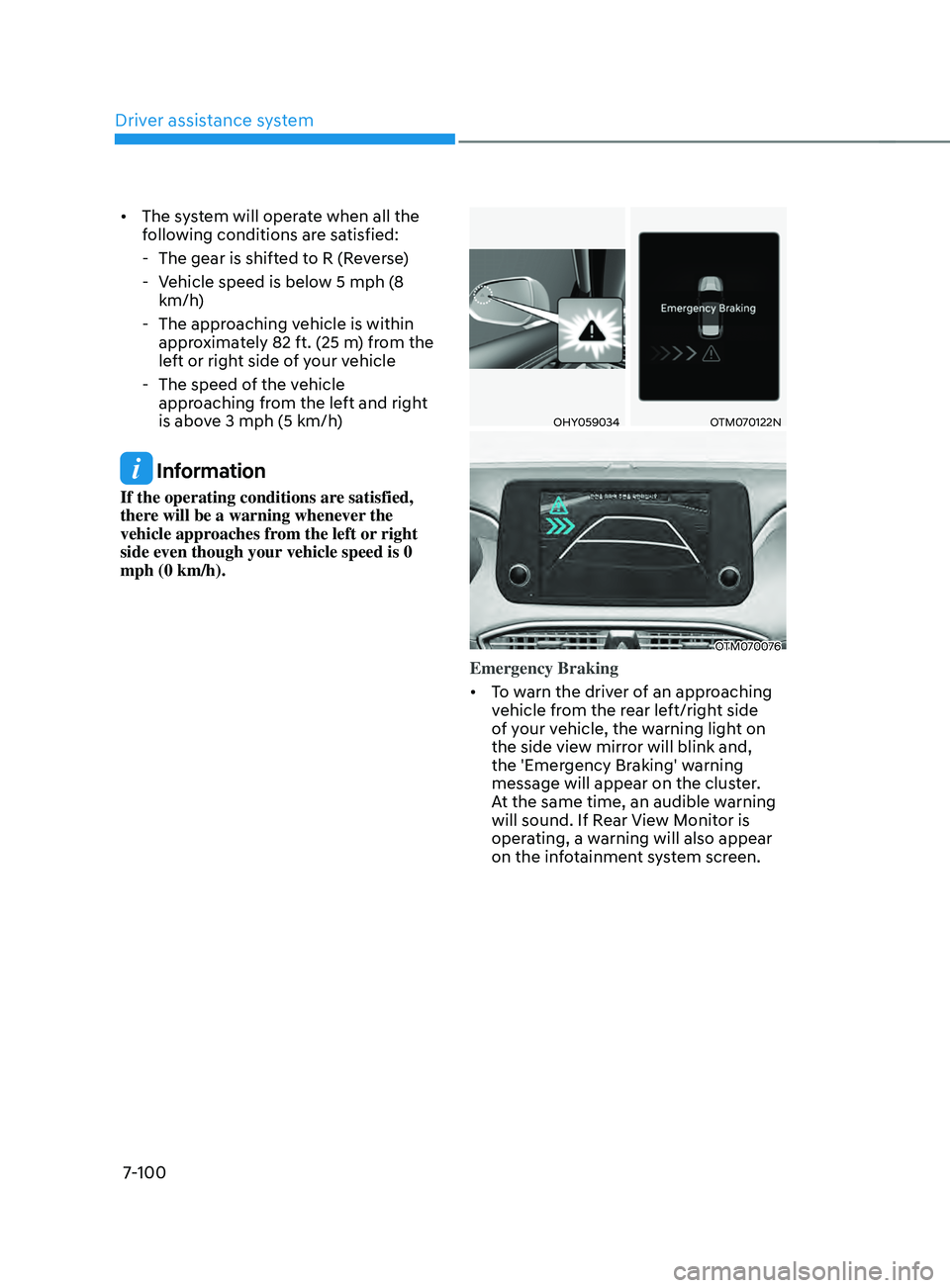
Emergency Braking
• To warn the driver of an approaching
vehicle from the rear left/right side
of your vehicle, the warning light on
the side view mirror will blink and,
the 'Emergency Braking' warning
message will appear on the cluster.
At the same time, an audible warning
will sound. If Rear View Monitor is
operating, a warning will also appear
on the infotainment system screen.
Page 483 of 636
07
7-101
• The system will operate when all the
following conditions are satisfied:
- The gear is shifted t
o R (Reverse)
- Vehicle speed is belo
w 5 mph (8
km/h)
- The approaching v
ehicle is within
approximately 5 ft. (1.5 m) from the
left or right side of your vehicle
- The speed of the v
ehicle
approaching from the left and right
is above 3 mph (5 km/h)
• Emergency braking will be assisted
to help prevent collision with
approaching vehicles from the left
and right.
WARNING
Brake control will end when:
-The approaching v
ehicle is out of the
detecting range
- The approaching v
ehicle passes
behind your vehicle
- The approaching v
ehicle does not
drive toward your vehicle
- The approaching v
ehicle speed slows
down
- The driver depr
esses the brake pedal
with sufficient power
OTM070169L
Stopping vehicle and ending brake control
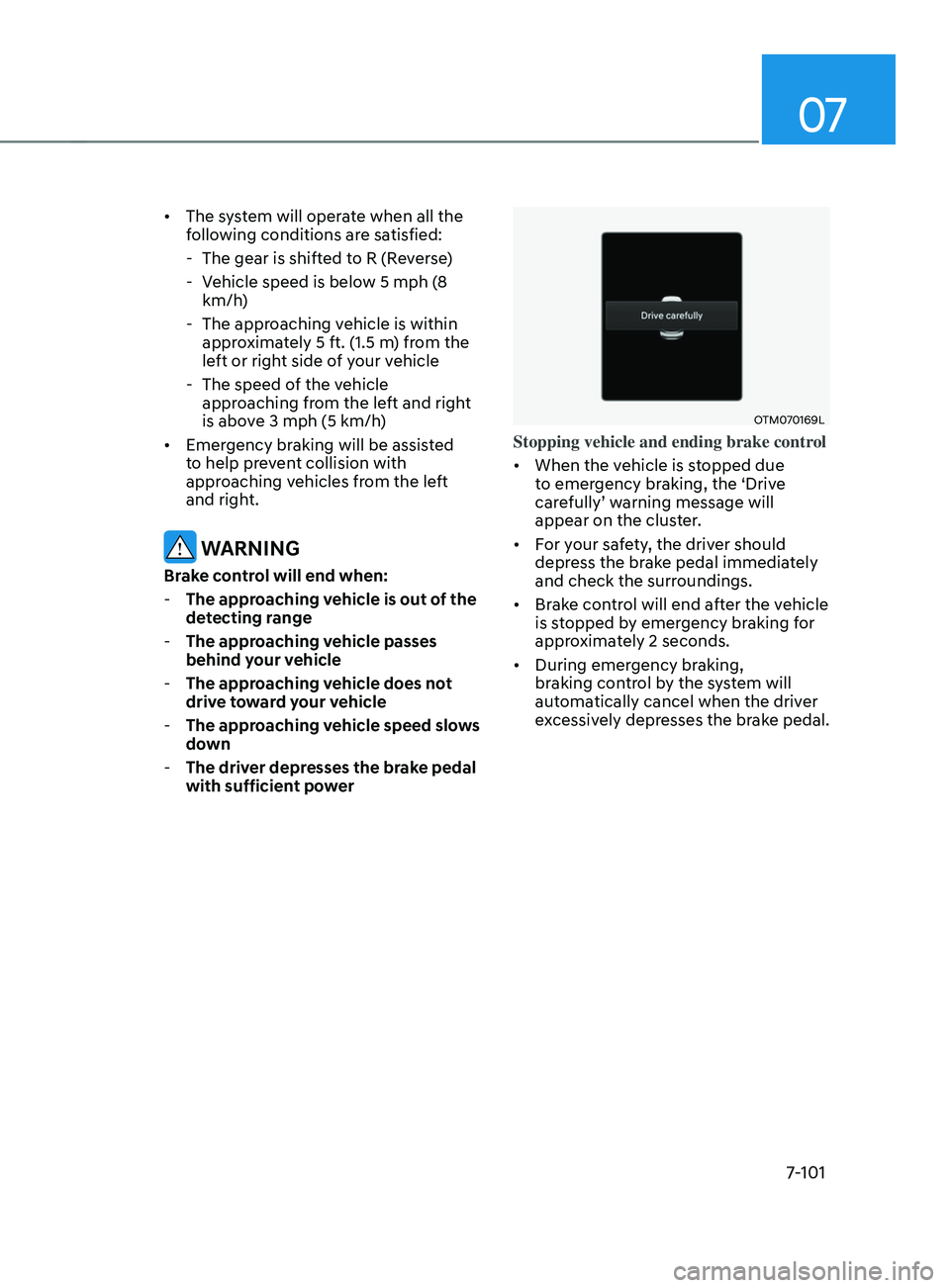
• When the vehicle is stopped due
to emergency braking, the ‘Drive
carefully’ warning message will
appear on the cluster.
• For your safety, the driver should
depress the brake pedal immediately
and check the surroundings.
• Brake control will end after the vehicle
is stopped by emergency braking for
approximately 2 seconds.
• During emergency braking,
braking control by the system will
automatically cancel when the driver
excessively depresses the brake pedal.
Page 484 of 636
Driver assistance system
7-102
WARNING
Take the following precautions when
using Rear Cross-Traffic Safety system:
• For your safety, change the Settings
after parking the vehicle at a safe
location.
• If any other system’s warning
message is displayed or audible
warning is generated, Rear Cross-
Traffic Safety system’s warning
message may not be displayed
and audible warning may not be
generated.
• You may not hear the warning sound
of Rear Cross-Traffic Safety system if
the surrounding is noisy.
• Rear Cross-Traffic Safety system may
not operate if the driver applies the
brake pedal to avoid collision.
• During Rear Cross-Traffic Safety
system operation, the vehicle may
stop suddenly injuring passengers
and shifting loose objects. Always
have the seat belt on and keep loose
objects secured.
• Even if there is a problem with Rear
Cross-Traffic Safety system, the
vehicle’s basic braking performance
will operate normally.
• Rear Cross-Traffic Safety system does
not operate in all situations or cannot
avoid all collisions.
• During emergency braking,
braking control by the system will
automatically cancel when the
driver excessively depresses the
accelerator pedal. •
The driver is solely responsible to
operate the vehicle in a safe manner.
Do not solely depend on Rear
Cross-Traffic Safety system. Rather,
maintain a safe braking distance, and
if necessary, depress the brake pedal
to reduce driving speed or to stop
the vehicle.
• Never deliberately operate Rear
Cross-Traffic Safety system on
people, animal, objects, etc. It may
cause serious injury or death.
CAUTION
The brake control may not operate
properly depending on the status of
ESC (Electronic Stability Control).
There will only be a warning when:
-The ESC (Electronic S
tability Control)
warning light is on
- ESC (Electronic S
tability Control) is
engaged in a different function
Information
• If the system assists you with braking,
the driver needs to pay attention as the
brake assist will end within 2 seconds.
The driver must immediately depress
the brake pedal and check vehicle
surroundings.
• Brake control will end when the
driver depresses the brake pedal with
sufficient power.
• After shifting the gear to R (Reverse),
braking control will operate once for
left and right vehicle approach.
Page 488 of 636
![HYUNDAI SANTA FE 2021 Owners Manual Driver assistance system
7-106
• Pulling into the parking space where
there is a structure
OJX1079115[A] : Structure, [B] :Wall
Rear Cross-Traffic Safety system
may detect vehicles passing by
in](/manual-img/35/41163/w960_41163-487.png "HYUNDAI SANTA FE 2021 Owners Manual Driver assistance system
7-106
• Pulling into the parking space where
there is a structure
OJX1079115[A] : Structure, [B] :Wall
Rear Cross-Traffic Safety system
may detect vehicles passing by
in")
Driver assistance system
7-106
• Pulling into the parking space where
there is a structure
OJX1079115[A] : Structure, [B] :Wall
Rear Cross-Traffic Safety system
may detect vehicles passing by
in front of you when parking in
reverse into a parking space with a
wall or structure in the rear or side
area. If this occurs, the system may
unnecessarily warn the driver and
control the brake.
Always check your surroundings
while backing up. •
When the vehicle is parked rearward
OJX1079116
Rear Cross-Traffic Safety system may
detect vehicles passing by behind
you when parking in reverse into
a parking space. If this occurs, the
system may unnecessarily warn the
driver and control the brake.
Always check your surroundings
while backing up.
WARNING
• When you are towing a trailer or
another vehicle, we recommend that
Rear Cross-Traffic Safety system is
turned off due to safety reasons.
• Rear Cross-Traffic Safety system may
not operate normally if interfered by
strong electromagnetic waves.
• Rear Cross-Traffic Safety system may
not operate for 3 seconds after the
vehicle is started, or the rear corner
radars are initialized.
Page 490 of 636
Driver assistance system7-108
REVERsE p ARkIng DIsTAnCE WARnIng (pD W) (IF
EQUI
ppED)
Reverse Parking Distance Warning will
help warn the driver if an obstacle is
detected within a certain distance when
the vehicle is moving in reverse at low
speeds.
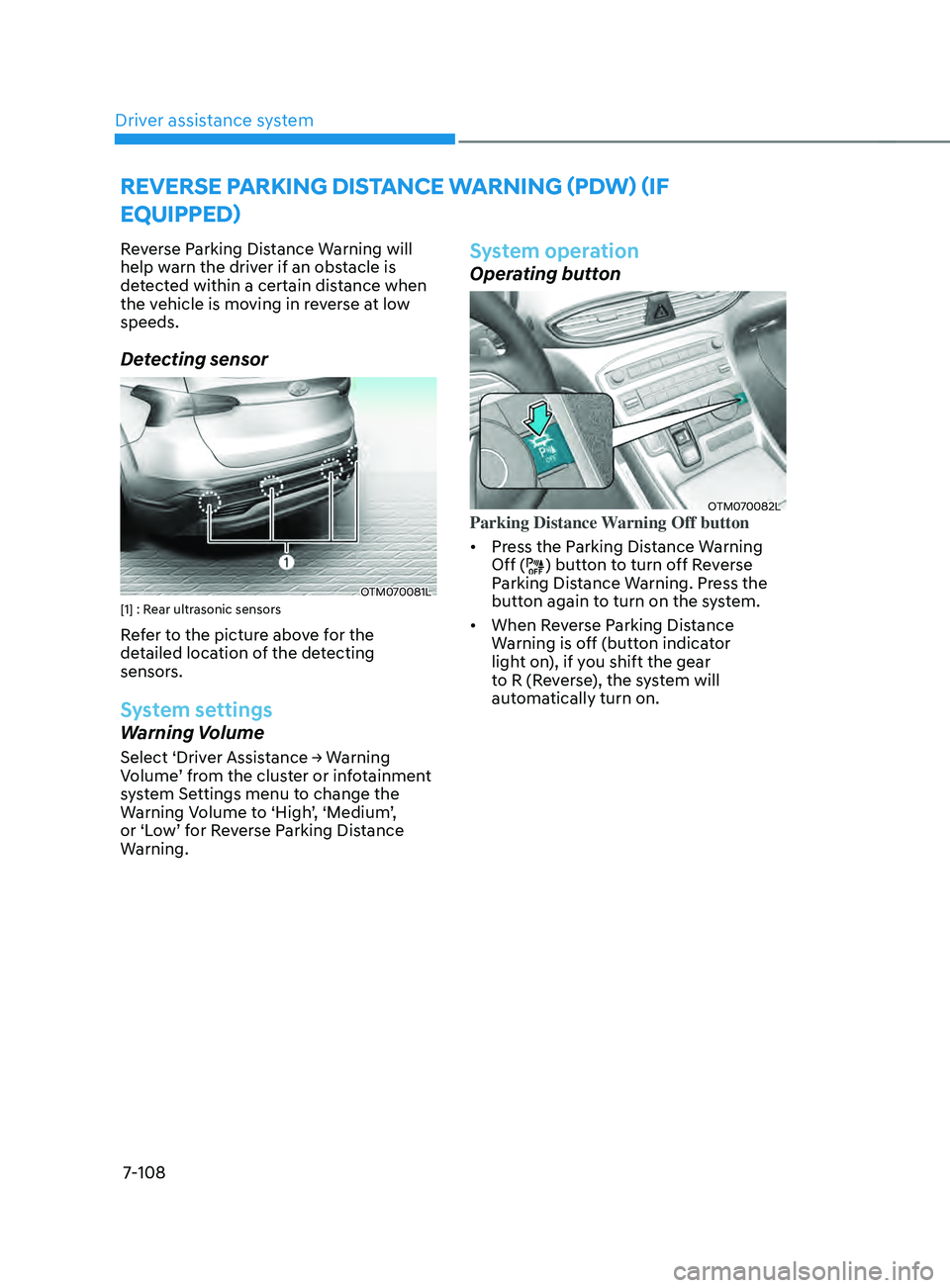
Detecting sensor
OTM070081L[1] : Rear ultrasonic sensors
Refer to the picture above for the
detailed location of the detecting
sensors.
System settings
Warning Volume
Select ‘Driver Assistance → Warning Volume ’ from the cluster or infotainment
system Settings menu to change the
Warning Volume to ‘High’, ‘Medium’,
or ‘Low’ for Reverse Parking Distance
Warning.
System operation
Operating button
OTM070082LParking Distance Warning Off button
• Press the Parking Distance Warning
Off (
) button to turn off Reverse
Parking Distance Warning. Press the
button again to turn on the system.
• When Reverse Parking Distance
Warning is off (button indicator
light on), if you shift the gear
to R (Reverse), the system will
automatically turn on.