2021 HYUNDAI KONA EV Battery conditioning
[x] Cancel search: Battery conditioningPage 204 of 478
3-120
Convenient features of your vehicle
Automatic Temperature
Control Mode
The Automatic Climate Control
System is controlled by setting the
desired temperature.
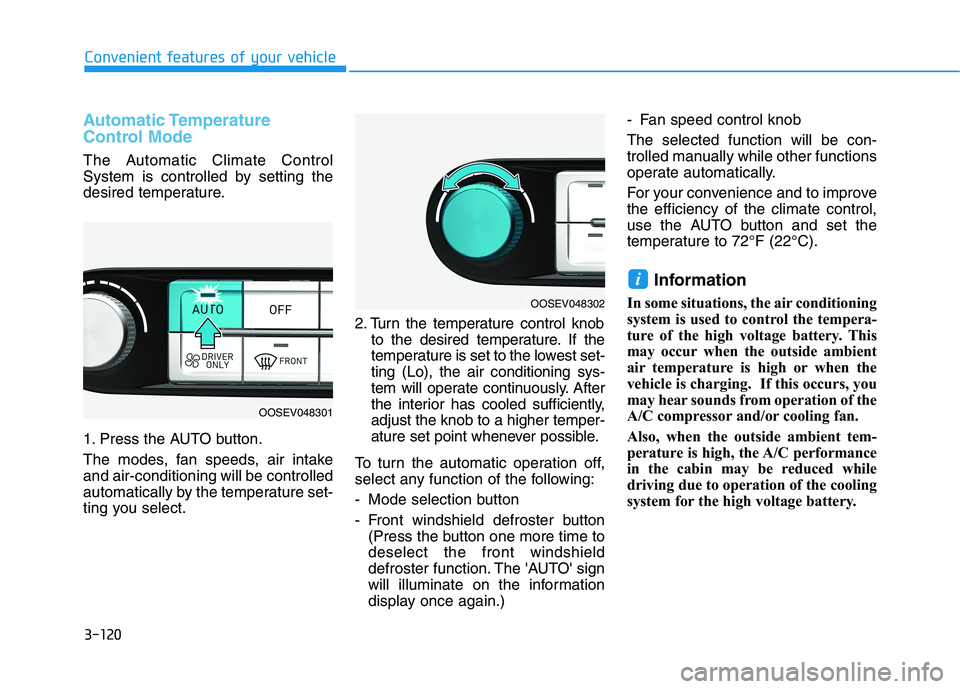
1. Press the AUTO button.
The modes, fan speeds, air intake
and air-conditioning will be controlled
automatically by the temperature set-
ting you select.2. Turn the temperature control knob
to the desired temperature. If the
temperature is set to the lowest set-
ting (Lo), the air conditioning sys-
tem will operate continuously. After
the interior has cooled sufficiently,
adjust the knob to a higher temper-
ature set point whenever possible.
To turn the automatic operation off,
select any function of the following:
- Mode selection button
- Front windshield defroster button
(Press the button one more time to
deselect the front windshield
defroster function. The 'AUTO' sign
will illuminate on the information
display once again.)- Fan speed control knob
The selected function will be con-
trolled manually while other functions
operate automatically.
For your convenience and to improve
the efficiency of the climate control,
use the AUTO button and set the
temperature to 72°F (22°C).
Information
In some situations, the air conditioning
system is used to control the tempera-
ture of the high voltage battery. This
may occur when the outside ambient
air temperature is high or when the
vehicle is charging. If this occurs, you
may hear sounds from operation of the
A/C compressor and/or cooling fan.
Also, when the outside ambient tem-
perature is high, the A/C performance
in the cabin may be reduced while
driving due to operation of the cooling
system for the high voltage battery.
i
OOSEV048302
OOSEV048301
Page 211 of 478
3-127
Convenient features of your vehicle
3
Air conditioning
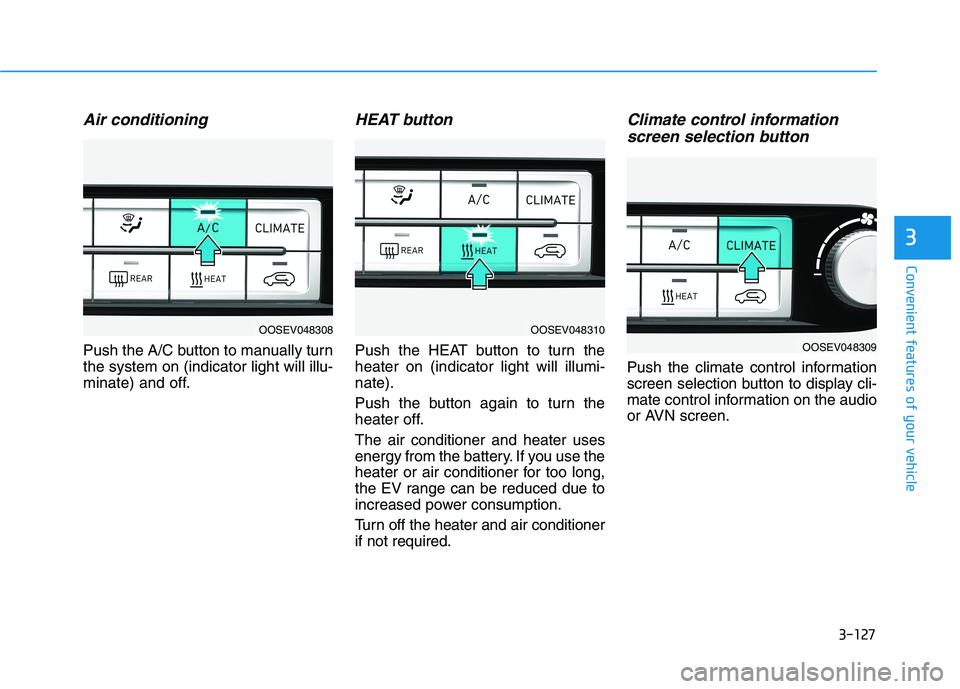
Push the A/C button to manually turn
the system on (indicator light will illu-
minate) and off.
HEAT button
Push the HEAT button to turn the
heater on (indicator light will illumi-
nate).
Push the button again to turn the
heater off.
The air conditioner and heater uses
energy from the battery. If you use the
heater or air conditioner for too long,
the EV range can be reduced due to
increased power consumption.
Turn off the heater and air conditioner
if not required.
Climate control information
screen selection button
Push the climate control information
screen selection button to display cli-
mate control information on the audio
or AVN screen.
OOSEV048308OOSEV048310
OOSEV048309
Page 217 of 478
3-133
Convenient features of your vehicle
3
To Defrost Outside Windshield
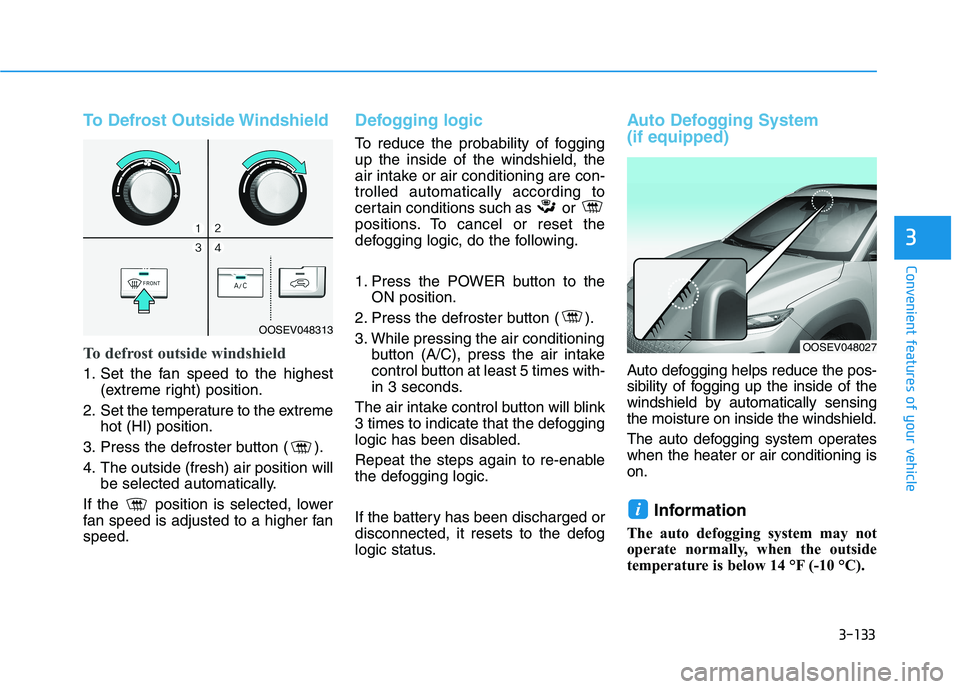
To defrost outside windshield
1. Set the fan speed to the highest
(extreme right) position.
2. Set the temperature to the extreme
hot (HI) position.
3. Press the defroster button ( ).
4. The outside (fresh) air position will
be selected automatically.
If the position is selected, lower
fan speed is adjusted to a higher fan
speed.
Defogging logic
To reduce the probability of fogging
up the inside of the windshield, the
air intake or air conditioning are con-
trolled automatically according to
certain conditions such as or
positions. To cancel or reset the
defogging logic, do the following.
1. Press the POWER button to the
ON position.
2. Press the defroster button ( ).
3. While pressing the air conditioning
button (A/C), press the air intake
control button at least 5 times with-
in 3 seconds.
The air intake control button will blink
3 times to indicate that the defogging
logic has been disabled.
Repeat the steps again to re-enable
the defogging logic.
If the battery has been discharged or
disconnected, it resets to the defog
logic status.
Auto Defogging System
(if equipped)
Auto defogging helps reduce the pos-
sibility of fogging up the inside of the
windshield by automatically sensing
the moisture on inside the windshield.
The auto defogging system operates
when the heater or air conditioning is
on.
Information
The auto defogging system may not
operate normally, when the outside
temperature is below 14 °F (-10 °C).
i
OOSEV048313
OOSEV048027
Page 364 of 478
6-5
What to do in an emergency
6
Pb
Information
An inappropriately disposed
battery can be harmful to the
environment and human
health. Dispose of the battery
according to your local law(s)
or regulations.
To prevent damage to your vehi-
cle:
Only use a 12-volt power supply
(battery or jumper system) to
jump start your vehicle.
Do not attempt to jump start
your vehicle by push-starting.
Jump starting procedure
1. Position the vehicles close enough
that the jumper cables will reach,
but do not allow the vehicles to
touch.
2. Avoid fans or any moving parts in
the motor compartment at all
times, even when the vehicles are
turned off.
3. Turn off all electrical devices such
as radios, lights, air conditioning,
etc. Put the vehicles in P (Park)
and set the parking brakes. Turn
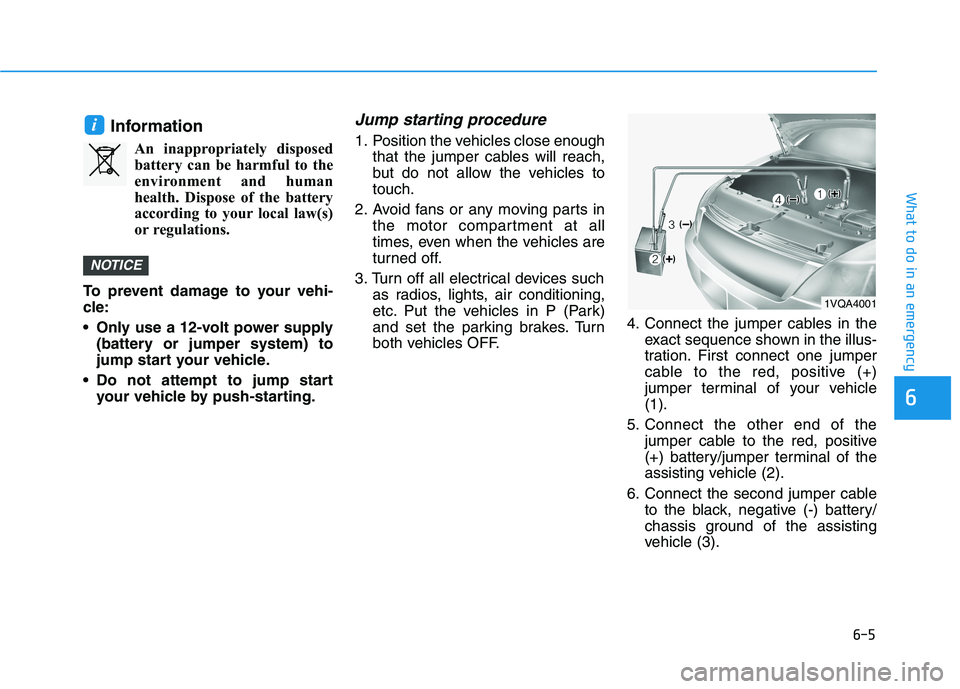
both vehicles OFF.4. Connect the jumper cables in the
exact sequence shown in the illus-
tration. First connect one jumper
cable to the red, positive (+)
jumper terminal of your vehicle
(1).
5. Connect the other end of the
jumper cable to the red, positive
(+) battery/jumper terminal of the
assisting vehicle (2).
6. Connect the second jumper cable
to the black, negative (-) battery/
chassis ground of the assisting
vehicle (3).
NOTICE
i
1VQA4001
Page 388 of 478
7-6
Maintenance
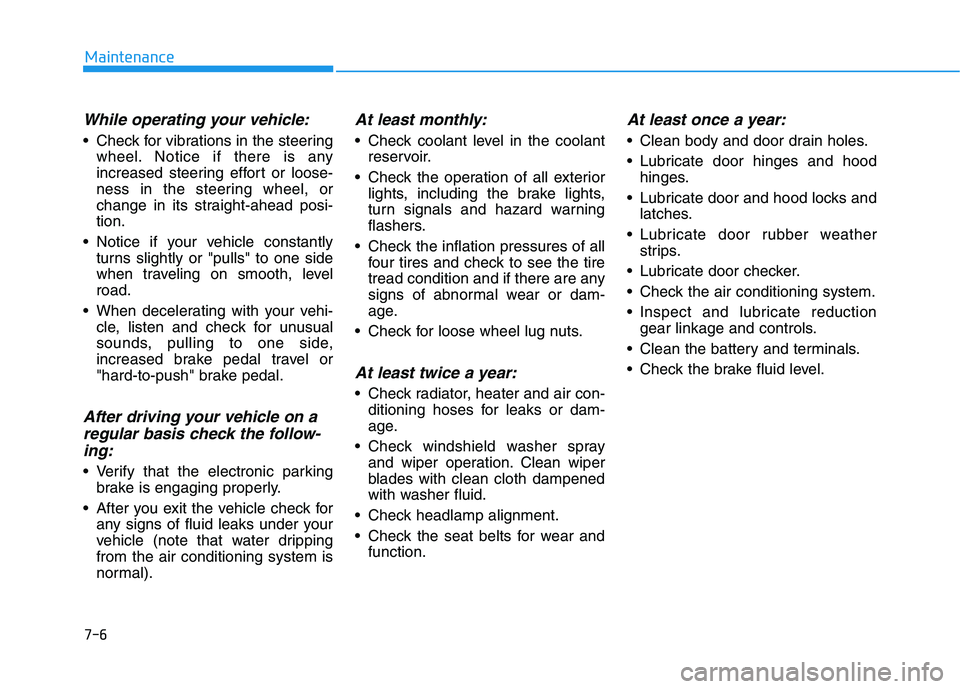
While operating your vehicle:
Check for vibrations in the steering
wheel. Notice if there is any
increased steering effort or loose-
ness in the steering wheel, or
change in its straight-ahead posi-
tion.
Notice if your vehicle constantly
turns slightly or "pulls" to one side
when traveling on smooth, level
road.
When decelerating with your vehi-
cle, listen and check for unusual
sounds, pulling to one side,
increased brake pedal travel or
"hard-to-push" brake pedal.
After driving your vehicle on a
regular basis check the follow-
ing:
Verify that the electronic parking
brake is engaging properly.
After you exit the vehicle check for
any signs of fluid leaks under your
vehicle (note that water dripping
from the air conditioning system is
normal).
At least monthly:
Check coolant level in the coolant
reservoir.
Check the operation of all exterior
lights, including the brake lights,
turn signals and hazard warning
flashers.
Check the inflation pressures of all
four tires and check to see the tire
tread condition and if there are any
signs of abnormal wear or dam-
age.
Check for loose wheel lug nuts.
At least twice a year:
Check radiator, heater and air con-
ditioning hoses for leaks or dam-
age.
Check windshield washer spray
and wiper operation. Clean wiper
blades with clean cloth dampened
with washer fluid.
Check headlamp alignment.
Check the seat belts for wear and
function.
At least once a year:
Clean body and door drain holes.
Lubricate door hinges and hood
hinges.
Lubricate door and hood locks and
latches.
Lubricate door rubber weather
strips.
Lubricate door checker.
Check the air conditioning system.
Inspect and lubricate reduction
gear linkage and controls.
Clean the battery and terminals.
Check the brake fluid level.
Page 433 of 478
7-51
7
Maintenance
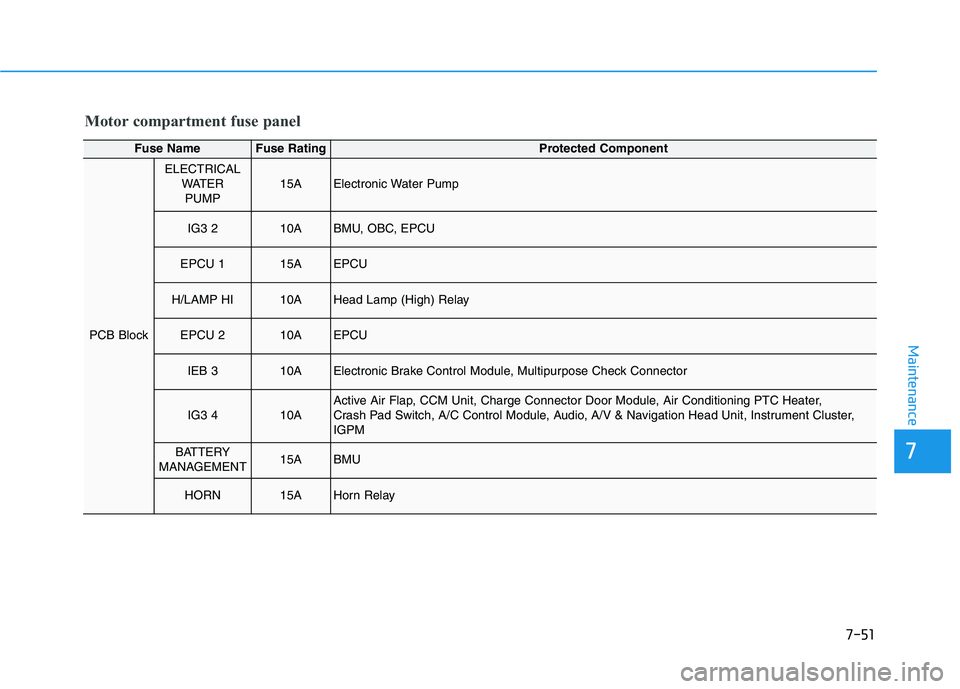
Motor compartment fuse panel
Fuse NameFuse RatingProtected Component
PCB Block
ELECTRICAL
WATER
PUMP15AElectronic Water Pump
IG3 210ABMU, OBC, EPCU
EPCU 115AEPCU
H/LAMP HI10AHead Lamp (High) Relay
EPCU 210AEPCU
IEB 310AElectronic Brake Control Module, Multipurpose Check Connector
IG3 410AActive Air Flap, CCM Unit, Charge Connector Door Module, Air Conditioning PTC Heater,
Crash Pad Switch, A/C Control Module, Audio, A/V & Navigation Head Unit, Instrument Cluster,
IGPM
BATTERY
MANAGEMENT15ABMU
HORN15AHorn Relay
Page 466 of 478
I-2
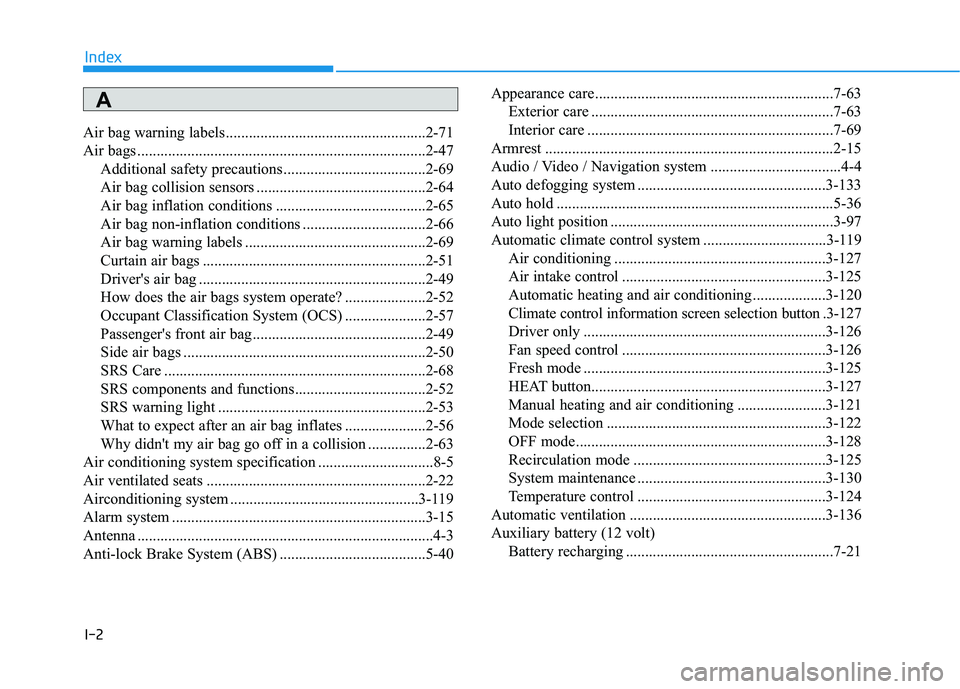
Air bag warning labels ....................................................2-71
Air bags ...........................................................................2-47
Additional safety precautions .....................................2-69
Air bag collision sensors ............................................2-64
Air bag inflation conditions .......................................2-65
Air bag non-inflation conditions ................................2-66
Air bag warning labels ...............................................2-69
Curtain air bags ..........................................................2-51
Driver's air bag ...........................................................2-49
How does the air bags system operate? .....................2-52
Occupant Classification System (OCS) .....................2-57
Passenger's front air bag.............................................2-49
Side air bags ...............................................................2-50
SRS Care ....................................................................2-68
SRS components and functions..................................2-52
SRS warning light ......................................................2-53
What to expect after an air bag inflates .....................2-56
Why didn't my air bag go off in a collision ...............2-63
Air conditioning system specification ..............................8-5
Air ventilated seats .........................................................2-22
Airconditioning system .................................................3-119
Alarm system ..................................................................3-15
Antenna .............................................................................4-3
Anti-lock Brake System (ABS) ......................................5-40Appearance care..............................................................7-63
Exterior care ...............................................................7-63
Interior care ................................................................7-69
Armrest ...........................................................................2-15
Audio / Video / Navigation system ..................................4-4
Auto defogging system .................................................3-133
Auto hold ........................................................................5-36
Auto light position ..........................................................3-97
Automatic climate control system ................................3-119
Air conditioning .......................................................3-127
Air intake control .....................................................3-125
Automatic heating and air conditioning ...................3-120
Climate control information screen selection button .3-127
Driver only ...............................................................3-126
Fan speed control .....................................................3-126
Fresh mode ...............................................................3-125
HEAT button.............................................................3-127
Manual heating and air conditioning .......................3-121
Mode selection .........................................................3-122
OFF mode.................................................................3-128
Recirculation mode ..................................................3-125
System maintenance .................................................3-130
Temperature control .................................................3-124
Automatic ventilation ...................................................3-136
Auxiliary battery (12 volt)
Battery recharging ......................................................7-21
Index
A