Page 157 of 478
3-73
Convenient features of your vehicle
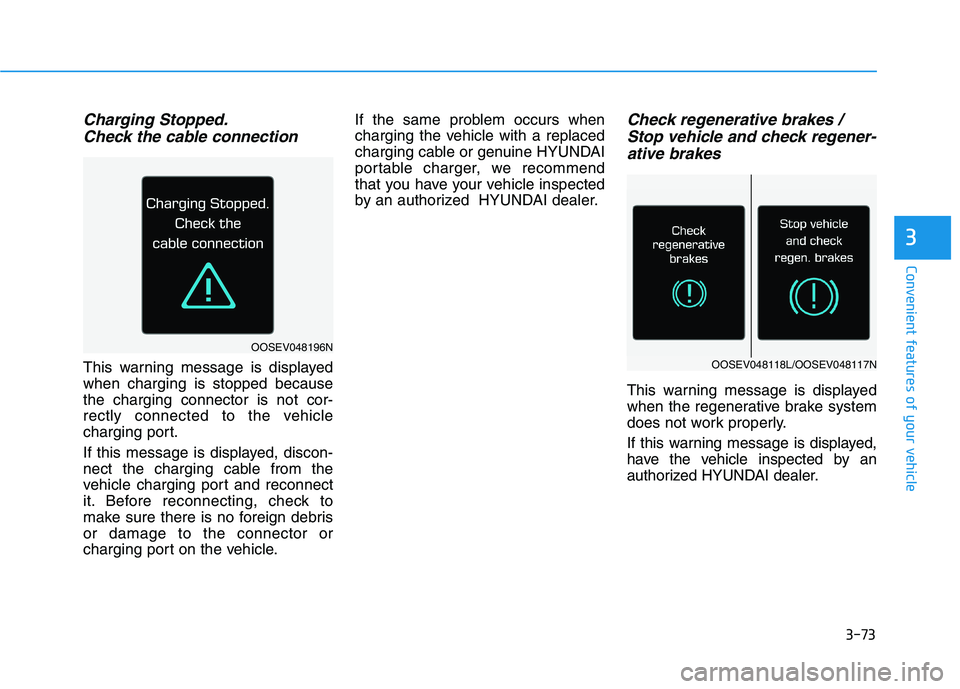
Charging Stopped.
Check the cable connection
This warning message is displayed
when charging is stopped because
the charging connector is not cor-
rectly connected to the vehicle
charging port.
If this message is displayed, discon-
nect the charging cable from the
vehicle charging port and reconnect
it. Before reconnecting, check to
make sure there is no foreign debris
or damage to the connector or
charging port on the vehicle.If the same problem occurs when
charging the vehicle with a replaced
charging cable or genuine HYUNDAI
portable charger, we recommend
that you have your vehicle inspected
by an authorized HYUNDAI dealer.
Check regenerative brakes /
Stop vehicle and check regener-
ative brakes
This warning message is displayed
when the regenerative brake system
does not work properly.
If this warning message is displayed,
have the vehicle inspected by an
authorized HYUNDAI dealer.
3
OOSEV048196N
OOSEV048118L/OOSEV048117N
Page 166 of 478
3-82
Convenient features of your vehicle
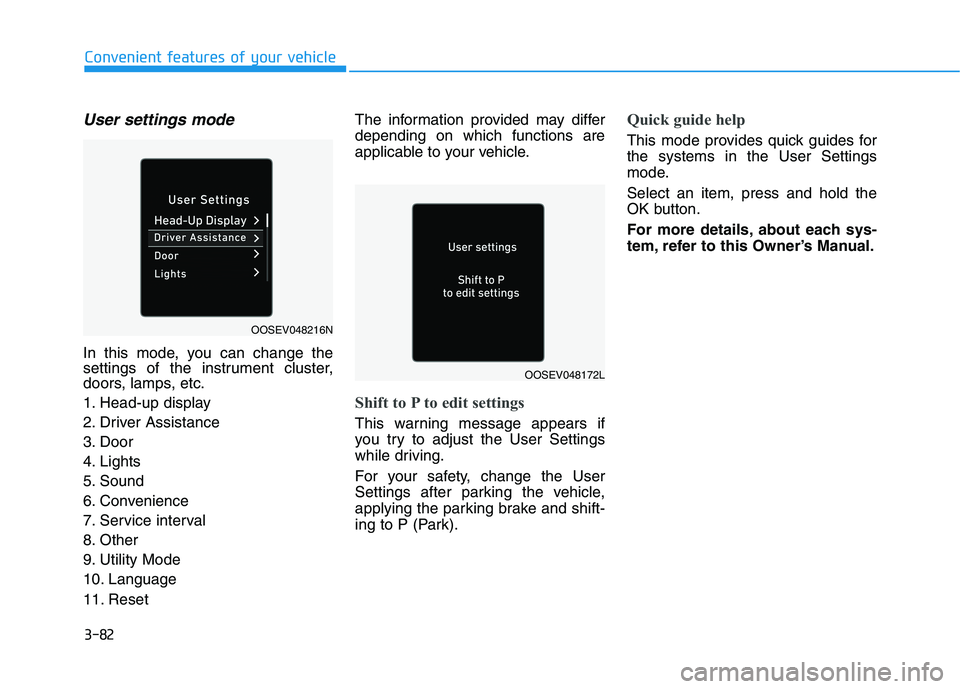
User settings mode
In this mode, you can change the
settings of the instrument cluster,
doors, lamps, etc.
1. Head-up display
2. Driver Assistance
3. Door
4. Lights
5. Sound
6. Convenience
7. Service interval
8. Other
9. Utility Mode
10. Language
11. ResetThe information provided may differ
depending on which functions are
applicable to your vehicle.
Shift to P to edit settings
This warning message appears if
you try to adjust the User Settings
while driving.
For your safety, change the User
Settings after parking the vehicle,
applying the parking brake and shift-
ing to P (Park).
Quick guide help
This mode provides quick guides for
the systems in the User Settings
mode.
Select an item, press and hold the
OK button.
For more details, about each sys-
tem, refer to this Owner’s Manual.
OOSEV048216N
OOSEV048172L
Page 183 of 478
3-99
Convenient features of your vehicle
3
L LI
IG
GH
HT
TI
IN
NG
G
Exterior Lights
Lighting control
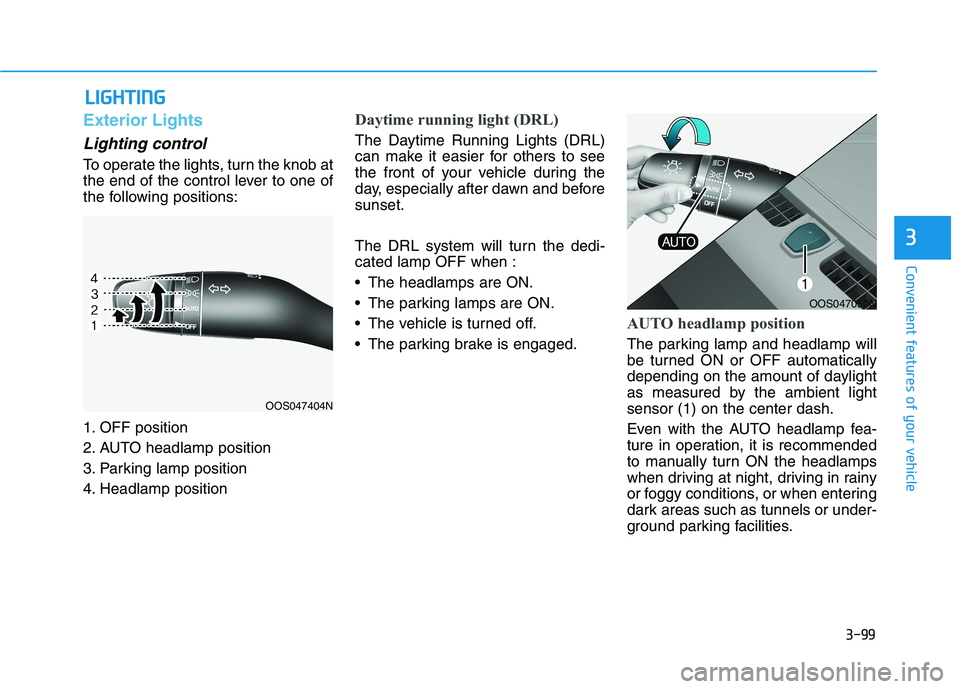
To operate the lights, turn the knob at
the end of the control lever to one of
the following positions:
1. OFF position
2. AUTO headlamp position
3. Parking lamp position
4. Headlamp position
Daytime running light (DRL)
The Daytime Running Lights (DRL)
can make it easier for others to see
the front of your vehicle during the
day, especially after dawn and before
sunset.
The DRL system will turn the dedi-
cated lamp OFF when :
The headlamps are ON.
The parking lamps are ON.
The vehicle is turned off.
The parking brake is engaged.
AUTO headlamp position
The parking lamp and headlamp will
be turned ON or OFF automatically
depending on the amount of daylight
as measured by the ambient light
sensor (1) on the center dash.
Even with the AUTO headlamp fea-
ture in operation, it is recommended
to manually turn ON the headlamps
when driving at night, driving in rainy
or foggy conditions, or when entering
dark areas such as tunnels or under-
ground parking facilities.
OOS047404N
OOS047050N
Page 201 of 478
3-117
Convenient features of your vehicle
3
Conditions Where Reverse
Parking Distance Warning sys-
tem May Not Operate
Reverse Parking Distance
Warning system may not oper-
ate normally when any of the
following occur:
The sensor is covered with dirt or
debris such as snow or ice, or the
sensor cover is blocked.
Reverse Parking Distance
Warning system may experi-
ence a malfunction when the
following occurs:
Driving on uneven road surfaces
such as unpaved roads, gravel,
bumps, or gradient.
Objects generating excessive noise
such as vehicle horns, loud motor-
cycle engines, or truck air brakes
can interfere with the sensor.
Heavy rain or water spray is present.
Wireless transmitters or mobile
phones are present near the sensor.
The sensor is covered with snow.
Any non-factory equipment or acces-
sories have been installed, or if the
vehicle bumper height or sensor
installation has been modified.
Detecting range may decrease
when:
Outside air temperature is extreme-
ly hot or cold.
The following objects may not
be recognized by the sensor:
Sharp or slim objects such as
ropes, chains or small poles.
Objects, which tend to absorb sen-
sor frequency such as clothes,
spongy material or snow.
Undetectable objects smaller than
40 inches (1 m) and narrower than
6 inches (14 cm) in diameter.
Page 236 of 478
Driving your vehicle
Before Driving ........................................................5-4
Before Entering the Vehicle ...........................................5-4
Before Starting ..................................................................5-4
Power Button..........................................................5-6
Power Button Positions ...................................................5-7
Starting the Vehicle ..........................................................5-9
Turning Off the Vehicle .................................................5-10
Push Button Gear Shift Selector .......................5-11
Vehicle Operation ............................................................5-11
Parking ...............................................................................5-13
LCD Display Messages ...................................................5-14
Good Driving Practices ..................................................5-17
Regenerative Braking System ............................5-19
Paddle Shifter Operation...............................................5-19
One Pedal Driving ...........................................................5-20
Smart Regeneration System .............................5-21
System Setting .................................................................5-21
Activating the Smart Regeneration System .............5-21
Cancelling the Smart Regeneration System .............5-23
Resuming the Smart Regeneration System ..............5-23Disabling the Smart Regeneration System ...............5-23
Vehicle-to-Vehicle Front Recognition
- Front Radar Sensor ....................................................5-23
Warning Message............................................................5-24
Limitations of the System .............................................5-24
Braking System ....................................................5-29
Power Brakes ...................................................................5-29
Disc Brake Wear Indicator ............................................5-30
Electronic Parking Brake (EPB)...................................5-30
Auto Hold ..........................................................................5-36
Anti-lock Brake System (ABS) ....................................5-40
Electronic Stability Control (ESC)................................5-42
Vehicle Stability Management (VSM).........................5-45
Hill-Start Assist Control (HAC) ....................................5-47
Good Braking Practices .................................................5-47
Initial Setting for Each Drive Mode ............................5-48
Drive Mode System .............................................5-48
Drive Mode .......................................................................5-48
5
Page 241 of 478
5-6
Driving your vehicle
P PO
OW
WE
ER
R
B
BU
UT
TT
TO
ON
N
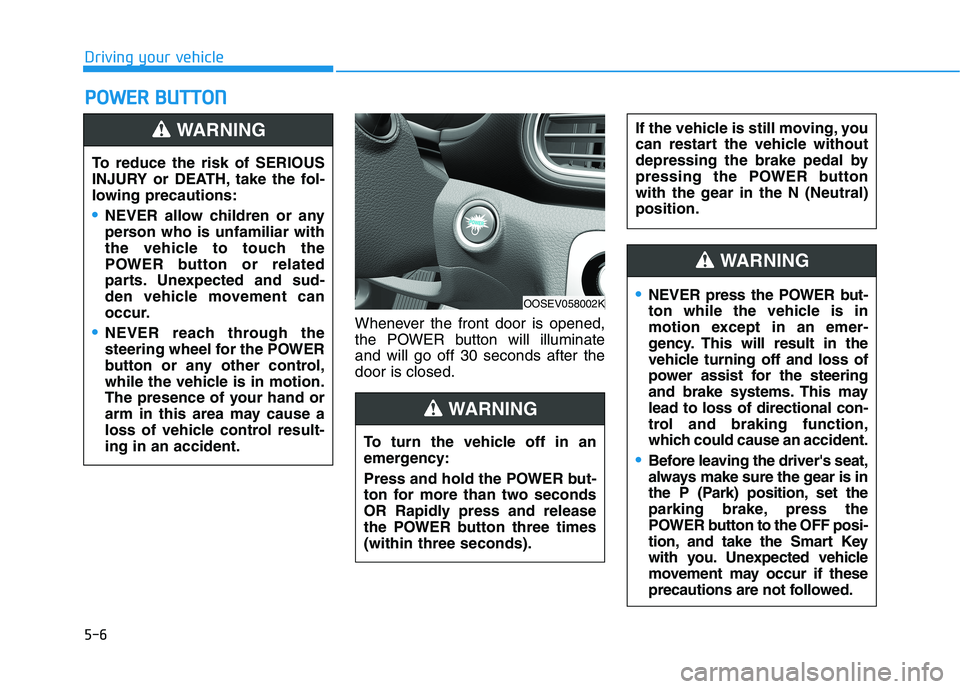
Whenever the front door is opened,
the POWER button will illuminate
and will go off 30 seconds after the
door is closed. To reduce the risk of SERIOUS
INJURY or DEATH, take the fol-
lowing precautions:
NEVER allow children or any
person who is unfamiliar with
the vehicle to touch the
POWER button or related
parts. Unexpected and sud-
den vehicle movement can
occur.
NEVER reach through the
steering wheel for the POWER
button or any other control,
while the vehicle is in motion.
The presence of your hand or
arm in this area may cause a
loss of vehicle control result-
ing in an accident.
WARNING
OOSEV058002K
To turn the vehicle off in an
emergency:
Press and hold the POWER but-
ton for more than two seconds
OR Rapidly press and release
the POWER button three times
(within three seconds).
If the vehicle is still moving, you
can restart the vehicle without
depressing the brake pedal by
pressing the POWER button
with the gear in the N (Neutral)
position.
WARNING
NEVER press the POWER but-
ton while the vehicle is in
motion except in an emer-
gency. This will result in the
vehicle turning off and loss of
power assist for the steering
and brake systems. This may
lead to loss of directional con-
trol and braking function,
which could cause an accident.
Before leaving the driver's seat,
always make sure the gear is in
the P (Park) position, set the
parking brake, press the
POWER button to the OFF posi-
tion, and take the Smart Key
with you. Unexpected vehicle
movement may occur if these
precautions are not followed.
WARNING
Page 242 of 478
5-7
Driving your vehicle
5
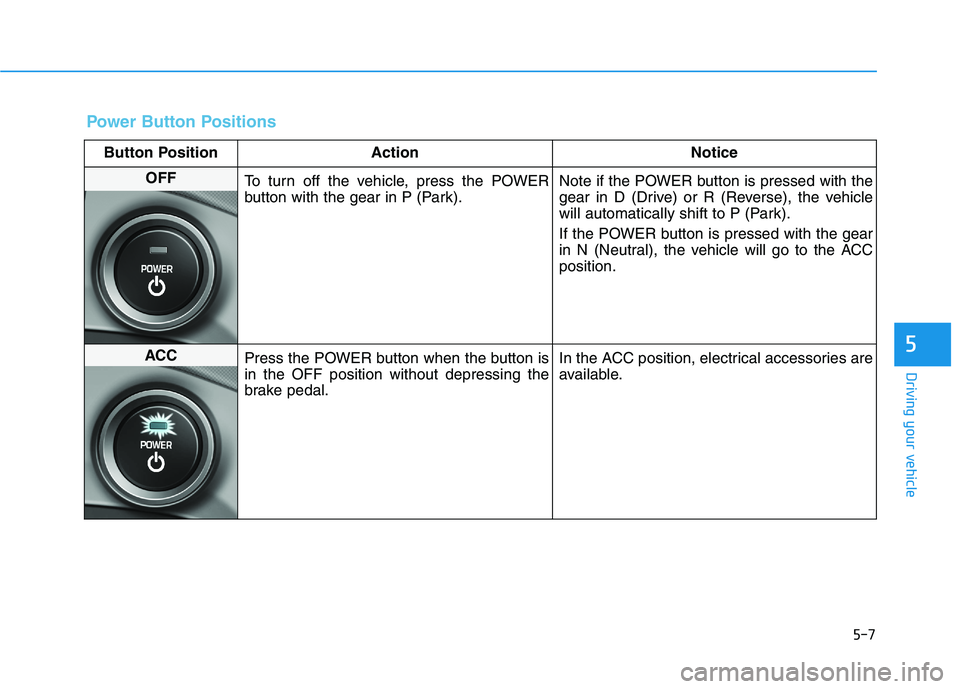
Power Button Positions
Button Position Action Notice
OFF
To turn off the vehicle, press the POWER
button with the gear in P (Park).Note if the POWER button is pressed with the
gear in D (Drive) or R (Reverse), the vehicle
will automatically shift to P (Park).
If the POWER button is pressed with the gear
in N (Neutral), the vehicle will go to the ACC
position.
ACC
Press the POWER button when the button is
in the OFF position without depressing the
brake pedal.In the ACC position, electrical accessories are
available.
Page 243 of 478
5-8
Driving your vehicle
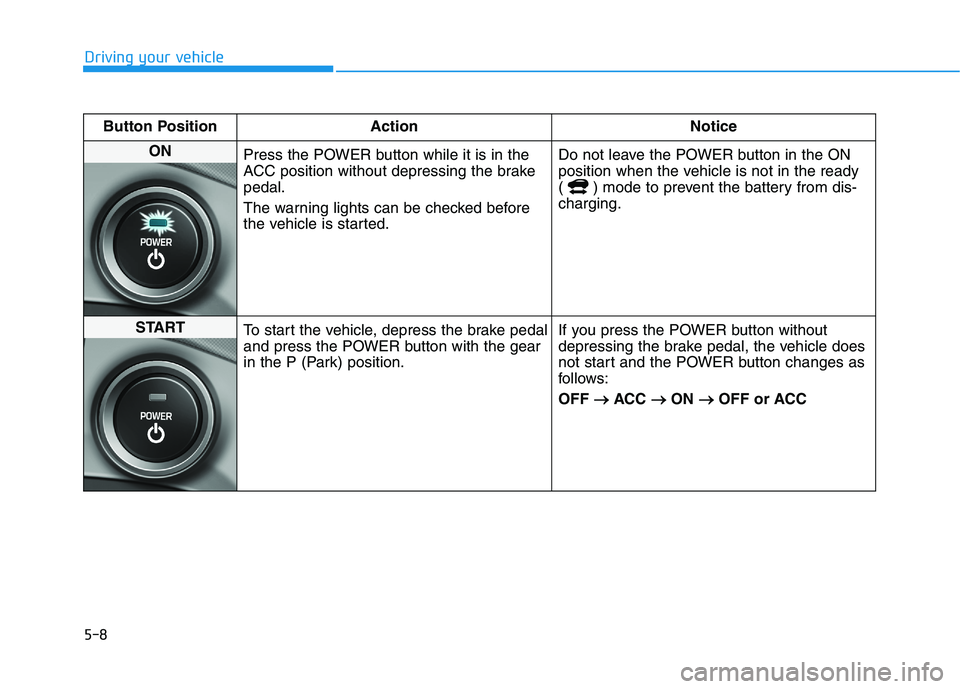
Button Position Action Notice
ON
Press the POWER button while it is in the
ACC position without depressing the brake
pedal.
The warning lights can be checked before
the vehicle is started.Do not leave the POWER button in the ON
position when the vehicle is not in the ready
( ) mode to prevent the battery from dis-
charging.
START
To start the vehicle, depress the brake pedal
and press the POWER button with the gear
in the P (Park) position.If you press the POWER button without
depressing the brake pedal, the vehicle does
not start and the POWER button changes as
follows:
OFF → →
ACC → →
ON → →
OFF or ACC