2021 HYUNDAI ELANTRA HYBRID park assist
[x] Cancel search: park assistPage 229 of 555

Convenient Features
5 -76
HIGH BEAM ASSIST (HBA) (IF EQUIPPED)
OCN7050141N
High Beam Assist will automatically
adjust the headlamp range (switches
between high beam and low beam)
depending on the brightness of detected
vehicles and certain road conditions.
Detecting sensor (Front view
camera)
OCN7060030[1] : Front view camera
The front view camera is used as a
detecting sensor to help detect ambient
light and brightness while driving.
Refer to the picture above for the
detailed location of the detecting sensor.
NOTICE
Always keep the front view camera in
good condition to maintain optimal
performance of High Beam Assist.
For more details on the precautions
of the front view camera, refer to
“Forward Collision-Avoidance Assist
(FCA)” section in chapter 7.
Function settings
With the engine on, select ‘Lights → High Beam Assist (or HBA (High Beam Assist))’
from the Settings menu to turn on High
Beam Assist and deselect to turn off the
system.
WARNING
For your safety, change the Settings
after parking the vehicle at a safe
location.
Page 269 of 555

6
6. Driving your vehicle
Before Driving ........................................................................\
........................6-3Before Entering the Vehicle ........................................................................\
.............6-3
Before Starting ........................................................................\
.................................6-3
Ignition Switch ........................................................................\
.......................6-4Key Ignition Switch ........................................................................\
...........................6-4
Engine Start/Stop Button ........................................................................\
................6 -7
Dual clutch transmission ........................................................................\
......6-12Dual clutch transmission operation .......................................................................6-12
LCD display for transmission temperature and warning message ......................6-14
Parking ........................................................................\
............................................6-20
Good driving practices ........................................................................\
....................6-21
Coasting guide ........................................................................\
.....................6-22
Brake System
........................................................................\
........................6-23Power Brakes ........................................................................\
..................................6-23
Disc Brakes Wear Indicator ........................................................................\
............ 6-23
Electronic Parking Brake (EPB)
........................................................................\
.....6-24
Auto Hold ........................................................................\
........................................6-28
Anti-lock Brake System (ABS) ......................................................................6-31Electronic Stability Control (ESC) ........................................................................\
.6-33
Vehicle Stability Management (VSM) ..................................................................6-35
Hill-Start Assist Control (HAC) ........................................................................\
......6-36
Good Braking Practices ........................................................................\
.................6-37
Drive Mode Integrated Control System ......................................................6-38Drive Mode ........................................................................\
.....................................6-38
Smart shift on trip computer ........................................................................\
..........6-41
Special Driving Conditions ........................................................................\
..6-42Hazardous Driving Conditions ........................................................................\
......6-42
Rocking the Vehicle ........................................................................\
.......................6-42
Smooth Cornering ........................................................................\
..........................6-43
Driving at Night ........................................................................\
..............................6-43
Driving in the Rain ........................................................................\
..........................6-43
Driving in Flooded Areas ........................................................................\
................6-44
Highway Driving ........................................................................\
.............................6-44
Winter Driving ........................................................................\
......................6-45Snow or Icy Conditions ........................................................................\
..................6-45
Winter Precautions ........................................................................\
.........................6-47
Vehicle load limit ........................................................................\
................. 6-48Tire Loading Information Label ........................................................................\
.....6-49
Trailer Towing ........................................................................\
.......................6-53
Page 272 of 555
6-4
Key Ignition Switch (if equipped)
WARNING
To reduce the risk of SERIOUS INJURY or
DEATH, take the following precautions:
• NEVER allow children or any person
who is unfamiliar with the vehicle to
touch the ignition switch or related
parts. Unexpected and sudden
vehicle movement can occur.
• NEVER reach through the steering
wheel for the ignition switch, or any
other control, while the vehicle is in
motion. The presence of your hand
or arm in this area may cause a loss
of vehicle control resulting in an
accident.
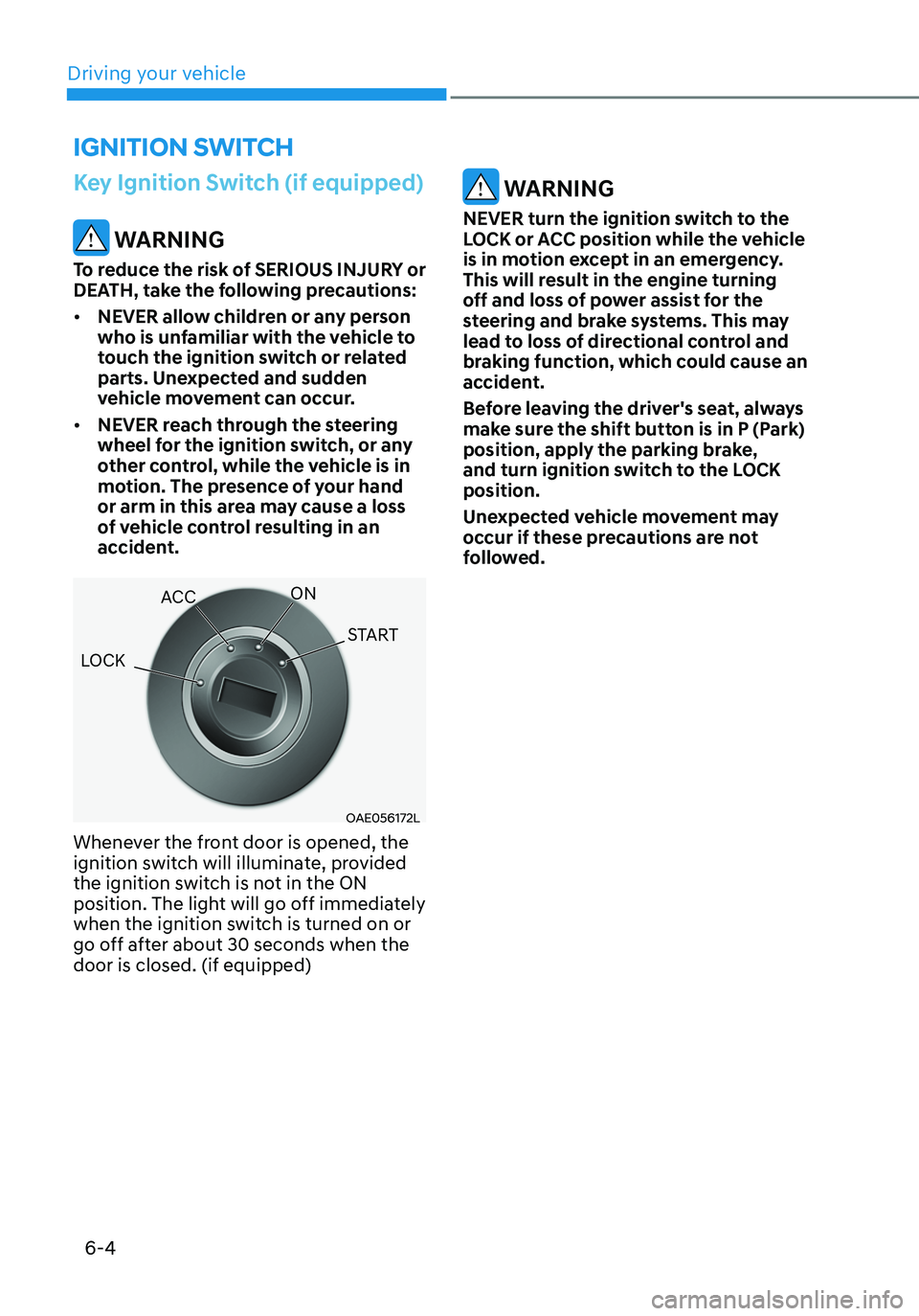
OAE056172L
Whenever the front door is opened, the
ignition switch will illuminate, provided
the ignition switch is not in the ON
position. The light will go off immediately
when the ignition switch is turned on or
go off after about 30 seconds when the
door is closed. (if equipped)
WARNING
NEVER turn the ignition switch to the
LOCK or ACC position while the vehicle
is in motion except in an emergency.
This will result in the engine turning
off and loss of power assist for the
steering and brake systems. This may
lead to loss of directional control and
braking function, which could cause an
accident.
Before leaving the driver's seat, always
make sure the shift button is in P (Park)
position, apply the parking brake,
and turn ignition switch to the LOCK
position.
Unexpected vehicle movement may
occur if these precautions are not
followed.
IGNITION SWITCH
LOCK ACC
ON
START
Driving your vehicle
Page 275 of 555
06
6 -7
Engine Start/Stop Button
(if equipped)
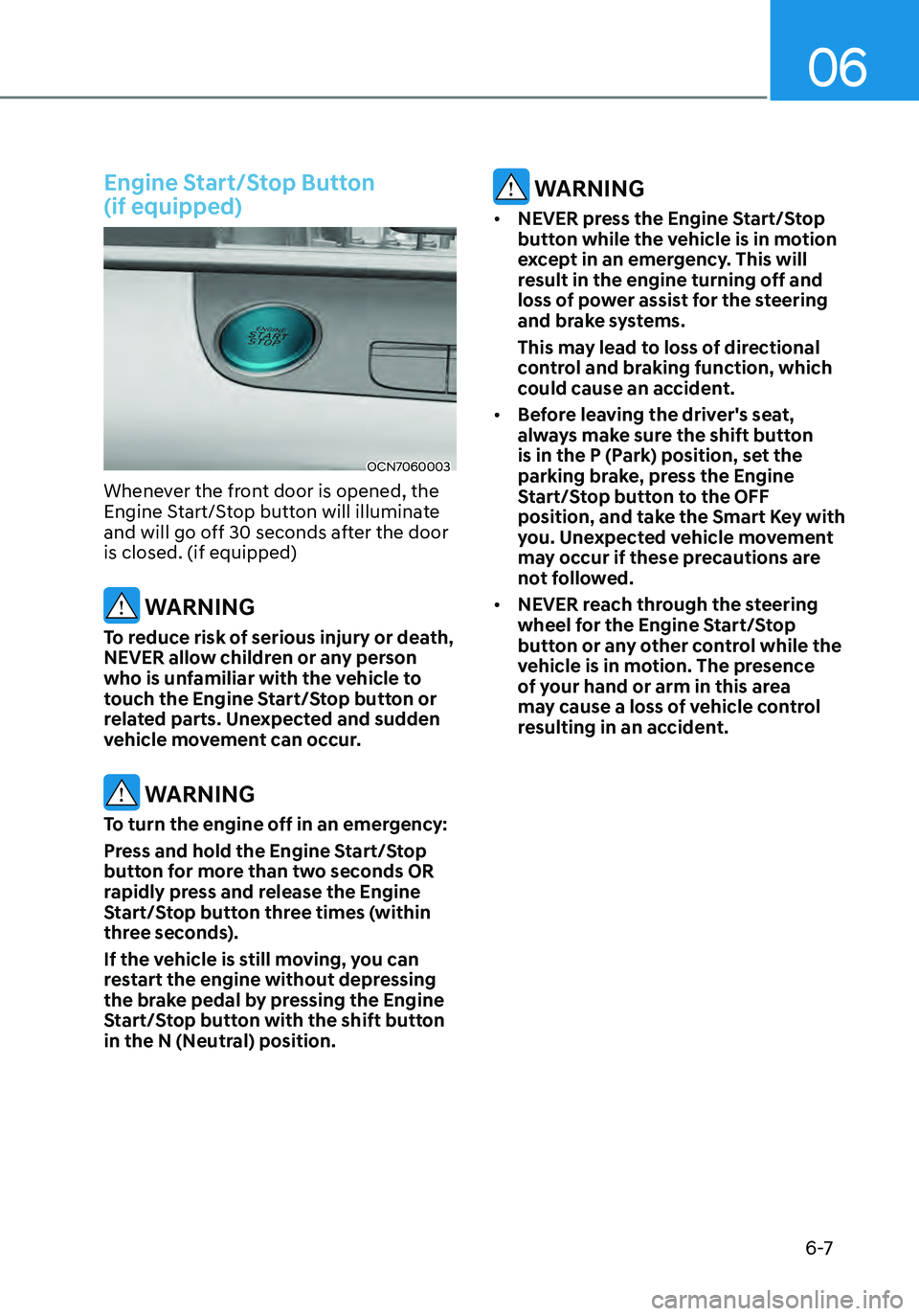
OCN7060003
Whenever the front door is opened, the
Engine Start/Stop button will illuminate
and will go off 30 seconds after the door
is closed. (if equipped)
WARNING
To reduce risk of serious injury or death,
NEVER allow children or any person
who is unfamiliar with the vehicle to
touch the Engine Start/Stop button or
related parts. Unexpected and sudden
vehicle movement can occur.
WARNING
To turn the engine off in an emergency:
Press and hold the Engine Start/Stop
button for more than two seconds OR
rapidly press and release the Engine
Start/Stop button three times (within
three seconds).
If the vehicle is still moving, you can
restart the engine without depressing
the brake pedal by pressing the Engine
Start/Stop button with the shift button
in the N (Neutral) position.
WARNING
• NEVER press the Engine Start/Stop
button while the vehicle is in motion
except in an emergency. This will
result in the engine turning off and
loss of power assist for the steering
and brake systems.
This may lead to loss of directional
control and braking function, which
could cause an accident.
• Before leaving the driver's seat,
always make sure the shift button
is in the P (Park) position, set the
parking brake, press the Engine
Start/Stop button to the OFF
position, and take the Smart Key with
you. Unexpected vehicle movement
may occur if these precautions are
not followed.
• NEVER reach through the steering
wheel for the Engine Start/Stop
button or any other control while the
vehicle is in motion. The presence
of your hand or arm in this area
may cause a loss of vehicle control
resulting in an accident.
Page 304 of 555
6-36
VSM operation
VSM ON condition
The VSM operates when:
• The Electronic Stability Control (ESC)
is on.
• Vehicle speed is approximately above
9 mph (15 km/h) on curve roads.
• Vehicle speed is approximately above
12 mph (20 km/h) when the vehicle is
braking on rough roads.
When operating
When you apply your brakes under
conditions which may activate the ESC,
you may hear sounds from the brakes,
or feel a corresponding sensation in the
brake pedal. This is normal and it means
your VSM is active.
NOTICE
The VSM does not operate when:
• Driving on a banked road such as
gradient or incline.
• Driving rearward.
• ESC OFF indicator light is on.
• EPS (Electric Power Steering)
warning light (
) is on or blinks.
WARNING
If ESC indicator light () or EPS
warning light () stays on or blinks, your vehicle may have a malfunction
with the VSM system. When the
warning light illuminates, have your
vehicle checked by an authorized
HYUNDAI dealer as soon as possible.
Driving with wheels and tires with
different sizes may cause the ESC system
to malfunction. Before replacing tires,
make sure all four tires and wheels are
the same size. Never drive the vehicle
with different sized tires and wheels
installed.
Hill-Start Assist Control (HAC)
The Hill-Start Assist Control (HAC)
helps prevent the vehicle from rolling
backwards when starting a vehicle from
a stop on a hill. The system operates the
brakes automatically for approximately
2 seconds and releases the brake after 2
seconds or when the accelerator pedal is
depressed.
WARNING
Always be ready to depress the
accelerator pedal when starting off on
a incline. The HAC activates only for
approximately 2 seconds.
NOTICE
• The HAC does not operate when
the shift button is in P (Park) or N
(Neutral)
• The HAC activates even though the
ESC (Electronic Stability Control) is
off but does not activate when the
ESC has malfunctioned.
Driving your vehicle
Page 305 of 555
06
6-37
Good Braking Practices
WARNING
Whenever leaving the vehicle or
parking, always come to a complete
stop and continue to depress the brake
pedal. Move the shift button into P
(Park) position, then apply the parking
brake, and place the ignition switch in
the LOCK/OFF position.
Vehicles parked with the parking brake
not applied or not fully engaged may
roll inadvertently and may cause injury
to the driver and others. ALWAYS apply
the parking brake before exiting the
vehicle.Wet brakes can be dangerous! The
brakes may get wet if the vehicle is
driven through standing water or if it
is washed. Your vehicle will not stop as
quickly if the brakes are wet. Wet brakes
may cause the vehicle to pull to one side.
To dry the brakes, apply the brakes
lightly until the braking action returns to
normal, taking care to keep the vehicle
under control at all times. If the braking
action does not return to normal, stop
as soon as it is safe to do so and call
an authorized HYUNDAI dealer for
assistance.
DO NOT drive with your foot resting on
the brake pedal. Even light, but constant
pedal pressure can result in the brakes
overheating, brake wear, and possibly
even brake failure.
If a tire goes flat while you are driving,
apply the brakes gently and keep the
vehicle pointed straight ahead while you
slow down. When you are moving slowly
enough for it to be safe to do so, pull off
the road and stop in a safe location.
Keep your foot firmly on the brake pedal
when the vehicle is stopped to prevent
the vehicle from rolling forward.
Page 322 of 555

Driving SafetyForward Collision–Avoidance Assist (FCA) (Front view camera only) ...................7-2
Forward Collision–Avoidance Assist (FCA) (Sensor fusion) ..................................7-14
Lane Keeping Assist (LKA) ........................................................................\
..............7-30
Blind-Spot Collision-Avoidance Assist (BCA) .........................................................7-36
Safe Exit Assist (SEA) ........................................................................\
......................7-50
Driver Attention Warning (DAW) ........................................................................\
.....7-55
Driving ConvenienceCruise Control (CC) ........................................................................\
..........................7-61
Smart Cruise Control (SCC) ........................................................................\
............7-65
Navigation-based Smart Cruise Control (NSCC) ...................................................7-82
Lane Following Assist (LFA) ........................................................................\
............7-8 8
Highway Driving Assist (HDA) ........................................................................\
........7-9 2
Parking SafetyRear View Monitor (RVM) ........................................................................\
...............7-99
Rear Cross-Traffic Collision-Avoidance Assist (RCCA) ........................................7-10 3
Reverse Parking Distance Warning (PDW) ............................................................7-11 3
Reverse Parking Collision-Avoidance Assist (PCA) ...............................................7-11 6
Declaration of conformity ........................................................................\
..............7-12 4
7.Driver assistance system
Driver assistance system
7
Page 327 of 555
Driver assistance system
7-6
OCN7070030L
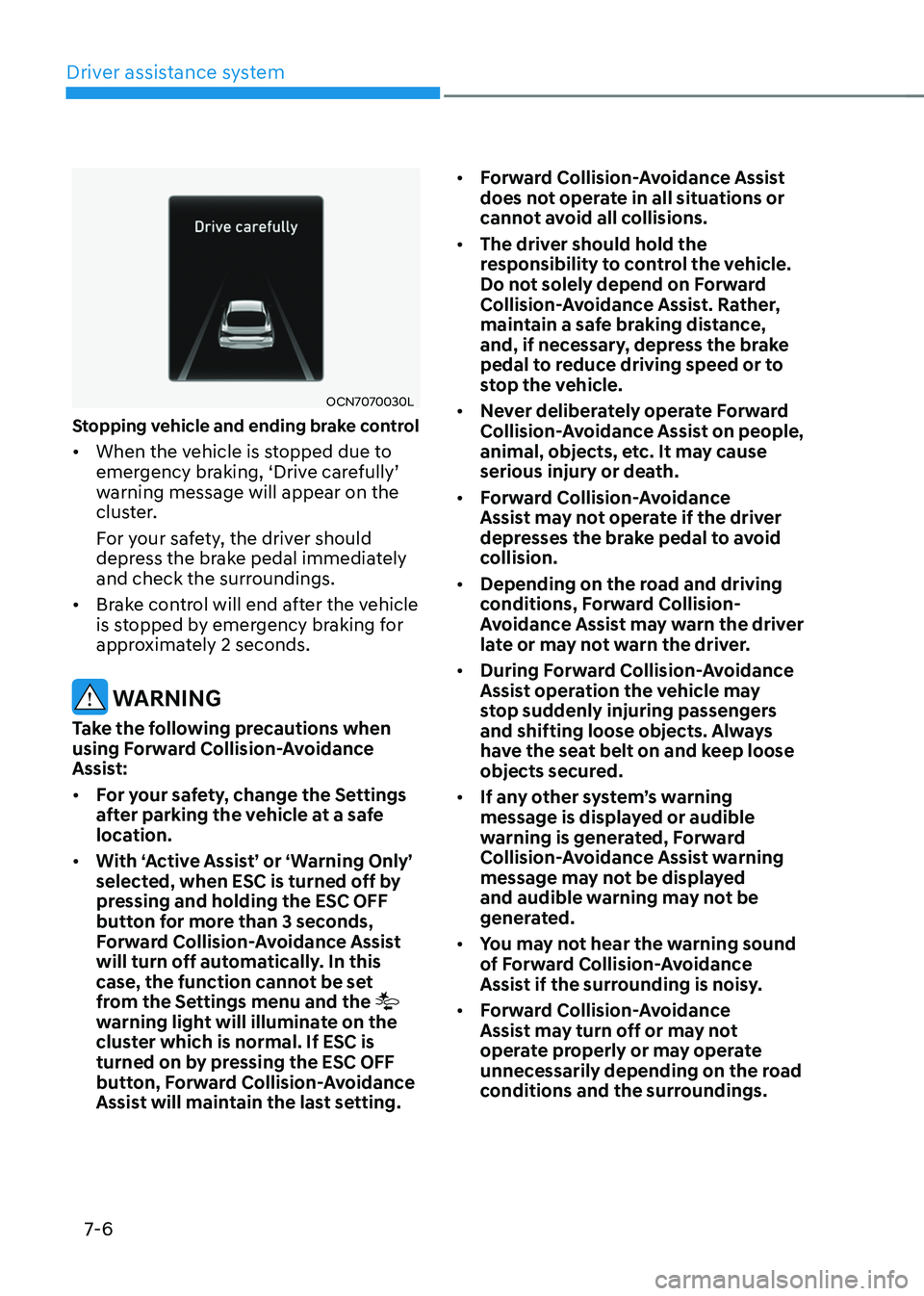
Stopping vehicle and ending brake control
• When the vehicle is stopped due to emergency braking, ‘Drive carefully’ warning message will appear on the
cluster.
For your safety, the driver should
depress the brake pedal immediately
and check the surroundings.
• Brake control will end after the vehicle
is stopped by emergency braking for
approximately 2 seconds.
WARNING
Take the following precautions when
using Forward Collision-Avoidance
Assist:
• For your safety, change the Settings
after parking the vehicle at a safe
location.
• With ‘Active Assist’ or ‘Warning Only’
selected, when ESC is turned off by
pressing and holding the ESC OFF
button for more than 3 seconds,
Forward Collision-Avoidance Assist
will turn off automatically. In this
case, the function cannot be set
from the Settings menu and the
warning light will illuminate on the
cluster which is normal. If ESC is
turned on by pressing the ESC OFF
button, Forward Collision-Avoidance
Assist will maintain the last setting. •
Forward Collision-Avoidance Assist
does not operate in all situations or
cannot avoid all collisions.
• The driver should hold the
responsibility to control the vehicle.
Do not solely depend on Forward
Collision-Avoidance Assist. Rather,
maintain a safe braking distance,
and, if necessary, depress the brake
pedal to reduce driving speed or to
stop the vehicle.
• Never deliberately operate Forward
Collision-Avoidance Assist on people,
animal, objects, etc. It may cause
serious injury or death.
• Forward Collision-Avoidance
Assist may not operate if the driver
depresses the brake pedal to avoid
collision.
• Depending on the road and driving
conditions, Forward Collision-
Avoidance Assist may warn the driver
late or may not warn the driver.
• During Forward Collision-Avoidance
Assist operation the vehicle may
stop suddenly injuring passengers
and shifting loose objects. Always
have the seat belt on and keep loose
objects secured.
• If any other system’s warning
message is displayed or audible
warning is generated, Forward
Collision-Avoidance Assist warning
message may not be displayed
and audible warning may not be
generated.
• You may not hear the warning sound
of Forward Collision-Avoidance
Assist if the surrounding is noisy.
• Forward Collision-Avoidance
Assist may turn off or may not
operate properly or may operate
unnecessarily depending on the road
conditions and the surroundings.