2021 FORD F-150 engine
[x] Cancel search: enginePage 285 of 796
AUTOMATIC TRANSMISSION
PRECAUTIONS
WARNING: Apply the parking
brake, shift into park (P), switch the
ignition off and remove the key before
you leave your vehicle. Failure to follow
this instruction could result in personal
injury or death. WARNING:
Do not use tow/haul
when the road surface is slippery. Failure
to follow this instruction could result in
the loss of control of your vehicle. WARNING:
When your vehicle is
stationary, keep the brake pedal fully
pressed when shifting gears. Failure to
follow this instruction could result in
personal injury, death or property
damage. WARNING:
Do not apply the brake
pedal and accelerator pedal
simultaneously. Applying both pedals
simultaneously for more than a few
seconds will limit engine performance,
which may result in difficulty maintaining
speed in traffic and could lead to serious
injury.
AUTOMATIC TRANSMISSION
POSITIONS
PARK (P)
This position locks the driveline and
prevents the wheels from turning. Come
to a complete stop before putting your
vehicle into and out of park (P). The electric parking brake could apply
when you shift to park (P) without the
brake pedal fully pressed. The electric
parking brake applies when you shift to
park (P) on large slopes. The electric
parking brake releases with the drive away
release function or manually. See Electric
Parking Brake
(page 311).
Note: A warning tone sounds if you open
the driver door and you have not shifted the
transmission selector to park (P).
See
Automatic Return to Park (P) (page 286).
REVERSE (R) WARNING:
Move the transmission
selector lever to reverse (R) only when
your vehicle is stationary and the engine
is at idle speed.
This position allows your vehicle to move
backward. Come to a complete stop
before shifting into and out of reverse (R).
NEUTRAL (N) WARNING:
In neutral (N) your
vehicle is free to roll.
In neutral (N) power is not transmitted to
the driven wheels.
DRIVE (D)
Drive (D) is the normal driving position, and
allows automatic upshifts and downshifts
through all available gears.
MANUAL (M)
To select manual mode press the (M)
button on the shifter.
281
F-150 (TFD) Canada/United States of America, enUSA, Edition date: 202104, Second-Printing Automatic Transmission
Page 287 of 796
SHIFTING YOUR VEHICLE INTO
GEAR - POLICE RESPONDER
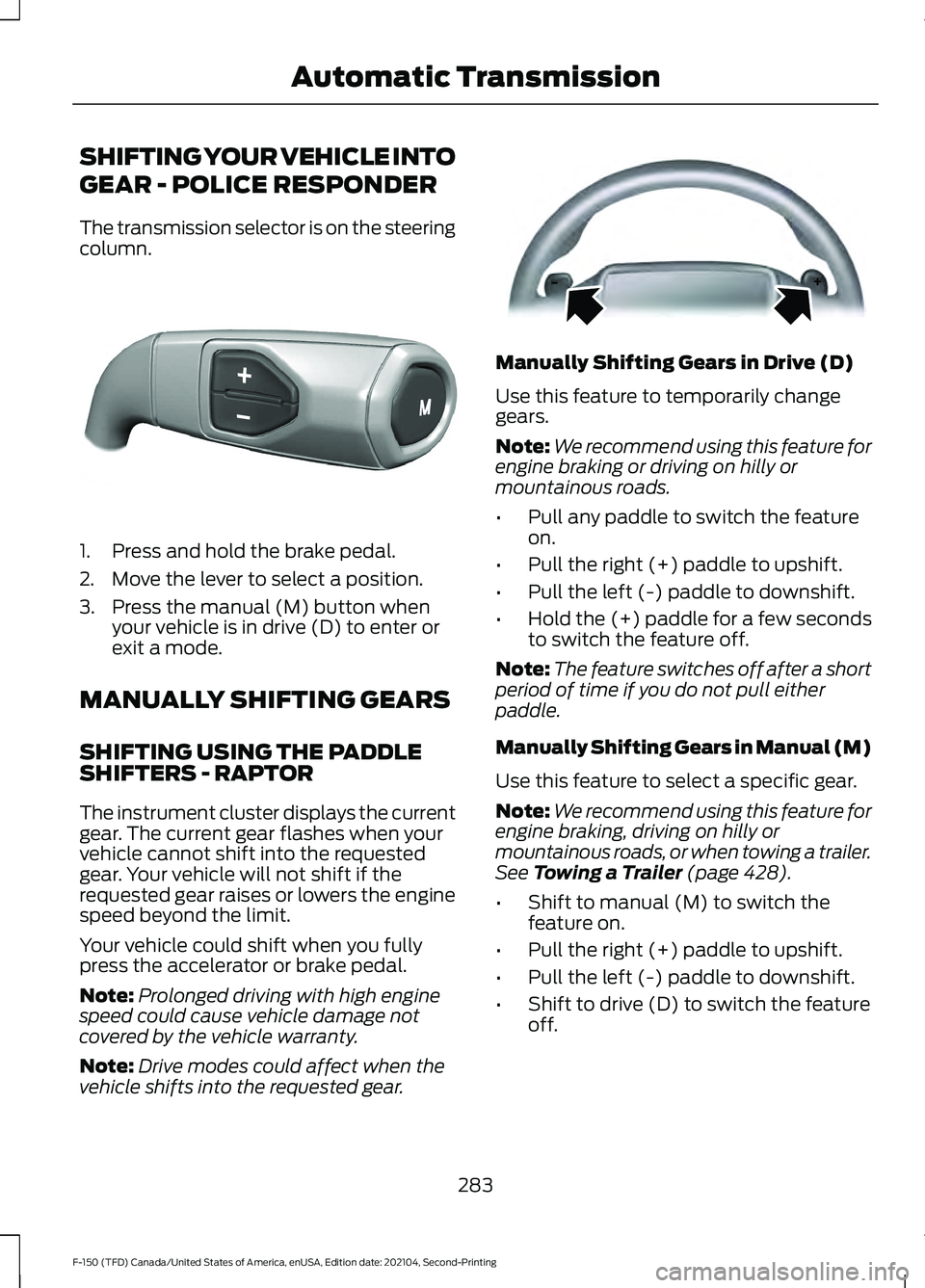
The transmission selector is on the steering
column.
1. Press and hold the brake pedal.
2. Move the lever to select a position.
3. Press the manual (M) button when
your vehicle is in drive (D) to enter or
exit a mode.
MANUALLY SHIFTING GEARS
SHIFTING USING THE PADDLE
SHIFTERS - RAPTOR
The instrument cluster displays the current
gear. The current gear flashes when your
vehicle cannot shift into the requested
gear. Your vehicle will not shift if the
requested gear raises or lowers the engine
speed beyond the limit.
Your vehicle could shift when you fully
press the accelerator or brake pedal.
Note: Prolonged driving with high engine
speed could cause vehicle damage not
covered by the vehicle warranty.
Note: Drive modes could affect when the
vehicle shifts into the requested gear. Manually Shifting Gears in Drive (D)
Use this feature to temporarily change
gears.
Note:
We recommend using this feature for
engine braking or driving on hilly or
mountainous roads.
• Pull any paddle to switch the feature
on.
• Pull the right (+) paddle to upshift.
• Pull the left (-) paddle to downshift.
• Hold the (+) paddle for a few seconds
to switch the feature off.
Note: The feature switches off after a short
period of time if you do not pull either
paddle.
Manually Shifting Gears in Manual (M)
Use this feature to select a specific gear.
Note: We recommend using this feature for
engine braking, driving on hilly or
mountainous roads, or when towing a trailer.
See Towing a Trailer (page 428).
• Shift to manual (M) to switch the
feature on.
• Pull the right (+) paddle to upshift.
• Pull the left (-) paddle to downshift.
• Shift to drive (D) to switch the feature
off.
283
F-150 (TFD) Canada/United States of America, enUSA, Edition date: 202104, Second-Printing Automatic TransmissionE327267 E144821
Page 288 of 796
SHIFTING USING THE BUTTONS
ON THE SELECTOR LEVER
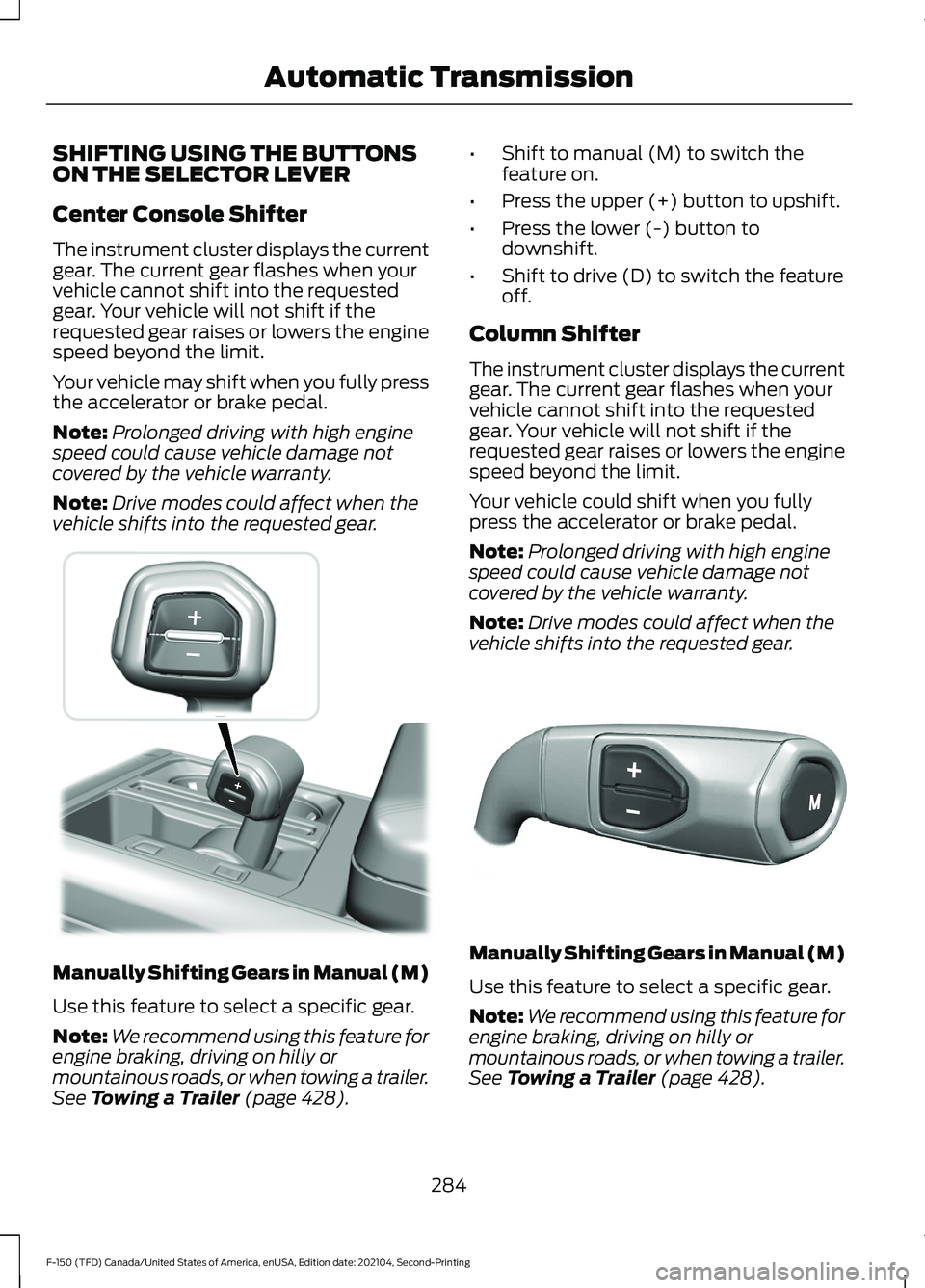
Center Console Shifter
The instrument cluster displays the current
gear. The current gear flashes when your
vehicle cannot shift into the requested
gear. Your vehicle will not shift if the
requested gear raises or lowers the engine
speed beyond the limit.
Your vehicle may shift when you fully press
the accelerator or brake pedal.
Note:
Prolonged driving with high engine
speed could cause vehicle damage not
covered by the vehicle warranty.
Note: Drive modes could affect when the
vehicle shifts into the requested gear. Manually Shifting Gears in Manual (M)
Use this feature to select a specific gear.
Note:
We recommend using this feature for
engine braking, driving on hilly or
mountainous roads, or when towing a trailer.
See Towing a Trailer (page 428). •
Shift to manual (M) to switch the
feature on.
• Press the upper (+) button to upshift.
• Press the lower (-) button to
downshift.
• Shift to drive (D) to switch the feature
off.
Column Shifter
The instrument cluster displays the current
gear. The current gear flashes when your
vehicle cannot shift into the requested
gear. Your vehicle will not shift if the
requested gear raises or lowers the engine
speed beyond the limit.
Your vehicle could shift when you fully
press the accelerator or brake pedal.
Note: Prolonged driving with high engine
speed could cause vehicle damage not
covered by the vehicle warranty.
Note: Drive modes could affect when the
vehicle shifts into the requested gear. Manually Shifting Gears in Manual (M)
Use this feature to select a specific gear.
Note:
We recommend using this feature for
engine braking, driving on hilly or
mountainous roads, or when towing a trailer.
See Towing a Trailer (page 428).
284
F-150 (TFD) Canada/United States of America, enUSA, Edition date: 202104, Second-Printing Automatic Transmission E311242 E327267
Page 289 of 796
•
Shift to manual (M) to switch the
feature on.
• Press the upper (+) button to upshift.
• Press the lower (-) button to
downshift.
• Shift to drive (D) to switch the feature
off.
SHIFTING USING THE BUTTONS
ON THE SELECTOR LEVER -
POLICE RESPONDER
The instrument cluster displays the current
gear. The current gear flashes when your
vehicle cannot shift into the requested
gear. Your vehicle will not shift if the
requested gear raises or lowers the engine
speed beyond the limit.
Your vehicle may shift when you fully press
the accelerator or brake pedal.
Note: Prolonged driving with high engine
speed could cause vehicle damage not
covered by the vehicle warranty.
Note: Drive modes could affect when the
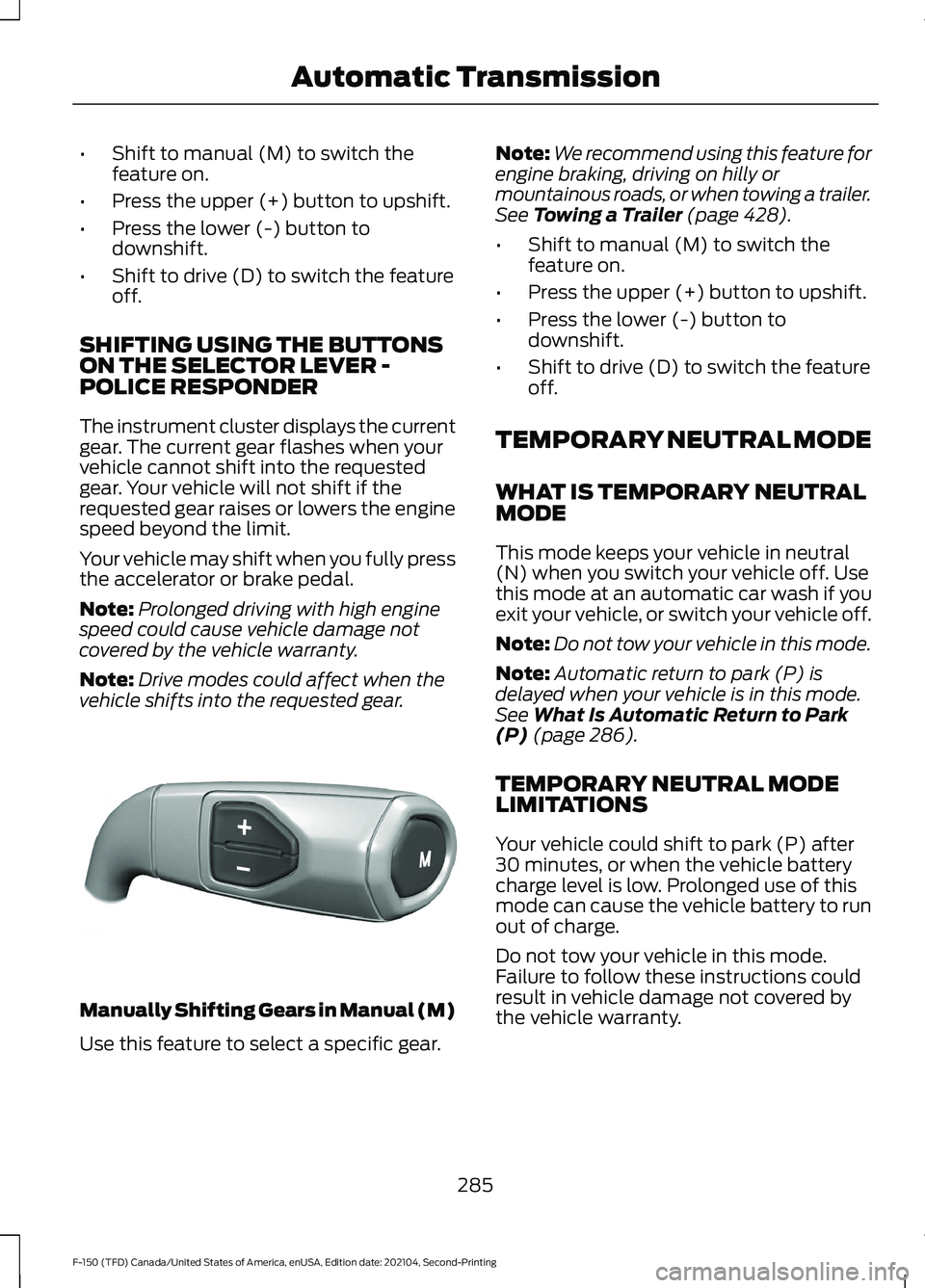
vehicle shifts into the requested gear. Manually Shifting Gears in Manual (M)
Use this feature to select a specific gear. Note:
We recommend using this feature for
engine braking, driving on hilly or
mountainous roads, or when towing a trailer.
See Towing a Trailer (page 428).
• Shift to manual (M) to switch the
feature on.
• Press the upper (+) button to upshift.
• Press the lower (-) button to
downshift.
• Shift to drive (D) to switch the feature
off.
TEMPORARY NEUTRAL MODE
WHAT IS TEMPORARY NEUTRAL
MODE
This mode keeps your vehicle in neutral
(N) when you switch your vehicle off. Use
this mode at an automatic car wash if you
exit your vehicle, or switch your vehicle off.
Note: Do not tow your vehicle in this mode.
Note: Automatic return to park (P) is
delayed when your vehicle is in this mode.
See
What Is Automatic Return to Park
(P) (page 286).
TEMPORARY NEUTRAL MODE
LIMITATIONS
Your vehicle could shift to park (P) after
30 minutes, or when the vehicle battery
charge level is low. Prolonged use of this
mode can cause the vehicle battery to run
out of charge.
Do not tow your vehicle in this mode.
Failure to follow these instructions could
result in vehicle damage not covered by
the vehicle warranty.
285
F-150 (TFD) Canada/United States of America, enUSA, Edition date: 202104, Second-Printing Automatic TransmissionE327267
Page 290 of 796

ENTERING TEMPORARY
NEUTRAL MODE
1. Power your vehicle on.
2. Bring your vehicle to a complete stop.
3. Press and hold the brake pedal.
4. Shift into neutral (N).
Note:
An instructional message appears.
5. Press the manual (M) button.
Note: A confirmation message appears
when your vehicle enters the mode.
6. Release the brake pedal.
Note: Your vehicle is free to roll.
7. Switch your vehicle off.
Note: Do not tow your vehicle in this mode.
Note: The neutral (N) indicator on the
transmission selector may flash in this
mode.
EXITING TEMPORARY NEUTRAL
MODE
1. Press the brake pedal.
2. Shift into park (P), or power your vehicle on and shift into drive (D) or
reverse (R).
USING PROGRESSIVE RANGE
SELECTION
Progressive range selection gives you the
ability to lock out gears from the automatic
shifting range. This could provide you with
an improved driving experience by reducing
transmission shifts, for example, in slippery
conditions or steep slopes.
With the transmission in drive (D), press
the - button to begin to switch the feature
on. Press the - button again to continue locking
out higher gears. Beginning with the highest
gear, the instrument cluster will indicate
the current gear and highest gear available.
For example, press the - button twice to
lock out 10th and 9th gears.
Note:
The instrument cluster will indicate
the current gear and highest gear available.
Press the + button to unlock gears to allow
the transmission to shift to higher gears.
Note: The transmission automatically
shifts within the gear range you select.
AUTOMATIC RETURN TO
PARK (P)
WHAT IS AUTOMATIC RETURN TO
PARK (P)
Your vehicle shifts into park (P) if you
attempt to exit your vehicle without the
transmission in park (P).
HOW DOES AUTOMATIC RETURN
TO PARK (P) WORK
Your vehicle shifts into park (P) when your
vehicle is stationary and any of the
following occur:
• You switch the vehicle off.
• You open the driver door with your
seatbelt unlatched.
• You unlatch the driver seatbelt when
the driver door is open.
Note: Do not use automatic return to park
(P) when your vehicle is moving, except in
an emergency. See Starting and Stopping
the Engine (page 236).
286
F-150 (TFD) Canada/United States of America, enUSA, Edition date: 202104, Second-Printing Automatic Transmission
Page 292 of 796

Note:
Do not store objects in the selector
lever stow bin, and be sure that the bottom
selector lever tray mat is flat inside the
selector lever stow bin.
Note: If there are objects in the stow bin
while stowing the selector lever, the selector
lever could come back to the upright park
(P) position.
MANUAL PARK RELEASE
WHAT IS MANUAL PARK RELEASE
Manual park release allows you to move
your transmission out of the park (P)
position in the event of an electrical
malfunction or emergency.
MANUAL PARK RELEASE
PRECAUTIONS WARNING: When doing this
procedure, you need to take the
transmission out of park (P) which
means your vehicle can roll freely. To
avoid unwanted vehicle movement,
always fully apply the parking brake prior
to doing this procedure. Use wheels
chocks if appropriate. WARNING:
If the parking brake is
fully released, but the brake warning
lamp remains illuminated, the brakes
may not be working properly. Have your
vehicle checked as soon as possible. WARNING:
Do not drive your
vehicle until you verify that the
stoplamps are working.
Use the manual park release to move your
transmission from the park (P) position in
the event of an electrical malfunction or
emergency. See
Emergency Towing
(page 492).
Note: Do not engage the manual park
release with the engine on.
USING MANUAL PARK RELEASE
Activating the Manual Park
Release Cable
1. Apply the parking brake. See Electric
Parking Brake
(page 311).
Note: If vehicle battery is dead, for example,
no electrical power available, an external
power source may be required to apply the
parking brake.
2. Locate the manual park release cable access cover at the bottom of the
driver dash lower panel, under the
steering wheel.
288
F-150 (TFD) Canada/United States of America, enUSA, Edition date: 202104, Second-Printing Automatic TransmissionE347229
Page 312 of 796

BRAKE PRECAUTIONS
WARNING: Driving your vehicle
with the warning lamp on is dangerous.
A significant decrease in braking
performance may occur. It may take you
longer to stop your vehicle. Have your
vehicle checked as soon as possible.
Driving extended distances with the
parking brake engaged can cause brake
failure and the risk of personal injury.
Wet brakes result in reduced braking
efficiency. Gently press the brake pedal a
few times when leaving a car wash or
driving from standing water to dry the
brakes.
Note: Depending on applicable laws and
regulations in the country for which your
vehicle was originally built, the stoplamps
could flash during heavy braking. Following
this the hazard warning flashers could also
turn on when your vehicle comes to a stop.
ANTI-LOCK BRAKING SYSTEM
ANTI-LOCK BRAKING SYSTEM
LIMITATIONS
The anti-lock braking system does not
eliminate the risk of crash when:
• You drive too closely to the vehicle in
front of you.
• Your vehicle is hydroplaning.
• You take corners too fast.
• The road surface is poor.
Note: If the system activates, the brake
pedal could pulse and travel further.
Maintain pressure on the brake pedal. BRAKE OVER ACCELERATOR
- RAPTOR
In the event the accelerator pedal
becomes stuck or entrapped, apply steady
and firm pressure to the brake pedal to
slow the vehicle and reduce engine power.
If you experience this condition, apply the
brakes and bring your vehicle to a safe
stop. Move the transmission to park (P),
switch the engine off and apply the parking
brake. Inspect the accelerator pedal for
any interference. If none are found and the
condition persists, have your vehicle towed
to the nearest authorized dealer.
Note:
Certain drive modes can disable
brake over accelerator for off-road driving.
BRAKE OVER ACCELERATOR
In the event the accelerator pedal
becomes stuck or entrapped, apply steady
and firm pressure to the brake pedal to
slow the vehicle and reduce engine power.
If you experience this condition, apply the
brakes and bring your vehicle to a safe
stop. Move the transmission to park (P),
switch the engine off and apply the parking
brake. Inspect the accelerator pedal for
any interference. If none are found and the
condition persists, have your vehicle towed
to the nearest authorized dealer.
LOCATING THE BRAKE FLUID
RESERVOIR
See
Under Hood Overview (page 504).
308
F-150 (TFD) Canada/United States of America, enUSA, Edition date: 202104, Second-Printing Brakes
Page 315 of 796
WHAT IS THE ELECTRIC
PARKING BRAKE
The electric parking brake is used to hold
your vehicle on slopes and flat roads.
APPLYING THE ELECTRIC
PARKING BRAKE
WARNING: Always fully apply the
parking brake and make sure you shift
into park (P). Failure to follow this
instruction could result in personal injury
or death. WARNING:
If you drive extended
distances with the parking brake applied,
you could cause damage to the brake
system. The switch is on the lower part
of the instrument panel.
1. Pull the switch up.
The red warning lamp flashes during
operation and illuminates when the parking
brake is applied.
Note: You can apply the electric parking
brake when the ignition is off.
Note: The electric parking brake could
apply when you shift into park (P).
See Park
(P) (page 281).
APPLYING THE ELECTRIC
PARKING BRAKE IN AN
EMERGENCY
You can use the electric parking brake to
slow or stop your vehicle in an emergency.
1. Pull the switch up and hold it. The electric parking brake continues to
slow your vehicle down unless you release
the switch.
The red warning lamp illuminates, a tone
sounds and the stoplamps turn on when
you use the electric parking brake in an
emergency.
Note:
Do not apply the electric parking
brake when your vehicle is moving, except
in an emergency. If you repeatedly use the
electric parking brake to slow or stop your
vehicle, you could cause damage to the
brake system.
MANUALLY RELEASING THE
ELECTRIC PARKING BRAKE
1. Switch the ignition on.
2. Press and hold the brake pedal.
3. Push the switch down.
The red warning lamp turns off.
Pulling Away on a Hill When Towing a
Trailer
1. Press and hold the brake pedal.
2. Pull the switch upward and hold it.
3. Shift into gear.
4. Press the accelerator pedal until engine
has developed sufficient torque to
prevent your vehicle from rolling down
the hill.
5. Release the switch and pull away in a normal manner.
AUTOMATICALLY RELEASING
THE ELECTRIC PARKING
BRAKE
1. Close the driver door.
2. Shift into gear.
311
F-150 (TFD) Canada/United States of America, enUSA, Edition date: 202104, Second-Printing Electric Parking BrakeE267156