2021 CHEVROLET COLORADO ECO
[x] Cancel search: ECOPage 10 of 89

Chevrolet/GMC 2.8L Duramax Diesel Engine Supplement (GMNA-Localizing-
U.S./Canada-14465442) - 2021 - CRC - 2/3/20
Instruments and Controls 9
Malfunction Indicator Lamp
(Check Engine Light)
This light is part of the vehicle’s emission
control on-board diagnostic system. If this
light is on while the engine is running, a
malfunction has been detected and the
vehicle may require service. The light should
come on to show that it is working when
the ignition is on with the engine not
running. See“Ignition Positions” in the
owner’s manual.
This light may also come on when the
system has detected a problem with the
Diesel Exhaust Fluid (DEF) management
system. See Diesel Exhaust Fluid 022.
Malfunctions are often indicated by the
system before any problem is noticeable.
Being aware of the light and seeking service
promptly when it comes on may prevent
damage.
Caution
If the vehicle is driven continually with
this light on, the emission control system
may not work as well, the fuel economy
may be lower, and the vehicle may not
run smoothly. This could lead to costly
repairs that might not be covered by the
vehicle warranty.
Caution
Modifications to the engine, transmission,
exhaust, intake, or fuel system, or the
use of replacement tires that do not
meet the original tire specifications, can
cause this light to come on. This could
lead to costly repairs not covered by the
vehicle warranty. This could also affect
the vehicle’s ability to pass an Emissions
Inspection/Maintenance test. See
Accessories and Modifications 052.
When the light is on, a malfunction has
been detected. Diagnosis and service may be
required.
Poor fuel quality can cause inefficient engine
operation and poor driveability, which may
go away once the engine is warmed up. If this occurs, change the fuel brand. It may
require at least one full tank of the proper
fuel to turn the light off. See
Fuel for Diesel
Engines 025.
If the light remains on, see your dealer.
Emissions Inspection and Maintenance
Programs
If the vehicle requires an Emissions
Inspection/Maintenance test, the test
equipment will likely connect to the
vehicle's Data Link Connector (DLC).
The DLC is under the instrument panel to
the left of the steering wheel. Connecting
devices that are not used to perform an
Emissions Inspection/Maintenance test or to
service the vehicle may affect vehicle
operation. See “Add-On Electrical Equipment”
in the owner’s manual. See your dealer if
assistance is needed.
Page 11 of 89
Chevrolet/GMC 2.8L Duramax Diesel Engine Supplement (GMNA-Localizing-
U.S./Canada-14465442) - 2021 - CRC - 2/3/20
10 Instruments and Controls
The vehicle may not pass inspection if:
.The light is on when the engine is
running.
.The light does not come on when the
ignition is on with the engine not
running.
.Critical emission control systems have not
been completely diagnosed. If this
happens, the vehicle would not be ready
for inspection and might require
several days of routine driving before the
system is ready for inspection. This can
happen if the 12-volt battery has recently
been replaced or run down, or if the
vehicle has recently been serviced.
See your dealer if the vehicle will not pass
or cannot be made ready for the test.
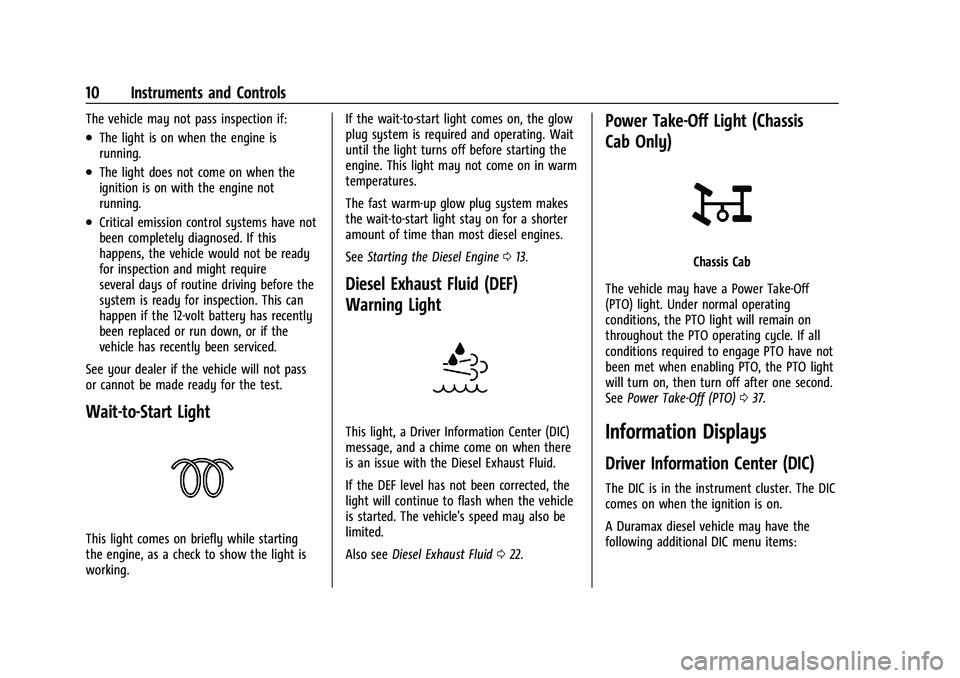
Wait-to-Start Light
This light comes on briefly while starting
the engine, as a check to show the light is
working. If the wait-to-start light comes on, the glow
plug system is required and operating. Wait
until the light turns off before starting the
engine. This light may not come on in warm
temperatures.
The fast warm-up glow plug system makes
the wait-to-start light stay on for a shorter
amount of time than most diesel engines.
See
Starting the Diesel Engine 013.
Diesel Exhaust Fluid (DEF)
Warning Light
This light, a Driver Information Center (DIC)
message, and a chime come on when there
is an issue with the Diesel Exhaust Fluid.
If the DEF level has not been corrected, the
light will continue to flash when the vehicle
is started. The vehicle's speed may also be
limited.
Also see Diesel Exhaust Fluid 022.
Power Take-Off Light (Chassis
Cab Only)
Chassis Cab
The vehicle may have a Power Take-Off
(PTO) light. Under normal operating
conditions, the PTO light will remain on
throughout the PTO operating cycle. If all
conditions required to engage PTO have not
been met when enabling PTO, the PTO light
will turn on, then turn off after one second.
See Power Take-Off (PTO) 037.
Information Displays
Driver Information Center (DIC)
The DIC is in the instrument cluster. The DIC
comes on when the ignition is on.
A Duramax diesel vehicle may have the
following additional DIC menu items:
Page 12 of 89

Chevrolet/GMC 2.8L Duramax Diesel Engine Supplement (GMNA-Localizing-
U.S./Canada-14465442) - 2021 - CRC - 2/3/20
Instruments and Controls 11
Exhaust Fluid Level :The Diesel Exhaust
Fluid (DEF) level will be displayed as either
OK, XX%, or LOW.
When LOW appears on the display, add DEF
as soon as possible. See Diesel Exhaust Fluid
0 22.
Fuel Filter Life Remaining : This display
shows an estimate of the fuel filter's
remaining useful life. If 90% Fuel Filter Life
Remaining is displayed, it means 90% of the
current fuel filter life remains. The fuel filter
life system will alert when to change the
fuel filter on a schedule consistent with your
driving conditions.
When the remaining fuel filter life is low,
the CHANGE FUEL FILTER message will
appear on the display. Change the fuel filter
as soon as possible.
Fuel Filter Life Reset : Reset the Fuel Filter
Life Remaining display after each fuel filter
change. It will not reset itself. Also, be
careful not to reset the display at any time
other than when the fuel filter has just been
changed because it cannot be reset
accurately until the next fuel filter change.
The fuel filter life will change to 100% when
the system has been reset. To reset the
system, press and hold the set/reset button, or the trip odometer reset stem if there are
no DIC buttons, for two seconds while Fuel
Filter Life Remaining is displayed on the DIC.
Engine Hour (Hourmeter) :
Shows the total
number of hours the engine has run. The
display also shows the engine idle hours.
Vehicle Personalization
Vehicle Personalization (Van
Models)
This vehicle may have customization
capabilities that allow you to program
certain features to one preferred setting.
Customization features can only be
programmed to one setting on the vehicle
and cannot be programmed to a preferred
setting for two different drivers.
A Duramax diesel vehicle may have the
following additional vehicle personalization
items:
Feature Settings Menu Items
The following are customization features
that allow you to program settings to the
vehicle: ELEVATED IDLE
This feature allows you to turn on or off
Elevated Idle.
Press
Uuntil ELEVATED IDLE appears on the
DIC display. Press
Vonce to access the
settings for this feature. Then press
Uto
scroll through OFF, ON, or NO CHANGE. To
select a setting, press
Vwhile the desired
setting is displayed on the DIC.
Vehicle Personalization (Pickup
Models)
Use the audio system controls to access the
personalization menus for customizing
vehicle features.
The following features may be available on
some vehicles with a diesel engine. See
“Vehicle Personalization” in the owner’s
manual for additional vehicle
personalizations.
If equipped, these features may be selected
using the infotainment display.
To access the vehicle personalization menu:
1. Touch the Settings icon on the Home Page of the infotainment display.
Page 15 of 89

Chevrolet/GMC 2.8L Duramax Diesel Engine Supplement (GMNA-Localizing-
U.S./Canada-14465442) - 2021 - CRC - 2/3/20
14 Driving and Operating
Observe the wait-to-start light. See
Wait-to-Start Light010. This light may
not come on if the engine is warm.
2. If the wait-to-start light is on, wait until this light goes off. Turn the ignition key
to START, then release the ignition key.
The engine will continue to crank until
the engine starts.
The engine has a fast warm-up glow
plug system. The wait-to-start light will
illuminate for a much shorter time than
most diesel engines, due to the rapid
heating of the glow plug system.
Caution
If the wait-to-start light stays on after
starting the vehicle, the vehicle may not
run properly. Have the vehicle serviced
right away.
3. If the engine does not start after 15 seconds of cranking, turn the ignition
off. Wait one minute for the cranking
motor to cool, then try the same steps
again.
If you are trying to start the engine after
you have run out of fuel, follow the steps in
Running Out of Fuel 030. When the engine is cold, let it run for a few
minutes before driving. This lets oil pressure
build up. The engine will sound louder when
it is cold.
For turbo protection, engine power at
speeds above idle may be limited if the
engine is cold. This protection can last up to
a maximum of 40 seconds at extreme cold
coolant and ambient temperatures.
Cold Weather Starting
Use the recommended engine oil when the
outside temperature drops below freezing.
See
Engine Oil 055. When the outside
temperature drops below –18 °C (0 °F), use
of the engine coolant heater is
recommended.
If you experience longer cranking times,
notice an unusual amount of exhaust smoke,
or are at higher elevations (over 2 135 m or
7,000 ft), you may use the engine coolant
heater. See Engine Heater 017.
See Fuel for Diesel Engines 025 for
information on what fuel to use in cold
weather.
If the Diesel Engine Will Not Start
If the vehicle runs out of fuel, see Running
Out of Fuel 030. If the vehicle is not out of fuel, and the
engine will not start:
Turn the ignition key to ON/RUN. After the
wait-to-start light goes off, turn the ignition
key to START.
If the light does not go off, wait a few
seconds, then try starting the engine again.
See your dealer as soon as possible for a
starting system check.
If the light comes on and then goes off and
you know the batteries are charged, but the
engine still will not start, the vehicle needs
service.
If the light does not come on when the
engine is cold, the vehicle needs service.
If the batteries do not have enough charge
to start the engine, see
“Battery”in the
owner’s manual.
Check that the correct engine oil has been
used and changed at appropriate intervals.
If the wrong oil is used, the engine may be
harder to start.
Be sure you are using the proper fuel for
existing weather conditions. See Fuel for
Diesel Engines 025.
If the engine starts, runs a short time, then
stops, the vehicle needs service.
Page 16 of 89
Chevrolet/GMC 2.8L Duramax Diesel Engine Supplement (GMNA-Localizing-
U.S./Canada-14465442) - 2021 - CRC - 2/3/20
Driving and Operating 15
{Warning
Do not use gasoline or starting aids, such
as ether, in the air intake. They could
damage the engine, which may not be
covered by the vehicle warranty. They
could also cause a fire, which could cause
serious personal injury.
Engine Idle Variations
Under certain conditions the engine idle
speed can vary or be elevated. Change in
idle speed is normal and does not indicate a
problem. Normal conditions that can raise
idle speed are low voltage, DPF
regeneration, air conditioning compressor
loads, and engine warmup. These speeds can
range from approximately 600 to 1000 rpm.
Elevated Idle
The engine has a cold temperature high idle
feature which elevates the engine idle speed
from base idle to 1050 to 1100 rpm for
pickup models or 1200 rpm for van models
when outside temperatures are below 0 °C
(32 °F), and the engine coolant temperature
is below 65 °C (150 °F). This feature enhances
heater performance by raising the engine
coolant temperature faster.To turn this feature on or off on pickup
models, see
Vehicle Personalization (Van
Models) 011 or
Vehicle Personalization (Pickup Models) 011.
On van models, this feature can be turned
on and off using the DIC buttons.
When the engine is started, it will slowly
ramp up to the high idle speed after a delay
of a few seconds up to approximately
two minutes. For this method to work
properly there must be no throttle or brake
pedal faults.
The engine idle speed will return to normal
once the following conditions are met:
.Engine coolant temperature reaches 65 °C
(150 °F).
.Air intake temperature reaches 0 °C
(32 °F).
The high idle speed will be temporarily
interrupted and the engine speed will return
to normal if any of the following conditions
occur:
.The brake pedal is applied.
.The accelerator pedal is pressed.
.The transmission is shifted out of P (Park)
or N (Neutral).
.Vehicle speed is detected. Once these inputs are removed, the engine
idle speed will slowly ramp back up to high
idle after the normal delay, if the conditions
for engine coolant temperature and air
intake temperature are still met.
Fast Idle Control (Vans Only)
The vehicle may have this system which can
be used to increase the engine idle speed.
Fast Idle control will be enabled when the
following conditions are met:
.The parking brake is set.
.The transmission is in P (Park) or
N (Neutral).
.The vehicle speed is about
0 km/h (0 mph).
.The cruise control Set switch is pressed
and released for Preset Fast Idle Speed
(1200 rpm).
Fast Idle control will be disabled when one
or more of the following conditions occur:
.The cruise control Set switch is pressed
and released. See “Cruise Control”in the
owner’s manual.
.The cruise control Cancel switch is
pressed.
.The brake pedal is pressed.
Page 19 of 89

Chevrolet/GMC 2.8L Duramax Diesel Engine Supplement (GMNA-Localizing-
U.S./Canada-14465442) - 2021 - CRC - 2/3/20
18 Driving and Operating
Pickups
Vans2. Open the hood and unwrap the electrical
cord. The cord is in the engine
compartment, on the driver side behind
the battery for pickups, and on the
passenger side for vans.
3. Clean and dry the heater cord and connector ends. Check the heater cord
for damage. If it is damaged, do not use
it. See your dealer for a replacement.
Inspect the cord for damage yearly.
4. Plug it into a normal, grounded 110-volt AC outlet.
{Warning
Improper use of the heater cord or an
extension cord can damage the cord and
may result in overheating and fire.
.Plug the cord into a three-prong
electrical utility receptacle that is
protected by a ground fault detection
function. An ungrounded outlet could
cause an electric shock.
.Use a weatherproof, heavy-duty,
15 amp-rated extension cord if needed.
Failure to use the recommended
extension cord in good operating
condition, or using a damaged heater
(Continued)
Warning (Continued)
or extension cord, could make it
overheat and cause a fire, property
damage, electric shock, and injury.
.Do not operate the vehicle with the
heater cord permanently attached to
the vehicle. Possible heater cord and
thermostat damage could occur.
.While in use, do not let the heater
cord touch vehicle parts or sharp
edges. Never close the hood on the
heater cord.
.Before starting the vehicle, unplug the
cord, reattach the cover to the plug,
and securely fasten the cord. Keep the
cord away from any moving parts.
5. Before starting the engine, be sure to unplug and store the cord as it was
before to keep it away from moving
engine parts and prevent damage.
The length of time the heater should remain
plugged in depends on the outside
temperature. You may wish to use the
coolant heater to improve ease of starting
at temperatures between −18 °C (0 °F) and
−29 °C (−20 °F). Keep the coolant heater
plugged in for a minimum of four hours. At
Page 21 of 89
Chevrolet/GMC 2.8L Duramax Diesel Engine Supplement (GMNA-Localizing-
U.S./Canada-14465442) - 2021 - CRC - 2/3/20
20 Driving and Operating
Caution (Continued)
Recommended Fluids and Lubricants
section of this manual are not used. This
damage would not be covered by the
vehicle warranty.
Under certain driving conditions, such as
stop-and-go traffic, the filter cannot clean
itself. A message comes on when the DPF is
dirty and needs to perform a self cleaning.
For the filter to clean itself, the vehicle must
be driven above 50 km/h (30 mph) until the
message goes off. This will take about
30 minutes.
{Warning
During DPF self-cleaning or during
extended idling in P (Park), the exhaust
system and exhaust gases are very hot.
Things that burn could touch hot exhaust
parts under the vehicle and ignite. You or
others could be burned. Do not park,
or idle for an extended period of time,
near or over papers, leaves, dry grass,
or other things that can burn. Keep the (Continued)
Warning (Continued)
exhaust area clear of material that could
ignite or burn. SeeParking over Things
That Burn 019.
Caution
Extended idle should be avoided because
the DPF system is not capable of self
cleaning at idle. During extended idle
operation, monitor the instrument cluster
telltale lights and Driver Information
Center for messages and take appropriate
indicated action. Continued idling with
the warning light/message on could
cause irreversible damage to the DPF
requiring repair and possible replacement
that might not be covered by the vehicle
warranty.
You will also notice a change in the exhaust
sound and engine idle speed. Along with
this, a burning smell and reduction in fuel
economy may be noticed. This is normal.
If you continue to drive with the DPF
warning message on and the exhaust filter
is not cleaned as required, the malfunction
indicator lamp and the ENGINE POWER IS REDUCED message will come on and dealer
service is necessary. See
Malfunction
Indicator Lamp (Check Engine Light) 09.
Vehicles with the DPF have specific fuel and
engine oil requirements. See Fuel for Diesel
Engines 025 and
Engine Oil 055.
Extended idling in P (Park) can cause exhaust
parts and gases to become very hot. Keep
the exhaust area clear of material that could
ignite or burn. See Parking over Things That
Burn 019.
If equipped with Power Take-Off (PTO),
monitor the instrument cluster for lights
related to the DPF.
See Accessories and Modifications 052 for
important information if you are considering
adding accessories or modifying the vehicle.
Manual Regeneration of Diesel
Particulate Filter
This feature is only available on Fleet and
Commercial vehicles.
To verify that the vehicle has this feature,
refer to the Vehicle Service Parts
Identification label (SPID) for RPO code FPF
Page 22 of 89

Chevrolet/GMC 2.8L Duramax Diesel Engine Supplement (GMNA-Localizing-
U.S./Canada-14465442) - 2021 - CRC - 2/3/20
Driving and Operating 21
or see www.gmupfitter.com to contact the
GM Upfitter Integration Group for
assistance.
If equipped, this feature allows for manual
cleaning/regeneration of the DPF when it is
unable to clean itself. It may be necessary
to perform a manual regeneration if driving
conditions—such as extended slow speed,
stop-and-go traffic, extended idles, short
drive cycles, or stationary PTO operation —
prevent DPF self-cleaning.
Manual regeneration can only be used when
the DPF has become at least 90% full. At
100% full, it will attempt to automatically
self-clean if proper driving conditions are
met. The DPF will clean itself if the vehicle
can be driven above 50 km/h (30 mph) for
about 30 minutes.
A Driver Information Center (DIC) message
displays when manual regeneration is
possible.
Scroll through the DIC pages to find the
Exhaust Cleaning menu. Depending on
whether the vehicle has a base or uplevel
cluster, it may be under the Settings menu.
If the vehicle cannot be stopped when the
DIC message first indicates cleaning is
available, automatic self-cleaning may have begun. If conditions cannot be met for
self-cleaning to complete, and manual
regeneration is selected, it may take up to
four minutes for the system to switch to
manual regeneration. When the switch
occurs, a DIC message prompts to start the
cleaning process.
{Warning
Do not leave the vehicle during the
regeneration.
Make sure that there are no flammables
near the muffler, DPF and exhaust pipe
which may result in a fire.
Remember that the temperature of
exhaust gases is high enough to burn
you. You and others could be seriously
injured.
Before starting the manual regeneration,
make sure all of the following safety
conditions are met:
.The vehicle is parked on level ground,
away from any flammable materials.
.The vehicle is parked outdoors, away
from any walls or buildings.
.The vehicle is at least 3 m (10 ft) from
any obstructions or materials that may
combust or melt.
.The shift lever is in P (Park).
.The fuel tank is at least one-eighth full.
.All fluids are at the proper level.
.No diagnostic trouble codes have been
set, and the malfunction indicator lamp is
not on.
.The engine coolant temperature is above
71 °C (160 °F).
After making sure all of the safety
conditions have been met, press the trip
odometer reset stem or
Von the steering
wheel control for at least one second to
select Start on the infotainment display.
Follow the instructions in the DIC messages.
Touch ACCEPT to acknowledge that all of
these safety conditions have been met and
to activate regeneration.
If the infotainment display returns to the
previous screen, then one or more of the
necessary operating conditions has not been
met. If you cannot determine which
condition has not been met, see
www.gmupfitter.com to contact the GM
Upfitter Integration Group for assistance.