2021 CADILLAC ESCALADE wheel
[x] Cancel search: wheelPage 127 of 492

Cadillac Escalade Owner Manual (GMNA-Localizing-U.S./Canada/Mexico-
13690472) - 2021 - CRC - 8/10/21
126 INSTRUMENTS AND CONTROLS
After the vehicle is started, this light
turns off and stays off if LKA has not
been turned on or is unavailable.
If available, this light is white if LKA
is turned on but not ready to assist.
This light is green if LKA is turned on
and ready to assist.
LKA may assist by gently turning the
steering wheel if the vehicle
approaches a detected lane marking.
The LKA light is amber when
assisting.
This light flashes amber as a Lane
Departure Warning (LDW) alert, to
indicate that the lane marking has
been unintentionally crossed.
LKA will not assist or alert if the turn
signal is active in the direction of the
lane departure, or if LKA detects that
you are accelerating, braking,
or actively steering.
SeeLane Keep Assist (LKA) 0324.Automatic Emergency
Braking (AEB) Disabled
Light
This indicator will display when
Automatic Emergency Braking or
Front Pedestrian Braking has been
turned off or is currently unavailable
due to malfunction.
See Automatic Emergency Braking
(AEB) 0315.
See Front Pedestrian Braking (FPB)
System 0317.
Vehicle Ahead Indicator
If equipped, this indicator will display
green when a vehicle is detected
ahead and amber when you are
following a vehicle ahead much too
closely.
See Forward Collision Alert (FCA)
System 0313.
Pedestrian Ahead Indicator
If equipped, this indicator will display
amber when a nearby pedestrian is
detected in front of the vehicle.
See Front Pedestrian Braking (FPB)
System 0317.
Page 128 of 492

Cadillac Escalade Owner Manual (GMNA-Localizing-U.S./Canada/Mexico-
13690472) - 2021 - CRC - 8/10/21
INSTRUMENTS AND CONTROLS 127
Traction Off Light
This light comes on briefly when the
vehicle is turned on. If it does not,
have the vehicle serviced by your
dealer. If the system is working
normally, the indicator light then
turns off.
The traction off light comes on when
the Traction Control System (TCS) has
been turned off. If StabiliTrak/
Electronic Stability Control (ESC) is
turned off, TCS is also turned off. To
turn TCS and ESC off and on, see
Traction Control/Electronic Stability
Control0264.
If TCS is off, wheel spin is not limited
unless necessary to help protect the
driveline from damage. Adjust driving
accordingly.
StabiliTrak OFF Light
This light comes on briefly when the
vehicle is turned on. It is located on
the center stack, below the
infotainment screen. If the light does
not come on, have the vehicle serviced
by your dealer. If the system is
working normally, the indicator light
then turns off.
This light comes on when the
StabiliTrak/Electronic Stability Control
(ESC) system is turned off.
If StabiliTrak/ESC is off, the Traction
Control System (TCS) is also off. To
turn ESC off and on, see Traction
Control/Electronic Stability Control
0 264.
If ESC and TCS are off, the systems do
not assist in controlling the vehicle.
Adjust driving accordingly.
Traction Control System
(TCS)/StabiliTrak Light
This light comes on briefly when the
vehicle is turned on. It is located on
the center stack, below the
infotainment screen.
If the light does not come on, have
the vehicle serviced by your dealer.
If the system is working normally, the
indicator light turns off.
If the light is on and not flashing, the
TCS and potentially the StabiliTrak/
ESC system are not fully operational
and may not assist in maintaining
control. Adjust driving accordingly.
If the condition persists, see your
dealer as soon as possible. A Driver
Information Center (DIC) message
may display.
Page 133 of 492
Cadillac Escalade Owner Manual (GMNA-Localizing-U.S./Canada/Mexico-
13690472) - 2021 - CRC - 8/10/21
132 INSTRUMENTS AND CONTROLS
Door Ajar Light
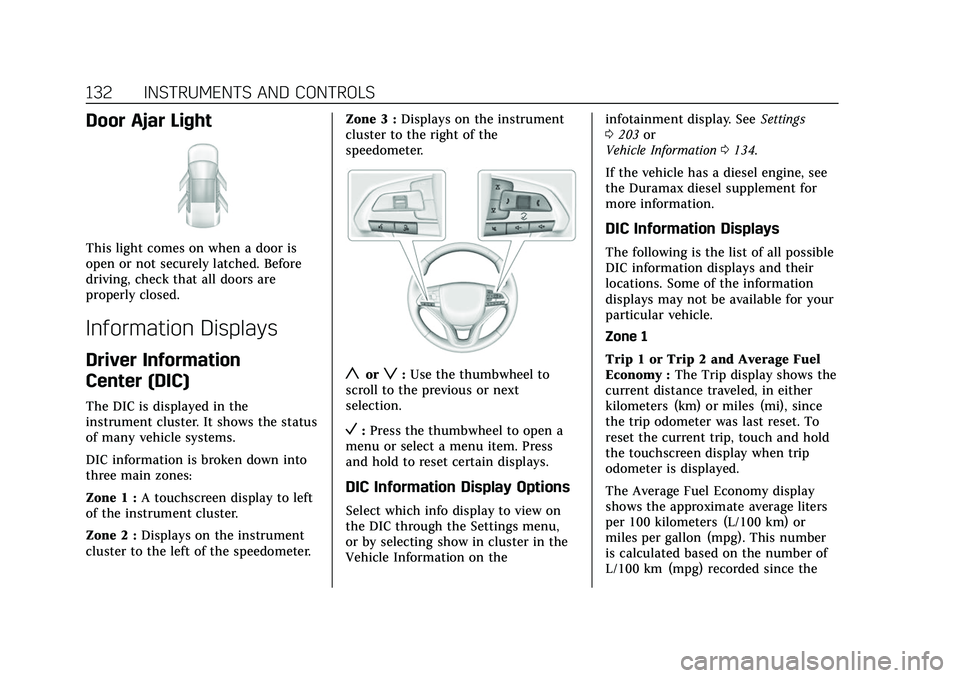
This light comes on when a door is
open or not securely latched. Before
driving, check that all doors are
properly closed.
Information Displays
Driver Information
Center (DIC)
The DIC is displayed in the
instrument cluster. It shows the status
of many vehicle systems.
DIC information is broken down into
three main zones:
Zone 1 :A touchscreen display to left
of the instrument cluster.
Zone 2 : Displays on the instrument
cluster to the left of the speedometer. Zone 3 :
Displays on the instrument
cluster to the right of the
speedometer.
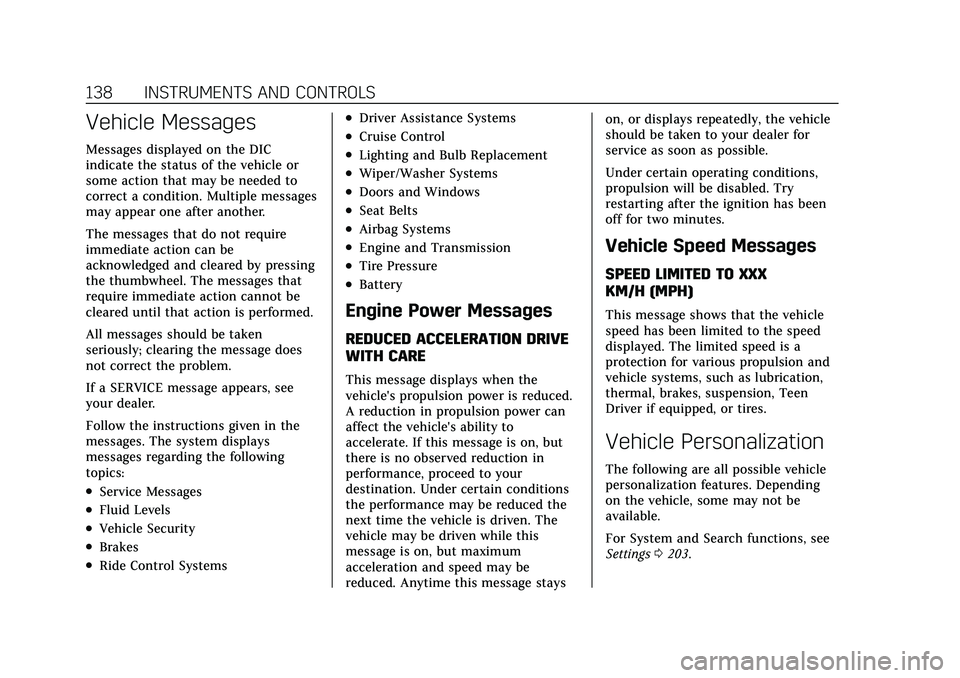
yorz: Use the thumbwheel to
scroll to the previous or next
selection.
V: Press the thumbwheel to open a
menu or select a menu item. Press
and hold to reset certain displays.
DIC Information Display Options
Select which info display to view on
the DIC through the Settings menu,
or by selecting show in cluster in the
Vehicle Information on the infotainment display. See
Settings
0 203 or
Vehicle Information 0134.
If the vehicle has a diesel engine, see
the Duramax diesel supplement for
more information.
DIC Information Displays
The following is the list of all possible
DIC information displays and their
locations. Some of the information
displays may not be available for your
particular vehicle.
Zone 1
Trip 1 or Trip 2 and Average Fuel
Economy : The Trip display shows the
current distance traveled, in either
kilometers (km) or miles (mi), since
the trip odometer was last reset. To
reset the current trip, touch and hold
the touchscreen display when trip
odometer is displayed.
The Average Fuel Economy display
shows the approximate average liters
per 100 kilometers (L/100 km) or
miles per gallon (mpg). This number
is calculated based on the number of
L/100 km (mpg) recorded since the
Page 134 of 492

Cadillac Escalade Owner Manual (GMNA-Localizing-U.S./Canada/Mexico-
13690472) - 2021 - CRC - 8/10/21
INSTRUMENTS AND CONTROLS 133
last time this menu item was reset.
This number reflects only the
approximate average fuel economy
that the vehicle has right now, and
will change as driving conditions
change. The Average Fuel Economy
can be reset along with the trip
odometer by touching and holding the
touchscreen display when trip
odometer is displayed.
Zone 2
Time/Date :Displays current date and
time information.
Auto Lane Change : Displays the
status of a driver-requested lane
change when Super Cruise is active.
See Super Cruise 0283.
Average Speed : Shows the average
speed of the vehicle in kilometers per
hour (km/h) or miles per hour (mph).
This average is calculated based on
the various vehicle speeds recorded
since the last reset of this value. The
average speed can be reset by
touching reset in vehicle information
screen. Timer :
This display can be used as a
timer. To start the timer, touch Start
while this display is active. The
display will show the amount of time
that has passed since the timer was
last reset. To stop the timer, touch
Stop briefly while this display is active
and the timer is running. To reset the
timer to zero, touch and hold Reset
while this display is active.
Off Road : Displays vehicle pitch and
roll information, road wheel angle,
and four-wheel drive (4WD) status.
Battery Voltage : Shows the current
battery voltage.
Trailer Brake : On vehicles with the
Integrated Trailer Brake Control
(ITBC) system, the trailer brake
display appears in the DIC.
TRAILER GAIN shows the trailer gain
setting. This setting can be adjusted
from 0.0 to 10.0 with either a trailer
connected or disconnected.
TRAILER OUTPUT shows the power
output to the trailer any time a trailer
with electric brakes is connected.
Output is displayed as a bar graph. Dotted lines may appear in the
OUTPUT display if a trailer is not
connected.
Oil Life :
Shows an estimate of the
oil's remaining useful life.
If REMAINING OIL LIFE 99% is
displayed, that means 99% of the
current oil life remains.
When the remaining oil life is low, the
CHANGE ENGINE OIL SOON message
will appear on the display. The oil
should be changed as soon as
possible. See Engine Oil0367. In
addition to the engine oil life system
monitoring the oil life, additional
maintenance is recommended. See
Maintenance Schedule 0442.
The Oil Life display must be reset
after each oil change. It will not reset
itself. Do not reset the Oil Life display
accidentally at any time other than
when the oil has just been changed.
It cannot be reset accurately until the
next oil change. To reset, see Engine
Oil Life System 0369.
Fuel Economy : Displays information
about current and average fuel
economy.
Page 137 of 492

Cadillac Escalade Owner Manual (GMNA-Localizing-U.S./Canada/Mexico-
13690472) - 2021 - CRC - 8/10/21
136 INSTRUMENTS AND CONTROLS
Some vehicle messages or alerts
displayed in the HUD may be cleared
by using the steering wheel controls.
The HUD control is on a touchscreen
to the left of the instrument cluster.
HUD controls are also available on the
infotainment screen. SeeSettings
0 203.
To adjust the HUD image: 1. Adjust the driver seat.
2. Start the engine.
3. Touch HUD on the touchscreen to the left of the instrument cluster. 4. Touch the icons above and below
Height and Brightness to adjust
the HUD.
The HUD image will automatically
dim and brighten to compensate for
outside lighting. Adjust as needed.
The HUD image can temporarily light
up depending on the angle and
position of sunlight on the HUD
display. This is normal.
Polarized sunglasses could make the
HUD image harder to see.
Head-Up Display (HUD) Rotation
Option
If equipped, this feature under the
HUD Options menu of the
infotainment screen allows for
adjusting the angle of the HUD image.
See Settings 0203.
HUD Rotation: Press the icons above
and below Rotation to adjust the
angle of the HUD display. This feature
may only be available in P (Park).
Speed Limit Style Adjustment
If equipped, the speed limit style can
be changed to a speed limit bar or
speed limit sign from the Options
menu in the instrument cluster. Press
the thumbwheel while Speed Limit
Style is highlighted to change the
speed sign style or to turn it off.
Page 139 of 492
Cadillac Escalade Owner Manual (GMNA-Localizing-U.S./Canada/Mexico-
13690472) - 2021 - CRC - 8/10/21
138 INSTRUMENTS AND CONTROLS
Vehicle Messages
Messages displayed on the DIC
indicate the status of the vehicle or
some action that may be needed to
correct a condition. Multiple messages
may appear one after another.
The messages that do not require
immediate action can be
acknowledged and cleared by pressing
the thumbwheel. The messages that
require immediate action cannot be
cleared until that action is performed.
All messages should be taken
seriously; clearing the message does
not correct the problem.
If a SERVICE message appears, see
your dealer.
Follow the instructions given in the
messages. The system displays
messages regarding the following
topics:
.Service Messages
.Fluid Levels
.Vehicle Security
.Brakes
.Ride Control Systems
.Driver Assistance Systems
.Cruise Control
.Lighting and Bulb Replacement
.Wiper/Washer Systems
.Doors and Windows
.Seat Belts
.Airbag Systems
.Engine and Transmission
.Tire Pressure
.Battery
Engine Power Messages
REDUCED ACCELERATION DRIVE
WITH CARE
This message displays when the
vehicle's propulsion power is reduced.
A reduction in propulsion power can
affect the vehicle's ability to
accelerate. If this message is on, but
there is no observed reduction in
performance, proceed to your
destination. Under certain conditions
the performance may be reduced the
next time the vehicle is driven. The
vehicle may be driven while this
message is on, but maximum
acceleration and speed may be
reduced. Anytime this message stayson, or displays repeatedly, the vehicle
should be taken to your dealer for
service as soon as possible.
Under certain operating conditions,
propulsion will be disabled. Try
restarting after the ignition has been
off for two minutes.
Vehicle Speed Messages
SPEED LIMITED TO XXX
KM/H (MPH)
This message shows that the vehicle
speed has been limited to the speed
displayed. The limited speed is a
protection for various propulsion and
vehicle systems, such as lubrication,
thermal, brakes, suspension, Teen
Driver if equipped, or tires.
Vehicle Personalization
The following are all possible vehicle
personalization features. Depending
on the vehicle, some may not be
available.
For System and Search functions, see
Settings
0203.
Page 140 of 492

Cadillac Escalade Owner Manual (GMNA-Localizing-U.S./Canada/Mexico-
13690472) - 2021 - CRC - 8/10/21
INSTRUMENTS AND CONTROLS 139
To access the vehicle
personalization menu:1. Touch the Settings icon on the Home Page of the infotainment
display.
2. Touch Vehicle to display a list of available options.
3. Touch to select the desired feature setting.
4. Touch the options on the infotainment display to disable or
enable a setting.
The menu may contain the following:
Valet Mode
This will lock the infotainment system
and steering wheel controls. It may
also limit access to vehicle storage
locations, if equipped.
To enable valet mode: 1. Enter a four-digit code on the keypad.
2. Select Enter to go to the confirmation screen.
3. Re-enter the four-digit code. Touch Lock or Unlock to lock or
unlock the system. Touch Back to go
back to the previous menu.
Teen Driver
See
Teen Driver 0207.
Rear Seat Reminder
This allows for a chime and a message
when the rear door has been opened
before or during operation of the
vehicle.
Touch Off or On.
Climate
Touch and the following may display:
.Auto Fan Speed
.Auto Cooled Seats
.Auto Heated Seats
.Rear Climate On Startup
.Auto Defog
.Auto Rear Defog
.Ionizer
.Auto Air Distribution Auto Fan Speed
This setting controls the amount of
airf low when the climate control is set
to Auto.
Touch Low, Medium, or High.
Auto Cooled Seats
This feature will automatically turn on
seat cooling at vehicle start up when
the cabin temperature is significantly
warmer than desired. See
Heated and
Ventilated Front Seats 048.
Touch Off or On.
Auto Heated Seats
This feature will automatically turn on
seat heating at vehicle start up when
the cabin temperature is significantly
cooler than desired. See Heated and
Ventilated Front Seats 048.
If equipped with Auto Heated Steering
Wheel, this feature will turn on when
the Auto Heated Seats turn on.
Touch Off or On.
Page 143 of 492

Cadillac Escalade Owner Manual (GMNA-Localizing-U.S./Canada/Mexico-
13690472) - 2021 - CRC - 8/10/21
142 INSTRUMENTS AND CONTROLS
.Remote Mirror Folding
.Rain Sense Wipers
.Auto Wipe in Reverse Gear
.Extended Hill Start Assist
Chime Volume
This sets the chime volume level.
Touch the controls on the
infotainment display to adjust the
volume.
Power Liftgate
This allows the driver to decide what
happens when pressing the Power
Liftgate switch. .
Touch Open Fully, Open to Custom
Height, or Off.
Hands Free Liftgate/Trunk Control
This allows the liftgate to be operated
hands free. See Liftgate020.
Touch Off, Open and Close,
or Open Only.
Reverse Tilt Mirror
When on, the driver, passenger,
or both driver and passenger outside
mirrors will tilt downward when the
vehicle is shifted into R (Reverse) to improve visibility of the ground near
the rear wheels. They may move from
their tilted position when the vehicle
is shifted out of R (Reverse) or turned
off. See
Reverse Tilt Mirrors 033.
Touch Off, On - Driver and Passenger,
On - Driver, or On - Passenger.
Remote Mirror Folding
This allows the outside mirrors to be
folded in when the remote key
Q
button is pressed and held. Pressing
Kunfolds the mirrors. See Folding
Mirrors 032.
Touch Off or On.
Rain Sense Wipers
This setting automatically turns on
the windshield wipers when moisture
is detected and the wiper switch is in
intermittent mode.
Touch Disabled or Enabled.
Auto Wipe in Reverse Gear
This setting automatically turns on
the rear window wiper when the
vehicle is shifted to R (Reverse) and
moisture is detected.
Touch Off or On. Extended Hill Start Assist
This setting prevents the vehicle from
rolling backward on a steep hill if the
brake pedal is not depressed.
Touch Extended Hold or
Standard Hold.
Lighting
Touch and the following may display:
.Ambient Lighting
.Vehicle Locator Lights
.Exit Lighting
.Left or Right Hand Traffic
.Advanced Forward Lighting
.Daytime Tail Lights
.Automatic High Beam Assist
.Surround View Lighting
Ambient Lighting
This setting provides the ability to
customize the color and intensity of
the interior accent lighting.
Touch Off or On.